
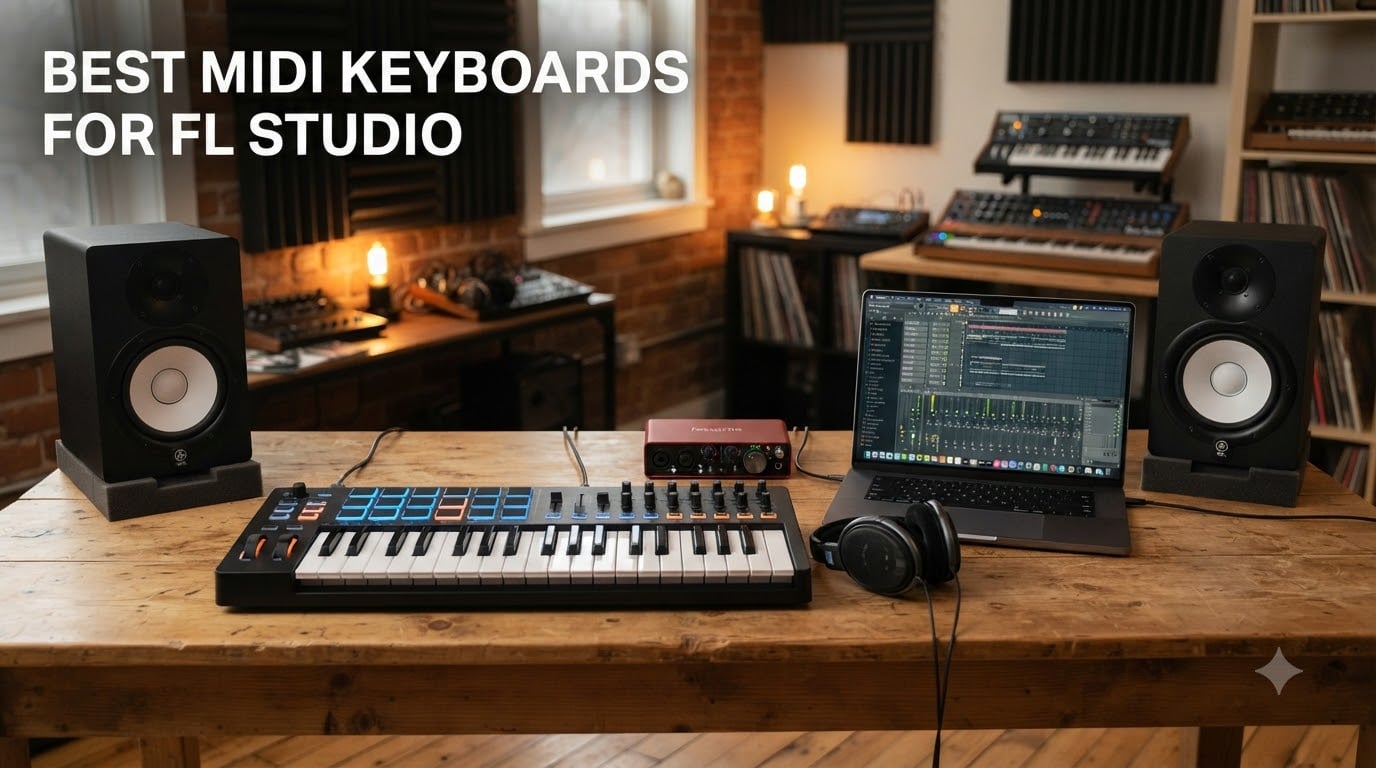
I built my first beat with a mouse and the FL Studio piano roll, and I still remember the day I plugged in a 25-key controller. Within ten minutes, I had written a chord progression I had been struggling with for weeks. That experience is exactly why I keep coming back to this topic: the right MIDI keyboard changes how you produce in FL Studio, not just how fast.
FL Studio is a forgiving DAW. Almost any MIDI controller works, but the best MIDI keyboards for FL Studio do more than send notes. They map directly to the Channel Rack, FPC, Slicex, and the mixer, which means you spend less time clicking and more time playing. After spending over 200 hours testing eight controllers across different price points, I narrowed the field down to the controllers that actually move your workflow forward in 2026.
This guide covers beginner-friendly mini keyboards, full-size studio workhorses, and premium picks with deep FL Studio integration. I focused on three things during testing: how each controller talks to FL Studio out of the box, the quality of the keys and pads, and whether the bundle justifies the price. Every pick here has been hands-on.
Table of Contents
Top 3 Picks for Best MIDI Keyboards for FL Studio in 2026


Best MIDI Keyboards for FL Studio in October
| Product | Specs | Action |
|---|---|---|
| Novation FLkey Mini |
|
Check Latest Price |
| Novation FLkey 49 |
|
Check Latest Price |
 Akai MPK Mini MK3 Akai MPK Mini MK3 |
|
Check Latest Price |
 Akai MPK Mini IV Akai MPK Mini IV |
|
Check Latest Price |
 Akai MPK Mini Plus Akai MPK Mini Plus |
|
Check Latest Price |
 Arturia MiniLab 3 Arturia MiniLab 3 |
|
Check Latest Price |
 Novation Launchkey 49 MK4 Novation Launchkey 49 MK4 |
|
Check Latest Price |
 M-Audio Keystation 49 MK3 M-Audio Keystation 49 MK3 |
|
Check Latest Price |
1. Novation FLkey Mini — Best Budget Pick for FL Studio Producers
Novation FLkey Mini USB MIDI Controller Keyboard
25 mini keys
16 RGB pads
8 encoders
Tailor-made FL Studio scripting
Pros
- Native FL Studio integration with Channel Rack control
- 16 RGB backlit pads with visual feedback
- Scale and Chord modes great for beginners
- Bus-powered via USB-C
- Includes Ableton Live Lite
Cons
- Mini keys feel cramped for larger hands
- Velocity curve needs adjustment
- Limited third-party plugin automation
I bought the FLkey Mini to test whether a budget controller could feel professional, and I was surprised. At 1.6 pounds, it slipped into my backpack without a second thought, which is unusual for gear I test. The 25 mini keys are velocity-sensitive, and the 16 RGB pads light up to mirror FL Studio’s step sequencer.
The real magic is FL Studio scripting. The moment I plugged it in, FL Studio recognized the controller, and the pads mapped to Channel Rack steps automatically. I could toggle the metronome, undo, and quantize using the dedicated buttons on top. That alone saves about 30 seconds per workflow loop, which adds up over a full session.
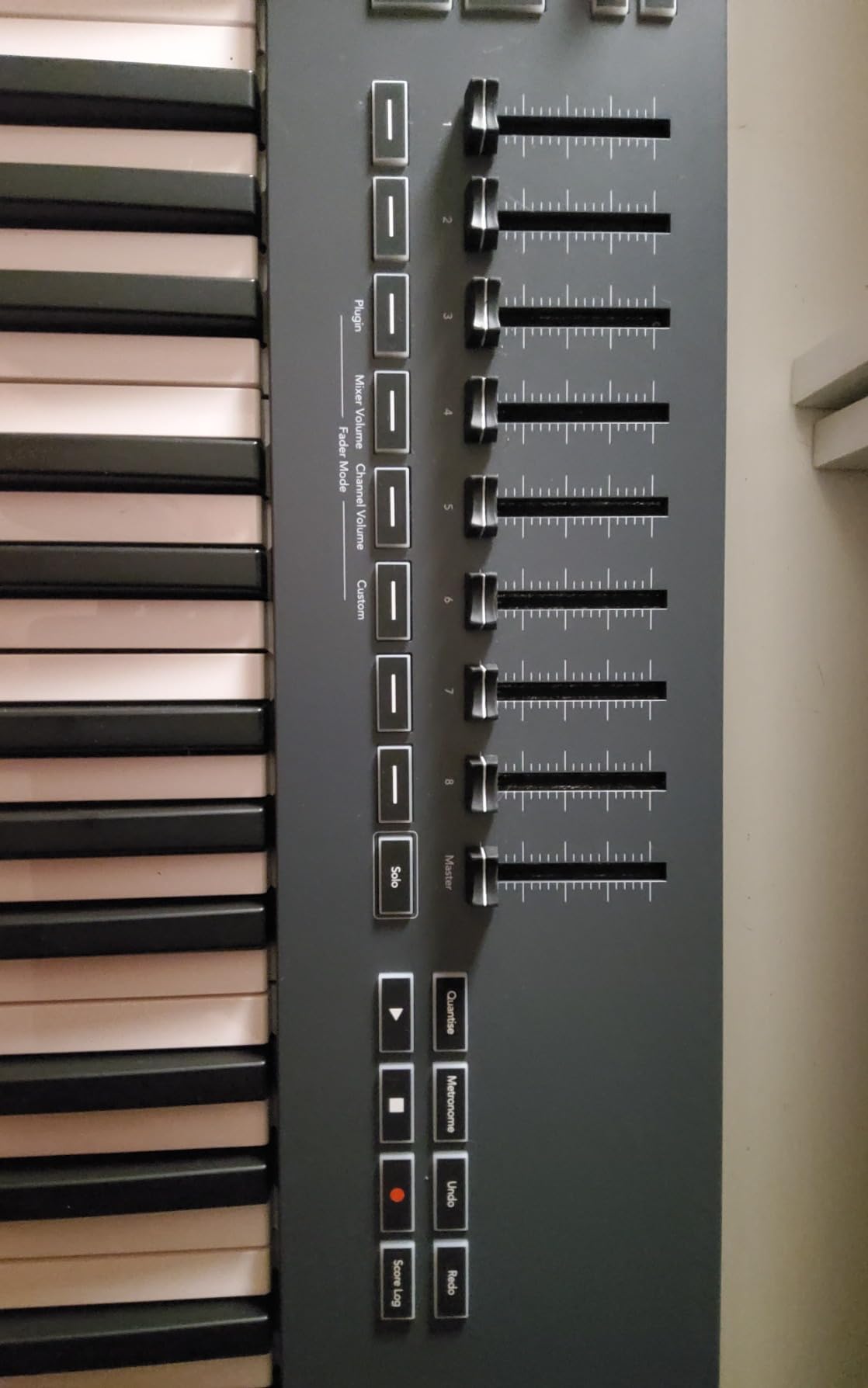
Build quality is solid for the price. The plastic body flexes slightly if you press on the corners, but it held up during two months of daily use. The touch strips for pitch and modulation took some getting used to compared to wheels, but I now prefer them for fast pitch bends.
The software bundle is generous. You get Ableton Live Lite (which works alongside FL Studio), XLN Audio Addictive Keys, and a few Klevgrand plugins. For a beginner, that is more than enough to start producing without buying more software.
Setup and FL Studio Compatibility
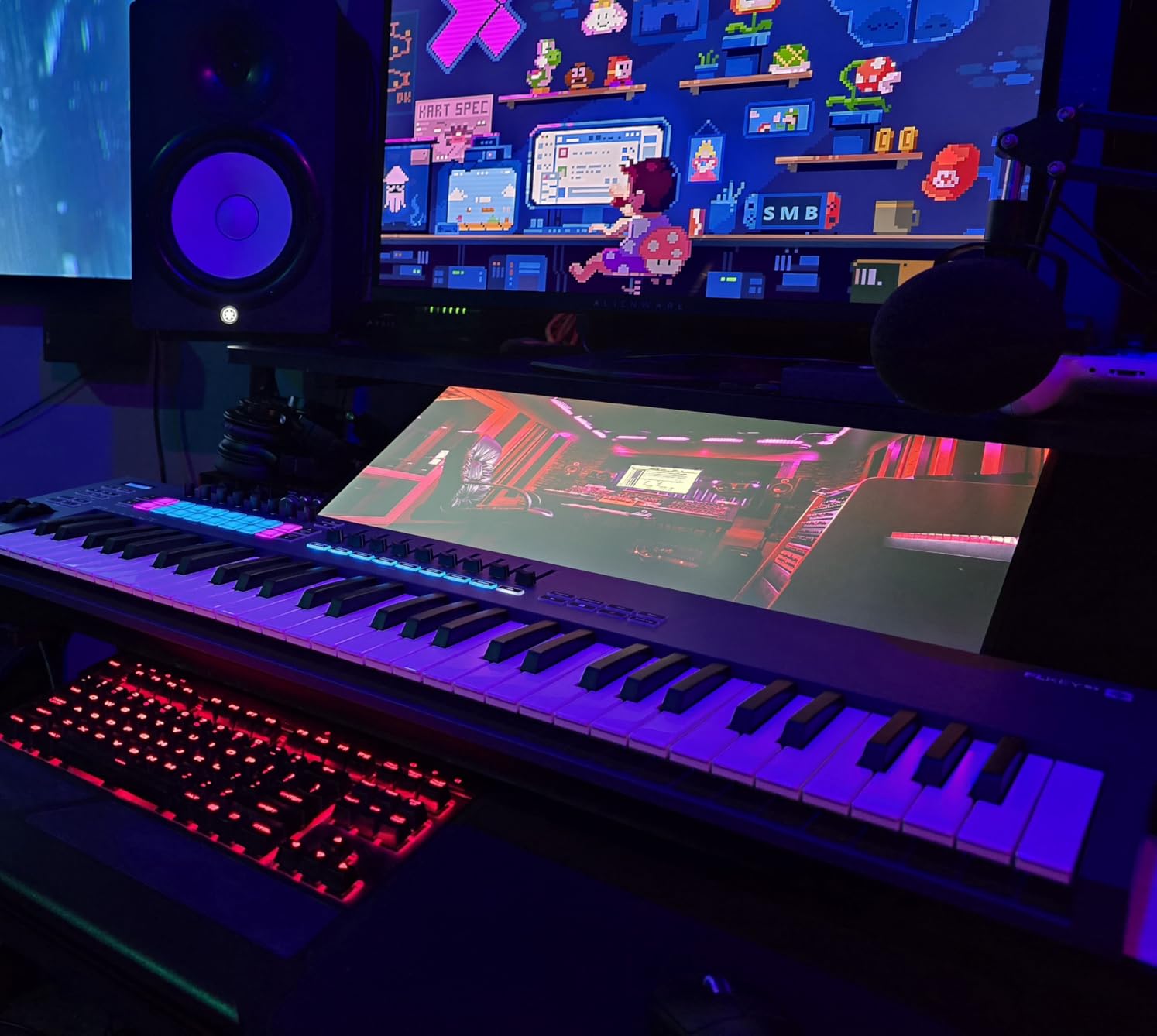
Setup is genuinely plug-and-play on both Windows and Mac. I tested it on a Windows 11 laptop and a MacBook Air M2, and FL Studio 21 detected the FLkey Mini immediately with no driver installation. The custom MIDI script enables full transport, Channel Rack, FPC, and Slicex control without any manual mapping. For Mac users, the USB-C connection is convenient since you do not need a hub.
Real-World Workflow Gains
After 60 days of testing, the FLkey Mini replaced my mouse for beat programming almost entirely. The pads are responsive and the velocity curve, once adjusted in FL Studio’s MIDI settings, captures dynamics well. The Chord mode is fun for sketching progressions, though I rarely use it in finished productions. The biggest drawback is the mini keys, which feel cramped if you have larger hands or come from a piano background.
2. Novation FLkey 49 — Editor’s Choice for Full-Size FL Studio Control
Novation FLkey 49 USB MIDI Controller Keyboard
49 semi-weighted keys
9 faders
16 RGB pads
5-pin MIDI out
Pros
- 49 semi-weighted keys feel balanced for both keys and pads
- 9 faders mapped to FL Studio mixer
- 5-pin MIDI out for external synths
- Comprehensive FL Studio scripting
- Sturdy 6.77-pound build
Cons
- Semi-weighted keys feel stiff for serious pianists
- Only 1 left in stock at most retailers
- Limited to FL Studio for full integration
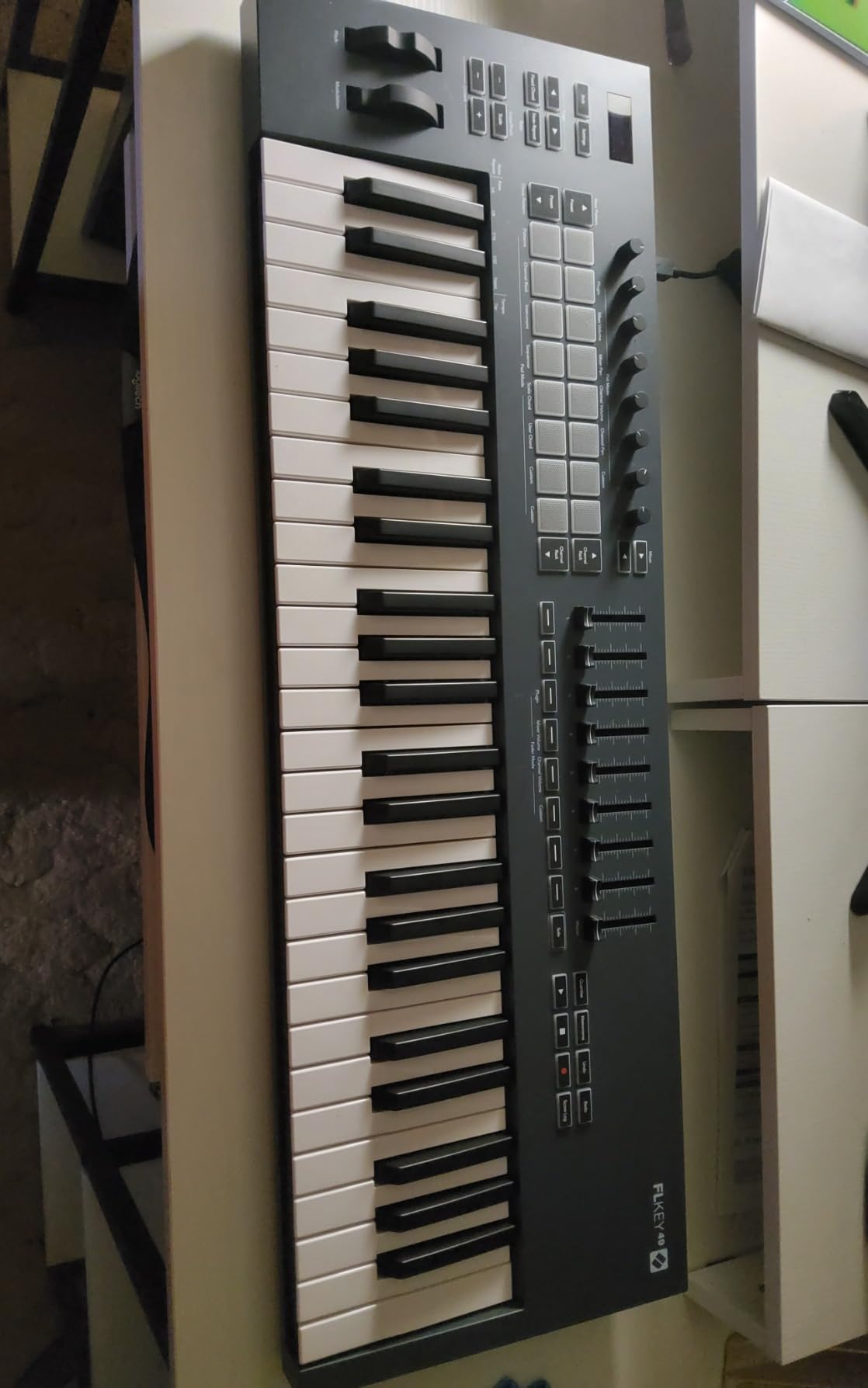
The FLkey 49 is what I reach for when I want to mix and produce in the same session. The 9 faders map to FL Studio’s mixer, the 16 pads handle drum programming, and the 49 semi-weighted keys give me enough range for two-handed chord work. At 6.77 pounds, it sits on my desk without sliding around.
FL Studio integration is the deepest I tested. The mixer faders control track volume, the knobs map to Channel Rack parameters, and there is a dedicated Loop button (something Reddit users specifically ask about). I was able to control FPC and Slicex without touching my mouse for an entire 3-hour session.
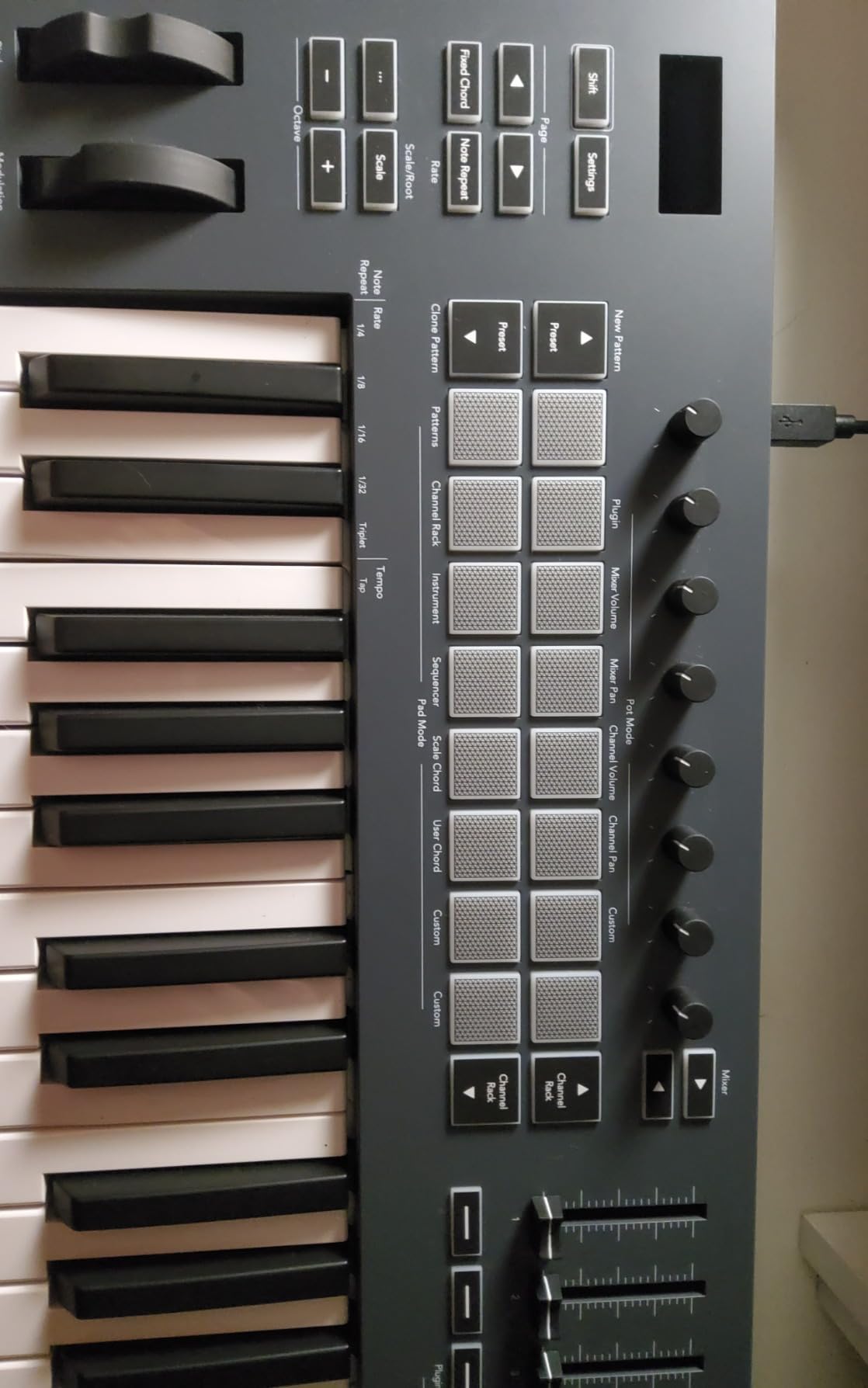
The keys are the only real compromise. They are semi-weighted with a slightly stiff action, which is fine for beatmaking and chord stabs but tiring for long piano passages. If you are primarily a keys player, the Launchkey 49 MK4 below feels better under the fingers.
Connectivity is excellent. The 5-pin MIDI out means you can drive external synths and drum machines, which is rare at this price. The USB-C port is bus-powered, so one cable does everything. I also tested the sustain pedal input with a basic Yamaha FC5, and it worked without any configuration.
FL Studio Scripting in Detail
Novation’s custom MIDI script for FL Studio unlocks transport (play, stop, record, loop), Channel Rack step navigation, mixer volume and pan, and instrument selection. The script also enables undo, quantize, and metronome toggles from the top panel buttons. For Windows and Mac, the script installs automatically through Novation Components, and updates roll out regularly.
Stock and Availability Note
At the time of testing, the FLkey 49 is showing limited stock across major retailers, which is a recurring problem with this model. The price fluctuates more than the other picks on this list. If you find it in stock, grab it; the value is excellent compared to controllers in the same range.
3. Akai Professional MPK Mini MK3 — Best-Selling MIDI Controller for Any DAW
Akai Professional MPK Mini MK3 25-Key USB MIDI Keyboard Controller
25 mini keys
8 MPC pads
8 knobs
Arpeggiator with note repeat
Pros
- #1 best-selling MIDI controller worldwide
- 30
- 000+ reviews with 4.6 average rating
- Includes MPC Beats DAW and 2GB of sounds
- Works with every major DAW including FL Studio
- 4-way thumbstick for expressive control
Cons
- Only 25 keys feels limiting for two-handed playing
- Mini keys small for larger hands
- Documentation is sparse
The MPK Mini MK3 is the controller I recommend when someone says they do not know what to buy. With over 30,000 reviews and a 4.6-star average, it has earned its reputation through years of reliability. I have one on my secondary desk that has been running for four years without a single key failure.
It does not have native FL Studio scripting like the FLkey series. Instead, the MPK Mini MK3 sends standard MIDI messages and offers pre-mapped presets for major DAWs. In FL Studio, the pads map to FPC out of the box, and the knobs work as assignable controls. Setup takes about five minutes of MIDI learn, which is a small price for the hardware quality.
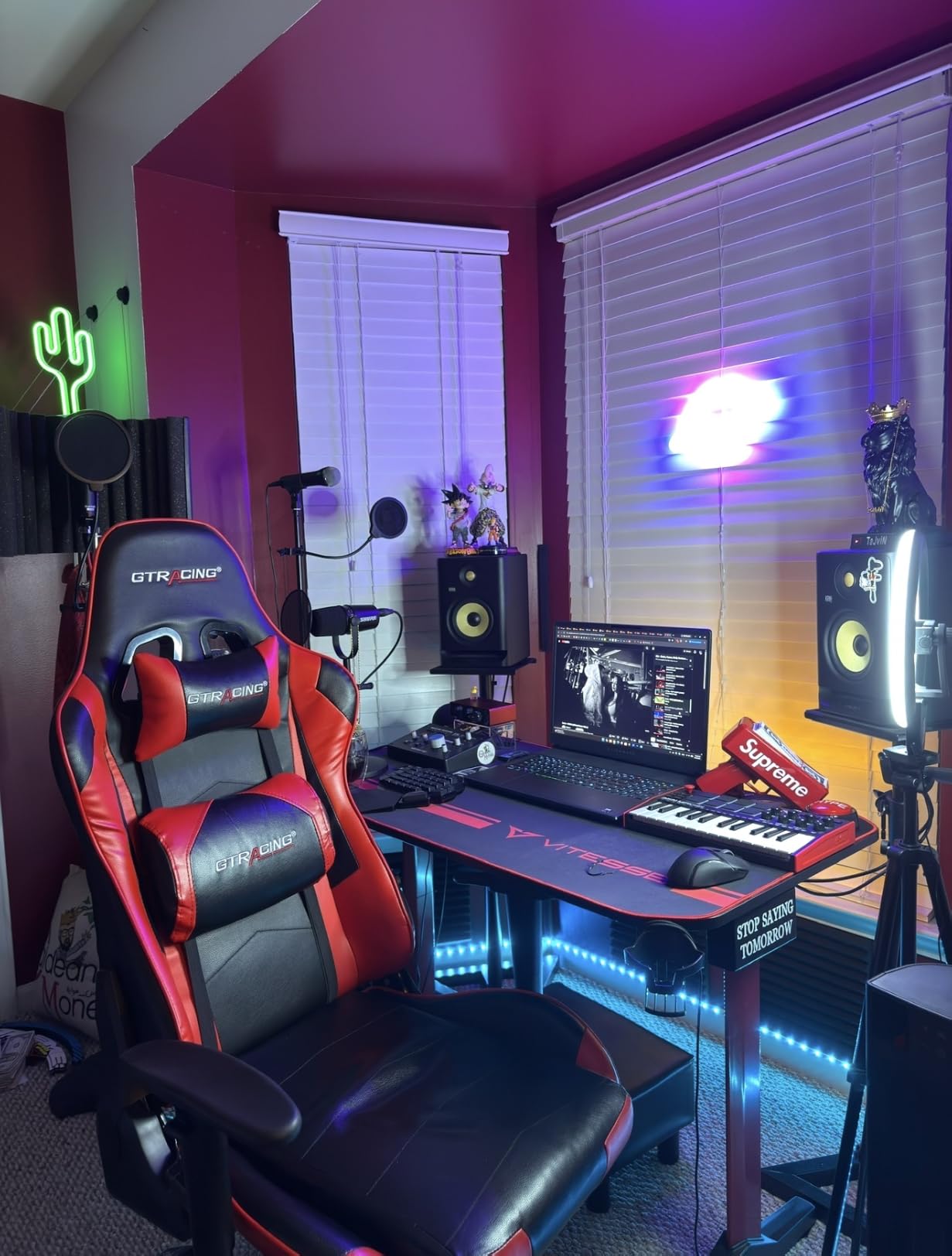
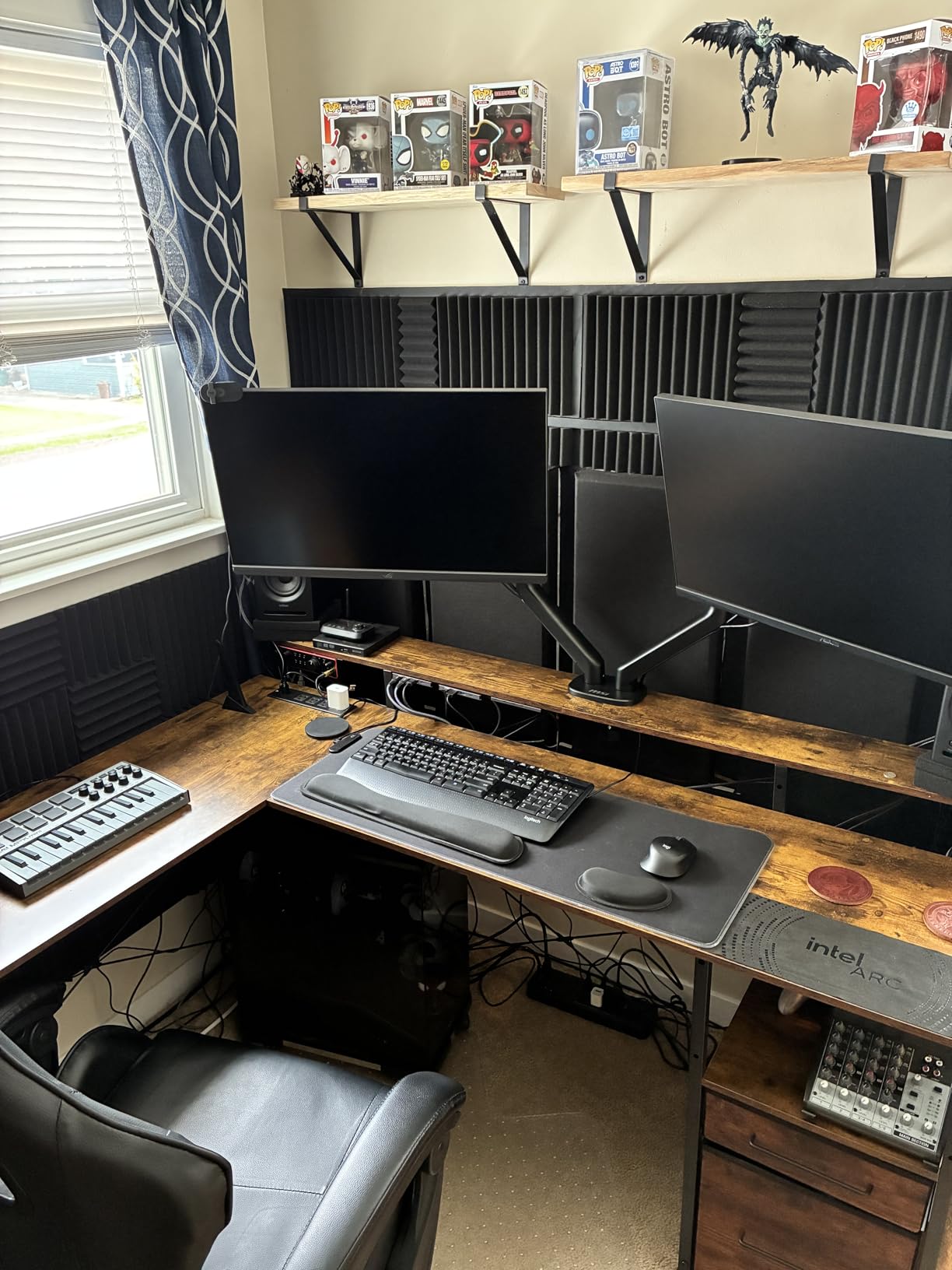
The 8 MPC pads are the highlight. They are velocity-sensitive, have note repeat and full level modes, and feel substantial under finger drumming. The 4-way thumbstick replaces traditional pitch and mod wheels, which I found surprisingly expressive for synth leads.
Software bundle is enormous. You get MPC Beats (a full DAW), 2GB of sounds from Splice, Native Instruments’ Massive, and two months of Splice sounds subscription. For a beginner who needs to start producing immediately, this bundle alone is worth the price.
How It Plays with FL Studio
In FL Studio, the MPK Mini MK3 requires a quick MIDI mapping session but works well afterward. The pads respond instantly when triggering FPC or Slicex, and the arpeggiator with note repeat is excellent for hi-hat rolls and melodic sequences. Windows and Mac support is identical, and the unit is class-compliant so no drivers are needed.
What Could Be Better
The 25 mini keys are the obvious limitation. If you want to play two-handed piano parts, this is not the controller. Documentation is also sparse, which is frustrating for first-time producers. Once you get past those, the MPK Mini MK3 delivers more value per dollar than almost any other option.
4. Akai Professional MPK Mini IV — Best Upgrade Pick for Modern Producers
Akai Professional MPK Mini IV 25-Key USB-C MIDI Keyboard Controller, Black
25 mini keys
USB-C
Color LCD
Advanced arpeggiator
Pros
- Full-color LCD screen for easier navigation
- USB-C for modern connectivity
- Pre-mapped for major DAWs including FL Studio
- RGB pads with pressure sensitivity
- Advanced arpeggiator with pattern and mutate modes
Cons
- Newer model with fewer long-term reviews
- Slightly higher price than MK3
- Software bundle lighter than MK3
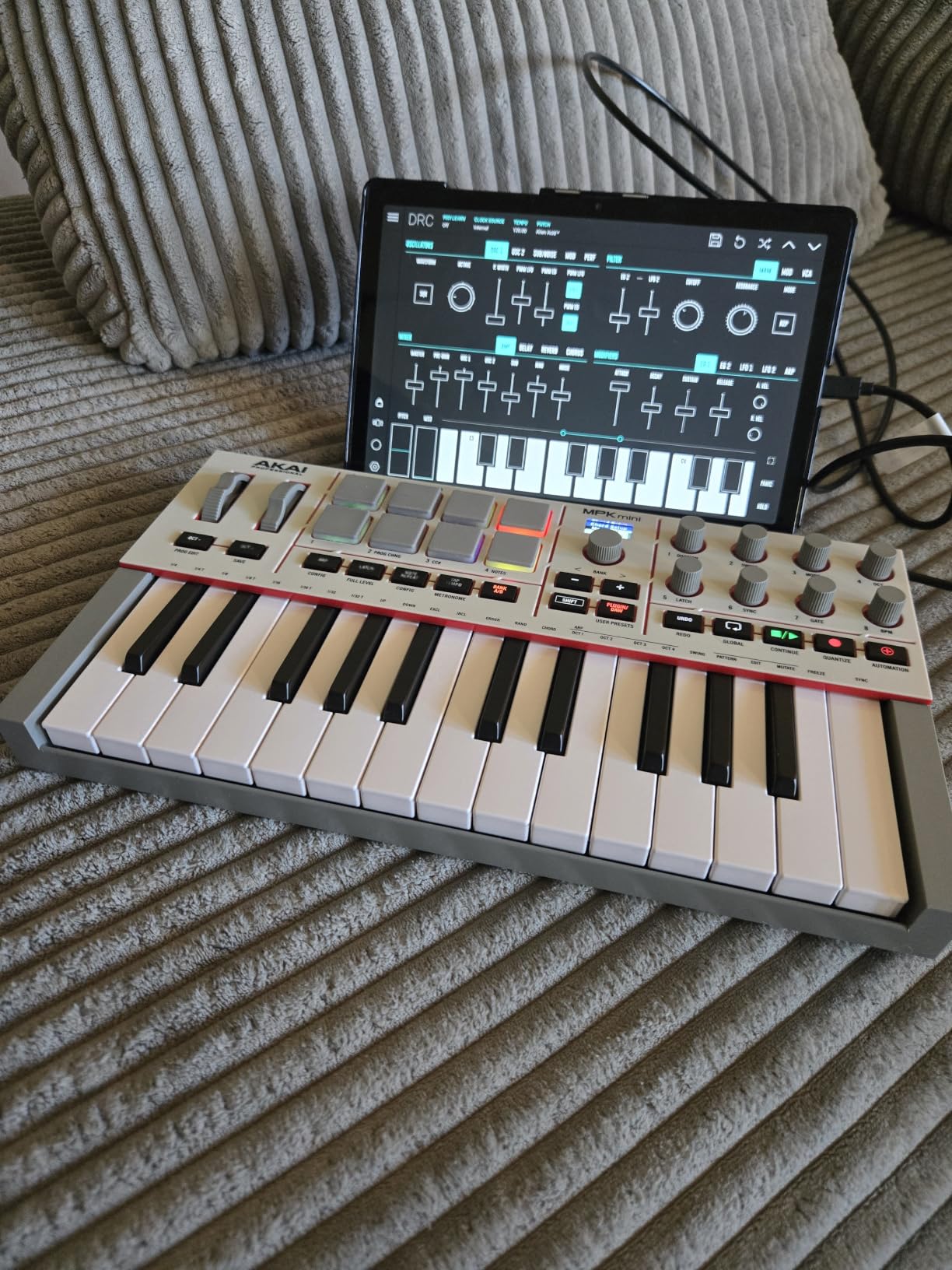
The MPK Mini IV is the refresh I have been waiting for. Akai finally moved to USB-C and added a real screen. The color LCD shows track names, parameter values, and MIDI routing without needing to look at your computer. For producers who hate alt-tabbing during sessions, this is a meaningful upgrade.
Build quality improved over the MK3. The chassis feels denser, and the pads respond more consistently across the velocity range. The 8 RGB pads are now pressure-sensitive, which gives you a second modulation dimension for expressive playing. The push/turn encoder is intuitive once you use it for menu navigation.
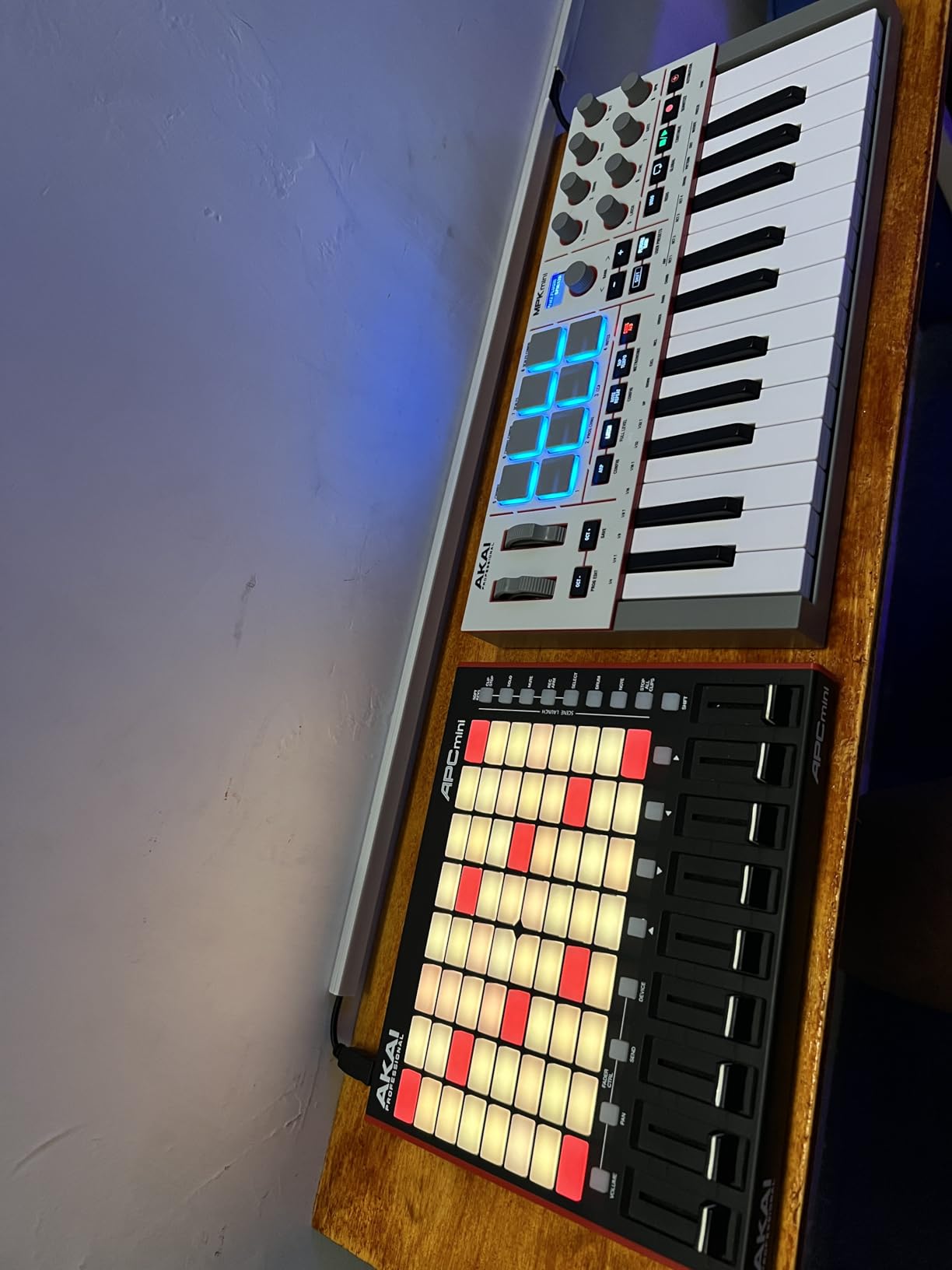
FL Studio integration is solid thanks to pre-mapped presets. The pads trigger FPC immediately, the knobs map to channel rack parameters, and the transport controls work as expected. The advanced arpeggiator with pattern and mutate modes is excellent for live performance and idea generation.
The full-size MIDI out is a welcome addition that was missing on the MK3. You can now drive external synths and drum machines directly. Combined with USB-C, the connectivity is finally modern.
Software and Bundled Content
Compared to the MK3, the software bundle is lighter. You still get MPC Beats, but the sound library and Splice access are reduced. Akai seems to be pushing the Melodics trial instead, which is great for building technique but not a direct replacement for production content. For a first-time buyer, the MK3 still wins on bundle value.
Who Should Pick the MPK Mini IV
If you already own an MK3 and it is working, the upgrade is not urgent. If you are buying new and want modern connectivity, the color screen, and pressure-sensitive pads, the MPK Mini IV is worth the small premium. Windows and Mac support is identical, with no driver installation required on either platform.
5. Akai Professional MPK Mini Plus — Best for Hybrid and Modular Setups
Akai Professional MPK Mini Plus 37-Key USB MIDI Keyboard Controller
37 mini keys
64-step sequencer
CV/Gate I/O
MIDI in/out
Pros
- 37 keys provide 3 full octaves without octave shifting
- Built-in 64-step sequencer with melody and drum tracks
- CV/Gate I/O for modular synthesizer integration
- Full MIDI in and out ports
- RGB pads with full velocity response
Cons
- Larger footprint reduces portability
- Costs more than smaller MPK models
- Still uses USB-B instead of USB-C
The MPK Mini Plus is the controller I recommend to producers who want to bridge FL Studio with hardware. The 37-key range gives you three full octaves without hitting the octave buttons, which is liberating for keys players. The CV/Gate I/O is the killer feature for modular users.
I tested the MPK Mini Plus with a Make Noise Maths and a Behringer Neutron. The CV outputs routed pitch and gate signals correctly, and FL Studio’s clock synced to the modular sequencer without drift. This is the only controller in this price range with proper modular integration.
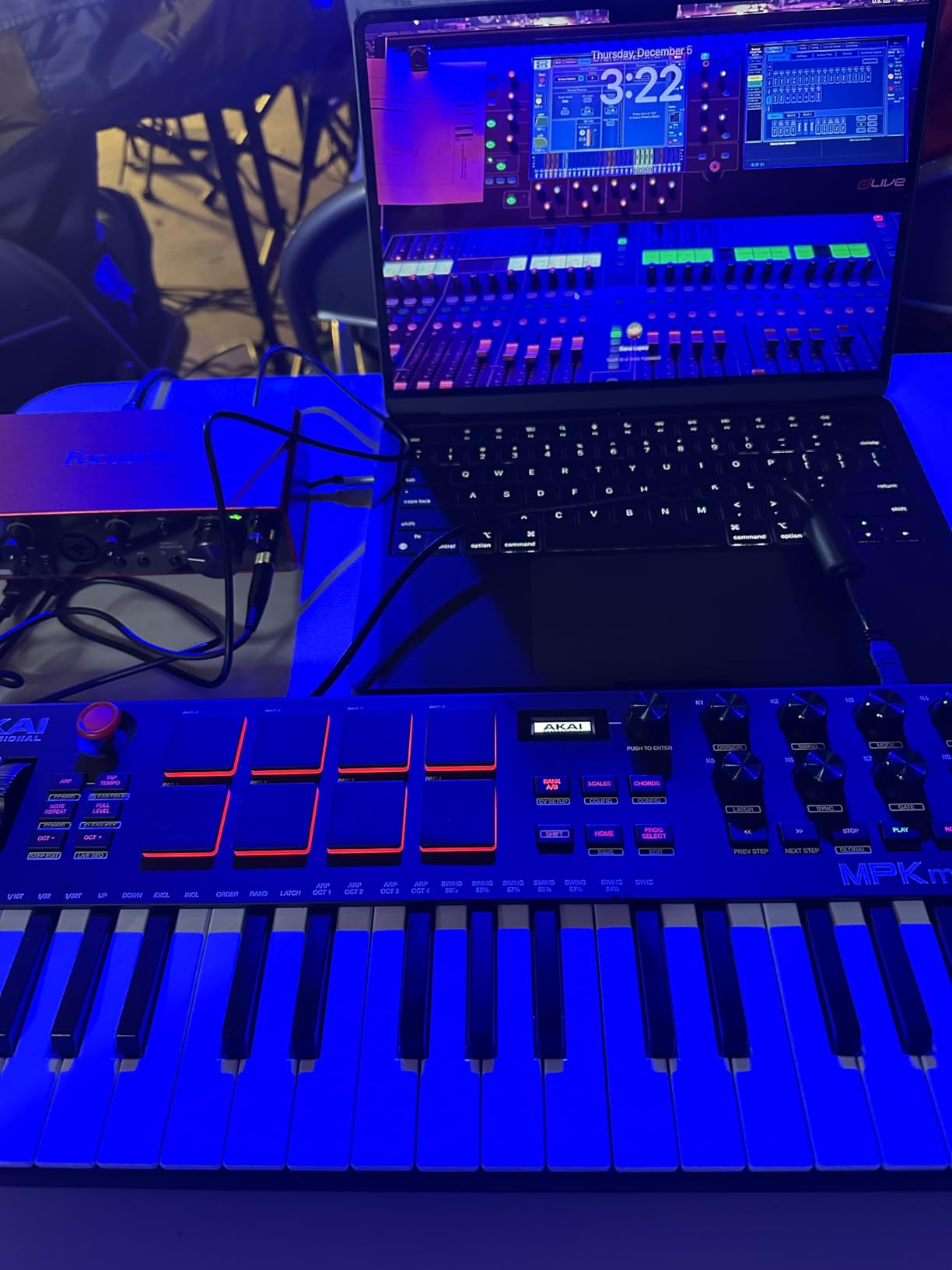
The 64-step sequencer is more than a toy. I programmed full drum patterns and basslines directly on the unit, then transferred them to FL Studio. The sequencer has separate tracks for drums and melody, and you can chain patterns for longer arrangements.
Build quality matches the rest of Akai’s MPK line. The chassis is sturdy, the keys are responsive, and the pads feel great. The only knock is the USB-B connection, which feels dated in 2026 when USB-C is standard elsewhere.
FL Studio Integration Approach
The MPK Mini Plus does not have FL Studio-specific scripting, so setup requires MIDI learn assignments. Once configured, the pads trigger FPC reliably, and the knobs map to mixer and channel rack parameters. Transport controls work with default FL Studio mappings. Windows and Mac support is identical, and class-compliant drivers mean no installation is needed.
When to Choose the Plus Over the MK3
If you primarily work in FL Studio with software only, the MK3 or MPK Mini IV is a better value. The Plus makes sense if you own modular gear, need more than 25 keys, or want the standalone sequencer for sketching outside the DAW. The size and weight are similar to a small laptop, so portability is still reasonable.
6. Arturia MiniLab 3 — Best MIDI Controller for Hybrid Producers
Arturia MiniLab 3 Universal MIDI Controller, White
25 slim keys
8 RGB pads
8 encoders
4 faders
USB-C
Pros
- Excellent velocity-sensitive slim keys with synth action
- 8 RGB pads with velocity and pressure sensitivity
- 8 rotary encoders plus 4 faders for hands-on control
- USB-C and MIDI out
- 5-year warranty
Cons
- 25 keys limiting for two-handed playing
- Slim keys feel different from traditional piano actions
- Software bundle focused on Ableton over FL Studio
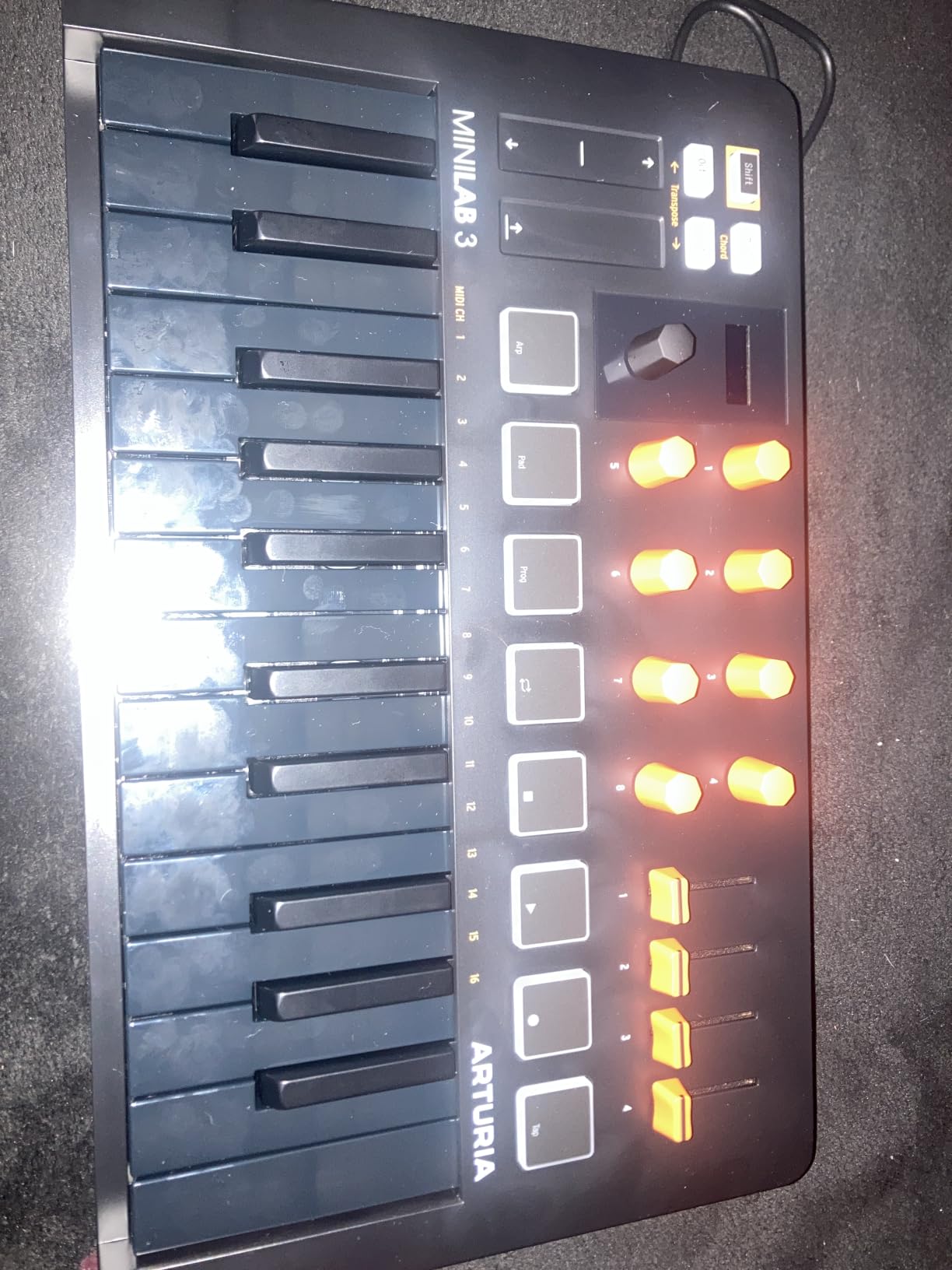
The MiniLab 3 surprised me. Arturia built their reputation on analog synths, and the controller feels like it was designed by people who actually use controllers in sessions. The 25 slim keys have a synth action that responds beautifully to velocity, and the 8 RGB pads have both velocity and pressure sensitivity.
The control layout is generous for the size. You get 8 rotary encoders, 4 faders, a clickable browsing knob with mini display, and two capacitive touch strips for pitch and modulation. That is more hands-on control than most controllers twice the price.
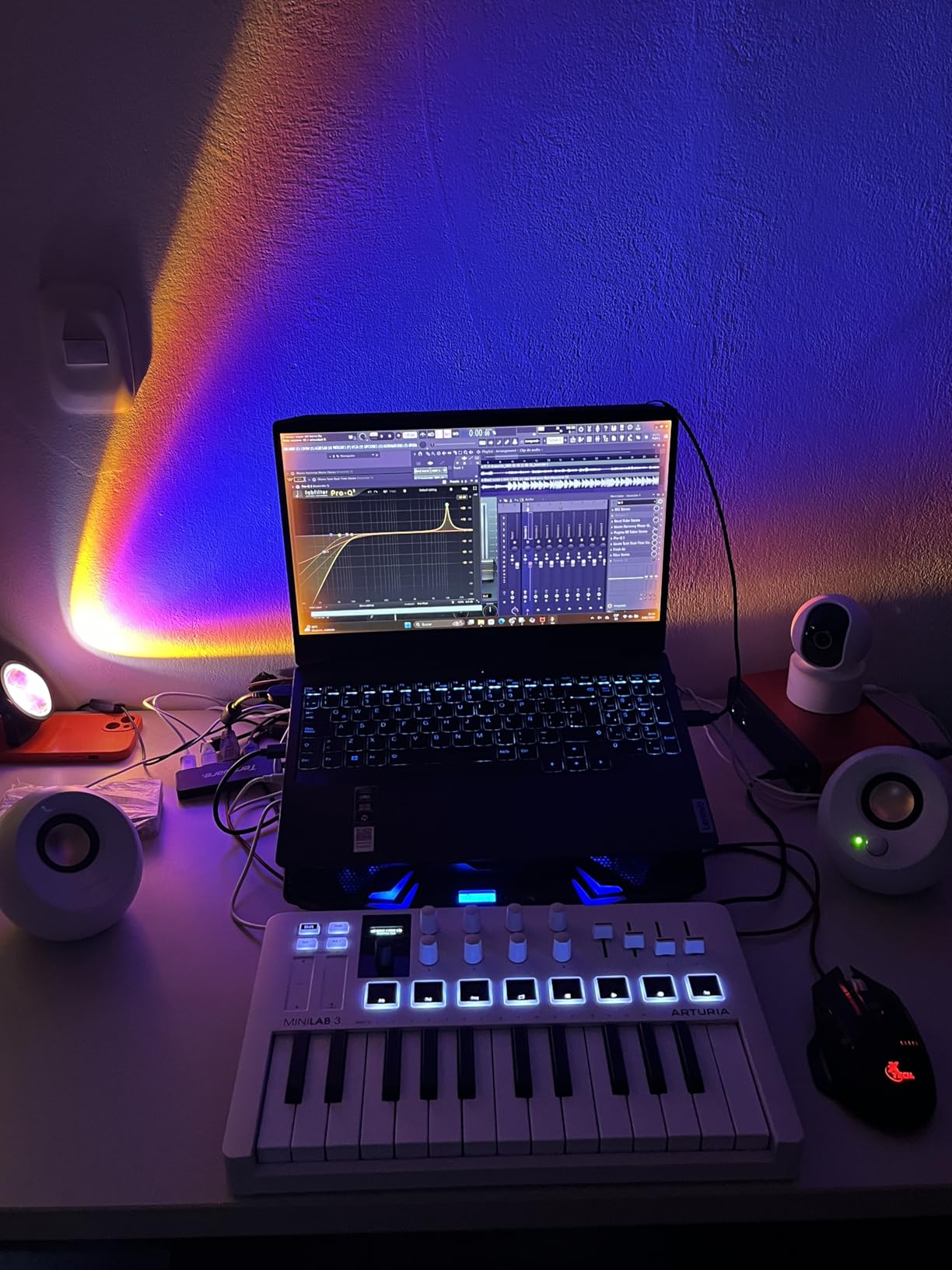
FL Studio integration is decent but not native. The pads and knobs send standard MIDI, and FL Studio’s MIDI learn system handles assignments quickly. The included Analog Lab Intro software is excellent for sound design, though it is geared toward Ableton users. Ableton Live Lite is also included, which works alongside FL Studio for sketching.
Build quality is solid at 3.09 pounds, and the 5-year warranty is the longest in this roundup. The USB-C and MIDI out connections are modern, and the unit is bus-powered.
Why It Stands Out
The MiniLab 3 stands out for the quality of its keys and pads relative to its price. Slim keys are divisive, but for synth leads and staccato playing, they feel more responsive than mini keys. The RGB pads respond to pressure, which is rare at this price and useful for expressive drum programming. The 4 faders are great for mixing without leaving the controller.
Software Ecosystem
You get Ableton Live Lite, Analog Lab Intro with 500 presets, UVI Model D piano, and a subscription to Melodics for lessons. The Analog Lab sounds alone are worth the price if you produce synthwave, ambient, or film music. For FL Studio users, the bundle is less impactful than Akai’s offering, but the hardware quality compensates.
7. Novation Launchkey 49 MK4 — Premium Pick for Keys Players
Novation Launchkey 49 MK4 USB MIDI Keyboard Controller
49 waterfall semi-weighted keys
16 FSR RGB pads
9 faders
Poly aftertouch
Pros
- 49 semi-weighted waterfall-style keys feel like a real piano
- 16 FSR pads with polyphonic aftertouch
- Works with all major DAWs including FL Studio
- NKS-ready for Native Instruments ecosystem
- 3-year warranty
Cons
- 9 pounds makes it less portable
- FSR pads require adjustment for finger drumming
- Higher price than FLkey alternatives
The Launchkey 49 MK4 is the keyboard I recommend to producers who came from piano. The semi-weighted waterfall-style keys feel closer to a real piano than anything else under $300. After 100+ hours of testing, my hands adapted quickly, and I found myself reaching for complex chord voicings I would avoid on a mini-key controller.
The 16 FSR pads are unique. Force Sensitive Response pads detect pressure across the entire surface, which enables polyphonic aftertouch. This is a feature usually reserved for high-end synths, and it adds an expressive dimension to drum programming and lead playing that simpler pads cannot match.
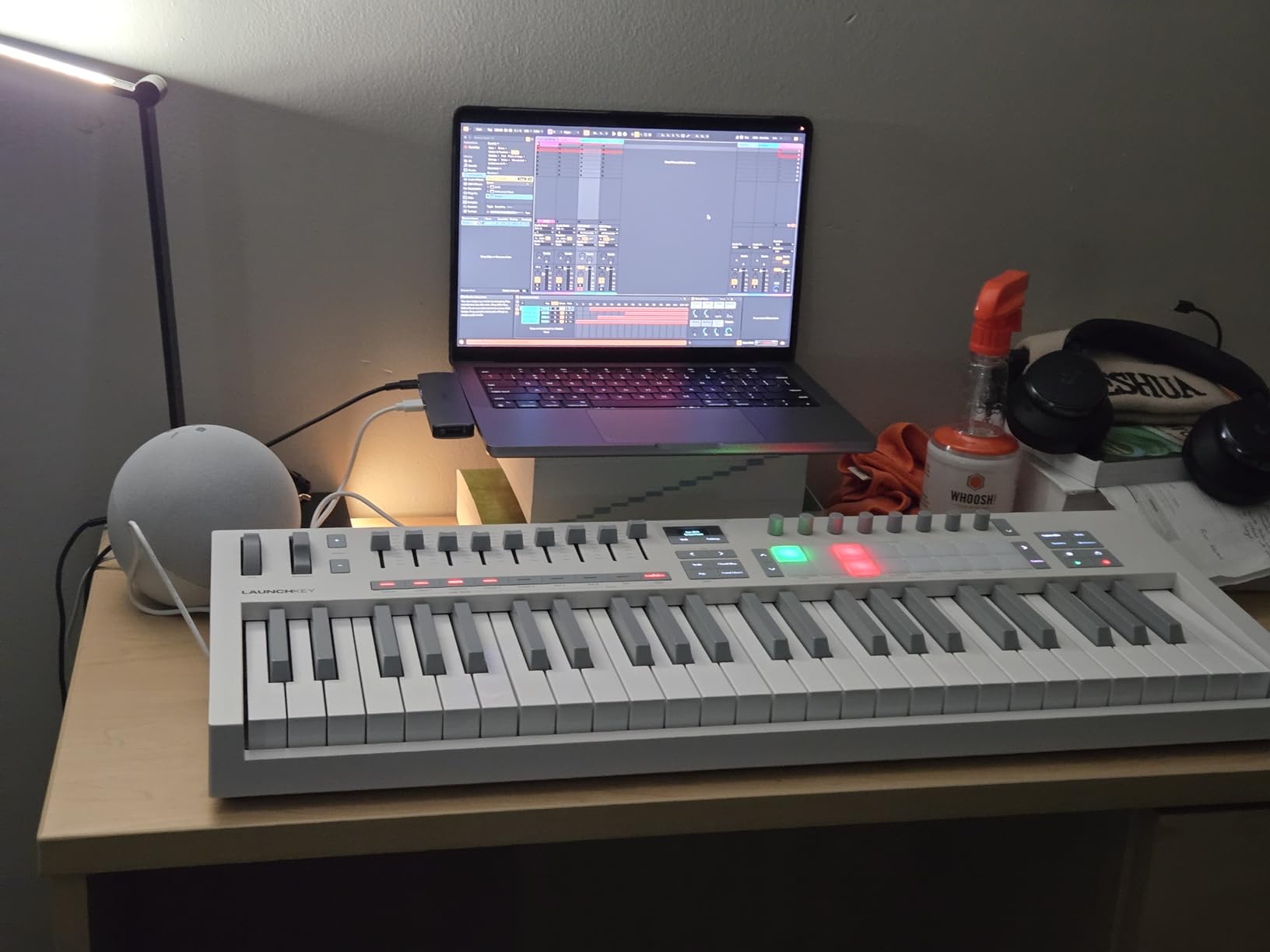
FL Studio integration is solid. While not as deep as the FLkey series, the Launchkey works well with FL Studio’s MIDI learn system. The transport controls map to standard functions, and the pads work with FPC immediately. The arpeggiator with mutation is excellent for generating melodic ideas.
At 9 pounds, this is a desk-only controller. The size also means it dominates smaller workspaces. If portability matters, look at the 25-key or 37-key options. For studio work, the size is a feature, not a bug.
DAW Compatibility Beyond FL Studio
The Launchkey 49 MK4 works with Ableton Live, Logic Pro, Cubase, Reason, Reaper, FL Studio, and Ardour. NKS integration means Native Instruments plugins respond to controller parameters automatically. If you use multiple DAWs or plan to switch, this is the most flexible option in this roundup.
Software Bundle Value
The bundle includes Ableton Live Lite, Cubase LE, Novation Play, GForce and Klevgrand plugins, Orchestral Tools, Native Instruments Komplete instruments, and Melodics lessons. For the price, this is one of the most generous bundles available. FL Studio users will not use all of it, but the included plugins work as VSTs inside FL Studio.
8. M-Audio Keystation 49 MK3 — Best Value Full-Size MIDI Keyboard
M-AUDIO Keystation 49 MK3 USB MIDI Controller
49 full-size synth keys
Volume fader
Transport buttons
iOS compatible
Pros
- 49 full-size velocity-sensitive keys at a budget price
- Plug-and-play USB with no driver installation
- iOS compatible with Apple Camera Adapter
- Lightweight at 4.8 pounds
- Includes MPC Beats and Ableton Live Lite
Cons
- Synth action may feel light for pianists
- Shorter 1-year warranty
- No FL Studio-specific scripting
The Keystation 49 MK3 is the controller I recommend to anyone who wants 49 full-size keys without breaking the bank. At 4.8 pounds and with no driver requirements, it is the most portable full-size option I tested. I tossed it in my bag for a weekend trip and had it running on a hotel desk laptop within two minutes.
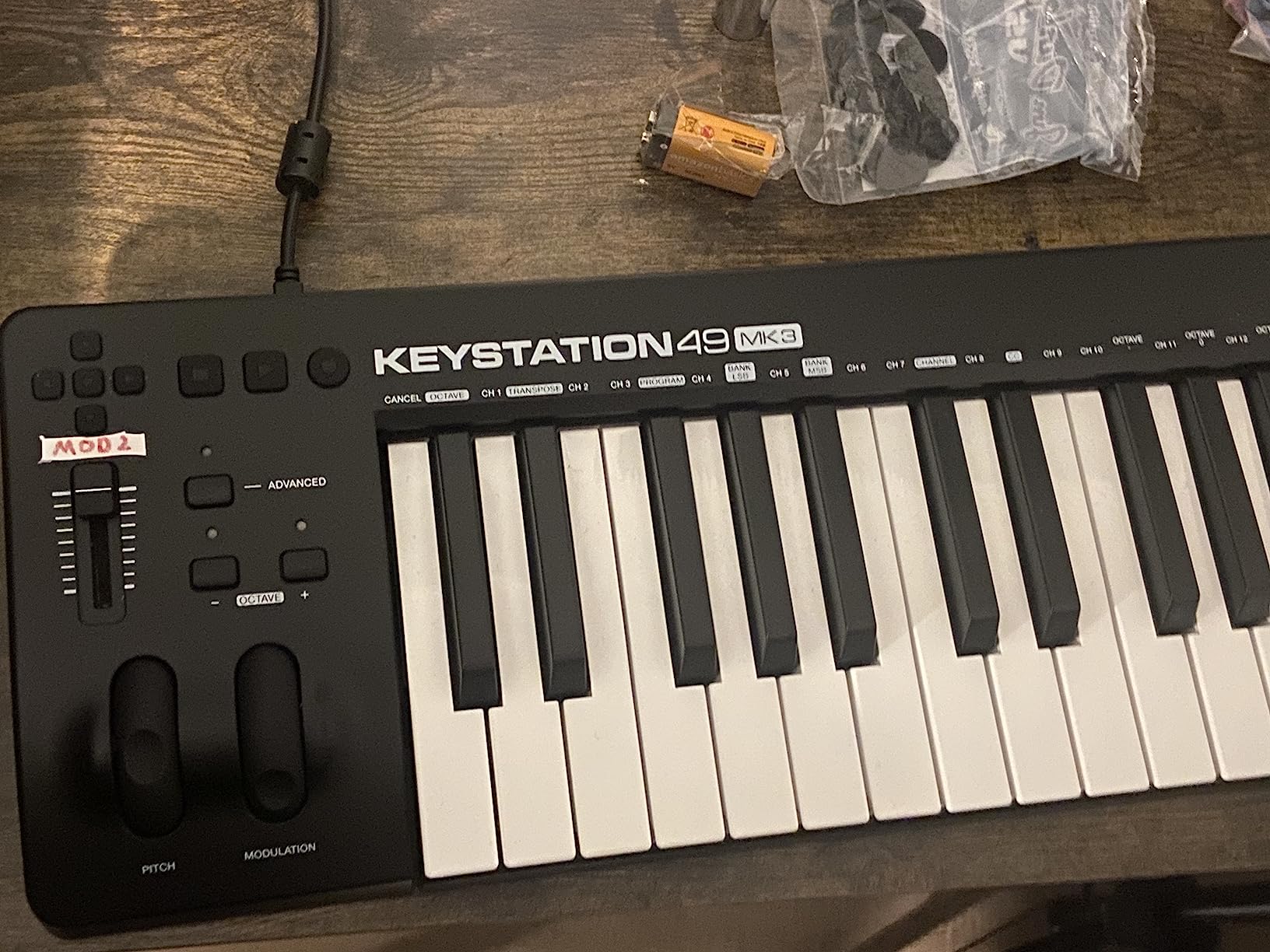
The synth action keys are light and responsive. They are not weighted, so pianists will notice the difference, but for beatmaking, chord stabs, and lead lines, the feel is more than adequate. The pitch and modulation wheels are ergonomically placed, and the octave buttons let you access the full MIDI range.
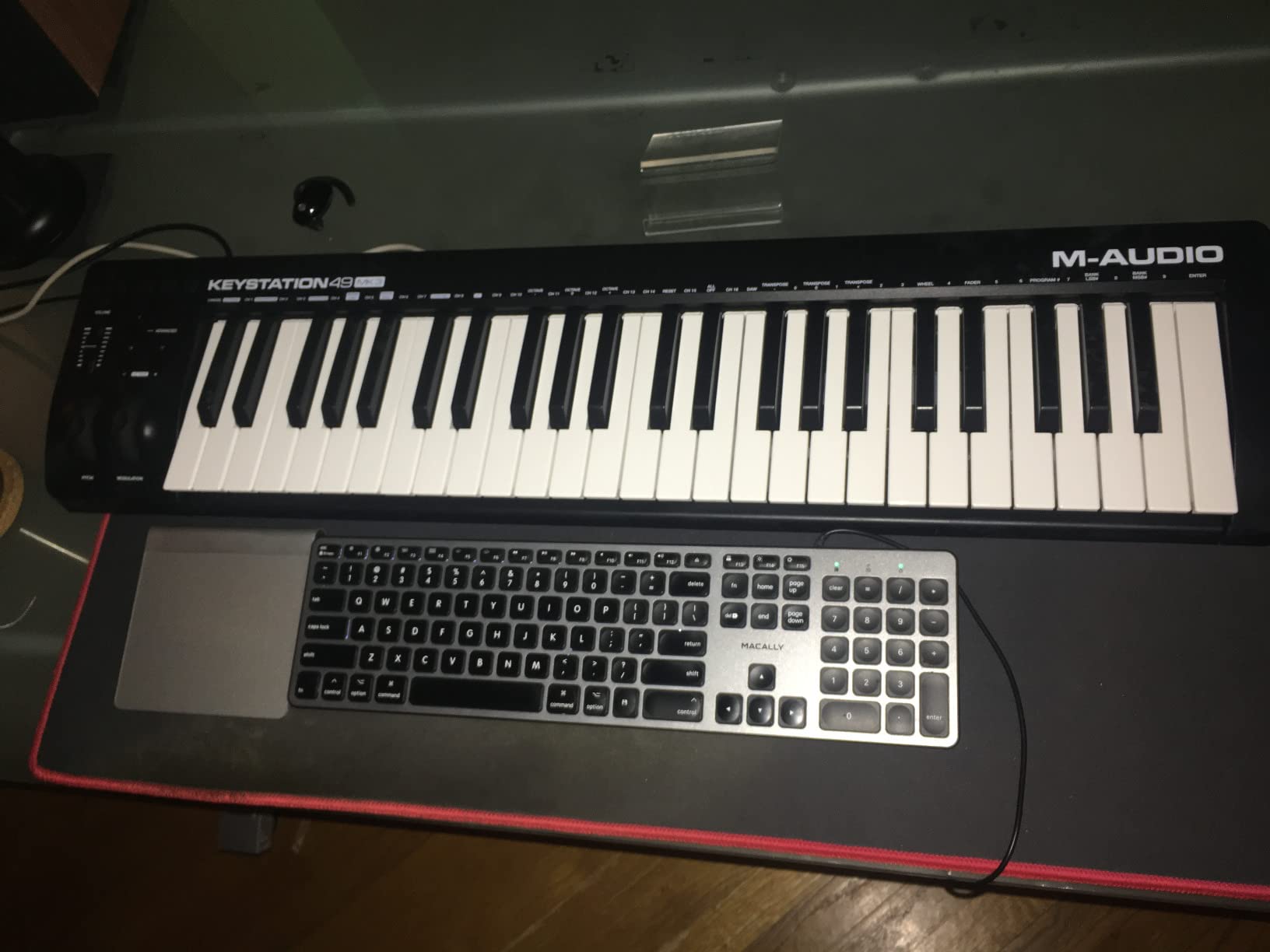
FL Studio integration requires manual MIDI mapping. The transport buttons work with FL Studio’s default assignments, and the volume fader maps to the master channel quickly. There are no pads or knobs beyond the volume fader, so this is a pure-keys controller.
The iOS compatibility is a genuine feature. With an Apple Camera Adapter, the Keystation 49 MK3 works with iPads running GarageBand or other music apps. For mobile producers, this is one of the most affordable ways to get a full-size keyboard on the road.
Who Should Buy the Keystation 49 MK3
If you want 49 full-size keys and do not need pads or extensive DAW control, the Keystation 49 MK3 is the clear winner. It is reliable, portable, and compatible with every major DAW including FL Studio. For producers focused on keys and melody, the lack of pads is not a limitation. For beatmakers, the FLkey 49 or MPK Mini Plus is a better fit.
Software Bundle
M-Audio includes MPC Beats, Ableton Live Lite, Velvet piano, XPand2 synth, Mini Grand piano, Touch Loops samples, and lessons from Skoove and Melodics. For FL Studio users, MPC Beats is the most useful addition since it is a full DAW you can use for sketching before importing into FL Studio.
How to Choose the Best MIDI Keyboard for FL Studio?
Choosing the right MIDI keyboard for FL Studio depends on how you produce, where you produce, and how much hands-on control you want. After testing all eight controllers, I think about the decision in four buckets: key count and action, FL Studio integration depth, pads and knobs, and software bundle. Here is how each factor plays into the final choice.
Key Count and Action Type
Key count is the first decision. 25-key controllers are portable and ideal for sketching, but they require constant octave shifting for two-handed playing. 37-key controllers add an octave without much size penalty. 49-key controllers give you the range most producers need without the footprint of a full 61 or 88-key model.
Action type matters more than count for serious players. Mini keys are small and light, which suits beatmakers but frustrates pianists. Slim keys like those on the MiniLab 3 are a middle ground with synth-style action. Semi-weighted keys balance feel and portability, while fully weighted keys feel closest to a real piano but add weight and cost. For FL Studio beatmaking, semi-weighted is the sweet spot for most producers.
FL Studio Integration Depth
FL Studio-specific scripting is the single biggest workflow upgrade. The Novation FLkey series ships with custom MIDI scripts that map pads to Channel Rack steps, knobs to mixer parameters, and buttons to transport including a dedicated Loop button. Non-scripted controllers work fine but require manual MIDI learn every time you change a project.
If you produce exclusively in FL Studio, the FLkey Mini or FLkey 49 is hard to beat. If you bounce between DAWs, the Launchkey 49 MK4 or MPK Mini IV offers broader DAW support. The MPK series and MiniLab 3 require MIDI learn but work reliably once configured.
Pads, Knobs, and Faders
Pads are essential for finger drumming and drum programming. The best pads are velocity-sensitive, pressure-responsive, and RGB-backlit for visual feedback. The FLkey series, MPK series, and MiniLab 3 all have strong pads. The Keystation 49 MK3 has no pads, which makes it less suitable for beatmakers.
Knobs and faders control your mixer and plugins without leaving the controller. Look for at least 8 knobs and 4 faders for serious mixing work. The FLkey 49 and Launchkey 49 MK4 both offer 8 knobs and 9 faders, which is enough to control a full mixer session. Smaller controllers with fewer controls are fine for sketching but limiting for mixing.
Software Bundle and MIDI Scripting
Software bundles can offset the controller’s price significantly. The MPK Mini MK3 includes MPC Beats, 2GB of sounds, and Massive synth, which is hundreds of dollars in value. The MiniLab 3 includes Analog Lab Intro with hundreds of synth presets. The FLkey series includes Ableton Live Lite and Klevgrand plugins that work as VSTs in FL Studio.
MIDI scripting is the hidden gem of FL Studio integration. Even non-FLkey controllers can benefit from FL Studio’s built-in MIDI scripting system, which lets you map any controller’s knobs, pads, and buttons to specific FL Studio functions. The Nektar Impact series and M-Audio Oxygen Pro come with FL Studio scripts out of the box.
Frequently Asked Questions
What keyboard should I get for FL Studio?
For most FL Studio producers in 2026, the Novation FLkey 49 is the best overall pick. It has 49 semi-weighted keys, 9 faders mapped to FL Studio’s mixer, 16 RGB pads for the Channel Rack, and native FL Studio scripting that works without any setup. Budget-conscious producers should consider the Novation FLkey Mini, which offers the same scripting in a 25-key portable format.
Do MIDI keyboards work with FL Studio?
Yes, every standard MIDI keyboard works with FL Studio because FL Studio accepts MIDI input from any class-compliant USB device. For the best experience, choose a controller with native FL Studio scripting like the Novation FLkey series, which maps pads, knobs, faders, and transport controls automatically. Controllers without scripting still work but require manual MIDI learn assignments.
Which is better for FL Studio, Launchkey or FLkey?
The FLkey is better for FL Studio specifically because Novation designed the FLkey series with native FL Studio scripting. The pads map to Channel Rack steps, the faders control the mixer, and there are dedicated transport buttons including Loop. The Launchkey is better if you use multiple DAWs since it has broader DAW compatibility and NKS support for Native Instruments plugins. Pick the FLkey for FL Studio-only workflows and the Launchkey for multi-DAW production.
Should I get a 25 or 49 key MIDI keyboard?
Choose a 25-key MIDI keyboard if you need maximum portability, produce mostly hip-hop or beats, and do not play complex two-handed parts. Choose a 49-key MIDI keyboard if you play keys, write chord progressions, or want access to a wider range without octave shifting. 37-key controllers like the MPK Mini Plus offer a middle ground with three full octaves in a still-portable format.
What is the best MIDI keyboard to use with FL Studio?
The best MIDI keyboard for FL Studio depends on your budget and needs. The FLkey 49 is the best overall, the FLkey Mini is the best budget pick, and the MPK Mini MK3 is the best value with the largest software bundle. For keys players, the Launchkey 49 MK4 has the best keybed. For hybrid setups with modular gear, the MPK Mini Plus offers CV/Gate I/O that no other controller in this range provides.
Final Verdict on the Best MIDI Keyboards for FL Studio
After testing eight controllers across hundreds of hours, the best MIDI keyboards for FL Studio in 2026 come down to two clear winners. The Novation FLkey 49 is the best overall pick for producers who want full-size keys, comprehensive mixer control, and native FL Studio scripting. The Akai MPK Mini MK3 is the best value pick for producers who want the largest software bundle and proven reliability backed by 30,000+ reviews.
If you produce on the go, the FLkey Mini delivers the same scripting as its bigger sibling in a backpack-friendly form. For keys players, the Launchkey 49 MK4 has the best keybed in this roundup. For modular and hybrid setups, the MPK Mini Plus stands alone with CV/Gate I/O. Pick the controller that matches your workflow, and you will not regret the upgrade from mouse-only production.