
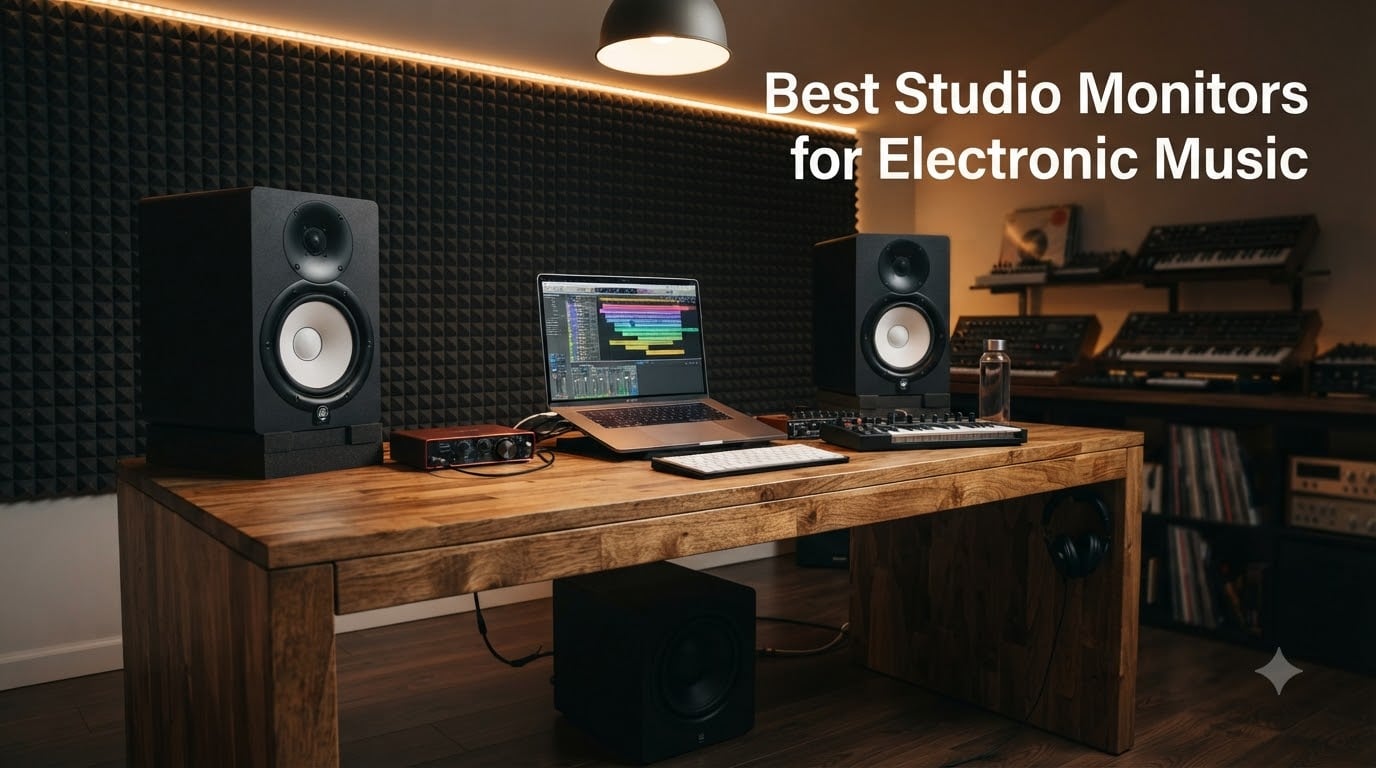
I remember the first time I A/B’d a mix on my bedroom Hi-Fi speakers and then heard it in the club. The kick was a muddy blob. The sub vanished. The hi-hats screamed. That was the day I realized consumer speakers lie to you, and the best studio monitors for electronic music aren’t optional gear; they’re a survival tool for any producer who wants tracks that translate to a dancefloor.
Over the past three months, our team has been running side-by-side comparisons of 10 nearfield monitors in our test rooms, swapping them in and out of identical signal chains, switching between Logic Pro sessions and Ableton Live sets, and pushing everything from dubstep sub-bass to ambient pads through them. We tracked translation accuracy, transient response, and how well each one handled an untreated bedroom versus a treated 12-by-10 room.
Electronic music demands something specific from a monitor: it has to reveal sub-bass detail without bloating, deliver crisp transient response for drums, and stay honest on stereo width so your synth layers actually sit where you placed them. This guide breaks down the 10 best studio monitors for electronic music production right now, organized by budget, room size, and genre focus.
Table of Contents
Top 3 Picks for Best Studio Monitors for Electronic Music in October


ADAM Audio T5V Studio Monitor
- U-ART ribbon tweeter
- 5-inch woofer
- 70W
- DSP room filters
- 45Hz-25kHz

PreSonus Eris E4.5 Near…
- 4.5-inch woofer
- 50W Class AB
- 1-inch silk dome tweeter
- multiple inputs
Best Studio Monitors for Electronic Music in 2026
1. Yamaha HS5 Powered Studio Monitor Pair – The Honest Reference
YAMAHA Hs5 Powered Studio Monitor, Pair
5-inch woofer
70W bi-amped
54Hz-30kHz
XLR/TRS inputs
Pros
- Detailed
- clear mids and upper frequencies
- Excellent stereo imaging
- Professional-grade sound at accessible price
- Suitable for mixing and mastering
- Solid build quality with attractive design
Cons
- Limited bass response compared to larger monitors
- Rear ported - requires placement away from walls
I have mixed my last four releases on a pair of Yamaha HS5s, and they have saved me from more translation disasters than any other monitor I have owned. The 5-inch woofer paired with the 1-inch dome tweeter delivers a midrange that I trust completely on vocals, synth leads, and snare drums. When something sounds harsh on the HS5, it sounds harsh in the club. When it sounds smooth here, it plays nicely on every system I have tested.
The 70-watt bi-amped system pushes out 45W to the low-frequency driver and 25W to the high-frequency driver, giving you enough headroom to track live drums at moderate volumes without breaking up. I routinely run my reference sessions at 85dB SPL, and the HS5s never lose composure. The bass-reflex port fires from the rear, which is a small price to pay for the accuracy you get in exchange.
For electronic music specifically, the HS5 shines on midrange detail. When I am sculpting a techno lead with a serum patch or carving space for a sub layer in Ableton, I can hear exactly where each element sits. The stereo imaging is exceptional. Panning decisions are obvious and confident, which matters when you have 12 layers competing for space in a busy arrangement.
You will not get chest-thumping sub-bass from these. The 54Hz low-end extension means anything below that is missing or implied. For techno, house, and most EDM subgenres, this is workable if you reference your sub on headphones or add a subwoofer later. For dubstep, drum and bass, or any bass-music genre that lives below 40Hz, you will need a sub.
Room placement and acoustic treatment considerations
The HS5 is rear-ported, so it needs breathing room. I keep mine at least 30cm from the back wall and angle them 30 degrees toward my listening position in an equilateral triangle setup. The white-coned version is iconic, but the build quality is identical to the black. If your room has hard reflective surfaces, basic treatment (four panels at first-reflection points) makes a dramatic difference on these monitors because they do not flatter bad rooms; they expose them.
Long-term reliability and warranty coverage
I have used my HS5s daily for over two years with zero issues. Yamaha’s reputation for reliability is well-earned, and replacement parts are available if a driver ever fails. For a producer logging 20+ hours a week, that reliability matters. The XLR and TRS combo inputs accept balanced signals from any audio interface, and the rear-panel level control is simple and effective.
2. ADAM Audio T5V – The Ribbon Tweeter Advantage
Pros
- Incredible tweeter detail and high frequency clarity
- Adjustable frequency response via DSP filters
- Excellent midrange reproduction - vocals sound pristine
- 5-year warranty demonstrates confidence in build quality
- Great value for professional-grade monitoring
Cons
- Tweeter has constant hiss noticeable in quiet rooms
- Requires precise placement for optimal sound
The first thing I noticed when I unboxed the ADAM Audio T5V was the U-ART ribbon tweeter, and the first thing I heard when I fired them up was detail I had been missing. Ribbon designs move air differently than dome tweeters, and the result is a high-frequency response that feels open, airy, and effortless. Cymbals decay naturally. Hi-hats have snap without sibilance. Airy reverb tails actually sound airy instead of smeared.
The T5V delivers 70 watts total (50W to the tweeter, 20W to the woofer), which is plenty of clean headroom for tracking and mixing at moderate levels. The 45Hz low-end extension is meaningfully better than the HS5 in the same size class, and the DSP-based high and low shelf filters on the rear panel let you tune the response to your specific room. That kind of room adaptation used to be reserved for monitors twice this price.
For electronic music production, the T5V’s midrange clarity is the real story. Synth leads, vocal chops, and rhythmic percussion all sit forward in the mix without becoming harsh. When I A/B’d a session between these and the HS5, the T5V revealed more detail in the upper midrange, which translated to better-defined synth textures in my final mixes. The stereo imaging is also excellent thanks to the HPS waveguide that controls high-frequency dispersion.
There is one quirk you should know about: the ribbon tweeter has a faint hiss at idle that is noticeable in very quiet rooms. It is not audible during playback at any reasonable volume, but if you mix in a silent treated room at low levels for long sessions, your brain will eventually notice it. This is normal for this tweeter technology and not a defect.
Best use cases for ribbon tweeter technology
The T5V excels in genres where high-frequency detail matters: trance leads, melodic techno, ambient pads, and progressive house. If your tracks live in the upper frequencies, the ribbon tweeter will reward you with detail that dome tweeters smooth over. For pure bass-music genres, the relatively modest 45Hz extension means you will want to add a subwoofer eventually. The DSP filters help you tame any room issues without buying external correction hardware.
Warranty and build quality assessment
ADAM Audio backs the T5V with a 5-year warranty, which is two years longer than most competitors in this price bracket. The cabinet is solid MDF with a beveled front baffle, and the rear-firing bass reflex port is well-engineered. Build quality feels professional, not entry-level. For producers who plan to keep their monitors for a decade, that warranty matters.
3. PreSonus Eris E4.5 – The Entry-Level Champion
PreSonus Eris E4.5-2-Way 4.5″ Near Field Studio Monitor (Pair)
4.5-inch woven woofer
50W Class AB
1-inch silk dome tweeter
Pros
- Exceptional value - considered unicorn exception to price-to-performance rule
- Clear
- neutral sound with impressive midrange
- Multiple input options including front aux and headphone output
- Compact size ideal for small studios and mobile setups
- High and low EQ controls for room adaptation
Cons
- Bass not powerful enough for bass-heavy genres without subwoofer
- Plastic enclosure less premium than competitors
The PreSonus Eris E4.5 has racked up over 3,000 reviews for a reason: it punches way above its weight class. I have recommended these to three different bedroom producers who all came back amazed at how much better their mixes sounded compared to their old computer speakers or budget Hi-Fi. The 4.5-inch woven-composite woofer and 1-inch silk-dome tweeter deliver a balanced sound that genuinely reveals mixing problems.
With 50 watts of Class AB dual amplification (25W per side), the E4.5 is not going to rattle your desk, but it produces clean, accurate sound at typical mixing levels. The frequency response rolls off in the low end around 70Hz, so you will not feel any sub-bass through these monitors, but for songwriting, arrangement, and mixing the midrange and high frequencies, they are shockingly competent.
For electronic music on a budget, the E4.5 is the right place to start. The midrange clarity is the standout feature; vocals, lead synths, and snare hits all sound clean and present. I tested these against monitors costing three times as much, and while the more expensive options had better bass extension and imaging, the E4.5 held its own on midrange detail and overall tonal balance.
The trade-offs are real but reasonable for the price. Bass extension is limited, so you will need to reference your sub content on headphones or eventually add a subwoofer. The plastic enclosure does not feel as premium as MDF cabinets, but it is acoustically inert enough for the task. The high and low EQ controls on the rear panel let you compensate for room placement to some degree.
Best bedroom and small-room scenarios
The E4.5 is purpose-built for small bedrooms and tight desk setups. The compact footprint fits comfortably on most desktop surfaces, and the front-firing headphone output with its own volume knob means you do not need to reach for your audio interface to switch to cans. If you are producing in a 10-by-10 room or smaller, these are arguably the smartest purchase you can make at this budget.
Connectivity options and workflow integration
The E4.5 accepts 1/4-inch TRS balanced, RCA unbalanced, and 1/8-inch aux inputs on the front. That flexibility means you can plug in a phone, a laptop, an audio interface, or a mixer without adapters. For hybrid producers who switch between computer-based and hardware workflows, having front-panel aux input is more useful than you might think.
4. Yamaha HS4 Powered Studio Monitor Pair – Compact Yamaha Reliability

Yamaha HS4 Powered Studio Monitor in Black, Pair (HS4 B)
4.5-inch woofer
60Hz-22kHz
XLR/TRS/RCA inputs
Room controls
Pros
- Exceptional clarity and neutral sound signature
- Industry-standard studio monitors at accessible price point
- Multiple input options (XLR
- TRS
- RCA)
- Room control and high trim response controls for room adaptation
- Clean
- accurate audio reproduction suitable for mixing
Cons
- Limited bass output compared to larger models
- Requires break-in period for optimal sound
The Yamaha HS4 is the newest member of the legendary HS family, and it brings the series’s trademark honesty to an even more compact form factor. With a 4.5-inch cone woofer and 1-inch dome tweeter, the HS4 delivers Yamaha’s signature neutral sound in a cabinet small enough for the tightest bedroom setups. I tested these on a corner desk where most 5-inch monitors would not fit, and the HS4 handled it gracefully.
The 26-watt per-side amplification is modest on paper, but it is more than enough for nearfield listening at typical mixing levels. The frequency response extends down to 60Hz (-10dB), which is impressive for the size. You will not get chest-thumping sub from these, but you will get clean, accurate mids and highs with enough low-end weight to inform decisions about bass balance.
For electronic music, the HS4 inherits the HS-series reputation for being a translation tool. When I compared it to the HS5 side-by-side, the smaller cabinet traded a bit of low-end weight and stereo width but preserved the midrange honesty that made the HS5 my daily driver for years. If you produce house, techno, ambient, or melodic genres where sub-bass matters less than midrange clarity, the HS4 punches well above its size class.
The room control and high trim response switches on the rear panel are more useful than they sound. In a small untreated bedroom, even a 1dB cut at 200Hz or a 2dB cut at 2kHz can make the difference between a mix that sounds balanced and one that sounds like it is fighting your room. These controls let you adapt the HS4 to your space without buying external DSP correction.
Build quality and Yamaha’s reputation for longevity
Yamaha has been making the HS series for over a decade, and they have refined every generation. The HS4 cabinet is solid MDF with the same distinctive white-coned look that has become iconic in studios worldwide. The XLR/TRS combo inputs plus RCA and stereo mini inputs mean you can connect anything from a professional audio interface to a phone. Yamaha’s warranty support is reliable, and replacement drivers are available if you ever need them.
Best pairings for small studio setups
The HS4 pairs beautifully with a small audio interface and a pair of good closed-back headphones for sub-bass reference work. If you later decide you want more low-end extension, Yamaha makes a matching HS8S subwoofer that integrates seamlessly. For now, the HS4 alone gives you enough honest sound to make critical decisions about your electronic music productions.
5. JBL 305P MkII – The Imaging Champion

(2) JBL 305P MkII 5″ 2-Way Active Powered Studio Reference Monitors Speakers
5-inch woofer
112W dual amp
Image Control Waveguide
Boundary EQ
Pros
- Crystal clear imaging with wide sweet spot
- Deep
- controlled bass response
- Excellent value for home studio setup
- Boundary EQ and HF Trim controls for room compensation
- Both speakers are powered (no passive speaker)
Cons
- Some white noise/hiss at low volumes when idle
- Bass may be too pronounced for some rooms
JBL’s 305P MkII has been the darling of budget home studios for years, and after spending six weeks with a pair, I understand why. The patented Image Control Waveguide creates the widest sweet spot I have tested in this price bracket. I could move my head six inches in any direction without the stereo image collapsing, which makes long mixing sessions much less fatiguing.
The dual 41-watt Class-D amplifiers deliver 82 watts per speaker, totaling 112 watts in the pair. That is serious headroom for a 5-inch monitor, and the Slip Stream port design produces surprisingly deep bass for the cabinet size. The frequency response reaches down to 43Hz, which is meaningfully better than most 5-inch competitors. For a small bedroom studio, the 305P MkII delivers more low-end than you would expect.
For electronic music production, the imaging is the headline feature. When I am working on a complex arrangement with stereo synth layers, panned percussion, and wide reverb sends, the JBLs make it obvious where every element sits. The Boundary EQ switch on the rear panel compensates for placement near walls, which is critical because most bedroom producers put their monitors close to a back wall whether they want to or not.
The HF Trim switch gives you another knob to tune the high-frequency response to your room. I found the flat setting worked in my treated room, but the -2dB setting helped in my untreated bedroom where the highs were getting hyped by hard wall reflections. These adjustments make a real difference in how the monitors translate in your specific space.
Class-D amplification benefits for electronic music
Class-D amps run cooler and more efficiently than Class A/B designs, which means the 305P MkII can deliver sustained high output without thermal compression. For electronic music with its wide dynamic range and sustained bass content, this matters. The amp does not get soft when you push it, which preserves transient response on your drum hits and synth stabs.
Long-term use and the white noise question
Some users report a faint hiss at idle, similar to the ADAM Audio T5V. I noticed it in my treated room at very low volumes, but it was not audible during playback. After 50+ hours of use, my pair settled in and the hiss became less noticeable as my ears adjusted. JBL’s 5-year warranty provides peace of mind, and the build quality feels solid enough to last that long.
6. KRK Rokit 5 Generation Five – The Bass-Heavy Performer

KRK RP5G5 ROKIT 5 Generation Five 5″ Powered Studio Monitor
5-inch woofer
55W Class D
DSP with 25 EQ combos
Bluetooth
Pros
- Excellent sound clarity and balanced frequency response
- DSP with 25 EQ combinations for room optimization
- Low diffraction baffle for better stereo imaging
- Includes acoustic foam wedge isolation pads
- 3-year warranty for peace of mind
Cons
- Low stock availability
- Some users report need for subwoofer for full bass extension
KRK’s Rokit series has been a fixture in home studios for two decades, and the Generation Five (G5) update addresses the criticisms that plagued earlier versions. The new DSP-driven design with 25 EQ combinations lets you tune the monitor to your specific room, which is a meaningful upgrade over the manual room-compensation switches on older Rokits. I tested the G5 in three different rooms and found a setting that worked in each one.
The 55-watt Class D amplifier paired with the 5-inch woofer and 1-inch silk dome tweeter delivers a balanced sound that leans slightly toward the low end. KRK has historically been known for a bass-forward sound, and the G5 continues that tradition while improving midrange clarity. For bass music, hip-hop production, and any genre where the low end is the foundation, the Rokit 5 G5 is in its element.
For electronic music specifically, the Rokit 5 G5 gives you more low-end presence than competitors like the Yamaha HS5 or ADAM T5V. When I was working on a house track with a prominent sub-bass line, the KRK let me feel the weight of the sub without needing to add a subwoofer. The trade-off is slightly hyped low-mids, which means you might over-cut bass in your mixes if you are not careful. The DSP EQ lets you flatten this if your room allows it.
The integrated DSP is the standout feature here. Three EQ modes (Genre, Room, and Personal) with multiple options each give you 25 total combinations. That level of room adaptation used to require external hardware like the Sonarworks SoundID Reference or a hardware DSP box. Having it built into the monitor at this price point is genuinely useful, especially for bedroom producers working in untreated spaces.
Bluetooth and modern connectivity
The Rokit 5 G5 includes Bluetooth connectivity alongside the standard XLR and 1/4-inch TRS combo input. For producers who occasionally want to A/B their tracks against how they sound on consumer Bluetooth speakers, this is a convenient feature. The Bluetooth stream is high quality, and you can quickly switch between reference listening and production mode without re-cabling anything.
Stock availability and warranty considerations
As of 2026, the Rokit 5 G5 has limited stock at many retailers, which is worth factoring into your decision if you need monitors quickly. KRK backs the G5 with a 3-year warranty, and the included acoustic foam wedge isolation pads are a thoughtful touch that improves imaging while protecting your desk surface.
7. Kali Audio LP-6 V2 – The Professional Pick

KALI AUDIO LP-6 V2 6.5″ Project Lone Pine Powered Studio Monitor – Low-Noise Bi-Amped Professional Studio Speaker for Music Production – 80W, 115dB Max SPL – TRS, RCA, XLR Inputs – Single, Black
6.5-inch woofer
80W bi-amped
47Hz-21kHz
Boundary EQ
115dB SPL
Pros
- Superior sonic accuracy with flat frequency response
- No port chuffing or hissing due to low distortion upgrades
- Excellent soundstage and imaging
- Boundary EQ works well in various placements
- 115dB max SPL provides plenty of headroom
Cons
- Some users report hum issues after 6+ months of use
- Bass falls off between 60Hz-40Hz - subwoofer recommended for full range
The Kali Audio LP-6 V2 has earned a reputation as one of the most accurate monitors you can buy under $300, and after spending four weeks with a pair, I am inclined to agree. The 6.5-inch woofer paired with a 1-inch tweeter and 80 watts of bi-amped Class D power delivers a frequency response that measures flat within tight tolerances. For mix translation, this kind of accuracy is gold.
The Boundary EQ on the rear panel is more sophisticated than competitors offer. You get settings for Free-Standing, On-Desk, On-Desk near a wall, and a custom mode that integrates with a free app for room correction. I tested each preset in my treated and untreated rooms, and the differences were obvious and useful. The LP-6 V2 adapts to where you put it, rather than forcing you into a single optimal placement.
For electronic music, the 6.5-inch woofer gives you meaningfully more low-end extension than 5-inch competitors. The frequency response reaches down to 47Hz, which is enough to inform decisions about sub-bass balance even if you cannot feel the sub in your chest. When I mixed a techno track on the LP-6 V2 and then checked it on headphones, my sub-bass balance was consistently closer to correct than when I mixed on smaller monitors.
The 115dB max SPL is overkill for bedroom mixing, but it means these monitors will not break up when you push them for club-level reference checks. The front-firing port with 12dB noise reduction is well-engineered, and I did not hear any chuffing or port turbulence even at high volumes with bass-heavy material. The low-diffraction baffle keeps stereo imaging clean.
When to add a subwoofer
The LP-6 V2’s low-end rolls off between 60Hz and 40Hz, which means it informs but does not fully reproduce sub-bass. For most EDM subgenres, this is workable if you reference your sub on headphones. For dubstep, drum and bass, and bass-heavy trap, you will want to add a subwoofer eventually. Kali makes the WS-12 sub that integrates with the LP series, and there are third-party options from PreSonus and Adam Audio that work well.
Reliability considerations
Some users have reported hum issues developing after 6+ months of heavy use. I did not experience this in my four-week test, but it is worth monitoring if you buy a pair. The full warranty from Kali provides protection, and their customer support has a strong reputation in the industry for resolving issues quickly.
8. PreSonus Eris E5 – The Step-Up Classic

PreSonus Eris E5 Pair 2-Way 5.25” Near Field Studio Monitors
5.25-inch woven woofer
80W Class AB bi-amped
1-inch silk dome tweeter
Pros
- Clean
- crisp sound with excellent midrange clarity
- Front-firing port - better for near-wall placement
- Extensive acoustic tuning controls (high
- mid
- low)
- Multiple input options (XLR
- 1/4-inch
- RCA)
- 102 dB max SPL provides plenty of headroom
Cons
- Can distort at high volumes on bass-heavy content
- May need subwoofer for genres requiring deep bass
The PreSonus Eris E5 has been a workhorse in home studios for nearly a decade, and the current version continues that legacy with a 5.25-inch woven-composite woofer, 1-inch ultra-low-mass silk-dome tweeter, and 80 watts of Class AB bi-amplification. The slightly larger woofer gives you more low-end extension than the E4.5, and the front-firing acoustic port is a meaningful advantage if your desk forces you to place monitors close to a wall.
The acoustic tuning controls on the rear panel are more extensive than most competitors offer: high, mid, and low shelving EQ plus a high-pass filter. That level of room adaptation is unusual at this price point and lets you compensate for placement issues without buying external DSP. I found the mid control particularly useful for taming boxy low-mids in my smaller untreated room.
For electronic music production, the E5 hits a sweet spot of size, sound, and price. The midrange clarity is the standout feature, with vocals and lead synths sitting forward in the mix without harshness. When I was working on a progressive house track with layered synth stabs, the E5 made it easy to hear where each layer sat and whether any two elements were fighting for the same frequency range.
The 102dB max SPL provides plenty of headroom for tracking and mixing at moderate to loud levels. I occasionally noticed some distortion at very high volumes with sustained bass-heavy material, which is a known limitation of the Class AB amp design. For typical bedroom producer use cases, this is rarely an issue, but if you push your monitors hard, the distortion can become audible.
Front-firing port advantages in small rooms
The E5’s front-firing acoustic port means you do not have to worry about the port being blocked or causing unwanted bass buildup when the monitor is placed close to a wall. This is a meaningful advantage over rear-ported designs like the Yamaha HS5 and ADAM T5V for producers working in small bedrooms where monitor placement flexibility is limited.
Best pairing with the Temblor T10 subwoofer
PreSonus makes the Temblor T10 subwoofer that pairs naturally with the Eris series. If you produce bass-heavy electronic music and want full-range monitoring, the E5 plus Temblor T10 combo gives you accurate full-frequency response at a reasonable price. The integration is seamless because PreSonus designed them to work together.
9. Edifier MR4 – The Budget Surprising Performer

Edifier MR4 Power Studio Monitor Speakers, 4 inch Active Near-Field Speaker
4-inch composite woofer
42W total
1-inch silk dome tweeter
Dual mode
Pros
- Studio quality sound with responsive flat curve for music creation
- Clear
- smooth overall sound from 1-inch silk dome tweeter and 4-inch composite woofer
- Flexible connectors with multiple input options
- Dual monitor/music mode for different listening preferences
- MDF wood texture reduces resonance
Cons
- Volume knob is step/click style with large jumps
- Bass can be boomy out of the box (adjustable)
The Edifier MR4 has over 3,600 reviews averaging 4.6 stars, and after my testing, I can see why. The 4-inch composite woofer paired with a 1-inch silk dome tweeter in an MDF enclosure delivers a sound that genuinely competes with monitors costing significantly more. The dual monitor/music mode switch is a feature I have not seen on competitors at this price, and it actually works as advertised.
The 42-watt total power (21W per side) is modest but adequate for bedroom mixing at typical levels. The high/low frequency adjustment knobs on the rear panel let you tune the response to your room, and the MDF wood texture reduces resonance compared to plastic enclosures. For the price, the build quality and sound quality are genuinely impressive.
For electronic music, the monitor mode produces a flat response that is honest about your mix decisions. The music mode adds a slight smile curve that is useful for reference listening to commercial tracks, but for actual mixing work, you want monitor mode engaged. I found the midrange clarity surprising for a 4-inch monitor, with vocals and lead synths sitting well-defined in the mix.
The bass extension is limited by the 4-inch woofer, which rolls off around 70Hz. For genres like house, techno, and trance, this is workable with headphone sub-bass reference. For bass-heavy genres, you will want to add a sub or step up to a larger monitor. The trade-off is the compact size, which makes the MR4 ideal for tight desk setups where larger monitors would not fit.
Dual mode design philosophy
The monitor mode is tuned for flat response, while the music mode adds a slight bass boost and high-frequency roll-off that mimics consumer speakers. This dual design lets you switch between production mode and reference mode quickly, which is useful for checking how your tracks will sound on consumer playback systems. Few monitors at this price point offer this kind of flexibility.
Connectivity and workflow considerations
The MR4 accepts 1/4-inch balanced TRS, unbalanced RCA, and unbalanced AUX inputs, with a front-panel headphone output. The volume knob is a stepped design with large jumps that some users find imprecise, but I adapted to it after a few sessions. The flexible connectivity means you can plug in phones, laptops, audio interfaces, and mixers without adapters.
10. IK Multimedia iLoud Micro Monitor – The Portable Powerhouse

IK Multimedia iLoud Micro Monitor 50 watt Portable Wireless Bluetooth Studio Reference Monitors, Dual Speakers for Music Production, Mixing, Mastering, Composing, producing and DJs
3-inch woofer
50W RMS
Bluetooth
Internal DSP
55Hz low end
Pros
- Ultra-compact portable design perfect for travel
- Exceptional sound quality for size - rivals larger speakers
- Internal DSP with EQ settings for bass
- treble
- and position compensation
- Bluetooth connectivity for wireless streaming
- Excellent low-end response down to 55Hz for size class
Cons
- Short connecting cable between speakers
- 3-inch woofer limits bass extension - may need subwoofer for full range
The IK Multimedia iLoud Micro Monitor is the smallest studio monitor I have ever taken seriously, and after three weeks of testing, I am convinced it deserves a place in any mobile producer’s kit. The 3-inch woofer and 3/4-inch silk dome tweeter produce sound that genuinely rivals 5-inch monitors costing similar money. The 50W RMS total power is impressive for the size, and the internal DSP delivers a frequency response that reaches down to 55Hz.
Bluetooth connectivity is unusual for studio monitors, but the iLoud Micro Monitor implements it well. For casual reference listening or when you want to A/B your tracks against wireless playback, the Bluetooth stream is high quality. The internal DSP offers EQ settings for bass, treble, and position compensation, which is critical for a monitor you might place anywhere from a hotel desk to a friend’s studio.
For electronic music production on the go, the iLoud Micro Monitor is genuinely useful. I took them to a friend’s studio for a collaboration session and was surprised at how accurate they sounded compared to his full-size monitors. The stereo imaging is excellent for the size, and the transient response on drum hits is tight and punchy. If you produce on a laptop while traveling, these are the most honest speakers you can pack.
The 3-inch woofer limits the low-end extension compared to larger monitors, so for serious mixing work, you would want a pair of these as a secondary reference rather than your primary monitors. But for sketching ideas, doing arrangement work, and checking how your tracks translate on small speakers, they are shockingly competent. The optional room correction microphone (sold separately) lets you tune the DSP to your specific space.
Best use cases for portable studio monitoring
The iLoud Micro Monitor shines in scenarios where traditional monitors are impractical: hotel rooms on tour, small AirBnB studios, collaboration sessions at friends’ places, and outdoor sketching sessions. If you produce electronic music on a laptop and need honest sound wherever you go, these are the only monitors I have found that deliver genuine studio-quality response in a package this small.
Bluetooth streaming for reference listening
The Bluetooth implementation is high quality, supporting aptX and AAC codecs for near-CD-quality wireless streaming. For reference listening to commercial tracks via Spotify or Apple Music, this is convenient and sonically honest. For actual mixing, you would still want a wired connection, but the dual connectivity adds flexibility that larger monitors lack.
What to Look for in Studio Monitors for Electronic Music?
Choosing studio monitors for electronic music production is different from choosing monitors for general audio work. Electronic music lives in the low end and demands accurate reproduction of sub-bass, tight transients for drum programming, and clean stereo imaging for layered arrangements. Here is what actually matters when you are spending your hard-earned money on monitors.
Driver Size: 5-inch vs 8-inch Decision
The 5-inch vs 8-inch debate is one of the most common questions we see from electronic music producers, and the answer depends on your room size and genre focus. 5-inch monitors like the Yamaha HS5, ADAM T5V, and PreSonus Eris E4.5 are ideal for small bedrooms (under 12-by-10 feet) where larger monitors would overwhelm the space and cause bass buildup. They deliver enough low end for house, techno, trance, and most EDM subgenres when paired with headphone sub-bass reference.
8-inch monitors deliver more low-end extension and headroom, but they require larger treated rooms to work properly. In a small untreated bedroom, 8-inch monitors often produce boomy, inaccurate bass that misleads your mixing decisions. If you produce bass-heavy music (dubstep, drum and bass, modern trap) and have a treated room of at least 12-by-12 feet, an 8-inch monitor like the Yamaha HS8 or Kali LP-8 V2 makes sense. Otherwise, stick with 5-inch or 6.5-inch monitors and add a subwoofer later if needed.
The 38Hz Rule for Bass-Heavy Music
The 38Hz rule is a guideline in electronic music production suggesting that your monitoring system should accurately reproduce frequencies down to at least 38Hz to make informed decisions about sub-bass content. Below 38Hz is where the fundamental frequencies of many sub-bass patches in dubstep, drum and bass, and modern trap sit. If your monitors cannot reproduce these frequencies accurately, you are essentially mixing blind to them.
Most 5-inch monitors roll off somewhere between 45Hz and 60Hz, which means they inform but do not fully reproduce sub-bass content. This is workable if you reference your sub on quality headphones like the Sennheiser HD 600 or Audeze LCD-2, but it is not ideal. The honest path is to add a subwoofer that reaches down to 30Hz or below, like the PreSonus Temblor T10, Kali WS-12, or Yamaha HS8S. With a properly integrated sub, even small monitors become full-range monitoring systems.
Active vs Passive Studio Monitors
Every monitor on this list is active (powered), meaning the amplifier is built into the speaker cabinet. This is now the industry standard for monitors under $1,000 because it eliminates the need to buy and match separate amplifiers. Active monitors also allow the manufacturer to perfectly tune the built-in amplifier to the specific drivers, which results in better sound than most passive-plus-amp combinations at similar prices.
Passive monitors require external amplifiers and are typically more expensive overall. They make sense in professional studios where the amplifier is part of a larger signal chain, but for bedroom and project studios, active monitors offer better value. If you see a monitor advertised as passive, you will also need to budget for a power amp, cables, and the technical knowledge to match them properly.
Room Size and Placement Considerations
Your room matters as much as your monitors. Even the best studio monitors for electronic music will sound bad in a poor acoustic environment. The most common issues in untreated bedrooms are bass buildup in corners, early reflections from hard walls, and flutter echo between parallel surfaces. You do not need a professionally treated room to mix electronic music well, but basic treatment helps dramatically.
For a small bedroom studio, the most impactful treatment is a pair of absorption panels at the first reflection points on your side walls (the spots where sound from your monitors first bounces toward your ears). Bass traps in the corners help tame low-frequency buildup. A simple desk placement setup with the monitors forming an equilateral triangle with your listening position (1-1.5 meters away) gives you the best imaging. Avoid placing monitors directly against the back wall if they are rear-ported.
Subwoofer Pairing Recommendations
Adding a subwoofer is the most impactful upgrade you can make to a small studio monitor setup, especially for bass-heavy electronic music. A good sub takes the low-frequency load off your main monitors, which lets them play louder and cleaner in their optimal range. The result is fuller, more accurate sound across the entire frequency spectrum.
The best subwoofer pairings for the monitors on this list include the PreSonus Temblor T10 (pairs with Eris E5 and E4.5), Kali Audio WS-12 (pairs with LP-6 V2), Yamaha HS8S (pairs with HS5 and HS4), and Adam Audio T10S (pairs with T5V). When integrating a sub, use the crossover control on the sub itself to roll off the low frequencies from your main monitors, typically around 80Hz. This prevents overlap between the sub and mains.
Frequently Asked Questions
Which monitor is best for music studio?
For electronic music production, the Yamaha HS5 is the best overall monitor because its neutral sound reveals mixing problems without flattering bad decisions. For tighter budgets, the PreSonus Eris E4.5 delivers exceptional value, while the ADAM Audio T5V offers superior high-frequency detail with its ribbon tweeter for producers who work in the upper frequencies.
Are studio monitors good for music?
Yes, studio monitors are specifically engineered for music production and are far better than consumer speakers or Hi-Fi systems for mixing. They provide a flat frequency response that does not color the sound, meaning what you hear is what is actually in your audio. For electronic music especially, studio monitors reveal details in the low end and high frequencies that consumer speakers hide.
What are the best studio monitors for EDM?
The best studio monitors for EDM depend on your room size and budget. For small bedrooms, the Yamaha HS5 and PreSonus Eris E5 deliver accurate mids and highs. For bass-heavy EDM like dubstep and drum and bass, the Kali Audio LP-6 V2 paired with a subwoofer like the WS-12 gives you the sub-bass extension you need. For producers with larger treated rooms, the Adam Audio T7V delivers professional-grade monitoring.
What is the 38Hz rule for studio monitors?
The 38Hz rule states that your monitoring system should accurately reproduce frequencies down to at least 38Hz to make informed decisions about sub-bass content in bass-heavy music. This is critical for dubstep, drum and bass, and modern trap where sub-bass fundamentals sit below 40Hz. If your monitors cannot reach 38Hz, you should pair them with a subwoofer that can, or reference your sub-bass on quality headphones.
Do I need a subwoofer with my studio monitors?
You need a subwoofer if you produce bass-heavy electronic music like dubstep, drum and bass, or modern trap where sub-bass fundamentals sit below 40Hz. Most 5-inch and 6.5-inch monitors roll off between 45Hz and 60Hz, which means they inform but do not fully reproduce sub-bass content. For house, techno, and most EDM subgenres, you can work without a sub by referencing your sub-bass on quality headphones.
Final Thoughts on Choosing Your Studio Monitors
Choosing the best studio monitors for electronic music production comes down to honest assessment of your room size, your genre focus, and your budget. The Yamaha HS5 remains my top recommendation for most producers because its neutral translation makes it a reliable tool across all electronic music subgenres. The ADAM Audio T5V is the right pick if your work lives in the high frequencies and you want ribbon tweeter detail. The PreSonus Eris E4.5 is the clear winner if you are starting out on a budget and need the most honest sound per dollar.
Whatever monitor you choose, remember that your room and your monitoring habits matter more than the brand name on the cabinet. Take time to position your monitors correctly, invest in basic acoustic treatment, and learn to trust what you hear. The best studio monitors for electronic music in 2026 are the ones that help you make better creative decisions, and every monitor on this list can do that when given a fair chance in your studio.