
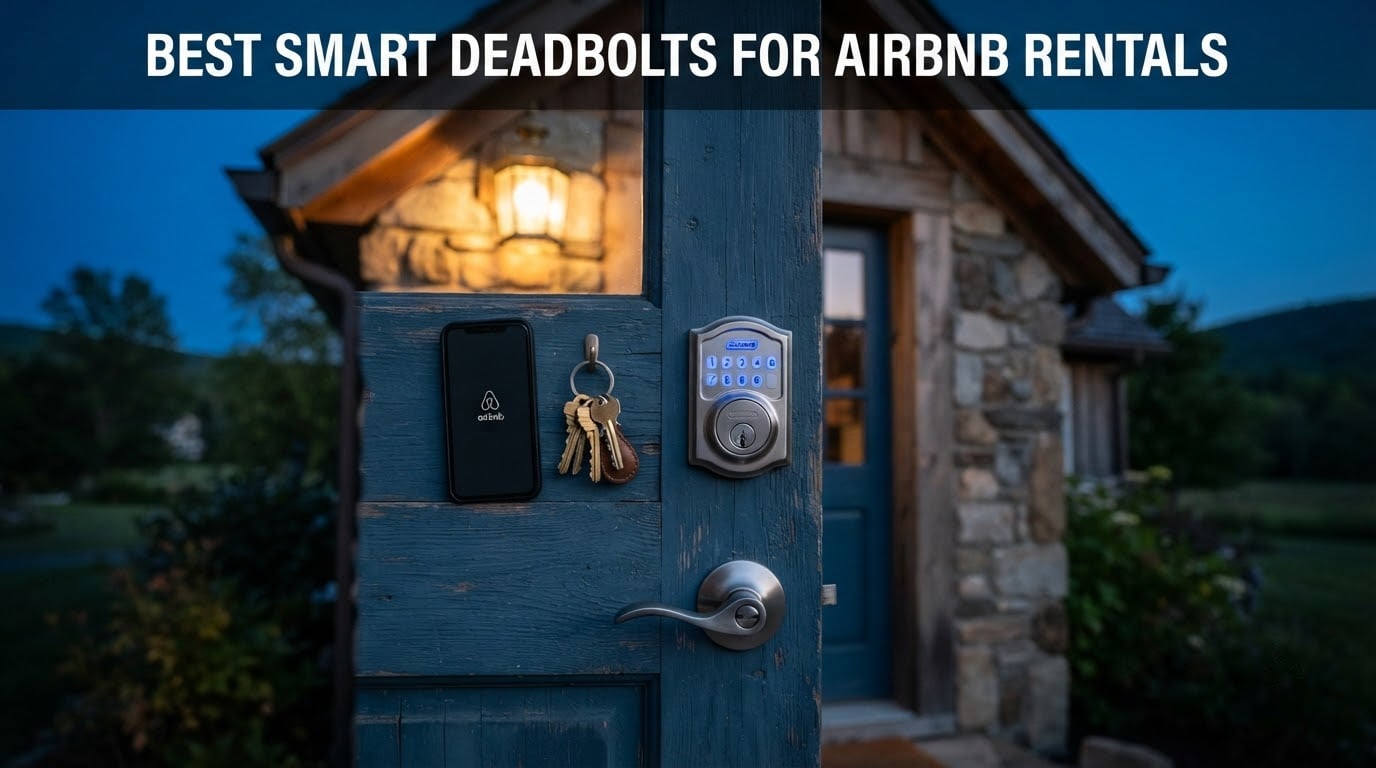
The best smart deadbolt for Airbnb rentals is the Schlage Encode Smart WiFi Deadbolt: it has WiFi built into the lock, so there is no hub to install at the door, it stores up to 100 access codes, and it keeps a physical backup key for the day the batteries die. For a cheaper route to the same core workflow, the ULTRALOQ Bolt SE adds fingerprint entry and a fingerprint-resistant touchscreen at a fraction of the cost.
That answer matters because a rental door fails in very specific ways. A guest arrives at 11pm and the key is in a lockbox that a previous guest photocopied. A family leaves on Friday and the back door swings open all weekend. A cleaner you never met needs to get in on Tuesday. Traditional keys create all three problems, and no amount of careful bookkeeping fixes them.
A coded deadbolt replaces the key handoff with a number that starts at check-in and expires at checkout. You set it from your phone in about a minute, send it in the booking message, and delete it the moment the stay ends. The entry log then tells you who came through the door and when, which answers the late-checkout question without you driving across town.
We spent 2026 going through ten deadbolts that actually ship with electronic deadbolt hardware rather than lever handles, because for a rental entry door the deadbolt is the part that matters. The list below covers direct WiFi models, hub-based models, and offline-friendly keypads, with honest drawbacks on each one. Our broader coverage of smart deadbolts for keyless entry goes deeper on the hardware side if you are still choosing a deadbolt for your own front door rather than a rental.
Table of Contents
Top 3 Best Smart Deadbolts for Airbnb Rentals in 2026

Schlage Encode Smart WiFi
- Built-in WiFi
- no hub
- Up to 100 access codes
- BHMA top residential rating
- Backup key included

ULTRALOQ Bolt SE WiFi
- Fingerprint and 50 passcodes
- Matter over Thread support
- Up to 18 months battery
- IP65 waterproof

Veise RZ07 Fingerprint
- Fingerprint in 0.2 seconds
- 250+ user codes
- No subscription fee
- Grade 3 and IP55
All 10 Smart Deadbolts Compared in 2026
Connectivity is the column that decides most of these purchases. A direct WiFi lock talks to your router from the door with nothing else to install, while a Bluetooth-only or hub-based lock needs an extra device powered somewhere inside the unit. Battery figures below are manufacturer claims, and hosts should treat them as a ceiling rather than a promise.
| Product | Specs | Action |
|---|---|---|
| Schlage Encode Smart WiFi Deadbolt |
|
Check Latest Price |
| ULTRALOQ Bolt SE WiFi Smart Lock |
|
Check Latest Price |
| Veise RZ07 Fingerprint Smart Deadbolt |
|
Check Latest Price |
 DESLOC B200 Fingerprint Smart Deadbolt DESLOC B200 Fingerprint Smart Deadbolt |
|
Check Latest Price |
 eufy Security Smart Lock C30 eufy Security Smart Lock C30 |
|
Check Latest Price |
 LOCKSTAR Smart Door Lock with Bridge LOCKSTAR Smart Door Lock with Bridge |
|
Check Latest Price |
 Philips WiFi Smart Deadbolt Lock Philips WiFi Smart Deadbolt Lock |
|
Check Latest Price |
 Sifely Fingerprint Smart Deadbolt Sifely Fingerprint Smart Deadbolt |
|
Check Latest Price |
 TEEHO TE012W WiFi Fingerprint Lock TEEHO TE012W WiFi Fingerprint Lock |
|
Check Latest Price |
 Wyze Auto-Lock Bolt v2 Wyze Auto-Lock Bolt v2 |
|
Check Latest Price |
1. Schlage Encode Smart WiFi Deadbolt — The Best Overall Pick for Rentals
Schlage Encode Smart WiFi Deadbolt Lock with Century Trim, Matte Black
Built-in WiFi with no hub
100 access codes
BHMA top residential rating
4 AA batteries up to 6 months
Pros
- Built-in WiFi means no hub to install at the door
- Holds up to 100 access codes for frequent turnover
- BHMA highest residential security and durability certification
- Physical backup key and batteries in the box
- Works with Alexa Google Home Ring and Airbnb
Cons
- Most expensive lock in this roundup
- Touchscreen can be sluggish in cold or wet weather
- App connection can take a moment to establish
This is the lock I keep coming back to for a rental door, and the reason is boring rather than flashy. The WiFi radio is inside the deadbolt, so there is no bridge to mount, power, or troubleshoot in a unit you cannot easily reach. Install it, put it on your network, and remote unlock works from the parking lot on your phone.
Code capacity is the second reason. It manages up to 100 access codes, which sounds like overkill until you count a busy year: every guest, every cleaner visit, every plumber call, plus one standing code for yourself that you never share. My workflow is one scheduled code per guest, one recurring code for the cleaning vendor, and a single-use code generated the moment a maintenance issue appears.
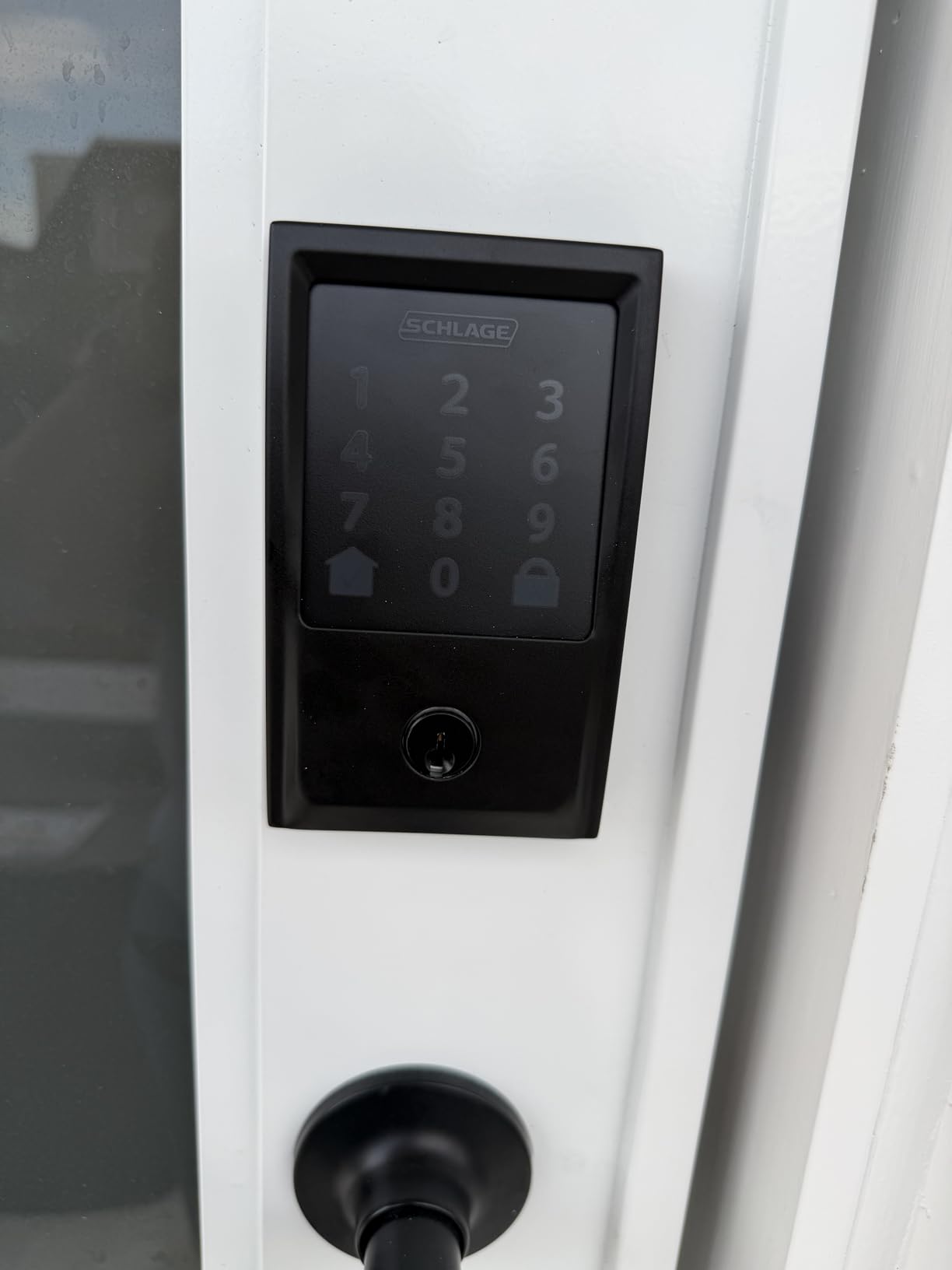
Build quality is where the price shows. It is zinc-bodied, carries the highest residential BHMA security, durability and finish certification, and ships with a physical backup key so you can always get in mechanically. Installation is screwdriver-only, it fits doors 1-3/8 to 1-3/4 inches thick, and the auto-lock timer can be dialled back or switched off depending on how fussy your guests are about the door clicking shut.
The honest drawback is cost. This is the most expensive lock in the group by a wide margin, and hosts running thirty doors will feel that on every replacement. Reviewers also note that the fingerprint-resistant touchscreen can respond slowly in cold or wet conditions, which matters if your keypad faces north in a mountain rental, and some owners report the app takes a moment to establish a connection after a router reboot.
How it handles a busy turnover calendar
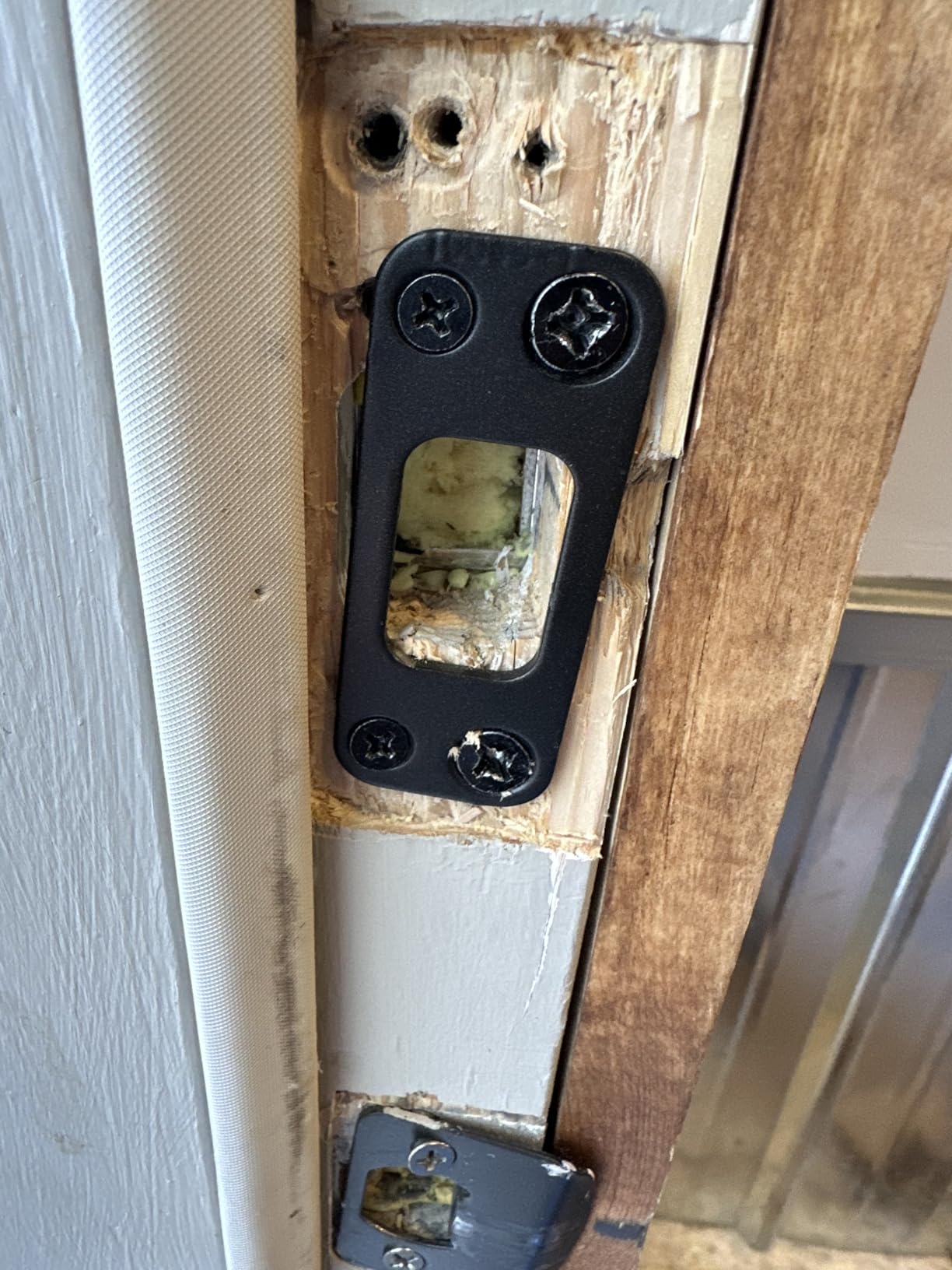
With 100 code slots you never have to reuse a guest code, which is the security point. A recycled four-digit code from a stay three months ago is a genuine risk, and a lock that lets you generate unlimited one-time codes removes the temptation to recycle anything.
The entry history is the feature I underrate until I need it. When a guest claims they never locked the door, you can see the last lock event and the last unlock event with timestamps, and you can re-lock remotely instead of driving over.
Where it falls short for a rental
The price is the first limit, and for a single door it is defensible. Across a large portfolio it is the number that makes hosts look twice at a mid-priced alternative.
There is no fingerprint reader here, so a guest who cannot read the touchscreen or find their glasses is stuck with the code and the key. That is fine for most stays, but it is worth knowing before you promise contactless biometric entry in your listing description.
2. ULTRALOQ Bolt SE WiFi — Best Value With Fingerprint and Thread
ULTRALOQ Bolt SE Wi-Fi Smart Lock, Matter Over Thread, App Remote Access
Fingerprint plus 50 passcodes
Built-in 2.4 GHz WiFi
Matter over Thread support
18 month battery claim
Pros
- Fingerprint passcode eKey app voice and two mechanical keys
- Built-in 2.4 GHz WiFi for hub-free remote control
- Up to 18 months of battery life on Thread mesh
- IP65 waterproof and ANSI BHMA certified
- 50 fingerprints and 50 passcodes stored on the lock
Cons
- 2.4 GHz band only with router within about 70 ft
- Matter over Thread needs a Thread Border Router
- No door sensor so true ajar detection is unavailable
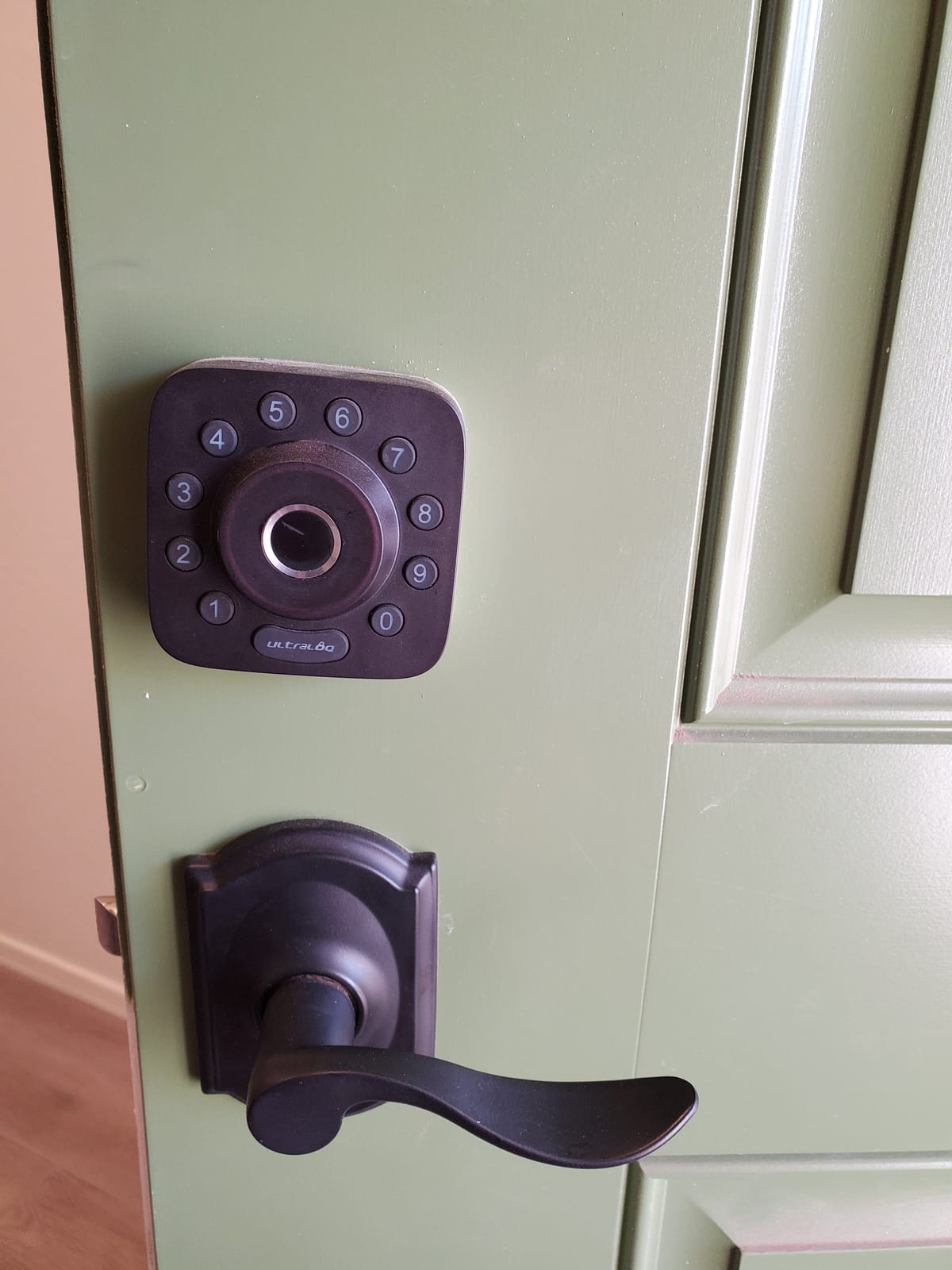
This is the lock I recommend when a host wants fingerprint entry and does not want to pay flagship money. It stores up to 50 fingerprints and 50 passcodes, and it accepts a shared eKey so a cleaner can get a one-off credential without touching your master code.
The battery claim is the standout. Manufacturer specs put it at up to 18 months on the Thread low-energy mesh, which is the longest published figure in this roundup and the number that matters most for a door nobody wants to visit between stays. There is a low-battery alert in the app and auto-lock on a timer you set yourself.
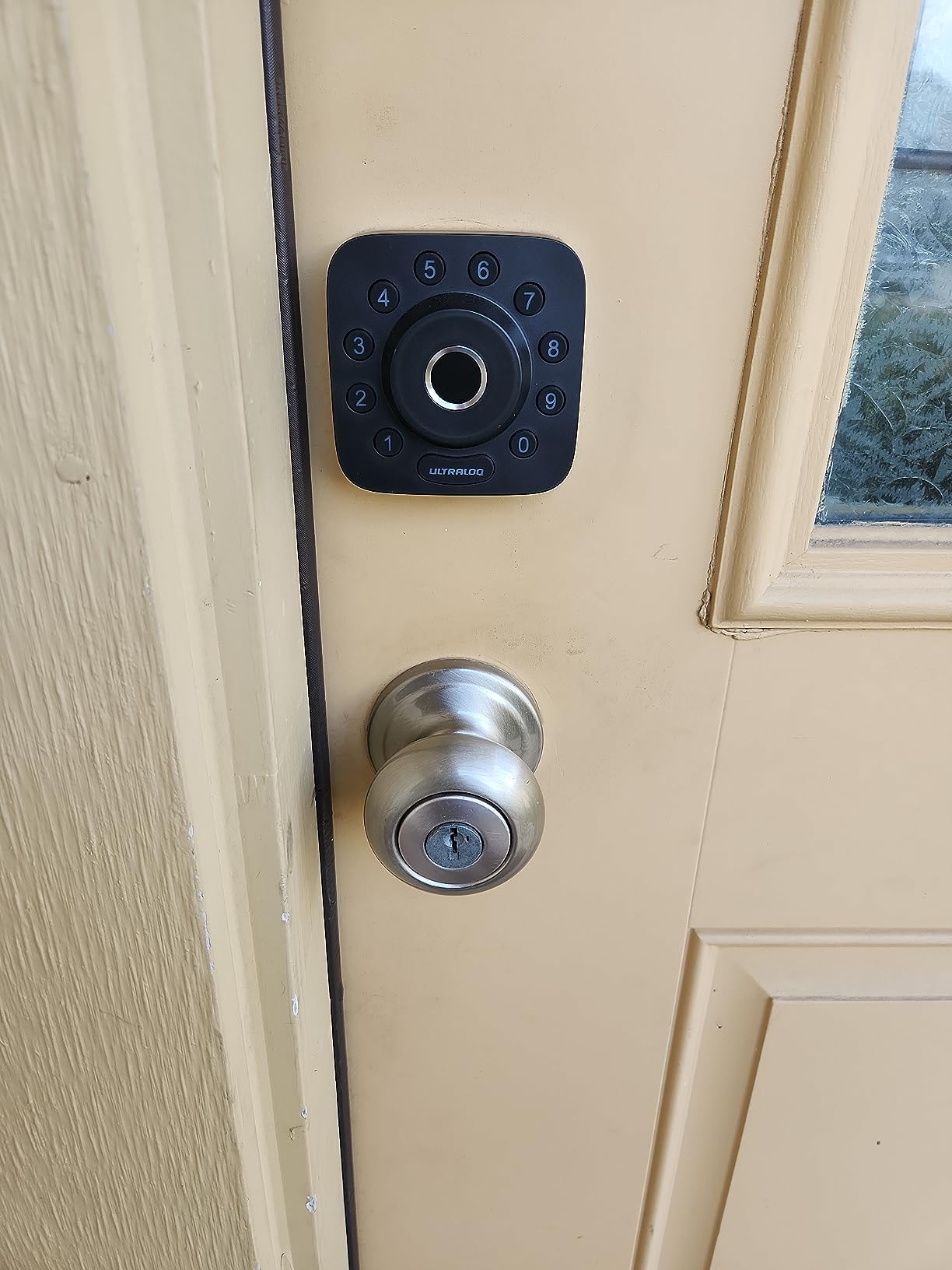
Connectivity is genuinely modern. It has built-in 2.4 GHz WiFi for direct control, plus Matter over Thread for Apple Home and other Matter-compatible apps, with a self-healing mesh that reroutes if a device drops. That gives you a path forward if you ever move the unit to a property that already runs a Thread border router.
Two configuration caveats are worth planning around. WiFi is 2.4 GHz only, so the router needs to be within roughly 70 feet of the door, and using Matter features at all means adding a Thread Border Router as a separate device. There is also no door sensor, so the lock cannot tell you the door is standing ajar.
Why the 18-month battery claim changes the maintenance routine
Daily turnover is what kills cheap smart lock batteries. Every guest code entry lights the keypad, and a lock with a fingerprint scanner draws more current again. A figure measured in months rather than weeks means you can check the door at turnover instead of carrying spare batteries to every check-in.
It still ships with mechanical keys in the box, so the fail-safe is there even if the electronics stop responding entirely. Two keys is enough for a key lockbox mounted in the door frame, which is the backup I would never skip on a rental.
Where it falls short for a rental
Fingerprint capacity is a real limit for a house with several people plus cleaners, though 50 is comfortable for a single unit. Guests who share a fingerprint slot between housemates is the failure mode to watch.
Because the WiFi radio is 2.4 GHz and short-range, this is a poor choice for a detached rural cabin where the router is in a separate building. Test the signal at the door before you commit, and fall back to a keypad-only model if it is marginal.
3. Veise RZ07 Fingerprint Smart Deadbolt — Most Versatile With Huge Code Capacity
Veise RZ07 Fingerprint Smart Door Lock Deadbolt, App Control, Satin Nickel
Fingerprint keypad and 250+ codes
App and web portal no subscription
G2 gateway for remote use
Grade 3 and IP55
Pros
- 250+ user codes the largest capacity in this group
- 0.2 second fingerprint unlock with self-learning AI
- App and web portal access with no monthly fee
- One-time permanent scheduled and recurring codes
- Two RFID fobs for cleaner or contractor access
Cons
- Remote features need the separately sold Veise G2 gateway
- Tinted keypad glass is hard to read in direct sunlight
- App can be slow to connect and shows terse error messages
Two hundred and fifty user codes is the number that sets this lock apart. If you run a duplex, a small cottage cluster, or just want every past guest to have a permanently distinct record in the log, no other lock here comes close. You get one-time, permanent, scheduled and recurring code types from the same app.
Fingerprint recognition reads in 0.2 seconds with self-learning AI, and up to 50 prints are stored. Seven unlock paths are supported: fingerprint, app, web portal, RFID fob, code, eKey sharing, and a mechanical key, with two keys and two fobs in the box.
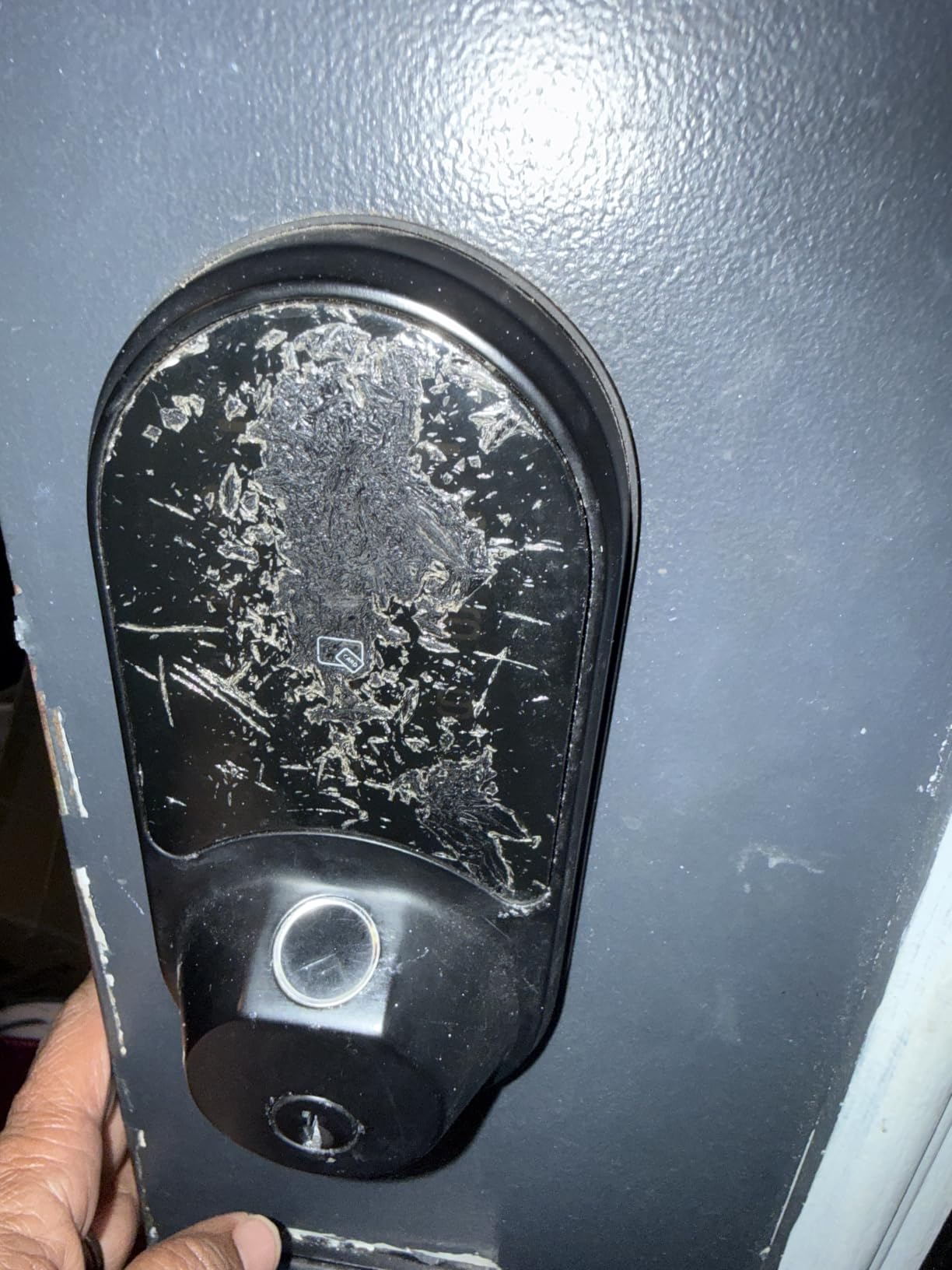
There is no subscription. The app and web portal let you generate remote eKeys and pull the access record without a monthly dashboard fee, which is a genuine advantage over enterprise rental platforms. Reviewers consistently single out US phone support as a plus when something needs troubleshooting.
The catch is connectivity. This lock is Bluetooth and WiFi, but remote WiFi access requires the separately sold Veise G2 gateway, so budget for one gateway per unit if you want remote re-locking. Reviewers also flag the dark tinted keypad glass as hard to read in direct sun, which is a real problem on an exposed south-facing rental door at midday.
What 250+ codes actually let you do
It lets you keep an honest audit trail. Instead of deleting a cleaner code after each visit and losing the history, you leave the record intact and simply expire the credential. When a vendor disputes a damage claim months later, that log is worth more than the lock itself.
It also removes a real security failure: reused PINs. With a large pool you can give every booking a fresh code and never think about rotation again, which is the single most common mistake we see in rental setups.
Where it falls short for a rental
The gateway is the deal-breaker for anyone who wants remote control without extra hardware. Budget the gateway cost and the extra device to power and mount before you fall for the code count, because without it you have an excellent local lock and nothing more.
Some owners report the app needing several attempts to connect, and one long-term owner reported a motor failure after about two years. Reviewers also note the outer shell is hard plastic while the internal mechanisms are metal, so treat the weather rating as the limit rather than the build as the strength.
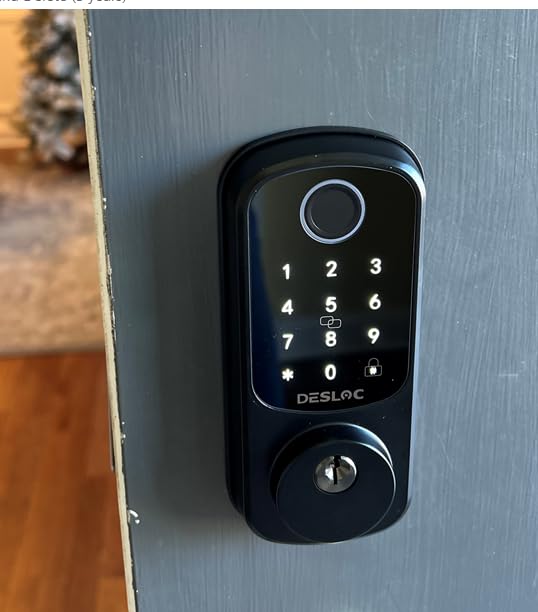
4. DESLOC B200 Fingerprint Smart Deadbolt — Cheapest Route to Biometric Entry
DESLOC B200 Fingerprint Smart Door Lock, Keyless Entry Deadbolt
Bluetooth only with optional gateway
Fingerprint under 0.3 seconds
Scheduled and temporary codes
USB-C emergency power
Pros
- Lowest cost in this group with fingerprint and keypad entry
- Fingerprint unlock in under 0.3 seconds with self-learning AI
- BHMA Grade 3 compliant from -22F to 158F
- USB-C emergency power port when batteries die
- Lightweight screwdriver-only installation
Cons
- Bluetooth only so remote control needs the optional G2 gateway
- Batteries are not included and must be supplied at install
- Only one key fob which is thin for handing out to cleaners
This is the budget entry in the group, and it is genuinely capable for a local-first rental. Fingerprint, PIN, app, eKey, fob, and physical key all work, and the fingerprint sensor reads in under 0.3 seconds using self-learning AI that handles dry skin and older users better than most scanners at this level.
Code types are the part that matters for hosting. The app manages scheduled and temporary access codes, so you can set a guest code to start at 4pm on arrival day and stop at 10am on departure day without touching the lock again.
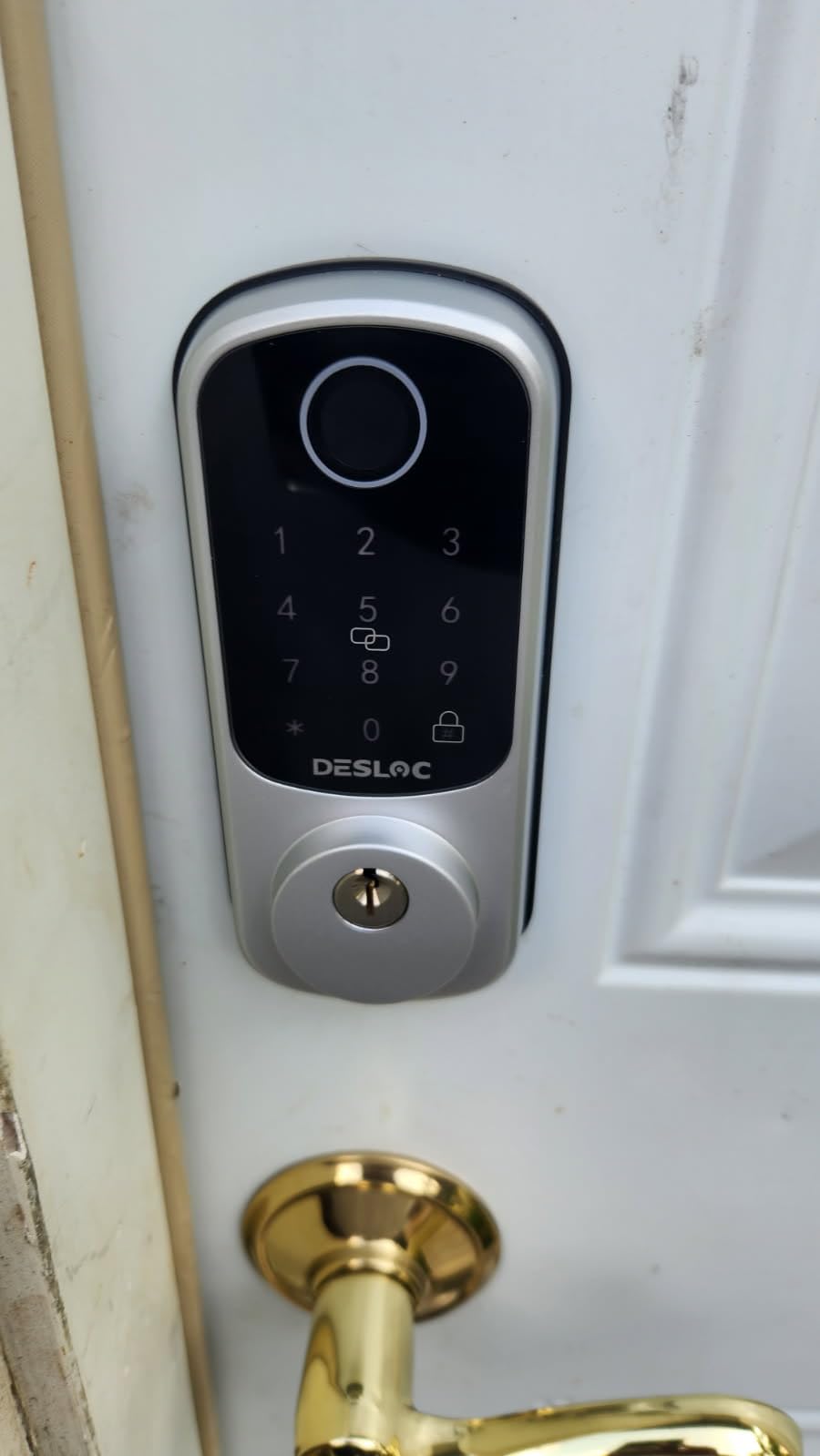
Durability is fine for an exposed door. It is BHMA Grade 3 compliant, rated IP54 for water resistance, and rated to operate from -22F to 158F, which covers the temperature swing most seasonal rentals see. It also has a USB-C emergency power port, so a dead battery does not mean a locksmith call if you can get a cable to the door.
Bluetooth only is the defining limitation. Remote unlock, app access from away, and Alexa or Google control all require the G2 gateway sold separately, so budget for that before you install. Batteries are not included, and only one key fob ships in the box, which is thin if you planned to hand a fob to every cleaner.
When a local-only smart lock is enough
If your rental is a single door, your guests all arrive with a code in their booking message, and you only need remote control a few times a year, Bluetooth-only is a reasonable trade. The lock still logs entries and still expires codes on schedule.
It is also the right answer for an interior or secondary door where the main entry already has a more capable lock. Hosts who run one good lock on the primary entry and something simpler on the closet or utility door get most of the benefit at a fraction of the cost.
Where it falls short for a rental
Without the gateway, the moment a guest locks themselves out you are driving across town. That single scenario is why most hosts end up buying the gateway anyway, which pushes the real cost of this lock well past the sticker.
One fob is the detail that annoys hosts most. If you want a physical credential for a cleaning company rather than a shared PIN, you are buying another fob separately, and the batteries are on you from day one.
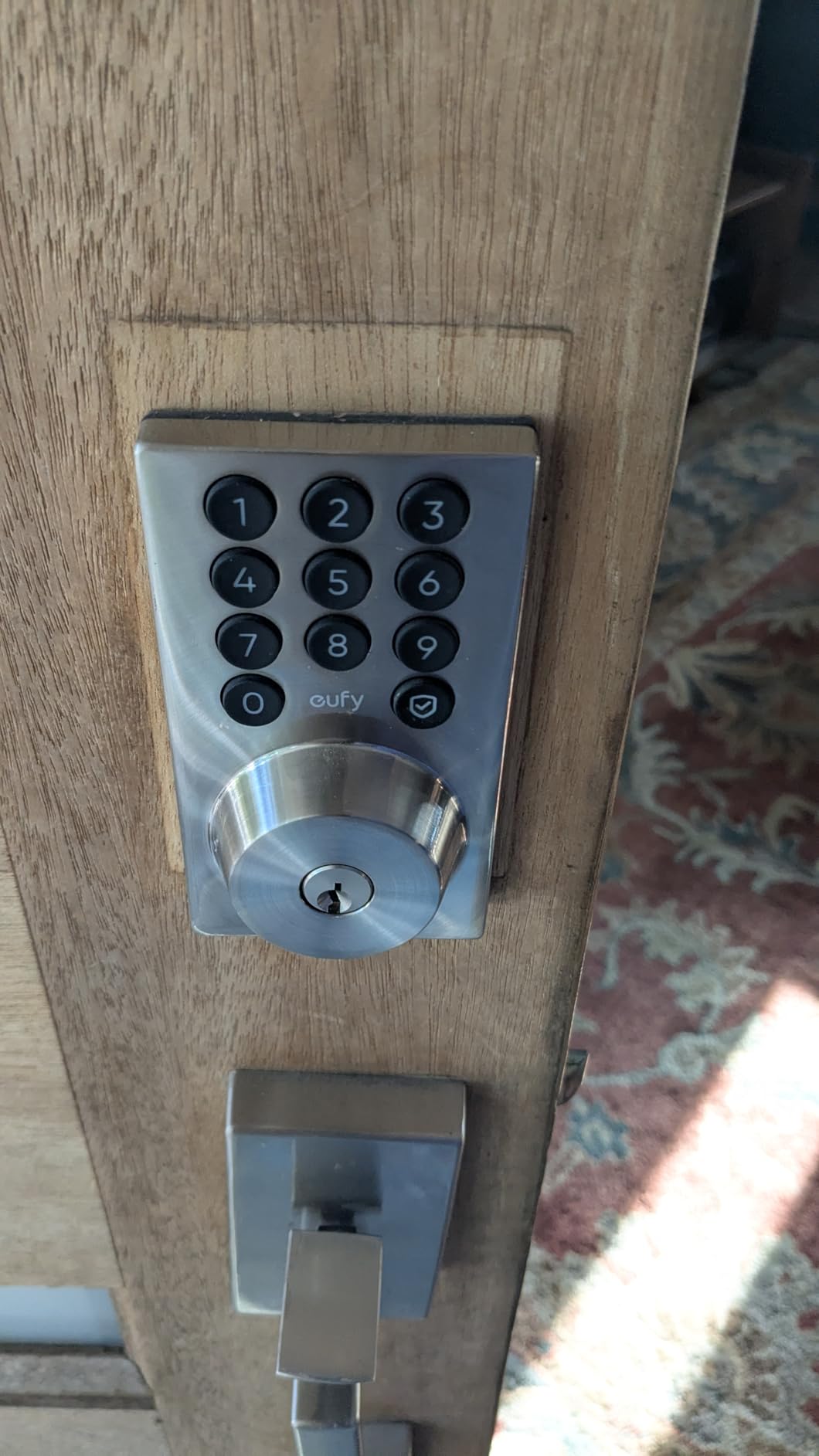
5. eufy Security Smart Lock C30 — Best No-Drill Retrofit for an Existing Deadbolt
eufy Security Smart Lock C30, Keyless Entry Door Lock, Built-in Wi-Fi
Built-in WiFi with no hub
No-drill fit over most deadbolts
4 AA batteries up to 5 months
Physical key backup
Pros
- Built-in WiFi with no bridge to install
- Fits most standard deadbolts with no drilling
- Physical key backup for guaranteed manual entry
- Pairs with a eufy doorbell at the same door
- No monthly fee with 18 months of protection
Cons
- Shortest published battery life in this group at 5 months
- Some owners report no low-battery warning before failure
- Keypad only with no fingerprint reader
- Smart features need the eufy app with no HomeKit support
This is the retrofit answer. It fits over most standard deadbolts with no drilling, which is the single most important feature if you rent a unit under a lease or HOA rule that forbids replacing the deadbolt itself. Installation is a 15-minute job and you can remove it when you move on.
It still has built-in WiFi, so remote lock and unlock work without a bridge, and it pairs with a eufy video doorbell if you already run one at the same entrance. The app is described by reviewers as quick to pair with a simple interface, and there is no monthly fee attached to the remote features.
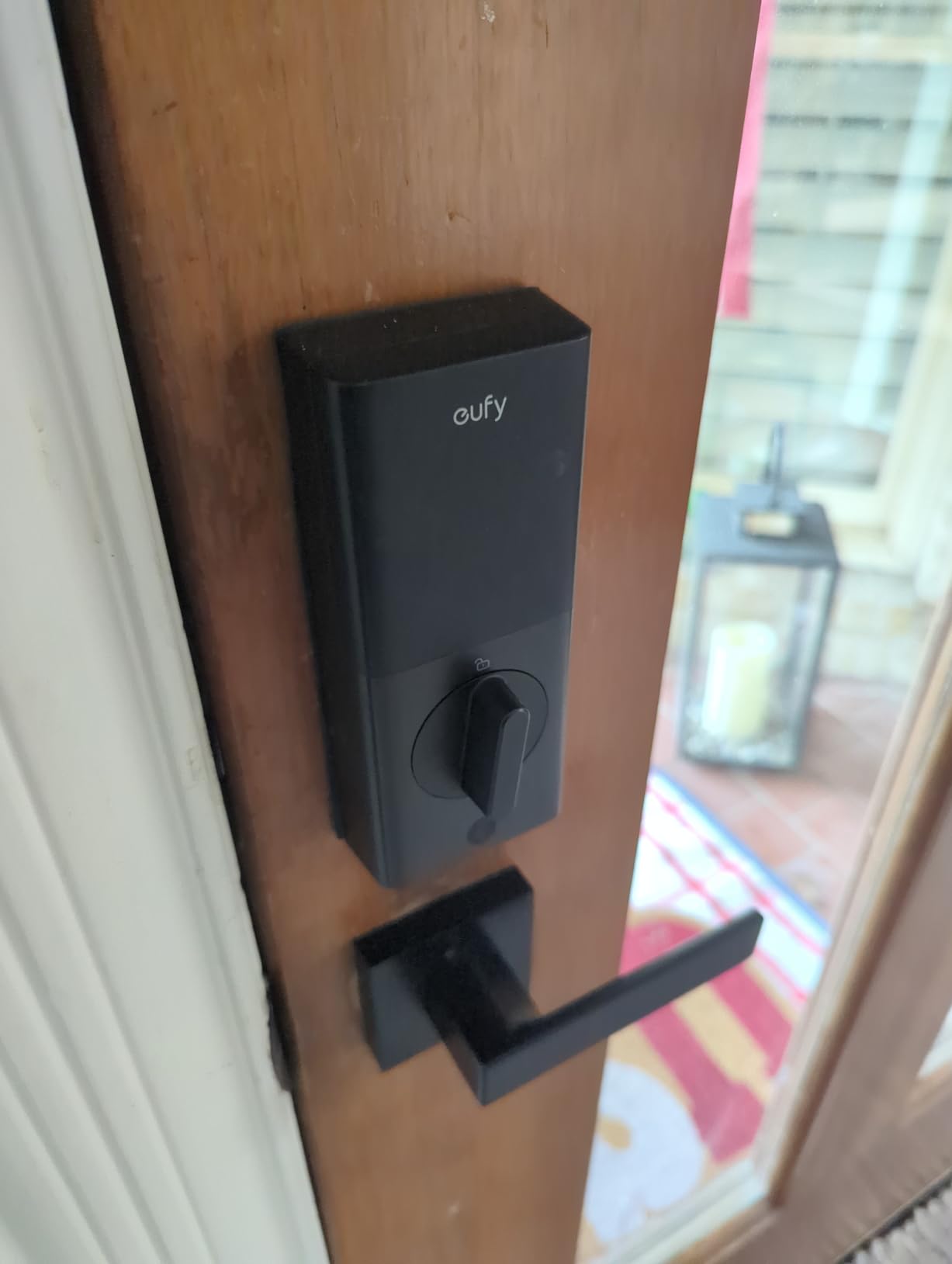
Entry methods are keypad, app, voice through Alexa or Google, and the included physical key. Auto-lock runs on a countdown timer you set, which is useful for a rental where guests tend to leave the door standing open. The exterior assembly is IP53 rated and the operating range is -22F to 158F.
Battery life is the honest problem, and it is why this sits mid-list despite the appealing retrofit story. Manufacturer claims are 4 AA batteries for up to 5 months, and that is the shortest published figure in this roundup. Multiple reviewers report changing batteries every few weeks, and some report complete failure with no low-battery warning on the lock or in the app, which is the failure mode that strands a guest at the door.
Why the no-drill design wins in some rentals
Condo associations and landlords frequently prohibit replacing the deadbolt, and a rule like that ends the conversation for every other lock in this list. A retrofit that sits on top of the existing bolt keeps the conversation open, and you can show a landlord the same hardware still underneath.
It also makes sense for a furnished or time-shared property where you want the lock to travel with you. Swap it to the next unit in ten minutes and the codes move with you.
Where it falls short for a rental
Battery servicing is the deal-breaker for high-turnover doors. If a lock needs new AA cells every few weeks, you will end up ignoring the low-battery alert, and that is how a lock fails mid-stay with a guest standing in the rain.
Some units also needed extra drilling to fit standard bore sizes despite the no-drilling claim, and there is no fingerprint reader, so you are relying entirely on PIN entry. If your listing markets keyless speed to arriving guests, a fingerprint model is a better story.
6. LOCKSTAR Smart Door Lock — Best With a Bundled WiFi Bridge
LOCKSTAR® Smart Door Lock • Keyless Entry Deadbolt Door Lock • Multiple Entry Methods – APP • Fingerprint Touch ID • Keypad Code • Card FOB • Traditional Key • Smart Home Devices
WiFi bridge in the box
Fingerprint fob keypad and key
Event history with timestamps
Highest rated lock here
Pros
- Highest average rating in this roundup
- WiFi gateway bundled in the box saving a separate purchase
- Five entry methods including fob and traditional key
- Event history shows who opened the door and when
- Screwdriver and drill bit included for retrofit
Cons
- The bridge is another device to power and maintain
- Far fewer reviews so less long-term owner feedback
- Listing publishes no battery life or warranty term
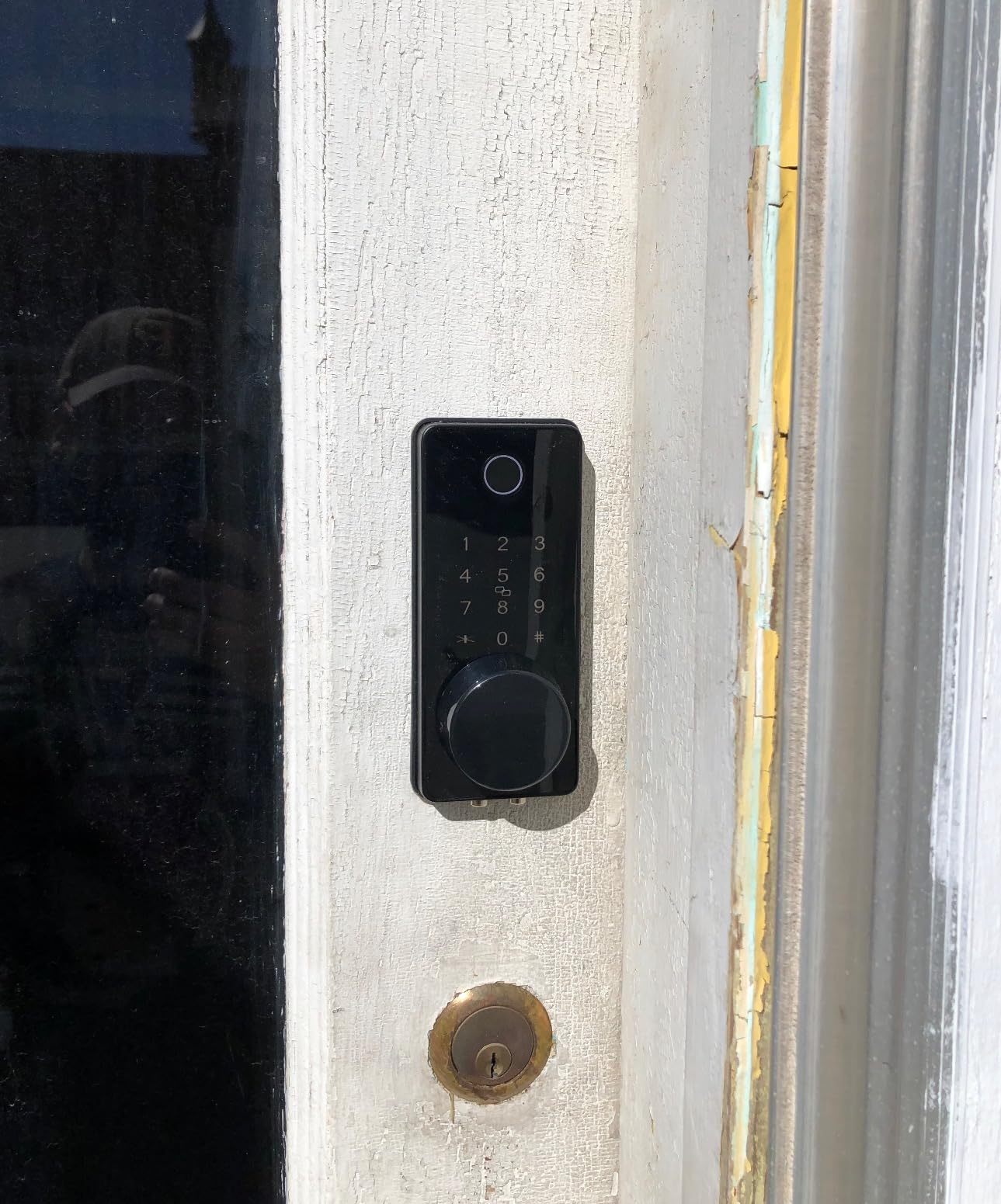
This lock solves the problem most Bluetooth-only models create, which is that remote access depends on a gateway you have to buy separately. The bridge is in the box, so the moment you plug it in you have app control and an entry log without a second purchase.
Entry options are broad: app, fingerprint touch ID, keypad code, card fob, and a traditional key. The fob matters more than it looks, because handing a cleaner a physical fob removes any chance of that credential being written down and shared with someone else.
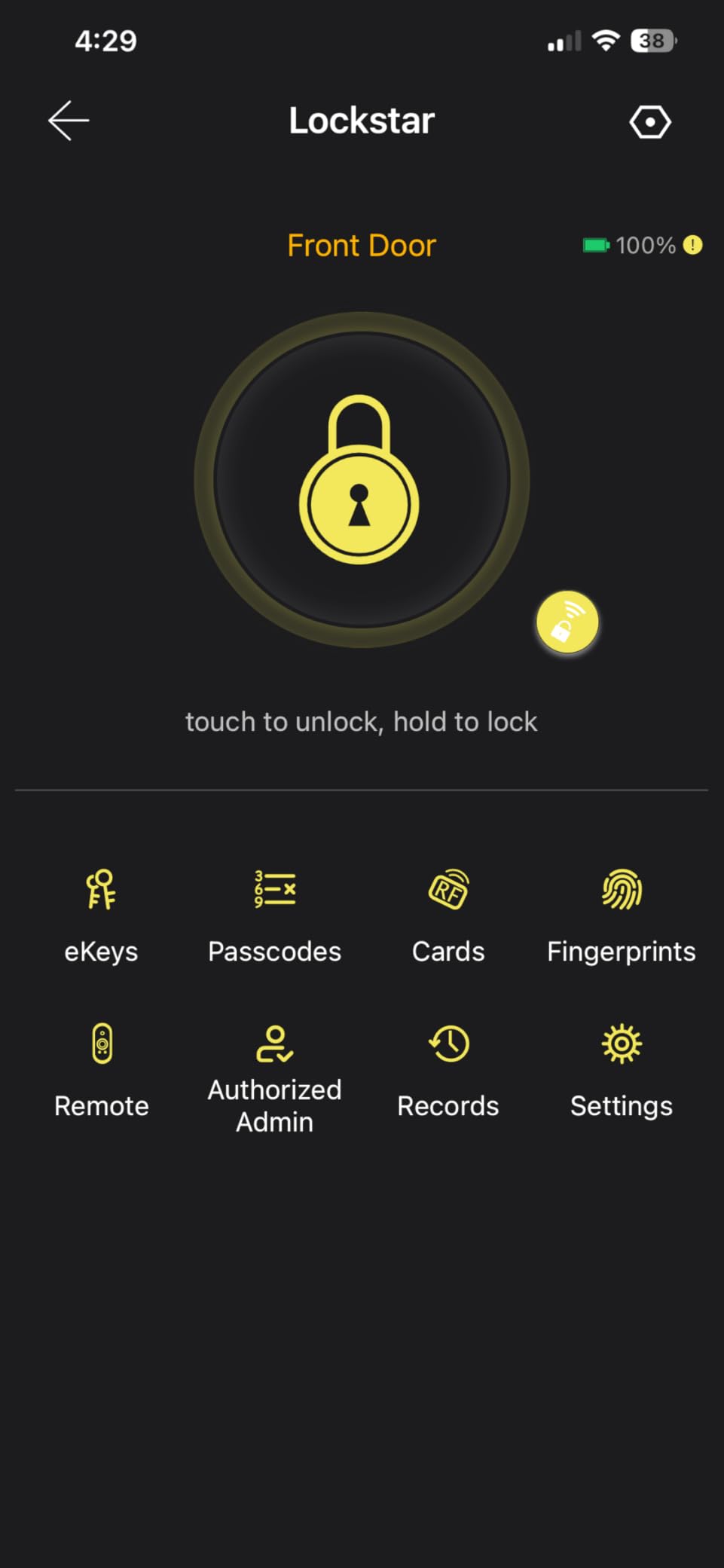
The event history is the feature hosts care about. The app shows who opened the lock and when, with real-time notifications, and auto-lock fires when the door closes or on a manual long-press of the hash key on the keypad. The listing positions it explicitly for rental properties, which is unusual for a lock at this level.
Two things to weigh honestly. The bridge is still a device you have to power and keep online somewhere inside the unit, so the convenience is real but so is the maintenance. And with 1282 reviews against 13k on the leader, there is much less long-term owner feedback to draw reassurance from.
How the event history supports turnover
Knowing whether entry happened at 9am or 3pm changes how you sequence a cleaning visit, and the timestamp log gives you that without a phone call. Hosts with multiple units often use it to confirm a late checkout before dispatching anyone.
Auto-lock on door close is the quiet hero for rentals. It removes the most common guest complaint and the most common security gap, and it costs nothing extra in configuration.
Where it falls short for a rental
The unpublished specifications are a real gap when you are buying hardware to sit unattended at a stranger’s property. The listing does not state battery life or a warranty term, and both of those matter more for a rental than for a home.
The smaller review base also means you are an early adopter in a sense. If something fails two years in, you will find fewer owners who have hit the same wall.
7. Philips WiFi Smart Deadbolt Lock — Best for Away Mode Between Stays
Philips Wi-Fi Smart Deadbolt Lock, Keyless Entry Door Locks for Front Door
Hub-free 2.4 GHz WiFi
Fingerprint and 100 passcodes
Away Mode locks all codes
Real-time entry history
Pros
- Best category rank in this roundup at number 9 in Deadbolts
- Built-in WiFi with no hub and 100 custom passcodes
- Unlimited one-time and scheduled codes for turnover
- Away Mode disables every unlock method but the master code
- Real-time alerts and a full entry history
Cons
- 2.4 GHz band only with router within about 65 ft
- No door sensor so it cannot report an ajar door
- Batteries are not included in the box
The feature that makes this one interesting for short-term rentals is Away Mode. When you flip it on, every unlock method is disabled except the master code, which means a leaked guest PIN from a past stay is worthless until you turn the mode back off. That is a cleaner security posture than deleting codes one at a time.
Code capacity is generous too. You get up to 100 custom passcodes plus unlimited one-time and scheduled codes, so guests, cleaners, and delivery vendors can all be issued distinct credentials from the same lock without worrying about running out.
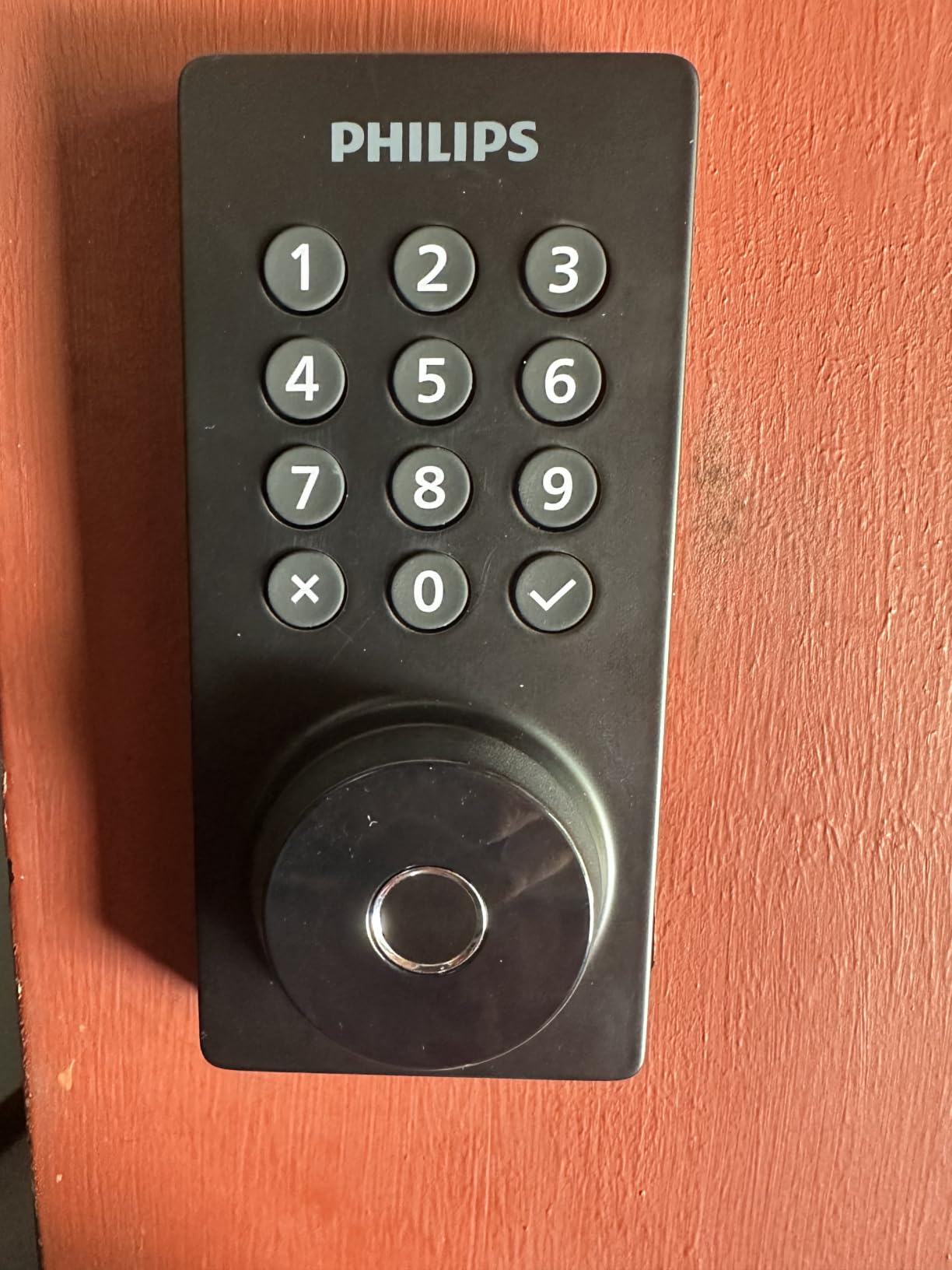
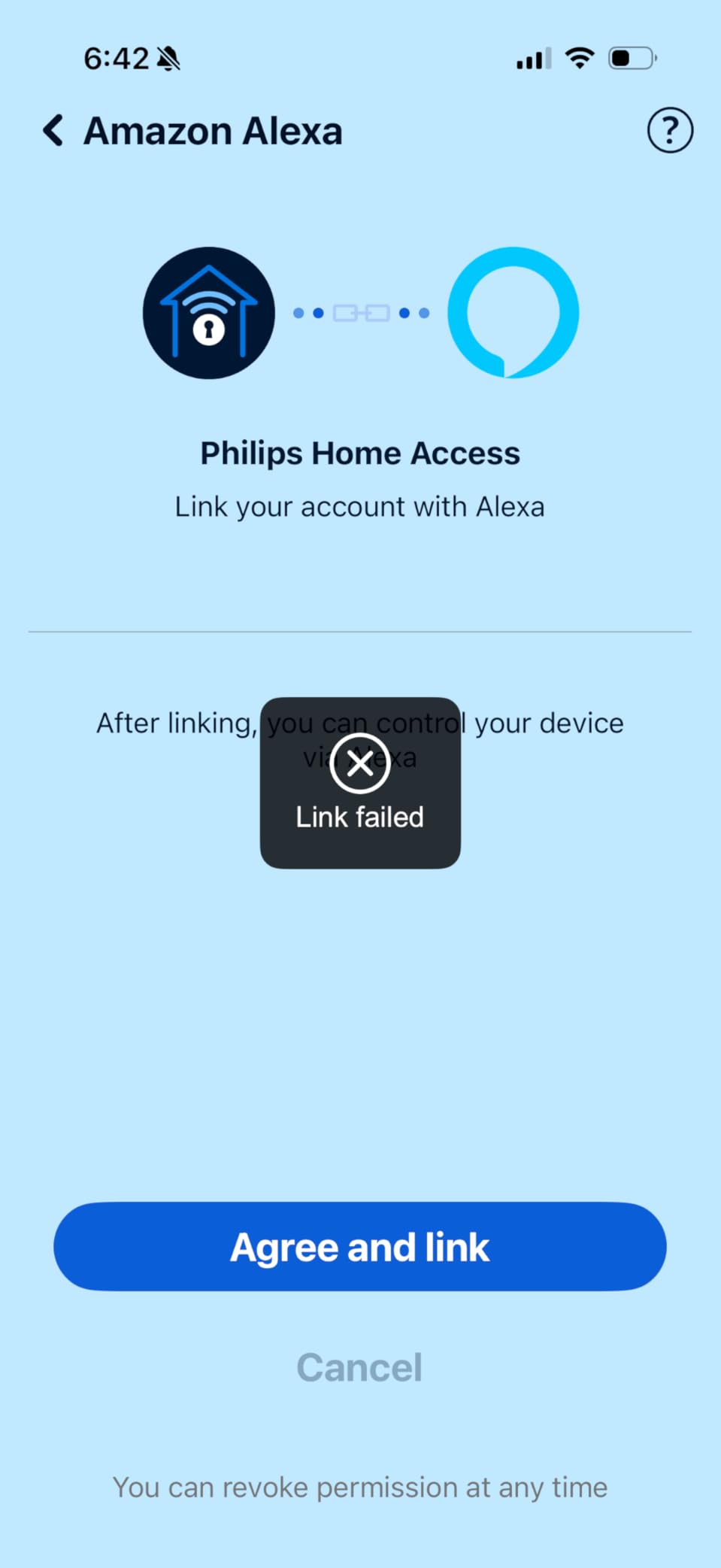
Remote access is hub-free on built-in 2.4 GHz WiFi, and there is no subscription or gateway to buy. Five unlock paths are supported: app, passcode, fingerprint, physical key, and voice through Alexa or Google Assistant, with real-time alerts and a full access history of who entered and when.
Limitations are worth planning for. The WiFi band is 2.4 GHz only with a recommended router distance of 65 feet, there is no door sensor so the lock cannot report a door left ajar, and AA batteries are recommended but not included, which means one extra errand before the first guest arrives.
What Away Mode actually protects against
It protects the gap between stays. Most lockout incidents happen because a code from a previous booking was never fully deleted, or because someone photographed the keypad. Away Mode makes every one of those credentials inert while the unit is empty, which is a strong argument for a unit that sits empty for weeks between bookings.
It also makes turnover cleaner operationally, because a single toggle replaces deleting and re-entering every credential between bookings.
Where it falls short for a rental
No door sensor is a meaningful gap for a rental. Being able to see that a guest left the door ajar is often the difference between a quick remote re-lock and a bad review, and this lock cannot tell you either way.
The 65-foot WiFi guidance is tight for a rural unit or a door far from the router. Test it at the actual deadbolt before you buy, and choose a longer-range or offline-capable model if the signal is marginal.
8. Sifely Fingerprint Smart Deadbolt — Best for Cleaner and Vendor Fob Access
Fingerprint Smart Deadbolt with Keypad – Keyless Entry Lock for Home, Apartment, Office, Airbnb, Rental, Kids & Seniors, App & Code Access, Auto-Lock, Easy DIY Install, Compatible with Alexa & Google
Built for Airbnb rentals
100+ fingerprints and codes
Fob entry for cleaners
Gateway needed for remote
Pros
- Marketed for Airbnb hosts and short-term rentals
- 100+ fingerprints and 100+ codes stored
- Fob entry avoids sharing a code with a cleaner
- Free app and web portal with eKey sharing and logs
- Screwdriver install on either door handing with no locksmith
Cons
- Remote access and voice control need the Sifely Gateway
- Listing publishes no battery life or warranty term
- Under a thousand reviews so thinner long-term feedback
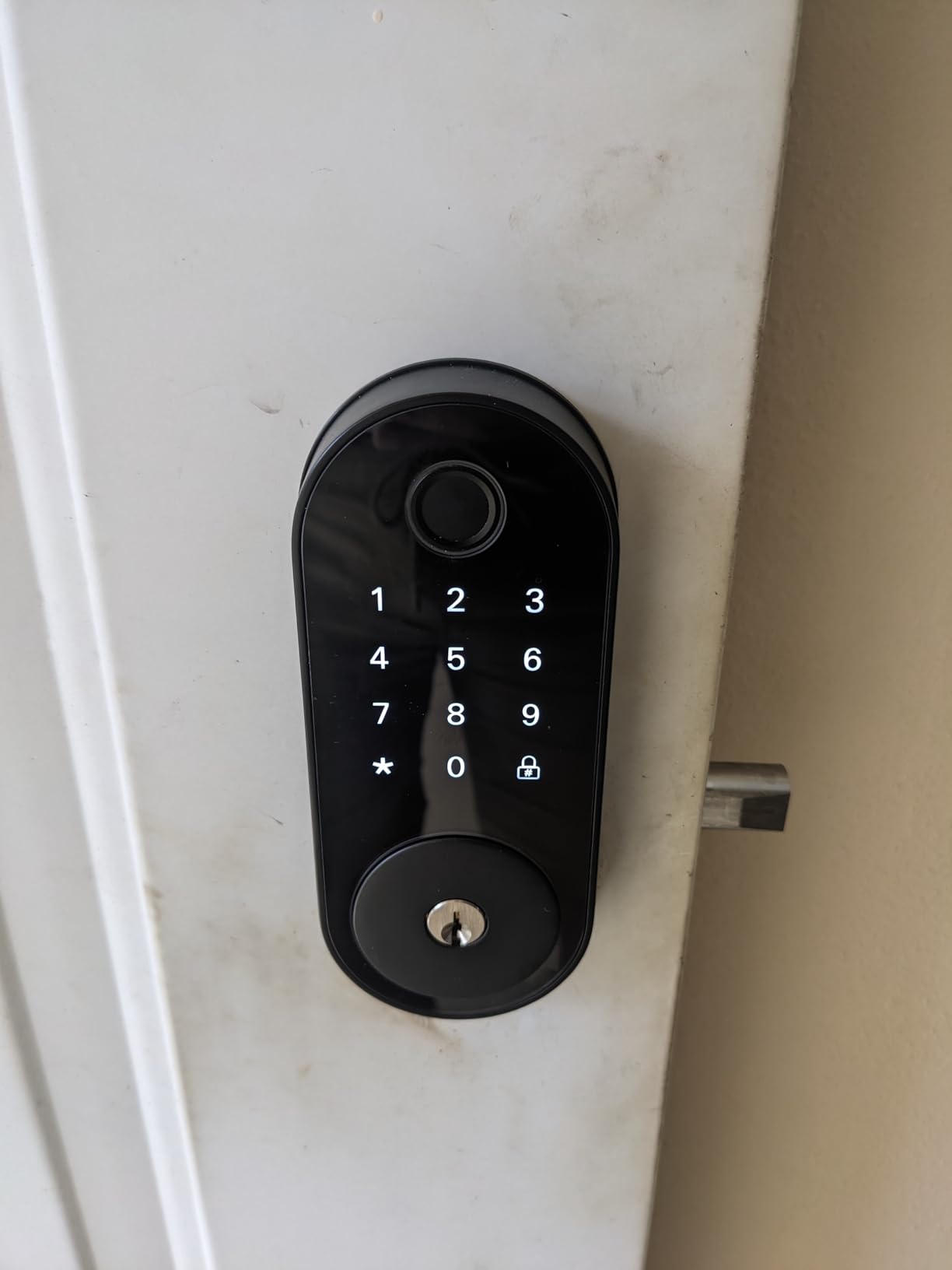
This listing is written for hosts rather than homeowners, and it shows. The name itself puts Airbnb in the title, and the feature set is tuned for the way short-term rentals actually work: codes that can be scheduled, logs you can check remotely, and a fob you can hand to a cleaning company.
Capacity is the headline number. It stores more than 100 fingerprints and more than 100 codes, which is more than any other lock in this group and gives you room to issue a distinct credential to every person who ever needs the door.
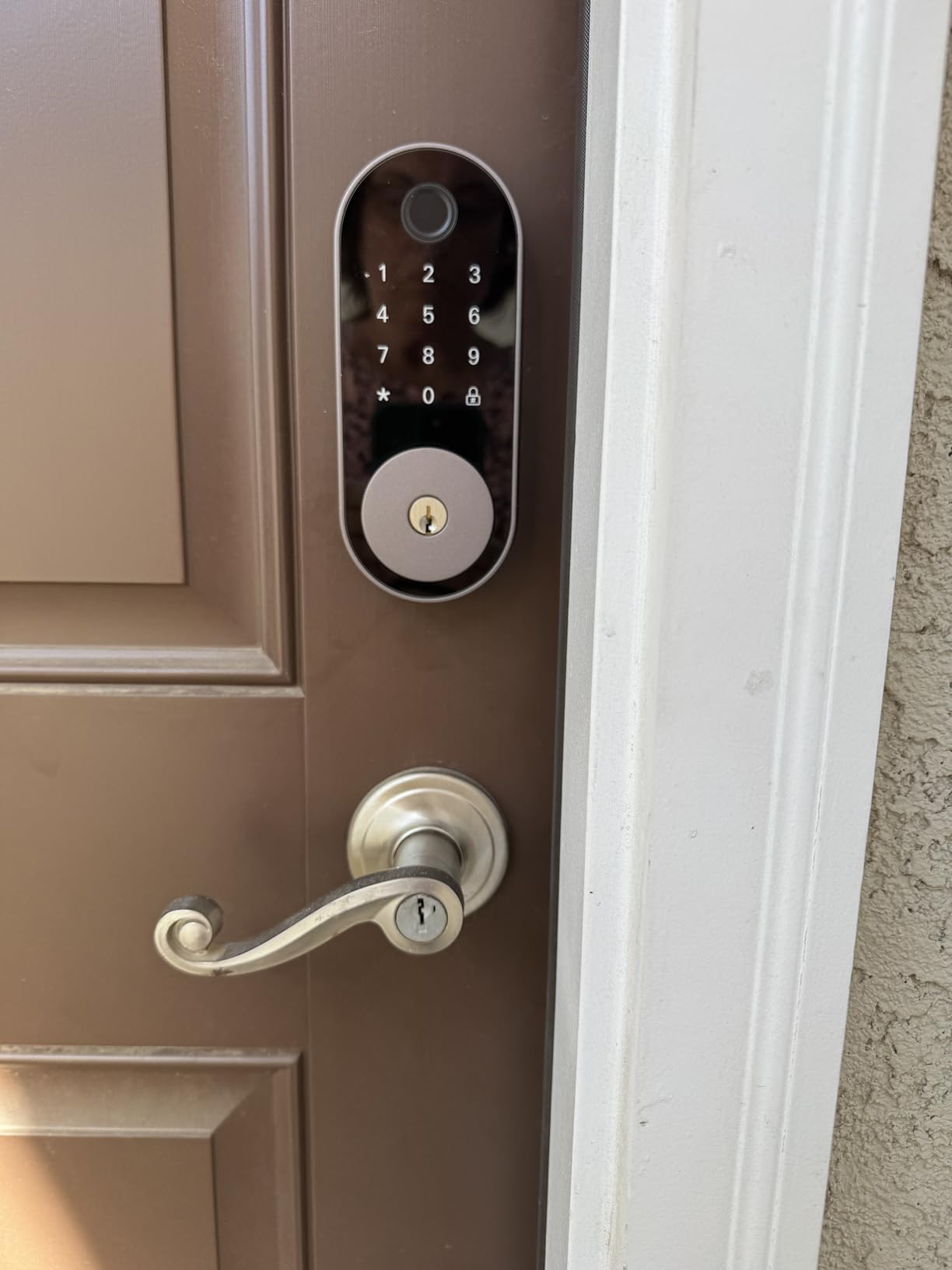
Entry methods are fingerprint, keypad code, app, fob, and physical key, with auto-lock after each entry and a one-touch lock on the hash key. Privacy mode and passage mode are useful when a stay legitimately needs the door left unlocked, and an anti-peep code plus low-battery alerts round out the security options. Installation is screwdriver-only on either door handing, with no locksmith required.
Remote operation depends on the separately sold Sifely Gateway, which also carries the Alexa and Google voice integration. The listing also does not publish battery life or a warranty term, and with 828 reviews there is less long-term feedback than we would like on hardware that will sit unattended.
Why fob access beats a shared PIN for cleaners
A PIN has to be transmitted, and transmission is where credentials leak. A cleaning company with twenty staff has a shared code written on a whiteboard, in a group chat, and on somebody’s phone wallpaper, and none of those are under your control.
A fob is a physical object you hand over and get back. Revoking access is a matter of deciding which fob to stop accepting, and the fob itself never leaves the vendor’s pocket. For recurring turnovers this is the cleanest part of the whole workflow.
Where it falls short for a rental
The gateway again. If you want remote re-locking when a guest leaves the door open, you need it, and the listing does not include it. Budget accordingly.
The thin published specification is the other concern. Battery life and warranty are the two things a host most needs in writing before leaving a door unattended, and this listing is quiet on both.
9. TEEHO TE012W WiFi Fingerprint Lock — Best Break-In Lockout and Anti-Peep Codes
TEEHO TE012W WiFi Fingerprint Smart Door Lock for Front Door, Satin Nickle
Hub-free 2.4 GHz WiFi
8 AA batteries
Locks 3 minutes after 10 wrong codes
Anti-peep digit randomization
Pros
- Only lock here with a 3 minute lockout after 10 wrong PINs
- Anti-peep code allows random digits around the real one
- 8 AA batteries for better endurance and WiFi stability
- Break-in alerts sent instantly to the app
- Two year warranty with lifetime support
Cons
- Fingerprint capacity limited to 20 users
- 8 AA batteries mean a bigger pack and more purchases
- Alexa routines reported not to work
- Interior of the lock feels more plastic
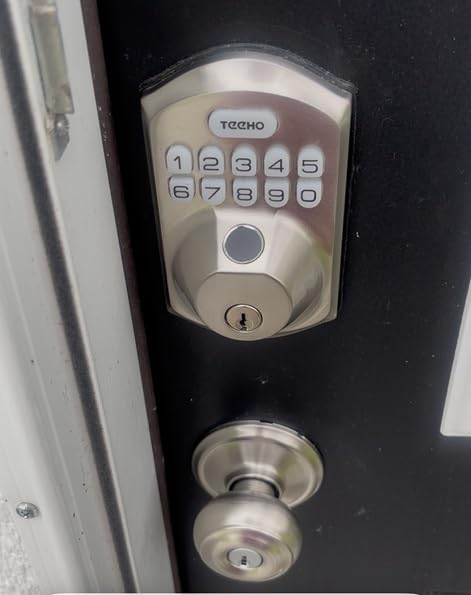
The reason to pick this lock is the security behaviour under attack. After 10 consecutive incorrect PIN attempts it locks itself for three minutes and sends an instant alert to the app, which is a meaningful deterrent on an exterior door nobody is watching. It is the only lock in this group with an automatic lockout that size.
Anti-peep is the sleeper feature for rentals. Random digits can be entered before or after the correct code, so a guest standing at the keypad cannot shield their entry from someone watching over their shoulder, and a code written on a scrap of paper is less useful to a shoulder-surfer.
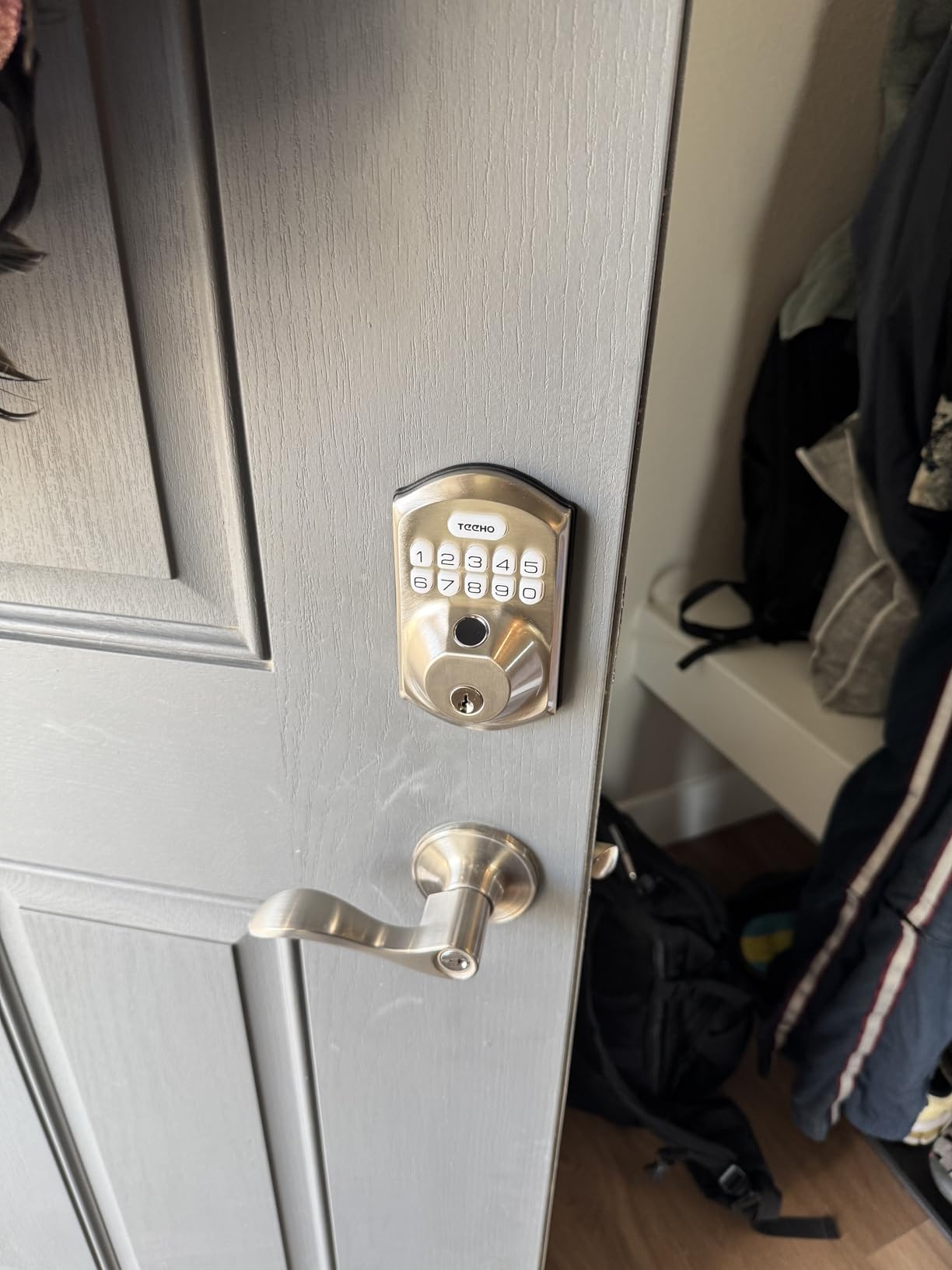
The battery decision is the bold one. It runs eight AA batteries rather than the standard four, and owners report noticeably better endurance and more stable WiFi as a result. That is a deliberate trade of a bigger battery pack for a door you service far less often, which for a rental is usually the right direction.
Connectivity is hub-free on 2.4 GHz WiFi through the KK Home app, with five unlock methods including fingerprint for up to 20 users, up to 100 passcodes, and two backup keys. It is BHMA Grade 3 certified, IP55 rated, and backed by a 2-year warranty with lifetime support, which is longer than most in this group. Data is stored locally with AES-128 encryption.
How the break-in lockout changes guest behaviour
It turns a brute-force attempt from a silent, slow process into something you find out about. A three-minute freeze during an attack means a casual passerby cannot methodically try combinations, and the instant alert gives you evidence if you ever need it.
The anti-peep randomisation helps with the ordinary case too, which is a guest with children crowding the door at 4pm. Nobody has to shield the keypad, and nobody has to explain a code twice.
Where it falls short for a rental
Twenty fingerprint slots is the tightest biometric capacity here, and it becomes a real constraint if you run a duplex or hand fobs and prints to several vendors. Plan your credential budget before you commit to fingerprint as your primary method.
Eight AA batteries means a larger interior pack and more frequent battery purchases, and some owners report Alexa routines not working even though basic voice control functions. The interior of the lock also feels more plastic than the exterior shell.
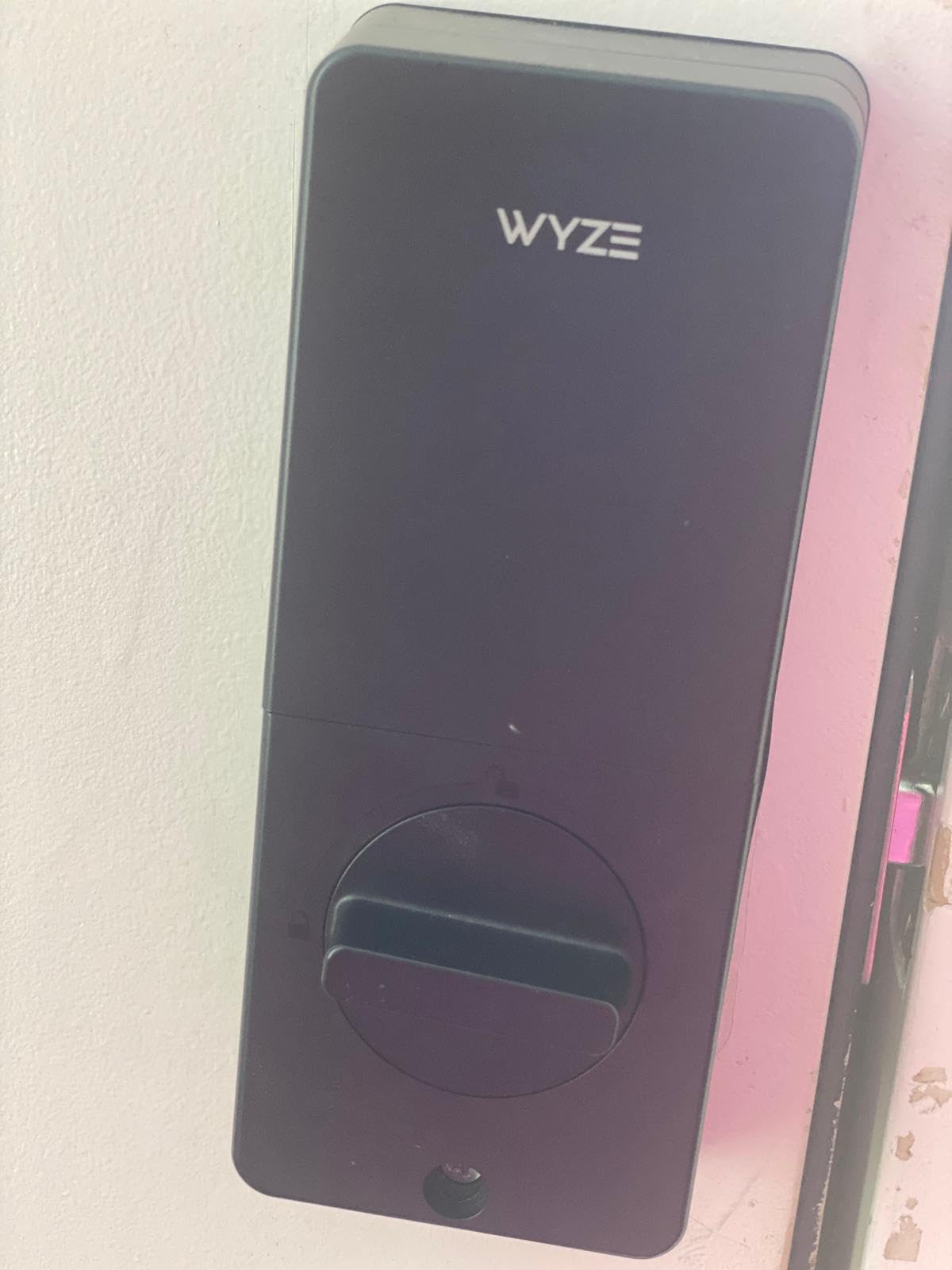
10. Wyze Auto-Lock Bolt v2 — Best Battery Endurance and Emergency Backup
Wyze Auto-Lock Bolt v2, Fingerprint Keyless Entry Smart Lock, AI Learning Scanner with Wi-Fi Front Door Lock Deadbolt, Auto-Lock, 8 Months Battery, BHMA2, IP53, Anti-Peep Keypad, Backup Keys
8 AA batteries included
Fingerprint in 0.5 seconds
USB-C power bank unlocking
BHMA Grade 2 and IP53
Pros
- 8 AA batteries included so nothing to buy at install
- Longest published battery figure here at 8 months
- Fingerprint unlock in 0.5 seconds with a learning scanner
- Unlock from a Wyze Video Doorbell live feed
- BHMA Grade 2 and IP53 rated
Cons
- Smallest review base in this roundup at 580 reviews
- Enrolling older guests fingerprints can be fiddly
- Auto-lock timer fires even when the door is left open
- Smart features need the Wyze app
The practical headline is that eight AA batteries ship in the box. Every other hub-free lock in this group asks you to buy cells before the first guest arrives, and this one arrives ready to install. For a host fitting a dozen doors in a weekend, that is a real time saving.
The fingerprint scanner reads in 0.5 seconds on scratch- and smudge-resistant tempered glass, and it uses an AI learning scanner that adapts from every touch. Owners report that recognition visibly improves within the first week of regular use, which matters when a new guest is trying the lock for the first time at midnight.
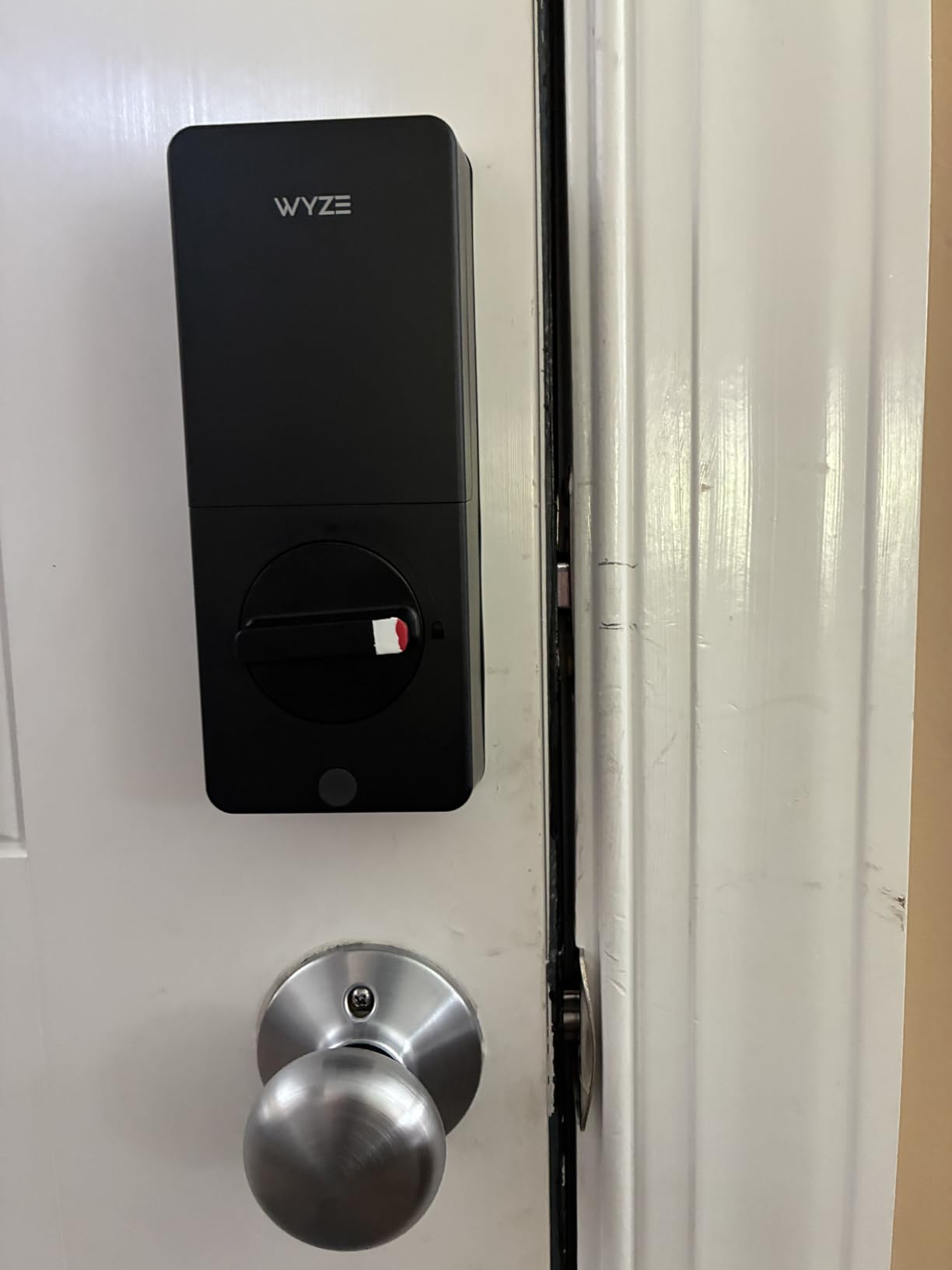
Connectivity is built-in WiFi with no hub, and remote lock and unlock happens in the Wyze app along with temporary and time-limited codes. The standout integration is the doorbell pairing: if you run a Wyze Video Doorbell, you can unlock straight from the live camera feed, which lets you visually confirm who is standing there before granting entry.
Emergency power is handled well. There is a USB-C port for powering the lock from a power bank when the batteries die, plus two physical backup keys in the box, and it is BHMA Grade 2 and IP53 rated. The honest caveat is scale: 580 reviews is the smallest base in this group, so you are buying into a newer product with less long-term history.
Why visual confirmation matters at check-in
Unlocking from a live camera feed closes a gap that pure code entry cannot. When someone buzzes at 1am, you can see whether it is the arriving guest or someone else entirely, and that single frame resolves most lockout disputes before they start.
It is also the fastest check-in path for a host already in the Wyze ecosystem. One app handles the doorbell, the lock, and the code list, which removes a step from the most stressful five minutes of a booking.
Where it falls short for a rental
Unlocking from the live feed is dependent on the video doorbell, so if you do not run one you are back to app, code, fingerprint, and key. That is still four ways in, so the lock stands on its own, but the differentiator disappears.
Some owners found enrolling older guests fingerprints difficult, keypad beeps are quiet enough to be hard for hard-of-hearing users to hear, and the auto-lock timer can fire while the door is still open, which reads as a malfunction to anyone who has not read the manual.
How to Connect a Smart Deadbolt to Your Airbnb Listing
The install is the easy part. The part that determines whether guests have a smooth arrival is the setup sequence, and it is worth doing carefully the first time.
Finish the physical install first. Fit the lock, walk the bolt in and out ten times, and confirm the door closes and latches on its own. Auto-lock depends on that adjustment being right.
Create your standing code. Make one master or owner code that you never send to anyone. It is your emergency entry and your first line of recovery if the app is down.
Set a recurring cleaner code. A scheduled code that repeats on your usual turnover days saves more time than a new code per visit, and it keeps the vendor’s credential out of guest hands.
Link the app to the WiFi network. Test remote lock and unlock from outside the building before any guest arrives, not after. If the 2.4 GHz signal is weak at the door, now is the time to add a mesh node or choose a different lock.
Run one dummy booking. Create a test reservation, generate a code exactly as you would for a real guest, and confirm it works at the door and expires at the checkout time you set.
Build the fail-safe stack. Store a physical key in a concealed lockbox mounted in the door frame, keep a spare mechanical key with a trusted neighbour or local locksmith, and confirm the lock’s low-battery behaviour before you rely on alerts.
Write the message template. Setting the code and sending it through the booking message with a pre-written template takes one extra minute and makes check-in noticeably smoother for guests.
On the housekeeping side, hosts who automate the whole unit tend to pair the smart lock with other fixed appliances rather than chasing them door by door. Our portable dishwasher roundup for rentals covers the other end of the same turnover problem, and our smart speaker picks cover the in-unit controls guests actually ask for.
What to Look for in a Smart Deadbolt for Airbnb Rentals
Hosts care about a short list of things, and most of the specifications on a product page do not touch them. Here is what actually changes the experience of a guest arriving at your door.
Remote access and direct WiFi versus hubs
Direct WiFi is the decisive advantage, and hosts consistently treat it as one. A lock with a radio inside talks to your router directly, so there is no bridge to power, mount, or troubleshoot in a unit you may not be able to reach. A bridge-based lock works fine once set up, but you now have a second device whose failure you will not discover until a guest is standing at the door.
Bluetooth-only locks are a third category. They are excellent when you only need local code and fingerprint entry, and they become a problem the first time you want to re-lock a door remotely.
Code scheduling and auto-expiring guest codes
Code expiry is the whole security story, not a convenience feature. A code that starts at your check-in window and dies at checkout means a previous guest who photographs the keypad gains nothing, and you never have to remember to delete anything after a stay.
Look for one-time, scheduled, and recurring code types. Recurring is what makes cleaner access painless, and one-time is what you want for a plumber or an electrician who should not be able to return on their own.
ANSI/BHMA grade and physical key override
ANSI/BHMA Grade 1 is the top residential rating, Grade 2 is a strong commercial-grade equivalent, and Grade 3 is basic residential. Hosts consistently prefer a higher grade on an exterior door because a rental is a target with a known occupancy pattern.
A physical key override is close to non-negotiable in our view. Every lock in this group ships with at least one mechanical key, and that key should live in a lockbox in the door frame, not in your bag.
Battery life and your backup plan
Manufacturer battery figures are optimistic, and daily guest turnover is the worst case for them because every code entry wakes the keypad. Our advice is to replace cells at 50 percent rather than waiting them out, and to check the door at every turnover rather than trusting an alert you will see on a busy day.
Prioritise locks with more batteries and longer published runtimes if you cannot visit the unit often. A USB-C emergency power port is a useful second layer, and a model that still operates locally when the batteries are dead removes the problem entirely.
Airbnb direct integration versus PMS sync
Only a few lock brands link to Airbnb directly, and most code generation still runs through a third-party property management system. Direct linking means fewer moving parts and no monthly platform fee, but it is also a feature that is easy to assume and hard to confirm, so verify it against your own booking flow before you rely on it.
For multi-unit operators, the PMS layer matters more than the lock. Platforms that push codes from reservations are worth the subscription at twenty doors and are overkill at one.
Permissions, leases and insurance
Check your lease or HOA rules before ordering anything. Some buildings forbid replacing the deadbolt outright, and a retrofit such as the eufy C30 is the fallback when that is the case. Most insurers do not treat a smart lock as a coverage change, but replacing hardware on a door can affect the door and frame rating, so it is worth a quick confirmation with your agent rather than an assumption.
When Not to Use a Smart Lock (And What to Do Instead)
There are three situations where a smart deadbolt is the wrong tool, and being honest about them saves money and guest goodwill.
The unit has weak or no reliable WiFi. If the router is in a separate building or the signal at the door drops off, a connected lock will give you unreliable codes, faster battery drain, and a lockout risk at the worst possible moment. Use a high-quality keypad deadbolt with scheduled mechanical codes instead, and check the signal at the actual deadbolt before you buy anything.
Your lease or association forbids changing the deadbolt. Rather than fight the rule, fit a retrofit that sits over the existing bolt, or skip automation and use a keypad lock that does not touch the door structure.
You cannot service the batteries. A lock that needs cells every few weeks on a door you cannot reach is a liability, not a feature. Pick a model with a longer published runtime and a physical key override, or accept a mechanical schedule you check at each stay.
Frequently Asked Questions
What is the best smart deadbolt for Airbnbs?
The Schlage Encode Smart WiFi Deadbolt is the strongest all-round choice because the WiFi radio is built into the lock, so there is no hub to install, and it stores up to 100 access codes for guest, cleaner, and maintenance credentials. It also keeps a physical backup key. Hosts wanting fingerprint entry at a lower cost should look at the ULTRALOQ Bolt SE.
Does any smart lock work with Airbnb?
Only a few brands link to Airbnb directly, including Schlage, Yale and August. Most other locks generate codes through a phone app and you paste the code into the booking message, which works reliably. If you manage more than a handful of doors, a property management system that pushes codes from reservations removes the manual step, though it adds a monthly platform fee.
How hackable are smart locks?
Electronic deadbolts are not meaningfully easier to defeat than a quality mechanical deadbolt when encryption and code scheduling are used properly. The realistic risks are a leaked PIN and a weak physical door, not remote hacking. Use scheduled codes that expire at checkout, keep a physical key override, and treat Away Mode between stays as a second layer.
How do I connect my smart lock to Airbnb?
There is no direct pairing in most cases. Install the lock, create a code in the manufacturer app, set its start and end times to match the booking, then send the code through the Airbnb message thread using a template. Run one dummy booking first to confirm the code works at the door and expires at the checkout time you set.
Do smart locks void insurance?
Most insurers do not treat a smart lock as a change in coverage. The item to confirm is the door and frame assembly, since replacing hardware can affect an assembly rating on some doors. Read your lease or HOA rules before changing a deadbolt, and ask your agent for written confirmation if the unit is in a building with shared insurance.
Final Verdict: The Best Smart Deadbolts for Airbnb Rentals in 2026
The Schlage Encode Smart WiFi Deadbolt is the best smart deadbolt for Airbnb rentals in 2026 because it removes the two failures that ruin remote hosting: the missing hub and the missing key backup. Direct WiFi, 100 codes, and a mechanical override cover everything a single-unit host needs.
Run the ULTRALOQ Bolt SE if fingerprint entry and a long published battery life matter more to you, and consider the Veise RZ07 when code capacity is the priority and you can budget for a gateway. Whichever you pick, test remote unlock from outside the building and set up your fail-safe stack before the first booking of 2026.