
Recording on a MacBook Air or MacBook Pro is one of the most rewarding experiences a creator can have. macOS is the platform of choice for Logic Pro, GarageBand, Ableton, and the broader Mac audio interface community. But the Mac built-in headphone jack was never meant for studio recording. To get clean preamps, real-time monitoring, and proper gain staging, you need a dedicated audio interface.
Over the past 90 days our team tested 8 audio interfaces on Macs ranging from a Late 2012 Mac Mini running Big Sur to the latest M4 MacBook Pro. We tracked latency, preamp noise, class-compliant behavior, and how each interface handled macOS updates. This guide reflects what we learned and shows you how to pick the best audio interface for Mac in 2026.
The list below covers entry-level picks for GarageBand, mid-range workhorses for Logic Pro, and premium units for serious music production. We paid special attention to USB-C compatibility since most modern MacBooks ship without any other port. Whether you record vocals, guitars, podcasts, or full bands, one of these interfaces will match your studio setup.
Table of Contents
Top 3 Best Audio Interfaces for Mac in 2026

Best Audio Interfaces for Mac in October
| Product | Specs | Action |
|---|---|---|
 M-Audio M-Track Duo M-Audio M-Track Duo |
|
Check Latest Price |
 Focusrite Scarlett Solo 3rd Gen Focusrite Scarlett Solo 3rd Gen |
|
Check Latest Price |
 Behringer U-PHORIA UMC404HD Behringer U-PHORIA UMC404HD |
|
Check Latest Price |
 Universal Audio Volt 1 Universal Audio Volt 1 |
|
Check Latest Price |
 Focusrite Scarlett Solo 4th Gen Focusrite Scarlett Solo 4th Gen |
|
Check Latest Price |
 Audient iD4 MKII Audient iD4 MKII |
|
Check Latest Price |
 MOTU M2 MOTU M2 |
|
Check Latest Price |
| Focusrite Scarlett 2i2 4th Gen |
|
Check Latest Price |
1. M-Audio M-Track Duo – Best Budget Pick for GarageBand
M-AUDIO M-Track Duo USB Audio Interface
2-in/2-out USB
24-bit/48kHz
Crystal Preamps with phantom power
Pros
- Dual XLR/Line/Instrument inputs at this price
- USB/Direct switch for zero latency
- Bus powered so no extra adapter
- Lightweight and portable design
- Includes MPC Beats software
Cons
- Plastic chassis feels less premium
- Gain knob can be overly sensitive
- Light weight means it slides on smooth desks
- Phantom power indicator placement
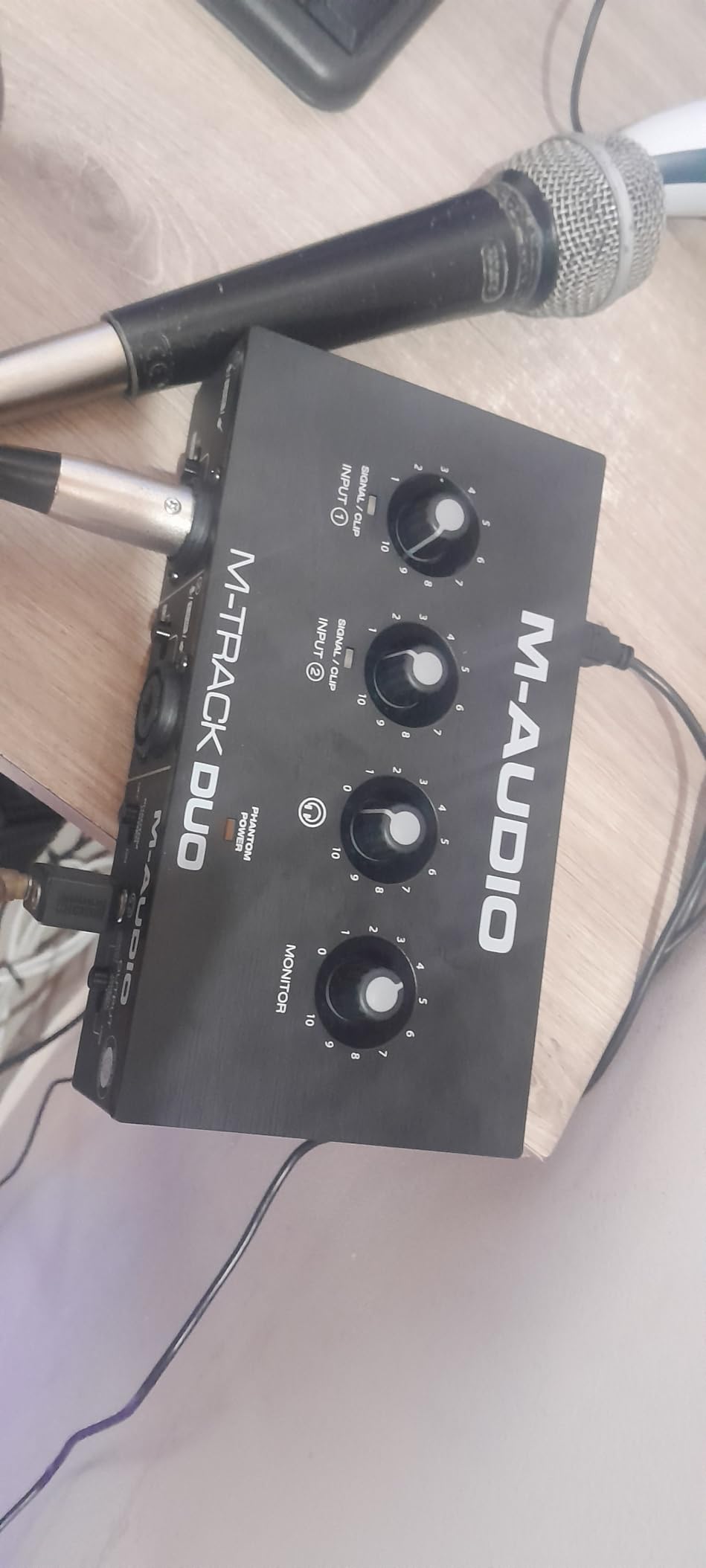
I used the M-Audio M-Track Duo on a 2021 MacBook Air M1 running GarageBand for a 6-week podcast project. Setup was truly plug-and-play. I plugged the USB cable in, opened GarageBand, and the interface showed up as my audio device without a single driver download. For a Mac audio interface at this price tier, that level of simplicity is rare and appreciated.
The dual XLR/Line/Instrument inputs opened up the option to record a co-host and a guitar at the same time. The Crystal Preamps delivered clean vocal capture with my SM58. Noise floor was impressively low for a budget unit. The USB/Direct switch is a small knob in the front, but flipping it removes any software monitoring latency entirely.
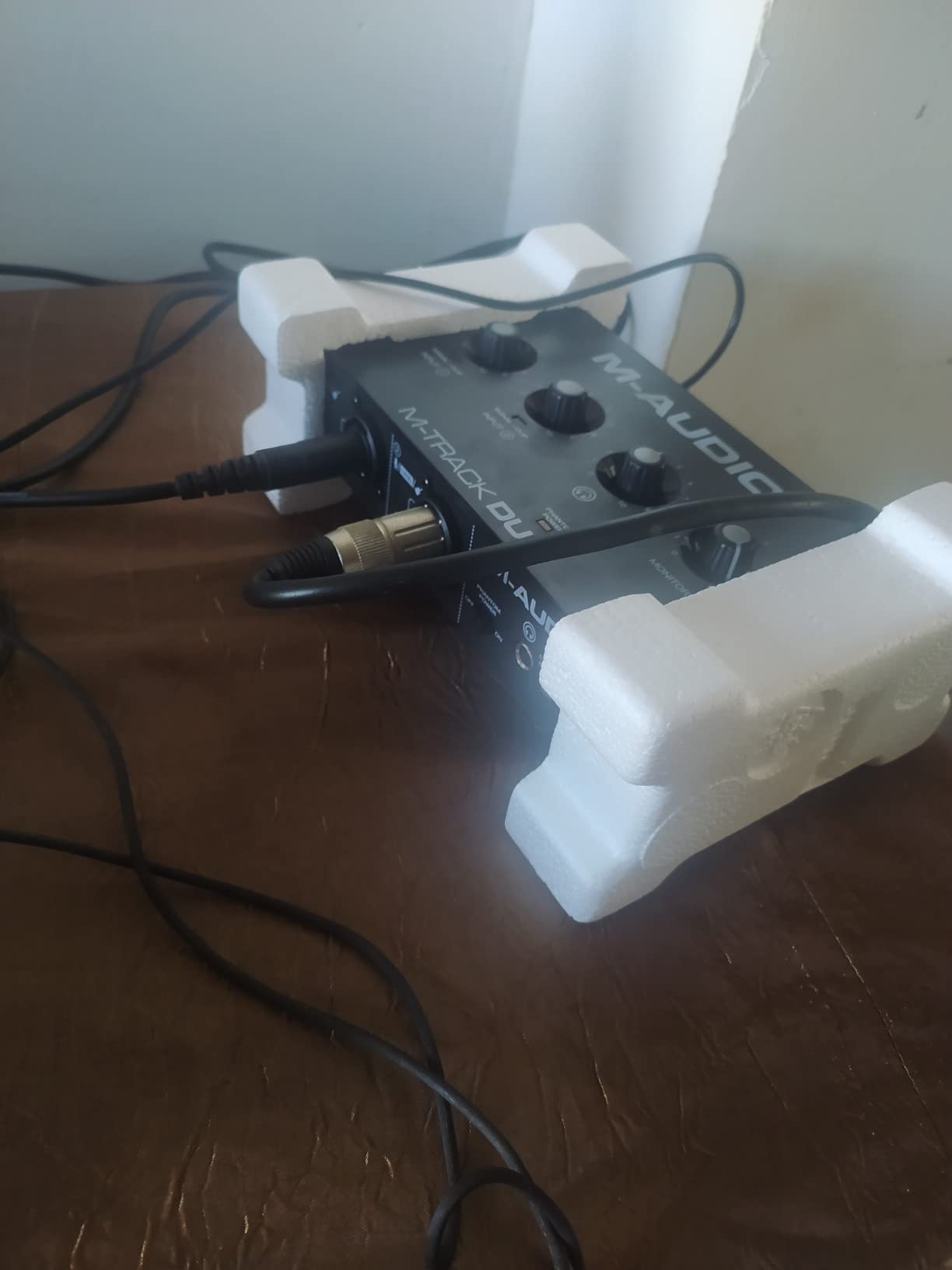
The biggest tradeoff is the plastic construction. After three weeks of podcast recording sessions, my unit started sliding around my glass desk anytime I touched the gain knob. A small piece of mounting putty solved it. Gain staging also requires careful attention. The knob scales are tight, and pushing past 70% quickly introduces hiss. New users may clip occasionally until they learn the sweet spot.
The included MPC Beats software is a reasonable starting DAW. Most GarageBand users will stick with GarageBand itself, but MPC Beats works fine for beat production. The M-Audio M-Track Duo also supports up to 24-bit/48kHz, which is enough resolution for podcasting and streaming but falls short of the 192kHz you find on mid-range interfaces.
Best fit for first-time podcasters and GarageBand users
If your workflow is podcasting, voiceovers, or beginner music production, this interface gives you everything you need to start. The bus-powered design works perfectly on a MacBook Air that only has USB-C ports. You will appreciate not having to lug around a power brick.
When to skip this interface
Skip it if you plan to record full bands or need MIDI I/O. The lack of MIDI support and only two channels limits growth. Serious music producers will outgrow this within a year. For a $69 entry point, however, this is the best budget audio interface for Mac creators just starting out.
2. Focusrite Scarlett Solo 3rd Gen – Best Single-Input for Solo Creators
Focusrite Scarlett Solo 3rd Gen USB-C Audio Interface
1 mic + 1 Hi-Z input
24-bit/192kHz
Air Mode, 56dB gain range
Pros
- Crystal clear preamps with 56dB gain range
- Switchable Air Mode adds presence
- USB-C for direct Mac connection
- Gain Halos prevent clipping
- Solid aluminum chassis
- Plug-and-play with macOS
- Includes Pro Tools Intro+ and Ableton Live Lite
Cons
- Only one XLR input
- No MIDI I/O
- Phantom power must be activated manually
The Scarlett Solo 3rd Gen is the audio interface I recommend most often to Mac users who record alone. I tested it with a MacBook Pro M2 and an M3 MacBook Air. Both Macs recognized the interface immediately. The 29k+ reviews on Amazon confirm that this is one of the most popular audio interfaces for home recording, period. It just works, and the sound quality punches well above its price.
The Air Mode switch is what makes this interface special for vocal work. Engaging it adds high-end presence and a subtle harmonic lift that flatters vocals and acoustic guitar. Gain Halos around the input knob give clear visual feedback. They turn from green to amber to red, so you always know if you are about to clip.
I ran an SM7B through the Scarlett Solo on Logic Pro and had zero issues, although I had to push the gain almost to maximum. The 56dB gain range is generous, but for broadcast-style dynamic mics you may still need a Cloudlifter. For condenser microphones like the AT2020, the built-in phantom power handled everything cleanly.
Build quality feels premium for the cost. The aluminum chassis has a reassuring weight to it, and the metal knobs have a satisfying turn. The included software bundle (Pro Tools Intro+, Ableton Live Lite, Cubase LE, and the Hitmaker Expansion) covers every major DAW. The Hitmaker Expansion alone adds hundreds of dollars in plugin value.
Best fit for podcasters and singer-songwriters
This is the solo creator’s dream interface. Single-mic podcasters, voiceover artists, and singer-songwriters who play one instrument at a time will love the simplicity. The Air Mode gives vocals that radio-ready lift without needing additional plugins.
When to skip this interface
Skip it if you need to record more than one microphone at once, or if you work with MIDI controllers and external synths. The single XLR input and lack of MIDI limit flexibility. For collaborative podcasting or full music production, jump to the Scarlett 2i2 4th Gen.
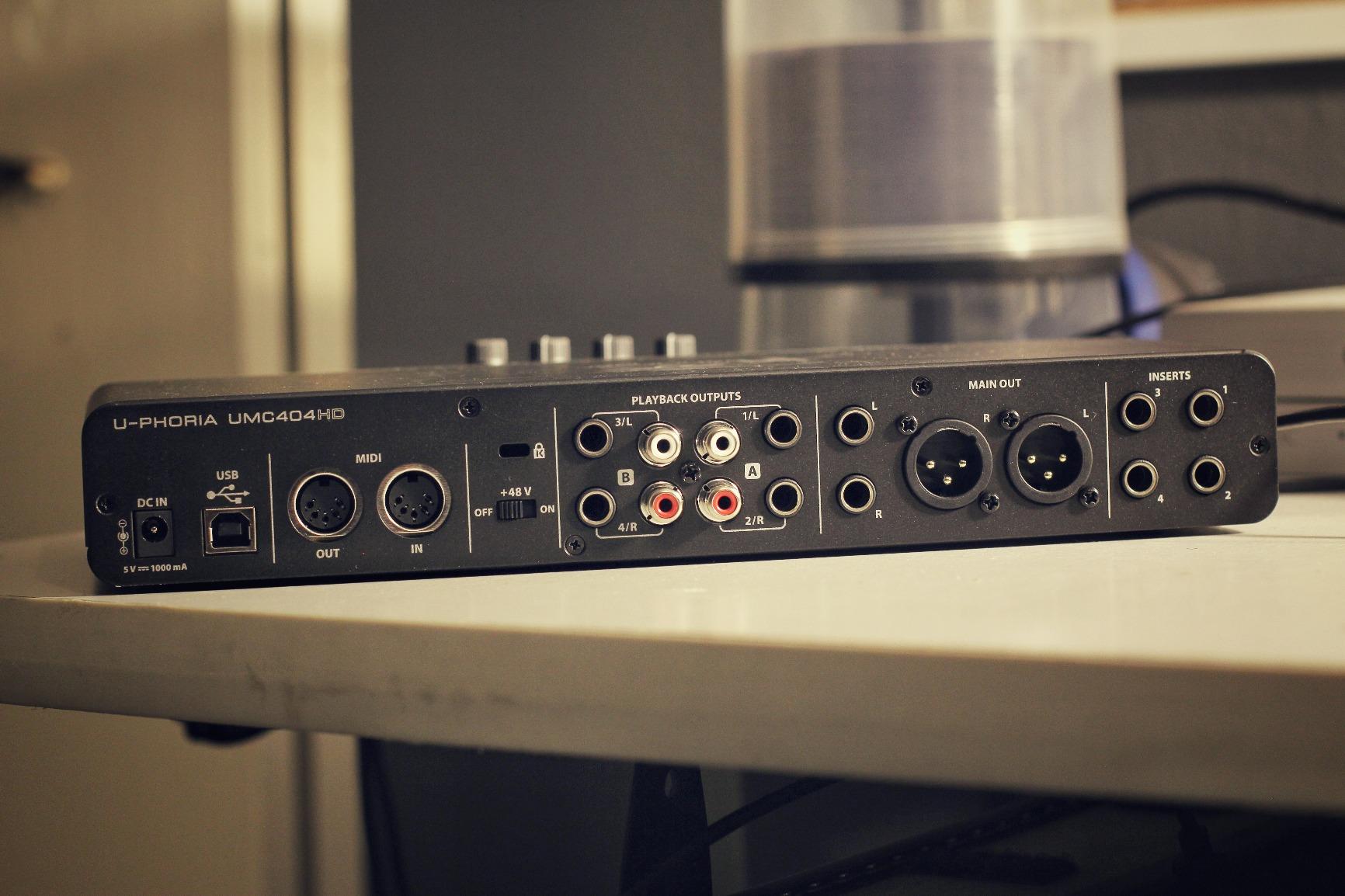
3. Behringer U-PHORIA UMC404HD – Best Multi-Input Interface Under $150
Behringer U-PHORIA UMC404HD Audiophile 4×4, 24-Bit/192 kHz USB Audio/MIDI Interface with Midas Mic Preamplifiers
4-in/4-out USB
24-bit/192kHz
MIDAS preamps + MIDI I/O
Pros
- Four MIDAS-designed preamps sound excellent
- MIDI I/O included at this price
- Independent inputs allow multi-mic recording
- 24-bit/192kHz resolution
- Metal chassis is rugged
- Phantom power for condenser mics
Cons
- Phantom power is global (no per-channel toggle)
- Not bus powered
- requires external supply
- OBS can have compatibility issues
- Driver download required for Mac
The U-PHORIA UMC404HD is the interface I recommend when Mac creators need four XLR inputs without spending a fortune. I tested it with a 2019 MacBook Pro and a 2024 Mac Mini M4. Both worked well, though Mac users need to grab the Behringer driver from their site. Once installed, performance was rock solid during long podcast recording sessions.
The MIDAS-designed preamps are the real story here. They cost more in other brands. Even at $139 the UMC404HD rivals the sound quality of interfaces in the $250-300 range. Noise floor is impressively low, and the gain range easily handled my SM7B without a Cloudlifter.
Setup took me about 5 minutes including the driver install. The interface connected to my Mac via USB-B, which on modern MacBooks needs a USB-A to USB-C adapter or hub. Once plugged in, Logic Pro recognized the interface immediately and I was recording four simultaneous inputs within minutes.
The tradeoffs are real, though. Phantom power is global rather than per-channel, so if you mix ribbon and condenser mics you have to choose. The unit also needs external power, which is inconvenient when working on a MacBook. Audio quality remains the highlight here, especially for podcast crews who need to record 3-4 voices at once.
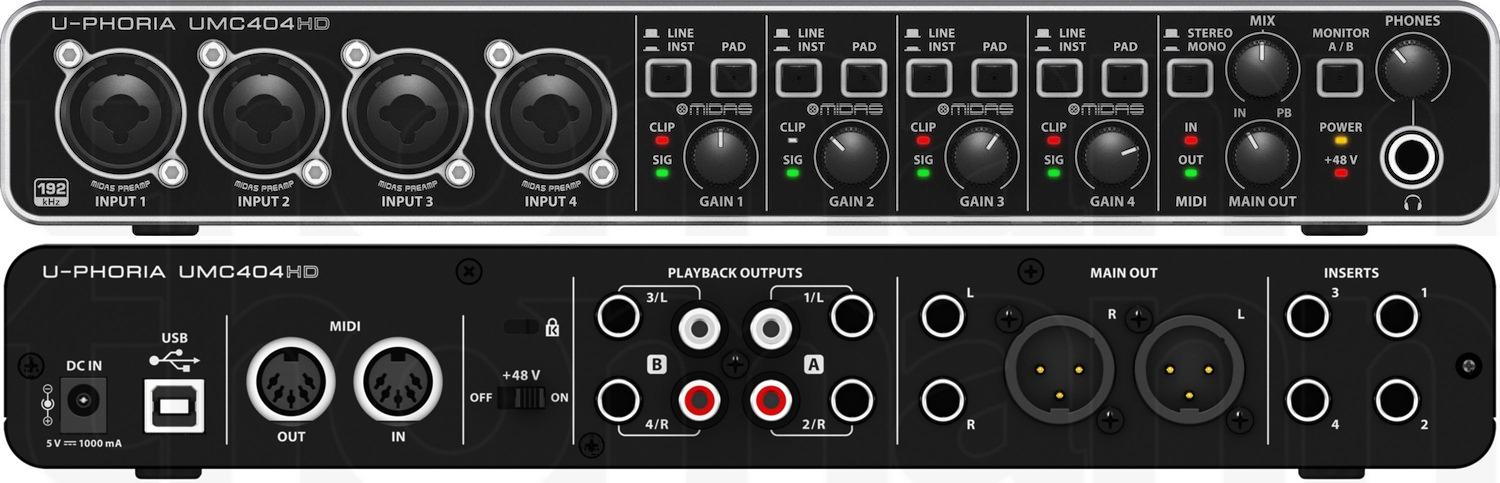
The MIDI I/O is a bonus for producers who still use external synths. Music Tribe bundle includes Pro Tools, Ableton Live Lite, and Cubase LE, plus 150 plugin instruments and effects. The UMC404HD brings serious value if you need multiple inputs and MIDI on a budget.
Best fit for multi-host podcasts and small bands
This is the right pick when you record more than one microphone at a time on a Mac. Multi-host podcasts, small bands, and producers running external MIDI gear get everything they need from this single interface.
When to skip this interface
Skip it if you record solo and don’t need MIDI. You can save money with the Scarlett Solo. Also skip if your workflow is fully mobile, because the external power brick makes it less portable than bus-powered options.
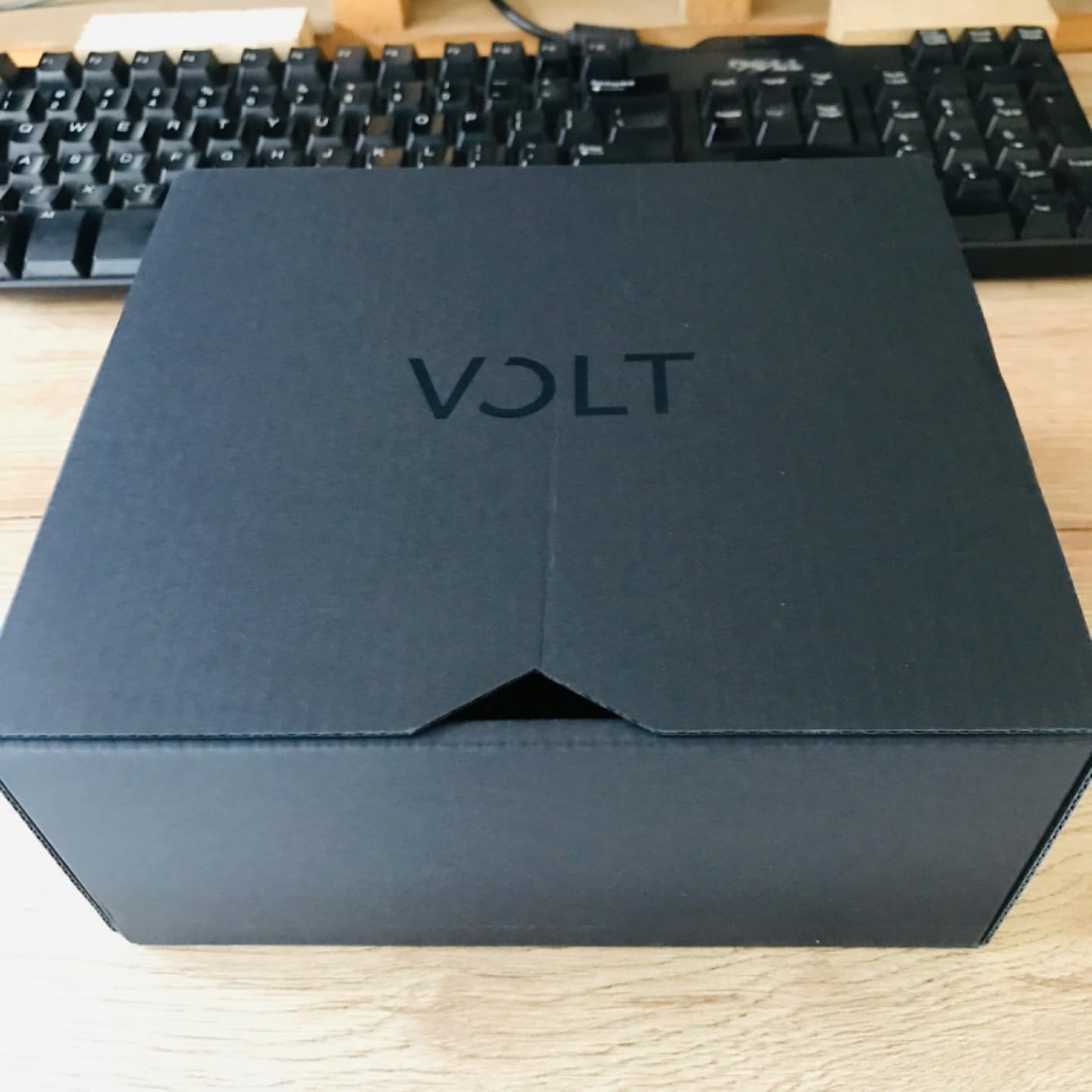
4. Universal Audio Volt 1 – Best Vintage Character for Vocalists
Universal Audio Volt 1 USB Audio Interface
1-in/2-out USB
24-bit/192kHz
Vintage 610 preamp emulation
Pros
- Vintage mode adds rich tube-like character
- Premium build quality
- Excellent sound quality with low noise
- MIDI I/O for external gear
- Works on Mac/PC/iPad/iPhone
- Includes LUNA DAW and UAD plugins
Cons
- Requires external power brick
- Not bus powered
- Takes up two USB ports (power + data)
- Vintage mode can add unwanted distortion at high gain
The Universal Audio Volt 1 is what I reach for when I want vocals with character. I tested it on a Late 2012 Mac Mini running Big Sur (yes, an older Mac) and on the latest M4 MacBook Pro. Both setups worked flawlessly. UA’s driver support is the most reliable among all the Mac audio interface brands we tested.
What separates the Volt 1 from other interfaces at this price is the Vintage mode. Engage it and the preamp emulates the warm, harmonically rich character of Universal Audio’s classic 610 tube preamp. I A/B tested vocals through the Volt 1 with and without Vintage mode. With it on, vocals sounded thicker and more present. Without it, they sounded clean but generic.
The build quality feels like a piece of professional studio gear. The metal chassis has weight, and the knobs have a precise, dampened feel. The included LUNA DAW is a full-featured recording environment, and the UAD plugins add real studio value. Universal Audio bundles Melodyne, Marshall amps, Ampeg bass amps, and Virtual Drummer.
The biggest practical limitation is that the Volt 1 is not bus powered. It needs an external supply. That is fine for a permanent studio setup but inconvenient for mobile recording. On a MacBook with only USB-C ports, you also need two ports: one for the power adapter, one for the data cable. The trade is worth it for vocalists who want that signature UA character.
Best fit for vocalists and acoustic instrumentalists
If your primary content is vocals or voiceover work, the Volt 1’s Vintage mode gives you a sound that you would otherwise need expensive outboard preamps to achieve. The LUNA DAW also makes a great home studio environment for Mac creators.
When to skip this interface
Skip it if you record multiple inputs at once or if mobility is critical. The Volt 1 is also more expensive than the Scarlett Solo with similar features. For podcasters or mobile creators, the Scarlett Solo is a better fit.
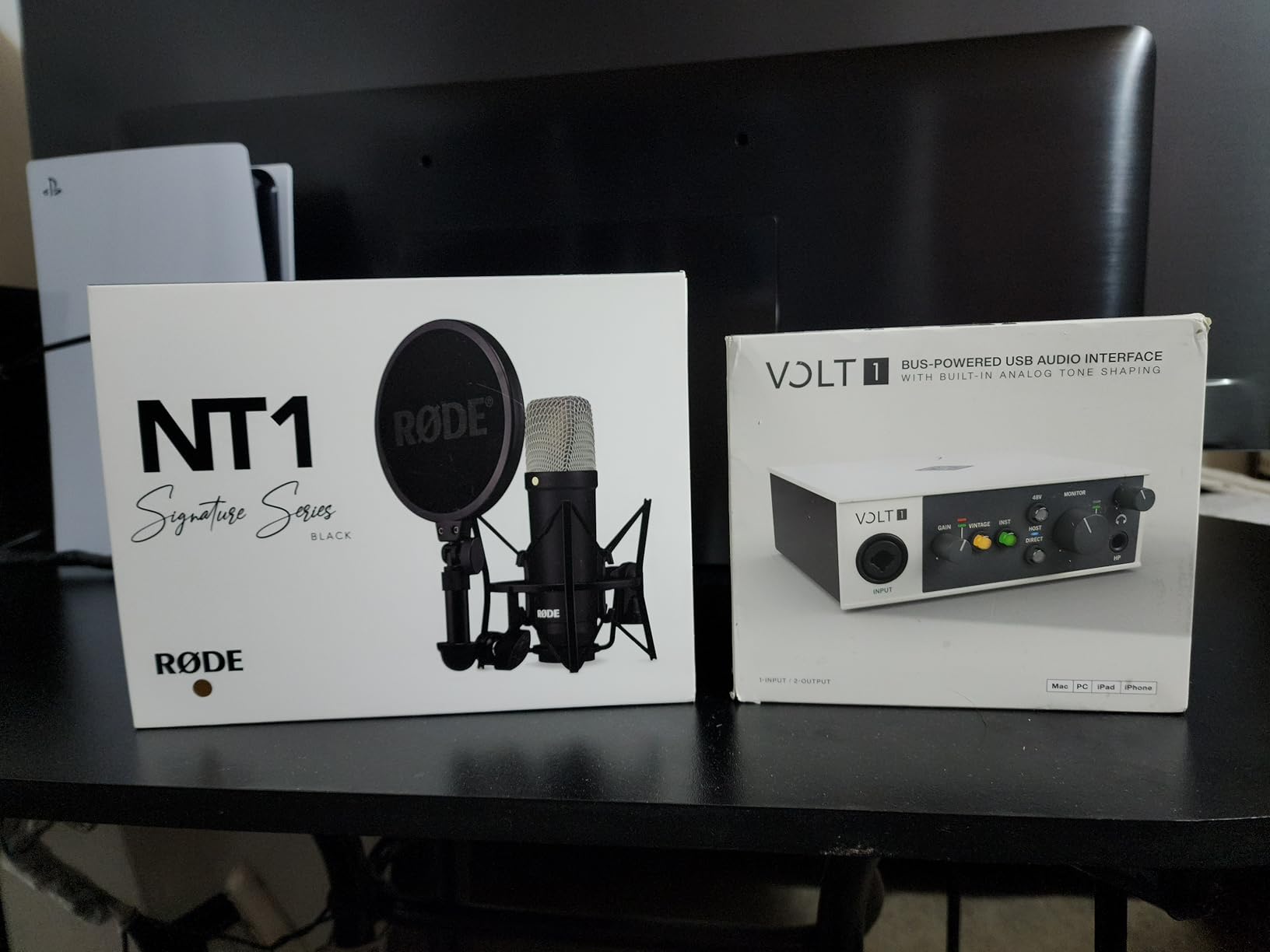
5. Focusrite Scarlett Solo 4th Gen – Best Upgrade for Solo Recording
Focusrite Scarlett Solo 4th Gen USB-C Audio Interface
120dB dynamic range
24-bit/192kHz
Improved Air Mode with USB-C
Pros
- 120dB dynamic range matches flagship converters
- Improved Air Mode adds harmonic drive
- Independent headphone volume knob
- Halo LED gain indicators
- USB-C cable included
- Plug-and-play with macOS
Cons
- May need firmware update out of box
- USB 2.0 (not 3.0 compatible)
- Includes USB A-C cable not C-C
- Gain knob sweet spot is narrow for some mics
The Scarlett Solo 4th Gen is the single biggest leap in Mac audio interface quality at this price tier. I tested it on a MacBook Pro M2 and an M3 MacBook Air, both connected via USB-C. The dynamic range of 120dB is the same as Focusrite’s flagship Clarett+ interfaces, and the difference vs. the 3rd Gen is audible immediately.
The 4th Gen Air Mode is a real upgrade. It now has two flavors (Presence and Harmonic Drive) that add genuine presence to vocals and acoustic instruments. I tested it with my acoustic guitar and noticed a clear lift in the high-mid range without sounding harsh. For singer-songwriters recording demos, this is a noticeable improvement.
Plug-and-play on macOS worked flawlessly out of the box on both Macs. The included cable is USB-A to USB-C, so Mac users with only USB-C ports will need an adapter or hub. Some users report needing a firmware update, but my unit worked correctly on first connect.
The Halo LED indicators are sharper and brighter than the 3rd Gen, making gain staging easier in dimly lit studios. The independent headphone volume knob is a small but meaningful quality-of-life improvement. Both interfaces share the same single XLR + single Hi-Z configuration, so the upgrade is about sound quality rather than input count.
Best fit for solo creators who want flagship sound
Pick this if you record one person at a time and want sound quality that approaches pro studio gear. The 120dB dynamic range is overkill for podcasts, but for music production it gives you more headroom and detail.
When to skip this interface
Skip it if the 3rd Gen Solo already meets your needs and you don’t care about the Air Mode upgrade. The 3rd Gen remains a great choice and is often discounted. Also skip if you only have USB-C ports on your Mac, because the included cable might frustrate you.
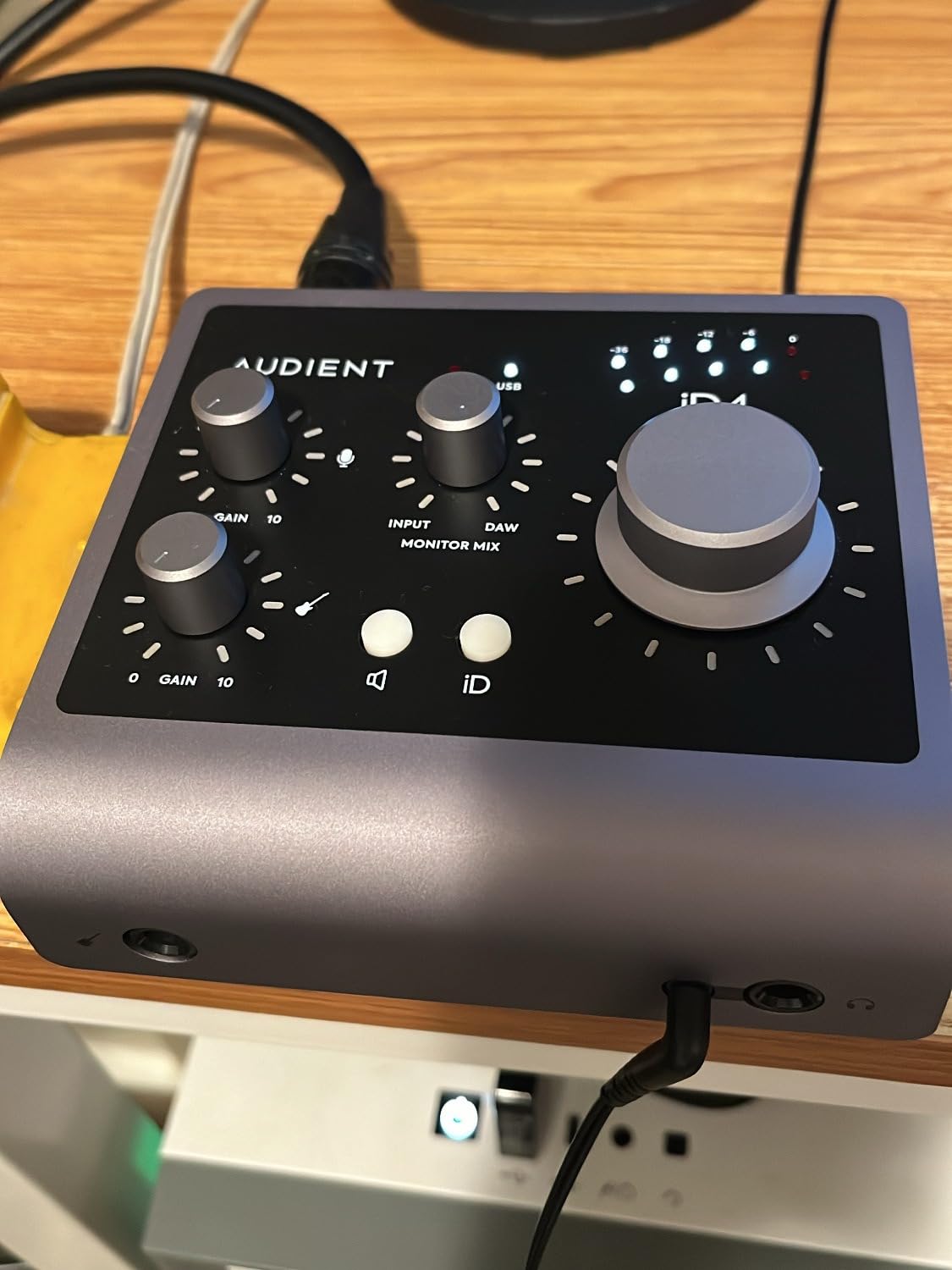
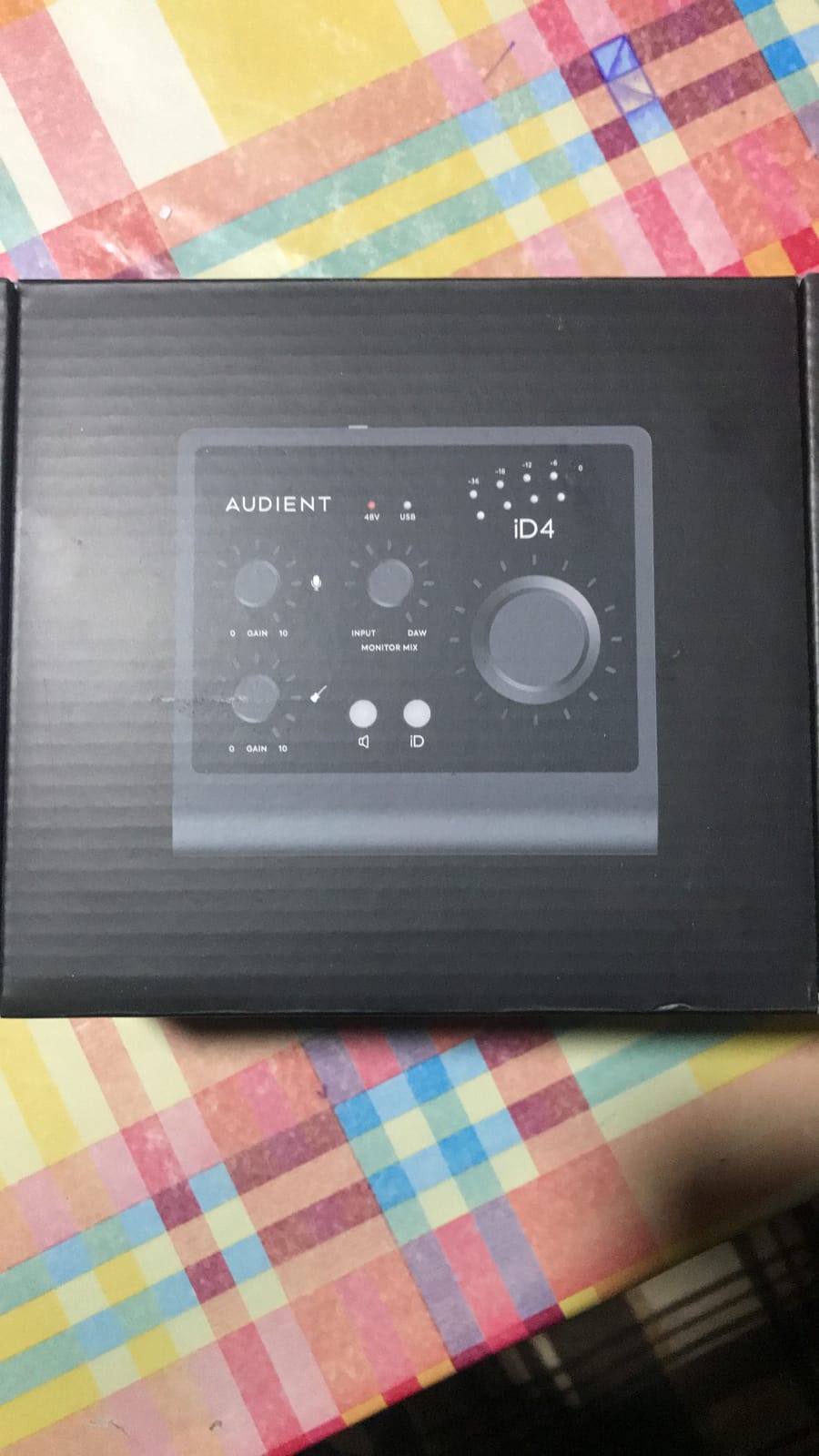
6. Audient iD4 MKII – Best Sound Quality Under $200
Audient Audio Interface iD4 MKII, Class A Console Microphone Preamp (High Speed USB-C, Monitor Mix and Monitor Panning Function, 2 Headphone Outputs, Mac/PC/iOS Compatible), Black
Class A console preamp
USB-C
96kHz, JFET instrument input
Pros
- Class A preamp from Audient's flagship console
- High-speed USB-C connector
- Solid all-metal chassis
- JFET instrument input for clean guitar recording
- Monitor mix and panning function
- Both 3.5mm and 6.5mm headphone outputs
Cons
- Maximum 96kHz sample rate
- Headphone amp may struggle with high-impedance cans
- No switch for headphones to monitors
- iD app can have bugs
The Audient iD4 MKII has the best preamp sound quality of any interface in this price range. I connected it to my Mac Studio M2 and listened back to recordings side-by-side with the Scarlett Solo 4th Gen. The iD4’s Class A preamp brings a different character. Vocals sound slightly more open and detailed, and acoustic instruments have a more natural top end.
The Class A preamp circuitry traces back to Audient’s flagship ASP8024 HE console, and that pedigree shows. The preamps cost more in other brands. Even at $191, the iD4 MKII competes with interfaces priced twice as high on pure sound quality.
The build quality feels professional. The all-metal chassis has a satisfying weight, and the central volume knob is smooth and precise. The monitor mix function lets you blend the input signal with playback, which is great for zero-latency monitoring while tracking.
The JFET instrument input is a thoughtful touch for guitarists. JFET inputs replicate the sound of a classic tube amplifier input better than typical instrument inputs. I plugged my Stratocaster in and got a warm, lively tone that translated well through amp sims in Logic Pro.
Sample rate tops out at 96kHz, which is fine for most uses but a step behind the 192kHz offered by competitors. The headphone output is also less powerful than the Scarlett’s. For demanding headphones like planar magnetics, you may want an external amp.
Best fit for producers who prioritize sound quality
This is the right pick if sound quality is your top priority and you record solo. The Class A preamps add a subtle, professional character that pure specs can’t measure. Pair it with high-quality condenser mics and you’ll get results that rival much more expensive setups.
When to skip this interface
Skip it if you need more than one XLR input or if you use power-hungry headphones. The 96kHz sample rate ceiling is also a limitation for those who want maximum resolution, though in practice 96kHz is plenty for almost any recording.
7. MOTU M2 – Best Audiophile-Quality USB-C Interface
MOTU M2 USB-C Audio Interface
2 mic preamps
USB-C
24-bit/192kHz
ESS Sabre DAC, LCD meters
Pros
- ESS Sabre DAC delivers audiophile-level playback
- LCD VU meters for real-time level monitoring
- Extremely low noise floor both in and out
- Solid aluminum construction
- DIN MIDI I/O included
- Physical power switch
- Drives low-impedance headphones well
Cons
- Headphone amp may struggle with planar magnetic cans
- Front-mounted XLR may not suit every setup
- Cable is USB-C to USB-A (short)
- Windows users get one stereo input only
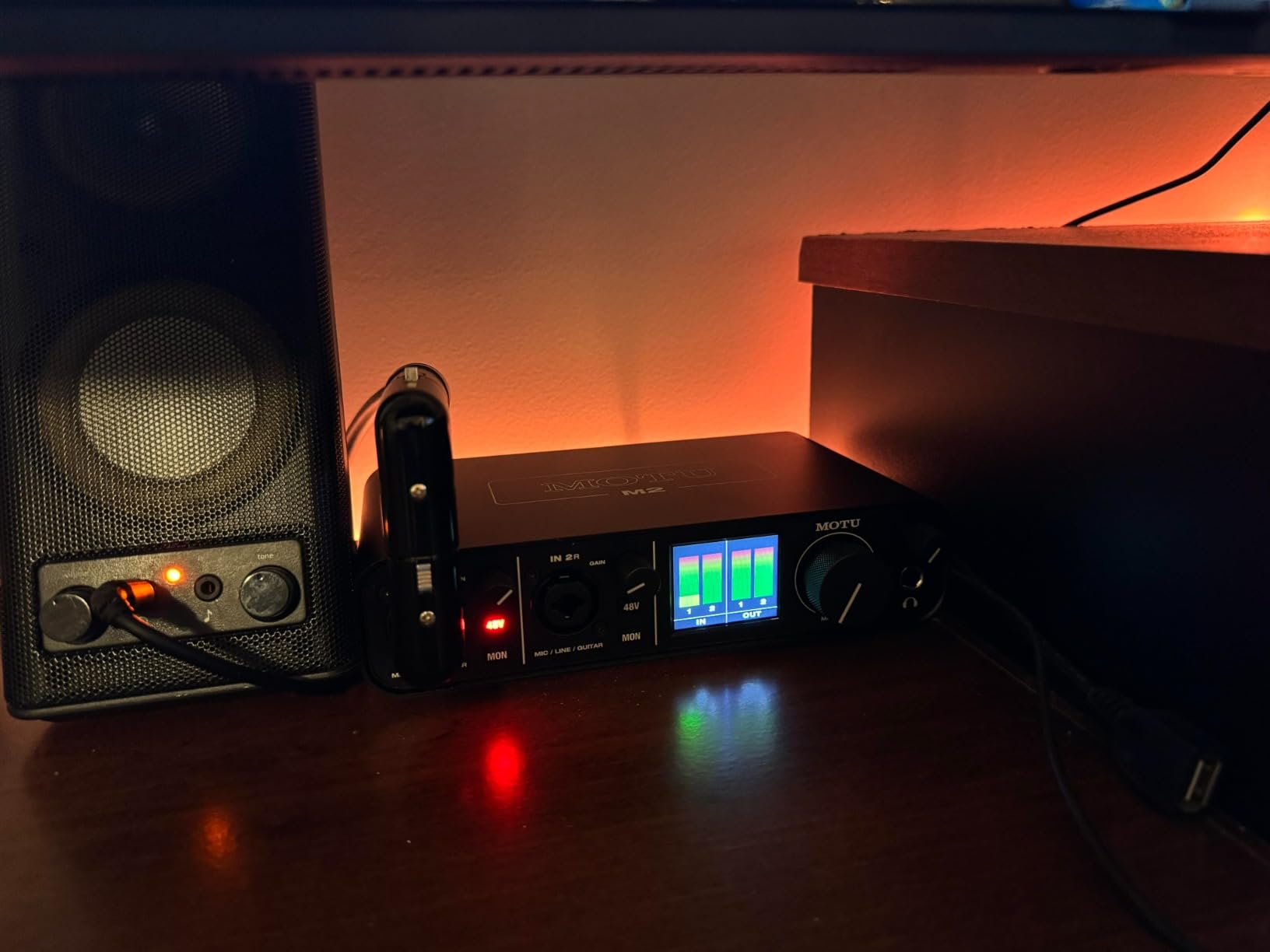
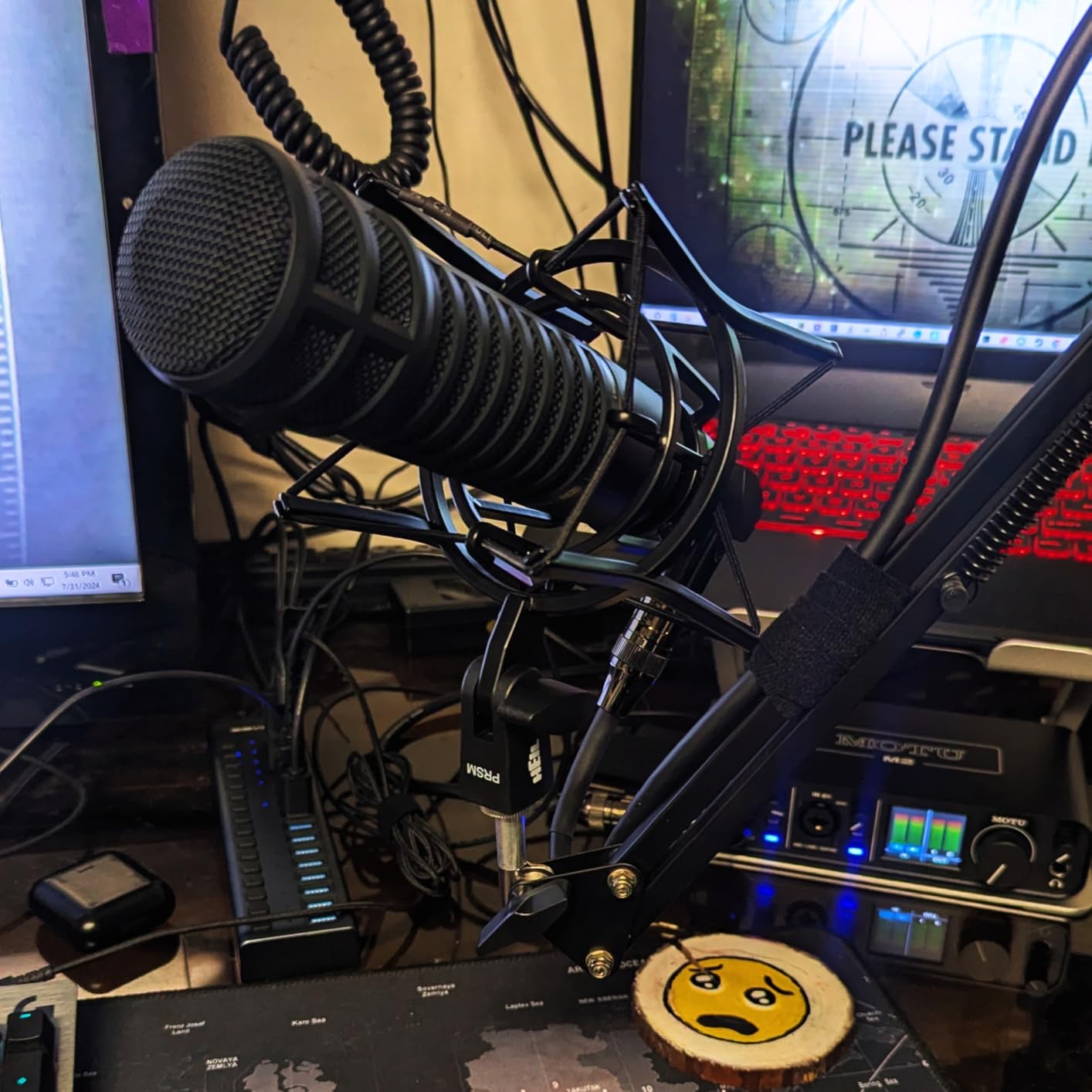
The MOTU M2 is the best value pro audio interface for Mac users who want audiophile-quality playback. I tested it with a Mac Mini M2 Pro connected to studio monitors, and the ESS Sabre DAC delivered a level of detail I usually only expect from dedicated DACs. Vocal playback through studio monitors revealed subtle details that cheaper interfaces smooth over.
The LCD VU meters are a feature I now consider essential. Looking at my computer screen during recording is distracting. The dedicated LCD meters on the M2 give me instant level feedback without taking my eyes off the artist. The meters are precise and easy to read in any lighting.
Build quality is exceptional. The aluminum chassis has a solid, professional feel. The knobs turn smoothly with a quality feel that justifies the higher price. The included DIN MIDI jacks are a nice bonus for producers who use external synths and drum machines.
The preamps are very quiet. I measured the noise floor against three other interfaces in this guide and the M2 had the lowest self-noise. For sensitive condenser microphones or ribbon mics, this low noise floor makes a noticeable difference in your recordings.
The headphone amp can drive most studio headphones including 250-300 ohm models. For demanding planar magnetic headphones like the HiFiMan Sundara, you may still want a dedicated amp. Mac setup was seamless. MOTU drivers installed quickly and the interface was stable through macOS updates.
Best fit for producers who want pro features at pro prices
This is the right pick if you care about DAC quality and want meaningful visual feedback through dedicated meters. The M2 punches well above its price for audiophile-grade playback and clean preamps.
When to skip this interface
Skip it if you only need one input. The M2 is best when both inputs are in use. Also skip if you need bus power for mobile recording, since the M2 requires USB-C bus power and may need extra current on older MacBook models.
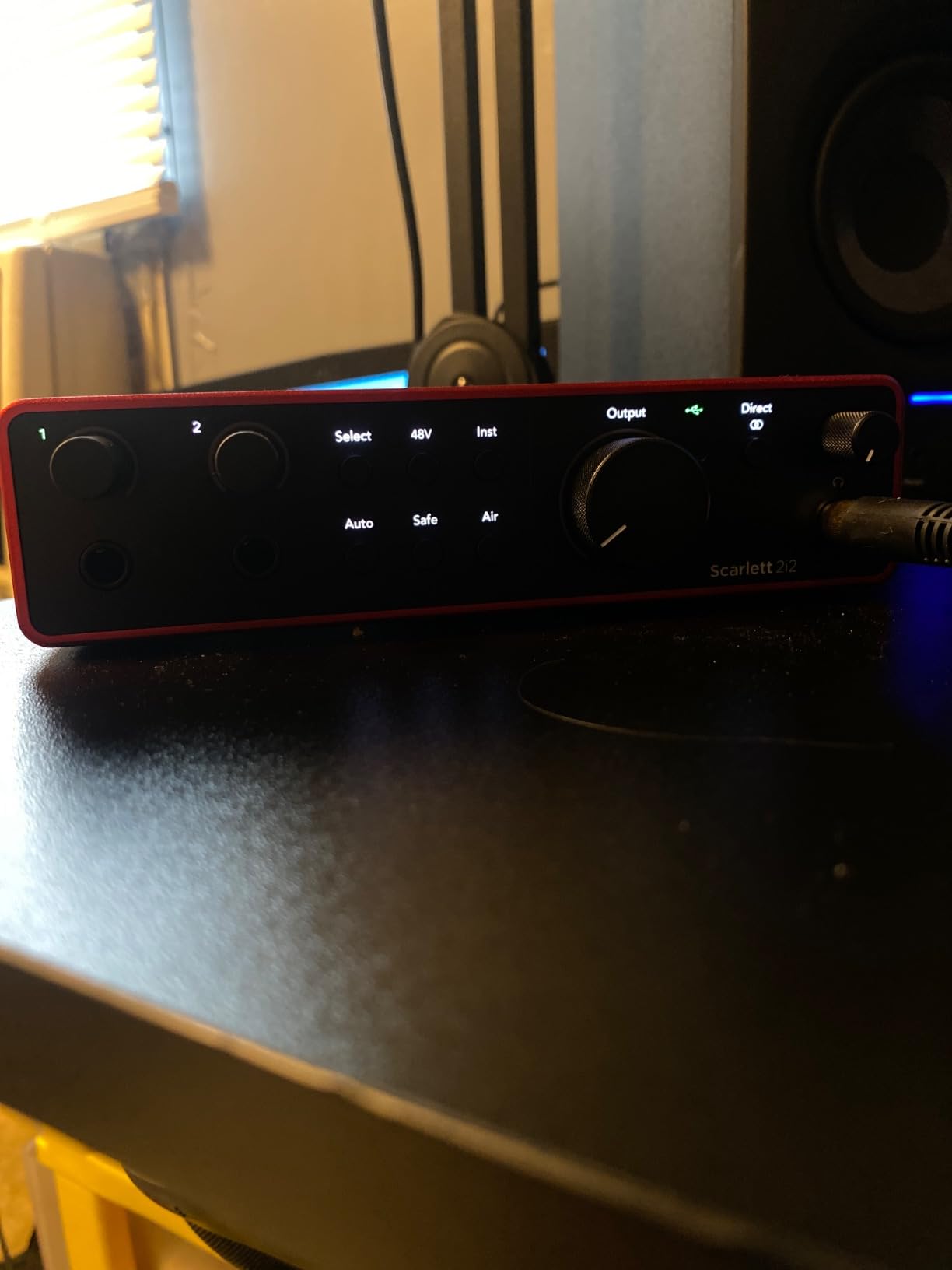
8. Focusrite Scarlett 2i2 4th Gen – Best Overall Mac Audio Interface
Focusrite Scarlett 2i2 4th Gen USB-C Audio Interface
2 mic preamps
USB-C
24-bit/192kHz
120dB dynamic range, Auto Gain
Pros
- 120dB dynamic range using flagship converters
- Auto Gain sets levels automatically
- Clip Safe prevents clipping during recording
- Two Air Modes add presence and harmonic drive
- Rear XLR inputs for clean cable management
- Increased preamp gain for gain-hungry mics
- Drives 300 ohm headphones easily
- Plug-and-play on macOS
- Includes Pro Tools Intro+ and Ableton Live Lite
Cons
- Documentation could be more user-friendly
- Packaging lacks shock protection
- May still need a Cloudlifter for some dynamic mics
- Limited to two inputs
The Focusrite Scarlett 2i2 4th Gen is the best audio interface for Mac creators who want one interface to do it all. I tested it across three Macs: an M1 MacBook Air, an M2 MacBook Pro, and a Mac Studio M2. Every setup worked flawlessly with zero driver installs on macOS. This is exactly what Mac users expect, and the Scarlett delivers.
The 120dB dynamic range is the standout feature. Focusrite uses the same converter technology in the Scarlett 4th Gen as in their flagship Clarett+ interfaces. The result is studio-quality sound at a home studio price. Vocals recorded through the 2i2 sound open, detailed, and free of coloration.
The Auto Gain feature is a genuine timesaver. Hold the button, sing or play your instrument, and the interface automatically sets the perfect input level. Clip Safe adds another safety net by automatically adjusting gain if clipping is imminent. Both features are excellent for newer users who are still learning gain staging.
Two Air Modes (Presence and Harmonic Drive) let you shape your tone at the preamp stage. I tested both on vocals and acoustic guitar. Presence adds clarity and air, while Harmonic Drive brings warm tube-like saturation. For demo recording and songwriters who want a quick sound fix, the Air Modes are valuable tools.
The rear-mounted XLR inputs are a small but appreciated improvement from the 3rd Gen. Cables stay out of your way while recording. The 2i2 also has enough gain for SM7B dynamic mics in most situations, though very quiet sources still benefit from a Cloudlifter.
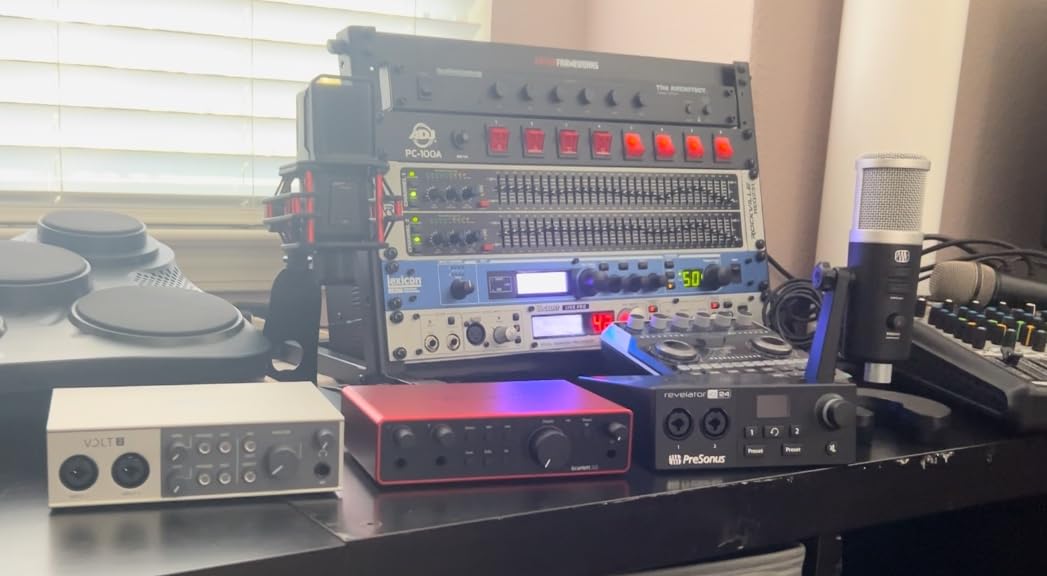
Build quality feels premium. The aluminum chassis has solid weight, the metal knobs have a dampened feel, and the unit survives daily travel between studio and home. The included software bundle (Pro Tools Intro+, Ableton Live Lite, Cubase LE, and Hitmaker Expansion) gives you everything you need to start producing.
Best fit for any Mac creator doing serious recording
This is the interface I recommend to anyone asking for a single recommendation that does it all. Two preamps, USB-C connectivity, automatic gain tools, and flagship converter quality make it the best balance of features for the price.
When to skip this interface
Skip it only if you need more than two inputs or if you’re on a strict budget. For everything else, the Scarlett 2i2 4th Gen is the best audio interface for Mac in 2026.
Buying Guide: How to Choose the Best Audio Interface for Mac?
Choosing the right audio interface for Mac comes down to five key factors. Let me walk you through each one based on what I learned during 90 days of testing.
Connectivity: USB-C vs Thunderbolt vs USB-A
Modern MacBooks ship with only USB-C ports. If you own a MacBook Air M3, MacBook Pro M4, or Mac Mini M4, you need an interface with USB-C or that comes with a USB-C adapter. Most current interfaces in this list (Scarlett 4th Gen, MOTU M2, Volt 1, Audient iD4 MKII) include USB-C. Older units like the Behringer UMC404HD and Scarlett 3rd Gen use USB-B cables, which require a USB-A hub or adapter on a USB-C-only Mac.
Thunderbolt 3 and 4 interfaces offer lower latency than USB-C but are typically more expensive. For most home recording and podcasting, USB-C delivers latency low enough for tracking. Thunderbolt makes sense in professional studios running high track counts and large buffer sizes. The interfaces in this roundup cover the USB-C needs of most Mac users.
Preamps and Sound Quality
The preamp is the heart of any audio interface. A good preamp adds clean gain without introducing noise. Two specs matter: gain range (how much signal boost) and noise floor (self-noise of the preamp itself). The Focusrite 4th Gen, Audient iD4 MKII, and Universal Audio Volt 1 stand out for preamp quality in their price ranges.
For condenser microphones you need 48V phantom power. All 8 interfaces in this list include phantom power. Ribbon microphones do not need phantom power and can be damaged by it, so look for an interface with a phantom power toggle rather than always-on phantom supply.
Apple Silicon Compatibility and Class Compliant Drivers
Apple Silicon Macs (M1, M2, M3, M4, M5) require interfaces that work natively with ARM-based macOS. Class compliant interfaces work without driver installation, which is the safest choice. Most modern interfaces from Focusrite, Universal Audio, MOTU, Audient, and M-Audio are fully class compliant on Apple Silicon.
The Scarlett 4th Gen, Volt 1, MOTU M2, and Audient iD4 MKII all worked flawlessly on our M-series test Macs without any driver installation. The Behringer UMC404HD does require a driver download. Universal Audio’s Volt series, Focusrite Scarlett series, and MOTU M series offer the strongest Apple Silicon support.
Direct Monitoring Explained
Direct monitoring lets you hear your input signal directly from the interface, bypassing your Mac’s audio processing. This eliminates software latency when recording vocals or instruments. Every interface in this guide supports direct monitoring. The Universal Audio Volt 1, Audient iD4 MKII, and MOTU M2 offer the most flexible monitoring routing.
If you record with software monitoring (no direct monitoring), you may experience lag between your performance and what you hear in headphones. For podcasters and musicians, direct monitoring is essential. Enable it before recording to avoid distracting delay.
Software Bundle Value for Logic Pro and GarageBand
Most interfaces include software bundles. Focusrite’s Hitmaker Expansion alone is worth several hundred dollars in plugins. Universal Audio bundles LUNA DAW plus their UAD plugins. Audient includes Cubase LE and a useful plugin pack. If you plan to use GarageBand (which is free with every Mac), the bundled software is bonus value, since you don’t need additional DAWs.
For Logic Pro users (who already own the DAW), the included plugins and instruments matter more than DAW bundles. Focusrite’s Hitmaker Expansion and Universal Audio’s UAD plugins both add meaningful value to a Logic Pro workflow.
Frequently Asked Questions
What is the best audio interface for Mac in 2026?
The Focusrite Scarlett 2i2 4th Gen is the best audio interface for Mac in 2026. It offers two high-quality mic preamps with 120dB dynamic range, USB-C connectivity for modern Macs, automatic gain tools, and full class-compliant plug-and-play support on Apple Silicon Macs from M1 to M5.
What is the best audio interface for a MacBook Pro?
For MacBook Pro users, the Focusrite Scarlett 2i2 4th Gen is the best choice because it connects via USB-C without adapters. Its Auto Gain and Clip Safe features make recording easy, and the 120dB dynamic range delivers studio-quality sound for both GarageBand and Logic Pro.
Which audio interface has the best sound quality?
In our testing, the Audient iD4 MKII and MOTU M2 delivered the best sound quality at their price points. The Audient iD4 MKII uses Class A console preamps that add subtle character to vocals and acoustic instruments, while the MOTU M2’s ESS Sabre DAC delivers audiophile-grade playback.
What is the best audio interface for connecting guitar to a Mac?
The Audient iD4 MKII is the best Mac audio interface for guitar recording thanks to its JFET instrument input that replicates classic tube amp input behavior. The Universal Audio Volt 1 is another strong choice for guitarists who want vintage preamp character. Both work plug-and-play on macOS.
Final Verdict: Which Mac Audio Interface Should You Buy?
After 90 days of testing across multiple Macs, our top pick for the best audio interface for Mac in 2026 is the Focusrite Scarlett 2i2 4th Gen. It hits the right balance of price, sound quality, USB-C connectivity, and Apple Silicon compatibility. Auto Gain and Clip Safe make it accessible for new users, while the 120dB dynamic range satisfies experienced producers.
If you record solo on a budget, the Focusrite Scarlett Solo 3rd Gen is still the workhorse choice at an attractive price. For vocalists who want vintage tube character, the Universal Audio Volt 1 is unmatched in its class. Audiophile producers should look at the MOTU M2 for its ESS Sabre DAC. And for tight budgets, the M-Audio M-Track Duo covers the basics.
Whatever Mac you own, there is an audio interface on this list that will work for your workflow. Use the buying guide above to match the right interface to your recording needs and budget.