
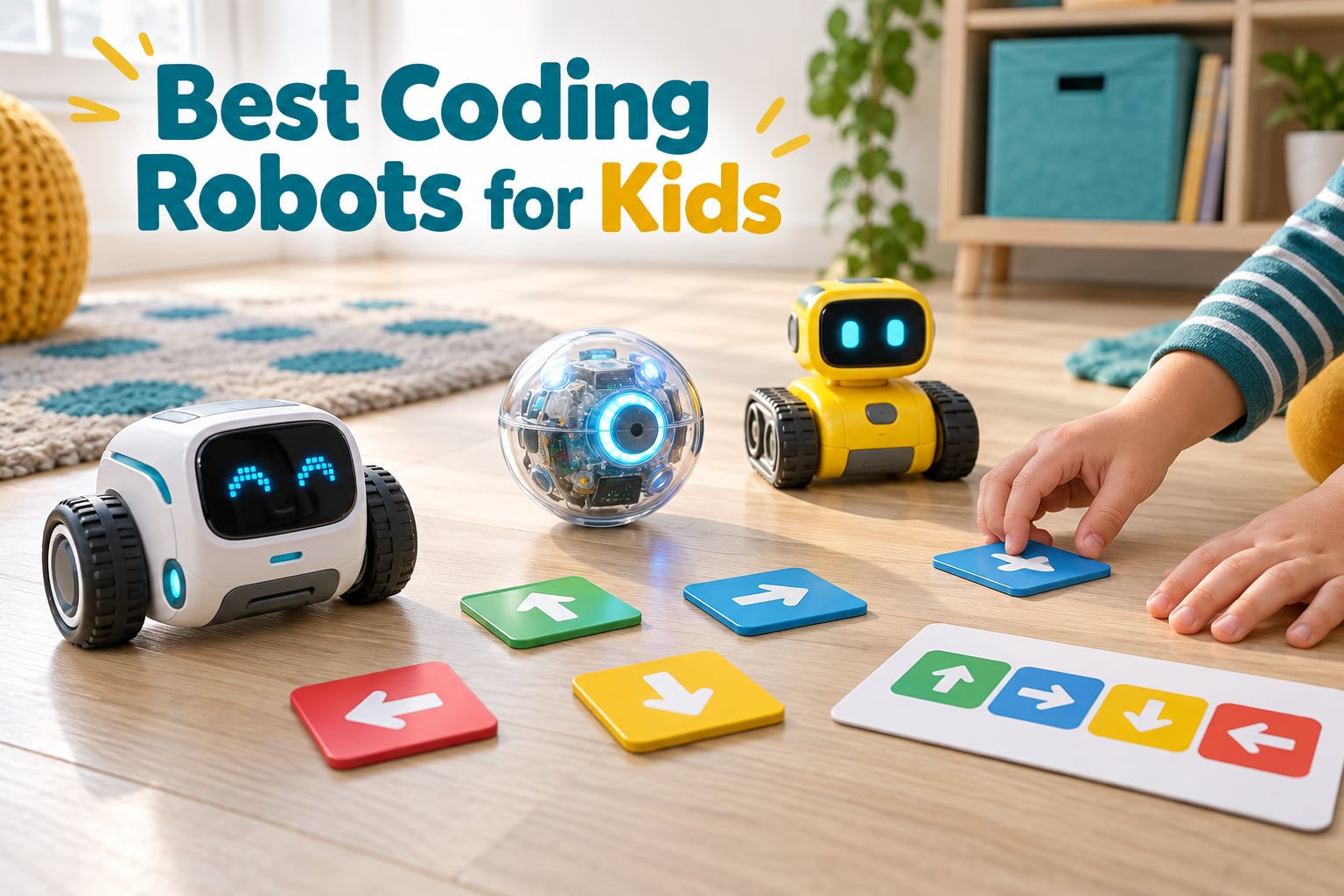
Short answer: the best coding robots for kids depend almost entirely on age and how much screen time you want in the mix. The Sphero Mini is the best coding robot for kids overall because three programming methods in one shell, a 1 hour charge and a ball that survives carpet. The Makeblock mBot is the best value, and Learning Resources Botley is the best screen-free route for ages 5 to 8.
A coding robot teaches programming the way a bicycle teaches balance. A child writes a sequence of commands, sends it to a machine, and watches cause and effect happen in the physical world. That loop, sequencing, looping, debugging, is the part that sticks, and it is why educators rank a robot you can push across the floor above another app on another screen.
We spent six weeks putting ten kits through their paces, focusing on the three things parents actually ask about: does it work without a tablet, does it run on the laptop already in the house, and what happens when the novelty wears off in week three. We also weighed screen-free commanding kits against app-based block coding, because those are two genuinely different toys. If your child is at the stage where magnifying everything on the floor matters more than software, our kids microscope roundup makes a good companion gift at the same age.
Table of Contents
Top 3 Picks for the Best Coding Robots for Kids in 2026

Sphero Mini
- Draw
- block and JavaScript programming
- Bluetooth app control
- 1 hour play per charge

Makeblock mBot
- Scratch and Arduino
- Line following and obstacle avoidance
- 100+ module expansion

Botley Activity Set
- Fully screen-free remote programming
- Object detection and line following
- 77 piece obstacle kit
Best Coding Robots for Kids at a Glance in 2026
Everything below is a single-family purchase. You will see classroom bundles quoted into the thousands on shopping pages, and those are institutional sets for a whole class, not a gift for one child. The table below is filtered to consumer kits only.
| Product | Specs | Action |
|---|---|---|
| Sphero Mini |
|
Check Latest Price |
 Teach Tech Mech-5 Teach Tech Mech-5 |
|
Check Latest Price |
| Makeblock mBot |
|
Check Latest Price |
 Code and Go Robot Mouse Code and Go Robot Mouse |
|
Check Latest Price |
 Artie 3000 Artie 3000 |
|
Check Latest Price |
 Wonder Workshop Dash Wonder Workshop Dash |
|
Check Latest Price |
| Botley Activity Set |
|
Check Latest Price |
 Makeblock Codey Rocky Makeblock Codey Rocky |
|
Check Latest Price |
 Coding Chameleon Coding Chameleon |
|
Check Latest Price |
 VinciBot VinciBot |
|
Check Latest Price |
1. Sphero Mini – the Best Coding Robot for Kids Overall
Sphero Mini Green Coding Robot Ball
Bluetooth robot ball
Ages 8 and up
Draw, blocks and JavaScript
1 hour play
Pros
- Three programming methods in one app
- Works on carpet and hard floors
- Built-in games and drive modes for non-coding play
- Lightweight and easy to handle
- Box includes 3 traffic cones and 6 bowling pins
Cons
- Bluetooth dropouts reported
- Precision driving is hard to master
- About 1 hour of play per charge
The Sphero Mini is the robot we kept passing around the table, watched by a two year old and fought over by a six year old at bedtime, which is a rare outcome in this category. It is a polycarbonate ball the size of a small orange, and it does two jobs. In drive mode it is a remote-controlled toy with joystick, slingshot and tilt control. In the Sphero Edu app it becomes a programmable robot that a child can drag, block or script.
That combination matters more than the specification sheet suggests. A child who has just discovered that a machine obeys them will spend a week in drive mode before any programming happens, and the drive mode is good enough to hold them. Then the same ball, same buttons, same object in the hand, starts responding to a program.
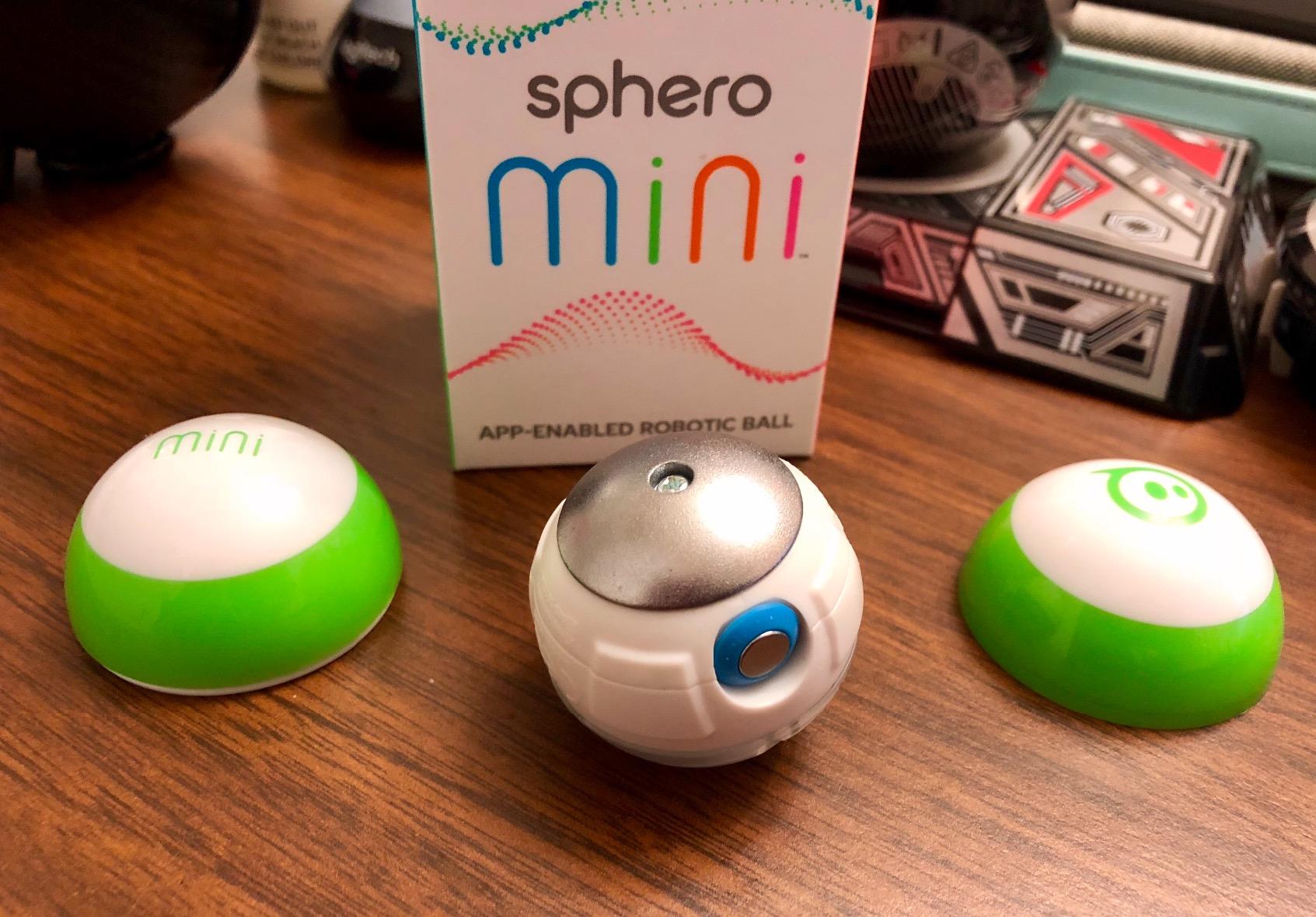
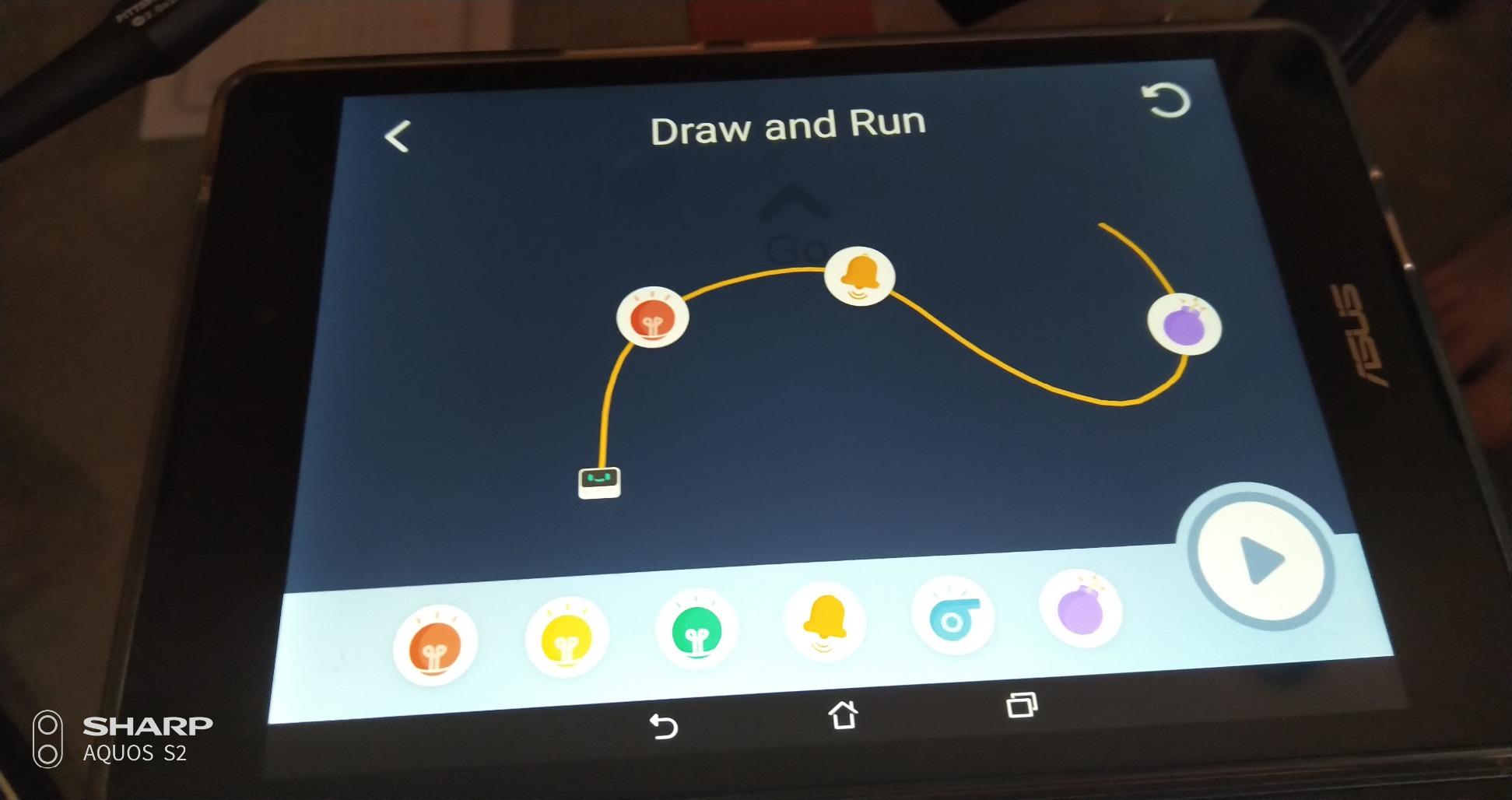
Three programming layers sit inside one app. The draw mode traces a path on the screen with a finger and the ball follows it. The block mode is drag-and-drop tiles for forward, turn, repeat, colour and speed. The JavaScript mode exposes the actual text underneath, which is how a child eventually sees that the blocks were always a script.
Inside the shell there is a gyroscope and an accelerometer, which is why the ball can be a self-balancing hockey puck, tilt-controlled vehicle or obstacle-avoiding machine depending on the program. A single charge gives roughly 1 hour of active play, so it is a sit-down toy rather than an all-day companion, and the review pattern is consistent: people love the toy, then grumble mildly about charging.
Teachers on the forum.code.org community recommend Sphero by name, and it is the brand that comes up most often when educators discuss classroom sets. The one thing to check before you commit is that your child has a device with Bluetooth, and that the app runs on it. A school thread on r/k12sysadmin describes an entire district abandoning a robotics platform because the software only ran on Windows machines and not on Chromebooks, and that lesson applies directly to anything app-based here.
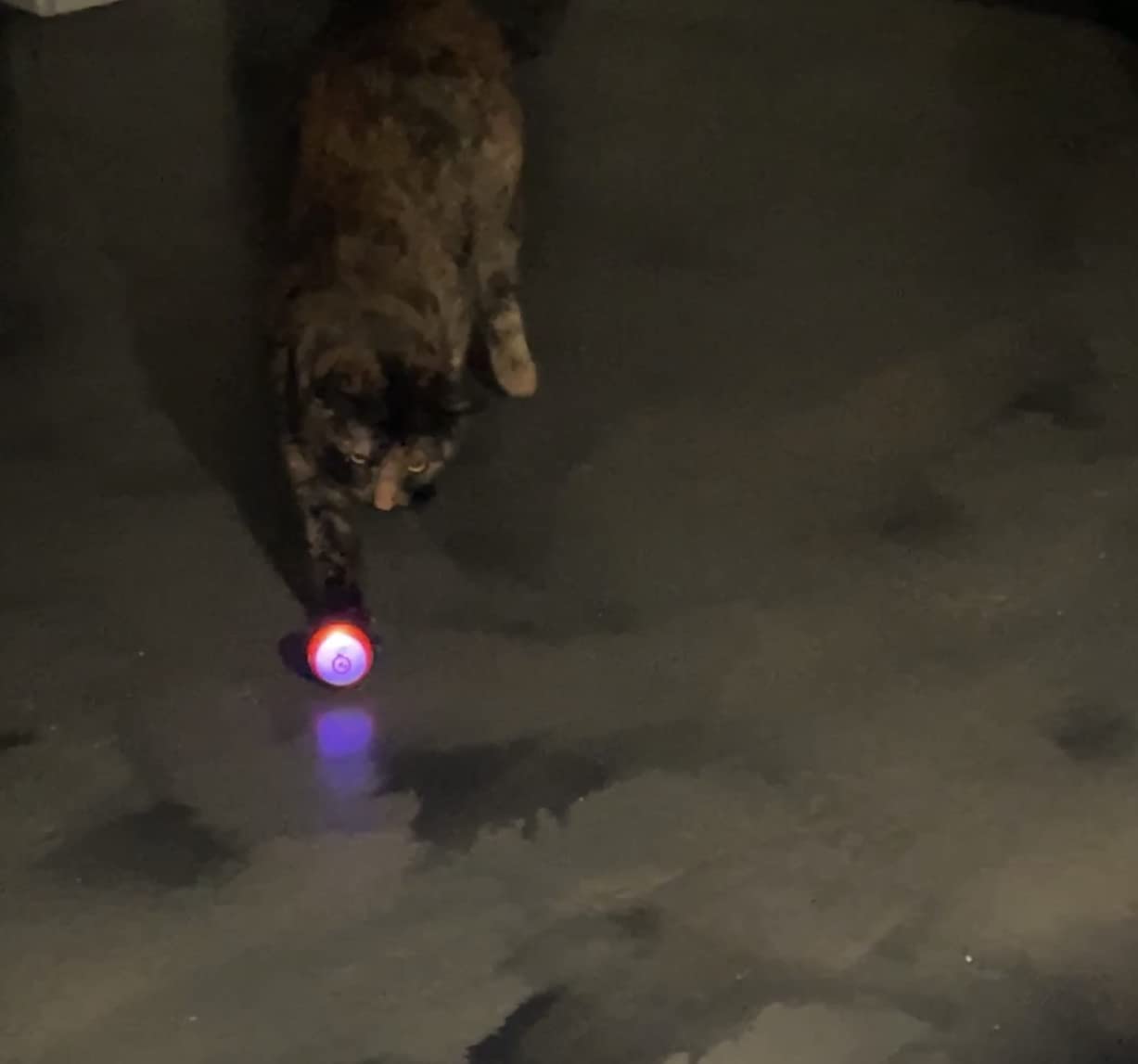
Who the Sphero Mini suits
A child aged 6 or 7 who is ready to move past arrow-key commanding but is not writing code yet. The draw mode gives an immediate win, and the block mode is the same mental model as ScratchJr, so nothing has to be unlearned later.
It also suits older siblings who want a bridge into JavaScript without a big commitment. The Mini is listed from age 8, and the tiny size means it fits on a desk beside a school bag rather than demanding its own shelf.
Who the Sphero Mini frustrates
Any child who wants a robot they can take apart or rebuild. There is nothing to assemble and nothing to modify, which is exactly the point for a younger child and exactly the limitation for a tinkerer.
Driving precision is also a real complaint in the reviews. It is a ball on a smooth surface, so it rolls further than a child expects, and a small child chasing it across a wooden floor will get frustrated before the programming starts.
2. Teach Tech Mech-5 – the Best Coding Robot for Kids Who Like Building
TEACH TECH Mech-5 STEM Coding Robot Building Kit for Kids Ages 10+
Screen-free mechanical coding
Ages 10 and up
Build-it-yourself kit
Throws, lifts, kicks, draws
Pros
- No app
- no device
- no account
- Real mechanical engineering lesson
- Plays sports and draws once built
- From the Snap Circuits range
Cons
- Long build that can stall a younger child
- Only a fixed set of actions on the wheel
- Two AAA batteries not included
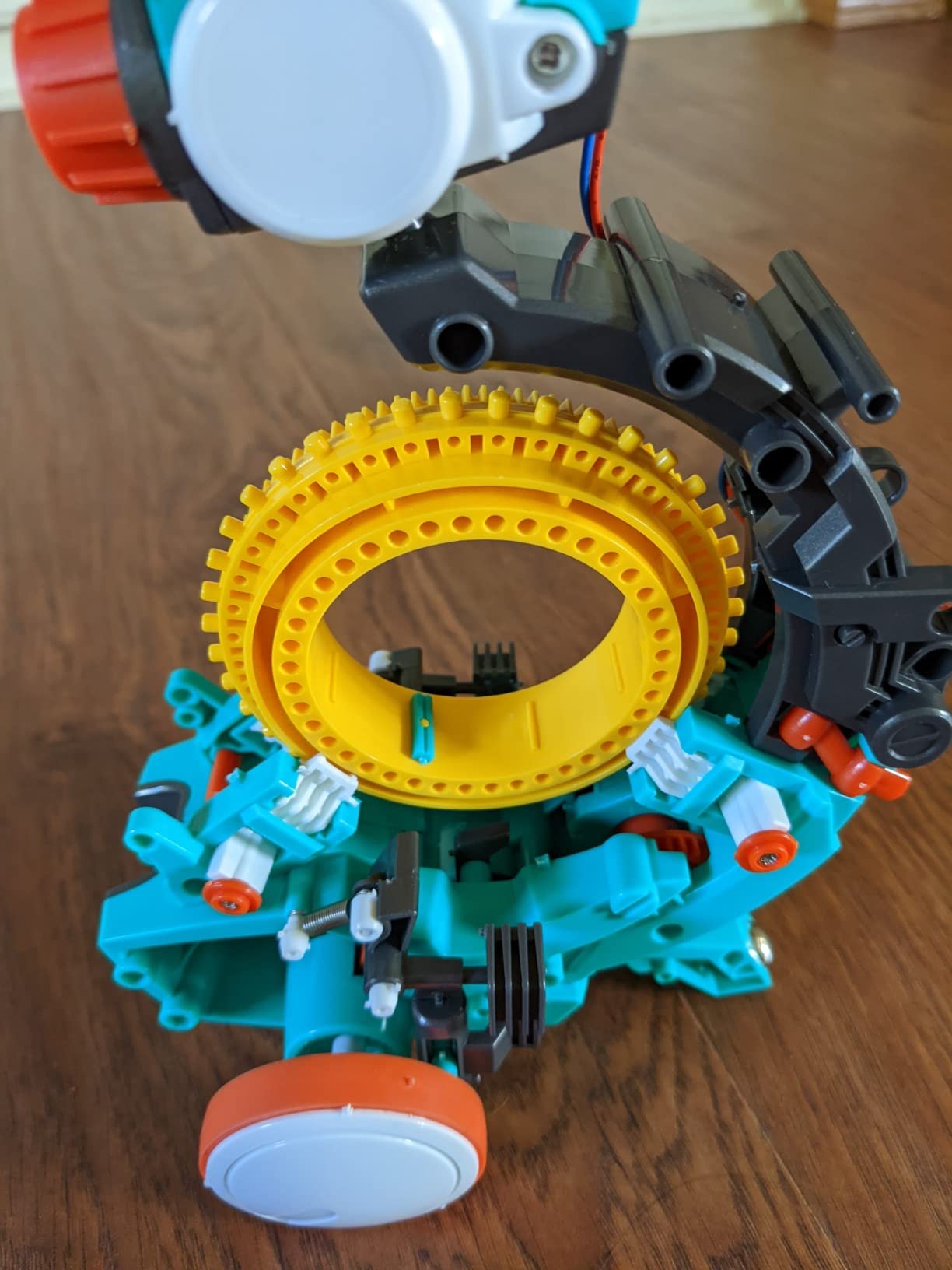
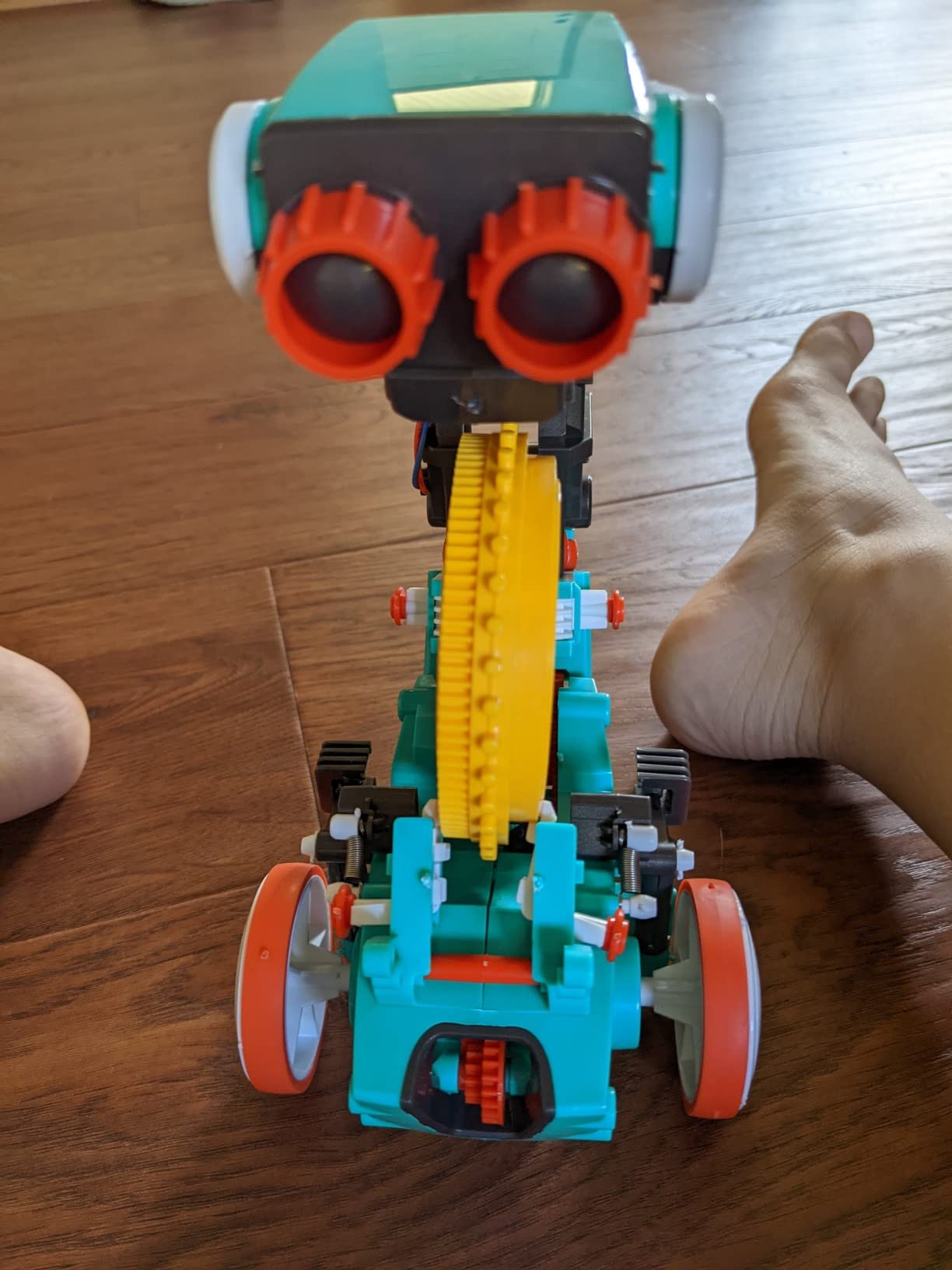
The Mech-5 puts more of the lesson into the build than any other kit here. You assemble a walking machine from plastic parts, following an instruction manual, and the thing you end up with is about 9 inches tall and moves on a coded mechanical wheel. Every part you attach teaches something about levers, cams and gear reduction, whether the child is paying attention or not.
Programming happens on the robot itself. A mechanical coding wheel with a rotating dial and physical buttons replaces the tablet entirely, so there is no app, no account and no recurring licence. Set the wheel, press the button, and the robot performs one of its stored action sequences, such as throwing, lifting, kicking or drawing with an attached pen.
That screen-free approach makes the Mech-5 attractive in two situations. It works in a car, a restaurant or a grandparent’s house where a screen is unwelcome, and it cannot break when an app is retired or an operating system changes. There is nothing to update.
The honest limitation is that the coding wheel stores a fixed set of actions rather than open-ended programs. A child who wants to write a loop with a condition will not find it here, and reviewers note that the wheel offers a limited menu. The printed instruction manual and the Snap Circuits lineage carry some of the appeal, but the ceiling is lower than a Scratch-based kit.
Battery detail worth knowing before you buy: it takes two AAA cells and they are not included, which is true of most kits in this list. Budget for a pack of cells on the same shopping trip.
Who the Mech-5 suits
A child aged 10 or older who builds things anyway. The instruction manual is genuinely good, and the satisfaction of a machine that works because they assembled it is the whole draw.
It also suits a family that wants zero screen time and zero software risk. Nothing to install means nothing to break, and it travels well for holiday and grandparent visits.
Who the Mech-5 frustrates
Anyone under 10 who wants to be coding. The listed age is 10 and up, and the assembly is detailed enough that a younger child will need an adult alongside them for a long stretch.
Children who quickly want to invent their own programs rather than select from a menu find the ceiling fast. There is no route from this robot to Scratch or Python without starting over somewhere else.
3. Makeblock mBot – the Best Value Coding Robot for Kids
Makeblock mBot STEM Coding Toys Robotics for Kids Ages 8-12
Scratch and Arduino
Metal and plastic body
100+ module expansion
About 15 minute build
Pros
- Builds in about 15 minutes
- Route from Scratch into Arduino text code
- Works with 100+ electronic modules and 500+ parts
- LEGO compatible
- Line following and obstacle avoidance work out of the box
Cons
- Needs 4 AA plus one coin cell
- not included
- Several apps to choose between
- Some Bluetooth upload complaints
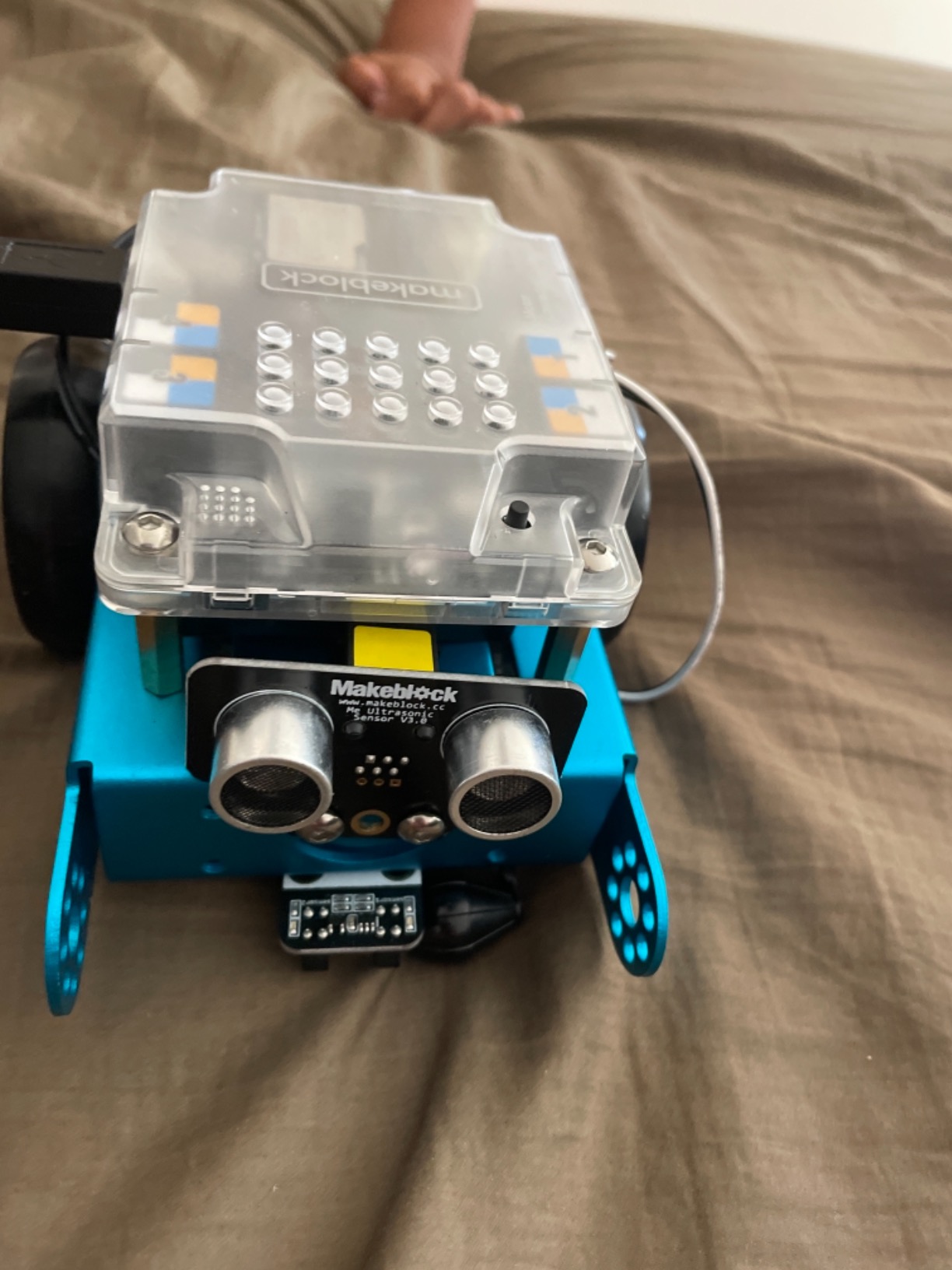
The mBot is the kit we recommend to a parent who wants the most coding for the least outlay and hopes the child will still be using it in two years. It arrives as a box of parts that assembles into a working robot in roughly 15 minutes, which is fast enough that a child can do it without an adult standing over them.
Once built, it is not a toy that gets bored after a week. It has a microcontroller board, motor drivers and a sensor set that can be extended with more than 100 electronic modules, and it is LEGO compatible so the body can be rebuilt into something new. That expansion path is what separates a robot kit from a robot toy.
Programming runs through mBlock, which uses Scratch visual blocks, and the same robot can be reprogrammed in Arduino, a text based language. That two-step path is one of the strongest learning arguments here: start with drag-and-drop, then reveal the text underneath once the child understands what the blocks do.
Line-following mode and obstacle-avoidance mode work out of the box, so there is an immediate physical result before a single block is dragged. The body is metal and plastic rather than all plastic, and reviewers single out that metal construction as the reason the robot feels durable.
The friction is the software. Makeblock offers three free apps alongside mBlock, and new parents sometimes cannot work out which one to open first. Reviews also mention occasional Bluetooth upload hiccups. It runs on 4 AA batteries plus a CR2025 for the remote, and neither is included.
Who the mBot suits
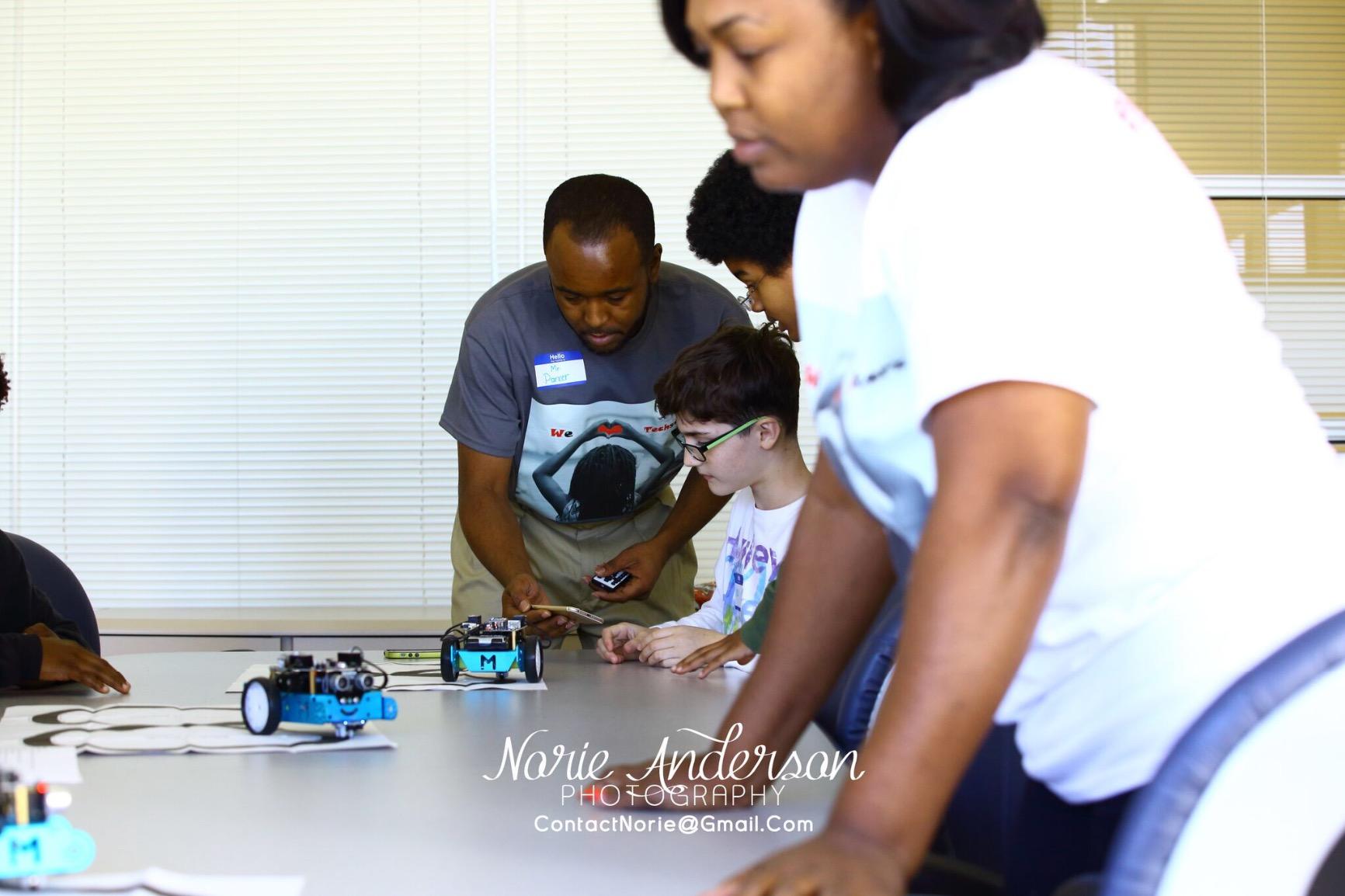
A child aged 8 to 12 who wants to build things and is curious about how a robot is put together. The quick build keeps them interested long enough to reach the interesting part, which is the programming.
It suits a family planning more than one robot. Because it is expandable and LEGO compatible, a second child can have a different body on the same programming foundation rather than a second toy.
Who the mBot frustrates
Children under 8. The build and the software menus both need reading, and a preschooler will lose interest before the first program runs. For that age, look at the screen-free kits further down this list.
Households that want a single app and nothing else find the ecosystem genuinely confusing. Between the three Makeblock apps, mBlock and the Arduino route, there is a real learning curve in the software before the learning starts in the code.
4. Learning Resources Code and Go Robot Mouse – the Best Coding Robot for a 5 Year Old
Learning Resources Code & Go Robot Mouse Activity Set
Screen-free button programming
Ages 4 and up
30 coding cards
16 maze grids included
Pros
- The gentlest starting point in this roundup
- No device
- no app
- no account
- 30 double-sided coding cards make planning visible
- Maze building gives an immediate goal
- Common in school STEM centres
Cons
- Needs 3 AAA batteries
- not included
- Too simple for a child over 8
- Finicky on tile and grouted floors
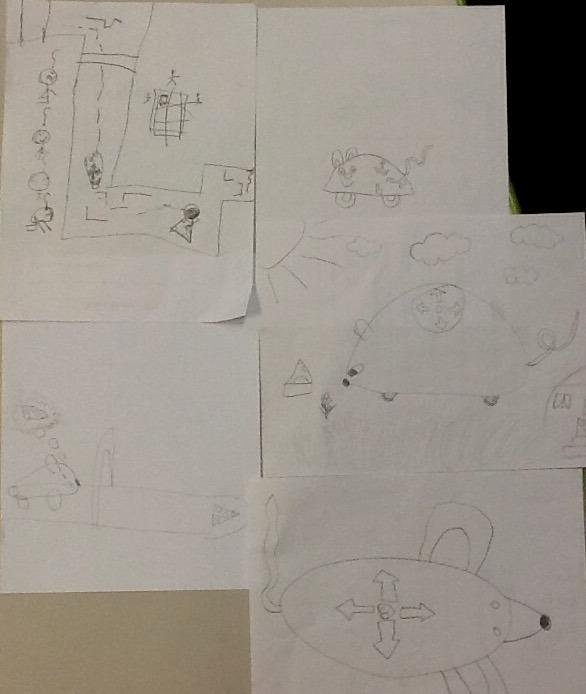
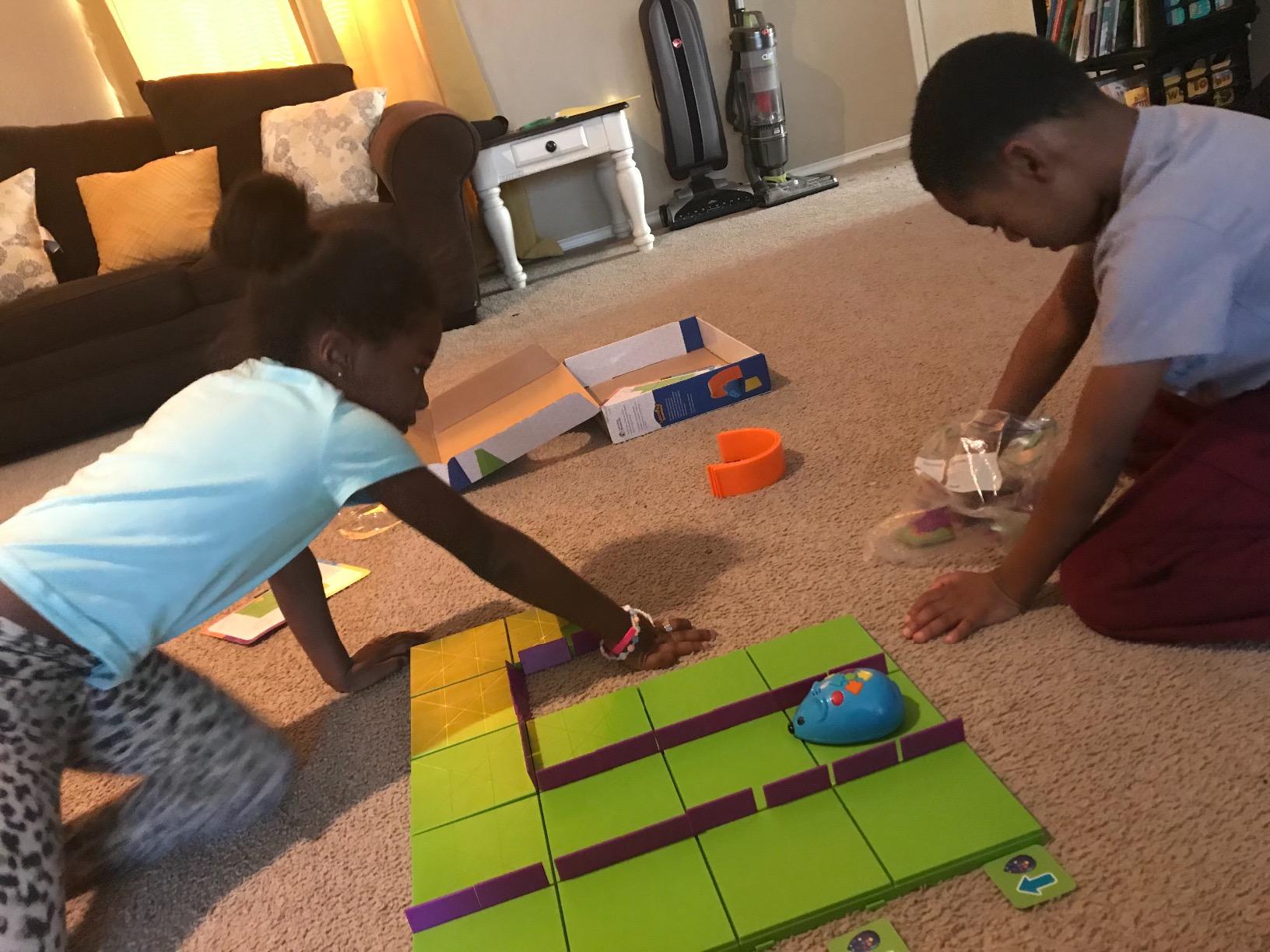
The Code and Go Robot Mouse is the earliest starting point here, and for a four or five year old it is the right one. The child plans a route on paper, then presses a sequence of buttons on top of the mouse itself, releases the button, and watches the mouse run the route. The robot physically does what the child decided, which is the whole definition of programming compressed into about five minutes of play.
What makes it work is the 30 double-sided coding cards. A route drawn on a card can be planned with arrow symbols before it is ever pressed, so a pre-reader is practising sequencing as a visible object rather than as an abstract idea. The set also includes 16 maze grids that build a 20 by 20 inch board, 22 walls and 3 tunnels, so there is somewhere to send the mouse.
There is no screen, no app and no account, so a child can start without a setup session at all.
The honest weakness is the ceiling. Button sequences on a mouse are real sequencing, but there is no loop, no condition and no text layer. A child who has mastered it in a few months needs to move on, and the reviews say clearly that it is too simple for a child over 8.
Two practical notes. The mouse runs on 3 AAA batteries that are not included. And its wheels can lose traction on tile or grouted floors, so a smooth rug or a bare floor gives a much better run.
Who the Robot Mouse suits
A child aged 4 to 6, or an older child who is brand new to programming and needs a gentle first run at it. No device, no reading required, and immediate physical feedback.
It also suits a household actively limiting screen time. The entire programming experience happens on the floor with a plastic mouse and a grid of tiles.
Who the Robot Mouse frustrates
Children over 8 who already know Scratch. There is nothing here to teach them, and the button-based sequences will feel like going backwards.
Families on hard floors will hit the traction problem early. The wheel needs a bit of grip, and pet hair on the wheels is a recurring complaint, so expect occasional cleaning.
5. Educational Insights Artie 3000 – the Best Coding Robot for Kids Who Draw
Educational Insights Artie 3000 the Coding & Drawing Robot
Codes in four languages
Ages 7 to 12
Built-in Wi-Fi, no internet needed
Draws with washable markers
Pros
- Four languages supported: Blockly
- Snap!
- JavaScript and Python
- Works with no internet connection
- Written output is genuinely satisfying
- Built-in tutorials span beginner to advanced
- Includes 4 washable markers and activity cards
Cons
- Rating sits among the lowest here
- Drawing accuracy is inconsistent
- Connectivity complaints
- No warranty
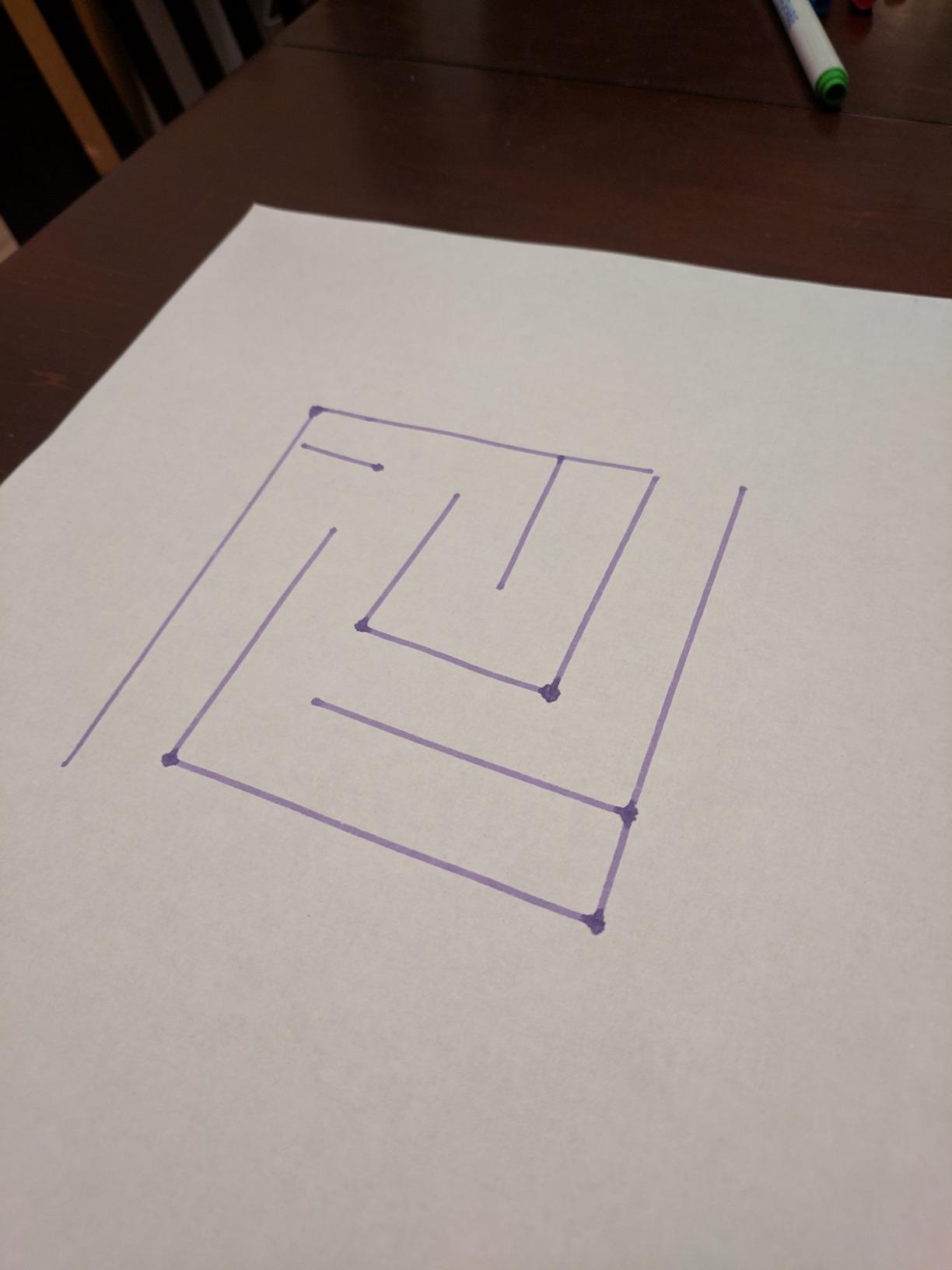
On the Artie 3000, the output is something a child can hang on the fridge. You program a path, the robot drives it with a pen down, and it produces a drawing. For many children that visible artefact is the moment coding stops being an abstraction.
On the software side it is unusually ambitious. It codes in four languages, Blockly, Snap!, JavaScript and Python, so a child can move between visual and text environments without switching hardware. It has built-in tutorials that start at beginner and run to advanced, which removes the usual problem of an app that assumes you already know what to build.

Connectivity is the interesting engineering choice. The robot carries its own Wi-Fi and can be connected to directly with a password, with no internet connection required, so it works in a cabin, a garden office or anywhere the broadband is weak. That single decision removes a common reason an app-based robot ends up sitting unused.
I want to be straight about the rating here, because most roundups hide it. At 4.1 stars from more than 2500 reviews, this is the joint lowest-rated product on the list. The complaints cluster around two things: drawing precision, which is inconsistent enough that a child can be frustrated by a squiggle instead of a picture, and occasional connection drops. There is also no warranty on this model.
My read is that the 4.1 reflects expectations set by the drawing promise rather than a broken toy. If your child wants to write, not draw, the four-language support here is hard to match. If drawing badly would end the fun, pick something else.
Who the Artie 3000 suits
A child aged 7 to 12 who is an artist first. Seeing a finished drawing appear stroke by stroke is the reward loop, and it makes programming feel like making rather than like working.
It suits families without reliable internet, since the robot runs its own network with no connection required. It also suits a child ready to move from blocks toward JavaScript or Python.
Who the Artie 3000 frustrates
Children with low frustration tolerance around precision. A line that should be straight can come out as a curve, and reviews mention drawing accuracy often enough that it is worth knowing in advance.
Households expecting a warranty or a responsive support line. This model carries no warranty, so a damaged robot is simply replaced at full cost.
6. Wonder Workshop Dash Robot – the Best Coding Robot for Kids in a Classroom
Wonder Workshop Dash Robot – Coding Robots for Kids 6 and Older
5 free apps including Blockly
Ages 6 and up
Rechargeable, 5 plus hours of play
Voice activated
Pros
- Five free apps covering different activity styles
- No account signup and no data tracking
- Rechargeable battery with 5 plus hours of active play
- No assembly needed
- Used in more than 40000 schools
- LEGO compatible brick connectors
Cons
- Among the higher prices in this roundup
- Battery degradation reported after about a year
- Video tutorials only
- no printed manual
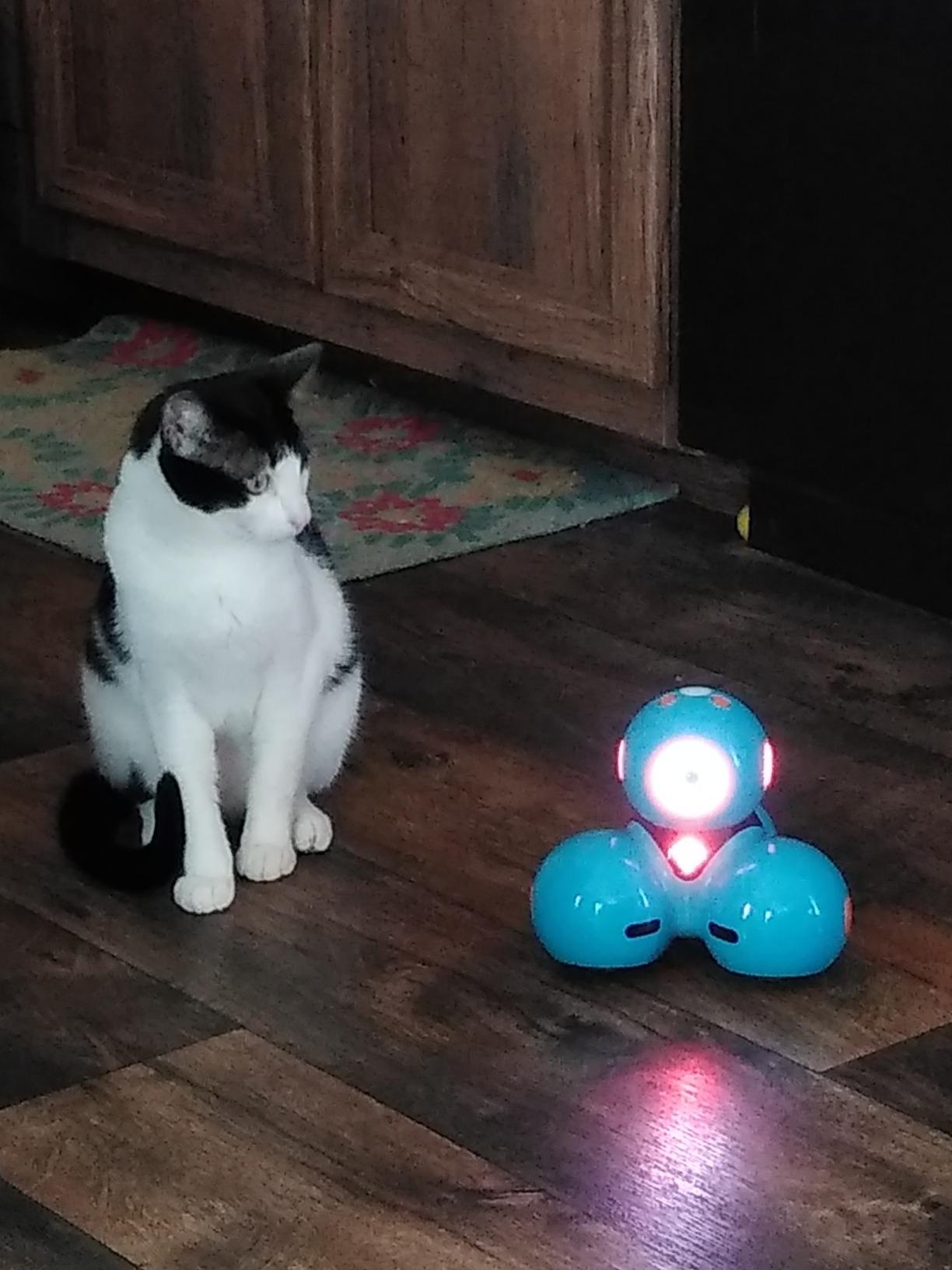
Dash is the recommendation for a six year old who is ready to program on a screen but should not be handed a keyboard. It arrives complete, needs no assembly, and responds to voice commands as well as programs, so the first interaction is talking to a robot and watching it sing.
Five free apps sit behind it, and the progression is unusually deep for the age. Blockly gives drag-and-drop blocks, Wonder, Path and Go each focus on a different activity style, and Xylo supports physical music-style programming with a detachable accessory. No account signup is required and there is no data tracking, which matters to a lot of parents.
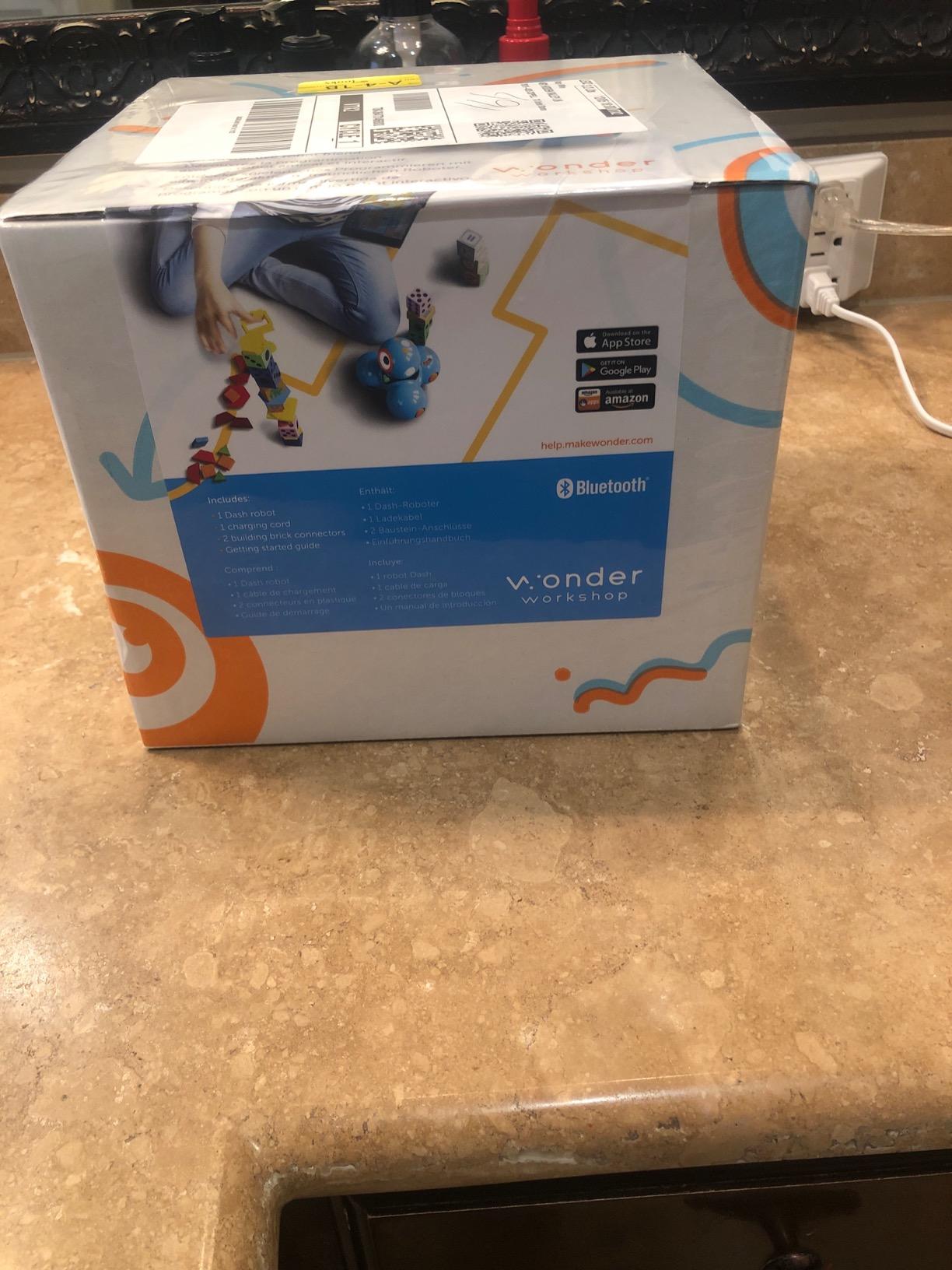
The battery is a rechargeable lithium ion giving upwards of 5 hours of active play, so unlike the small ball robots it survives a long session or a full school day. The building brick connectors are LEGO compatible, which extends the life of the toy considerably once a child starts attaching things.
Adoption is the reason it appears in so much classroom discussion. Dash is used in more than 40000 schools worldwide, and reviewers repeatedly praise the customer service when a unit has failed. It comes with a one year warranty against manufacturer defects.
The two honest drawbacks. It sits at the higher end of consumer pricing in this roundup, which puts it in a different decision category from the other nine. And some users report battery degradation after about a year of use, so a household expecting a five year toy should factor in that. There is no printed manual, only video tutorials, which is fine for a confident adult and a problem for a child with a non-screen parent.
Who Dash suits
A child aged 6 to 8 making the jump from commanding a toy to programming a toy. Voice play gets them in, and the block apps take over when they are ready.
It also suits homes and schools that care about privacy. No account, no data collection and no subscription, with the apps free rather than freemium.
Who Dash frustrates
Households on a tight budget who want to try coding first. It costs more than double several kits here, and a second robot for a sibling is a serious outlay.
Long-term buyers worried about battery life. Roughly a year of degradation is reported, and the rechargeable cell is the part that ages, not the plastic.
7. Learning Resources Botley Activity Set – the Best Screen-Free Coding Robot for Kids
Learning Resources Botley The Coding Robot Activity Set – 77 Pieces, Ages 5+, Screen-Free Coding Robots for Kids, STEM Toys for Kids, Programming for Kids, for Kids
Fully screen-free
Ages 5 to 16
77 pieces including 6 tiles
Object detection and line following
Pros
- No tablet
- no app
- no account
- 77 piece set with tiles
- walls and detachable arms
- Object detection and line following built in
- 40 coding cards for visual planning
- Listed for ages 5 to 16
Cons
- Needs 5 AAA batteries
- not included
- Best on a flat clear surface
- Delete button must be pressed between sequences
If your family is avoiding screens, this is the answer. Botley is programmed entirely from a handheld remote with physical buttons. The child presses forward, turn, right and left, adds a repeat instruction, hits go, and the robot runs the sequence across the floor. There is no tablet, no app, no account and no firmware to worry about.
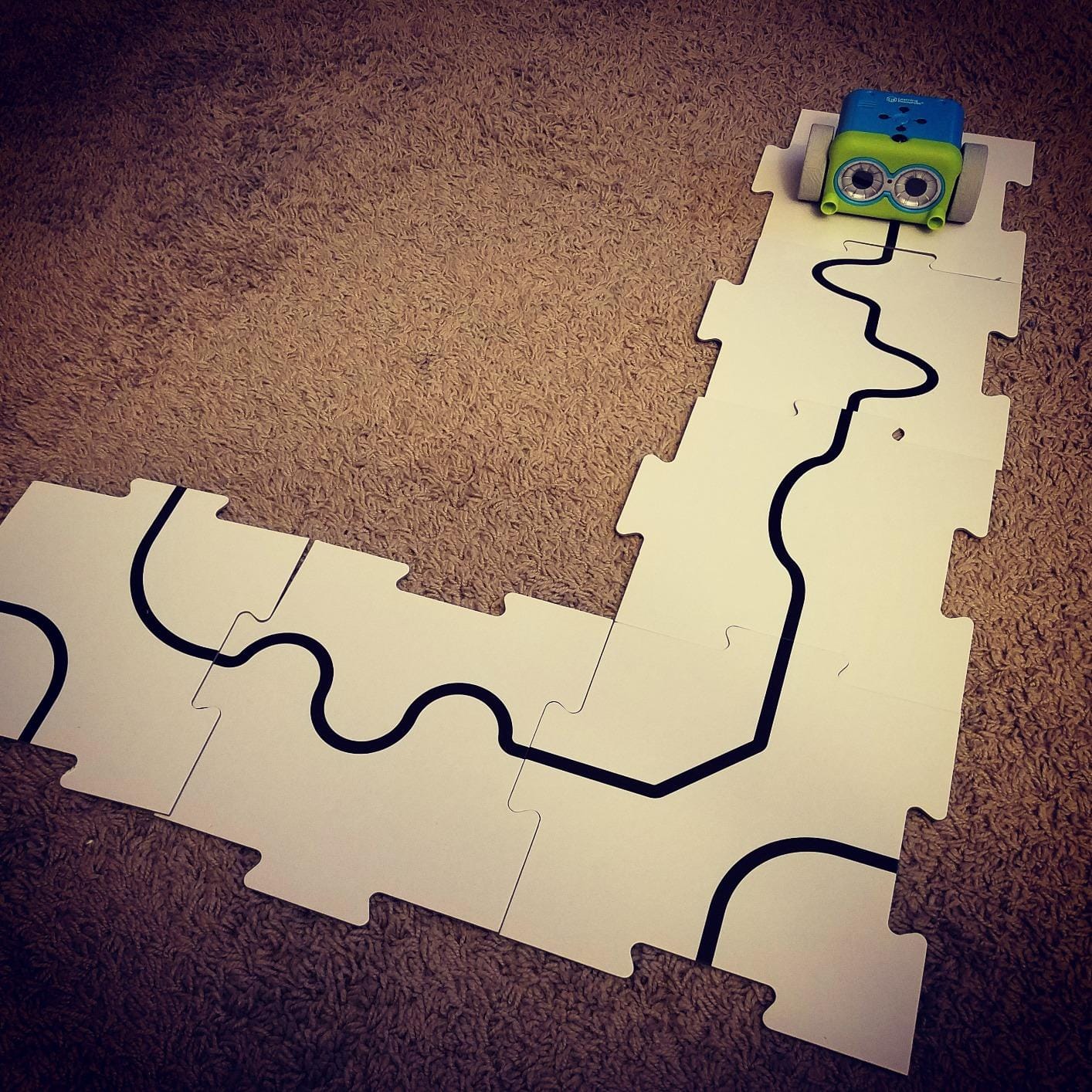
The activity set is what makes it work rather than just move. You get 6 double-sided tiles, 27 obstacle pieces, detachable robot arms and 40 coding cards. The tiles create a track the child has to navigate, and the cards let a route be planned on paper before it is entered on the remote.
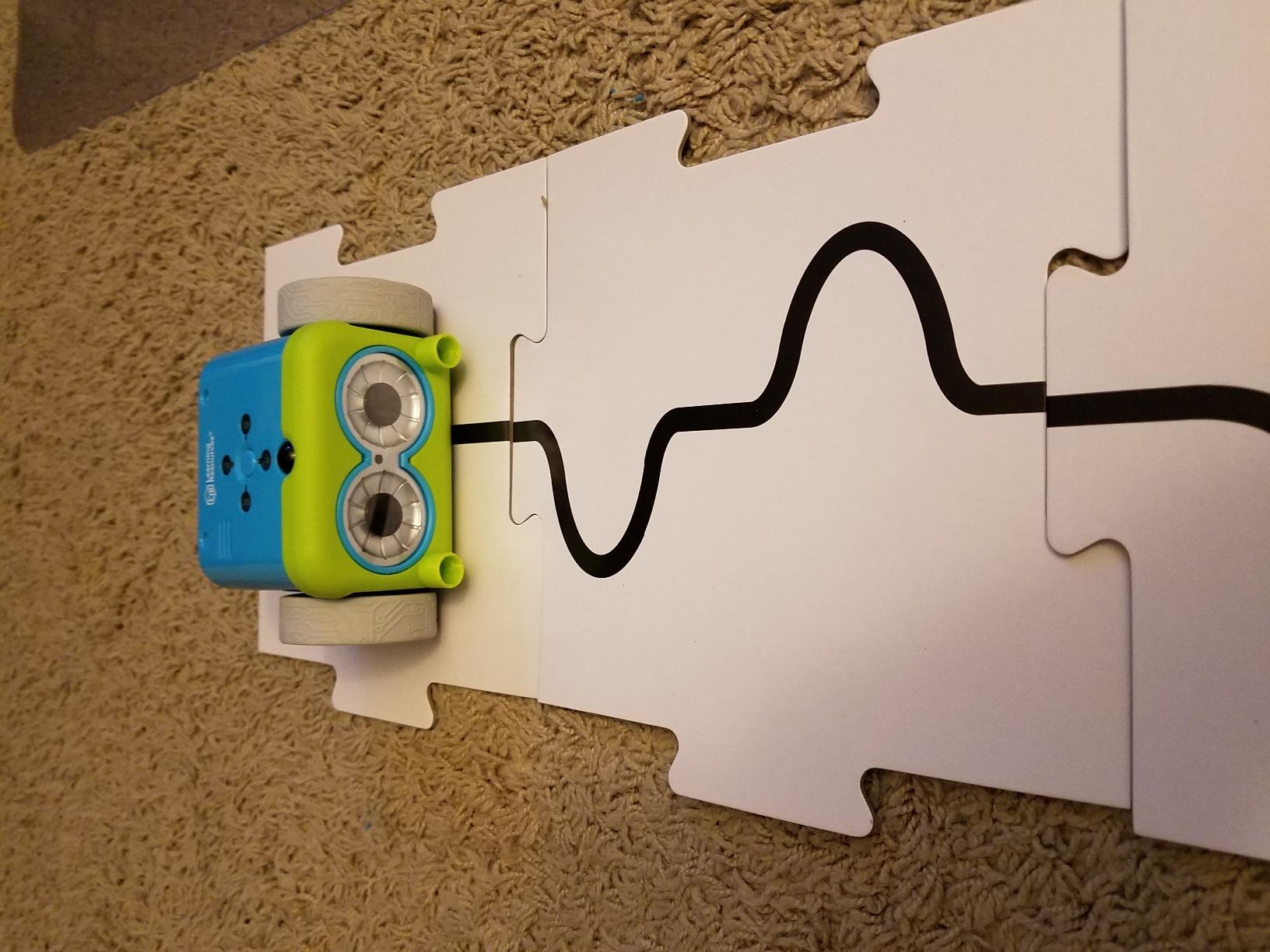
The robot is more capable than the remote control suggests. It detects objects and avoids them, it follows a black line, and it supports looping commands, so a child can build a patrol route that repeats. There are hidden features to discover, which is the kind of thing that keeps a five year old interested for months.
Long sequences are where the ceiling sits. The remote stores a program and runs it without a screen, and a child who has worked out that a 20 step route is already serious planning will keep adding to it. Children of five and six need adult guidance at the start, and reviewers are honest about that.
Two practical constraints. Botley needs a flat, clear floor, and a carpet with pet hair in the pile will slow the wheels enough to throw off a sequence. It also takes 5 AAA batteries, three for the robot and two for the remote, none of them included.
Who Botley suits
A child aged 5 to 8, or a family that treats screen time as a scarce resource. This is the most complete screen-free option in the roundup, and the 40 coding cards solve a planning problem most screen-free kits avoid.
It suits travel, restaurants and grandparent visits, because the whole thing packs into a box. It also suits a home-school setup that wants a sequencing unit with no software to install.
Who Botley frustrates
Children who want real code. A remote control with buttons is genuine programming logic, but it does not connect to Scratch, and a child ready for blocks will find it limiting within a year.
Households on carpet. Botley needs a clear flat run, and surface sensitivity is a recurring practical complaint in the reviews. Also, a single unit is awkward to share between two children at once.
8. Makeblock Codey Rocky – the Best Coding Robot for an Excitable 6 Year Old
Makeblock Codey Rocky Interactive Coding Robot for Kids 6-12
Scratch blocks through to Python
Ages 6 and up
LED matrix with emotions
Color, light and gyro sensors
Pros
- Expressive LED matrix that shows emotions
- Path from Scratch blocks to Python
- Sensor set includes color
- light and gyroscope
- Rechargeable battery included
- LEGO Technic compatible
Cons
- Makeblock and mBlock apps both needed
- which confuses
- Documentation is thin
- Bluetooth upload issues reported
- Small review base of 478
Codey Rocky solves a problem the other block-coding robots have. A six year old is drawn to personality, not to code, and Rocky’s LED matrix face can display expressions, animations and simple drawings. The child sets the mood, the robot shows it, and programming stops feeling like homework.
Under the shell it is a more serious machine than the reviews for a while suggested. There is a colour sensor, a light sensor and a gyroscope, so a program can react to what is in front of it rather than just replaying a fixed route. The body is LEGO Technic pin compatible, which means it can be built into a vehicle or a machine.
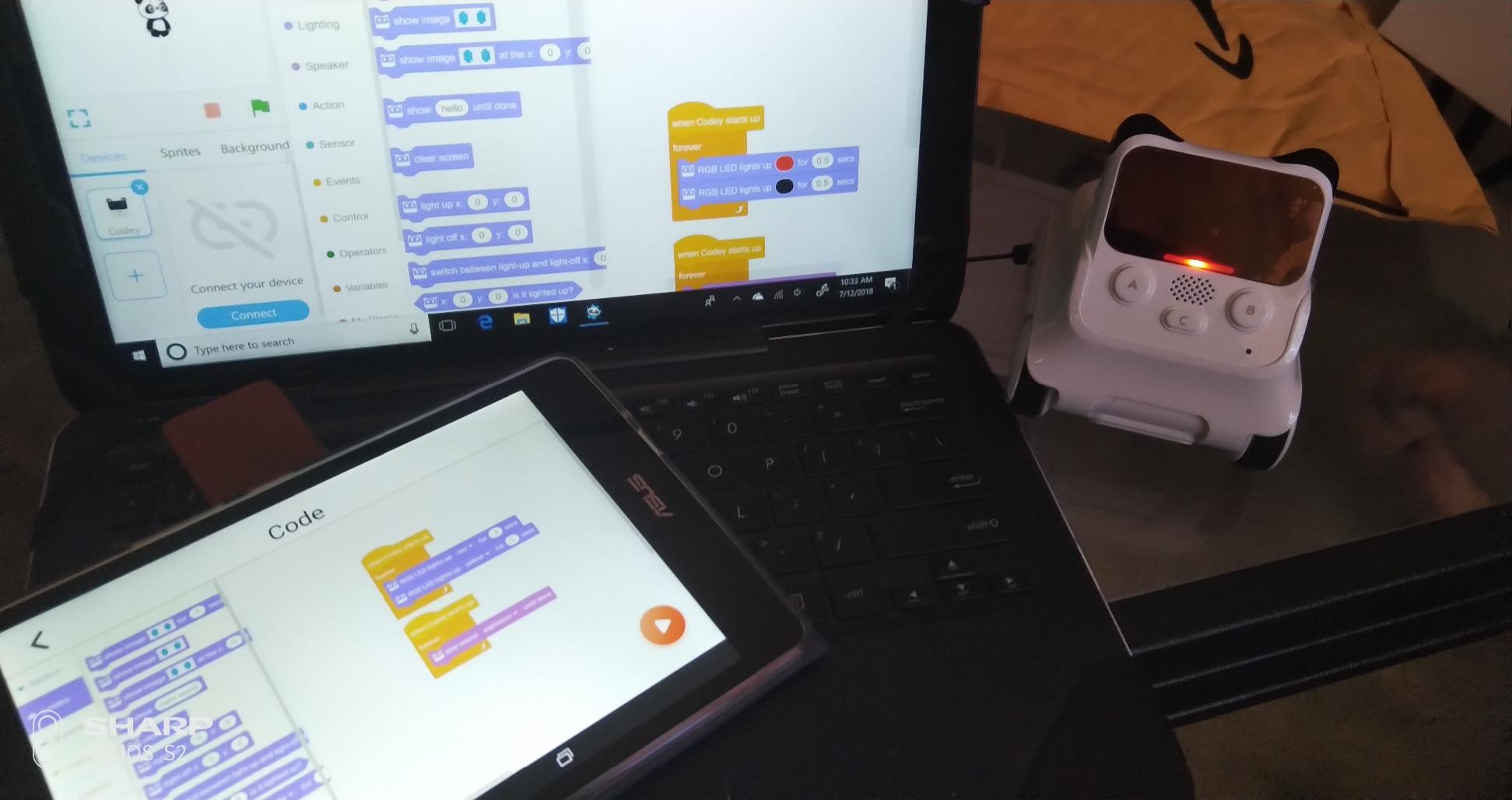
The programming route runs from Scratch blocks through to Python, with mBlock and the Makeblock apps as the bridge. The rechargeable lithium polymer battery is included, which removes the annoyance of hunting for batteries before play starts.
Be clear-eyed about the weaknesses, because they are consistent in the reviews. Makeblock and mBlock are both needed, and parents report not knowing which to open. Documentation is thin. Bluetooth upload problems are reported often enough to check your device before buying. And with 478 reviews, this is a newer product with a thinner track record than the leaders in this list.
It is also physically small, at under 2 inches across, and a child who wants a big vehicle to push around a room will find it less satisfying than the mBot.
Who Codey Rocky suits
A child aged 6 to 9 who needs to be seduced before they will program. The expressive face is the hook, and the sensor suite keeps the early programs interesting once the novelty of the screen has faded.
It suits a child who already likes LEGO Technic, since the pin compatibility turns the robot into a construction set rather than a finished object.
Who Codey Rocky frustrates
Parents who want one clean app. Navigating both Makeblock and mBlock is a genuine stumbling block, and the documentation does not rescue you.
Households on older or unusual devices, since Bluetooth upload is the recurring technical complaint. Confirm compatibility before you commit, and read the user reviews for your specific phone or laptop.
9. Thames and Kosmos Coding Chameleon – the Best Budget Coding Robot for Kids
Thames & Kosmos My Robotic Pet: Coding Chameleon STEM Building & Experiment Kit | Color-Sensing Coding Robot for Boys & Girls Ages 8+, Screen-Free Educational Fun, Robotic Reptile with 3 Play Modes
Screen-free color card coding
Ages 8 to 12
133 pieces to build
3 play modes
Pros
- Screen-free coding with physical color cards
- Three distinct modes including a touch-reactive pet mode
- Build-it-yourself kit with 133 pieces
- Color sensor
- infrared sensor and RGB LEDs
- 48 page manual with engineering lessons
- Educational Toy of the Year winner
Cons
- Needs 4 AAA batteries
- not included
- Assembly is required and suits an 8 plus
- Small review base of 334
The Coding Chameleon is the least expensive buildable robot on this list, and for a child who does not want a screen it is a genuinely capable machine rather than a gimmick. You assemble 133 plastic parts into a 15 inch articulated reptile with moving eyes, working leg joints and a tongue that fires and retracts automatically.
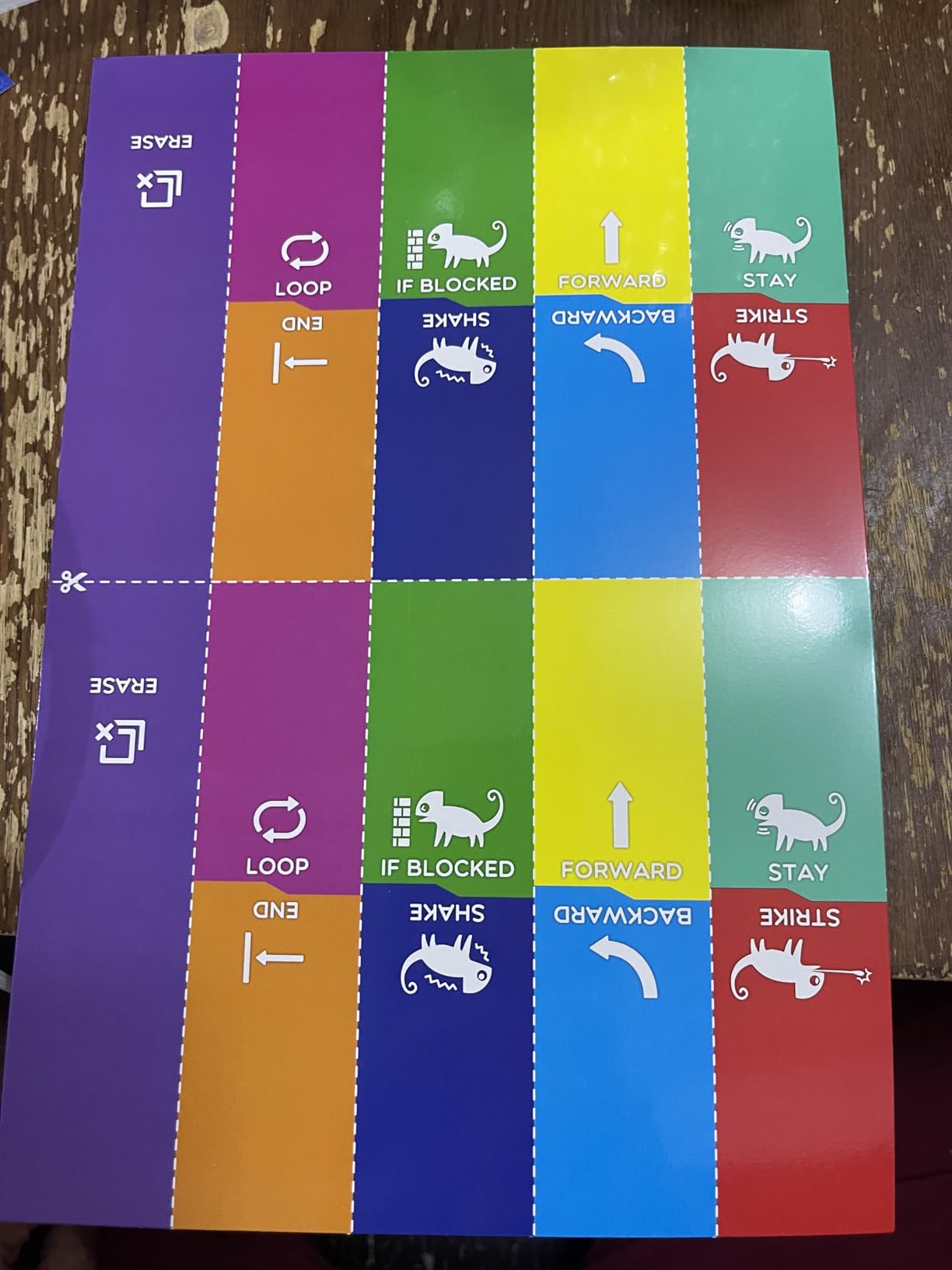
Programming is screen-free and physical. Colour action cards are fed one after another into the robot, and its colour sensor reads each card in sequence, then performs the corresponding action. The card is the code, which makes the abstract idea of a program visible as a strip of objects laid on a table.
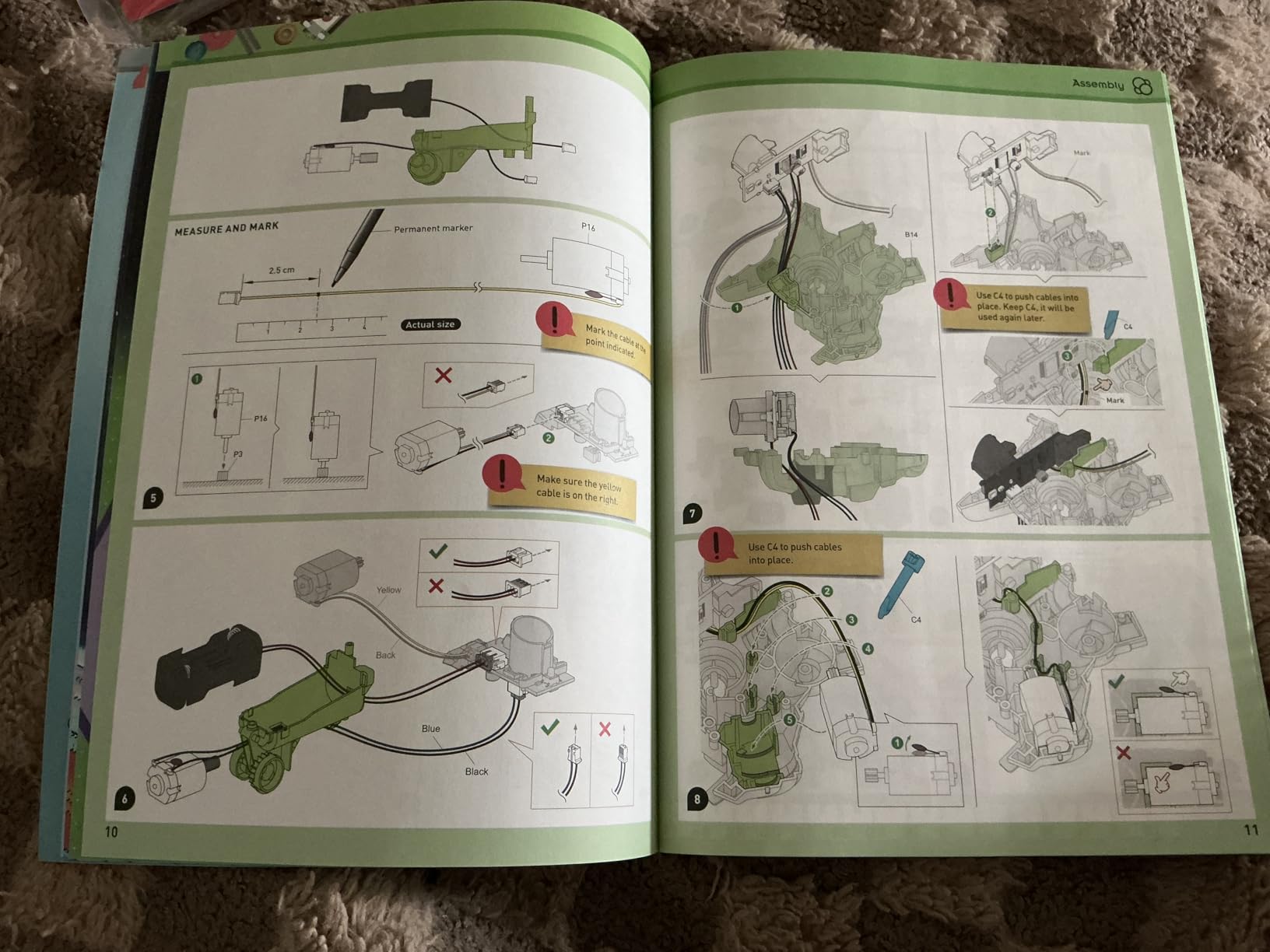
Three play modes widen the appeal well beyond the coding trick. Coding mode runs the card sequence, wild mode uses the colour sensor for camouflage behaviour, and pet mode makes the chameleon touch-reactive, which is what actually keeps a younger child playing on the days they are not programming.
Underneath there is a colour sensor, an infrared sensor and RGB LEDs, and the 48 page manual contains genuine engineering material on biomimicry, which is unusual at this price. The kit also took the Educational Toy of the Year Award.
Two caveats. It is rated for ages 8 to 12, with assembly recommended for 8 and up with help and independent building at 12, so it is not a preschool toy despite the low price. And at 4.1 stars from 334 reviews, it carries a smaller evidence base than most of the kits here, which is worth weighing against the award.
Who the Coding Chameleon suits
A child aged 8 to 12 who loves animals, mechanics and building. The camouflage behaviour gives the STEM idea a story, and the pet mode means the toy is still fun when the coding gets abandoned.
It suits a screen-free household that wants a substantial build rather than a small plastic shell. 133 pieces and a full manual is a lot of construction for the money.
Who the Coding Chameleon frustrates
Children under 8. The assembly and the card-reading sequence both need a steady hand and a reading adult, and the chameleon will sit inert until it is put together properly.
Children who want a growing software library. Colour cards are a bounded set of actions. There is no Scratch, no Python and no expansion beyond the sensors built in.
10. MatataStudio VinciBot – the Best Coding Robot for a Python-Ready 10 Year Old
MatataStudio VinciBot Coding Robot for Kids 8-12, Scratch & Python STEM Toy
Scratch and Python
Ages 8 and up
8 sensors
1500mAh rechargeable, 4 plus hours
Pros
- Scratch and Python on the same robot
- 8 sensors covering a wide range of projects
- Rechargeable 1500mAh battery with 4 plus hours
- LEGO bricks and TECHNIC motors compatible
- Free programming platform with no ongoing cost
- Challenge booklet with 17 cases
Cons
- Account creation needed for the app
- Small review base of 124
- Bluetooth setup is not clearly documented
- Line following on the paper mat can be finicky
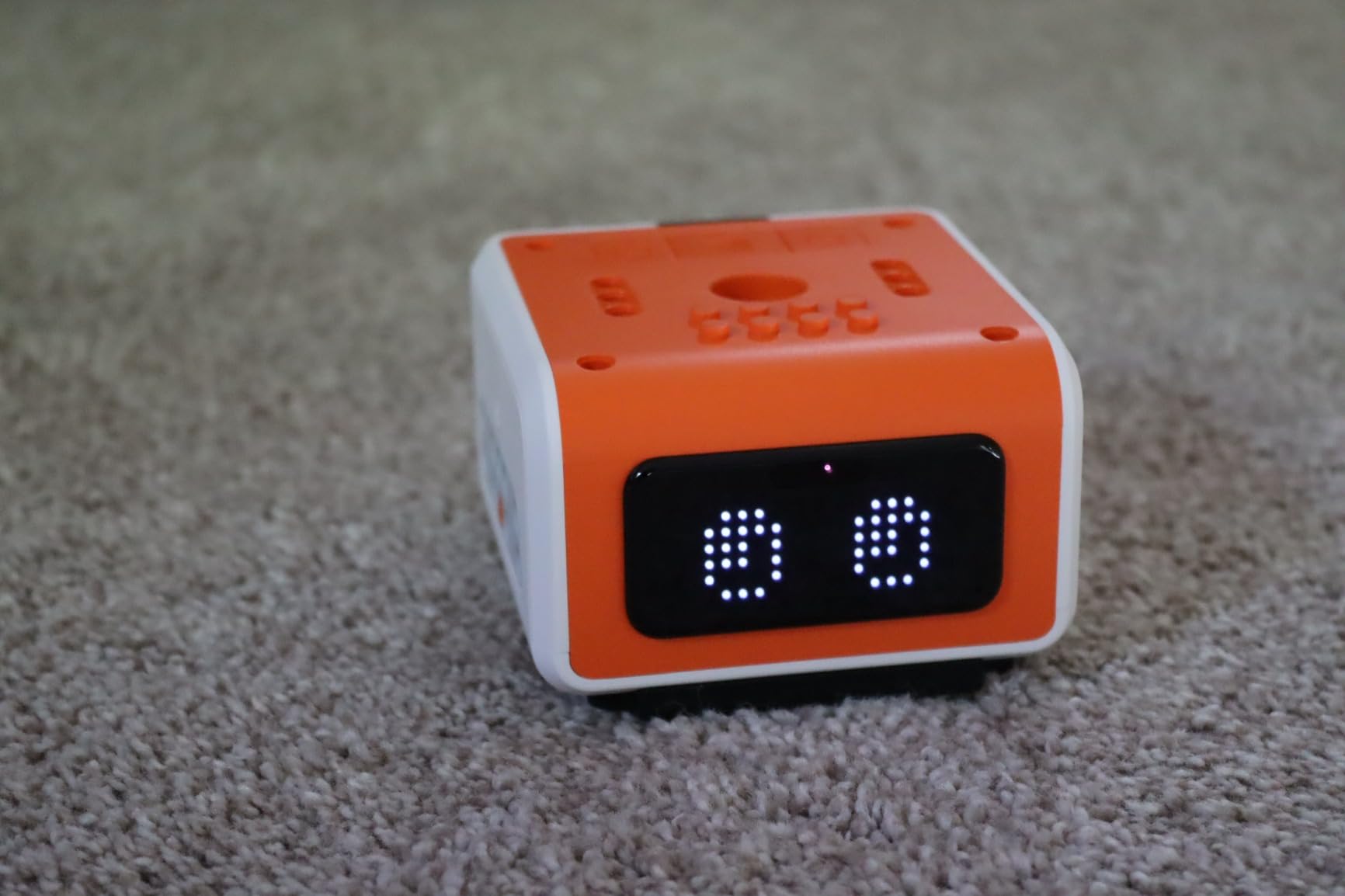
The VinciBot is where we would send a child who is ready to leave block coding behind. It programs in Scratch and in Python, on the same hardware, which means the transition to text-based code does not require a new toy. That is the single most useful thing on this list for a 10 or 11 year old.
The sensor count is the other selling point. Eight sensors support projects that respond to the environment, and the specs list AI, IoT and TinyML learning as part of the intended curriculum, which is ambitious language that is at least grounded in real hardware rather than marketing alone. There is also an LED matrix for expressions and messages.
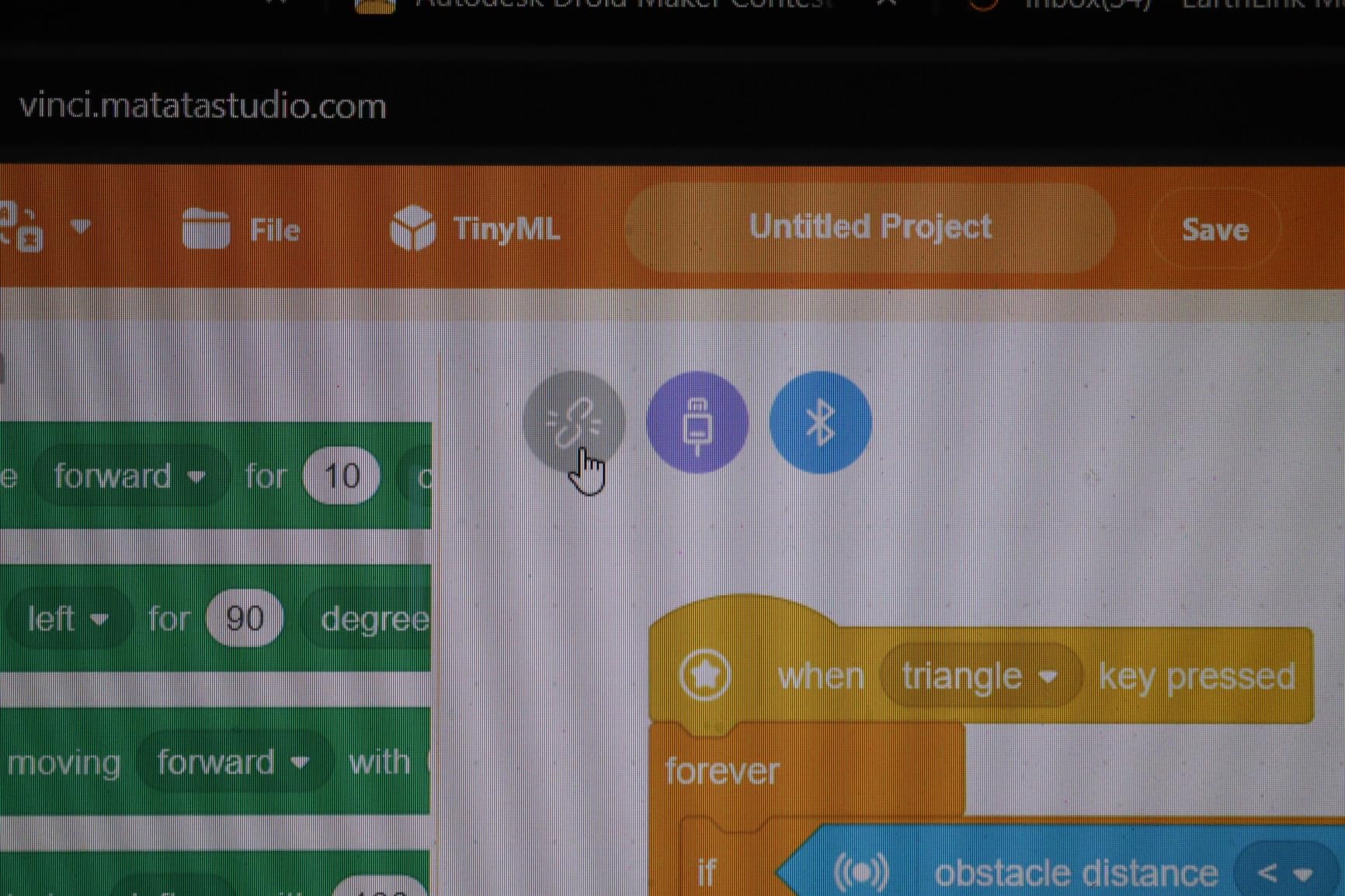
Three preset modes work without any programming, so a new owner gets immediate results. It can follow a line on the included map, draw with the included washable marker, or be driven by the bundled infrared remote. A 17-case challenge booklet supplies a path for the first few weeks of use.
The battery is a rechargeable 1500mAh lithium polymer giving 4 plus hours, and the programming platform is free with no ongoing licence. That last point matters more than it sounds. Recurring software costs are a named reason families abandon robotics platforms, and none of the kits here asks for a subscription.
What to check first: the app needs an account, and Bluetooth pairing is not documented clearly enough for some families. Reviews also report the line-following mode being finicky on the paper mat and the instruction booklet using small print. With 124 reviews, this is the smallest evidence base of the ten, so treat the specs as promising and the reviews as early.
Who the VinciBot suits
A child aged 9 to 12 who already knows Scratch and is asking about what comes next. Having Python available on the same robot removes the excuse that they need different hardware.
It suits a family looking for long engagement. Expandable LEGO and TECHNIC compatibility, eight sensors, multiple robots that can be combined together, and a free platform give a lot of runway before a child runs out of ideas.
Who the VinciBot frustrates
Families wanting no account and no app setup at all. Account creation is required, which puts it in the same category as the other app-based kits rather than the screen-free group.
Parents who need printed, well-organised instructions. The booklet has small print and the Bluetooth steps are not where you would look for them. Budget ten minutes of setup troubleshooting before a child gets to program.
How to Choose a Coding Robot: Screen-Free vs App, Age, and Platform
Screen-free or app-based: the first question to answer
This is the only decision that matters more than the child’s age. A screen-free robot teaches sequencing, ordering and cause and effect without a display, and it works anywhere. An app-based robot teaches real code, but only while a device is nearby and the software keeps working.
Our rule of thumb: under age 6, go screen-free. Between 6 and 9, either works, and a child who already enjoys tablet play gets more from the app version. From 10 upward, the app-based kits teach considerably more, because button sequences and cards have a low ceiling.
There is a third framing worth considering. The best coding robots for kids are the ones that survive past the third month of novelty, because a child who has outgrown a kit moves to the next rung while a child who was bored by it never climbs.
Match the robot to an age band
Ages 3 to 5 need a robot that fits in two hands, has no reading requirement and cannot be broken by being dropped. The Robot Mouse and the small ball robots are the right zone here.
Ages 6 to 8 are the sweet spot for the category. The child can follow a multi-step instruction and handle a tablet with adult help, so a block-coding robot with a personality, such as Dash or Codey Rocky, tends to work best there.
Ages 8 to 12 is where expandability decides it. Anything with a sensor suite, a build step and a path to Python, such as the mBot, Artie 3000 or VinciBot, holds attention for years rather than months. Ages 11 and up want text-based programming, and at that point the honest answer is that a microcontroller kit teaches more than a consumer robot, as families on r/ArduinoProjects have found when their teenagers outgrew toy robots fast.
The three-step learning ladder: commanding, block coding, text coding
Every kit in this roundup sits on one rung of the same ladder, and knowing which rung you are buying tells you more than any feature list.
Step one is commanding: buttons, remote controls, colour cards and mechanical wheels. Botley, the Robot Mouse, the Chameleon and the Mech-5 sit on this rung. Children learn that a sequence produces a predictable result.
Step two is block coding: drag-and-drop tiles on a screen, in ScratchJr, Scratch or Blockly form. Sphero Mini, Dash, mBot, Codey Rocky, Artie 3000 and VinciBot sit on this rung. Children learn loops, conditions and events.
Step three is text coding: typed Python, JavaScript or Arduino. The mBot, Codey Rocky, Artie 3000 and VinciBot can reach this rung. The community consensus, echoed in educator discussions, is that visual block languages make early concepts far easier to grasp before a child moves to typed code, and nothing in our testing contradicted that.
Device, app and account checks before you buy
Device compatibility is the regret we hear about most often, and it is entirely avoidable. Check three things: whether the app runs on the device you already own, whether an account is required, and whether the robot still works with no internet connection.
On Chromebooks specifically, be cautious. A school thread on r/k12sysadmin documents a whole institution replacing a robotics platform because the software only ran on Windows and not on Chromebooks. Sphero Mini, Dash, the mBot and VinciBot all rely on apps that are broadly cross-platform, but check the current store listing for your exact model before buying.
On accounts: the Artie 3000 is the outlier that works with no internet at all because it carries its own Wi-Fi. VinciBot needs an account. Dash explicitly requires no account signup and does no tracking, which is worth noting for privacy. None of the ten kits we looked at charge a recurring software fee, which is a genuine change from older robotics platforms where an annual licence was a named reason for walking away.
What the real running cost looks like
Budget for batteries, because most kits on this list do not include them. The Robot Mouse takes 3 AAA, Botley takes 5 AAA, the Chameleon takes 4 AAA, the mBot takes 4 AA plus a coin cell, the Artie 3000 takes 4 AA, and the Mech-5 takes 2 AAA. Only Dash, Codey Rocky and VinciBot include a rechargeable battery in the box.
Beyond that, the running cost is effectively zero. No subscription, no licence, no account fee. If a listing offers a paid tier, read carefully, because none of the ten products here requires one.
How long a coding robot keeps a child interested
Realistic engagement windows, based on the age band rather than the marketing: a screen-free card or button robot holds most children about six months before it feels babyish, a block-coding robot holds roughly a year, and an expandable buildable kit with a sensor suite and a Python route can hold a motivated child for two or more years.
The predictor is not the robot, it is the next rung. Children abandon kits when there is nowhere to go. Before buying, check whether the kit you are considering connects to Scratch, Python or a microcontroller, because that is what determines whether year two exists. Pairing a younger child’s screen-free kit with free ScratchJr on a family tablet fills the gap cheaply, and it is a better use of a tablet than another solitary app.
If your child is at the age where outdoor and imaginative play still dominates, our plastic playhouse roundup and wooden playhouse roundup cover the kind of open-ended physical play that sits alongside a coding robot rather than competing with it.
Frequently Asked Questions
What is the best coding robot for kids?
The best coding robot for kids overall is the Sphero Mini, because it offers draw, block and JavaScript programming in one app, works on carpet and hard floors, and doubles as a remote-controlled toy before any coding starts. For children under 6 who should avoid screens, the Learning Resources Botley Activity Set is the strongest screen-free option.
What is a good coding robot for a 5-year-old?
At age 5, look for a screen-free robot with large physical controls and no reading requirement. The Learning Resources Code and Go Robot Mouse is a strong fit: buttons on the mouse itself, 30 double-sided coding cards for planning on paper, and maze grids to build a course. Its listed age range starts at 4.
What is the best coding robot for an 8-year-old?
At age 8, a block-coding robot with a rechargeable battery is the sweet spot. The Wonder Workshop Dash is our pick, with five free apps, voice-activated play, no account signup, and more than 5 hours of active play per charge. The Makeblock mBot is the better value if the child likes building.
What is the best coding robot kit for a 10-year-old?
At 10, prioritise a kit that reaches text-based programming. The Makeblock mBot programs in Scratch and Arduino and expands with more than 100 electronic modules, while the MatataStudio VinciBot runs Scratch and Python with 8 sensors. Both give a child somewhere to go after block coding.
What is the best robot for teenagers?
Past about 12, consumer coding robots run out of runway and a microcontroller platform is the better next step. Families on r/ArduinoProjects describe teenagers outgrowing entry-level robot kits within a year. The VinciBot and the mBot are the best bridges because both reach text-based languages on hardware the child already owns.
What age range is Botley 2.0 appropriate for?
The Botley Activity Set is listed for ages 5 to 16. Realistically it works best from 5 to 9, where a child can plan routes on the 40 coding cards and build obstacle courses from the 77 pieces. Younger children need adult guidance, and older children outgrow the button-based remote programming quickly.
Do coding robots need a tablet or iPad?
It depends on the type. Screen-free robots such as Botley, the Robot Mouse, the Coding Chameleon and the Mech-5 need no device at all. App-based robots such as the Sphero Mini, Dash, mBot, Codey Rocky, Artie 3000 and VinciBot need a phone or tablet with Bluetooth, and some need an account created before the first program runs.
What is the difference between screen-free and app coding robots?
Screen-free robots are programmed with buttons, remote controls or physical colour cards, so they need no device and teach sequencing, ordering and cause and effect. App-based robots use drag-and-drop blocks or typed code, so they need a screen but teach loops, conditions, events and eventually Python. Under age 6, screen-free usually fits better. From age 10, an app-based kit is where the new skills are.
What is the best coding platform for kids?
Scratch remains the standard entry platform and it is free, with ScratchJr as the version built for children who cannot yet read. Among the robots here, Blockly is used by Dash and the Artie 3000, Snap! by the Artie 3000, and mBlock by the Makeblock kits. We would start with ScratchJr on a tablet and move to a robot only when the child wants to control something physical.
How long does a coding robot keep a child interested?
Expect about six months from a screen-free button or card robot, around a year from a block-coding robot, and two years or more from an expandable buildable kit with sensors and a route to text-based programming. The predictor is whether there is a next rung, so check that the kit connects to Scratch, Python or a microcontroller before buying.
The Best Coding Robots for Kids, by Age and Budget
The Sphero Mini is our pick as the best coding robots for kids overall, because three programming methods, a rechargeable shell and a body that handles both carpet and hard floors give it a reach few others in this roundup can match.
For younger children, the Learning Resources Botley Activity Set is the best screen-free choice and the Code and Go Robot Mouse is the gentlest first step. For a child who wants to build, the Makeblock mBot is the best value and reaches from Scratch into Arduino. For a 6 year old who needs to be charmed first, Dash works well, and for a creative child the Artie 3000 turns code into a drawing.
Match the robot to the rung of the ladder your child is on, and buy the one with a next rung. Every kit here is a doorway rather than a destination, and the families who get the most out of them tend to be the ones who plan the step after this one.