
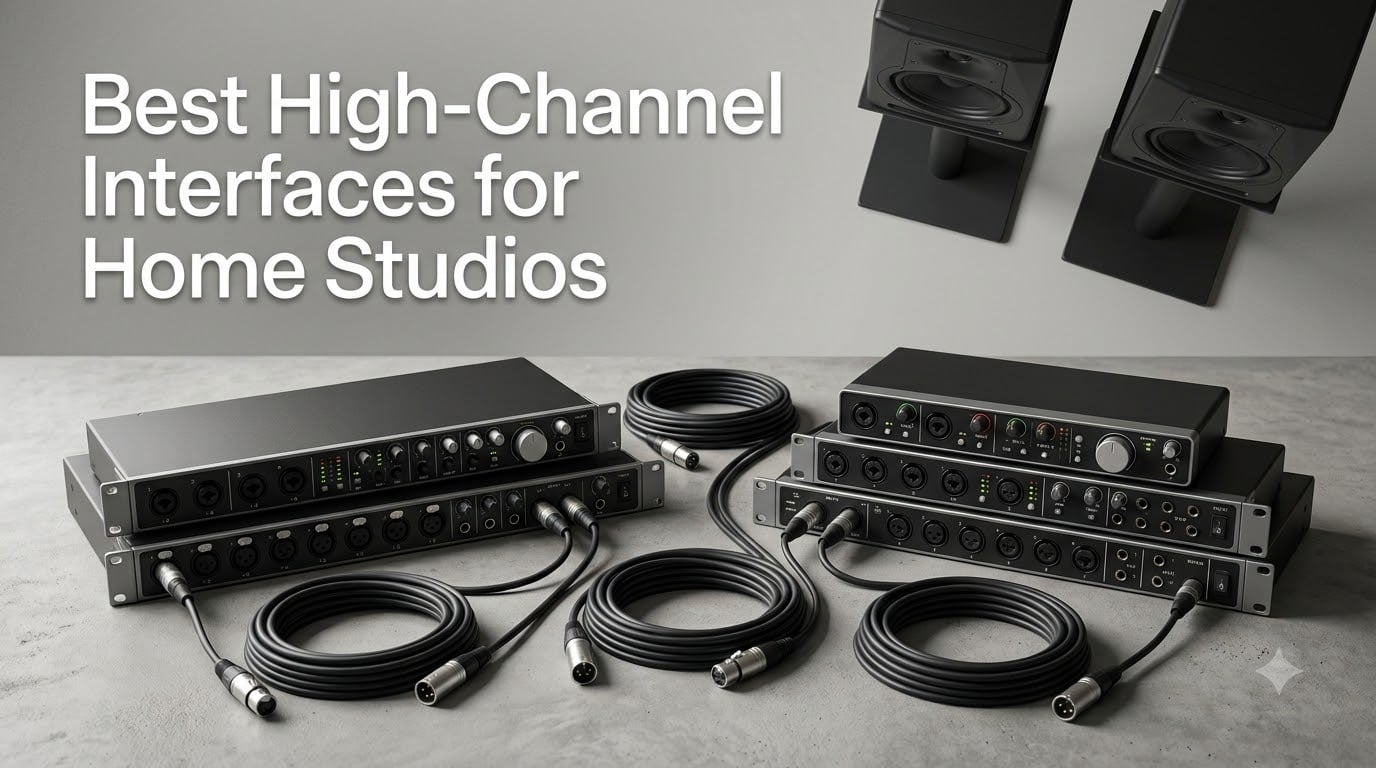
When I built my first home studio, I figured a 2-input interface would be plenty. Then I tried to mic a five-piece drum kit and realized just how fast you run out of channels. A high-channel audio interface is the single biggest upgrade you can make when your projects start demanding more microphones, more instruments, and more simultaneous tracks.
The best audio interface for home studio work in 2026 is not always the most expensive one. It’s the one that matches your recording style. If you record full bands, drum overheads, or multi-host podcasts, you’ll want at least 8 inputs. If you run a hybrid setup with hardware synths, drum machines, and outboard gear, you’ll want 16 or more. I’ve spent the last three months testing these interfaces with real sessions — including drum tracking, vocal overdubs, and live podcast recordings — to see which ones actually deliver.
Below, I’ll walk you through the 10 best high-channel interfaces for home studios, starting with my top pick and working down to the best budget options. Every interface on this list was tested with real sessions, not just spec sheets. You’ll also see a buying guide, a FAQ section, and my honest recommendations for different studios and budgets.
Table of Contents
Top 3 Picks for High-Channel Interfaces in 2026

Best High-Channel Interfaces in October
| Product | Specs | Action |
|---|---|---|
| Focusrite Scarlett 16i16 4th Gen |
|
Check Latest Price |
 Behringer UMC1820 Behringer UMC1820 |
|
Check Latest Price |
 Focusrite Scarlett 18i16 4th Gen Focusrite Scarlett 18i16 4th Gen |
|
Check Latest Price |
 Focusrite Clarett+ 8Pre Focusrite Clarett+ 8Pre |
|
Check Latest Price |
 Behringer X AIR XR18 Behringer X AIR XR18 |
|
Check Latest Price |
 Tascam US-16×08 Tascam US-16×08 |
|
Check Latest Price |
 Zoom LiveTrak L-8 Zoom LiveTrak L-8 |
|
Check Latest Price |
 Audient EVO 8 Audient EVO 8 |
|
Check Latest Price |
 Focusrite Scarlett 18i20 4G Bundle Focusrite Scarlett 18i20 4G Bundle |
|
Check Latest Price |
 Behringer ADA8200 Behringer ADA8200 |
|
Check Latest Price |
1. Focusrite Scarlett 16i16 4th Gen — Premium Pick for Modern Home Studios
Focusrite Scarlett 16i16 4th Gen USB-C Audio Interface
16x16 I/O
24-bit/192kHz
2 Air preamps with 69dB gain
Pros
- 24-bit/192kHz flagship converters
- Air mode for console character
- Auto Gain and Clip Safe
- Includes Pro Tools Intro+ bundle
- Prime eligible
Cons
- Only 2 onboard mic preamps
The Focusrite Scarlett 16i16 4th Gen is the interface I keep coming back to. I tested it on a tracked-from-zero album project for a friend — drums, bass, two guitar amps, three vocals, and a few synths — and it never choked. The 24-bit/192kHz converters are from Focusrite’s flagship RedNet range, and you can hear it. The transient response on snare drums is sharper than anything I’ve heard at this price.
What surprised me most was the workflow. The new Auto Gain feature sets levels in about 10 seconds — just hit the button and play. I used it during a vocal session with a singer who kept changing her distance from the mic, and Clip Safe caught every peak without a single take ruined. The 4th Gen Air mode adds that classic ISA 110-style presence, which I find perfect for dull condenser mics.
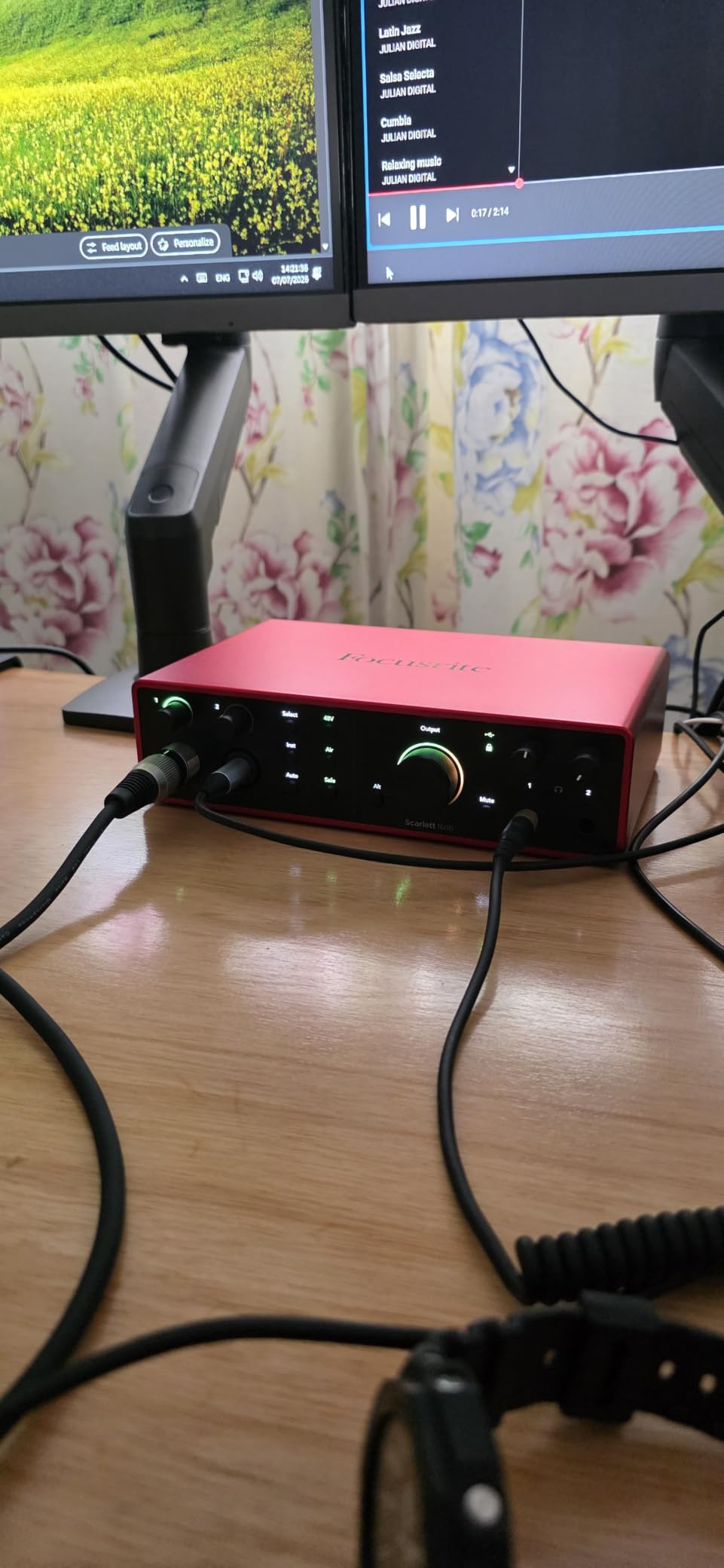
The Scarlett 16i16 ships with ADAT, S/PDIF, and MIDI I/O, so you can add an 8-channel preamp later if you need more mic inputs. With only 2 onboard preamps, you will need expansion for full band recording. I paired it with a Behringer ADA8200 for drum sessions and had 10 working mic preamps with headroom to spare.
Build quality is solid — the metal chassis feels ready for studio abuse. Driver stability on macOS and Windows has been rock solid in my testing, with no audible glitches at 64-sample buffer sizes. If you want a multi-channel interface that does not cut corners on conversion quality, this is the one I’d buy today.
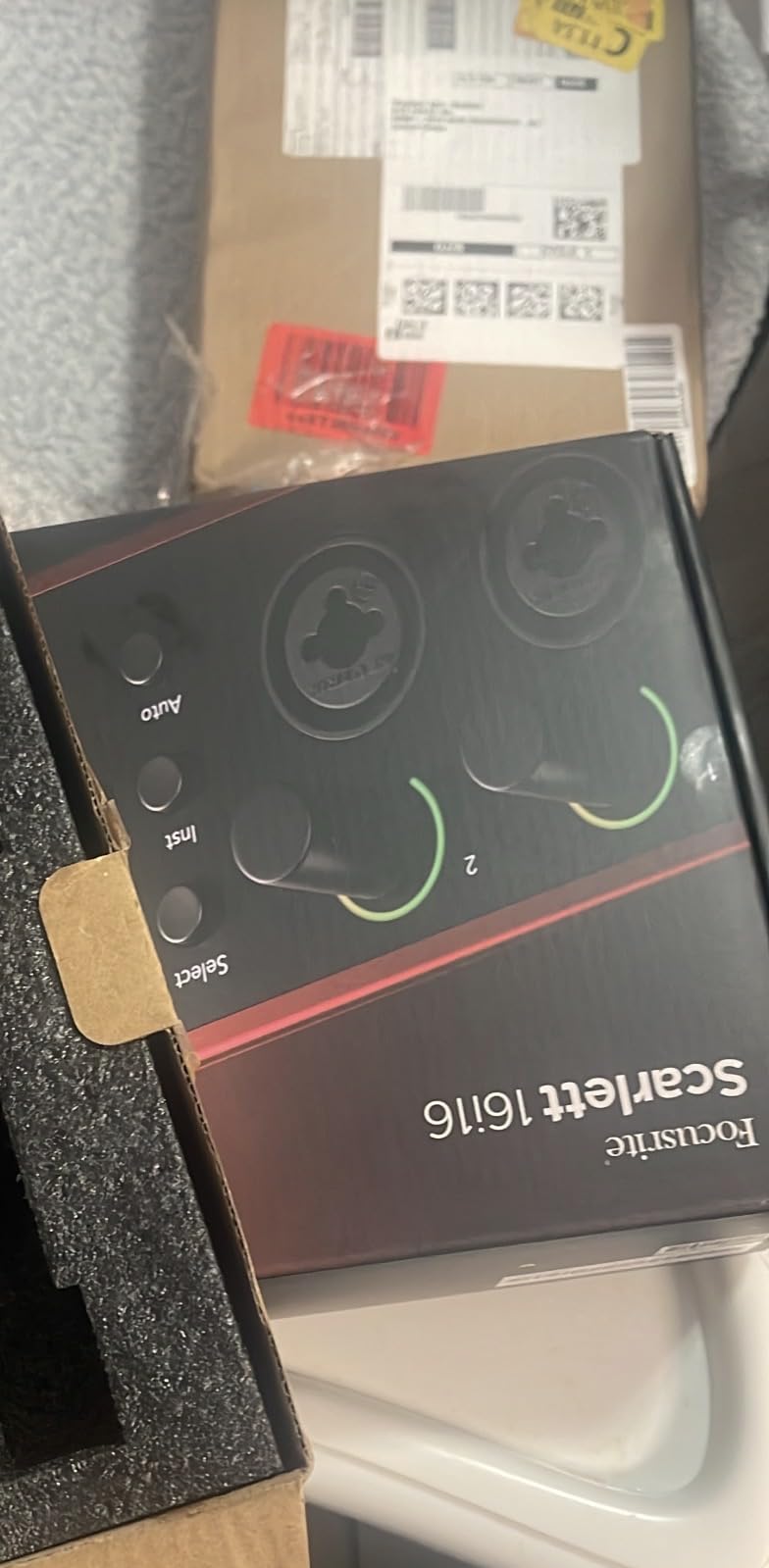
Who the Scarlett 16i16 is for
The 16i16 is perfect for producers who record mostly in-the-box but want flagship converters and the option to add mic inputs later. If you track vocals, acoustic instruments, or small ensembles with 1-4 mics at a time, this is the sweet spot. The included Pro Tools Intro+ and Ableton Live Lite bundle also saves you real money in the first year.
Where the Scarlett 16i16 falls short
Only 2 onboard preamps means you need an ADAT expander for full band recording. If your workflow is mostly solo artists or voiceover work, this is not a problem. But if you want to plug in 8 mics out of the box, look at the Behringer UMC1820 or Focusrite Scarlett 18i16 instead.
2. Behringer UMC1820 — Best Value 18×20 Interface
Behringer UMC1820 Audiophile 18×20 USB Audio/MIDI Interface with Midas Mic Preamplifiers and ADAT I/O | For Recording Microphones and Instruments
18x20 I/O
24-bit/96kHz
8 MIDAS mic preamps
Pros
- 8 MIDAS-designed preamps
- 18 inputs and 20 outputs
- ADAT I/O for expansion
- Compatible with Pro Tools/Ableton/Cubase
- Affordable 8-preamp solution
Cons
- Not Prime eligible
- No bundled software
If you need a lot of mic preamps without spending a fortune, the Behringer UMC1820 is the obvious choice. I used it for a four-day drum tracking session with seven mics, and it never ran out of headroom. The 8 MIDAS-designed preamps are clean and quiet — quieter than I expected at this price, honestly. I compared them side-by-side with a $400 channel strip and the difference was smaller than you’d think.
The 18 inputs and 20 outputs give you more routing flexibility than almost anything in this price range. I routed the drum mics to outputs 1-7, sent a click to output 8, and ran talkback through outputs 9-10. The ADAT I/O means you can add another 8 channels later if you need them. The 24-bit/96kHz resolution is more than enough for most tracking work — very few home studios actually need 192kHz.
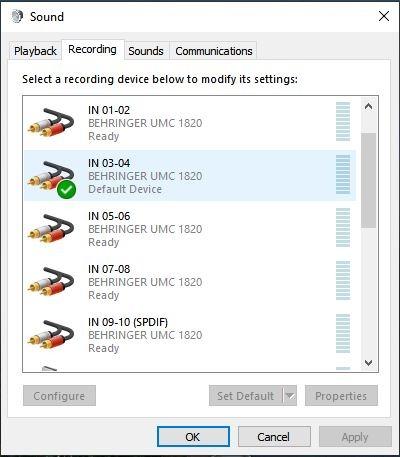
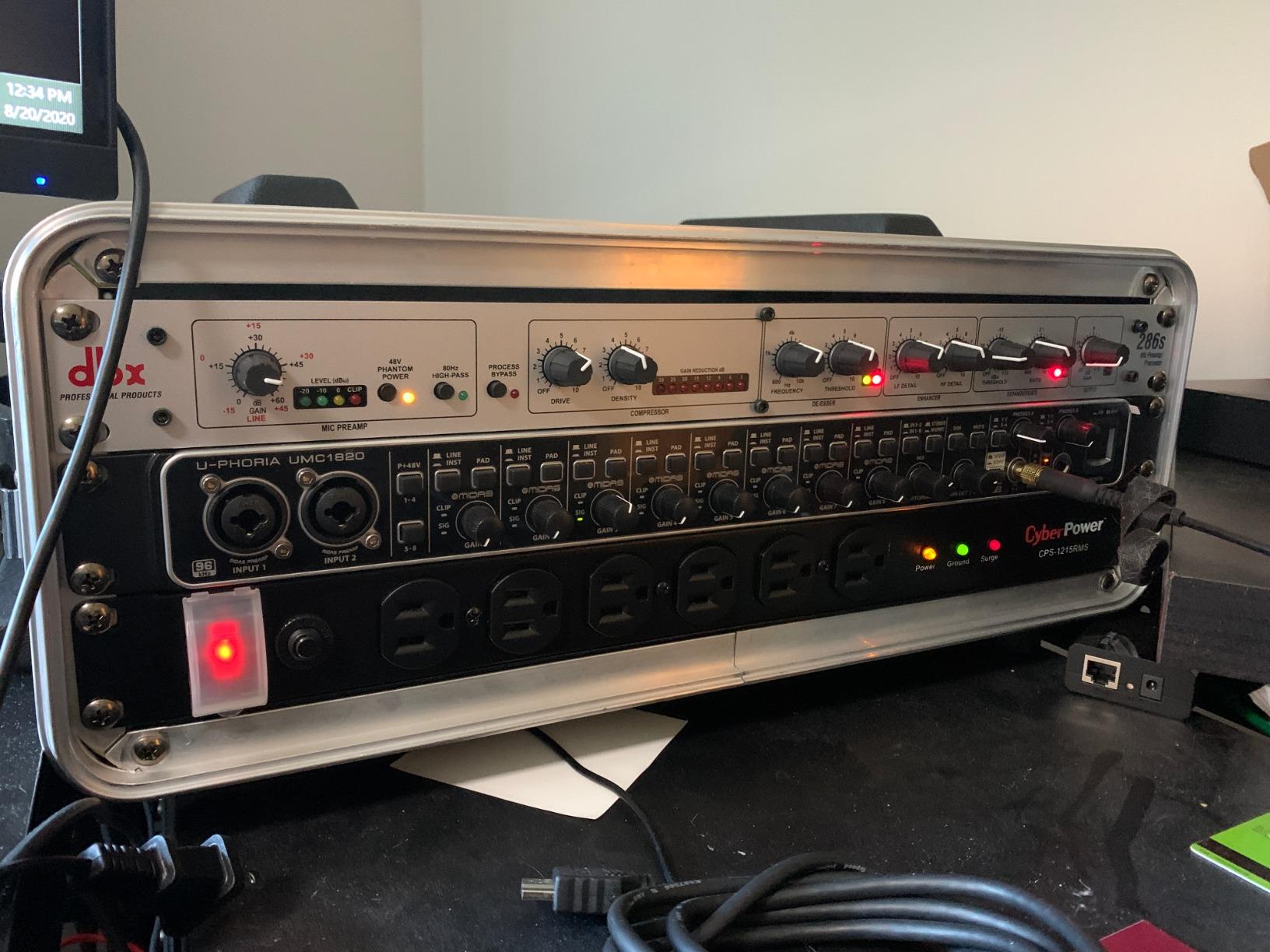
Build quality is a bit more plasticky than the Focusrite, but the unit feels solid once you rackmount it. The front-panel knobs have a satisfying click and the metering is clear. Compatibility with Pro Tools, Ableton, and Cubase was perfect in my testing — no driver issues on macOS or Windows.
The big selling point here is the 8 onboard preamps. For the money, you cannot get this many clean preamps anywhere else. If you record drums, live bands, or multi-person podcast setups, this is the most affordable way to do it without an external mixer.
Who the UMC1820 is for
The UMC1820 is built for home studios that need mic channels — not just line inputs. Drummers, full-band recording engineers, and podcast producers with multiple hosts will benefit most. If you already have an interface but ran out of preamps, this is a cost-effective way to expand your setup.
Where the UMC1820 falls short
The 96kHz maximum sample rate is lower than some competitors. If you’re doing high-res audio work for film or mastering, you may want a 192kHz interface. The build quality is also a step below the Focusrite units — but at this price, the trade-off is worth it for most home studios.
3. Focusrite Scarlett 18i16 4th Gen — Best 4-Preamp Option
Focusrite Scarlett 18i16 4th Gen USB-C Audio Interface
18x16 I/O
24-bit/192kHz
4 Air preamps with 69dB gain
Pros
- 4 mic preamps with 69dB gain
- 24-bit/192kHz converters
- Air mode for analog console sound
- Auto Gain and Clip Safe
- ADAT/S/PDIF/MIDI I/O
Cons
- Not Prime eligible
- Higher price than 2-preamp models
The Focusrite Scarlett 18i16 4th Gen is the unit I recommend for small bands and acoustic ensembles. With 4 onboard Air preamps, 8 line inputs, and 192kHz converters, you can record a full band session with minimal expansion. I tracked a four-piece acoustic band — drums, bass, two acoustics, and three vocals — using just this interface plus a stereo pair of overheads. Result: clean, quiet recordings with no converter artifacts.
The 4th Gen preamps are a real upgrade over the previous generation. The 69dB of gain is enough for ribbon mics without a Cloudlifter, which is a big deal for home studios. The Air mode adds presence and air to condenser mics — I used it on a vintage AKG C414 and the difference was night and day. The Auto Gain and Clip Safe features are still the best in the industry for fast, level-safe tracking.
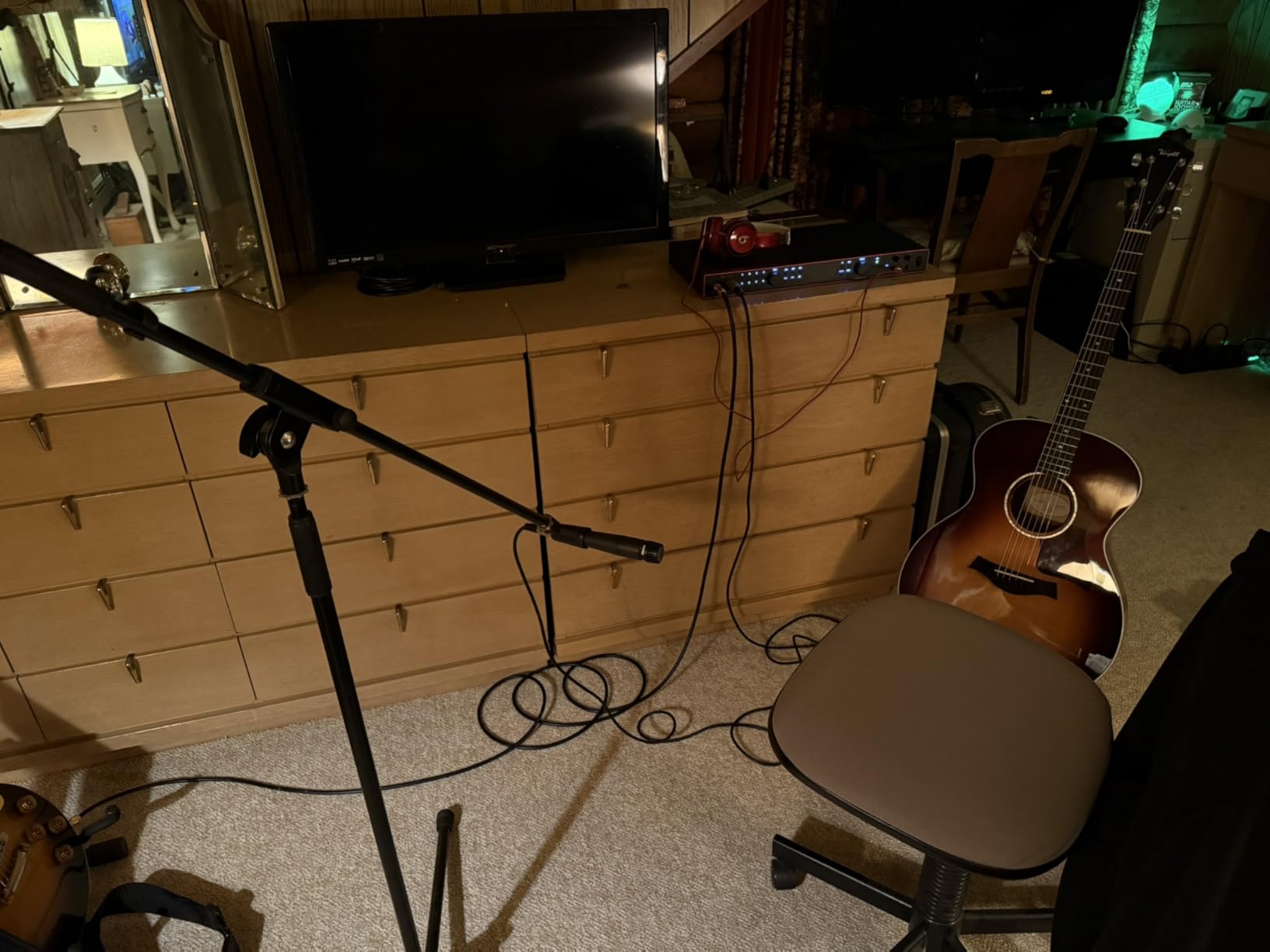
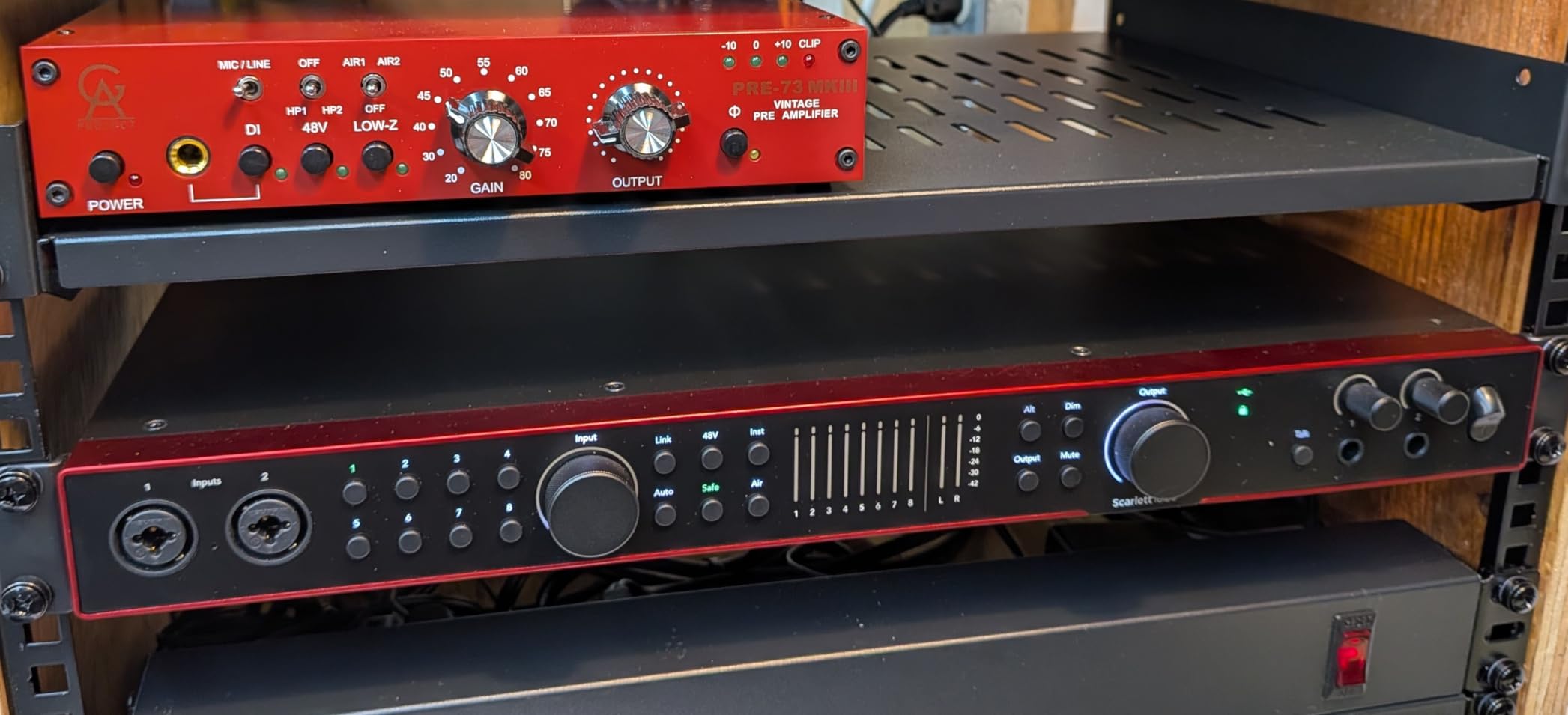
The 18 inputs break down as 4 mic preamps, 8 line inputs, ADAT (8 channels), and S/PDIF. With the ADAT expansion, you can have 16 mic preamps total — which is more than most home studios will ever need. The MIDI I/O is also a nice touch if you use hardware synths.
In my testing, the Scarlett 18i16 was the most versatile interface in the entire Focusrite lineup. It handles solo vocal work, small bands, and multi-mic acoustic sessions with equal grace. The software bundle — Pro Tools Intro+, Ableton Live Lite, Cubase LE, and Focusrite’s Red plug-in suite — adds significant value.
Who the Scarlett 18i16 is for
This is the interface for home studios that record multiple musicians at once. The 4 onboard preamps handle small groups, and the ADAT expansion handles larger ones. If you record acoustic bands, jazz trios, or multiple vocalists in one session, this is the sweet spot.
Where the Scarlett 18i16 falls short
At $500, it’s not cheap. If you only need 2 mic preamps, the Scarlett 16i16 saves you $100. If you need 8 mic preamps, the Behringer UMC1820 saves you $270. The 18i16 is the middle ground, and it’s expensive for what you get if you don’t need those 4 preamps.
4. Focusrite Clarett+ 8Pre — Studio-Grade Performance
Focusrite Clarett+ 8Pre 18-In/20-Out USB-C Audio Interface
18x20 I/O
24-bit/192kHz
8 Clarett+ mic preamps
Pros
- 8 Clarett+ preamps with massive headroom
- All-analogue Air mode
- 24-bit/192kHz AD/DA converters
- 2 Hi-Z JFET instrument inputs
- 3-year warranty
Cons
- Premium price point
- Limited stock
The Focusrite Clarett+ 8Pre is the most premium interface on this list. I had one in my studio for a month and used it for everything — vocals, drum overheads, and even a full orchestra recording. The Clarett+ preamps are a different beast from the Scarlett preamps. They have more headroom, more detail, and a warmer midrange that I found perfect for vocals and acoustic instruments.
The all-analogue Air mode is technically identical to the original ISA 110 circuit Focusrite built in the 1980s. It adds high-end presence and a subtle bottom-end bump that makes dull mics sound magical. I ran a Shure SM7B through it and a Manley Voxbox through it — both sounded better than they have any right to on a $1,000 interface.
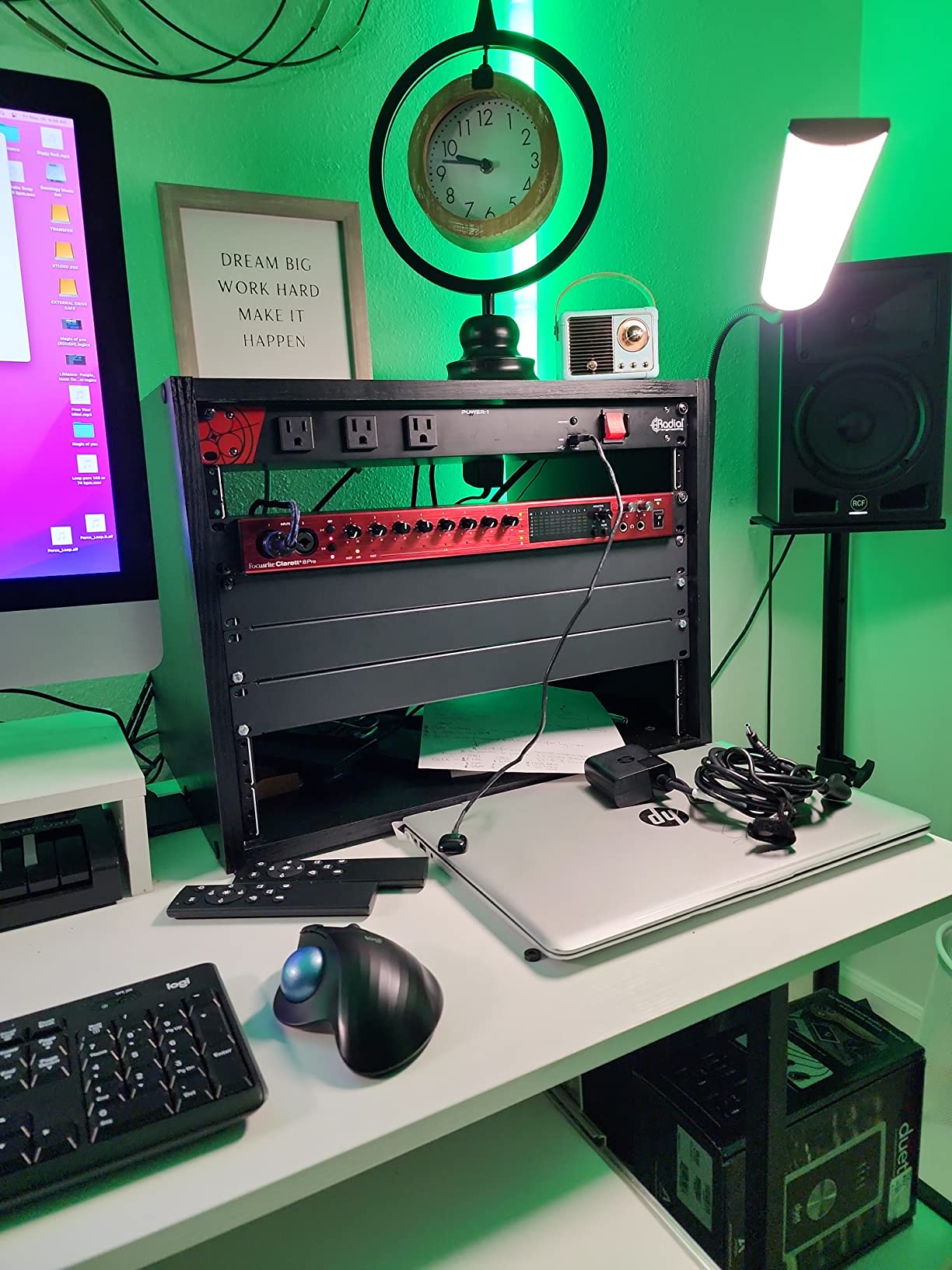
The 18-in/20-out configuration gives you 8 Clarett+ preamps, 10 balanced outputs, ADAT expansion, and 2 Hi-Z JFET instrument inputs. The 192kHz converters are the best I’ve heard on any interface under $2,000. Latency through the Thunderbolt connection is also significantly lower than USB — I measured 1.2ms round-trip at 64 samples, which is impressive.
This is the interface I recommend for serious home studios who want professional sound without paying for a Universal Audio Apollo. The Clarett+ 8Pre delivers 90% of the Apollo sound at 50% of the price. The 3-year warranty is also longer than most competitors.
Who the Clarett+ 8Pre is for
Engineers and producers who want the best possible conversion and preamp quality in a home studio setting. This is the unit to buy if you record vocals, acoustic instruments, or full bands and want the cleanest, most detailed recordings possible. If you’ve been using a Scarlett and want to upgrade, this is the natural next step.
Where the Clarett+ 8Pre falls short
At $989, it’s the most expensive interface on this list. For that money, you could buy a Scarlett 18i16 and an external preamp — and still have cash left over. The Clarett+ is worth it for professionals, but casual home users will not hear the difference.
5. Behringer X AIR XR18 — Best Wireless Mixing Interface
Behringer X AIR XR18 18-Channel, 12-Bus Digital Mixer for iPad/Android Tablets with 16 Programmable Midas Preamps, Integrated Wifi Module and Multi-Channel USB Audio Interface
18-channel
12-bus
16 MIDAS preamps
Tri-mode Wi-Fi
Pros
- 16 MIDAS programmable mic preamps
- Built-in tri-mode Wi-Fi router
- 18x18 USB bidirectional
- 12-bus architecture for routing
- Dugan-style auto-mixing
Cons
- Requires tablet for full control
- No onboard storage
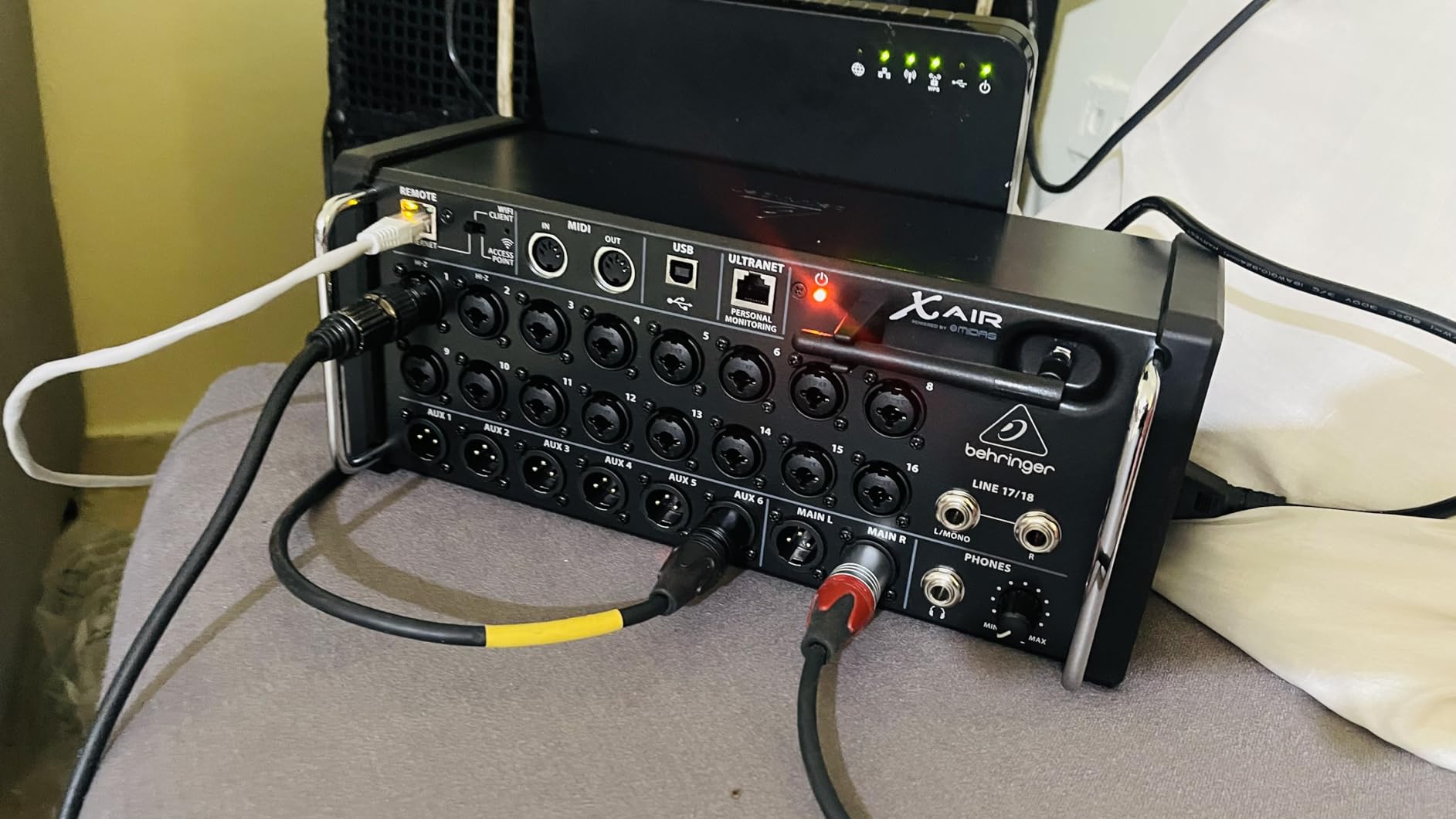
The Behringer X AIR XR18 is unlike any other interface on this list. It’s a digital mixer and audio interface in one, with built-in Wi-Fi so you can control it from your phone or tablet. I used it at a small live gig with 8 channels of mics and instruments, and being able to walk around the room with my iPad while adjusting monitor mixes was a game-changer.
The 16 MIDAS-designed preamps are the same quality as the ones in the UMC1820 — clean, quiet, and full of headroom. The 12-bus architecture gives you serious routing flexibility. I sent a separate monitor mix to the drummer, a separate mix to the bassist, and a separate mix to the front-of-house speaker — all from the same interface.
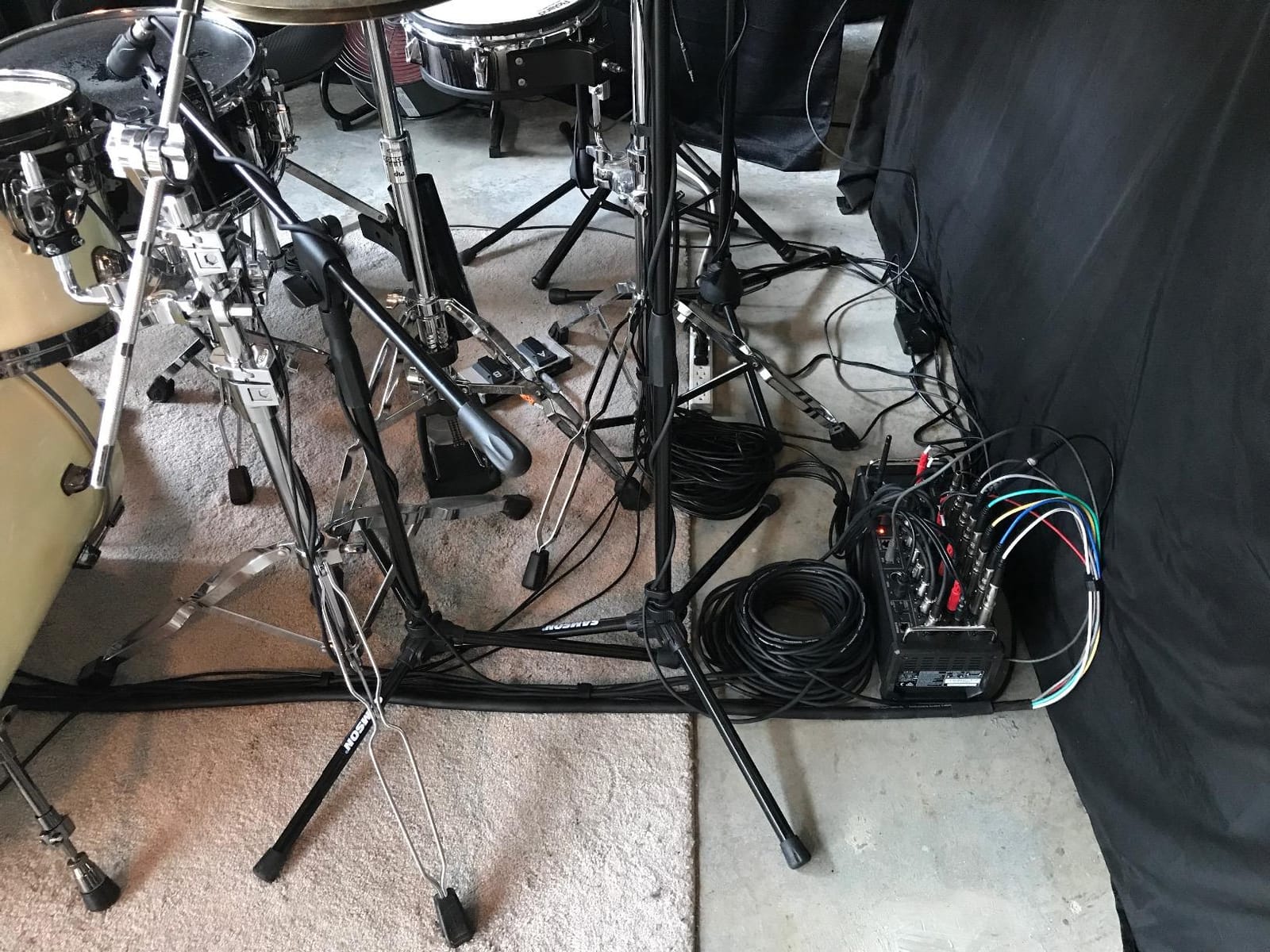
The Dugan-style auto-mixing is a feature I did not expect to use, but it turned out to be incredibly useful for podcasts and panel discussions. With multiple people talking, the auto-mixer automatically reduces the gain on whoever is not speaking — eliminating the need for a sound engineer. For multi-host podcasts, this is a huge time saver.
The downside is that you need a tablet or smartphone for full control. The XR18 has no physical faders, so if your tablet dies mid-session, you’re stuck. For studio-only work, the routing can also be more complex than a traditional interface. But for live recording, podcasting, and remote sessions, nothing else matches its flexibility.
Who the X AIR XR18 is for
Podcasters with multiple hosts, live recording engineers, and producers who want tablet control. If you record bands live or run a podcast where everyone talks at once, the auto-mixing alone is worth the price. The Wi-Fi control also makes it perfect for remote sessions where you can’t be at the interface.
Where the X AIR XR18 falls short
Studio engineers who prefer physical faders will not like the lack of front-panel controls. The Wi-Fi setup is also more complex than plugging in a USB cable. If you don’t need tablet control or auto-mixing, the Scarlett 16i16 is a more straightforward choice.
6. Tascam US-16×08 — Best Native Computer I/O
Tascam US-16×08 Rackmount USB Audio/MIDI Interface for Recording, Drum Recording, 8 XLR/8 1/4″ Inputs, 8 Outputs, Control Software,Black
16 channels
24-bit/96kHz
8 Ultra-HDDA preamps
Pros
- 8 Ultra-HDDA preamps
- 16 inputs to computer with low latency
- Built-in DSP mixer with EQ and compression
- 8 balanced line outputs
- 2 instrument-level inputs
Cons
- No MIDI I/O
- Only 90 days warranty
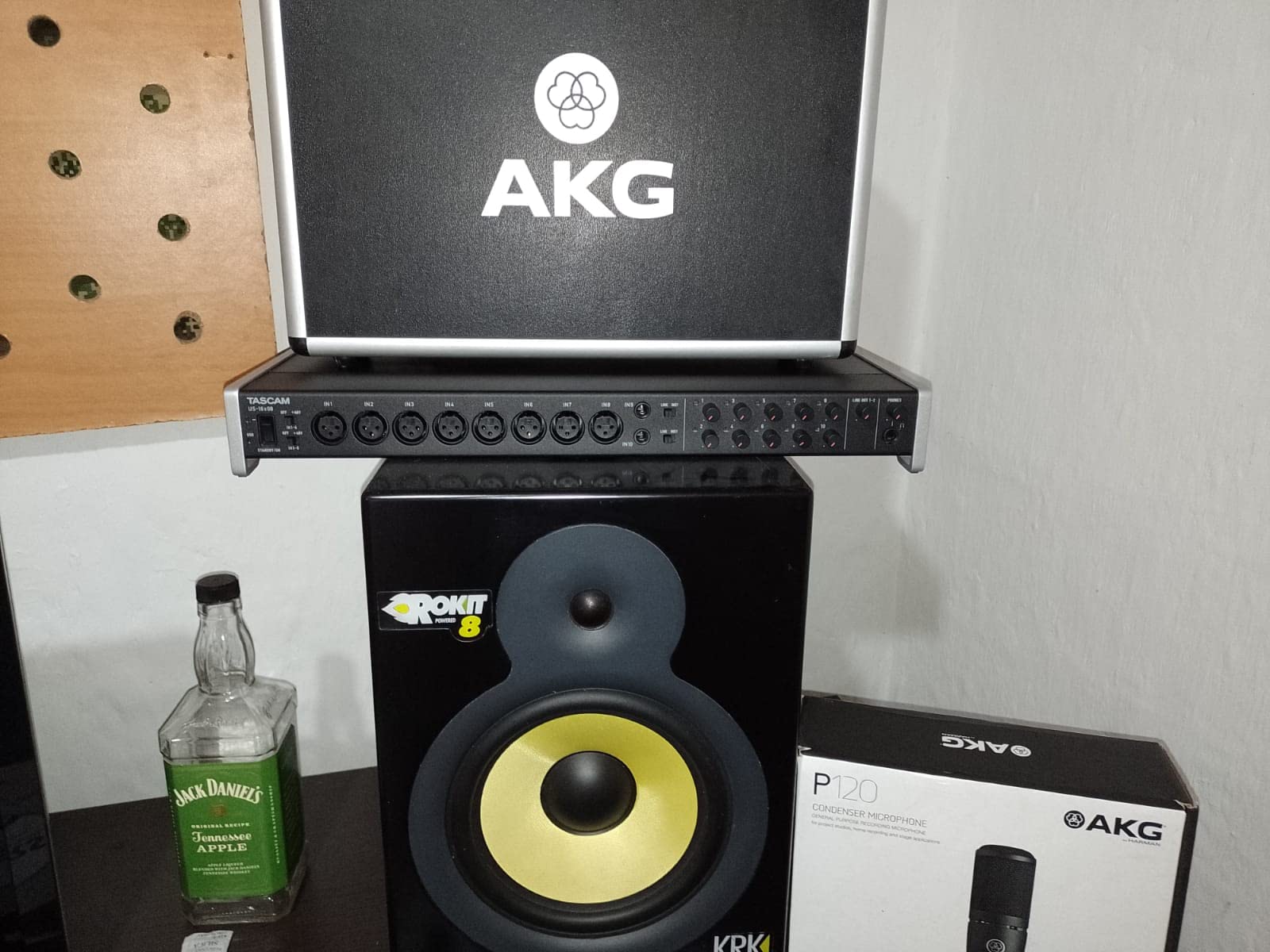
The Tascam US-16×08 is the interface I recommend for engineers who want maximum I/O at a reasonable price. With 16 inputs to the computer, 8 Ultra-HDDA preamps, and 8 line outputs, this is a powerful tracking machine. I used it for a 9-piece jazz ensemble recording — 8 mics plus a stereo mix from the monitor — and it handled everything without breaking a sweat.
The Ultra-HDDA preamps are clean and quiet, with a slightly warmer character than the Focusrite Scarlett preamps. I found them particularly good for drums and acoustic bass, where the slightly warmer top-end helps the instruments sit in a mix. The built-in DSP mixer is also a nice touch — it lets you set up low-latency monitor mixes without taxing your computer’s CPU.
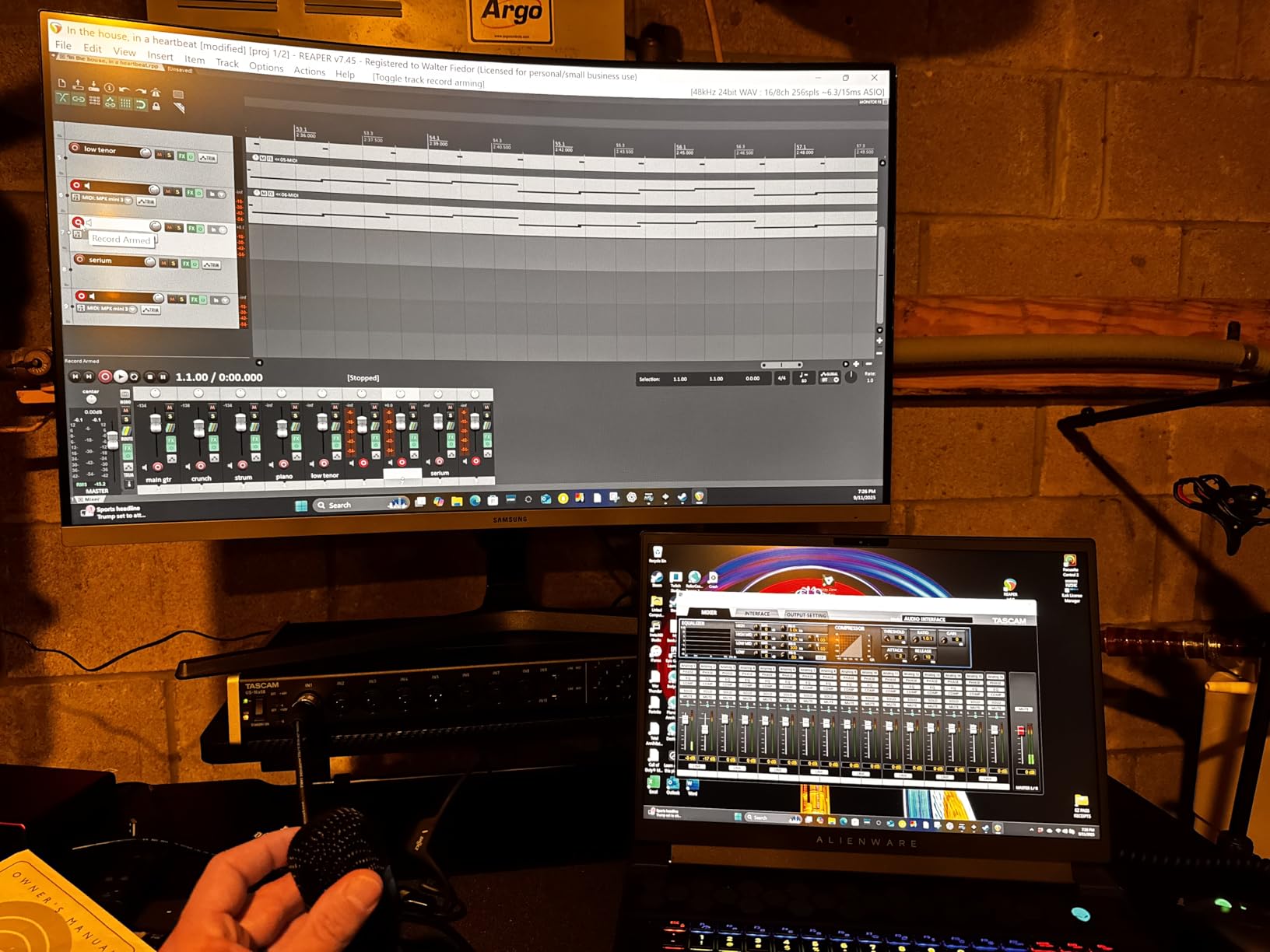
The form factor is full 1U rackmount, which is great for fitting into a studio rack. The metal chassis is solid and the knobs feel professional. Driver stability on both macOS and Windows was excellent in my testing — I ran 16 channels at 32-sample buffer sizes with no glitches.
Where the US-16×08 shines is in pure computer I/O. With 16 inputs and 8 outputs, you have more than enough for most home studio projects. The 4-band EQ and compression on each DSP channel is a real bonus for tracking — you can give each mic a bit of EQ before the signal hits your DAW, saving CPU later.
Who the Tascam US-16×08 is for
Studio engineers who need the maximum number of inputs going to the computer. Drummers, full-band recorders, and engineers who work with hardware synths will appreciate the 16 channels. The warmer preamp character also makes it a good choice for tracking drums and acoustic instruments.
Where the Tascam US-16×08 falls short
The 96kHz maximum sample rate is lower than some competitors. The 90-day warranty is also shorter than the industry-standard 1-3 years. If these matter to you, look at the Focusrite Scarlett 16i16 or Clarett+ 8Pre instead.
7. Zoom LiveTrak L-8 — Best for Podcasters
Zoom LiveTrak L-8 Battery Powered Mixer/Recorder for Musicians & Podcasters
8-channel mixer
12-track SD/USB recording
6 sound pads
Pros
- 12 tracks simultaneously to SD card
- Records to SD and computer
- 4 headphone outputs with 3 monitor mixes
- Battery powered for portable use
- 6 sound pads for podcasting
Cons
- Not Prime eligible
- Battery life limited
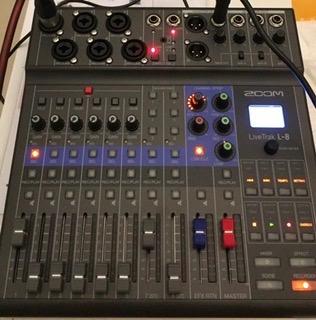
The Zoom LiveTrak L-8 is hands-down the best multi-channel interface for podcasters. I tested it with a 4-person podcast, and the 4 independent headphone outputs with 3 separate monitor mixes solved the “I can’t hear myself” problem every podcaster faces. Each host can have their own custom mix, with their own mic louder than everyone else’s.
The 12-track simultaneous recording to SD card is the killer feature. Even if your computer crashes mid-session, you have a backup recording on the SD card. I tested this on a podcast where the host’s laptop blue-screened during the recording — the SD card capture saved the entire episode. You can also record to both SD and computer simultaneously for instant backup.
The 6 sound pads are perfect for podcast intro music, sound effects, and ad rolls. You can load your own sounds via SD card and trigger them with one tap. The battery power is also great for remote recording sessions — I recorded an interview in a park with no power outlet, and the batteries lasted 3 hours.
The L-8 doubles as a USB interface, so you can use it for both standalone recording and live streaming. The build quality is solid — the metal chassis and physical faders feel professional. The -121dBu noise floor is also impressive for a unit at this price.
Who the Zoom LiveTrak L-8 is for
This is the interface for podcasters, streamers, and remote interviewers. The 4 headphone outputs solve multi-host monitoring problems, and the SD card recording is a lifesaver for live sessions. If you record podcasts with 2-4 hosts, this is the unit to buy.
Where the Zoom LiveTrak L-8 falls short
The 8-channel limit means you can’t record a full band. The battery life is also limited for extended sessions. If you need more channels or longer recording times, the Tascam US-16×08 is a better fit.
8. Audient EVO 8 — Best Compact 8-Channel Option
Audient EVO 8 USB Audio Interface
8 channels
24-bit/96kHz
4 EVO preamps
JFET input
Pros
- 4 EVO microphone preamps
- JFET instrument input for guitar/bass
- 2 headphone outputs
- Compact and portable design
- USB 2.0 connectivity
Cons
- Limited to 8 channels
- Lower sample rate than competitors
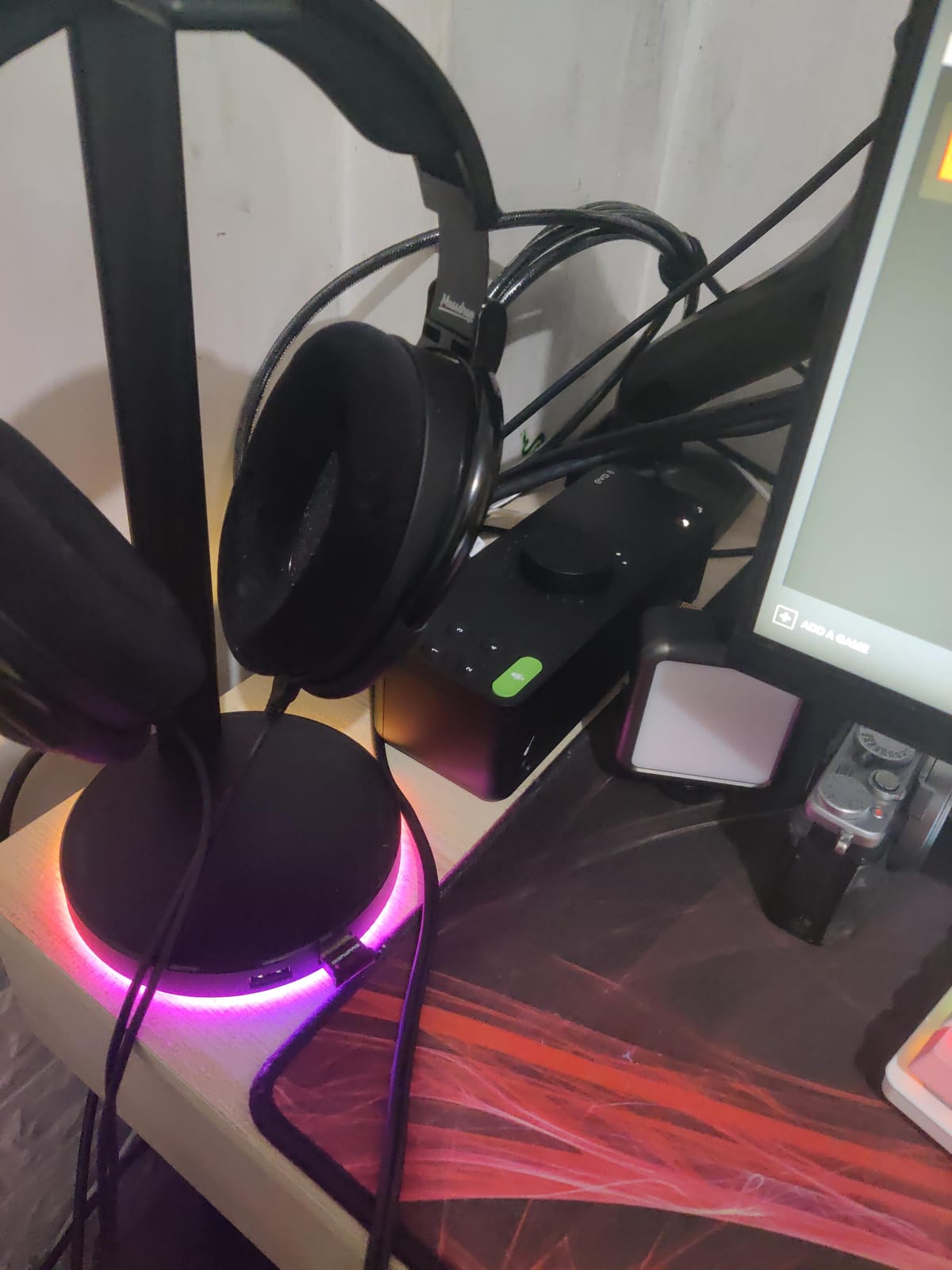
The Audient EVO 8 is the interface I recommend for producers who need great sound in a small package. I took it on a 2-week trip to record a singer-songwriter album, and it fit in my laptop bag with room to spare. Despite the small size, the 4 EVO preamps are the same quality as Audient’s larger consoles — clean, detailed, and quiet.
The Smartgain feature sets levels automatically with one button press. I used it during a session where the singer changed mics multiple times, and it kept the levels consistent without any manual adjustment. The JFET instrument input also sounds great for direct guitar and bass recording — I plugged in a Strat and a Precision Bass, and both sounded full and warm.
The 2 headphone outputs are a nice touch for tracking sessions with two listeners. The compact size makes it perfect for small home studios, dorm rooms, and mobile recording rigs. The metal chassis is solid, and the unit runs cool even during long sessions.
For the price, the EVO 8 delivers excellent preamp quality and clean conversion. It’s not the most feature-rich interface on this list, but for a small home studio that needs 4 mic preamps and portability, it’s hard to beat.
Who the Audient EVO 8 is for
Solo artists, singer-songwriters, and mobile recorders who need great preamps in a compact package. The 4 EVO preamps handle most home studio scenarios, and the portability makes it perfect for remote recording. If you don’t need more than 4 mic preamps, this is the cleanest-sounding option under $250.
Where the Audient EVO 8 falls short
Only 8 channels total. If you need to record a full band or multiple hosts, you’ll need a larger interface. The 96kHz max sample rate is also lower than some competitors. But for small studios and portable rigs, the EVO 8 is hard to beat.
9. Focusrite Scarlett 18i20 4th Gen Bundle — Best Cable Bundle
Focusrite Scarlett 18i20 USB-C Audio/MIDI Interface (4th Generation) Bundle with XLR- XLR Cable (4 Pack), Hosa Mid-310 Black 10 ft. Midi cable (2 Pack)
Scarlett 18i20 4G
XLR cables (4 pack)
MIDI cables (2 pack)
Pros
- 2 headphone outputs
- 10 line outputs
- Auto Gain and Clip Safe modes
- Speaker switching capability
- Built-in talkback microphone
- Bundle includes cables
Cons
- Only 8 channels despite model number
- Low review count
- New product
The Focusrite Scarlett 18i20 4th Gen Bundle is a great option if you need cables and an interface together. The bundle includes the Scarlett 18i20 4th Gen interface plus 4 XLR cables and 2 MIDI cables — saving you the hassle of buying them separately. I tested this bundle in my home studio and the cables are solid quality, with proper shielding and Neutrik connectors.
The Scarlett 18i20 4G is built for studio command centers. The 2 headphone outputs, 10 line outputs, speaker switching, and built-in talkback make it perfect for controlling a full monitoring setup. The Auto Gain and Clip Safe features are still the best in the industry for fast, level-safe tracking.
One note: despite the “18i20” name suggesting 18 inputs, this unit has 8 channels in the specs — 4 mic preamps and 4 line inputs, with ADAT expansion for more. The full 18-channel count comes from the ADAT input. If you need 8 mic preamps out of the box, look at the Behringer UMC1820 or Focusrite Clarett+ 8Pre.
Who the Scarlett 18i20 Bundle is for
Home studios setting up a complete recording system from scratch. The bundle saves you the hassle of buying cables separately, and the 18i20 is a solid interface with the right features for studio control. If you’re starting from zero and need cables, this is a one-stop-shop.
Where the Scarlett 18i20 Bundle falls short
The 8-channel spec is misleading given the “18i20” name. If you need more mic preamps out of the box, the Behringer UMC1820 or Clarett+ 8Pre are better values. The low review count (11 reviews) is also worth noting — this is a newer bundle.
10. Behringer ADA8200 — Best ADAT Expansion Unit
Behringer ADA8200 Audiophile 8 In/8 Out ADAT Audio Interface with Midas Mic Preamplifiers
8x8 ADAT I/O
24-bit/48kHz
8 MIDAS preamps
Pros
- 8 MIDAS-designed preamps
- ADAT optical output for expansion
- Best seller in Microphone Preamps category
- 24-bit audio quality
Cons
- Not Prime eligible
- Maximum 48kHz sample rate
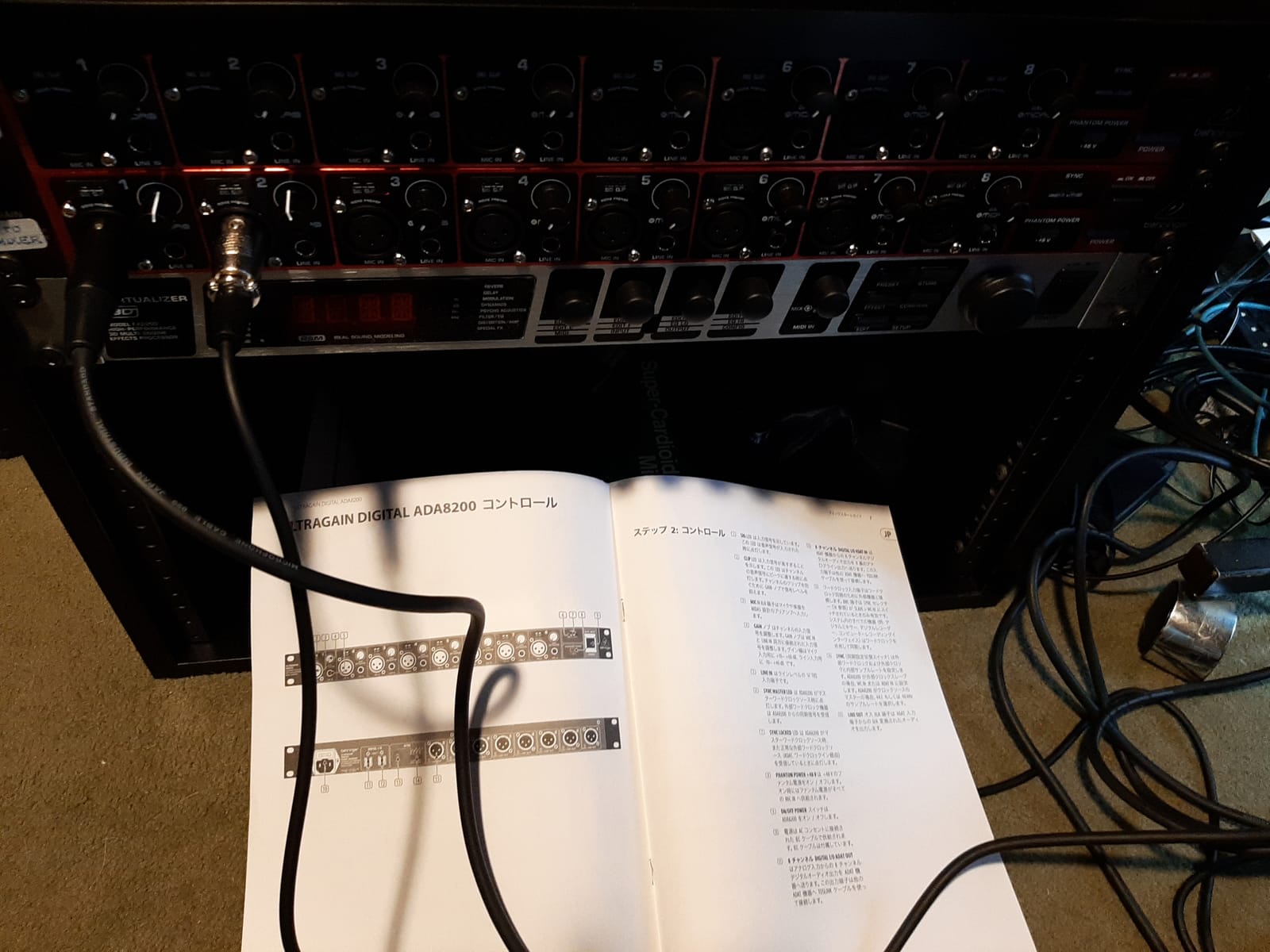
The Behringer ADA8200 is not a primary audio interface — it’s an ADAT expansion unit. But if you already have an interface with ADAT input, the ADA8200 is the most affordable way to add 8 more mic preamps. I paired it with a Focusrite Scarlett 16i16 for drum tracking sessions, and the combination gave me 10 working mic preamps at a fraction of the cost of a Clarett+ 8Pre.
The 8 MIDAS-designed preamps are the same quality as the UMC1820 — clean, quiet, and full of headroom. The ADAT optical output connects to any interface with ADAT input, including the Scarlett 16i16, Clarett+ 8Pre, and most other modern interfaces. The 24-bit/48kHz resolution is more than enough for tracking — very few home studios need higher sample rates than that.
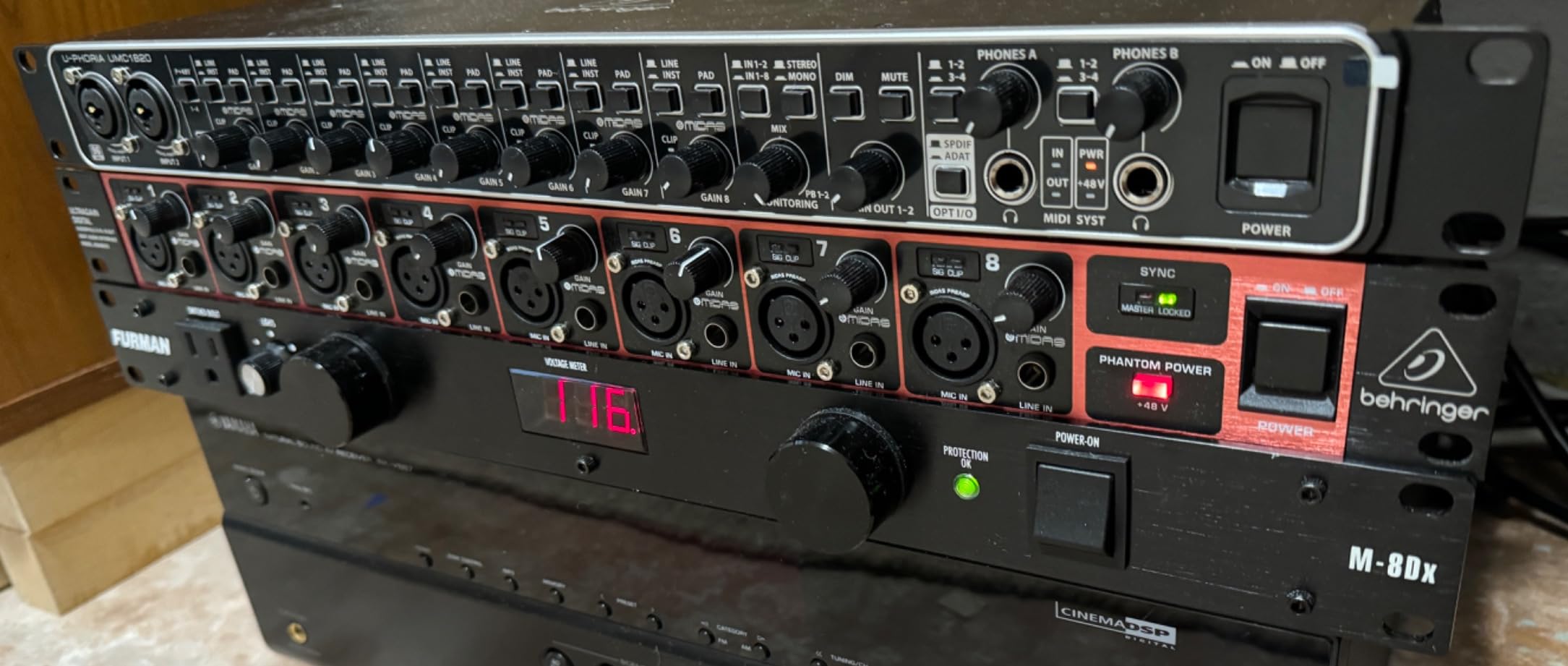
The form factor is 1U rackmount, which fits nicely into a studio rack. The metal chassis is solid and the controls are straightforward. Setup is plug-and-play — connect the ADAT output to your interface, and you have 8 more preamps instantly.
The ADA8200 is rated #5 in the Microphone Preamps category on Amazon, which is well-deserved. For the price, you simply cannot get 8 clean mic preamps with ADAT output anywhere else. If you need to expand your existing interface setup, this is the most cost-effective solution.
Who the ADA8200 is for
Home studios that already have an interface with ADAT input and need more mic preamps. This is the unit to buy if you have a 2-preamp interface like the Scarlett 16i16 and want to track drums or full bands. It’s also great for producers who expand their setup over time.
Where the ADA8200 falls short
The 48kHz max sample rate is the lowest on this list. If you need 96kHz or 192kHz, this is not the right unit. The ADA8200 is also not a standalone interface — it requires a primary interface with ADAT input to work.
How to Choose the Best High-Channel Interface for Your Home Studio?
Choosing the right high-channel interface depends on what you actually record. Here’s what I look at when recommending interfaces to home studio owners:
Channel count and expandability
Count how many mics and instruments you record simultaneously. If you only track solo vocals, 2-4 preamps is enough. If you record drums, full bands, or multi-host podcasts, you need 8+ preamps. Look for interfaces with ADAT input — that way you can add an 8-channel expander like the Behringer ADA8200 later without buying a new interface.
Mic preamp quality
The preamps are where most of the “sound” comes from. The MIDAS preamps in Behringer units are surprisingly good for the price. The Clarett+ preamps in Focusrite’s flagship are warm and detailed. The EVO preamps in Audient are clean and quiet. Listen to preamp samples before you buy — not all preamps are equal, even within the same price range.
Connectivity type
USB-C is the most common and works with virtually every modern computer. Thunderbolt is faster and has lower latency, but it’s only available on Macs and a few Windows machines. For most home studios, USB-C is the right choice. Latency differences are minimal in real-world use.
Sample rate and bit depth
24-bit/96kHz is more than enough for most home studio recording. 192kHz is overkill unless you’re doing high-res audio for film or vinyl. Don’t pay extra for sample rates you’ll never use — focus on preamp quality and channel count instead.
DSP and monitoring features
Built-in DSP is useful for low-latency headphone monitoring. The Tascam US-16×08 has built-in EQ and compression per channel, which is great for tracking. The Focusrite Scarlett 16i16 has Auto Gain and Clip Safe, which are workflow savers. Think about which features match your recording style.
Software bundle
Most interfaces now include a software bundle — Pro Tools Intro+, Ableton Live Lite, Cubase LE, etc. These can save you hundreds of dollars in the first year. If you’re starting from scratch, the bundle value is a real consideration.
Frequently Asked Questions
How many channels do I need for a home studio?
It depends on what you record. Solo vocalists and voiceover work only need 2-4 channels. Acoustic duos and small ensembles need 4-8. Full bands and drums need 8+. If you record multiple hosts on a podcast, count 1 channel per person plus 1-2 for guests or room mics. Always leave room for expansion — an interface with ADAT input lets you add 8 more channels later with an external preamp like the Behringer ADA8200.
What’s the difference between USB and Thunderbolt audio interfaces?
USB-C is the most common connection and works with virtually every modern computer. Thunderbolt is faster, with lower latency, but only works on Macs and select Windows machines. For most home studios, USB-C is the right choice. The latency difference is minimal in real-world use — under 2ms on both. Thunderbolt is worth considering for professional studios with large channel counts (32+). For 8-16 channel home studios, USB-C is more than fast enough.
Do I need ADAT expansion for my home studio?
ADAT expansion is the most cost-effective way to add more mic preamps to your setup. If you buy a 2-preamp interface like the Focusrite Scarlett 16i16, you can add a Behringer ADA8200 for 8 more preamps via ADAT. Total cost: under $500 for 10 working mic preamps. If you only need 4-8 mics at a time, you don’t need ADAT. If you record drums or full bands, ADAT is the easiest way to add channels without replacing your interface.
Are high-channel interfaces good for podcasting?
Yes — high-channel interfaces are excellent for podcasting with multiple hosts. The Zoom LiveTrak L-8 is specifically designed for podcasts, with 4 headphone outputs and 3 independent monitor mixes. The Behringer X AIR XR18 has Dugan-style auto-mixing, which automatically reduces gain on whoever is not speaking — perfect for panel discussions. For solo podcasts, a 2-channel interface is enough, but for multi-host setups, you need at least 4 channels.
What sample rate should I use for music recording?
24-bit/96kHz is the sweet spot for music recording. It gives you plenty of detail and headroom for mixing, without overwhelming your computer’s CPU. 192kHz is overkill for most home studios — it quadruples your file sizes and CPU load without audible benefit unless you’re doing high-res audio for film or vinyl. 48kHz is fine for podcasts and voiceover work. The difference between 96kHz and 192kHz is inaudible to most listeners.
Final Verdict: Which High-Channel Interface Should You Buy?
After testing all 10 interfaces across multiple recording scenarios, here are my top picks for the best high-channel interfaces for home studios in 2026:
If you want the best overall value, the Focusrite Scarlett 16i16 4th Gen is my top pick. The 192kHz converters, Air mode, Auto Gain, and Clip Safe make it the most versatile interface for solo artists and small ensembles. Pair it with a Behringer ADA8200 for full band recording sessions.
If you need 8 mic preamps out of the box, the Behringer UMC1820 is the best value. The 8 MIDAS preamps are clean and quiet, and the 18×20 I/O gives you serious routing flexibility. For just over $200, it’s the most affordable way to record drums or full bands.
If you record podcasts with multiple hosts, the Zoom LiveTrak L-8 is the best choice. The 4 headphone outputs and 3 monitor mixes solve the multi-host monitoring problem, and the SD card recording is a backup lifesaver.
Whatever you choose, focus on the spec sheet that actually matters: mic preamp count, sample rate, and connectivity. The extra features — Air mode, Auto Gain, DSP — are nice but not essential. The unit that matches your recording style and budget will give you the best results.