
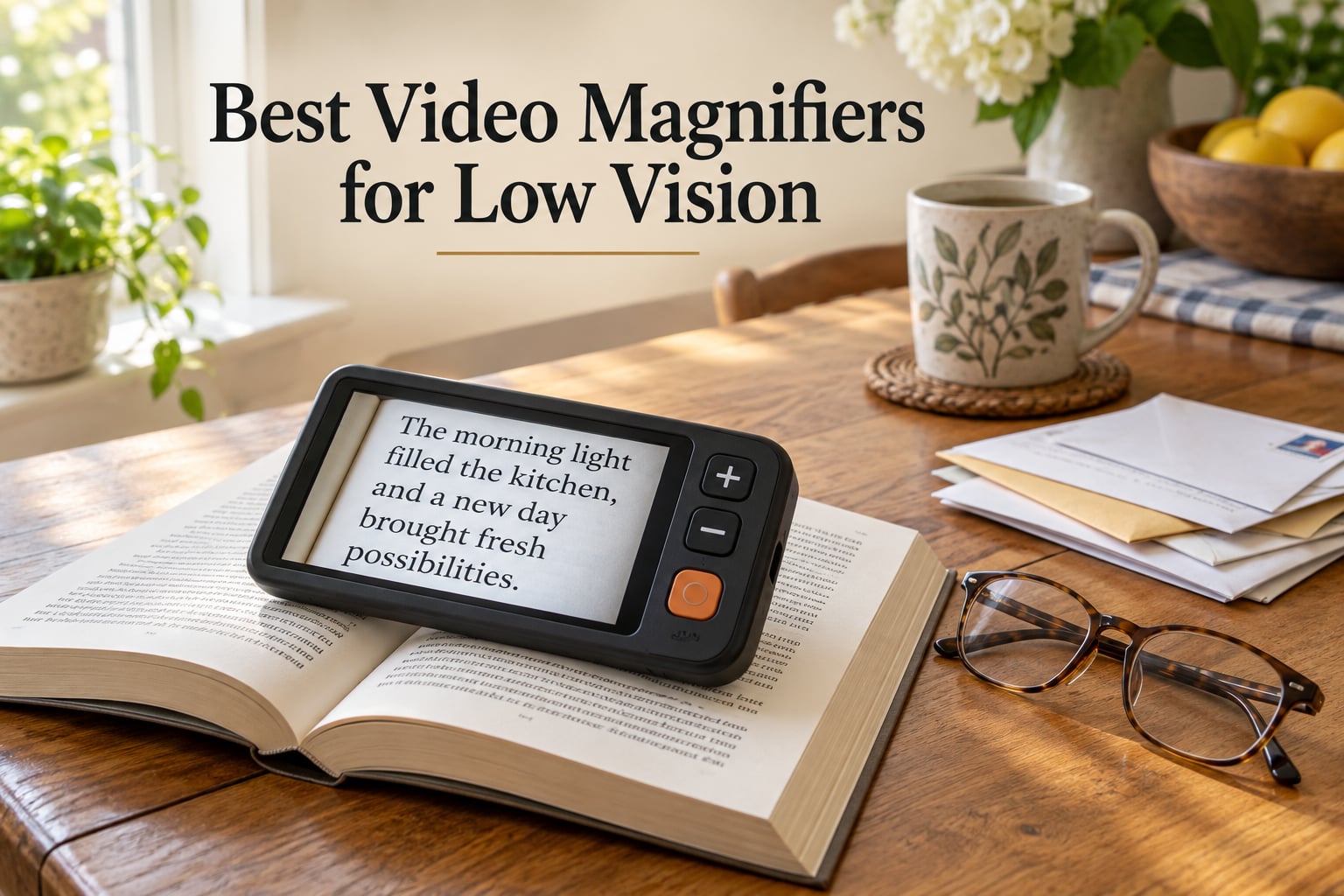
If you have low vision, the best video magnifiers for low vision in 2026 are the ones that match your eyesight, your hands, and where you read. A video magnifier is a small camera that captures print, labels, or an object and shows it enlarged on a built-in screen, with adjustable magnification, contrast, and color. In short: the Eyoyo 3.5 inch leads on ratings and lightness, the Eyoyo 5 inch gives you the widest feature set for the money, and the Eschenbach Vario FHD handles the most severe vision loss.
That short answer is the whole point. Most pages ranking for this topic name three products or none at all, so I spent this one covering ten devices across every class: entry handhelds, folding portables, an OCR reader, and a desktop CCTV unit. Each pick below carries its real magnification range, screen size, weight, battery figures, and the complaints reviewers actually report, so you can see the tradeoffs before you spend.
One thing to clear up first, because the terminology confuses almost everyone shopping in this category. An optical magnifier is a glass lens that sits on the page. An electronic magnifier is the general family. A video magnifier is an electronic magnifier with a camera and a screen, and a digital magnifier is the same thing said a different way. A CCTV reader is a desktop video magnifier with a large monitor, a camera arm, and a flat reading surface underneath.
Last reviewed in October 2026. I compared ten devices side by side on the specs that decide whether a magnifier works for you: magnification range, screen size, color modes, weight, battery runtime, and whether the maker offers a home trial. What I cannot do from a desk is confirm how a device feels in your hands, which is why I lean on the review counts and the recurring complaints rather than my own impressions. As with any audio gear comparison, our approach to judging signal clarity and noise floor in low self-noise microphones is the same one: measure what the manufacturer publishes, then check what owners report back.
Table of Contents
Top 3 Picks for Best Video Magnifiers for Low Vision (October 2026)


The Eyoyo 3.5 inch takes the top slot on the strength of 425 reviews at 4.6 stars, by far the largest sample of any handheld here, plus the lowest weight in the group at 4.8 ounces. The 5 inch Eyoyo is the better buy if you want more screen, more color modes, and a rechargeable battery, and the Koolertron 5 inch appeals to anyone who prefers five clearly separated zoom steps over a smooth range.
All 10 Video Magnifiers Compared in 2026
| Product | Specs | Action |
|---|---|---|
| Eyoyo 3.5 inch Portable Video Magnifier |
|
Check Latest Price |
 Eyoyo 5 inch Portable Video Magnifier Eyoyo 5 inch Portable Video Magnifier |
|
Check Latest Price |
| Koolertron 5 inch Digital Video Magnifier |
|
Check Latest Price |
 ViSee LVM-480 4.3 inch Digital Magnifier ViSee LVM-480 4.3 inch Digital Magnifier |
|
Check Latest Price |
 RayHong 5 inch Portable Video Magnifier RayHong 5 inch Portable Video Magnifier |
|
Check Latest Price |
 Zoomax Luna 6 Portable Video Magnifier Zoomax Luna 6 Portable Video Magnifier |
|
Check Latest Price |
 Eschenbach SmartLux 5 inch HD Eschenbach SmartLux 5 inch HD |
|
Check Latest Price |
 Zoomax Snow 12 inch Foldable Zoomax Snow 12 inch Foldable |
|
Check Latest Price |
 Eschenbach Vario FHD Desktop Eschenbach Vario FHD Desktop |
|
Check Latest Price |
 MoreDisp 5 inch Video Magnifier MoreDisp 5 inch Video Magnifier |
|
Check Latest Price |
A few patterns jump out of that table. Every handheld under 6 inches caps out somewhere between 14X and 32X, which is plenty for labels, mail, and menus but not for fine print on a full page. Screen size is the trade: 3.5 inches keeps the weight down, and 12 inches or 15.6 inches is what buys you a whole line of text at once.
1. Eyoyo 3.5 inch Portable Video Magnifier – The Lightest Option With the Strongest Reviews
Eyoyo 3.5″ Portable Digital Video Magnifier, 2X-25X Zoom Reading Aid White
3.5 inch LCD screen
2X to 25X zoom
8 color modes
Snapshot and screen lock
4.8 ounces
Pros
- 4.6 stars across 425 reviews
- the largest sample here
- Lightest device in the roundup at 4.8 ounces
- Eight color modes including yellow on blue and blue on yellow
- AV output sends the image to a television
- Foldable bracket for hands-free table use
Cons
- 3.5 inch screen shows only a few words at a time
- Runs on A batteries instead of a rechargeable cell
- No memory function so color mode resets each session
At 4.8 ounces and just over 5 inches long, this is the one I would hand to someone with hand tremors or a painful grip. The weight is roughly what a paperback weighs, so holding it over a page for a full paragraph of reading does not fatigue the arm the way some larger handhelds do after ten minutes.
Zoom runs in four fixed steps at 2X, 8X, 16X, and 25X. Those are not small jumps between steps, and in practice the 8X setting is the one most owners settle on for ordinary print while the 16X and 25X settings handle fine print and small pill bottles. The screen itself is small enough that you will be moving the device line by line rather than reading a whole sentence at once.
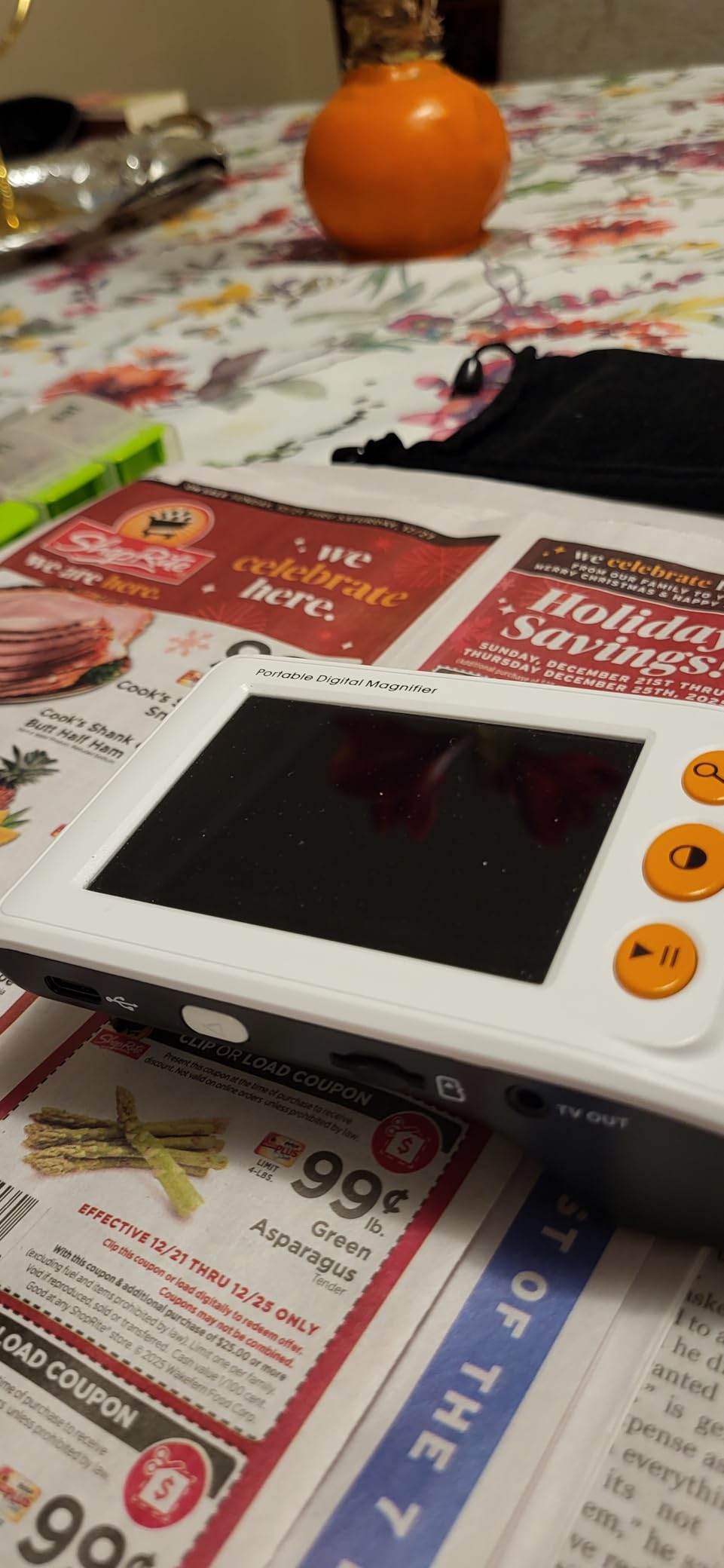
The color mode list is the sleeper feature. Eight modes cover full color, black on white, white on black, blue on white, white on blue, yellow on blue, and blue on yellow, and glaucoma readers in particular benefit from the high-contrast pairings. A snapshot function captures and freezes the screen, and images save to a TF card of up to 32GB so you can keep a record of a form or a recipe card.
What gives me pause is the power source. It takes A batteries rather than a built-in rechargeable cell, which is one less charging ritual but also one more thing to run out of mid-task. There is no memory function either, so if you found a color mode that worked well, you set it again each time you switch the device on.
Who this handheld is good for
If you mostly read short items, a label, a menu, or a bill and you want the lightest thing on the market, this handles it. The foldable bracket means you can set it on a table over a recipe or a photo and read hands-free, and the AV output is a genuinely useful trick because connecting to a larger television turns this into a temporary desktop reader for a form that will not fit on the small screen.
It also works well as a second device. Owners often pair a small unit like this for errands with a bigger unit at home, which is the pattern people with low vision describe most often in the r/Blind portable video magnifier discussion. A device this light is easy to keep in a coat pocket or a purse.
Who this handheld is not for
It is not the right choice for sustained reading of books or newspapers. A 3.5 inch screen at 8X shows a few words, and you will be sliding the device across the page constantly, which tires the neck and shoulder over a long session. Anyone with reduced contrast plus a need to read fine print will do better on a 5 inch screen.
It is also a poor fit if you dislike replacing batteries. Someone reading for two hours a day will go through cells regularly, and the memory gap means your color setting is never remembered between sessions.
2. Eyoyo 5 inch Portable Video Magnifier – The Most Features for the Money
Eyoyo 5″ Portable Digital Video Magnifier, 4X-32X Zoom w/Foldable Handle
5 inch LCD screen
4X to 32X zoom
17 color modes
4500mAh battery
Auto-saves settings
Pros
- 17 color modes plus 5 brightness levels
- 4500mAh battery gives over 4 hours of continuous use
- 4X to 32X range covers fine print and small labels
- Remembers your settings between sessions
- Foldable handle with a comfortable grip
Cons
- Battery may degrade after a year or two and is hard to replace
- Limited depth of field so it must sit flat on the page
- Some owners report charging trouble over time
- Instructions are not clear
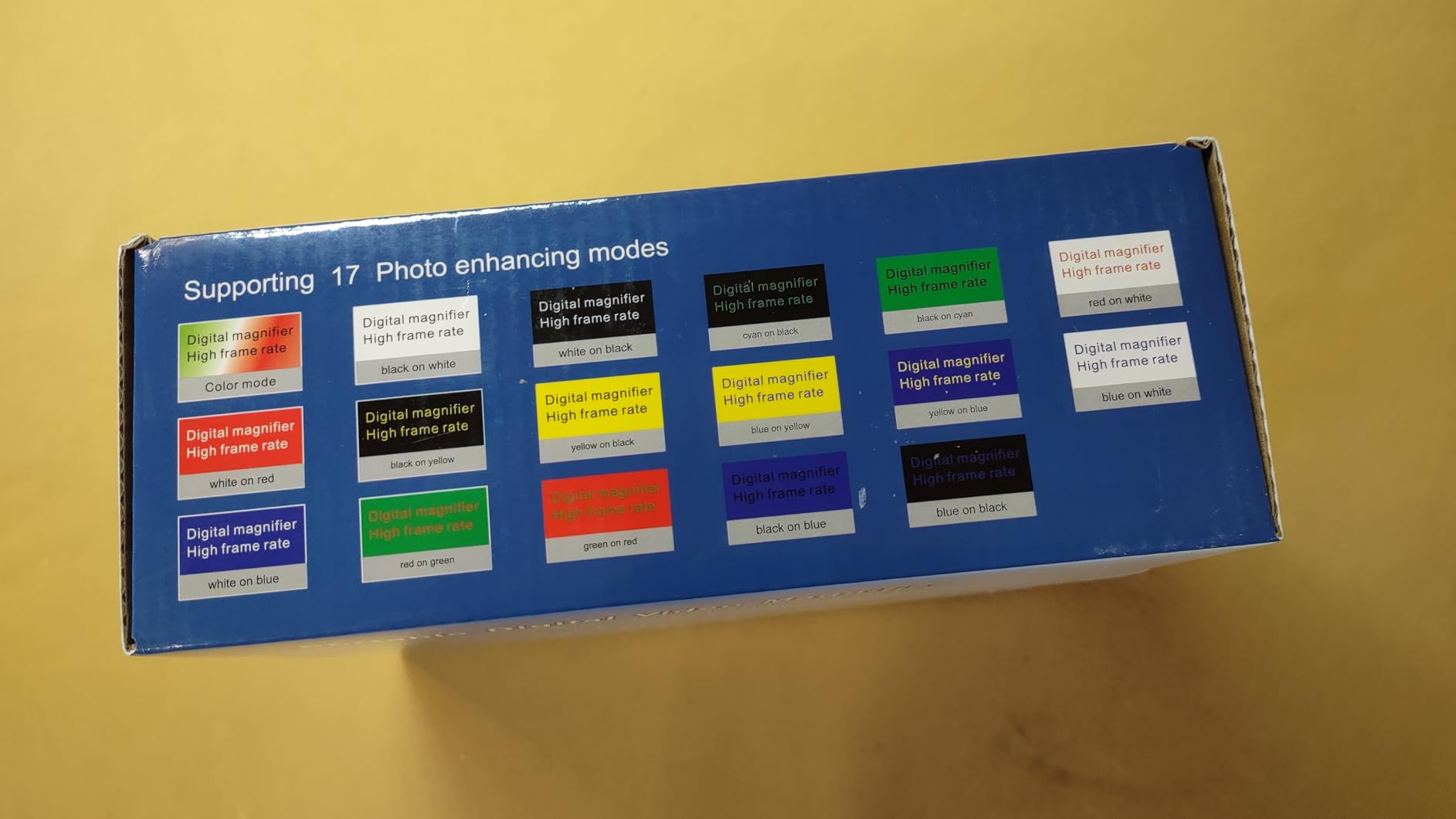
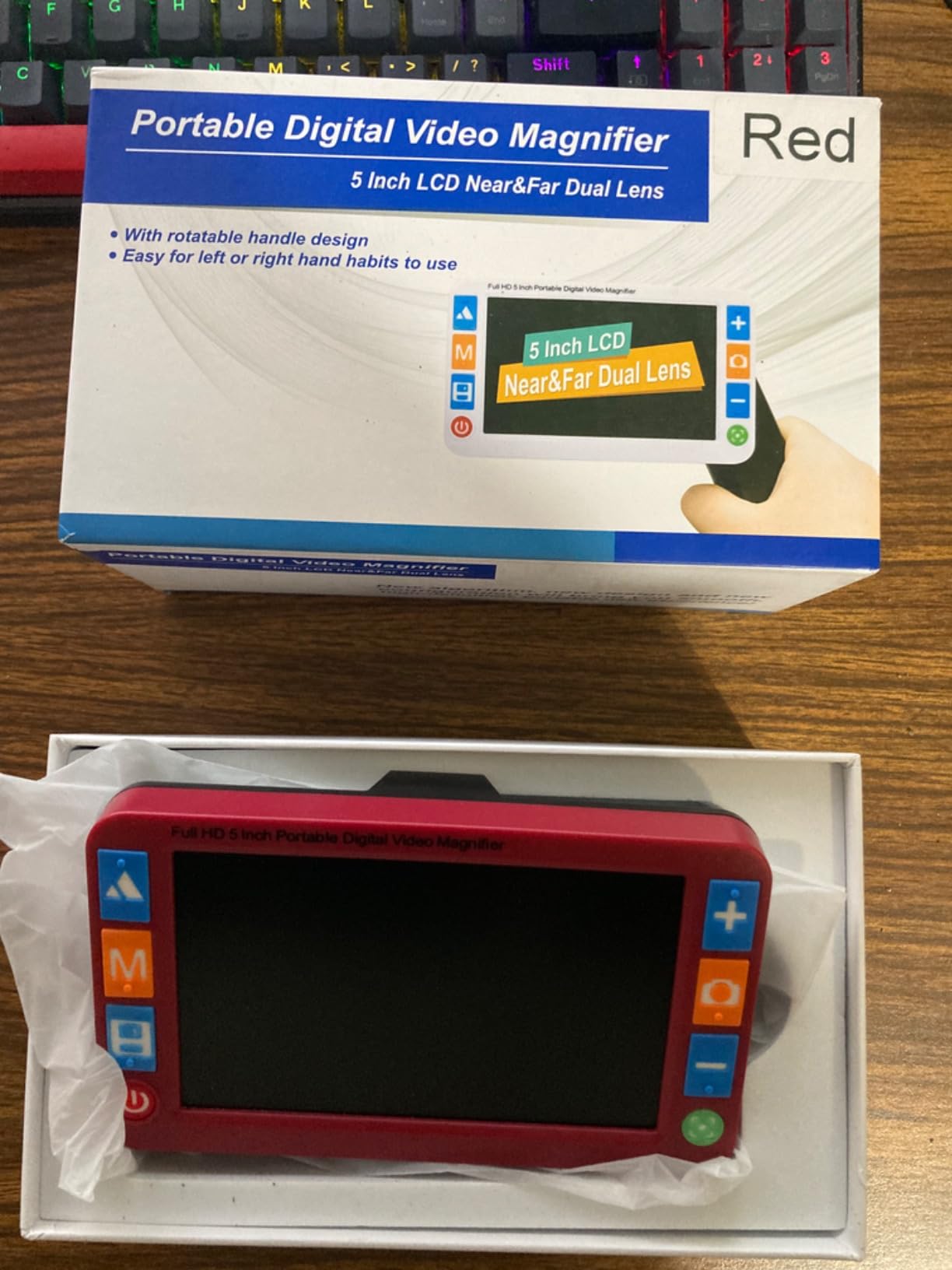
This is the device I recommend most often for someone who wants one magnifier to do everything. The jump from the 3.5 inch model is not just screen size. You get 17 color modes instead of 8, 5 brightness levels, a 4500mAh rechargeable battery good for over four hours of continuous use, and a setting memory that restores your last configuration when you power it back on.
Magnification runs 4X to 32X on a 5 inch LCD. At the lower end you can read a page of a paperback comfortably; at the top you are working on a serial number on a warranty card or the fine print on a medication label. The 5 inch screen is the sweet spot for a portable unit because it shows roughly twice the text of a 3.5 inch screen while the folded handle keeps the weight reasonable at around 6 ounces.
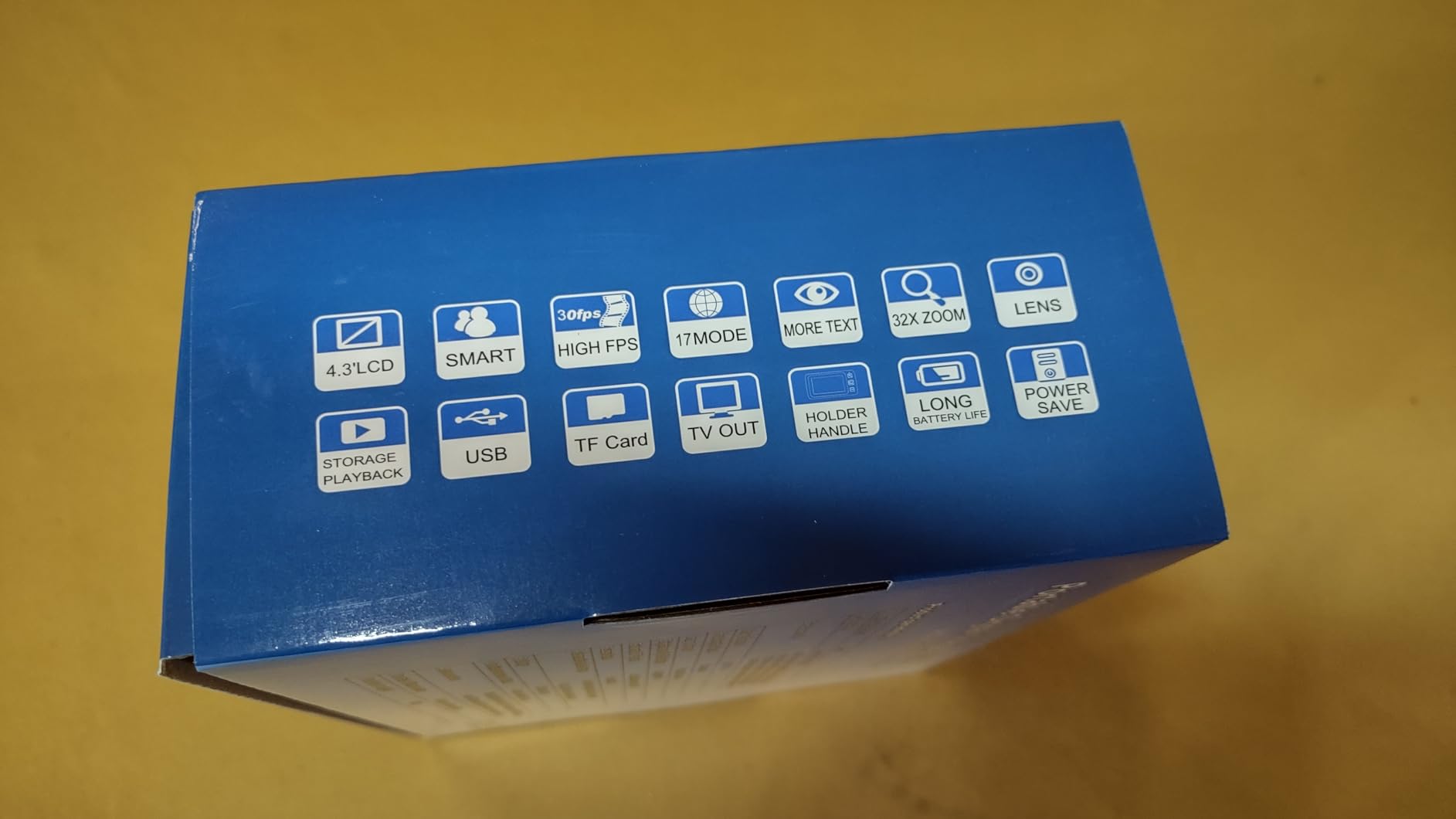
Photo capture and playback use a TF card of up to 32GB, and an AV output lets you mirror the image onto a television or monitor. That combination means you can photograph a document, send it to a larger screen, and work through a form with a family member sitting beside you rather than passing a small device back and forth.
The complaints are consistent across the reviews, and they cluster on longevity rather than on day-to-day function. Several owners note the battery stops holding its full charge after a year or two, and because it is built in, replacement is not straightforward. Depth of field is also limited, which in practice means the camera has to rest directly on the page rather than hovering a half inch above it.
Who this portable unit is good for
This suits a reader who wants one device for books, mail, prescriptions, and forms, and who does not want to fiddle with settings every session. The auto-save function means you set your color mode and brightness once, and the 4 hour battery covers most evening reading blocks without a mid-session charge.
It is also a strong second pick for anyone who travels. Owners frequently compare it favorably against far more expensive specialty units, which is the single most common piece of praise in the reviews for this model.
Who this portable unit is not for
If you read for many hours daily, hold the device above rather than on the page, or need a long working distance, this is not it. The limited depth of field and the fold-to-flat design both assume a surface underneath.
Buyers who want a phone number to call about a fault after two years may be disappointed too. A sealed battery that degrades is a real cost of ownership consideration, and it is worth asking a specialist retailer how they handle a battery replacement before you commit rather than after.
3. Koolertron 5 inch Digital Video Magnifier – Five Clear Zoom Steps and a Removable Battery
Koolertron 5″ Digital Video Magnifier, Portable Reading Aid (5 inch, Black)
5 inch screen
5 zoom levels from 4X to 32X
Picture freeze
Removable 2500mAh battery
Pros
- Five clearly separated zoom levels instead of one smooth range
- Removable rechargeable battery so you can carry a spare
- Picture freeze and photo capture with playback
- Adjustable screen backlight and memory function
- AV output and a foldable stand included
Cons
- Battery loses charge holding over extended use
- Replacement batteries are difficult to source
- Charging port changed between versions
- Bottom buttons are sensitive and beep accidentally
The distinguishing feature here is the stepped zoom. Instead of a continuous slider, the Koolertron moves through five fixed levels at 4X, 8X, 16X, 24X, and 32X. For some readers that is a real advantage, because each step is predictable and you always know what you will get when you press the button once, and the 24X stop gives you an option the cheaper 4X-to-16X handhelds do not offer.
Everything else on this model is generous. There is a picture freeze function for close examination, photo capture with HD storage and playback, an adjustable screen backlight, a memory function that restores your last settings, a flashlight mode for looking at something in a dim room, and AV output so you can use a larger display. The folding stand makes it hands-free on a kitchen counter while you cook.
The battery is the part I like most about the design. It is a removable 2500mAh rechargeable cell with roughly four hours of runtime, and because it comes out, you can carry a charged spare in a bag instead of planning around a wall outlet. Owners consistently single that out as the reason they bought this model over a sealed-battery alternative.
Who this magnifier is good for
It suits readers who want predictable steps and who like the idea of swapping batteries rather than replacing a device. The flashlight mode is genuinely useful for labels in a dim pantry or for the inside of a medication bottle, and the five zoom levels cover everything from a full page down to a single digit.
Readers who struggle with fine motor control also like the foldable stand, because once it is set up you do not have to hold anything. That combination of a stand and a freeze frame is the standard answer to hand tremors, and this model has both.
Who this magnifier is not for
If your vision loss is mild and you mainly want a quick look at a price tag, the feature set is more than you need and the 5 inch screen will feel large in the hand. The 8.11 ounce weight is also the heaviest of the small handhelds here.
Long-term owners do report the battery gradually losing its ability to hold a charge, and replacement cells for this model are hard to find. There is also a compatibility trap worth knowing: the charging port changed between versions, so an accessory bought for an earlier unit may not fit.
4. ViSee LVM-480 4.3 inch Digital Magnifier – The Simplest Device Here
Visee LVM-480 4.3″ Digital Magnifier with 4-Level Magnifications and 3 Color Modes for Low Visions
4.3 inch LCD display
6X to 14X magnification
3 color modes
Rechargeable battery
Video out
Pros
- Single-click operation for every feature
- Rechargeable lithium battery with about 2.5 hours of use
- Video output to an external monitor
- Rubberized grips for a secure hold
- 4.3 inch screen is larger than most entry handhelds
Cons
- Only 3 color modes compared with 8 to 26 on rivals
- 14X maximum is low for fine print
- Does not save settings between uses
- Screen catches glare in bright light
If the word feature menu makes you tired, this is the device to look at. Every function is single-click: one button for magnification, one for color, one for freeze. There is no settings menu to work through and nothing to configure, which for a first-time buyer or someone who wants no friction at all is a genuine advantage.
Magnification runs 6X to 14X across four adjustable levels on a 4.3 inch LCD. The three color modes are full color, black on white, and white on black, and the screen lock and freeze function lets you hold an image steady while you look at it more closely. The rechargeable lithium battery gives about 2.5 hours of use, and video output lets you connect an external monitor if 4.3 inches is not enough.
The trade is that this is the least versatile device in the roundup. Fourteen times magnification will not do much with fine print on a contract or a dense page of a textbook, and three color modes mean you lose the yellow on blue and blue on yellow combinations that some readers with contrast loss depend on. It also does not remember your settings, so you start from the same place every time.
Who this magnifier is good for
It works for someone who needs help with short tasks and wants nothing complicated: a medication label, a food package, a quick look at a form before someone else reads it. The rubberized grips are a quiet plus for anyone with a weak grip, and the single-click layout means there is almost nothing to learn.
Because it is among the least expensive devices we cover, it also works as a low-risk trial. If you are unsure whether a video magnifier is right for you at all, starting with a simple unit and moving up later is a sensible path.
Who this magnifier is not for
It is not for sustained book reading or for anyone who needs to work on fine print, because 14X is the ceiling and the screen only shows a line or two at that level. Glaucoma readers who need a specific false-color pairing will not find one here.
Owners also report screen glare in bright outdoor light and a stand tilt that can distort text, so it is better suited to a desk or a kitchen table than to a bright porch or a moving car. A few reviewers describe battery units that only worked while plugged in, so treat the battery runtime as optimistic.
5. RayHong 5 inch Portable Video Magnifier – Twenty-Six Color Modes and Near or Far Viewing
Portable Digital Video Magnifier, Electronic Reading Aid 5.0 Inch with Foldable Handle for The Visually Impaired Macular Degeneration Low Vision, 2X-32X Times Zoom 26 Color Modes
5 inch HD screen
2X to 32X zoom
26 color modes
Near and far camera
Foldable handle
Pros
- 26 color modes with a memory function
- Handle installs for right or left hand use
- Near and far camera switching for distant subjects
- Dedicated DSP processing at 800x480
- TV output for a larger display
Cons
- Heavier than comparable 5 inch models at 270g
- Only 19 reviews so long term reliability is unproven
- Costs more than other 5 inch units with similar cores
The distinguishing feature on this model is the camera. Most handhelds have a single camera pointed down at the reading surface, and this one switches between near and far, which means you can lift it off the page and still view something across the room, such as a whiteboard in a meeting room or a shelf label across a shop aisle.
Magnification runs 2X to 32X, so the low end is genuinely useful for viewing a whole page or a small group of people at a distance, and the top end handles fine print on a contract. The color mode count is the highest in this roundup at 26, and a memory function stores your preferences so you are not resetting them each time.
The integrated foldable handle installs for either hand, which matters more than it sounds if you have arthritis on one side or a preferred grip. Processing is handled by a dedicated DSP chip at 800×480 resolution, and the maker describes the same unit as suitable for low vision, color blindness, and amblyopia.
The honest caveat is evidence. Nineteen reviews is a thin sample, and the review insights for this model say plainly that limited user feedback makes long term reliability harder to assess. It is also the heaviest of the 5 inch group at 270 grams, which matters if you plan to read a full book with it in your hand.
Who this portable magnifier is good for
It suits someone who needs one device to handle both a page and something at a distance, rather than carrying a separate unit for each. The either-handed handle setup is a real convenience for anyone with a stiff or painful dominant hand.
With 26 color modes available, this is a good match for a reader whose usable contrast has shifted and who wants to experiment until a combination clicks. The memory function means that experiment only has to happen once.
Who this portable magnifier is not for
If you want a large body of owner feedback before committing, this is not the model to choose. Reviewers simply have not yet established whether the battery, the handle hinge, or the far camera hold up over several years, and that is a fair thing to want to know before spending on an assistive device.
At 270 grams it is also heavier than the other 5 inch options here, so a reader with hand fatigue or tremors may find it tiring to hold for long stretches. The foldable stand is the answer for those cases.
6. Zoomax Luna 6 Portable Video Magnifier – The Largest Portable Screen With Wireless Charging
Zoomax Luna 6 Portable Video Magnifier for Low Vision – HD Display, Foldable Stand, Wireless Charging, Long Battery Life, Lightweight Digital Reading Aid
6 inch HD screen
Built in handle and foldable stand
5 hour battery
Wireless charging
0.46 lb weight
Pros
- 6 inch HD screen is the largest among portable units here
- Up to 5 hours of battery for a full outing
- Wireless charging pad removes cable fuss
- High contrast buttons are easy to find in low light
- Weighs about 0.46 lb for the device itself
Cons
- Only 6 reviews so the record is thin
- A premium tier device costs more than 5 inch rivals
- One owner reported receiving a used unit
Six inches is the number that matters here. That is a meaningfully larger window than the 5 inch handhelds, and it is where the Zoomax line sits between a pocket device and a full desktop reader. The screen is high definition, the handle is built into the body with a foldable stand, and the listed device weight is about 0.46 lb, which is genuinely easy to carry.
Battery life is quoted at up to 5 hours, the longest of any portable unit in this roundup, and the device supports wireless charging so you can drop it on a pad instead of hunting for a cable. The buttons are high contrast, which is a small detail that matters when you are trying to find the freeze control in a dim restaurant.
I would hold back on enthusiasm here, and the reason is the review record. Six reviews is the second thinnest sample in the group, which means the enthusiastic owner comments come from very few people. There is also a single report of a buyer receiving a used unit, and that is exactly the kind of thing that shows up more often with a smaller, newer sales base.
Who this portable unit is good for
It is built for someone who wants one screen size that works in the house and on the road, without a separate desktop unit. If a restaurant menu, a boarding pass, and a letter from the mail all have to work on the same device, six inches is a more comfortable compromise than five.
Wireless charging also suits someone who travels often and does not want to carry a cable for one device, and the five hour runtime covers a long day out without hunting for a socket.
Who this portable unit is not for
It is not for a reader who wants a large body of independent owner feedback before buying, because the sample here is too small to draw conclusions about battery aging or build quality over time. The packaged weight is also listed at 1.38 kg, so shipping and unboxing matter more than with the lighter models.
If your budget is the deciding factor, this sits well above the 5 inch units, and for label reading or occasional mail a 5 inch device will serve the same purpose at a fraction of the outlay.
7. Eschenbach SmartLux 5 inch HD – Continuous Zoom, HDMI, and a Blue Light Filter
Eschenbach New SmartLux Digital 1650-2A – 5 Inch Color HD Portable Video Magnifier, White
3X to 15X continuous zoom
14 false colors plus true color
50 fps refresh
HDMI output
Pros
- Continuous 3X to 15X zoom instead of fixed steps
- 50 fps refresh rate gives smooth motion
- Non reflective display and blue light filter reduce fatigue
- HDMI output and USB transfer to a computer
- 8GB internal storage so no card is needed
Cons
- 15X maximum is low next to 32X budget models
- Battery runs about 3 hours only
- Costs more than 5 inch units with a wider zoom range
This is the one to consider if glare or eye strain is what stops you reading, because it attacks those two problems directly. The 5 inch display is non reflective, and a blue light filter sits in front of it. The LED illumination is dimmable at 25, 50, 75, or 100 percent, or switched off entirely, so you can match the lighting to a glossy page without washing the image out.
Zoom is continuous from 3X to 15X rather than moving in steps, and the image refreshes at 50 fps. That smoothness is the difference between a camera that jitters while you slide it across a page and one that tracks calmly, and it is the feature owners single out most often. You also get 14 false color modes on top of true color, reading lines and blinds, HDMI output for an external monitor, USB transfer of photos to a computer, and 8GB of internal storage.
The honest limitation is the ceiling. Fifteen times magnification will not reach the fine print on a dense contract, and the 3 hour battery is the shortest of the units with built-in batteries here. It is a premium tier device, which the review insights attribute to the German engineering and the connectivity rather than to a wider zoom range.
Who this portable magnifier is good for
It suits anyone whose eyes tire quickly, who reads in a bright room, or who has light sensitivity and needs to control the lamp directly. The dimmable illumination and non reflective screen are the most thoughtful features in this roundup for that group of readers.
It is also the pick for someone who wants to send documents to a computer, since both HDMI output and USB photo transfer are included, and the 8GB internal storage removes the need to buy a memory card at all.
Who this portable magnifier is not for
If you need to read very fine print, the 15X limit is the deal breaker, and one of the 5 inch models in this roundup will take you to 32X for less. Photographers of small text should check that ceiling before buying.
With roughly three hours of battery life, it also runs shorter than the other rechargeable units here, so a long afternoon of reading means planning a charge. And with 15 reviews, the owner record is still short even though the rating is strong.
8. Zoomax Snow 12 inch Foldable Magnifier – The One That Reads Text Aloud
Snow 12 Inch Foldable Portable Video Magnifier by Zoomax with OCR for Low Vision & Reading Assistance – HD Display, 19x Magnification, Text-to-Speech, & 20+ Language Support
12 inch foldable display
19X magnification
OCR with text to speech
20 plus languages
Pros
- 12 inch screen shows far more text than any handheld
- Optical character recognition with text to speech
- 20 plus languages supported
- Large enough to write checks and fill in forms beneath it
- Folding stand tilts for several viewing angles
Cons
- OCR misreads numbers and struggles with a full letter page
- Reports of a short 30 day warranty from owners
- Weighs about 5 kg which limits portability
- Digitizes hand writing poorly
This is the only device here that speaks. Optical character recognition, which turns a photograph of text into editable text on the screen, feeds a text to speech engine so a printed page can be read aloud across more than 20 languages. For someone whose vision loss makes extended reading tiring rather than impossible, hearing a page instead of looking at it is a genuinely different experience.
The 12 inch foldable screen runs at 19X magnification and is by far the largest portable display in the roundup. That size means you can see a full line or several lines of a newspaper at once, and with a folding stand that tilts, there is enough clearance underneath to write a check or fill in a form while the text stays on screen. Owners cite exactly that combination of large screen and writing space as the reason to buy it.
The OCR needs managing with care. The most repeated complaint is number accuracy, with prescription numbers and reference codes read back as the wrong figure, and the screen also cannot display a full letter size page at once. Hand writing is a further weak point. Because getting a digit wrong on a prescription is a real risk, treat the speech output as a reading aid rather than a source of truth for anything medical.
There is a warranty point worth raising before you buy. Some owners report a 30 day warranty on this model, which is far shorter than the multi year cover on the desktop unit in this roundup, and the device weighs about 5 kg even folded. Plan where it will live before ordering it.
Who this foldable magnifier is good for
It is built for a reader who wants the largest possible screen without a desktop unit, and for anyone who wants text to speech. Twelve inches at 19X is a combination no handheld here reaches, and for someone who tires partway down a page, hearing the rest of it is often the difference between finishing a book and abandoning it.
The writing space underneath is a genuine advantage for signing documents, writing a check, or filling in a form, which are tasks where a small handheld leaves you hunting for a pen and a flat surface at the same time.
Who this foldable magnifier is not for
It is not for anyone who needs the OCR to be accurate on reference numbers, and at 3.9 stars with 19 reviews it currently sits at the bottom of the ratings in this roundup. Check the audio before committing, because a robotic voice that misreads figures quickly becomes something you stop trusting.
At around 5 kg it is also the least portable device here despite the foldable design, and the reported short warranty makes it a harder first purchase than a device with a longer return path.
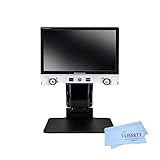
9. Eschenbach Vario FHD Desktop Video Magnifier – The Most Magnification Available Here
Eschenbach Vario Digital FHD Desktop Video Magnifier – Portable for Low Vision | Includes Liberty Microfiber Cloth
15.6 inch Full HD monitor
1.3X to 45X optical zoom
FHD true color camera
2 year warranty
Pros
- 15.6 inch Full HD monitor is the largest screen covered here
- 1.3X to 45X optical zoom with a large field of view
- Adjustable LED lighting on both arm and monitor back
- Voice guided menus and large tactile controls
- 2 year manufacturer warranty and dynamic line scrolling
Cons
- The highest outlay of any device in this roundup
- Weighs 13.9 pounds so it stays where it is set up
- One owner reported a monitor fade issue
- Far more than a mild impairment needs
This is the machine for someone whose vision loss is advanced, and the reason is the ceiling. Optical zoom runs 1.3X to 45X, which means the same camera can show you a whole page and then a single line of fine print without you changing lenses or moving the device. A 15.6 inch Full HD monitor at 16:9 gives you a wide field of view at the low end and a usable screen at the high end.
The lighting is the other headline. Bright LED illumination is built into both the arm and the back of the monitor, both adjustable, producing what the maker describes as shadow free uniform viewing across the document. That matters for anyone with glare sensitivity or contrast loss, because a dim image on a screen is often what forces someone to give up on a magnifier in the first place.
For accessibility, operation is voice guided with large tactile buttons and turn dials, so you do not have to hunt small controls, and images can be captured and stored on a removable 8GB SD card. There is also dynamic line scrolling on captured images, which is how a frozen page of dense text is walked through line by line. A 2 year manufacturer warranty is included.
Set expectations clearly. At 13.9 pounds this is a desktop appliance that stays where you put it, and it is the most expensive thing in this roundup by a wide margin. Reviewers also mention one case of a monitor fading, which is worth weighing against the two year cover.
Who this desktop magnifier is good for
It suits readers with severe central vision loss who need 30X or more to reach print, and it is the only device here where you can work on a dense textbook page or a legal document without constantly repositioning. Owners describe it as life changing for severe macular degeneration, and the 45X ceiling is what makes that possible.
If your hands are your limiting factor rather than your eyes, the fixed camera and adjustable height mean nothing has to be held. Bright even lighting and voice guided menus remove the fiddly parts of the process, which is a real benefit for anyone with tremor or reduced dexterity.
Who this desktop magnifier is not for
It is not for mild impairment, and the reviewers say so plainly. A 5 inch handheld handles occasional labels and mail at a small fraction of the outlay, and the desktop unit is difficult to justify for a reader who only needs help with short tasks.
It is also not portable in any meaningful sense, and at 13.9 pounds you will be setting it up once and leaving it. Anyone who wants one device for reading at a kitchen table and reading in a car should start with a portable unit instead.
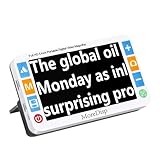
10. MoreDisp 5 inch Video Magnifier – A Straightforward Foldable-Handle Reader
MoreDisp Portable Digital Video Magnifier for Visually Impaired – 5.0 Inch LCD Screen, 2X-32X Zoom, 26 Color Modes, Foldable Handle for Macular Degeneration & Low Vision Aid
5 inch 800x480 LCD
2X to 32X zoom
26 color modes with memory
Foldable handle
Pros
- 2X to 32X range on a 5 inch screen
- 26 color modes with a memory function
- Handle folds flat and installs for either hand
- DSP processing to reduce image distortion
- TV output for a larger display
Cons
- Only 4 reviews so the record is very thin
- Newer brand with a short track record
- Heavier than some 5 inch rivals at 1.6 lb
This is a straightforward 5 inch unit with the feature set most people in this category actually want. Magnification runs 2X to 32X, so it starts low enough to show a whole page and reaches high enough for fine print, and the 26 color modes with a memory function let you find a working contrast pairing once and keep it.
The screen is a 5 inch 800×480 LCD, and the listed selling point is dedicated DSP image processing to reduce distortion at the higher zoom levels, where cheaper cameras tend to smear small print. The foldable handle installs for either hand, the TV output lets you mirror the image onto a larger display, and the whole unit folds down for a bag or a drawer.
I want to be straightforward about the evidence rather than oversell it. Four reviews is the thinnest sample in this roundup, and the review insights note that there is not yet enough owner feedback to assess long term reliability. The design also closely resembles other 5 inch foldable handle models in the same bracket, so you are choosing on the specification list rather than on a proven service record.
Who this 5 inch magnifier is good for
It suits a reader who wants a full 32X range on a 5 inch screen and who values a fold-flat design for storage and travel. The color mode memory means the first session of setting up preferences is the only one, which is a meaningful convenience for daily use.
For anyone with a stiff or painful hand, the either-handed handle is a practical feature, and the foldable bracket gives you a hands-free option when you are reading something longer than a label.
Who this 5 inch magnifier is not for
It is not for someone who needs a long track record before committing, because there is not yet one. A newer brand with very few reviews means you have less to fall back on if a fault appears, so buying through a specialist retailer that handles returns and warranty claims is the safer route.
At 1.6 pounds listed, it is also heavier than some of its direct competitors in the same size class, so if you plan to hold it for a full chapter rather than set it on a table, the weight may tell against it after a while.
How to Choose a Video Magnifier for Your Eyes
The single most common mistake is buying on magnification power alone. Higher magnification is not automatically better, because a higher setting shrinks the viewing area, so you see less text at once and move the device more often. The number that matters is the lowest level at which you can read comfortably, and only you and a low vision specialist can set it.
Match the device class to your eye condition
Different eye conditions create different problems, and the device that solves one is rarely the best answer to the other. Macular degeneration costs central vision, so the priority is magnification that moves detail into the undamaged periphery, and contrast modes matter less. Glaucoma typically brings both tunnel vision and a loss of contrast sensitivity, which is why a glare free screen and a wide choice of false color modes carry more weight there than raw zoom.
Diabetic retinopathy can produce a lot of visual noise, so image processing quality and the ability to hold a steady frozen frame both become important. Tunnel vision on its own is a finding place problem rather than a size problem, which is where line markers, a reading line, and dynamic line scrolling earn their place on the shortlist.
Before you buy anything, have your glasses updated and let your eye care professional rule out a reversible cause such as an untreated cataract. A low vision evaluation then tells you the magnification range and contrast level you actually need, and it frequently costs you nothing. Far too many people spend on a device before having that conversation.
How much magnification you actually need
For short tasks like a label, a menu, or a bill, a handheld reaching 8X to 16X is usually enough. For ordinary reading of mail, a novel, or a newspaper column, you want 15X to 25X. For fine print, contracts, or a dense textbook page, anything under 25X will leave you repositioning constantly, and this is the range where a 6 inch, 12 inch, or desktop screen earns its extra size.
You also need to know your working distance. A handheld rests directly on the page, which keeps the image sharp and stable, while some desktop cameras and handles let you hover a few inches above the document. Handled well, that gap makes writing underneath the camera possible. A limited depth of field, which several of the units in this roundup have, is the trade for that stability.
Handheld, portable, or desktop: the two-device pattern
Community advice in the r/Blind portable video magnifier discussion repeats one pattern more than any other: carry a large screen for home and a small one for travel, roughly 7 inches at home and 3 to 4.5 inches in a bag. That framing is a good starting point, because it tells you to match a screen to an environment rather than trying to find one perfect device.
A handheld of 3.5 to 4.3 inches, weighing 5 to 8 ounces, is the right first purchase for most people. It handles prescriptions, labels, menus, mail, and short notes, and it is the least disruptive object to add to a daily routine. A folding portable of 5 to 6 inches is the step up when you want to read for longer periods, and a 12 inch foldable or a desktop unit answers a different problem: sustained reading and forms without arm fatigue.
Two people comparing screen magnification software and hardware report the same thing, which is worth repeating here. Screen magnification is more rigid in its movements and has a jittering effect overall as you read, and it also cannot help with paper at all. If you only need a computer screen enlarged, software is the cheaper answer, but the moment you need print, you need a camera.
What to check before you buy
Look for a home trial that lets you test the device on your own material, which means a utility bill, a prescription label, a handwritten note, and a glossy magazine page. Owning documents in your own home lighting is the only honest way to know whether the image quality works for you, and a trial that allows that is the strongest trust signal in this category.
Next, check the warranty length and where the service happens. A 2 year manufacturer warranty with a service center in your own country is worth real money in an assistive device you expect to keep for years, and a short warranty of only a month leaves you exposed from the day it arrives.
Also weigh the practical items. Total weight matters more than the specification sheet suggests, because you will hold the device for minutes at a time. Battery runtime decides whether you can read a whole chapter in one sitting. Removable batteries are more convenient than sealed ones. The inclusion of a memory function saves you setting your color mode every morning. And a TV or HDMI output gives you a large display for free whenever you need one.
Our advice on judging equipment that produces a signal you have to interpret, covering channel imbalance on low volume, applies in miniature here: judge the magnifier on the worst case you will actually meet, not the best looking demo.
How to ask for funding through insurance and state programs
A video magnifier is assistive equipment, and it is often covered in ways people never ask about. Start with a letter of medical necessity from your eye care professional or low vision specialist stating your diagnosis, the device you need, and why it is necessary for daily living. That single document is the requirement behind most of the routes below, and it is the piece most people are missing when an agency declines a request.
Medicare itself generally does not cover a video magnifier as a standard benefit, but Medicare Advantage plans vary, so check your specific plan. If you have Medicaid, ask about durable medical equipment coverage. Veterans can request an assistive technology device through the Department of Veterans Affairs, and state vocational rehabilitation agencies help people who need a device to work, often covering equipment the employer will not.
Ask the manufacturer or an authorized low vision specialist retailer about a loaner program during repairs, because being without a magnifier for weeks at a time is a real hardship. We covered similar ground on listening fatigue in our guide to diagnosing a low frequency rumble under quiet passages: the fix for a tiring tool is rarely a bigger one.
Frequently Asked Questions
What is the best video magnifier for people with low vision?
The best video magnifier depends on what you read and for how long. For short tasks like medication labels, menus, and mail, a 3.5 to 4.3 inch handheld is the most comfortable choice. For novels and newspapers, a folding 5 to 6 inch portable gives you a larger view and a rechargeable battery. For fine print, forms, and sustained reading, a 12 inch foldable or a desktop CCTV unit is the step up. Ask a low vision specialist to confirm your range before buying.
Are low vision magnifiers effective for people with macular degeneration?
Yes, video magnifiers are widely used for macular degeneration because they move fine detail into the undamaged part of the visual field and let you tune contrast and color. The right magnification level is individual, and some readers also need training to use line scanning and freeze frame well. A low vision evaluation will tell you the range that works for your eyes rather than a generic figure.
What are the best electronic magnifiers for people with low vision?
A video magnifier is a camera that displays enlarged print on a screen, and a CCTV reader is a desktop version of the same idea. The strongest all-round options in our roundup are the Eyoyo 3.5 inch for weight and the Eyoyo 5 inch for features, with the Eschenbach SmartLux ahead on glare control and the Zoomax Snow 12 ahead on text to speech. Choosing by device class matters more than choosing by brand.
What is the difference between a digital magnifier and a CCTV reader?
A digital magnifier is handheld or portable, with a small screen and a camera pointing at the page, and it is used in short bursts. A CCTV reader is a desktop unit with a large monitor, a camera on an adjustable arm, and a flat reading surface underneath, so text stays steady and you can write underneath it. CCTV units reach far higher magnification and suit long reading sessions and severe vision loss.
Is a video magnifier better than a magnifying glass?
For mild needs, a glass lens on a handheld handle is simple and reliable. Once print becomes too small or too low contrast, an optical lens cannot help, and a video magnifier becomes necessary because it adds lighting, adjustable color modes, and freeze frame. Many people keep a glass magnifier for quick checks and add a video magnifier for anything longer.
One safety note before you start: never use a video magnifier while walking or driving. Reading a magnified image takes attention away from your surroundings, and a device held at arm’s length in front of your face blocks part of your view of the street. Use it seated, at a table, or with a stand.
Magnification also does not weaken your eyes. There is no evidence that using a video magnifier causes your vision to deteriorate, and using one for reading, hobbies, and paperwork is exactly what a low vision specialist recommends. Keeping your eyes active at a comfortable level supports the rest of your vision, including your prescription and lighting.
This guide is educational and is not a substitute for an individual low vision evaluation. A video magnifier is an assistive device: it does not treat or prevent any eye condition, and the magnification and contrast levels that work for you are decided by your eye care professional.
Which Video Magnifier Should You Buy?
If you want one clear answer, start with the Eyoyo 3.5 inch video magnifier. It holds a 4.6 star rating across 425 reviews, the widest owner record of any device here, and at 4.8 ounces it is the least tiring to hold, which matters more than any other spec if you plan to read daily.
Move up to the Eyoyo 5 inch if you want books and mail on a larger screen with 17 color modes and a rechargeable battery that lasts more than four hours. Add the Eschenbach SmartLux if glare and eye fatigue are your main problem, and consider the Zoomax Snow 12 if hearing text read aloud would let you get through a book you cannot finish visually.
Do not buy any of these before a low vision evaluation if you can get one, and ask about a home trial so you can test the device on your own documents. That single step prevents the most expensive mistake in this category, which is choosing the wrong class of device for the way you actually read.