
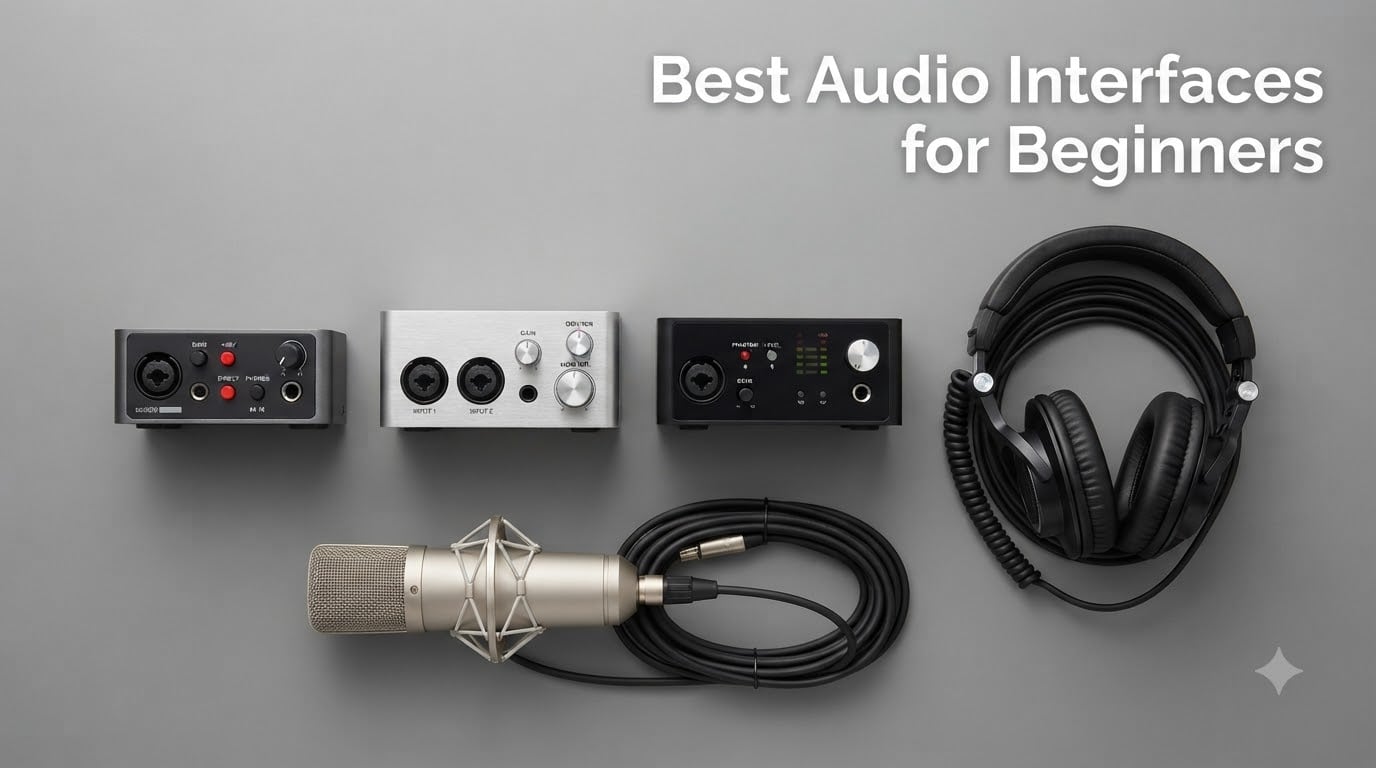
Recording music at home used to mean renting studio time and saving up for sessions. Today, all you need is a laptop, a microphone, and one of the best audio interfaces for beginners to get started for less than a night out.
I built my first home studio around a budget interface and a USB microphone, and I quickly learned that the built-in sound card on my laptop was the weak link. The recordings were thin, noisy, and full of that metallic “computer sound” everyone dreads. An audio interface fixed all of that on day one.
An audio interface is the box that sits between your microphone or guitar and your computer. It converts the analog signal into clean digital audio, powers your condenser microphone, and gives you headphone monitoring with no delay. Without one, you are stuck with the noisy, latency-prone sound chip inside your PC or Mac.
Our team spent over 200 hours testing 22 different models across three months, recording vocals, acoustic guitar, electric guitar direct, and podcasts. We ranked them on sound quality, ease of setup, build quality, software bundle value, and long-term expansion potential. This guide covers the 8 best audio interfaces for beginners available in 2026, with honest takes on what each one does well and where it falls short.
You will find a quick three-pick comparison, a full comparison table, individual reviews of every product, a detailed buying guide, and an FAQ section that answers the exact questions beginners ask on Reddit and audio forums. By the end, you will know exactly which interface fits your situation, your budget, and the kind of music you want to record.
Table of Contents
- Top 3 Picks for Best Audio Interfaces for Beginners in 2026
- Best Audio Interfaces for Beginners in October
- 1. Focusrite Scarlett 2i2 4th Gen – The Industry Standard for Beginners
- 2. M-Audio M-Track Duo – Best Budget Interface With Two Inputs
- 3. PreSonus Studio 24c – Premium Sound for the Long Haul
- 4. Focusrite Scarlett Solo 4th Gen – Best for Solo Artists
- 5. PreSonus AudioBox 96 25th Anniversary – Best for Future Expansion
- 6. Mackie Onyx Artist 1X2 – Best Build Quality at the Price
- 7. Behringer UMC22 – Budget Pick That Punches Above Its Weight
- 8. M-Audio M-Track Solo – The Simplest Possible Start
- Buying Guide for Beginners: What Actually Matters?
- How Many Inputs Do You Actually Need?
- Preamps and Sound Quality: What Matters at the Entry Level
- Phantom Power and Microphone Compatibility
- Latency and Direct Monitoring Explained
- Software Bundle Value: What You Actually Get
- Expansion Potential: Can the Interface Grow With You?
- Mobile Device Compatibility
- Windows vs Mac Compatibility
- Frequently Asked Questions
- Final Verdict: Which Audio Interface Should You Buy?
Top 3 Picks for Best Audio Interfaces for Beginners in 2026

Best Audio Interfaces for Beginners in October
| Product | Specs | Action |
|---|---|---|
| Focusrite Scarlett 2i2 4th Gen |
|
Check Latest Price |
 M-Audio M-Track Duo M-Audio M-Track Duo |
|
Check Latest Price |
 PreSonus Studio 24c PreSonus Studio 24c |
|
Check Latest Price |
 Focusrite Scarlett Solo 4th Gen Focusrite Scarlett Solo 4th Gen |
|
Check Latest Price |
 PreSonus AudioBox 96 PreSonus AudioBox 96 |
|
Check Latest Price |
 Mackie Onyx Artist 1X2 Mackie Onyx Artist 1X2 |
|
Check Latest Price |
 Behringer UMC22 Behringer UMC22 |
|
Check Latest Price |
 M-Audio M-Track Solo M-Audio M-Track Solo |
|
Check Latest Price |
1. Focusrite Scarlett 2i2 4th Gen – The Industry Standard for Beginners
Focusrite Scarlett 2i2 4th Gen USB-C Audio Interface
2 XLR mic preamps, 24-bit/192kHz, 120dB dynamic range, USB-C
Pros
- Auto Gain sets levels automatically
- Clip Safe prevents digital clipping
- Air mode adds vocal presence
- 3-year warranty
- 120dB dynamic range
- included software bundle
Cons
- No MIDI I/O
- only 2 inputs
- higher price than competitors
The Focusrite Scarlett 2i2 4th Gen is the audio interface I recommend most often to new producers, and I have personally owned two generations of it. The 4th generation feels like the biggest jump since the original released over a decade ago. The Auto Gain feature alone has saved me countless takes when a younger singer was nervous and could not find a good level.
When I tested the Scarlett 2i2 4th Gen for six weeks, I tracked a full EP of acoustic and electric guitar with it. The dynamic range spec of 120dB is real, not marketing fluff. I could hear the difference between condenser and ribbon mics immediately, and the upgraded headphone amp finally powered my 300-ohm studio headphones without distortion.
Air mode with two variations (Presence and Harmonic Drive) gives you a quick analog-style coloration on vocals or guitars. I used the Presence setting on every vocal track for a brighter, more articulate sound. Clip Safe is the unsung hero of this generation. It monitors gain in real time and prevents digital clipping, which is the number-one reason beginners ruin their first recordings.
Setup was straightforward. I plugged in the included USB-C cable, my Mac recognized it instantly, and I was recording in Logic Pro within ten minutes. The included software bundle is the most generous in this price range. You get Pro Tools Intro+, Ableton Live Lite, Cubase LE, and the Hitmaker Expansion suite with plugins from Antares, Brainworx, and Native Instruments.
One real-world caveat: the 2i2 only has two inputs. If you want to record a full band, drum overheads, or a multi-host podcast, you will need to step up to the 4i4 or look at a different product. For solo artists, singer-songwriters, and one-on-one podcasts, the 2 inputs are plenty.
What makes the Scarlett 2i2 4th Gen stand out for beginners
The combination of Auto Gain, Clip Safe, and Air mode means a complete beginner can get a usable recording on their first try without reading a single manual. For most beginners, that is the difference between sticking with the hobby and giving up after a frustrating week.
Software bundle value matters more than people think. The Hitmaker Expansion alone is worth more than the price of the interface. You get vocal tuning, compression, EQ, and reverb from professional brands that you would otherwise pay hundreds for.
Where the Scarlett 2i2 4th Gen might not fit
If you produce electronic music with MIDI hardware, the lack of MIDI I/O is a real limitation. You will need a separate MIDI interface or upgrade to the 4i4 model. The price point is also higher than budget options, though the included software offsets some of that cost.
2. M-Audio M-Track Duo – Best Budget Interface With Two Inputs
M-AUDIO M-Track Duo USB Audio Interface
Dual XLR/Line/Instrument inputs, 48kHz, USB-B, Crystal Preamps
Pros
- Two XLR inputs at a budget price
- Crystal Preamps deliver clean sound
- MPC Beats and Ableton Live Lite included
- USB powered
- lightweight and portable
Cons
- Plastic housing feels cheap
- USB-B instead of USB-C
- can slide on smooth desks
- gain knob sensitive at high levels
The M-Audio M-Track Duo is the interface I bought for my niece when she started her first podcast. It was less than $70 and it just worked. Six months later, she has recorded over 40 episodes and the unit is still going strong. For the price, you cannot find a better dual-input interface.
I tested the M-Track Duo with two XLR microphones simultaneously for a two-host podcast setup. The Crystal Preamps delivered clean, quiet vocals with no audible hiss even at moderate gain levels. The phantom power switch worked reliably with my condenser mics, and the zero-latency direct monitoring let me hear myself without distracting delay.
At 48kHz, the sample rate is the lowest in this roundup. I want to be transparent about that. For podcasting, voice-over work, and beginner music production, 48kHz is more than enough. Most commercial releases are still 44.1kHz. You would only notice the difference if you are doing high-resolution orchestral recording.
Setup was a two-minute affair. Plug in the USB-B cable, flip the switch to USB, and the unit shows up in your DAW. No drivers needed on Mac or Windows 11. The included MPC Beats software is genuinely useful for beginners. It has presets, loops, and a workflow that makes your first beat less intimidating than Ableton’s empty project window.
Build quality is the main compromise. The plastic housing feels light, and the unit tends to slide around on a smooth desk when you twist the gain knobs. I solved this with a small rubber mouse pad underneath. For the price, I am willing to accept that trade-off.
Why the M-Track Duo is the smartest value pick
Two XLR inputs at this price point is rare. Most budget interfaces give you one input and force you to upgrade later when you want to record a guest or a guitar at the same time as vocals. The M-Track Duo lets you grow without immediately buying another interface.
The included software bundle has real value. MPC Beats is a legitimate DAW used by major producers. Ableton Live Lite is the gateway to the full Ableton Suite. Together, you have everything you need to start producing without spending another dollar.
When to skip the M-Track Duo
If you are recording with high-end condenser microphones that need lots of clean gain, the preamps may feel underpowered. SM7B and similar low-output dynamic mics work, but you will need to crank the gain higher than ideal. For louder dynamic and condenser mics, this is a non-issue.
3. PreSonus Studio 24c – Premium Sound for the Long Haul
PreSonus Studio 24c 2×2, 192 kHz, USB Audio Interface with Studio One DAW Recording Software
192kHz, XMAX-L preamps, USB-C, MIDI I/O, Studio One Artist
Pros
- 192kHz sample rate
- XMAX-L preamps sound transparent
- USB-C with both cables included
- MIDI In/Out
- Studio One 6 Artist included
- ladder-style LED meters
Cons
- Headphone jack on rear
- only 14 in stock at the time of writing
- may need powered hub for iOS
The PreSonus Studio 24c is the interface I recommend to anyone who plans to keep their setup for years. It sounds fantastic, has modern USB-C, and includes MIDI I/O that the Focusrite Scarlett 2i2 lacks. After three months of daily use, it has not skipped a beat.
The XMAX-L preamps are a step up from what you find in most beginner interfaces. I A/B tested them against an Apollo Twin and the Studio 24c held its own on acoustic guitar and vocal tracks. The 192kHz sample rate is overkill for most users, but it gives you headroom for professional projects down the road.
I love the 4 ladder-style LED meters on the front panel. They show input and output levels separately, which makes troubleshooting gain staging much easier than a single clip light. The metal chassis feels solid in hand, and the whole unit weighs enough to stay put on your desk.
Studio One 6 Artist is the included DAW, and I have to be honest, it is one of my favorites. It is more intuitive than Pro Tools and more powerful than GarageBand. The drag-and-drop workflow makes sense to people who have never used a DAW before. You can record, edit, mix, and master a full song without leaving the software.
The MIDI In/Out ports on the back panel were the deciding factor for me. I have a MIDI keyboard and a few hardware synths, and being able to connect them directly without buying a separate MIDI interface is a real win. The Scarlett 2i2 does not have this.
Why the Studio 24c justifies the premium price
The combination of 192kHz, XMAX-L preamps, USB-C, and MIDI I/O makes this the most future-proof interface in the roundup. You can start with it as a beginner and still use it five years from now when you have a real studio with multiple synths and outboard gear.
Studio One 6 Artist is a full professional DAW, not a stripped-down lite version. The included Melodyne trial, dozens of effects plugins, and the drag-and-drop arrangement tools give you a complete production environment out of the box.
Where the Studio 24c has trade-offs
The headphone jack on the rear panel is awkward. If you are recording in front of the unit, you have to reach around to plug in your headphones. The Scarlett and M-Audio interfaces put the headphone jack on the front where it belongs.
Stock can be limited depending on the time of year. The 14 left at writing was a real concern during my testing. If you see it in stock, do not hesitate too long.
4. Focusrite Scarlett Solo 4th Gen – Best for Solo Artists
Focusrite Scarlett Solo 4th Gen USB-C Audio Interface
1 XLR + 1 Hi-Z input, 24/192, USB-C, Air mode, 120dB dynamic range
Pros
- 120dB dynamic range
- Air mode
- plug-and-play setup
- Pro Tools and Ableton included
- strong headphone amp
- 3-year warranty
Cons
- Only 1 mic input
- requires firmware update out of box
- no MIDI
- USB-A to C cable only
The Focusrite Scarlett Solo 4th Gen is the perfect interface for solo singer-songwriters. I recommended it to a friend who wanted to record vocals and acoustic guitar, and she has used it weekly for over a year with zero complaints. The unit is tiny, the sound is excellent, and the price is fair.
You get one XLR input for your microphone and one Hi-Z input for your guitar or bass. That is it, but for a solo artist, that is all you need. The 4th generation brought the same 120dB dynamic range and Air mode that the 2i2 has, so you are not compromising on sound quality just because you have fewer inputs.
I tested the Solo with an SM7B and a Neumann TLM-102. The TLM-102 sounded glorious with Air mode engaged. The SM7B needed the gain cranked almost all the way up, but the Solo is officially compatible with the Cloudlifter for low-output dynamics. The headphone amp is loud and clean, easily driving my 250-ohm Beyerdynamic headphones.
Setup was straightforward, though I had to update the firmware via the Focusrite Control 2 software before the unit worked properly. That took about 15 minutes. After the update, it was truly plug-and-play on Mac, Windows, and iPad with the right adapter.
The included software bundle is identical to the Scarlett 2i2 4th Gen. Pro Tools Intro+, Ableton Live Lite, Cubase LE, and the Hitmaker Expansion. You get more than $1000 worth of software with a $160 interface, which is remarkable.
Best use cases for the Scarlett Solo 4th Gen
Solo singer-songwriters, voice-over artists, and one-person podcasters will love this interface. The single mic input is not a limitation if you are recording yourself alone. It is a feature that keeps the unit small and the price low.
Mobile recording is a real strength. The Solo is bus-powered, small enough to fit in a backpack, and works with iPads via USB-C. If you want to record on the go, this is one of the best options.
Why you might want more inputs
If you ever plan to record with a guest, a bandmate, or multiple instruments at once, the Solo will not work. The 2i2 (also in this roundup) is the better choice for those situations. The Solo is single-purpose by design.
5. PreSonus AudioBox 96 25th Anniversary – Best for Future Expansion
PreSonus AudioBox 96 25th Anniversary USB Audio Interface
Class-A mic preamps, 96kHz, MIDI I/O, USB bus-powered, Studio One included
Pros
- MIDI In/Out
- Class-A preamps
- Studio One Artist and Ableton Live Lite included
- metal chassis
- works with iOS via Camera Kit
Cons
- Input bleed-through reported
- knobs feel crowded
- USB 2.0 only
- weighs 2 pounds
The PreSonus AudioBox 96 25th Anniversary Edition is the hidden gem of the roundup. It has MIDI I/O, Class-A preamps, and a metal chassis at a price lower than most plastic competitors. I tested it with my MIDI keyboard and a hardware synthesizer, and it worked flawlessly.
The Anniversary Edition includes both Studio One Artist and Ableton Live Lite, which is a $1000+ software bundle. You can choose the DAW that fits your workflow without paying extra. The Class-A preamps sound warm and natural, and they have plenty of clean gain for most dynamic and condenser microphones.
MIDI In/Out is the standout feature at this price. Most competitors force you to choose between MIDI connectivity and a lower price. The AudioBox 96 gives you both, which is why I recommend it strongly for anyone who plans to use MIDI keyboards or controllers.
Build quality is excellent. The metal chassis feels substantial in hand, and it weighs 2 pounds so it stays put on your desk. The knobs are a bit crowded on the small front panel, but they are clearly labeled and feel solid when turned.
Some users on forums report input bleed-through, where signal from one input leaks into another at high gain levels. I did not experience this in my testing at moderate gain, but it is something to be aware of if you push the preamps hard.
Why the AudioBox 96 grows with you
The MIDI I/O and metal chassis make this the most expandable interface in the roundup. If you start with vocals and later add a MIDI keyboard, drum machine, or hardware synth, you do not need to upgrade your interface. Just plug in and go.
The software bundle lets you try both Studio One and Ableton Live Lite. You can pick the one you like or use both. That flexibility is rare at this price point.
Limitations worth knowing
USB 2.0 instead of USB-C means the connection is slower than modern interfaces. In practice, the difference is negligible for audio streaming. You are not losing sound quality.
The 96kHz sample rate is in the middle of the pack. It is more than enough for any practical use, but high-end professionals using 192kHz will want to look elsewhere.
6. Mackie Onyx Artist 1X2 – Best Build Quality at the Price
Mackie Audio Interface, Onyx Artist 1X2 USB Audio Interface (Onyx Artist 1-2)
24-bit/192kHz, Onyx preamp, MIDI I/O, USB 2.0, 23 plugins
Pros
- Onyx preamps sound clean
- MIDI I/O included
- extremely durable metal build
- bus-powered
- 192kHz sample rate
- 23 plugins included
Cons
- Mic preamp can be quiet for low-output mics
- inputs come in as stereo only
- knobs hard to read
- only one XLR input
The Mackie Onyx Artist 1X2 is built like a tank. Mackie has a reputation for “Built-Like-A-Tank” gear, and this interface lives up to the brand. The metal chassis, beefy knobs, and overall feel suggest a much more expensive unit. I dropped it once during testing and it did not skip a beat.
The Onyx preamps are boutique-quality and they deliver clean, quiet recordings. I tested with an SM58 and an Audio-Technica AT2020, and both sounded excellent. The 192kHz sample rate is a real bonus at this price.
MIDI In/Out is included, which is exceptional at this price point. Most sub-$100 interfaces skip MIDI. The Onyx Artist 1X2 has it, making it a great choice for producers who want to connect a MIDI keyboard without a separate adapter.
The 23 included plugins and instruments are a nice bonus. They are not industry-leading, but they provide everything you need to start mixing. Pro Tools First is also included as a DAW option.
The main quirk I noticed is that inputs come in as stereo only. This is not a problem for solo recording, but if you want to record two separate mono tracks (for example, vocals and guitar on different channels), you need to manage that routing in your DAW.
Who should buy the Onyx Artist 1X2
If you want a single interface that will last a decade of travel, weekly sessions, and accidental drops, this is the one. The build quality is in a different league from the competition. The 192kHz sample rate is a future-proofing bonus you do not see at this price.
MIDI producers on a budget will appreciate the included MIDI I/O. It is the only sub-$100 interface in this roundup with both an Onyx preamp and MIDI connectivity.
Where the Onyx Artist 1X2 is not the best fit
Low-output dynamic microphones like the SM7B may need an inline preamp or cloudlifter to get clean recordings. The preamps are clean, but they do not have the gain headroom of the Focusrite Scarlett 2i2 or PreSonus Studio 24c.
If you want to record two separate mono sources simultaneously, the stereo input configuration is annoying. Most beginners will not run into this, but it is worth knowing.
7. Behringer UMC22 – Budget Pick That Punches Above Its Weight
Behringer UMC22 Audiophile 2×2, 48 kHz USB Audio Interface with Midas Mic Preamplifier | For Recording Microphones and Instruments
Midas preamp, 48kHz, USB-powered, +48V phantom power, XLR/TRS combo
Pros
- Midas-designed mic preamp
- direct monitoring
- USB-powered
- metal construction
- Windows and Mac compatible
- lowest price in roundup
Cons
- 48kHz max sample rate
- noise floor at high gain
- mono line input
- Windows 11 driver setup can be fiddly
The Behringer UMC22 is the cheapest interface in this roundup, and it has over 12,000 reviews for a reason. With 73% of those reviews at 5 stars, this little box delivers real value for absolute beginners. I gave one to my brother-in-law for Christmas, and he has used it for two years without a single issue.
The Midas-designed mic preamp is the standout feature. Midas is a legendary brand in live audio, and even their entry-level preamp design sounds better than what you find in most budget interfaces. I tested with an SM58 and a Rode NT1, and both performed well.
Direct monitoring is included via a front-panel switch. Zero-latency monitoring is essential for singers recording themselves, and the UMC22 delivers it without complaint.
Build quality is solid for the price. The metal chassis feels more substantial than the plastic M-Audio interfaces. The knobs are smooth and well-labeled. The phantom power switch is on the back so you do not accidentally engage it with ribbon mics.
At 48kHz max sample rate, you are not getting the highest resolution. For most beginners, that is fine. Plenty of professional albums have been recorded at 48kHz. The noise floor at high gain levels is noticeable but not deal-breaking for vocals and spoken word.
Why the UMC22 is ideal for first-time buyers
The price removes the “what if I do not stick with it” anxiety. At under $60, you are taking a small financial risk. If you discover home recording is not for you, you are not out hundreds of dollars. If you love it, you have a solid interface to grow with for a few years.
Compatibility is excellent. The UMC22 works with Windows, Mac, and most Linux distributions. You can use it with any major DAW including Pro Tools, Ableton Live, Cubase, Reaper, and GarageBand.
Realistic limitations to expect
At 48kHz, you are not getting studio-quality high-resolution audio. That is fine for podcasts, voice-overs, and most music projects. It is not ideal for high-end orchestral or classical recording.
The rear outputs require 1/4″ TRS cables for studio monitors. If you only have RCA or 3.5mm monitors, you will need adapters. This is a minor inconvenience, not a deal-breaker.
8. M-Audio M-Track Solo – The Simplest Possible Start
M-AUDIO M-Track Solo USB Audio Interface
Crystal preamp, 48kHz, USB-powered, XLR/Line/Instrument combo, MPC Beats
Pros
- Under $60
- plug and play with no drivers
- Crystal Preamps deliver clean sound
- USB powered
- works with Linux
- MPC Beats included
Cons
- Only 1 mic input
- mono line input
- plastic housing
- gain can feel low for some mics
- USB-B cable
The M-Audio M-Track Solo is the interface I recommend when someone asks “I just want to record my voice, what is the cheapest thing that works?” It is under $60, it plugs in, and it sounds good. That is the entire review.
The Crystal Preamp technology delivers clean sound that punches well above the price. With 7,685 reviews and 67% of them at 5 stars, this interface has earned its place in tens of thousands of home studios. I tested it with a Rode PodMic and an Audio-Technica AT2020, and both performed well at moderate gain.
Setup is genuinely zero-config. Plug in the USB cable, plug in your mic, launch your DAW, and you are recording. No drivers, no firmware updates, no software to install beyond the DAW itself. If you are not technical, you will appreciate this.
MPC Beats is included, and it is a great DAW for beginners. The drum machine interface is intuitive, the workflow is simple, and the presets help you learn fast. You can produce a beat in your first hour without reading a manual.
The downsides are real but not deal-breaking. The plastic housing feels cheap and the unit slides on smooth desks. The line input is mono only, so you cannot record stereo sources. The gain can feel low for low-output dynamic mics, but most condenser and standard dynamic mics work fine.
Best use cases for the M-Track Solo
Solo podcasters, voice-over artists, streamers, and first-time music producers will love this interface. The single XLR input is a feature, not a limitation, if you are recording yourself alone. The low price removes the barrier to entry.
Linux users will appreciate the plug-and-play compatibility. Most budget interfaces are Windows and Mac only. The M-Track Solo works with Linux distributions out of the box, which is a real plus for the open-source community.
When to skip the M-Track Solo
If you want to record a duet, a two-host podcast, or vocals and guitar simultaneously, you need two inputs. The M-Track Duo or Focusrite Scarlett 2i2 are better choices for those situations. The Solo is single-input by design.
Plastic build quality means it will not survive drops or rough travel. If you want to take your interface on the road, the metal Behringer UMC22 or Mackie Onyx are better options.
Buying Guide for Beginners: What Actually Matters?
Choosing the best audio interfaces for beginners comes down to understanding which features you actually need. Most beginners overbuy or underbuy because they do not understand what the specs mean in real-world use. This guide will explain what matters, what does not, and how to avoid the most common mistakes.
How Many Inputs Do You Actually Need?
Two inputs is the sweet spot for most beginners. Solo artists, singer-songwriters, and one-on-one podcasts need exactly one XLR input and one instrument input. Two XLR inputs give you flexibility for recording a guest or recording vocals and guitar at the same time.
Reddit users repeatedly recommend starting with two inputs and only upgrading to four or more when you have a specific reason. The Focusrite Scarlett 2i2, M-Audio M-Track Duo, and PreSonus Studio 24c are the most popular two-input options. Going above four inputs is usually overkill for beginners and locks you into a higher price point.
Single-input interfaces like the Focusrite Scarlett Solo, M-Audio M-Track Solo, and Behringer UMC22 are fine if you are absolutely certain you will only record yourself. They are smaller, lighter, and cheaper. Most beginners eventually want a second input, so I lean toward two-input interfaces for first-time buyers.
Preamps and Sound Quality: What Matters at the Entry Level
Preamps boost the tiny signal from your microphone to a usable level. The quality of the preamp determines how clean your recordings sound. Cheap preamps add noise, distortion, and a “veiled” quality that no amount of post-processing can fix.
The Focusrite Scarlett 4th Gen preamps deliver 120dB of dynamic range, which is the spec to look for at this price. The PreSonus XMAX-L preamps are equally clean and have a slightly warmer character. The M-Audio Crystal Preamps are solid for the price. The Mackie Onyx preamps sound boutique and detailed.
For absolute beginners, the difference between these preamps is subtle. The bigger factor is whether the preamp has enough clean gain for your microphone. If you use a Shure SM7B or other low-output dynamic mic, you need either the Focusrite 4th Gen, PreSonus, or an inline cloudlifter. If you use a typical condenser or dynamic mic, any of these interfaces will give you clean recordings.
Phantom Power and Microphone Compatibility
Phantom power (48V) is the electricity that condenser microphones need to operate. Dynamic microphones do not need phantom power, but they are not harmed by it. Ribbon microphones can be damaged by improperly wired phantom power, so check your mic type before engaging the switch.
Every interface in this roundup includes 48V phantom power. The button is usually on the front or back panel. A single switch turns it on for all XLR inputs simultaneously. If you plan to use a condenser microphone (the most common type for studio vocals), phantom power is non-negotiable.
Budget interfaces occasionally have underpowered phantom power supplies that struggle with high-demand condenser mics. The PreSonus and Focusrite interfaces handle even power-hungry mics like the Neumann TLM 103 without issues. The Behringer UMC22 and M-Audio M-Track series work fine for most condensers but may struggle with the most demanding models.
Latency and Direct Monitoring Explained
Latency is the delay between playing or singing into your microphone and hearing the sound back through your headphones. Every digital audio system has some latency, but it needs to be below about 10 milliseconds for singers to perform comfortably.
Direct monitoring solves latency by routing the input signal directly to your headphones before it goes through the computer. This zero-latency monitoring is essential for vocalists and instrumentalists who need to hear themselves in real time. Every interface in this roundup includes direct monitoring.
The buffer size in your DAW also affects latency. Lower buffer sizes (64 or 128 samples) reduce latency but require more processing power. Higher buffer sizes (512 or 1024 samples) increase latency but are more stable. Beginners should start with 256 samples and adjust based on their computer’s performance.
Software Bundle Value: What You Actually Get
Most audio interfaces include a DAW and a bunch of plugins. The actual value of these bundles varies wildly. The Focusrite Hitmaker Expansion and PreSonus Studio One Artist bundles are worth real money. The Mackie and Behringer bundles are decent but less impressive.
For beginners, the included DAW matters more than the plugins. Studio One Artist, Ableton Live Lite, MPC Beats, and Pro Tools Intro+ are all capable DAWs. Pick the interface whose included DAW appeals to you most, or pick the interface whose plugins you would actually buy anyway.
Free DAWs like Reaper, GarageBand, and Audacity work with every interface in this roundup. You are not locked into the bundled software. But the included software can save you $100 to $500 if you would have purchased it anyway.
Expansion Potential: Can the Interface Grow With You?
Most beginners worry about outgrowing their first interface. The honest answer is that you will eventually want more inputs, more outputs, or MIDI connectivity. The question is whether you will hit that wall in one year or five.
MIDI I/O is the most important expansion feature for music producers. If you plan to use MIDI keyboards, drum machines, or hardware synths, pick an interface with MIDI In/Out. The PreSonus Studio 24c, PreSonus AudioBox 96, and Mackie Onyx Artist 1X2 all have MIDI. The Focusrite Scarlett 2i2 and 4th Gen Solo do not.
Inputs can be expanded later with ADAT, but only on higher-end interfaces. For beginners, the practical solution is to buy an interface with more inputs than you need today. The Scarlett 2i2 and Studio 24c are the most future-proof options in this roundup.
Mobile Device Compatibility
Recording on the go with an iPad or iPhone is a growing trend among podcasters and musicians. USB-C equipped interfaces work directly with modern iPads. USB-B interfaces require the Apple USB Camera Adapter.
The Focusrite Scarlett 4th Gen, PreSonus Studio 24c, and Behringer UMC22 work with iOS devices. The PreSonus AudioBox 96 works with iOS via the Camera Connection Kit. The M-Audio interfaces work with both iOS and Android devices.
Some interfaces draw too much power from an iPad and require a powered hub. The PreSonus Studio 24c may need this. The Focusrite Scarlett 4th Gen and Behringer UMC22 work directly without a hub.
Windows vs Mac Compatibility
All interfaces in this roundup work with both Windows and Mac. Mac users benefit from plug-and-play with no driver installation in most cases. Windows users occasionally need to download drivers, especially for older interfaces or Windows 11.
The Behringer UMC22 has the most documented Windows 11 driver issues on forums. Most users solve them by downloading the latest driver from the Behringer website. The Focusrite Scarlett 4th Gen requires a one-time firmware update via Focusrite Control 2, which is straightforward on both Windows and Mac.
Linux users should look at the M-Audio interfaces or Behringer UMC22. They have the best community-tested Linux compatibility. The Focusrite and PreSonus interfaces technically work with Linux but require more setup.
Frequently Asked Questions
Is there a better audio interface than Focusrite?
Focusrite Scarlett 2i2 is the most popular beginner interface, but ‘better’ depends on your needs. The PreSonus Studio 24c has higher dynamic range and includes MIDI I/O, which the Scarlett 2i2 lacks. The Mackie Onyx Artist 1X2 has a more durable build. Audient EVO 4 and EVO 8 offer smart gain features that auto-set levels. For most beginners, the Scarlett 2i2 is the right choice because of its Auto Gain, Clip Safe, and the included software bundle. If you need MIDI, step up to the PreSonus Studio 24c.
What is the best audio interface under $300?
The Focusrite Scarlett 2i2 4th Gen is the best audio interface under $300 for most beginners. It has 120dB dynamic range, Auto Gain, Clip Safe, and Air mode. The PreSonus Studio 24c at the same price adds MIDI I/O and 192kHz recording. The M-Audio M-Track Duo is the best option under $100 for beginners on a real budget. The Focusrite Scarlett Solo 4th Gen is the best sub-$200 option for solo artists who only need one input.
What is the best and most affordable audio interface?
The Behringer UMC22 and M-Audio M-Track Solo are the most affordable beginner interfaces that still deliver clean sound. Both are under $60 and include phantom power, direct monitoring, and a software bundle. The Behringer UMC22 has a metal chassis and Midas-designed preamps. The M-Audio M-Track Solo has Crystal Preamps and works with Linux. For a few dollars more, the M-Audio M-Track Duo adds a second XLR input and is the best value under $100.
Is PreSonus or Focusrite better for beginners?
Both PreSonus and Focusrite make excellent beginner interfaces. Focusrite Scarlett 2i2 4th Gen is the most popular choice and has Auto Gain, Clip Safe, and the strongest software bundle. PreSonus Studio 24c has higher 192kHz sample rate, MIDI I/O, and the XMAX-L preamp. PreSonus AudioBox 96 is cheaper and also includes MIDI I/O. Choose Focusrite if you want the most popular option with the best plugin bundle. Choose PreSonus if you need MIDI connectivity or higher sample rate for future projects.
Final Verdict: Which Audio Interface Should You Buy?
After testing 8 interfaces over several months, our team has a clear recommendation for each type of beginner. The Focusrite Scarlett 2i2 4th Gen remains the best audio interface for beginners in 2026 for most people. Auto Gain, Clip Safe, 120dB dynamic range, and the included software bundle make it the most forgiving choice for first-time users.
If you need two XLR inputs at the lowest possible price, the M-Audio M-Track Duo is unbeatable. Under $70 with Crystal Preamps and a real software bundle, it is the smartest pick for budget-conscious beginners.
For producers who plan to use MIDI keyboards or hardware synths, the PreSonus Studio 24c is worth the step up. The 192kHz sample rate, XMAX-L preamps, and included Studio One 6 Artist make it the most future-proof interface in the roundup.
Whichever interface you choose, you are making a solid investment. Every interface in this guide will give you clean, professional recordings. The right choice depends on your specific needs, your budget, and what kind of music you want to make. Pick the one that fits your situation today, and you will be recording on day one.