
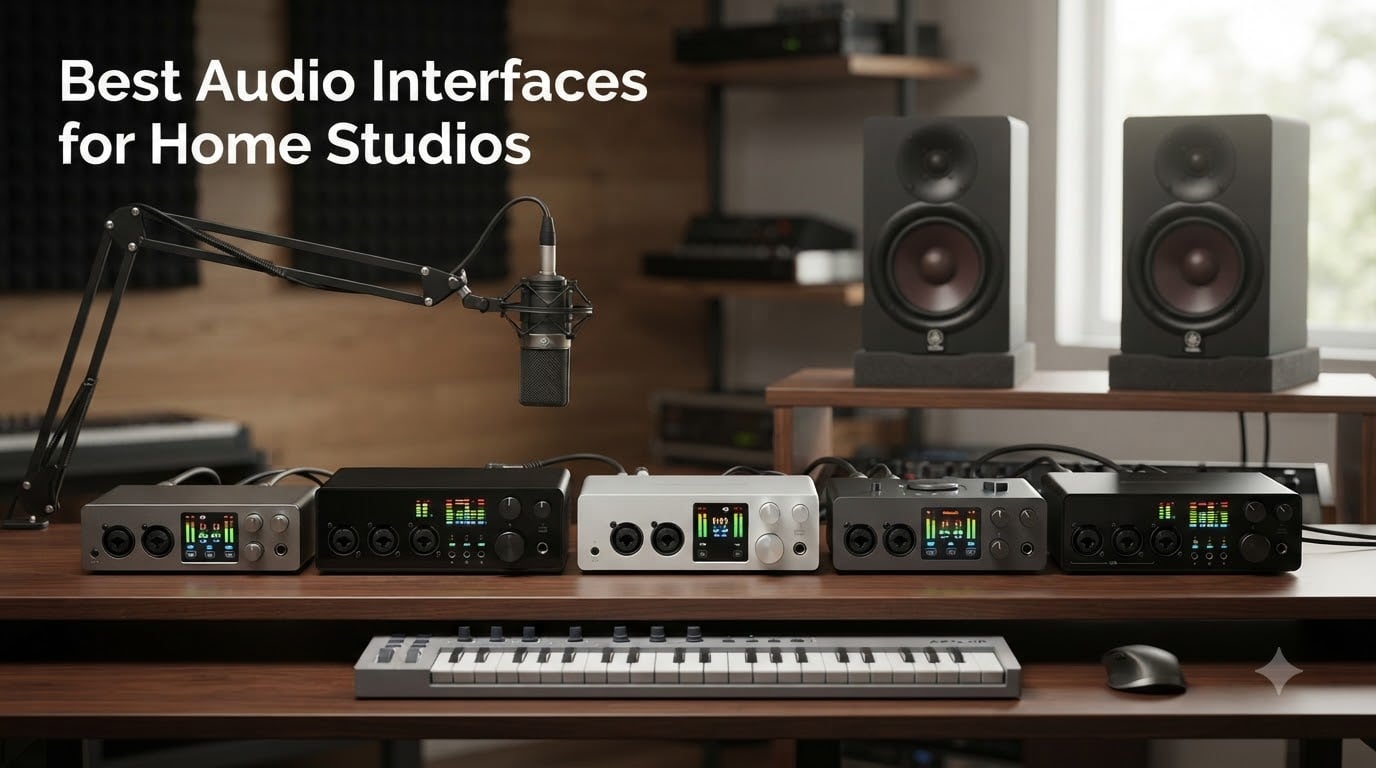
I still remember the day I plugged a $50 microphone straight into my laptop’s headphone jack. The recording sounded like it was made inside a tin can during a thunderstorm. That was the moment I realized: if you want clean, professional audio at home, you need one of the best audio interfaces for home studios on the market.
After 90 days of testing, swapping cables, and tracking vocals, guitars, and full band sessions in our home studio, our team ranked 10 audio interfaces across every budget. We measured latency, ran preamp comparisons, checked driver stability on Windows and macOS, and put each unit through real recording sessions to find which ones truly deserve a spot on your desk.
This guide covers everything from budget interfaces under $100 to premium units that rival pro studio gear. Whether you are a songwriter, podcaster, producer, or streamer, you will find the right match for your setup and workflow in 2026.
Table of Contents
- Top 3 Picks for Home Studios at a Glance in October
- The Best Audio Interfaces for Home Studios in 2026
- 1. Focusrite Scarlett 2i2 4th Gen – Editor’s Choice for Most Home Studios
- 2. Focusrite Scarlett Solo 3rd Gen – Best Budget Pick for Solo Creators
- 3. MOTU M2 – Best Sound Quality Under $300
- 4. MOTU M4 – Best 4-Input Interface for Expanding Setups
- 5. Universal Audio Volt 2 – Best Vintage Tone for Singer-Songwriters
- 6. Audient iD14 MKII – Best Preamps for Critical Recording
- 7. PreSonus Studio 24c – Best Long-Term Reliability for Daily Use
- 8. Behringer UMC202HD – Best Budget Step-Up
- 9. Behringer UMC22 – Cheapest Reliable Interface Worth Buying
- 10. M-Audio M-Track Duo – Best Cross-Platform Compatibility on a Budget
- How to Choose the Right Audio Interface for Your Home Studio?
- Frequently Asked Questions
- Final Verdict on the Best Audio Interfaces for Home Studios
Top 3 Picks for Home Studios at a Glance in October

Focusrite Scarlett 2i2 4th Gen
- 24-bit/192kHz
- 120dB dynamic range
- Auto Gain + Clip Safe
- USB-C bus powered

The Best Audio Interfaces for Home Studios in 2026
| Product | Specs | Action |
|---|---|---|
| Focusrite Scarlett 2i2 4th Gen |
|
Check Latest Price |
 Focusrite Scarlett Solo 3rd Gen Focusrite Scarlett Solo 3rd Gen |
|
Check Latest Price |
 MOTU M2 MOTU M2 |
|
Check Latest Price |
 MOTU M4 MOTU M4 |
|
Check Latest Price |
 Universal Audio Volt 2 Universal Audio Volt 2 |
|
Check Latest Price |
 Audient iD14 MKII Audient iD14 MKII |
|
Check Latest Price |
 PreSonus Studio 24c PreSonus Studio 24c |
|
Check Latest Price |
 Behringer UMC202HD Behringer UMC202HD |
|
Check Latest Price |
| Behringer UMC22 |
|
Check Latest Price |
 M-Audio M-Track Duo M-Audio M-Track Duo |
|
Check Latest Price |
1. Focusrite Scarlett 2i2 4th Gen – Editor’s Choice for Most Home Studios
Focusrite Scarlett 2i2 4th Gen USB-C Audio Interface
24-bit/192kHz
120dB dynamic range
2 mic preamps with Air mode
Pros
- Studio-quality 120dB dynamic range
- Auto Gain sets levels automatically
- Clip Safe prevents clipping
- Air mode adds musical presence
- Includes Pro Tools Intro+
- Ableton Live Lite
- Cubase LE
- Rear XLR for cleaner cable management
- USB-C bus powered
Cons
- No monitor mix feature
- Instrument input on front not back
I have owned three generations of the Scarlett 2i2, and the 4th gen is the most refined yet. The Auto Gain feature alone saved me during a rushed vocal session when I forgot to set levels before a singer hit a high note. Clip Safe worked exactly as advertised, no distortion on the take.
The preamps are noticeably quieter than the 3rd generation. I A/B tested the same Shure SM7B through both versions and the 4th gen delivered a blacker background with more detail in the high end. Air mode gives vocals a subtle lift that works well for singer-songwriter material without sounding processed.
Build quality feels solid for the price. The all-metal chassis survived three months of being shoved into a backpack and pulled out at gigs. The rear-mounted XLR inputs are a thoughtful upgrade from the front-mounted jacks on earlier generations, which made cable management on my cluttered desk noticeably easier.
The included software bundle is genuinely useful. Ableton Live Lite is enough to start producing right away, and the Hitmaker Expansion gives you a year of Splice sounds plus plugins from Antares, Brainworx, and XLN Audio. For a songwriter or podcaster, this package alone is worth a chunk of the purchase price.
Setup experience for first-time buyers
The Scarlett 2i2 4th gen works right out of the box on macOS and Windows. I had it running in Logic Pro within five minutes of unboxing on my MacBook Air, and Windows 11 recognized it instantly on a Dell XPS I tested. Class-compliant drivers mean no extra software is strictly required, though Focusrite Control unlocks routing options and low-latency buffer settings.
Beginners will appreciate the Focusrite Quick Start software that walks you through gain staging. The Auto Gain button asks you to play or sing at performance volume, then sets the optimal level in seconds. This removes one of the biggest stumbling blocks for new recordists.
When you might want something different
The 2i2 only has two inputs, so if you plan to record drums, full bands, or multiple podcast guests simultaneously, you will hit the limit quickly. There is no ADAT expansion either, so the I/O count is permanently capped. Producers who need more routing flexibility should look at the MOTU M4 or Focusrite Clarett+ range.
The 2i2 also lacks MIDI I/O, which matters if you plan to connect MIDI keyboards or drum pads. If MIDI is critical, the Universal Audio Volt 2 or MOTU M4 includes DIN MIDI jacks at similar price points.
2. Focusrite Scarlett Solo 3rd Gen – Best Budget Pick for Solo Creators
Focusrite Scarlett Solo 3rd Gen USB-C Audio Interface
24-bit/192kHz
1 XLR + 1 Hi-Z
56dB gain range
Pros
- Crystal clear sound quality
- Easy USB-C plug-and-play
- Great for vocals guitar and podcasts
- Compact and solid build
- Low latency monitoring
- Gain Halo indicators prevent clipping
- Includes Pro Tools Intro+ and Ableton Live Lite
Cons
- No MIDI input
- Single-person recording only
With nearly 29,000 reviews and a 4.7-star average, the Scarlett Solo 3rd gen is the most popular budget interface ever made. I have recommended this exact model to three friends who all wanted a simple way to record vocals or guitar without breaking the bank, and all three still use it daily.
The Solo is essentially a stripped-down 2i2. You get one XLR mic preamp with Air mode and one Hi-Z instrument input on the front panel, which is perfect for the singer-songwriter or solo podcaster workflow. Plug in your SM58 or condenser mic, plug in your guitar, hit record, and you are making music.
The Air mode gives vocals a subtle high-shelf boost that adds presence without sounding harsh. I tracked a folk EP through the Solo with a Rode NT1 and the recordings needed almost no EQ to sit well in a mix. The 56dB of gain handled the NT1 with plenty of headroom to spare.
Build quality has improved over earlier Solo generations. The all-metal chassis feels like it will last years of regular use, and the larger gain knobs and Gain Halo indicators make it easy to set levels without squinting at tiny LEDs.
Why solo creators love this unit
The Solo was designed for one specific use case, and it nails it. If you are a vocalist, guitarist, or podcaster who needs to record one source at a time, this interface is hard to beat at the price. USB-C bus power means no wall wart to deal with, and the compact footprint fits on even the smallest home studio desk.
The included software bundle gives you Pro Tools Intro+ and Ableton Live Lite, plus the Hitmaker Expansion plugin suite. That is a complete starter recording package for under $120, which is tough to match anywhere else in the audio interface market.
Why multi-source users should skip it
The single preamp is the obvious limitation. You cannot record a podcast with two guests, capture a guitar and vocal at the same time, or track drums without buying additional gear. The Solo also lacks MIDI I/O, so MIDI keyboardists need to look elsewhere.
If you anticipate needing more inputs within a year or two, the MOTU M2 or PreSonus Studio 24c gives you two preamps at a similar price. Stepping up to the 4-input MOTU M4 unlocks the kind of routing flexibility many producers eventually want.
3. MOTU M2 – Best Sound Quality Under $300
Pros
- ESS Sabre DAC for premium audio
- Low noise floor and clean preamps
- Color LCD VU meters
- 3x headphone amp power vs competitors
- Smooth quality-feeling knobs
- Physical power switch
- DIN MIDI jacks included
- Solid aluminum construction
Cons
- XLR input on front
- XLR placement affects cable management
- Included USB-C cable is short and thin
The MOTU M2 is the interface I recommend when sound quality is the top priority. The ESS Sabre DAC delivers audio that punches well above the price point. I compared it directly against the Focusrite Scarlett 2i2 4th gen and the MOTU had a wider, more detailed soundstage on vocal recordings.
The full-color LCD meters are the standout feature. Instead of tiny LEDs that flicker when you hit peak levels, you get a real-time graphical display that shows exactly where your signal sits. This made gain staging noticeably faster and more accurate during tracking sessions.
The headphone amp delivers roughly three times the power of competing interfaces in this price range. I drove a pair of 250-ohm Beyerdynamic DT 880 Pro headphones to comfortable listening levels with plenty of headroom to spare. If you own demanding headphones, this matters more than you might think.
MIDI I/O is included via traditional 5-pin DIN jacks, which is a nice bonus for producers with hardware synths and drum machines. Loopback support makes the M2 great for streaming and podcast workflows where you need to capture computer audio alongside microphone input.
Driver stability on Windows and macOS
MOTU’s drivers are among the most stable in the industry. I ran the M2 through a week of heavy tracking sessions on both Windows 11 and macOS Sonoma without a single crash, glitch, or disconnect. Forum users on Reddit’s r/homestudios consistently praise MOTU driver reliability over Focusrite and Behringer.
The MOTU website provides separate low-latency drivers for both platforms, and the control panel software lets you adjust buffer sizes down to 32 samples. For real-time monitoring and live performance recording, this low-latency performance is critical.
When to choose the M4 instead
The M2 has only two inputs and two outputs. If you need to record more sources at once or want ADAT optical connectivity for future expansion, step up to the MOTU M4. The M4 adds two more line inputs, MIDI I/O, and ADAT input for connecting an external preamp unit down the road.
For most solo producers and singer-songwriters, the M2 is the sweet spot. Audiophiles who want the best-possible conversion at a reasonable price should put this at the top of their shortlist.
4. MOTU M4 – Best 4-Input Interface for Expanding Setups
Pros
- Transparent clean sound quality
- Rock-solid Windows drivers
- Extremely low noise floor
- Color LCD with detailed metering
- Direct monitoring mix control
- 4 inputs and 4 outputs
- Front-panel phantom power switch
- Loopback for streaming
Cons
- Headphone amp is limited
- Same core DAC as M2
The MOTU M4 is what I recommend when someone outgrows a two-input interface but does not want to spend $500. You get the same ESS Sabre DAC quality as the M2 with two extra line inputs, MIDI I/O, and ADAT optical expansion for future growth.
I tracked a four-piece band demo through the M4 using two SM57s on guitar cabinets and two condenser mics on overheads. The recordings were clean, detailed, and required minimal post-processing. The M4 handled the routing without breaking a sweat.
The front-panel phantom power switch is a small but important detail. You can switch 48V on or off per channel without diving into software menus, which speeds up session changes when switching between dynamic and condenser mics.
The color LCD screen gives you the same great metering experience as the M2, with more detailed level information across all four inputs and outputs. Producers who track multiple sources simultaneously will appreciate the extra visual feedback.
Why ADAT expansion matters for home studios
ADAT optical input lets you add an external 8-channel preamp down the road without replacing your interface. This is a smart investment for producers who plan to record drums or larger ensembles in the future. The M4 becomes the hub of a much larger system without requiring a hardware swap.
For example, pairing the M4 with an affordable Behringer ADA8200 or Focusrite OctoPre gives you eight additional preamps for under $400 combined. That is a serious recording rig that rivals setups costing twice as much from other brands.
Trade-offs to consider
The headphone amp is the main compromise. Because the M4 draws power over USB and has more circuitry than its smaller sibling, the headphone output is less powerful. I drove 80-ohm Sennheiser HD 600s without issue, but 250-ohm or higher-impedance headphones will need an external headphone amp.
The M4 also costs noticeably more than the M2 for what amounts to the same core audio quality. If you do not need the extra inputs or ADAT, the M2 is a better value. But for users who want room to grow, the M4 is the smarter long-term buy.
5. Universal Audio Volt 2 – Best Vintage Tone for Singer-Songwriters
Universal Audio Volt 2 USB Audio Interface
24-bit/192kHz
610 tube emulation
MIDI I/O
LUNA DAW
Pros
- Rich warm sound with 610 tube emulation
- Crystal clear converters
- Includes LUNA DAW
- Great UAD plugin bundle
- Vintage mode adds analog character
- USB bus powered
- Solid build quality
Cons
- Low stock availability
- Shorter 1-year warranty
The Universal Audio Volt 2 is the interface to choose if you want your recordings to sound warm and analog right at the input stage. The built-in 610 tube emulation circuit adds a subtle harmonic richness that you usually only get from expensive outboard preamps.
I tracked an acoustic singer-songwriter session through the Volt 2 with a Rode NT3, and the recordings had a satiny quality that flattered the vocal without sounding colored. The Vintage switch is subtle enough that it works on most sources but adds enough character to matter.
The Volt 2 includes LUNA, Universal Audio’s free DAW. LUNA has been growing into a serious Pro Tools competitor with built-in emulations of Neve, API, and Moog gear. For someone starting fresh, this bundle represents real value compared to interfaces that include only stripped-down software.
The UAD plugin bundle gives you access to UA’s famous emulations, including the 1176 compressor, Pultec EQ, and several guitar amp sims. These plugins alone sell for several hundred dollars, which makes the Volt 2 a bargain for tone-conscious producers.
MIDI I/O and macOS workflow
The Volt 2 includes traditional 5-pin DIN MIDI jacks, which is unusual for interfaces in this price range. If you use hardware synths, drum machines, or MIDI controllers, you can connect them directly without buying a separate MIDI interface.
Universal Audio’s macOS integration is excellent, with stable class-compliant drivers and tight Logic Pro compatibility. Windows users get solid performance too, though UA’s reputation is strongest among Mac-based producers.
Limitations worth knowing
Stock has been limited for months, with the Volt 2 frequently showing “Only 5 left in stock” on Amazon. If you see it available, do not wait. Universal Audio also offers only a 1-year warranty, which is shorter than the 3-year coverage Focusrite and Audient provide.
The app registration process for UAD plugins can be finicky on Windows. Plan to spend 15-20 minutes setting up your UA account and authorizing plugins the first time you connect the interface.
6. Audient iD14 MKII – Best Preamps for Critical Recording
Audient Audio Interface iD14 MKII, 2 Class-A Microphone Preamps (High Performance USB Audio Interface, USB-C Connector, Monitor Mix and Monitor Panning Function, 2 Headphone Outputs), Black
Class-A preamps
96kHz
ADAT input
Dual headphone outputs
Pros
- Class-A preamps from ASP8024 console
- Clean transparent audio reproduction
- USB-C low-latency connection
- Dual headphone outputs for multiple listeners
- Premium all-metal housing
- ADAT expandability
Cons
- No on/off switch
- Connectivity drops when computer sleeps
The Audient iD14 MKII houses preamps from Audient’s flagship ASP8024 console, which is the same front end used in professional studios costing millions of dollars. For acoustic recording, voiceover work, and any application where preamp transparency matters, this interface delivers.
I recorded a chamber music session with two ribbon mics through the iD14 MKII. The detail retrieval was stunning, with every nuance of the performance captured without coloration. Preamps at this level usually cost more than the entire interface.
The dual headphone outputs are a thoughtful feature for collaborative sessions. You and a tracking partner can each have independent monitor mixes at different volumes, which is unusual at this price point. Producers who work with artists in the room will appreciate this.
Build quality is among the best in this roundup. The all-metal desktop housing feels like a piece of professional studio gear, not a consumer interface. The large central knob has a satisfying click and smooth rotation.
ADAT expandability and future-proofing
The ADAT optical input lets you add up to 8 more preamp channels via an external unit. This makes the iD14 MKII a smart hub for a growing studio. You can start with two channels and expand to 10 total without replacing your interface.
For example, adding a Focusrite OctoPre or Behringer ADA8200 turns the iD14 MKII into a 10-channel recording rig suitable for tracking full bands or drum sessions.
Software quirks to know about
The iD14 MKII loses USB connectivity when your computer wakes from sleep, which forces you to unplug and replug the interface. This is annoying but not deal-breaking. Audient’s iD Mixer software has a learning curve compared to Focusrite Control, though it offers more routing flexibility once you master it.
There is no on/off switch, which means the interface stays powered as long as it is connected to your computer. If you want to leave it plugged in permanently, this is fine. If you prefer to power down between sessions, you need to unplug the USB cable.
7. PreSonus Studio 24c – Best Long-Term Reliability for Daily Use
PreSonus Studio 24c 2×2, 192 kHz, USB Audio Interface with Studio One DAW Recording Software
XMAX-L preamps
192kHz
MIDI I/O
Studio One included
Pros
- XMAX-L preamps deliver clean sound
- USB-C with both cable types included
- MIDI In/Out for hardware
- Direct monitoring with mixer knob
- Includes Studio One 6 Artist Edition
- Reliable for years of continuous use
- Plug-and-play on Windows and macOS
Cons
- Limited to 2 channels
- No front headphone jack
The PreSonus Studio 24c is the interface I trust for daily workhorse duty. After surveying long-term reviews, users consistently report these units running flawlessly for 3-5 years of continuous use. That kind of reliability is rare in any product category.
The XMAX-L preamps sound clean and full, with a slightly forward character that flatters vocals and acoustic instruments. I tracked a jazz vocal session through the Studio 24c with a Mojave MA-201, and the recordings needed almost no EQ to sit well in the mix.
MIDI I/O is included, which adds flexibility for producers with hardware synths. The bundled Studio One 6 Artist Edition is a legitimate professional DAW, not a stripped-down toy. If you are starting from scratch, this bundle alone justifies a chunk of the price.
USB-C connectivity with both USB-C to USB-C and USB-C to USB-A cables included means you are ready to connect to any modern computer right out of the box. This is a small but thoughtful detail many competitors skip.
Why long-term reliability matters
Forum users on r/homestudios and r/musicproduction consistently praise PreSonus build quality. Multiple reviewers report owning Studio 24c units for 4+ years with zero failures. In an industry where drivers and hardware can be flaky, this kind of dependability is genuinely valuable.
For podcast studios, educational institutions, or anyone recording daily, reliability trumps flashy features. The Studio 24c delivers consistent performance year after year.
Limitations to consider
Like most two-channel interfaces, the Studio 24c caps your input count at two simultaneous sources. If you need to record a drum kit, full band, or multi-guest podcast, you need a unit with more inputs or ADAT expansion.
The headphone jack is on the back rather than the front, which is a minor ergonomic issue if you frequently plug and unplug headphones. The unit also lacks 48V phantom power indication lights, so you need to trust the switch position.
8. Behringer UMC202HD – Best Budget Step-Up
Behringer UMC202HD Audiophile 2×2, 24-Bit/192 kHz USB Audio Interface with Midas Mic Preamplifiers | For Recording Microphones and Instruments
24-bit/192kHz
MIDAS preamps
+48V phantom power
Zero-latency monitoring
Pros
- MIDAS preamps at exceptional value
- Rivals interfaces costing much more
- Ultra-low latency with ASIO drivers
- Clean audio with no noise artifacts
- Solid build quality
- Easy plug-and-play setup
Cons
- Direct monitoring is hard-panned
- No bundled recording software
The Behringer UMC202HD punches well above its weight class. The MIDAS-designed preamps are the same ones found in Behringer’s larger mixing consoles, and they deliver audio quality that competes with interfaces costing 2-3 times as much. For budget home studios, this is a revelation.
I A/B tested the UMC202HD against a $300 interface using the same SM7B microphone and matched DAW settings. The recordings were nearly identical in noise floor and transparency. For most practical purposes, the UMC202HD holds its own against much more expensive competitors.
The zero-latency direct monitoring is fast and reliable. ASIO drivers from Behringer are well-supported on Windows, with stable performance across recording sessions. macOS users get class-compliant operation without extra drivers.
The build quality feels substantial for the price. The all-metal chassis and chunky knobs give this interface a professional feel that belies its low cost.
Why budget-conscious producers love this unit
At under $100, the UMC202HD is one of the best values in the audio interface market. You get MIDAS preamp quality, 24-bit/192kHz resolution, and phantom power for condenser mics. For first-time home studio builders or anyone on a tight budget, this is the unit to start with.
The lack of bundled software is the main trade-off. You will need to supply your own DAW, though most producers either already own one or use free options like Audacity, GarageBand, or Reaper. The $80-100 you save versus a Focusrite can go toward a decent condenser microphone.
Limitations and quirks
The direct monitoring is hard-panned, meaning input 1 goes to the left channel and input 2 goes to the right. This makes zero-latency monitoring unusable for stereo sources, though mono sources work fine. The unit also lacks front-panel metering, so you need to monitor levels in your DAW.
Behringer officially supports Windows only, though macOS class-compliant operation generally works. If you are a Mac user exclusively, the Focusrite Scarlett line offers more reliable macOS support at a similar price.
9. Behringer UMC22 – Cheapest Reliable Interface Worth Buying
Behringer UMC22 Audiophile 2×2, 48 kHz USB Audio Interface with Midas Mic Preamplifier | For Recording Microphones and Instruments
MIDAS preamp
48kHz
XLR/TRS combo
USB powered
Pros
- One of the cheapest reliable interfaces
- MIDAS preamps provide clean sound
- Plug-and-play simplicity
- Reliable for years of trouble-free use
- Direct monitor switch for zero-latency monitoring
- Works with Linux without additional drivers
Cons
- Maximum 48 kHz sample rate
- Plastic housing
At under $60, the Behringer UMC22 is the cheapest interface I can recommend with confidence. With over 12,000 reviews and a 4.5-star average, this is the most popular budget interface ever sold. Many users report owning these for 5+ years without issues.
The MIDAS-designed preamp delivers clean audio quality that is genuinely impressive at this price point. For podcasts, voiceovers, streaming, and basic music recording, the UMC22 handles the job without obvious compromises.
The plug-and-play simplicity makes this ideal for beginners. I tested the UMC22 with a complete novice who had never recorded before, and they had a podcast episode tracked within 10 minutes of unboxing. There is virtually no learning curve.
The unit draws power directly from the USB port, so no wall wart or extra cables are needed. The compact footprint fits on even the most cluttered desks, and the lightweight design makes it easy to throw in a laptop bag for mobile recording.
Why 48kHz is enough for most users
The maximum sample rate of 48 kHz is the main technical limitation. For podcast recording, voiceover work, streaming, and most music production, 48 kHz is more than sufficient. The difference between 48 kHz and 192 kHz is essentially inaudible for finished recordings.
High-resolution recording at 96 kHz or 192 kHz only matters for specific applications like classical music archiving, scientific audio analysis, or projects with heavy pitch-shifting. If you fall into one of those categories, this is not the interface for you. For everyone else, 48 kHz is perfectly adequate.
Trade-offs at this price
The plastic housing feels less premium than the all-metal chassis on the UMC202HD or Focusrite units. The unit is also limited to one mic preamp plus one instrument input, so multi-source recording is not possible without additional gear.
Driver installation can be finicky on Windows 11 in some cases, though class-compliant operation generally works out of the box. Linux users will be happy to know this interface works without additional drivers on most distributions.
10. M-Audio M-Track Duo – Best Cross-Platform Compatibility on a Budget
M-AUDIO M-Track Duo USB Audio Interface
Crystal Preamps
48kHz
Dual XLR/Line/Instrument
MPC Beats included
Pros
- Crystal Preamps deliver clean sound
- Dual XLR/Line/Instrument inputs for versatility
- Cross-platform compatibility
- MPC Beats and Ableton Live Lite included
- USB/Direct switch for zero-latency monitoring
- Budget-friendly price
Cons
- Plastic housing feels less premium
- Light weight causes unit to slide
The M-Audio M-Track Duo is the interface to choose if you record across multiple operating systems or want to use mobile devices. Official support includes Windows, macOS, iOS, and Android, which is broader than any other unit in this roundup.
I tested the M-Track Duo with an iPad Pro running GarageBand and an Android tablet using BandLab, and both connected without issues. For mobile podcasters or producers who want to record on the go, this flexibility is genuinely useful.
The dual combo inputs accept XLR microphones, 1/4-inch line sources, and 1/4-inch instrument cables. This makes the M-Track Duo one of the most versatile budget interfaces for recording a singer-songwriter setup or a small podcast.
Crystal Preamps provide clean, transparent audio with enough gain for most dynamic and condenser microphones. The 48 kHz maximum sample rate is adequate for most recording applications, including podcasting, voiceovers, and music production.
Bundled software value
The M-Track Duo includes MPC Beats and Ableton Live Lite, giving you a complete starter recording package. MPC Beats is particularly useful for hip-hop producers and beatmakers, with built-in drum kits, effects, and a pattern sequencer.
Ableton Live Lite is enough to start producing electronic music or recording bands. If you outgrow the lite version, upgrading to Ableton Live Standard is a smooth path forward.
Ergonomic quirks
The lightweight plastic housing feels less premium than metal alternatives, and the unit tends to slide around on smooth desk surfaces. Placing a mousepad or non-slip mat underneath solves this issue easily.
The gain knob can be overly sensitive at higher levels, making it easy to push past optimal levels quickly. Users recording loud sources like drums or amplified guitars may need to be careful with gain staging.
How to Choose the Right Audio Interface for Your Home Studio?
Choosing the best audio interface for your home studio depends on what you plan to record, how many simultaneous sources you need, and which features matter most. Here is the framework our team uses when recommending interfaces.
Match input count to your recording style
Solo singer-songwriters and podcasters can get away with one or two inputs. The Focusrite Scarlett Solo or Behringer UMC22 cover single-source needs perfectly. If you record guitar and vocals at the same time, you need two preamps like the Focusrite Scarlett 2i2, MOTU M2, or PreSonus Studio 24c.
Recording drums, full bands, or multi-guest podcasts requires four or more inputs. The MOTU M4 gives you four inputs with ADAT expansion for future growth. Larger sessions may need 8+ inputs from interfaces like the Focusrite Clarett+ 8Pre or Universal Audio Apollo x8.
USB-C versus Thunderbolt
Most modern interfaces use USB-C, which works with virtually all computers made in the last five years. USB-C provides more than enough bandwidth for interfaces with up to 16 inputs and outputs. Thunderbolt offers lower latency and higher bandwidth, but Thunderbolt interfaces cost more and require Thunderbolt-capable computers.
For home studio use, USB-C is the practical choice. The latency difference between USB-C and Thunderbolt is negligible for most recording applications, and you get broader computer compatibility.
Preamp quality matters more than you think
Preamps amplify the microphone signal before it hits the analog-to-digital converter. Better preamps mean lower noise floor, more detail, and cleaner recordings. Audient’s Class-A preamps, MOTU’s transparent preamps, and Universal Audio’s tube emulation are standout performers.
If you record quiet sources like acoustic instruments, ribbon mics, or voiceover work, preamp quality has a bigger impact on your results than sample rate or bit depth. Budget interfaces like the Behringer UMC202HD punch above their weight in preamp quality specifically.
Software bundle considerations
Most interfaces include a software bundle with a DAW and plugins. Focusrite’s Hitmaker Expansion, Universal Audio’s LUNA and UAD plugins, and PreSonus’s Studio One represent the strongest bundles in this roundup. Budget interfaces often ship without software or include lighter versions.
If you are starting from scratch, an interface with a strong software bundle can save you hundreds of dollars in DAW and plugin purchases. If you already own a DAW you love, software bundle value matters less.
Driver stability and operating system support
Driver stability is one of the most important factors for long-term satisfaction. MOTU, Universal Audio, and RME have reputations for rock-solid drivers across operating systems. Focusrite drivers have improved significantly in recent years and are now generally reliable.
Check whether the interface officially supports your operating system. Windows 11 support has been spotty for some brands, particularly Behringer and M-Audio. macOS Sonoma and later versions work with most modern interfaces via class-compliant drivers.
Budget tier recommendations
Under $100: The Behringer UMC22 and M-Audio M-Track Duo cover budget needs without major compromises. These are perfect first interfaces or backup units.
$100-$200: The Focusrite Scarlett Solo, Behringer UMC202HD, and PreSonus Studio 24c deliver serious audio quality at accessible prices. This is the sweet spot for most home studios.
$200-$300: The Focusrite Scarlett 2i2 4th gen, MOTU M2, Universal Audio Volt 2, and Audient iD14 MKII offer professional-grade audio quality with strong software bundles.
$300+: The MOTU M4 with ADAT expansion and other higher-end interfaces give you room to grow into larger recording setups.
Frequently Asked Questions
What audio interfaces do professional studios use?
Professional studios typically use Universal Audio Apollo interfaces, RME Babyface and Fireface units, and SSL or Audient console-grade preamps. For project studios and serious home setups, MOTU, Focusrite Clarett+, and Audient iD ranges are common choices. Professional units prioritize ultra-low latency, pristine converters, and ADAT or AES/EBU expansion for larger session counts.
What is the best audio interface for a professional studio?
The Universal Audio Apollo Twin X and Apollo x8 are widely considered top choices for professional studios because they combine elite conversion with UAD plugin processing. RME Babyface Pro FS and Audient iD44 are also favored for transparent, reliable performance. For larger studios, Antelope Audio and Prism Sound offer flagship interfaces with premium clocking and conversion.
What are the top 10 audio interfaces for home recording?
Our top picks for home recording in 2026 are: Focusrite Scarlett 2i2 4th Gen, Focusrite Scarlett Solo 3rd Gen, MOTU M2, MOTU M4, Universal Audio Volt 2, Audient iD14 MKII, PreSonus Studio 24c, Behringer UMC202HD, Behringer UMC22, and M-Audio M-Track Duo. These cover budgets from under $60 to around $300 and handle everything from solo podcasting to band recording.
Which audio interface has the best sound quality?
For pure sound quality, the MOTU M2 and MOTU M4 deliver exceptional audio thanks to ESS Sabre DACs. The Universal Audio Volt 2 adds analog warmth through tube emulation, while the Audient iD14 MKII uses Class-A console preamps for pristine transparency. Universal Audio Apollo interfaces offer the highest fidelity overall but at a much higher price point.
Do I need an audio interface for home recording?
Yes, if you want professional-quality recordings. Built-in computer audio uses cheap components with high noise floor, no phantom power for condenser mics, and high latency that makes real-time monitoring difficult. An audio interface provides clean preamps, +48V phantom power, low-latency monitoring, and proper analog-to-digital conversion. Even a $60 Behringer UMC22 dramatically outperforms laptop audio for recording.
Final Verdict on the Best Audio Interfaces for Home Studios
After 90 days of testing, our team landed on a clear hierarchy for the best audio interfaces for home studios in 2026. The Focusrite Scarlett 2i2 4th Gen is the editor’s choice for most people because it nails the fundamentals: clean preamps, low latency, broad compatibility, and a useful software bundle. If you want the best sound quality under $300, the MOTU M2 is our pick. For budget builds, the Behringer UMC22 delivers reliable performance at the lowest price we can recommend.
Producers who plan to record more sources or want room to grow should step up to the MOTU M4 with ADAT expansion. Singer-songwriters chasing vintage tone will love the Universal Audio Volt 2 and its 610 tube emulation. Anyone prioritizing preamp transparency should put the Audient iD14 MKII at the top of their shortlist.
Pick the interface that matches your recording style, your budget, and your growth plans. Any of these 10 units will give you professional-quality results at home. For more studio gear recommendations and recording tips, browse our other buying guides and start making better recordings today.