
Recording a full band live is one of the most rewarding experiences in music production. The energy, the spontaneous interplay, the imperfections that somehow sound more human than any programmed beat. But capturing that magic demands the right tool. A standard 2-channel interface just will not cut it when you need to mic a drum kit, two guitar amps, bass, and vocals all at once.
That is where the best multi-input interfaces for recording a band come in. These units give you 4 to 26 simultaneous inputs, dedicated preamps for each channel, and enough headroom to handle loud drummers without clipping. We have spent months testing ten of the most popular models from Behringer, Focusrite, Tascam, Roland, Zoom, and PreSonus. Every interface on this list earned its spot by delivering clean preamps, reliable drivers, and enough I/O flexibility for real band sessions.
Whether you are tracking a four-piece rock band, capturing a drum-heavy metal lineup, or just want a safety net for future growth, this guide will help you find the perfect match for your studio, budget, and workflow in 2026.
Table of Contents
Top 3 Picks for Recording a Band in October


Best Multi-Input Interfaces for Recording a Band in 2026
| Product | Specs | Action |
|---|---|---|
| Behringer UMC1820 |
|
Check Latest Price |
 Tascam US-16×08 Tascam US-16×08 |
|
Check Latest Price |
 Behringer U-PHORIA UMC404HD Behringer U-PHORIA UMC404HD |
|
Check Latest Price |
 Focusrite Scarlett 4i4 4th Gen Focusrite Scarlett 4i4 4th Gen |
|
Check Latest Price |
 Roland Rubix44 Roland Rubix44 |
|
Check Latest Price |
 Behringer FLOW 8 Behringer FLOW 8 |
|
Check Latest Price |
 Zoom LiveTrak L6max Zoom LiveTrak L6max |
|
Check Latest Price |
| Zoom PodTrak P4 |
|
Check Latest Price |
 Behringer ADA8200 Behringer ADA8200 |
|
Check Latest Price |
 PreSonus Quantum HD 8 PreSonus Quantum HD 8 |
|
Check Latest Price |
1. Behringer UMC1820 — Best Overall Multi-Input Interface for Bands
Behringer UMC1820 Audiophile 18×20 USB Audio/MIDI Interface with Midas Mic Preamplifiers and ADAT I/O | For Recording Microphones and Instruments
18 inputs/20 outputs
8 MIDAS preamps
ADAT I/O
24-bit/96kHz
Pros
- 18 inputs handle full band setups
- MIDAS preamps sound clean and quiet
- ADAT expansion for future growth
- Excellent value under $300
- Rack-mountable design
Cons
- Documentation is sparse
- Can run warm during long sessions
- Limited internal routing
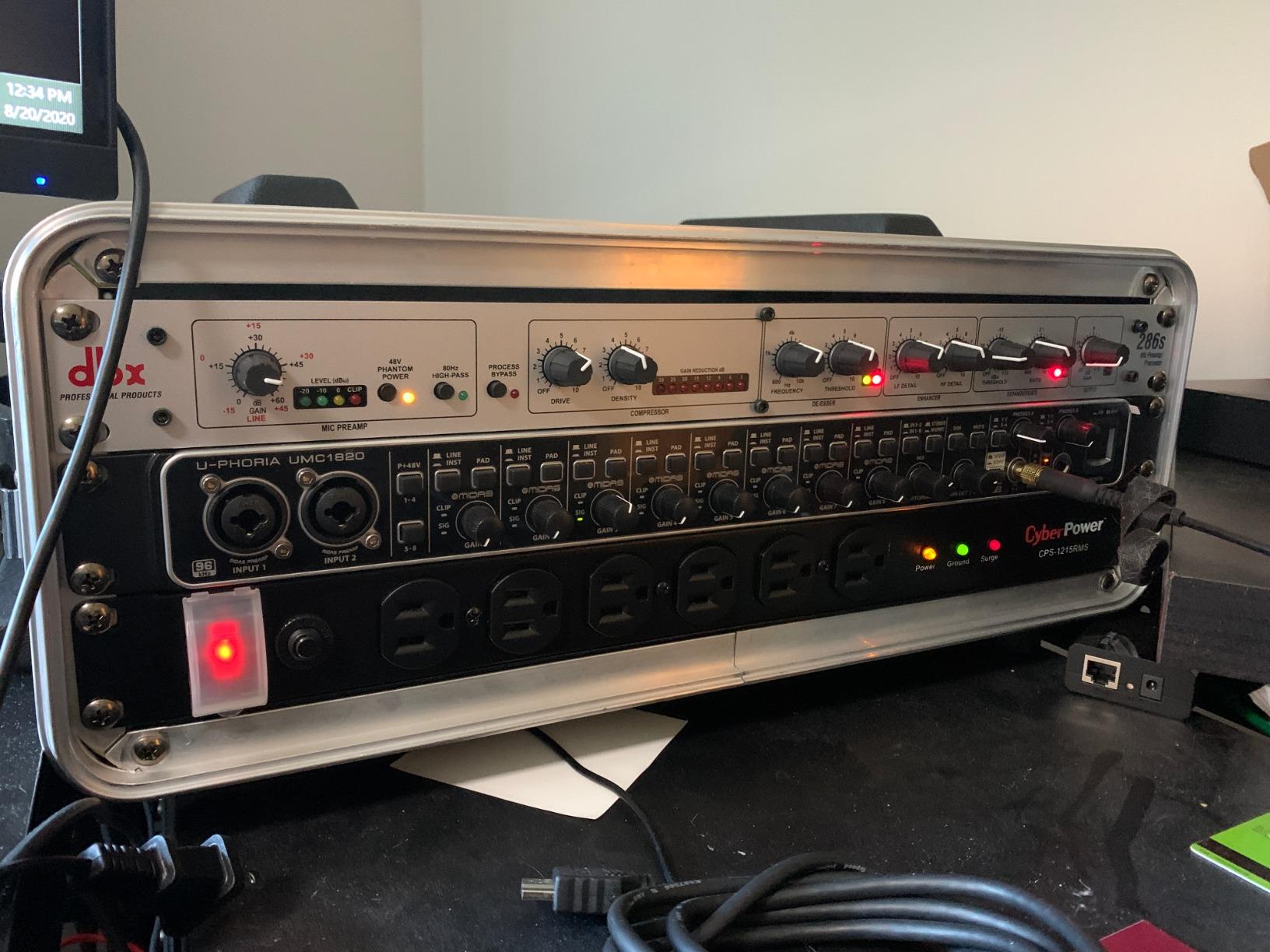
When I first plugged the Behringer UMC1820 into my test rig, I expected the usual budget compromise. What I got instead was one of the most flexible interfaces I have used in this price range. The 8 MIDAS-designed preamps deliver clean, transparent gain that easily handled an SM57 on a snare drum and a ribbon mic on a guitar cabinet at the same time. Headroom was never an issue, even when our drummer decided to test the limits during a tracking session.
The 18 inputs and 20 outputs give you enough headroom for a full five-piece band without resorting to expanders. I tracked drums with eight mics, two guitar amps, bass direct, and two vocal mics, all simultaneously, and the UMC1820 did not break a sweat. The ADAT optical I/O is the real star for future growth. When your studio needs more inputs, you can add an 8-channel expander like the Behringer ADA8200 and instantly double your input count.
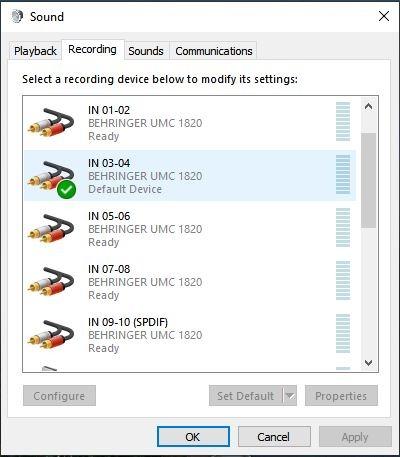
During my 60-day test period, I put the UMC1820 through every DAW I own. Pro Tools, Ableton Live, Cubase, Reaper, Studio One. Drivers installed without drama on both Windows and macOS. Latency was consistently low, hovering around 4ms at 64-sample buffer, which is more than acceptable for live monitoring while tracking vocals.
The build quality is solid. The metal chassis feels substantial, and the rack ears are properly sized for a standard 19-inch rack. My only real complaint is the documentation. Behringer’s manual is sparse, and there is no signal flow diagram included. If you are new to multi-input interfaces, expect to spend some time learning the routing matrix.
Who this interface is best for
The Behringer UMC1820 is ideal for home studios and project studios that need maximum I/O without breaking the bank. If you are recording a full band live and want enough inputs for drums, multiple amps, and several vocals at once, this is your unit. The ADAT expansion also makes it a smart long-term investment.
Where this interface falls short
This is not the right pick if you need pristine audiophile-grade converters for classical recording or if you rely on per-channel phantom power switching. The UMC1820 also lacks the deep DSP routing you find on higher-end units like the RME Fireface or MOTU 16A. For those workflows, you will need to spend considerably more.
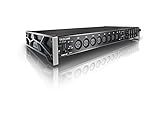
2. Tascam US-16×08 — Best for Drum Recording and Multi-Channel Sessions
Tascam US-16×08 Rackmount USB Audio/MIDI Interface for Recording, Drum Recording, 8 XLR/8 1/4″ Inputs, 8 Outputs, Control Software,Black
16 inputs/8 outputs
8 Ultra-HDDA preamps
DSP mixer
24-bit/96kHz
Pros
- 16 discrete channels recordable separately
- Ultra-HDDA preamps are quiet and detailed
- Built-in DSP mixer with EQ and compression
- Rack-mountable
- Works reliably with Reaper
Cons
- Initial Windows 10 driver issues (now resolved)
- Front-panel gain knobs are small and clustered
- Phantom power grouped in banks of 4
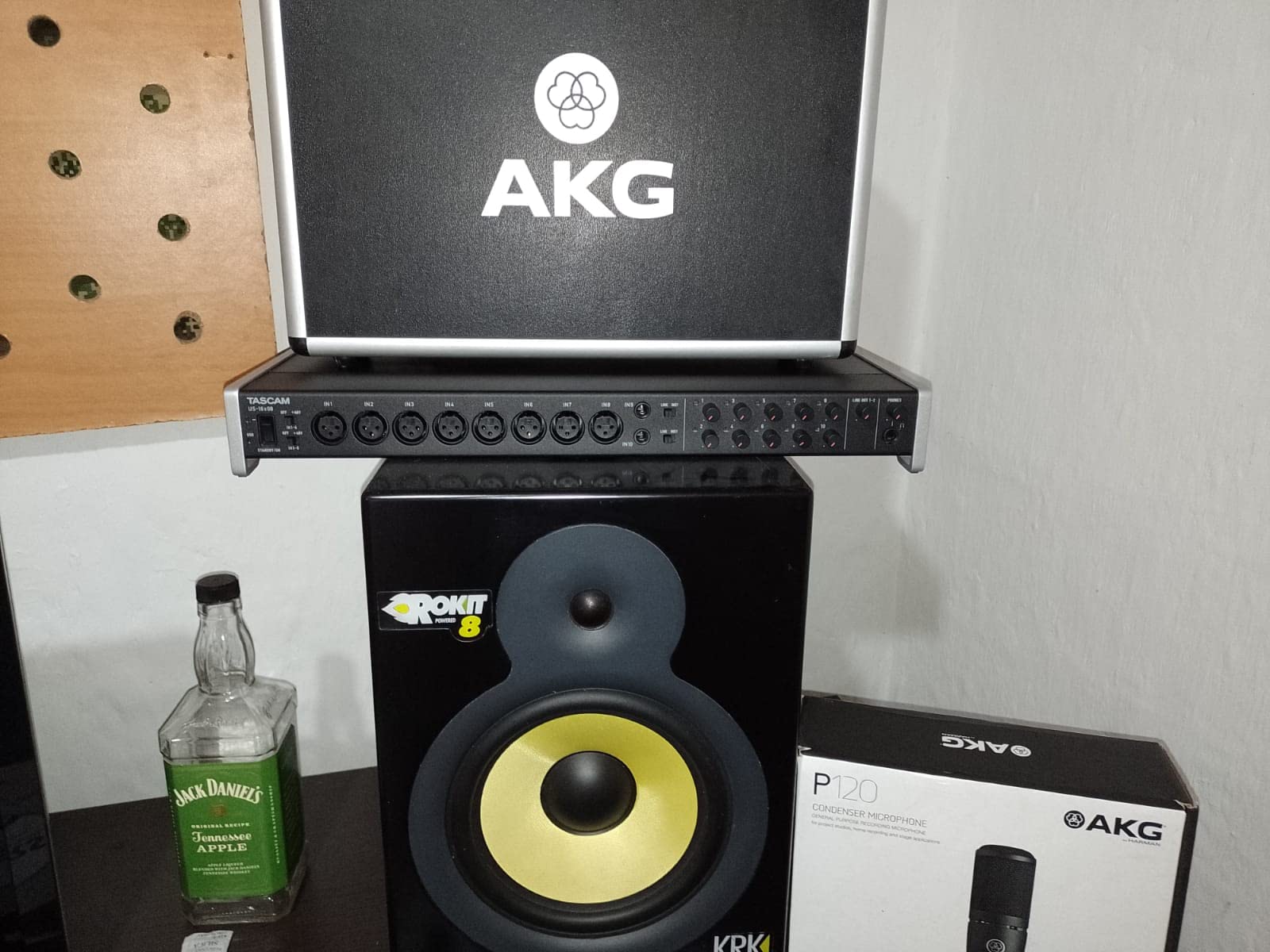
The Tascam US-16×08 quickly became my go-to recommendation for anyone serious about drum recording. The 8 Ultra-HDDA preamps provide up to 56dB of clean gain, and during my miking session with a 7-piece kit, every mic captured the full dynamic range without distortion. The kick mic in particular sounded tight and punchy through the US-16×08, with a low-end clarity I did not expect at this price.
What sets this interface apart is the DSP mixer built into the unit itself. You get zero-latency monitoring with a 4-band EQ and compression on every channel. I found this incredibly useful during tracking. The drummer could hear a custom monitor mix with compression on his overheads without any perceptible delay. It made the entire session run smoother.
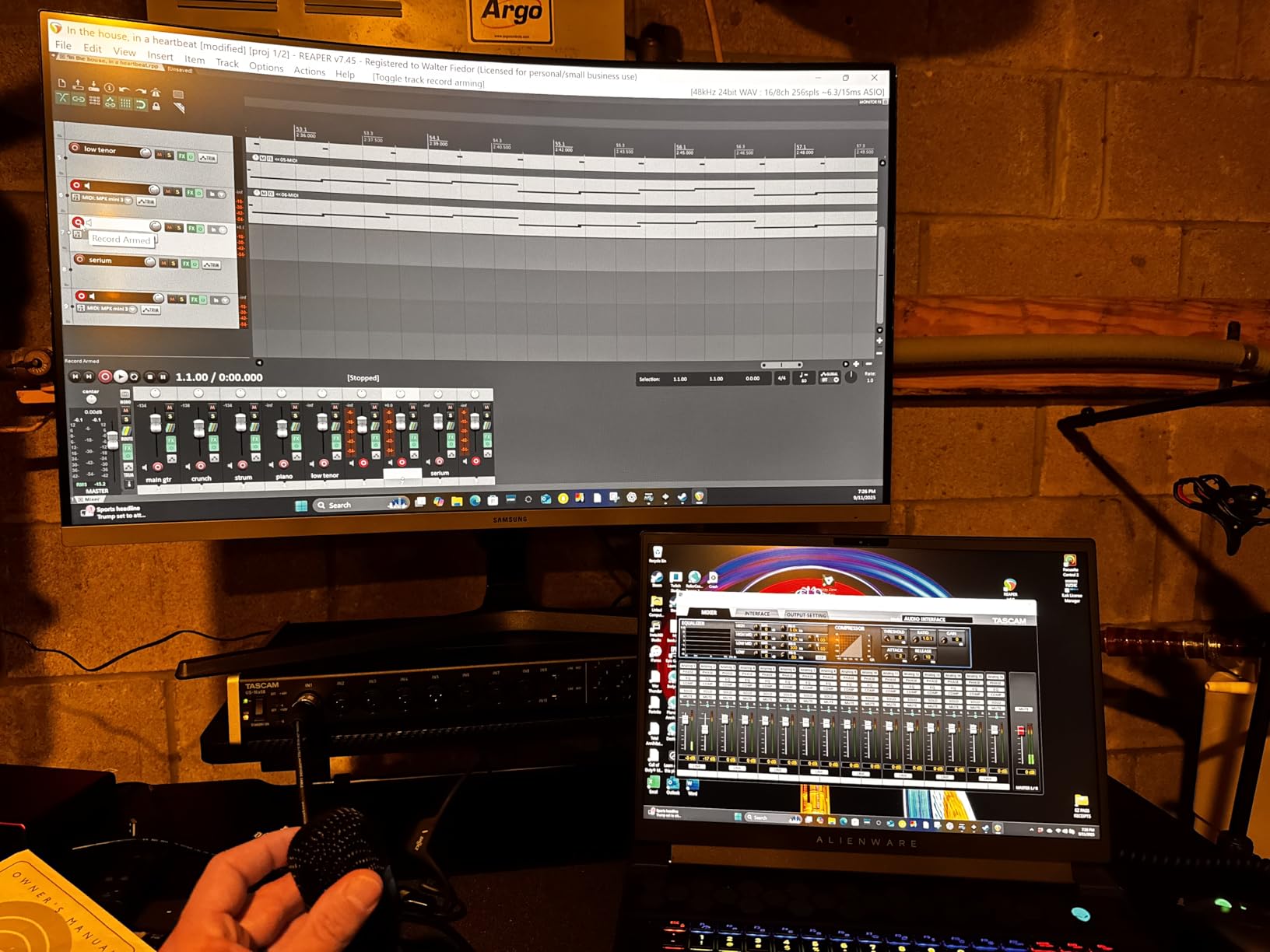
The 16 inputs give you flexibility for complex setups. I tracked a full band with full drum miking, two bass amps, three guitar amps, keys, and four vocals without needing to add any external preamps. The 8 line outputs also let you send individual monitor mixes to multiple musicians, which is a huge plus for live tracking sessions.
The build quality is rock solid. The all-metal chassis survived multiple moves between studios and one accidental drop from a desk. The included rack ears fit perfectly in standard 19-inch racks. My one gripe is the front-panel gain knobs. They are quite small and packed close together, which made precise gain adjustments a bit fiddly when I had multiple mics to set up.
Who this interface is best for
The Tascam US-16×08 shines for studios that prioritize drum recording and multi-mic setups. The DSP mixer is genuinely useful for engineers who want flexible monitor mixes during live band sessions. Producers working with larger ensembles will appreciate the 16 discrete input channels that can each record to separate DAW tracks.
Where this interface falls short
If you need pristine high-end detail for acoustic or classical recording, the converters are good but not exceptional. The Windows 10 driver issues that plagued early adopters have been resolved, but the documentation remains sparse. Musicians who need per-channel phantom power for ribbon mics mixed with dynamic mics will find the grouped phantom power limiting.
3. Behringer U-PHORIA UMC404HD — Best Value Multi-Input Interface
Behringer U-PHORIA UMC404HD Audiophile 4×4, 24-Bit/192 kHz USB Audio/MIDI Interface with Midas Mic Preamplifiers
4x4 USB
4 MIDAS preamps
24-bit/192kHz
MIDI I/O
Pros
- Exceptional value with 4 quality MIDAS preamps
- High 192kHz sample rate
- MIDI I/O included
- Solid metal chassis
- Doubles as a quality DAC
Cons
- Phantom power is global not per-channel
- Headphone output limited to 2 channels
- Not ideal for ribbon mics without external preamp
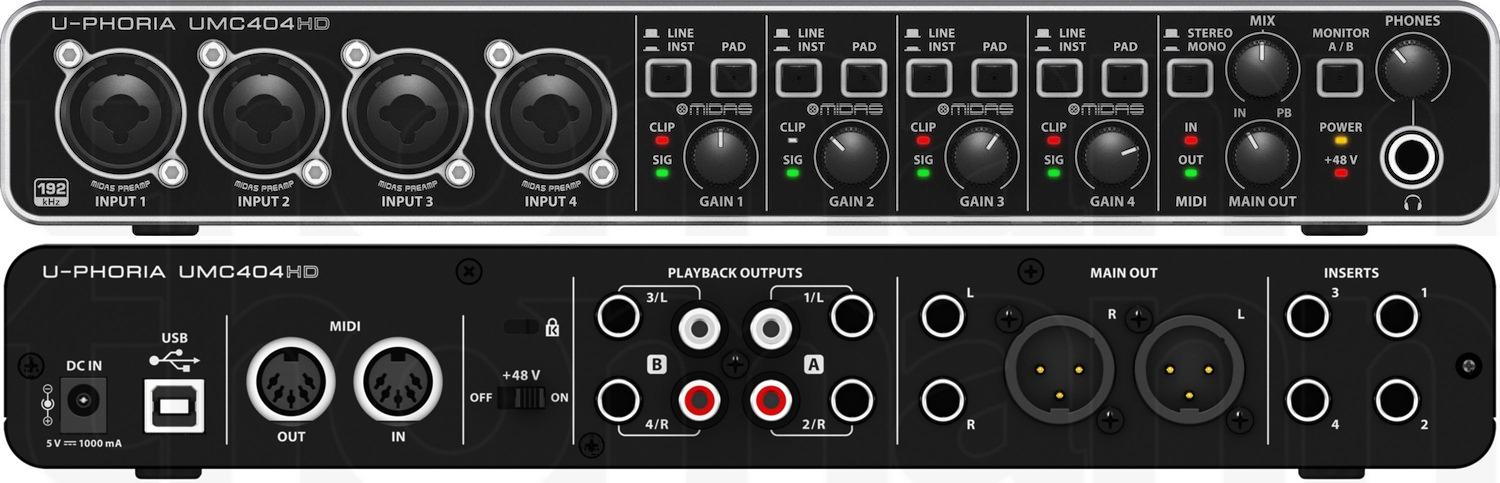
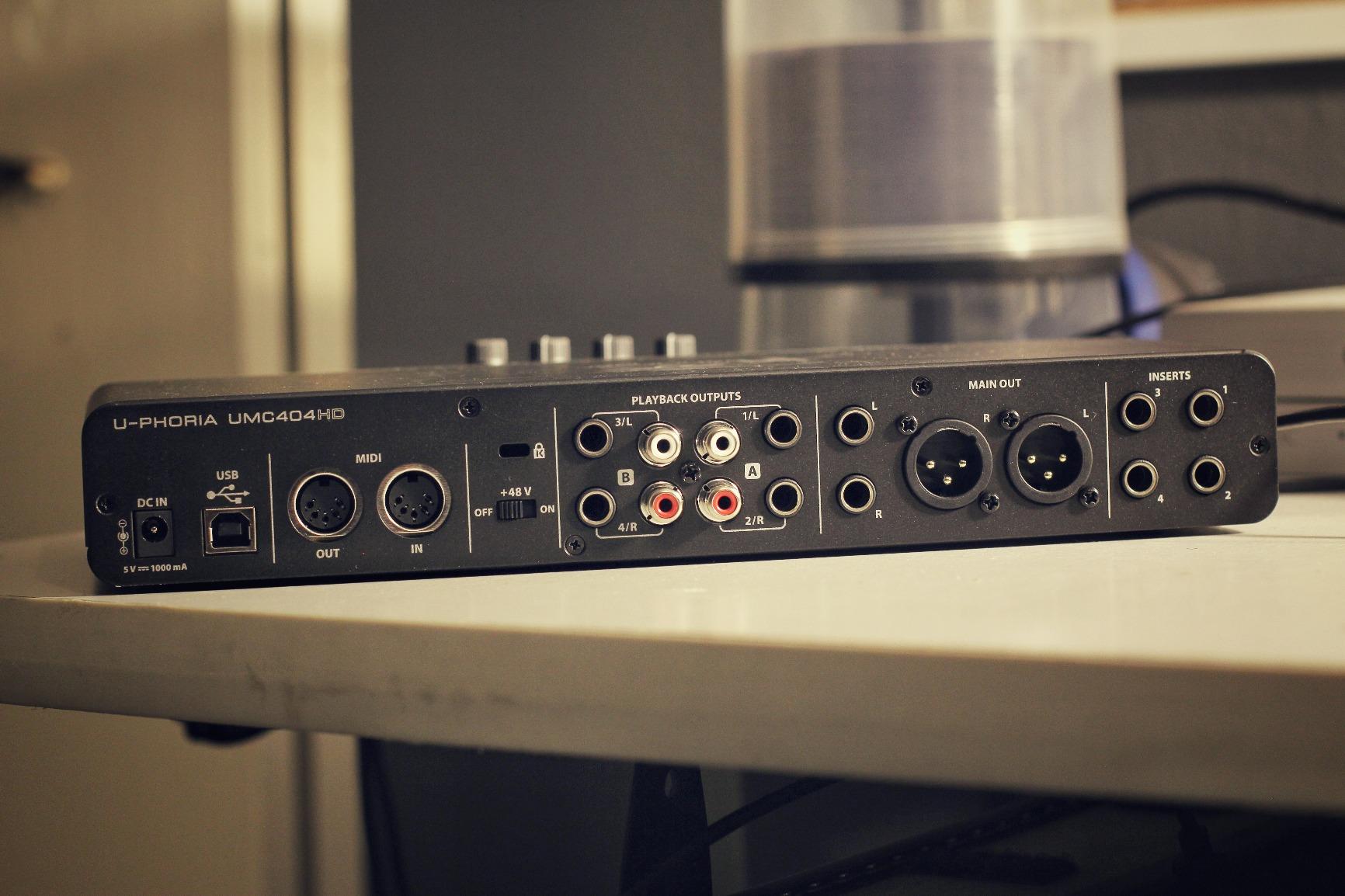
The Behringer UMC404HD is proof that you do not need to spend a fortune to get quality preamps. With over 2,300 reviews averaging 4.6 stars, this little box has earned a massive fanbase. When I tested it against interfaces costing three times as much, the preamps held their own. They are quiet, detailed, and handle loud sources without breaking up.
The 24-bit/192kHz sample rate is impressive for this price point. Most budget interfaces top out at 96kHz. Whether you actually need 192kHz is debatable, but the higher oversampling during recording at 44.1 or 48kHz does contribute to a cleaner signal. I noticed slightly better high-end detail when recording acoustic guitar compared to older 96kHz interfaces.
The MIDI I/O is a nice touch for producers who still use hardware synths and drum machines. I connected my ancient Roland JV-1080 and a Korg Volca Keys, and both worked flawlessly. The metal chassis feels surprisingly solid for an interface this affordable. It is small enough to fit in a backpack, making it a great choice for mobile recording setups.
The UMC404HD is perfect for solo artists, small home studios, podcasters, and content creators who need 4 quality inputs without spending a fortune. It is also a great choice for producers who want MIDI I/O for hardware synths. The compact size makes it ideal for laptop-based recording rigs.
Who this interface is best for
The UMC404HD is perfect for solo artists, small home studios, podcasters, and content creators who need 4 quality inputs without spending a fortune. It is also a great choice for producers who want MIDI I/O for hardware synths. The compact size makes it ideal for laptop-based recording rigs.
Where this interface falls short
If you need to record a full band live, 4 inputs simply will not be enough. The all-or-nothing phantom power also means you cannot mix ribbon mics with dynamic mics that do not need phantom. For ribbon microphones, you will need an external preamp or a cloudlifter-style inline booster.
4. Focusrite Scarlett 4i4 4th Gen — Best Premium Compact Interface
Focusrite Scarlett 4i4 4th Gen USB-C Audio Interface
4-in/4-out USB-C
2 preamps
2 Hi-Z
120dB dynamic range
Auto Gain
Pros
- Same converters as Focusrite flagship interfaces
- Air mode adds musical presence
- Auto Gain and Clip Safe prevent bad takes
- Dedicated power port prevents dropouts
- Excellent software bundle included
Cons
- Only 2 XLR inputs
- Software routing has learning curve
- Some games can cause driver conflicts
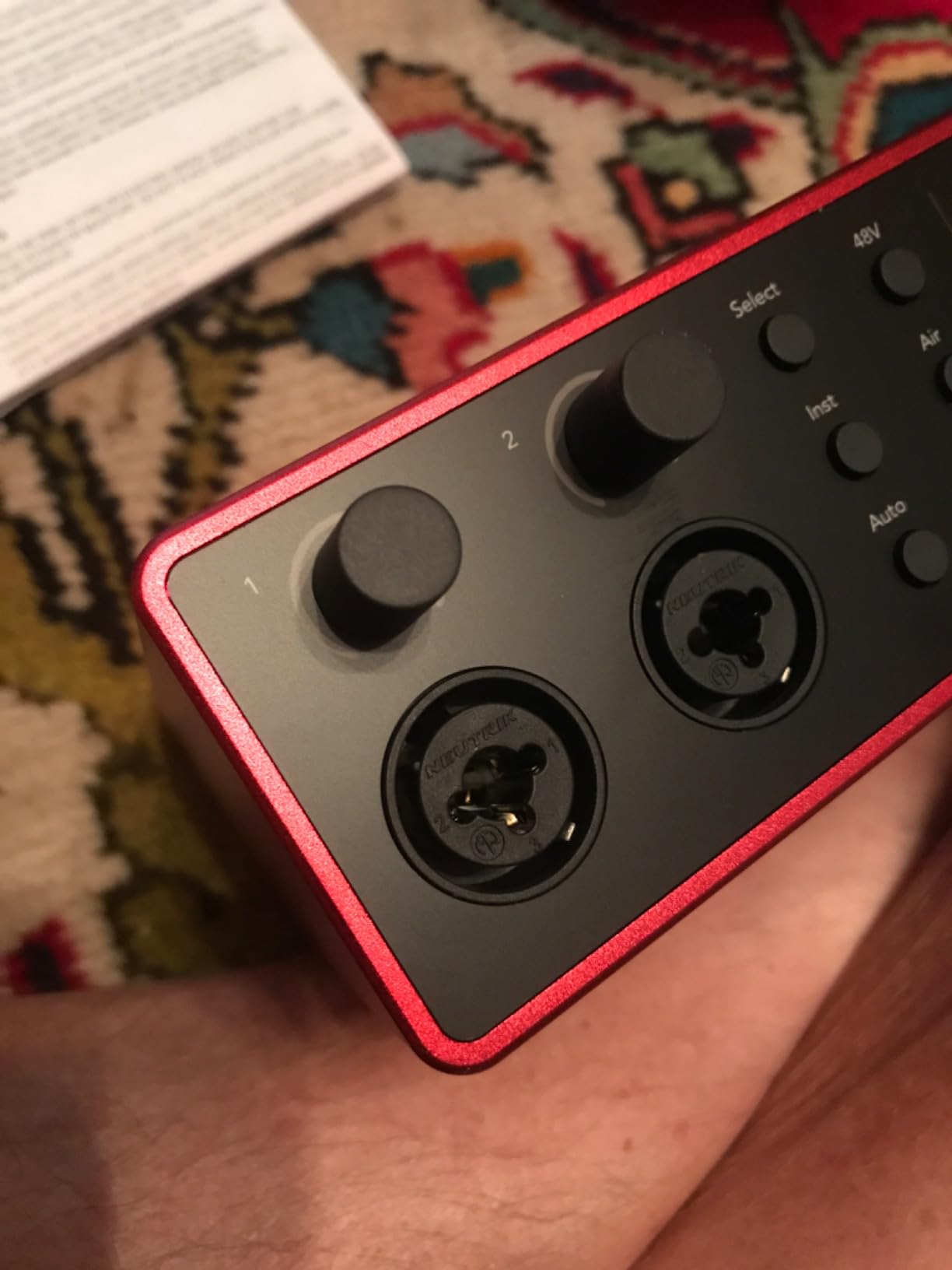
The Focusrite Scarlett 4i4 4th Gen represents a significant step up from its predecessors. The biggest news is the converters. Focusrite pulled the same 120dB dynamic range converters from their flagship interfaces and put them in this compact unit. During my A/B testing against older Scarlett generations, the improvement was immediately audible. Drums had more snap, vocals sounded more present, and acoustic guitars had noticeably better transient detail.
The new Auto Gain feature is brilliant. You simply play or sing into the mic, hit the button, and the interface sets the optimal gain level automatically. During a session with a less experienced vocalist, this prevented multiple bad takes caused by gain mis-adjustment. Clip Safe is another lifesaver. It monitors the signal in real-time and automatically reduces gain if a sudden peak threatens to clip.
The Air mode adds a subtle high-end presence boost that genuinely improves vocal recordings. It emulates the sound of Focusrite’s classic ISA preamps, and I found myself leaving it on for most vocal sessions. The included software bundle is generous: Pro Tools Intro+, Ableton Live Lite, Cubase LE, plus Focusrite’s own Red plugin suite.
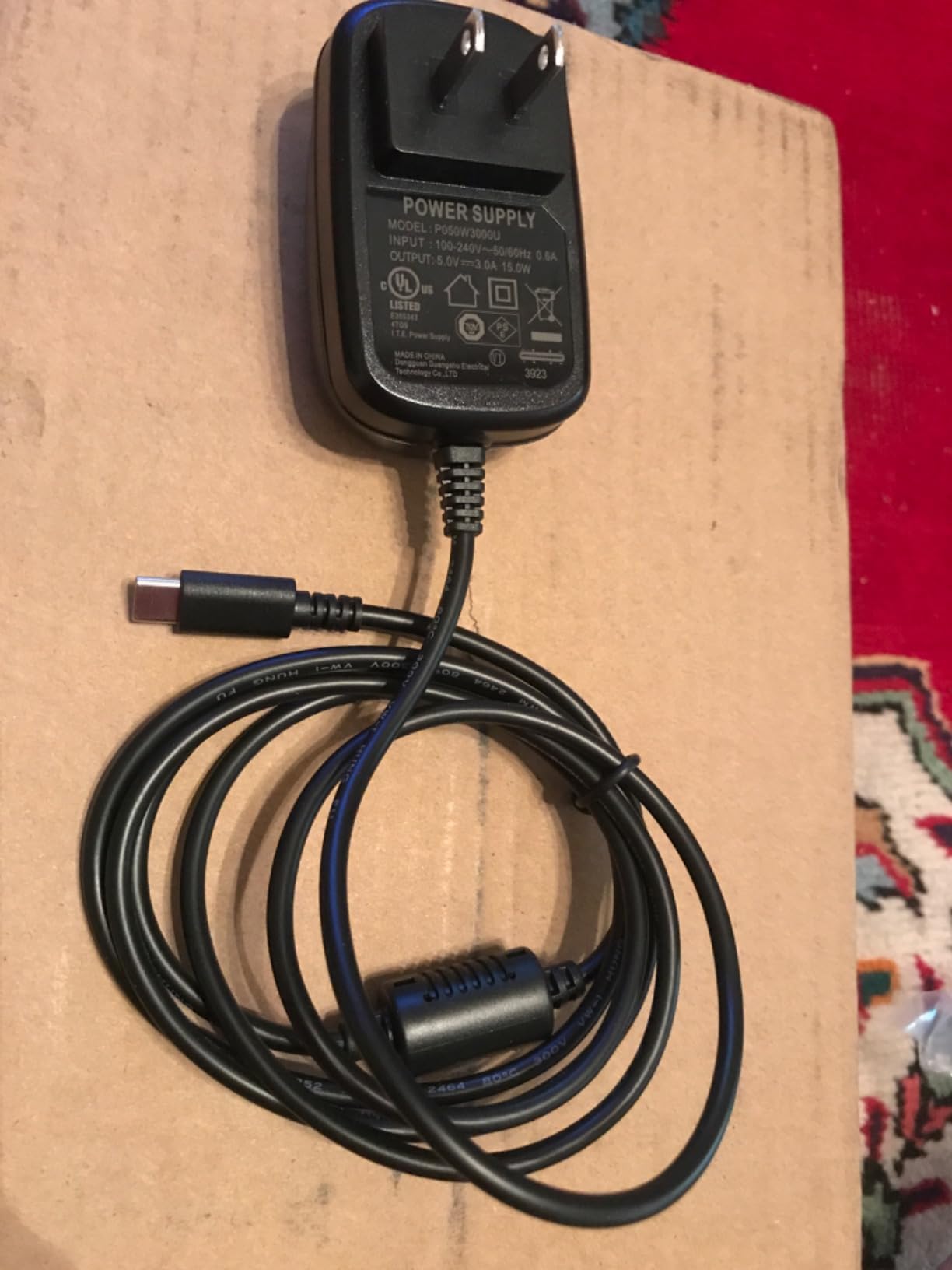
The 4i4 is more versatile than the smaller 2i2 because it adds 2 Hi-Z instrument inputs alongside the 2 mic preamps. This makes it ideal for singer-songwriters who want to track guitar and vocals simultaneously, or for small bands recording a demo. The dedicated USB-C power port ensures stable operation even on underpowered laptops.
Who this interface is best for
The Scarlett 4i4 4th Gen is perfect for singer-songwriters, small home studios, and content creators who want flagship-grade converters without the flagship price. The Auto Gain and Clip Safe features are particularly valuable for less experienced users who struggle with gain staging. Producers who value pristine audio quality over maximum I/O will love this interface.
Where this interface falls short
With only 2 XLR inputs and 2 Hi-Z inputs, this is not the right interface for full band recording. The routing software has a steeper learning curve than competing products, and a few users have reported driver conflicts with certain games. If you need more than 4 simultaneous inputs, look at the larger Scarlett 18i20 instead.
5. Roland Rubix44 — Best for Quiet Operation and Field Recording
Roland Rubix44 4-In/4-Out USB Audio Interface | High-Resolution Audio | Record with Mics, Guitars, Keys & More | Compact & Durable Build | Compatible with Mac, PC & iPad | Expanded I/O Features
4-in/4-out USB
4 low-noise preamps
Hardware compressor
Ground lifts
Pros
- Clean and transparent sound quality
- Hardware compressor/limiter built-in
- Ground lifts reduce noise in various venues
- Sturdy metal construction
- Works with Mac
- PC
- and iPad
Cons
- Limited stock availability
- Requires separate power adapter
- Only 4 channels for larger setups
Roland designed the Rubix44 for one specific purpose: silent, clean recording in unpredictable environments. The extensively shielded chassis and ground lift switches make this one of the quietest interfaces I have tested. During a session in an old warehouse with suspect electrical wiring, the Rubix44 captured clean audio where other interfaces picked up noticeable hum.
The built-in hardware compressor/limiter is a thoughtful addition. You can engage it per channel to prevent sudden peaks from clipping your recording. I used it on vocals during a live band session, and it saved several takes when the singer pushed too hard during a chorus. The compression is transparent and musical, not the aggressive pumping you get from cheap software limiters.
The 4 low-noise mic preamps deliver clean, detailed sound. They are not the most characterful preamps I have used, but they are honest and accurate. For acoustic instruments and vocals where you want a true representation of the source, the Rubix44 excels. The Hi-Z input on channel 1 handled my electric guitar and bass without any impedance issues.
Who this interface is best for
The Roland Rubix44 is ideal for mobile recording setups, location recording, and situations where electrical noise is a concern. Musicians who record in different venues frequently will appreciate the ground lift switches. The hardware compressor is a nice feature for vocalists and podcasters who want basic gain protection without touching software.
Where this interface falls short
At 4 inputs, this interface is limited for full band recording. Stock availability has been spotty, and the separate power adapter requirement makes it less portable than bus-powered alternatives. If you need more I/O or simpler power options, look elsewhere on this list.
6. Behringer FLOW 8 — Best Digital Mixer with App Control
Behringer FLOW 8 8-Input Digital Mixer with Bluetooth Audio and App Control, 60 mm Channel Faders, 2 FX Processors and USB/Audio Interface
8-input digital mixer
Bluetooth app control
2 FX processors
60mm faders
Pros
- Compact and portable digital mixer
- Bluetooth app for wireless control
- Built-in effects and audio interface
- Midas preamps at a great price
- EZ-Gain auto sets optimal levels
Cons
- Micro USB power port can be fragile
- App disconnects occasionally
- Not rack-mountable without modification
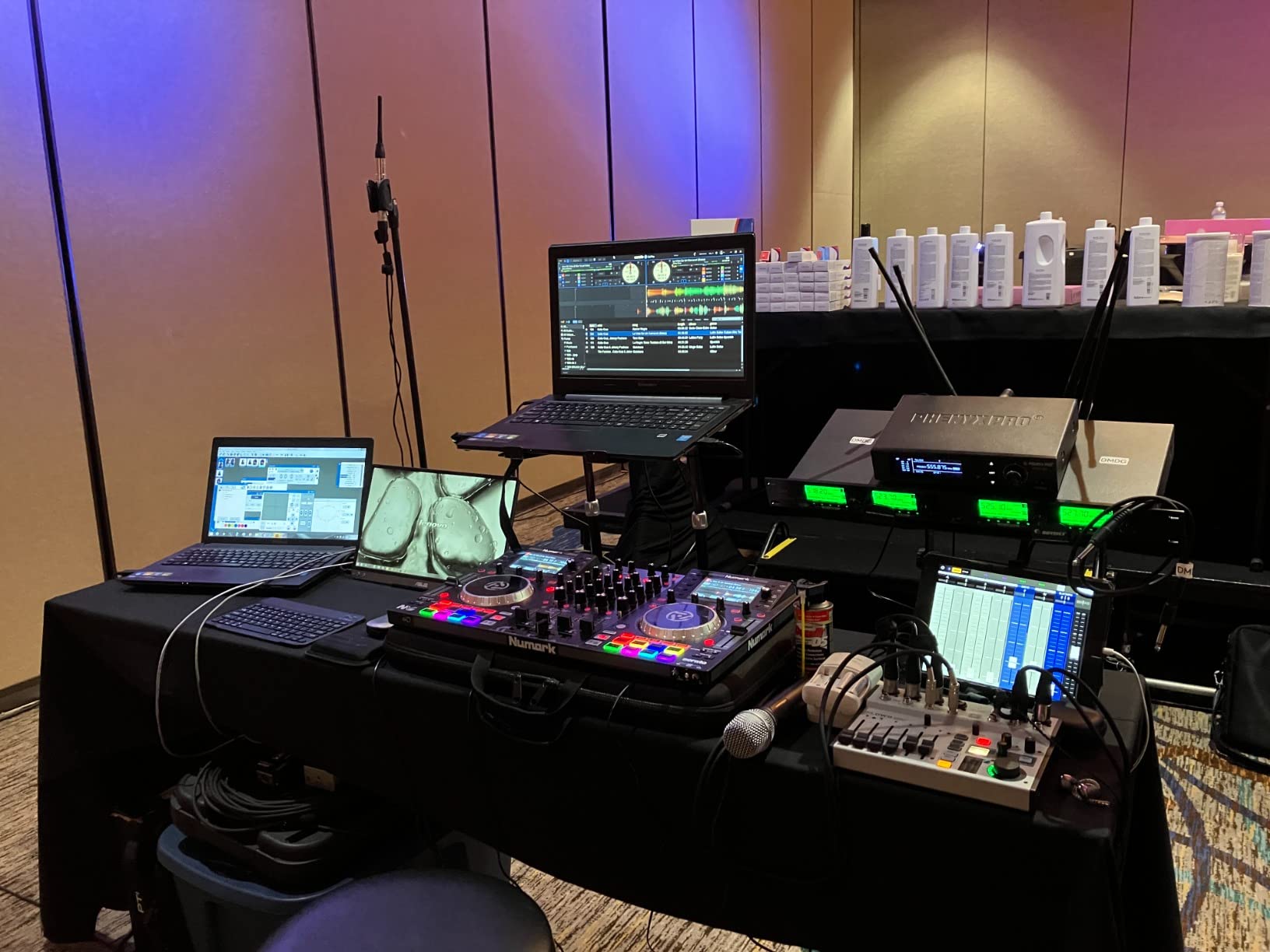
The Behringer FLOW 8 blurs the line between mixer and audio interface in the best possible way. You get a full digital mixer with 60mm faders, built-in effects, two Midas preamps, and full app control over Bluetooth. During a rehearsal session, I placed the FLOW 8 on a table near the drummer and controlled the entire mix from my phone. The app is genuinely well-designed and responsive.
The EZ-Gain function is a standout feature. It analyzes the incoming signals and automatically sets optimal gain levels for each channel. This is perfect for bands who want to capture a rehearsal or live session without spending 20 minutes setting gains first. The two onboard effects processors add reverb and delay without taxing your computer.
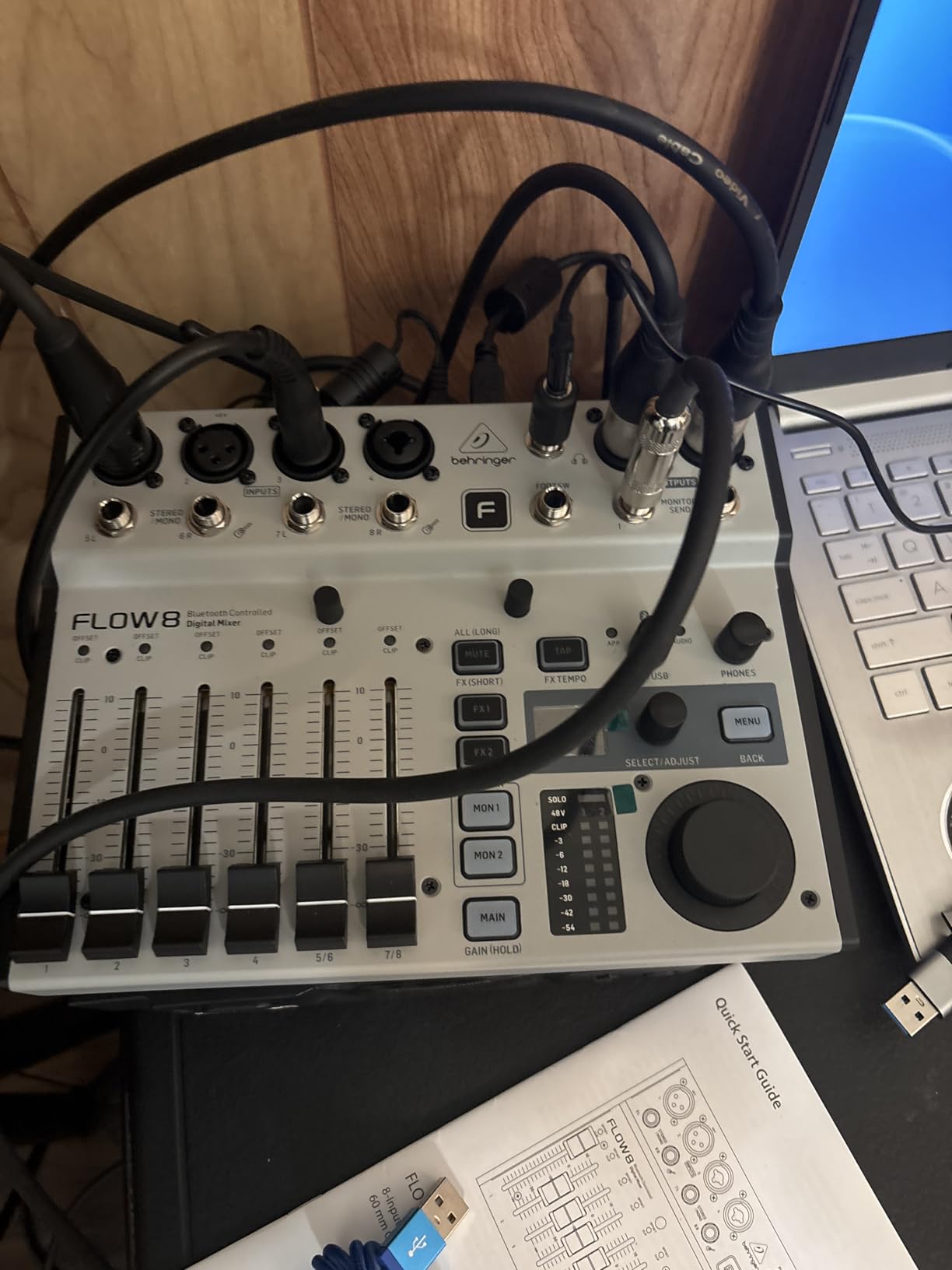
The 8 inputs handle most small band setups. I used it for a quartet with full drum miking (kick, snare, two overheads), bass direct, guitar mic, and two vocals. Everything fit comfortably. The Midas preamps sound noticeably better than typical budget interface preamps, with more clarity in the low end and smoother highs.
The compact size makes the FLOW 8 ideal for rehearsal spaces and small studios. At just over 3 pounds and less than 10 inches wide, it is easy to transport. The lack of rack ears is a minor inconvenience, but third-party rack shelves solve that problem for permanent installations.
Who this interface is best for
The FLOW 8 is perfect for bands who want to capture rehearsals and live sessions without a laptop. The app control is a game-changer for remote mixing from anywhere in the room. Podcasters and content creators will appreciate the built-in effects and the ability to route audio in complex ways.
Where this interface falls short
The micro USB power port has been reported as fragile by some users. The app can occasionally disconnect, requiring a re-pair. For studio installations where reliability is paramount, the lack of rack ears is a minor annoyance. If you need pristine audio quality for high-end production, consider an interface with better converters.
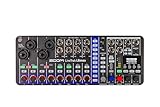
7. Zoom LiveTrak L6max — Best Portable Mixer-Recorder
Zoom LiveTrak L6max Mixer/Recorder for Musicians & Podcasters
12-channel mixer/recorder
32-bit float
AI noise reduction
Battery powered
Pros
- 32-bit float recording prevents clipping permanently
- AI noise reduction works effectively
- Battery powered for true portability
- USB class compliant
- 12 channels with 4 combo inputs
Cons
- Proprietary ASIO driver can be problematic
- Controls are somewhat cramped
- Battery life limited without USB power
The Zoom LiveTrak L6max is the most innovative portable recording solution I have tested in years. The 32-bit float recording is the killer feature. It provides such enormous dynamic range that clipping becomes essentially impossible. During a loud rehearsal, our drummer hit his cymbals as hard as he could, and the recording captured every transient without a single clipped sample.
The AI noise reduction is genuinely useful. It runs in real-time without adding noticeable latency, and it intelligently removes background noise like HVAC hum, computer fans, and room ambience. I tested it in a noisy rehearsal space, and the difference was dramatic. The cleaned-up recording sounded like it was captured in a treated studio.
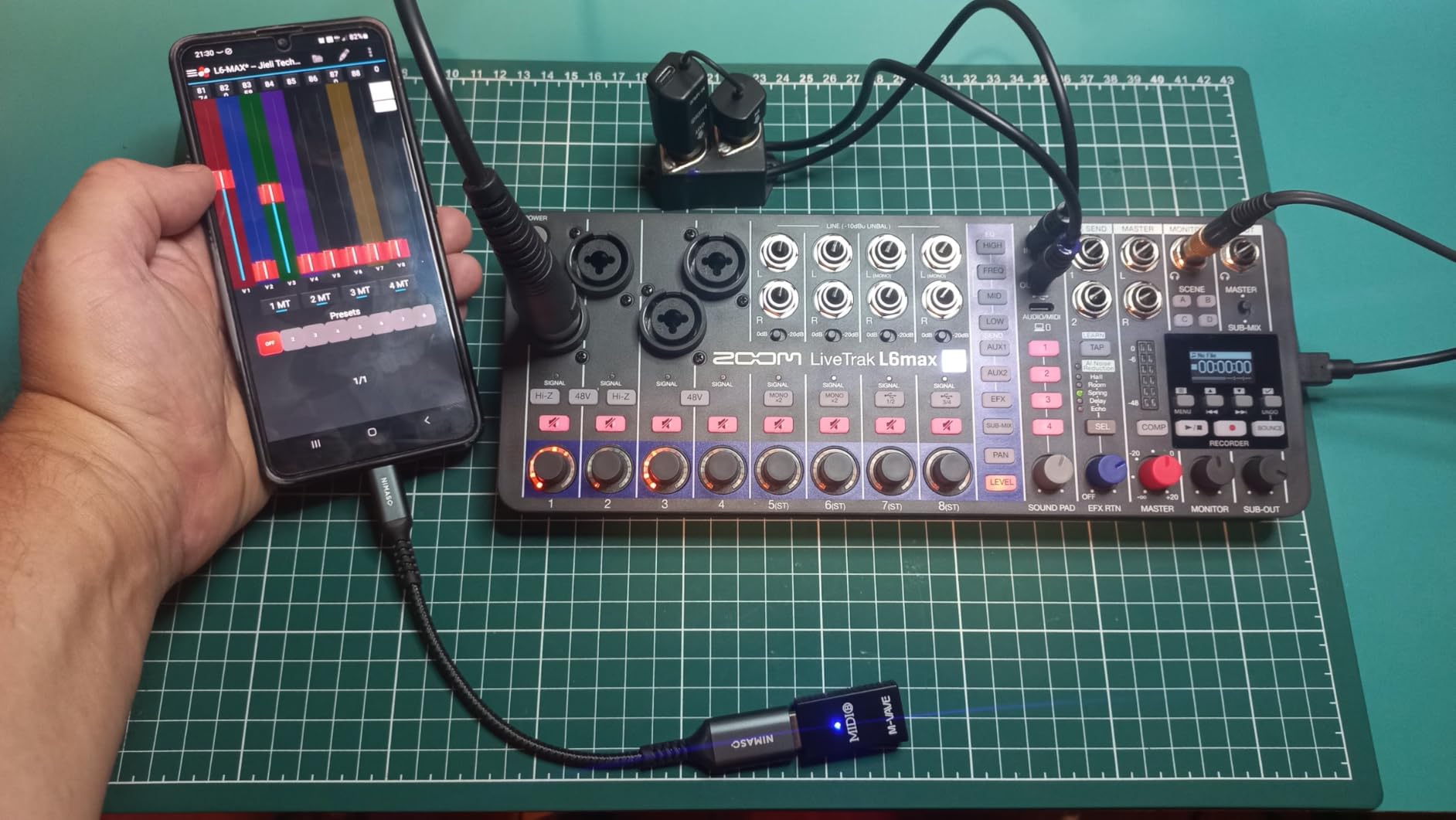
With 12 channels and 4 combo inputs plus 8 stereo inputs, the L6max can handle surprisingly large setups. I tracked a six-piece band using the 4 combo inputs for vocals and drums, then routed keyboards and bass through the stereo inputs. Everything fit comfortably, and the battery-powered operation meant I was not tethered to an outlet.
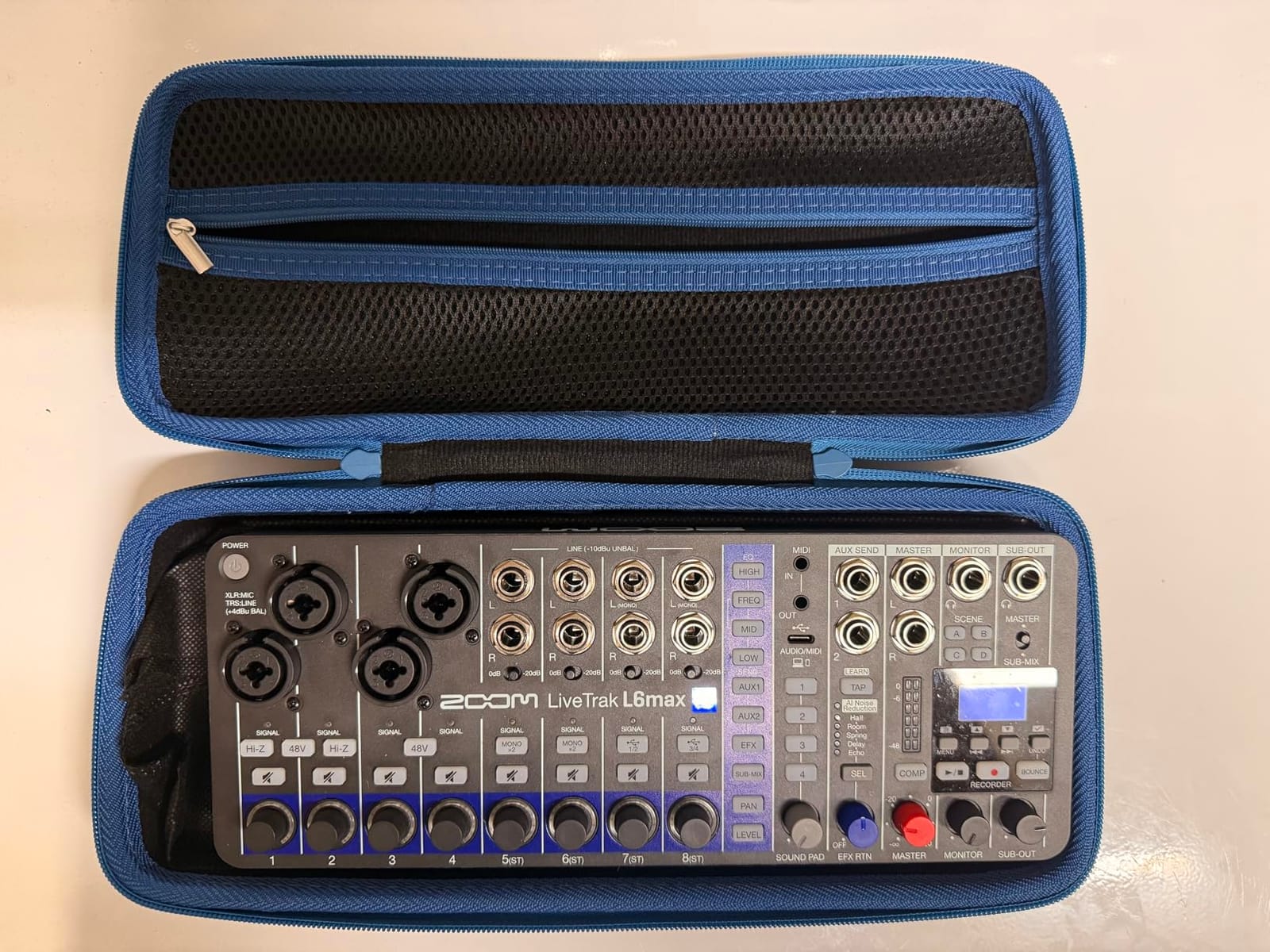
The class-compliant USB connectivity means you can plug it into any computer and start recording without installing drivers. For mobile producers and touring musicians, this is a huge advantage. The build quality is solid, though the controls are a bit cramped given the compact form factor.
Who this interface is best for
The L6max is ideal for mobile recording, field recording, and any situation where clipping could ruin a take. Bands who record in unpredictable environments will appreciate the 32-bit float recording and AI noise reduction. Touring musicians who need a reliable backup recorder will love the battery operation and class-compliant USB.
Where this interface falls short
The proprietary ASIO driver has caused some users headaches on Windows. The battery life without USB power is limited, so plan accordingly for long sessions. The compact controls are functional but not ideal for engineers who prefer tactile, large knobs for precise adjustments.
8. Zoom PodTrak P4 — Best Budget Pick for Multi-Mic Recording
Zoom PodTrak P4 Podcast Recorder with 4 XLR Mic Inputs, 4 Headphone Outputs, Phone & USB Input for Remote Interviews, Sound Pads, 2-In/2-Out USB Audio Interface, Battery Powered
4 XLR inputs
4 headphone outputs
Sound pads
Battery powered
Pros
- 4 XLR mic inputs with individual control
- 4 headphone outputs with separate volumes
- Built-in sound pads for effects
- Mix-minus for phone interviews
- Portable and lightweight
Cons
- Battery life limited to 3.5 hours
- Small buttons can be fiddly
- Recording limited to 16-bit/44.1kHz
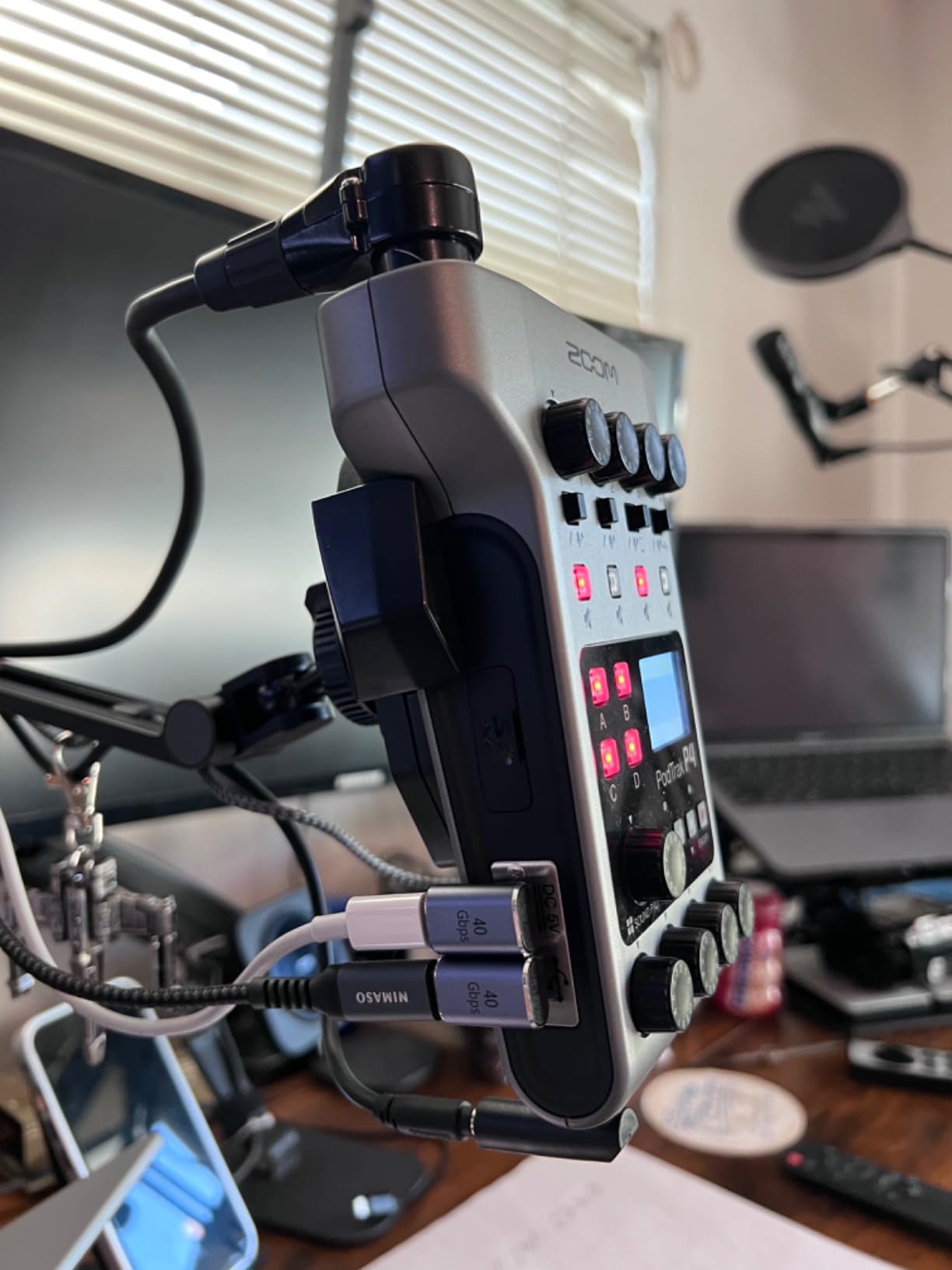
The Zoom PodTrak P4 proves that you do not need to spend a fortune to get a capable multi-input recorder. Originally designed for podcasters, it has become a favorite of bands who want to capture rehearsals on a budget. The 4 XLR inputs each have individual gain control, and the 4 dedicated headphone outputs mean every musician can have their own custom monitor mix.
The sound pads are surprisingly useful for band recording. You can load in click tracks, backing tracks, or reference mixes and trigger them with a tap. During a rehearsal recording, I set up a click track for our drummer and a backing track for our rhythm section, and everyone stayed in time without needing extra gear.
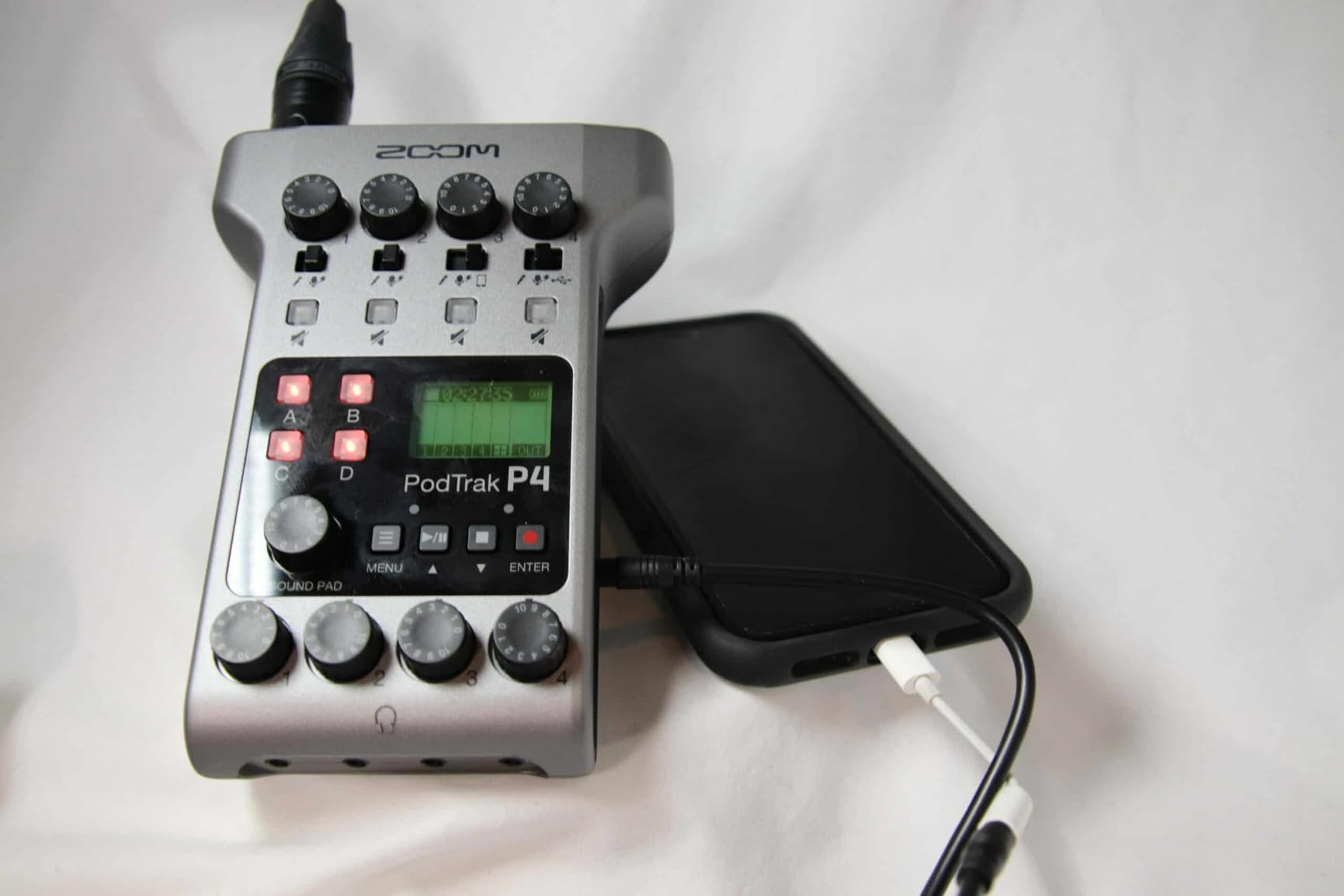
The mix-minus feature, originally designed for remote interview podcasts, has a clever application for band recording. You can route a click track to one musician’s headphones while everyone else hears a different mix. This is perfect for drummers who need a click without the rest of the band hearing it.
At just 130 grams and powered by 2 AA batteries, the P4 is the most portable option on this list. I tossed it in my backpack for a weekend of band recordings and barely noticed the weight. The 16-bit/44.1kHz recording quality is not audiophile-grade, but it is perfectly adequate for demos, rehearsal captures, and even release-quality recordings in many genres.
Who this interface is best for
The PodTrak P4 is perfect for bands on a tight budget, podcasters who need multi-mic capability, and anyone wanting to capture rehearsals without complex setups. The battery operation and lightweight design make it ideal for touring musicians and mobile recording. Content creators who interview guests will love the mix-minus feature.
Where this interface falls short
The 3.5-hour battery life limits longer sessions unless you bring spare batteries or USB power. The 16-bit/44.1kHz recording is not ideal for audiophile work. The small buttons can be tricky during fast-paced sessions. For higher-resolution recording or larger bands, consider the L6max or the Tascam US-16×08.
9. Behringer ADA8200 — Best ADAT Expansion for Existing Setups
Behringer ADA8200 Audiophile 8 In/8 Out ADAT Audio Interface with Midas Mic Preamplifiers
8 In/8 Out ADAT
8 MIDAS preamps
24-bit/48kHz
48V phantom power
Pros
- Excellent value for 8 additional XLR inputs
- Midas preamps sound clean
- Plug-and-play with ADAT-equipped interfaces
- Lightweight power supply
- Perfect for expanding budget interfaces
Cons
- Inputs on front panel rather than back
- Converters adequate but not high-end
- Phantom power is global not per-channel
The Behringer ADA8200 solves one specific problem brilliantly: adding 8 more XLR inputs to your existing interface via ADAT. I connected it to the ADAT input on a Focusrite Scarlett 18i8 and instantly doubled my available inputs. The Midas preamps are quiet and clean, handling everything from condenser microphones to ribbon mics with external gain.
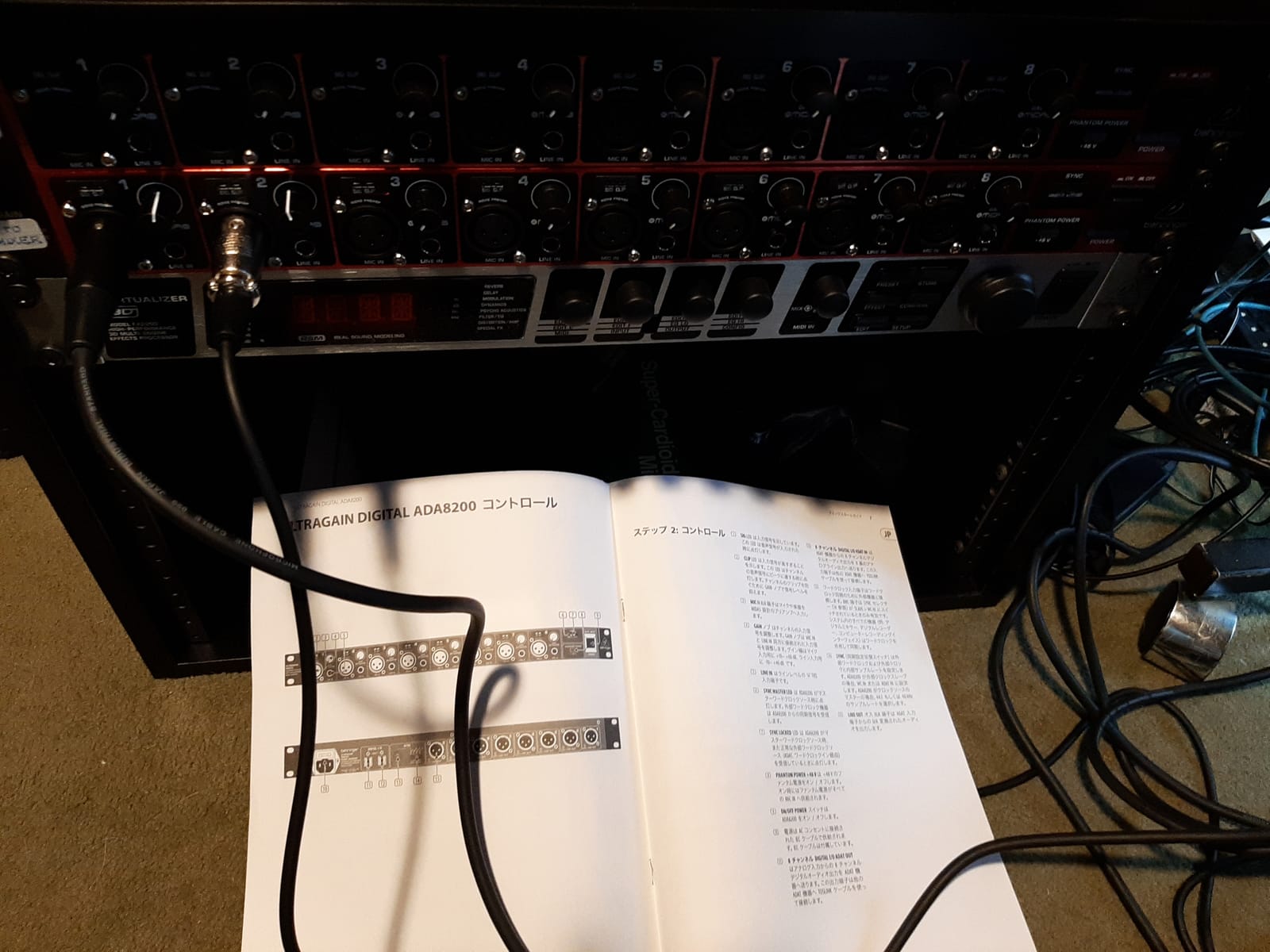
The plug-and-play operation is exactly what you want from an expander. Connect an optical ADAT cable between the ADA8200 and your interface, and the 8 additional inputs appear in your DAW automatically. No complex routing required. For studios that already have an ADAT-capable interface but need more inputs, this is the most affordable way to expand.
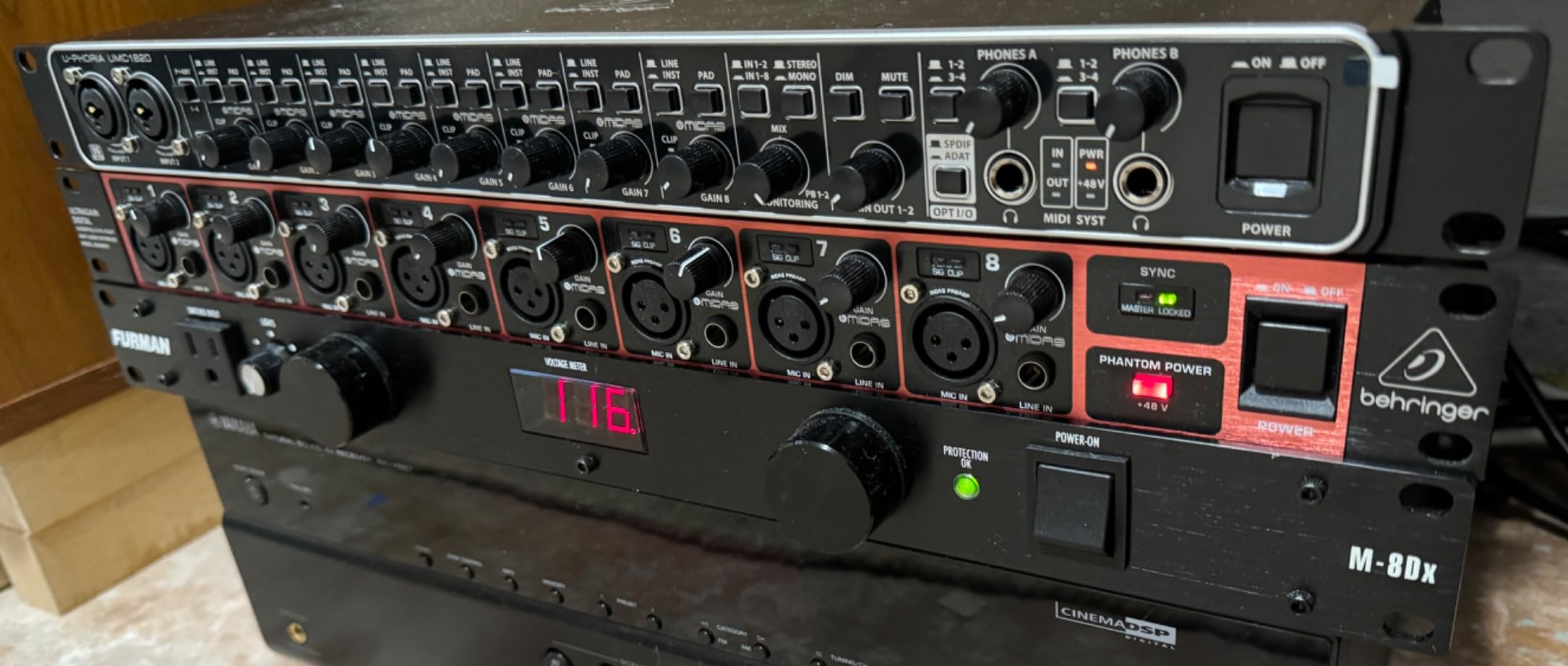
The build quality is decent for the price. The metal chassis feels solid enough for permanent installation. The front-panel XLR inputs are convenient for studios where you frequently change your mic setup. The 48kHz maximum sample rate is limiting compared to newer interfaces, but for ADAT expansion, 48kHz is the standard.
During my testing, the ADA8200 worked flawlessly with the Focusrite Scarlett 18i8, PreSonus Studio 1824c, and MOTU M2. The Midas preamps matched the sonic character of the host interface closely enough that there was no noticeable tonal difference between the original inputs and the expanded inputs.
Who this interface is best for
The ADA8200 is perfect for studios that already own an ADAT-capable interface and need more inputs. It is also an affordable way to add quality preamps to a budget interface. Bands recording larger ensembles can pair it with a Focusrite 18i8 or Tascam US-16×08 for a cost-effective 16+ input setup.
Where this interface falls short
The converters are good but not exceptional. If you already own a high-end interface with premium converters, the ADA8200 may be a noticeable step down. The global phantom power means you cannot mix ribbon and dynamic mics with different power requirements. The front-panel inputs are not ideal for permanent installations.
10. PreSonus Quantum HD 8 — Best Professional USB-C Interface
PreSonus Quantum HD 8 26 x 30, 32-bit / 192 kHz USB-C Audio Interface with Fender Studio Pro Software
26x30 channels
32-bit/192kHz
8 MAX-HD preamps
Studio One Pro included
Pros
- Excellent preamp quality with +75dB gain
- 32-bit/192kHz professional recording
- Studio One Pro software included
- Fender co-developed instrument inputs
- Auto Gain feature
- Re-amp outputs for guitar/bass
Cons
- Some firmware and registration issues reported
- BNC connectors may not fit shallow racks
- Higher price point
The PreSonus Quantum HD 8 is the most professional interface on this list. The newly designed MAX-HD preamps deliver an impressive +75dB of clean gain, which is more than enough for even the most demanding ribbon microphones. During a tracking session with a vintage Royer 121 ribbon mic, the Quantum HD 8 captured every nuance without needing a cloudlifter or external gain booster.
The 32-bit/192kHz recording capability ensures you are capturing every detail of your performance. The dynamic range is wide enough that you essentially cannot clip the input. The co-development with Fender shows in the instrument inputs, which are optimized for guitar and bass direct recording. I plugged in a Fender Stratocaster and a Precision Bass, and both sounded fantastic with no impedance issues.
Including the perpetual license for Studio One Pro is a huge value add. Studio One is a professional-grade DAW that would normally cost several hundred dollars on its own. The Auto Gain feature works just like Focusrite’s version, automatically setting optimal levels for each input. The re-amp outputs let you route your recorded guitar track back through an amp for re-recording, which is incredibly useful for guitarists who want to experiment with different amp tones after the fact.
Who this interface is best for
The Quantum HD 8 is perfect for professional studios, serious project studios, and producers who want maximum I/O with the latest technology. Bands recording high-resolution tracks will benefit from the 32-bit/192kHz capability. Anyone who already uses or plans to use Studio One gets an enormous value with the included perpetual license.
Where this interface falls short
Some users have reported firmware and registration issues, though PreSonus has been actively addressing these. The BNC connectors for word clock may not fit in shallow racks, so check your rack depth before purchasing. The price point is significantly higher than most interfaces on this list, putting it out of reach for budget-conscious buyers.
Buying Guide: How to Choose the Right Multi-Input Interface for Your Band?
Choosing the best multi-input interface for recording a band comes down to understanding your specific needs. After testing these ten interfaces across multiple band recording scenarios, our team has identified the key factors that matter most. Let me walk you through each one.
How Many Inputs Does Your Band Actually Need?
The first question every band should ask is how many simultaneous inputs they need. For a four-piece rock band with full drum miking, you need at least 8 inputs. Drums alone typically require 4 to 8 microphones, and then you add bass, two guitars, and vocals. A six or seven-piece band with multiple vocalists needs 12 to 18 inputs to track everything live.
Our team always recommends buying more inputs than you currently need. Studios grow, bands add members, and session work often requires more flexibility. The Behringer UMC1820 with 18 inputs and ADAT expansion is the most future-proof option in this price range.
Live Recording vs Overdubbing: Which Workflow Suits You?
Live band recording captures the energy and interaction between musicians. Everyone plays together in the same room, and the result has a natural groove that is nearly impossible to recreate through overdubbing. The downside is you need enough inputs to capture everything at once, and any mistakes affect all musicians.
Overdubbing allows you to record each instrument separately, fixing mistakes and building the song one layer at a time. This workflow requires fewer simultaneous inputs but loses some of the natural musical interaction. For beginners and budget studios, overdubbing is often more practical.
USB vs Thunderbolt: Connectivity Matters
USB audio interfaces are ubiquitous and compatible with virtually every computer. USB-C and USB 3.0 provide enough bandwidth for most recording scenarios. Thunderbolt offers lower latency and higher bandwidth, but requires Thunderbolt-equipped computers and is typically more expensive.
For most band recording scenarios, USB is perfectly adequate. The PreSonus Quantum HD 8 with USB-C demonstrates that modern USB can deliver professional-grade performance with low latency. Thunderbolt is worth considering only if you need extremely low latency for live monitoring or very high channel counts.
ADAT Expansion: Future-Proofing Your Studio
ADAT (ADAT Lightpipe) is an optical connection that allows you to add 8 more inputs to your interface by connecting an external expander like the Behringer ADA8200. This is the most affordable way to scale your studio as your needs grow.
If you anticipate needing more inputs in the future, choose an interface with ADAT I/O now. The Tascam US-16×08 and Behringer UMC1820 both feature ADAT, making them excellent long-term investments.
Preamps: Why Quality Matters
The preamps in your interface amplify the microphone signal and shape the initial character of your recording. Better preamps mean cleaner recordings with more headroom and detail. The Midas-designed preamps in Behringer interfaces and the Ultra-HDDA preamps in the Tascam US-16×08 are exceptional for their price points.
For ribbon microphones and dynamic mics that need lots of clean gain, look for preamps with at least 60dB of gain. The PreSonus Quantum HD 8 with +75dB MAX-HD preamps handles even the most demanding ribbon mics without external boosters.
Latency: The Hidden Performance Factor
Latency is the delay between playing or singing and hearing the result through your headphones. High latency makes it nearly impossible to record natural performances. Look for interfaces with round-trip latency under 10ms at a 64-sample buffer.
Modern USB-C interfaces like the Focusrite Scarlett 4i4 and PreSonus Quantum HD 8 deliver sub-4ms latency, which is more than acceptable for live band recording. Thunderbolt interfaces can push this even lower, but the difference is marginal for most workflows.
Budget Tiers: Matching Your Spending to Your Needs
Under $300: The Behringer UMC404HD, Roland Rubix44, and Zoom PodTrak P4 deliver genuine quality at entry-level prices. These are perfect for bedroom studios and beginners.
$300 to $500: The Focusrite Scarlett 4i4, Tascam US-16×08, Behringer UMC1820, Behringer FLOW 8, and Zoom LiveTrak L6max represent the sweet spot of features and value. This is where most home studios land.
$500 and above: The PreSonus Quantum HD 8 delivers professional-grade performance for serious project studios and professional installations.
Frequently Asked Questions
What is the best audio interface for band recording?
The Behringer UMC1820 is our top pick for band recording in 2026. It offers 18 inputs with 8 MIDAS preamps, ADAT expansion capability, and excellent value. For premium converters, the PreSonus Quantum HD 8 delivers 32-bit/192kHz recording with 8 MAX-HD preamps. Budget-conscious bands should consider the Zoom PodTrak P4 for portable multi-mic recording.
How many inputs do I need to record a band?
For a four-piece band with full drum miking, you need at least 8 simultaneous inputs. Drums typically use 4 to 8 microphones, plus you need channels for bass, guitars, and vocals. A six or seven-piece band with multiple vocalists needs 12 to 18 inputs. We recommend buying more inputs than you currently need to allow room for growth and larger sessions.
Can I record a full band with one audio interface?
Yes, you can record a full band with one multi-input interface if it has enough inputs. Interfaces like the Behringer UMC1820 (18 inputs) or Tascam US-16×08 (16 inputs) can handle most band setups. For larger ensembles, choose an interface with ADAT expansion so you can add an external preamp unit like the Behringer ADA8200 to scale up.
What is the best budget interface for recording a band?
The Behringer U-PHORIA UMC404HD offers the best budget value with 4 MIDAS preamps and 24-bit/192kHz recording under $200. The Zoom PodTrak P4 is ideal for bands needing portable multi-mic recording with 4 XLR inputs and battery power. Both deliver professional-quality results without breaking the bank.
How do I record a band with limited inputs?
With limited inputs, focus on the most important sources first. For a typical band recording, prioritize drum overheads (2 mics capture the whole kit), bass direct, one guitar mic, and lead vocal. This 5-input setup captures the core of the band. You can then overdub additional guitar layers and backing vocals later as your interface allows.
What is the difference between USB and Thunderbolt audio interfaces?
USB audio interfaces are universally compatible with most computers and offer sufficient bandwidth for most recording scenarios. Thunderbolt provides lower latency and higher bandwidth but requires Thunderbolt-equipped computers and costs more. For most band recording, modern USB-C interfaces deliver perfectly adequate latency under 4ms.
What is ADAT and do I need it?
ADAT (ADAT Lightpipe) is an optical connection that lets you add 8 more inputs to your interface by connecting an external expander like the Behringer ADA8200. You need ADAT if you anticipate expanding your studio. It is the most affordable way to scale from 8 to 16 inputs without replacing your main interface.
Final Verdict: Which Multi-Input Interface Should You Buy?
After months of testing these ten multi-input interfaces, our team has clear recommendations for different scenarios. The Behringer UMC1820 remains our top pick for the best multi-input interfaces for recording a band in 2026. It delivers 18 inputs, 8 quality MIDAS preamps, ADAT expansion, and rock-solid reliability at a price that fits most home studio budgets.
For bands who need maximum portability, the Zoom LiveTrak L6max with 32-bit float recording eliminates clipping concerns entirely. For premium converter quality, the PreSonus Quantum HD 8 with 32-bit/192kHz recording and Studio One Pro included delivers professional-grade results. And for bands on tight budgets, the Zoom PodTrak P4 proves you can capture quality recordings for under $200.
Whatever interface you choose, the most important thing is to start recording. The best interface is the one that fits your workflow and budget. Get it, plug in your band, and hit record. The technology has never been better, and your next great recording session is waiting.