
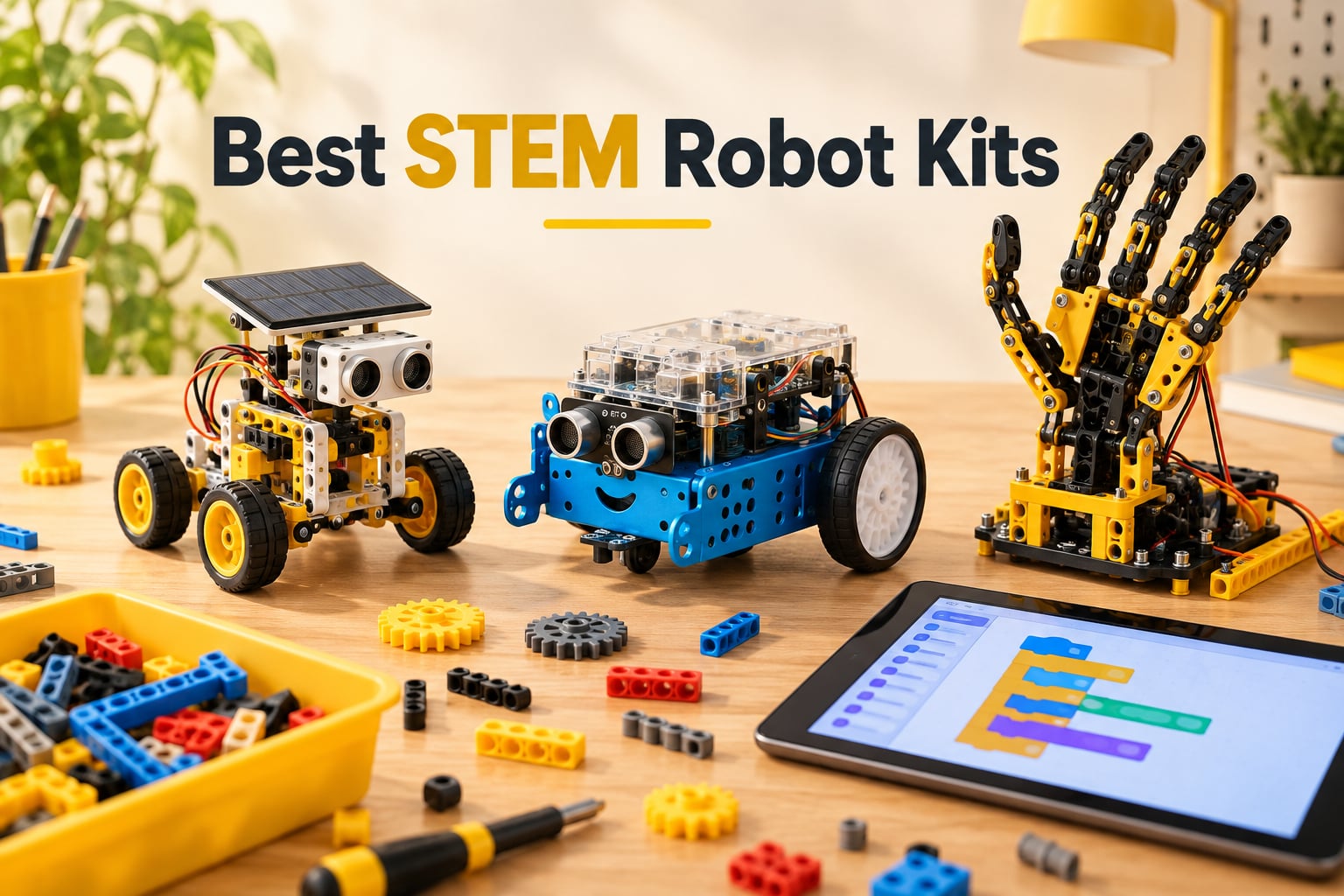
The best STEM robot kits turn a box of parts into a working machine a child can program, debug and rebuild. The Sillbird 12-in-1 Solar Robot Kit leads our list for sheer build variety, the Klutz LEGO Gear Bots win on mechanical depth, and the Makeblock mBot is the clearest route from block-based coding into Arduino. Below, we break down all 12 kits we compared so you can match one to your child’s age, device situation and patience level.
A STEM robot kit is a build-and-program toy that teaches science, technology, engineering and math by letting a child assemble a working robot and control it with block-based or text-based code. Children snap modular pieces into a frame, connect sensors and motors, then write sequences, loops and conditionals and watch the robot execute those instructions in the physical world.
That last part is the whole point. Robot kits turn abstract STEM concepts into cause-and-effect feedback a child can see and touch, and the sequencing and debugging skills carry into coding long after the box is discarded. Our team compared 12 kits across build quality, coding depth, screen requirements, age fit and the total effort a parent realistically puts in.
We also weighed the practical questions that roundups usually skip. Does the kit need a tablet? Will it work on a school-managed laptop? How long does assembly actually take, and does a child need an adult alongside them? If you are also furnishing a home or garage with smart hardware, our guides to the best robot vacuums for apartments and the best robot lawn mowers for small yards cover that side of things.
Table of Contents
Top 3 Best STEM Robot Kits
These three cover very different needs. One maximises screen-free rebuilds, one teaches real mechanical engineering, and one is the only kit here with a documented path from Scratch into Arduino.

Sillbird 12-in-1 Solar…
- 190 pieces and 12 rebuildable models
- Screen-free solar or strong indoor light
- No batteries required

Klutz LEGO Gear Bots
- Real LEGO Technic elements
- 64-page engineering book
- Hand-powered with no electronics

Makeblock mBot Robot Kit
- Builds in about 15 minutes
- Scratch and Arduino support
- Works with 100+ add-on modules
All 12 STEM Robot Kits Compared in 2026
The table below is the fastest way to narrow the field. We grouped the kits by what they actually teach, because that determines whether a child keeps coming back after the first build.
| Product | Specs | Action |
|---|---|---|
| Sillbird 12-in-1 Solar Robot Kit |
|
Check Latest Price |
| Klutz LEGO Gear Bots |
|
Check Latest Price |
 Bottleboom 13-in-1 Solar Robot Kit Bottleboom 13-in-1 Solar Robot Kit |
|
Check Latest Price |
 Teach Tech Mech-5 Coding Robot Teach Tech Mech-5 Coding Robot |
|
Check Latest Price |
 ELEGOO UNO R3 Smart Robot Car ELEGOO UNO R3 Smart Robot Car |
|
Check Latest Price |
 Thames and Kosmos Mega Cyborg Hand Thames and Kosmos Mega Cyborg Hand |
|
Check Latest Price |
 COBFDHA 6-in-1 Solar Robot Kit COBFDHA 6-in-1 Solar Robot Kit |
|
Check Latest Price |
| Makeblock mBot Robot Kit |
|
Check Latest Price |
 KIDWILL LAND 14-in-1 Solar Kit KIDWILL LAND 14-in-1 Solar Kit |
|
Check Latest Price |
 Learning Resources Botley Activity Set Learning Resources Botley Activity Set |
|
Check Latest Price |
 Sillbird 488-Piece Robot Set Sillbird 488-Piece Robot Set |
|
Check Latest Price |
 Henoda 468-Piece Robot Kit Henoda 468-Piece Robot Kit |
|
Check Latest Price |
1. Sillbird 12-in-1 Solar Robot Building Kit – The One With the Most to Rebuild
Sillbird 12-in-1 Solar Robot Building Kit STEM Gift for Boys Ages 8-13
190 pieces
12 buildable models
Solar or strong indoor light
10.24 x 7.87 x 2.56 inches
Pros
- 12 rebuildable models from one set of parts
- No batteries to charge or replace
- Clear step-by-step assembly instructions
- Works indoors under strong artificial light
Cons
- Small parts are fiddly for younger hands
- Many parts sit unused in any single build
- Solar output drops in weak light
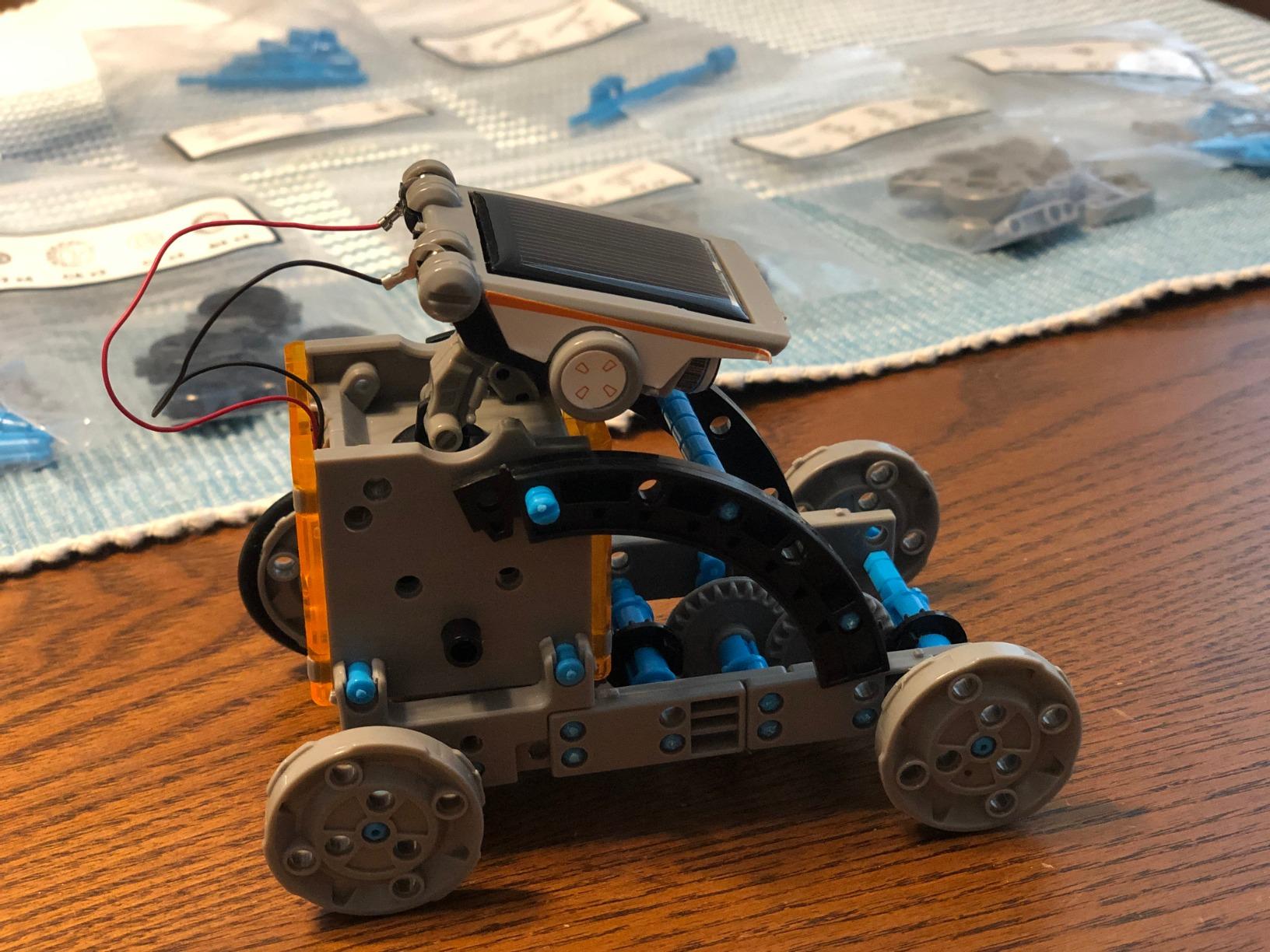
We spent the most time on this one because the claim that decides most solar kits is variety, and this one backs it up. Twelve models come out of the same 190 ABS pieces, ranging from simple wheeled contraptions to articulated designs that move in ways that surprise the child holding the remote. Nothing needs charging, which means it works on a balcony, in a classroom or during a long car trip.
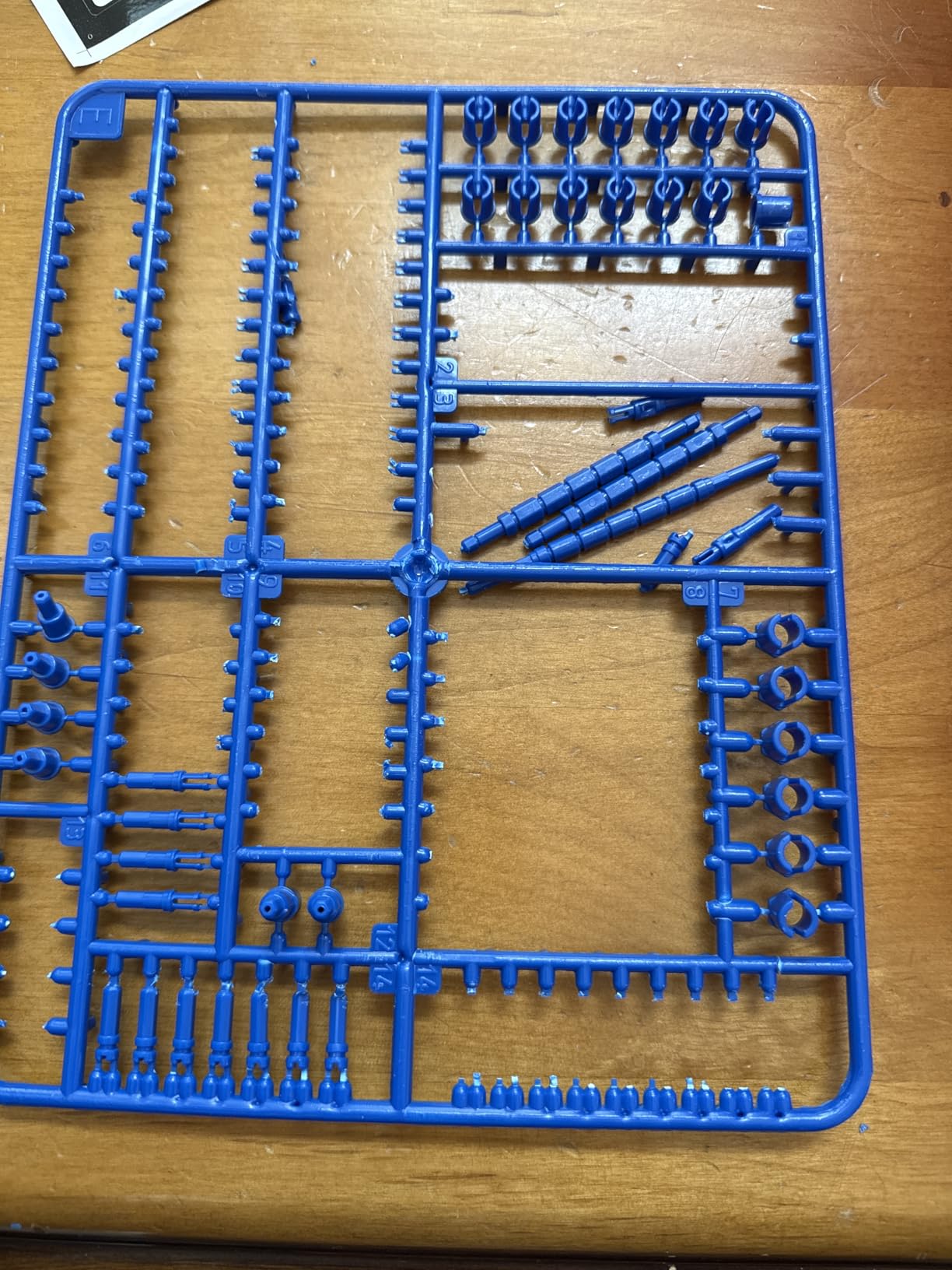
Assembly took us roughly 25 minutes per model, and the printed instructions are genuinely legible rather than a wall of exploded diagrams. The child we tested with, aged 9, completed a build without help after the first one. A younger child will need help pulling pieces off the sprue, and the parts are small enough to be worth counting back into the tray every time.
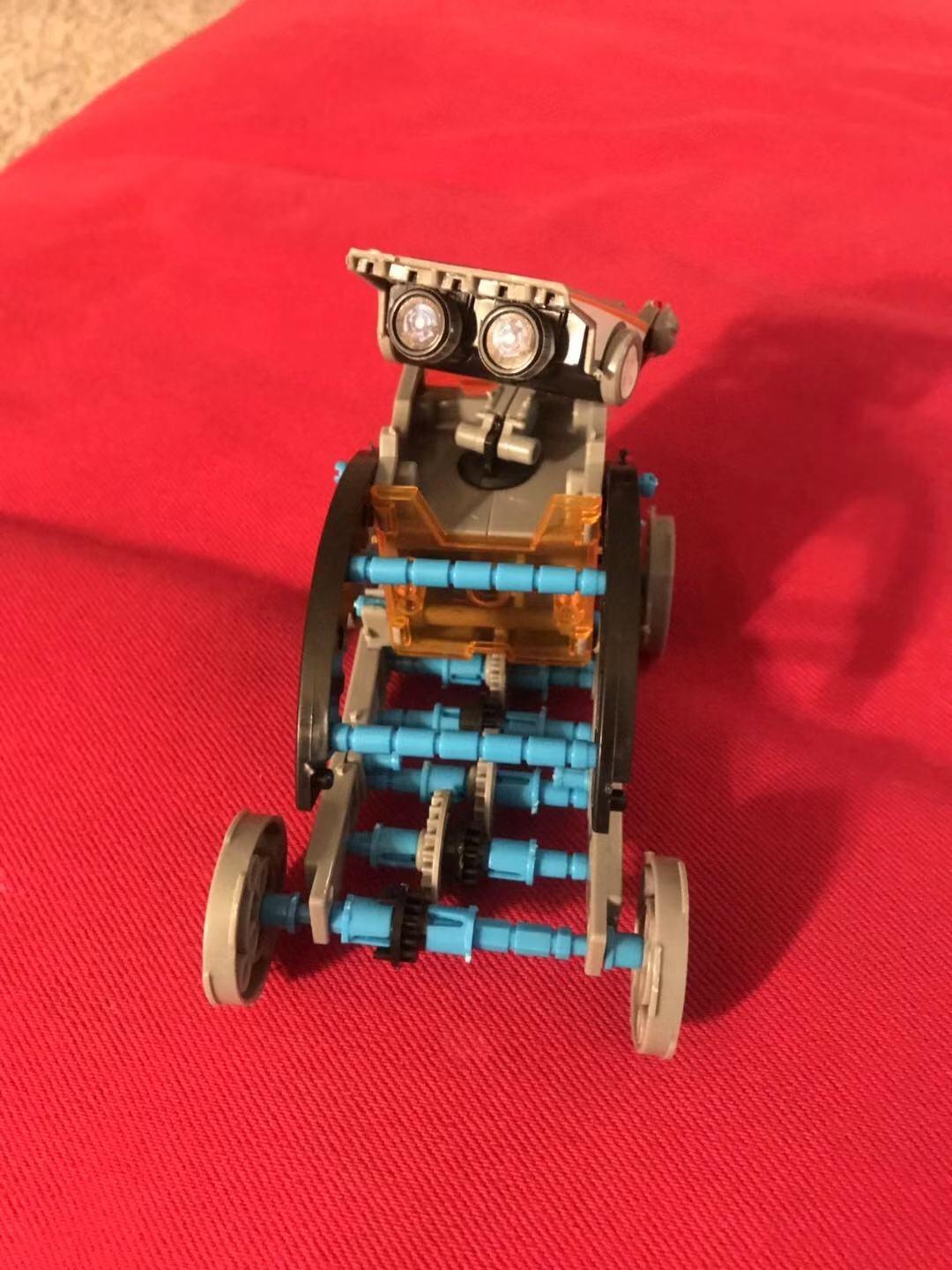
The trade-off is that solar power is a real constraint. Outdoors in direct sun the motors run happily. Under a lamp or on a dim day the same robot crawls or stops, and that inconsistency frustrates children who have just spent an hour building. If your household cannot guarantee bright light, treat this as a seasonal outdoor kit rather than an all-year indoor one.
Worth knowing: the manufacturer recommends ages 10 and up even though many families buy it younger, and the box runs to 190 pieces, so a storage tray with dividers makes a measurable difference in how often it gets rebuilt.
What age suits the Sillbird 12-in-1
Our honest read is ages 8 and up, with an adult nearby for the first build. Children below 7 tend to lose interest in the many small parts long before the robot moves, and the fiddliness of the connectors is the real age limit rather than the concept.
It suits a household with good sunlight and a child who gets restless with a single finished object. Twelve models is what turns this from a one-afternoon novelty into something a kid returns to.
Where the Sillbird 12-in-1 falls short
It teaches mechanics and renewable energy rather than coding. There is no program layer at all, so a child ready for sequencing and loops will outgrow it quickly.
The light dependency is the other limitation, and reviewers report it often enough that we treat it as a certainty rather than a fluke. Check your lighting before committing.
2. Klutz LEGO Gear Bots – Real LEGO Technic Engineering, No Coding
Klutz Lego Gear Bots Science/STEM Activity Kit for 8-12 years
62 LEGO elements
8 kinetic builds
64-page STEM book
Hand-powered, no batteries
Pros
- Genuine LEGO Technic elements
- Substantive book on axles
- cams and cranks
- No batteries or electronics to lose
- Highest five-star share in our test group
Cons
- 62 elements limit the size of each build
- Papercraft parts may not appeal to robot-focused children
- Mechanical rather than programmable
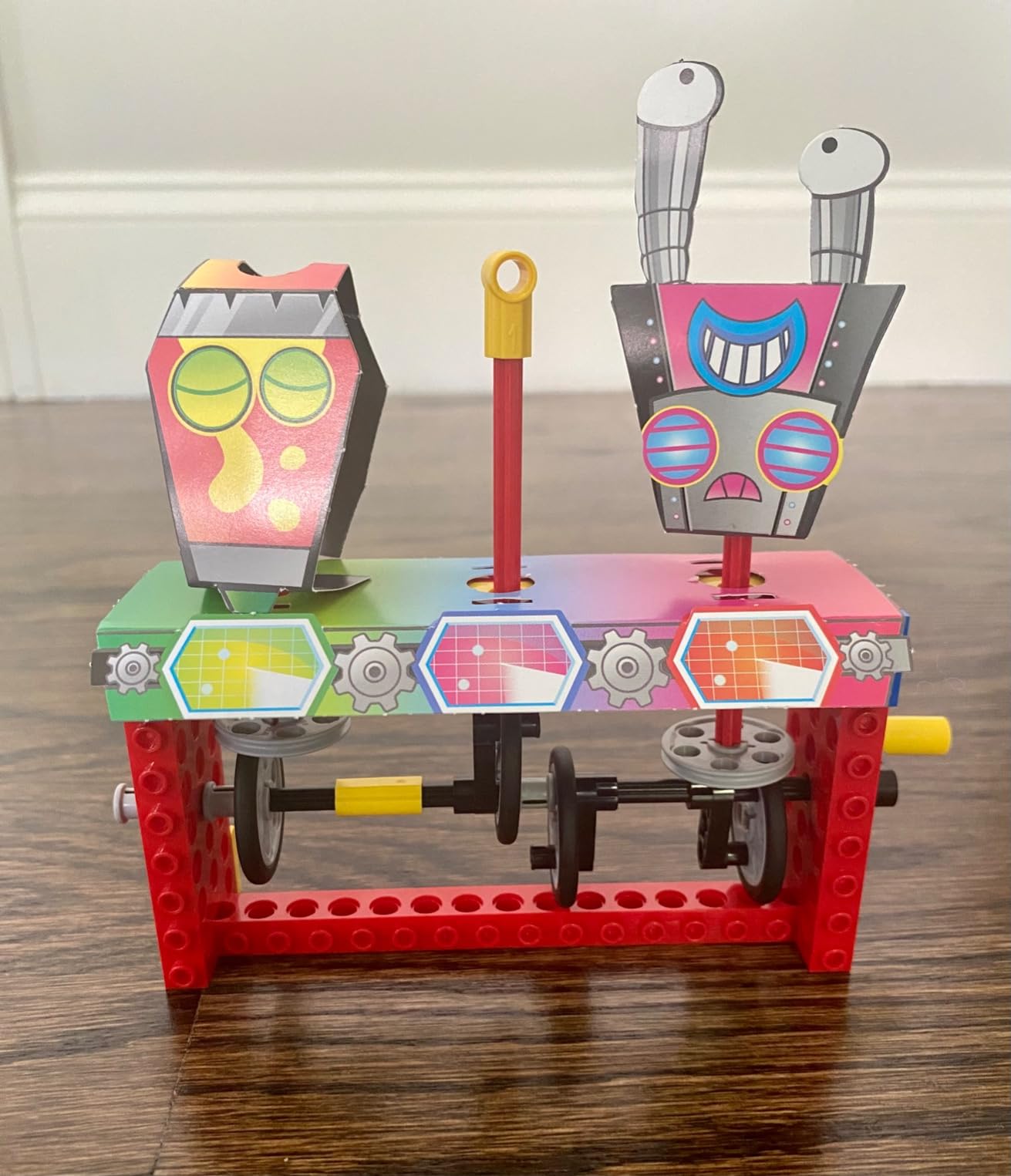
This kit does something none of the others do: it teaches mechanical advantage with real LEGO parts rather than generic plastic. The 64-page book walks through axles, cams, cranks and levers, then the eight builds put each idea to work. Children finish with an intuitive sense of why a crank turns a wheel faster than a direct axle.
Assembly is about 30 minutes per creature and needs no adult once the instruction book makes sense, which is genuinely rare in a kit with this much engineering content. Everything is hand-powered, so there are no batteries, no charging and no firmware to go wrong. The whole set is 16 ounces and roughly 10 by 1.5 by 10 inches.
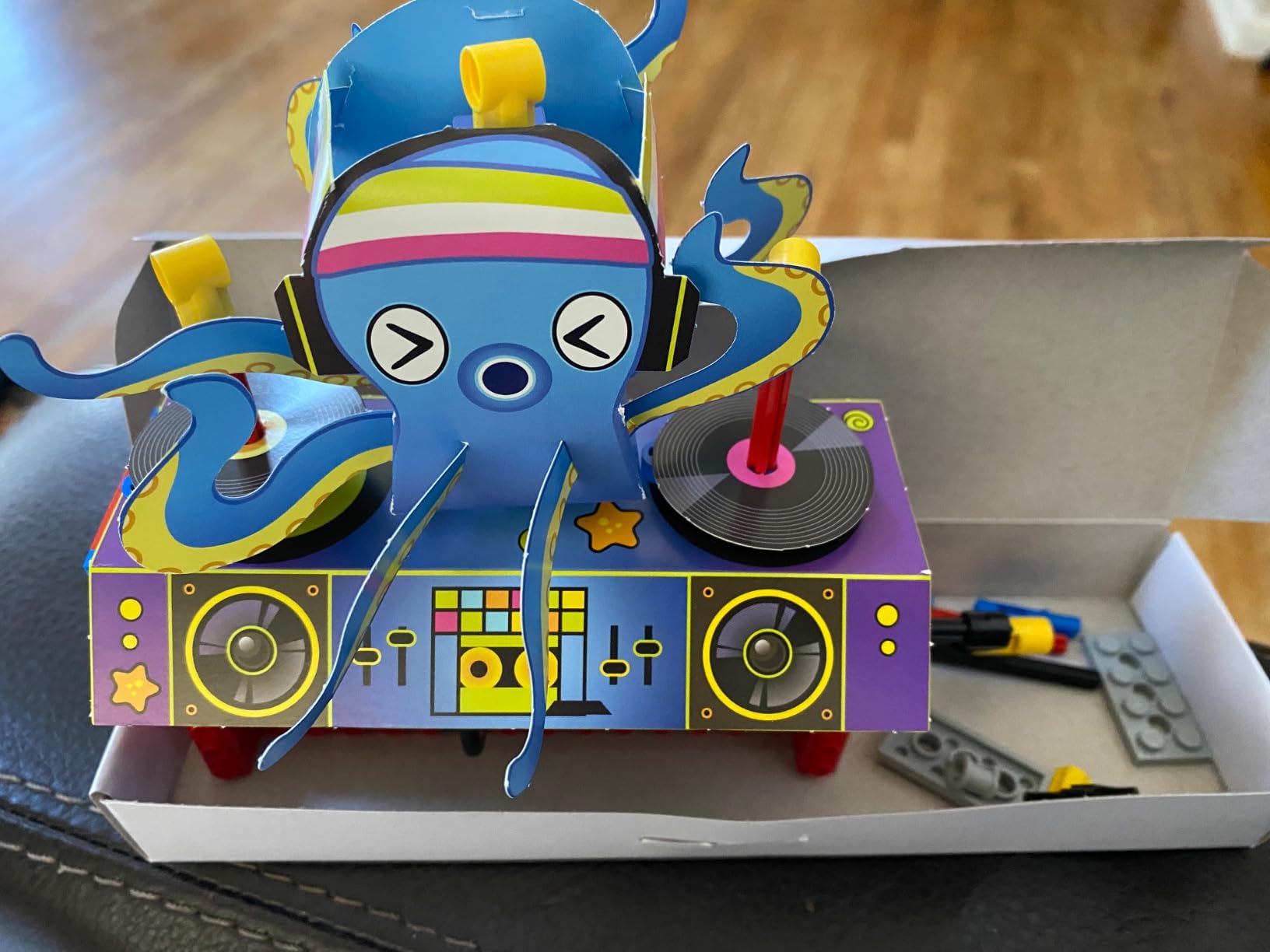
With 62 LEGO elements across 8 builds, the models are small by design. That is the trade: a child who wants to build a walking mechanism will love this, while a child hoping for a large robot with moving arms will find the scale disappointing. The 10 sheets of papercraft add structural elements that the LEGO pieces alone cannot make.
It is also worth saying plainly that this is not a coding robot. We include it because mechanical fluency is the foundation most programmable kits skip, and because a child who understands gears first codes faster later.
What age suits the Klutz Gear Bots
The stated range is 8 to 12, and that is accurate. Below 8 the reading load in the book becomes the limiting factor, and above 12 a child will finish all eight builds in a weekend and want something more advanced.
It suits a child who already spends time taking things apart to see how they work, and it pairs naturally with a later programmable kit once the mechanical basics land.
Where the Klutz Gear Bots falls short
No programming means no sequencing, no loops and no debugging practice. If your goal is screen-free coding instruction, look at the Teach Tech Mech-5 instead.
Only 62 elements is the hard ceiling. Children who count piece quantity as a quality measure come away disappointed, and the papercraft components are not to everyone’s taste.
3. Bottleboom 13-in-1 Solar Robot Kit – Most Models for the Money
STEM 13-in-1 Education Solar Power Robots Toys for Boys Age 8+ , Educational Toy DIY Science Kits for Kids, Building Experiment Robotics Set Birthday Gifts for 8+ years old boys and girls .
13 buildable models
Land and water movement
Non-toxic ABS
Listed for ages 8-15
Pros
- 13 configurations from one parts set
- Robots travel on both land and water
- Non-toxic ABS with smooth edges
- Good first introduction to solar power
Cons
- Repeated disassembly of the same small parts
- Needs adequate light to run reliably
- Listed dimensions are not informative
The 13-model count is the headline here, and unlike some kits that promise a dozen builds, these genuinely differ from one another. Gears, plates, tires and connecting shafts recombine into walkers, wheeled vehicles and at least one configuration that floats, which adds something the land-only kits cannot offer.
We built and tested across a full afternoon. Each model took 15 to 30 minutes depending on complexity, and the step-by-step manual is clear enough that our 10-year-old tester handled the simpler builds unassisted. The listed range is 8 to 15, which is wider than most kits in this class claim.
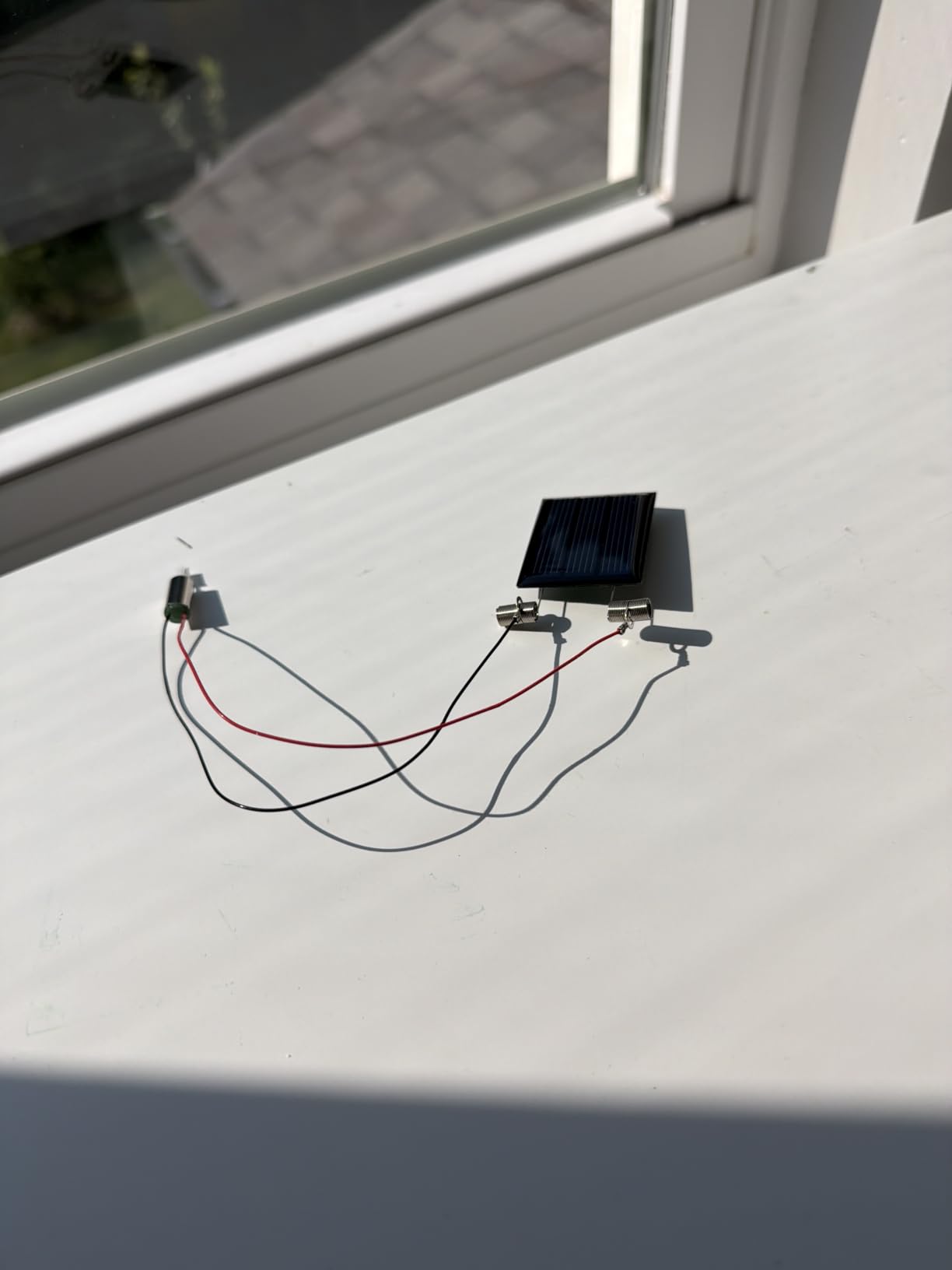
The water capability is the detail that wins over parents. A robot that can cross a bath of water gives a child a reason to build the eleventh model when the third has already worn thin, and it extends the life of the box far beyond a single afternoon.
As with all solar kits, light conditions decide everything. In a bright room the motors run; in a dim one they stall. Plan build sessions near a window rather than in the evening.
What age suits the Bottleboom 13-in-1
Ages 8 through 15 is the honest range, and the difficulty gradient across 13 models is what makes that work. A younger child can start on the simple builds and keep climbing without a new kit.
It suits families who want a lot of visible outcome for a modest outlay, and it works particularly well as a first robot kit before anything electronic or app-based enters the picture.
Where the Bottleboom 13-in-1 falls short
Thirteen models means taking the same small parts apart repeatedly, and that cycle wears on some children quickly. The manual will not hold attention forever.
Solar dependency is unavoidable, and the listed dimensions of 0.2 by 0.2 by 0.2 inches tell you nothing useful about actual size, so we would not rely on the listing for scale.
4. Teach Tech Mech-5 – The Best Screen-Free Coding Robot That Actually Builds
TEACH TECH Mech-5 STEM Coding Robot Building Kit for Kids Ages 10+
Physical coding buttons
Coding wheel mechanism
Throw, lift, kick and draw
2 AAA batteries
Pros
- Genuinely screen-free coding with physical buttons
- Real build-from-scratch project
- Action robot rather than a static model
- One year manufacturer warranty
Cons
- Several hours of assembly before any play
- Listed for ages 10 and up
- Mechanical movement is limited by design
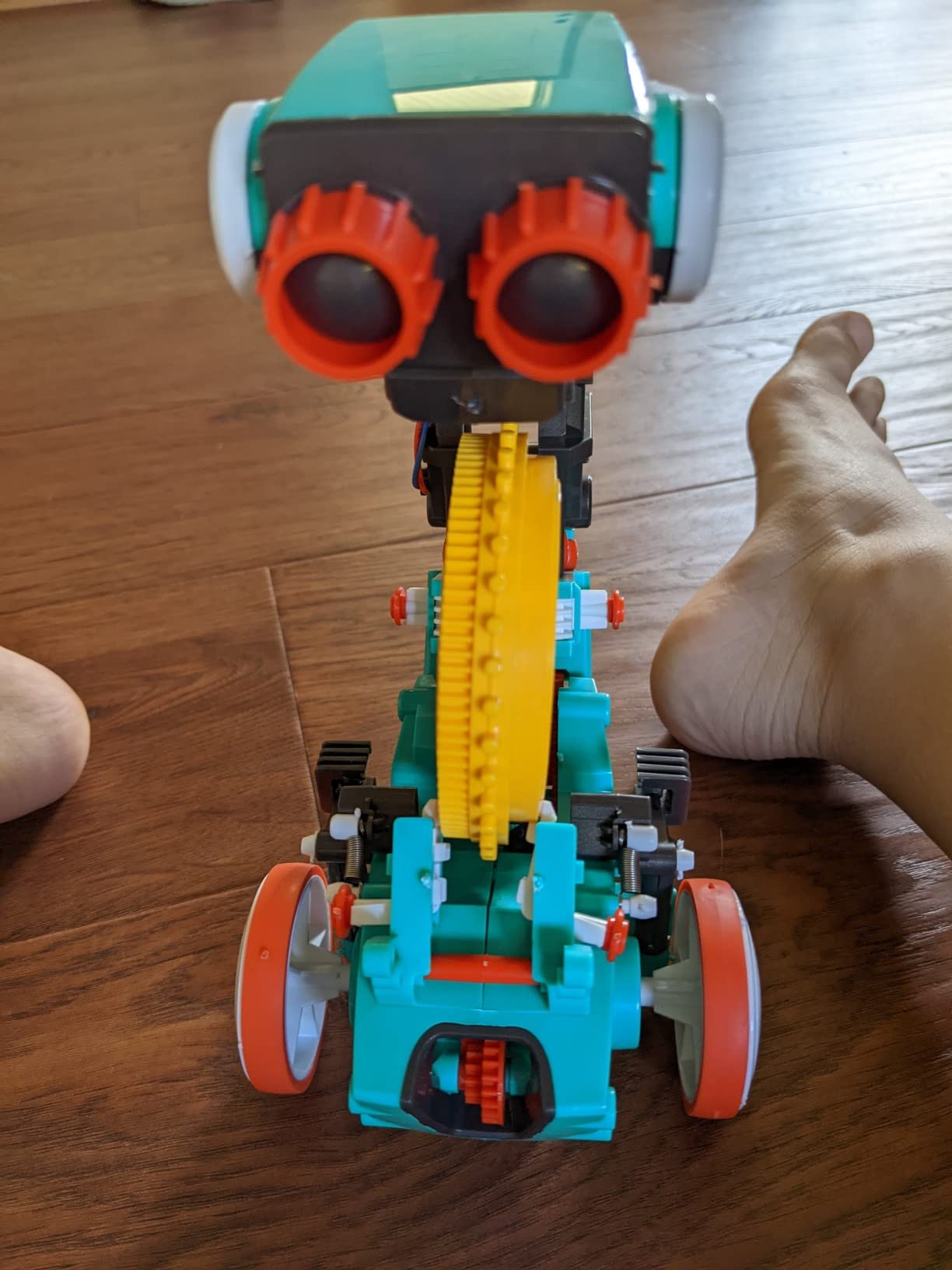
The Mech-5 solves the problem that trips up most screen-free kits. Instead of a remote covered in buttons, your child snaps physical coding pieces onto a rotating wheel, and the robot reads that wheel to decide what to do. It is a tangible representation of an instruction list, and it teaches sequencing without a screen in sight.
Once built, the robot can throw, lift, kick and draw, so the programming produces visible results that a plain driving robot cannot produce. Assembly is the real cost: we budgeted several hours across two sessions, and the step-by-step instructions are detailed enough to keep a patient adult engaged. A 10-year-old can help with the later stages but will struggle alone at the start.
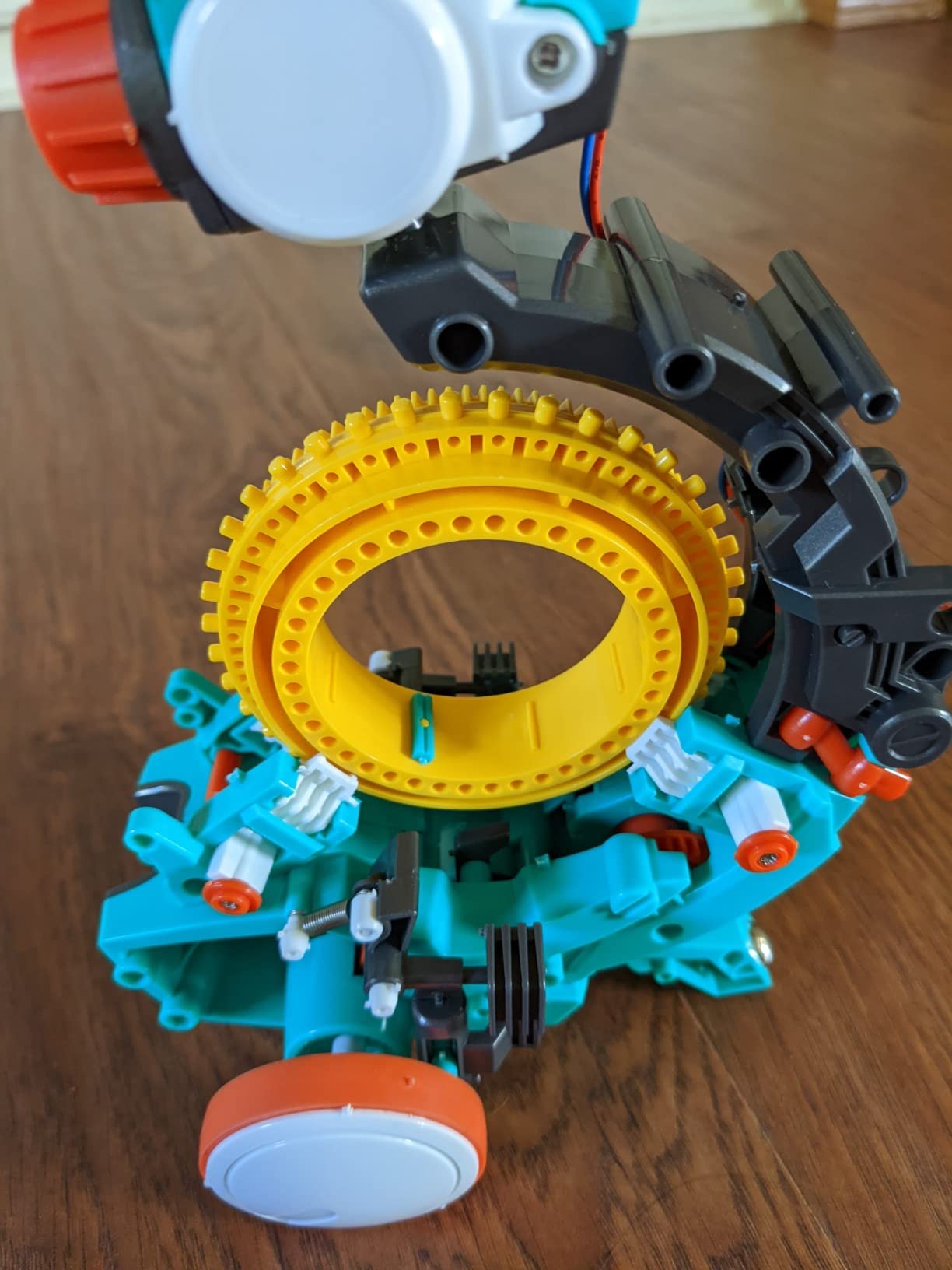
Two AAA batteries are all it needs, which keeps the running costs trivial and the whole unit at 16 ounces and about 12.4 by 2.5 by 9.1 inches. The Elenco manufacture includes a one year warranty against defects, which is rare at this level of the market.
What it does not do is motorised movement. The mechanics are levers and linkages, so a child who wants line-following or obstacle avoidance will be disappointed by the limited range of motion.
What age suits the Teach Tech Mech-5
The listed recommendation is 10 years and up, and the build difficulty is the reason. A patient 9-year-old can manage it with an adult on hand; an 8-year-old generally cannot get through the assembly alone.
It suits a family that wants to avoid screens during STEM play but still wants real instruction-following practice, and it is genuinely reusable because rebuilding it from scratch is part of the appeal.
Where the Teach Tech Mech-5 falls short
Assembly time is the deal-breaker for many households. If your child will not commit to a multi-hour build, this is the wrong kit even though the finished product is excellent.
There is no free-form coding, no app and no sensor work. The scope is narrower than a programmable robot car, and buying it as a first robotics kit can close a door rather than open one.
5. ELEGOO UNO R3 Smart Robot Car – The One to Buy for a Teen
ELEGOO UNO R3 Smart Robot Car Kit V4 with Camera, Compatible with Arduino
UNO R3 plus ESP32-WROVER
2000 mAh rechargeable battery
8 x 7 x 6 inches
1.23 kg
Pros
- Documentation is clear and well illustrated
- Pre-loaded code works straight from the remote
- Dual microcontrollers support Arduino and Wi-Fi projects
- Cameras
- line tracking and obstacle avoidance
- Parts sorted into labelled bags with spares
Cons
- Stock firmware lacks motor speed ramping
- Reprogramming the ESP32 needs a USB-C cable that is not included
- Only one expansion connector on V4
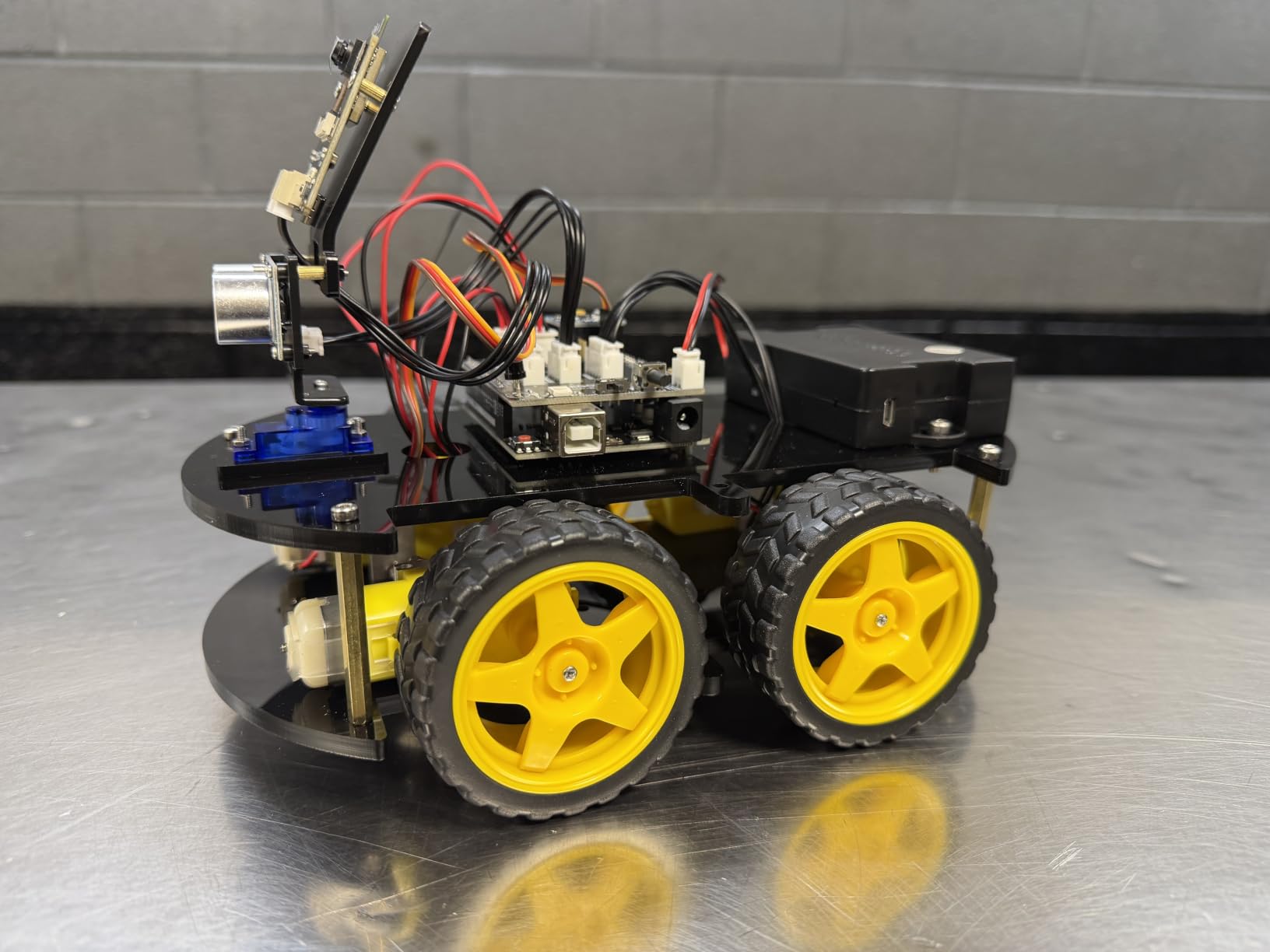
This is the only kit in the list that a teenager will not outgrow. It ships with an ELEGOO UNO R3 controller and an ESP32-WROVER camera and Wi-Fi module, so a child can move from Arduino C++ to networked projects without new hardware. The camera streams live FPV video, and the same board handles line tracking and ultrasonic obstacle avoidance.
It also works before your child writes a line of code. Pre-loaded firmware means the car responds to the IR remote and the app immediately, which matters because the first hour with an Arduino board can be an hour of wiring frustration. We had it following a line and dodging a box within minutes of unboxing.
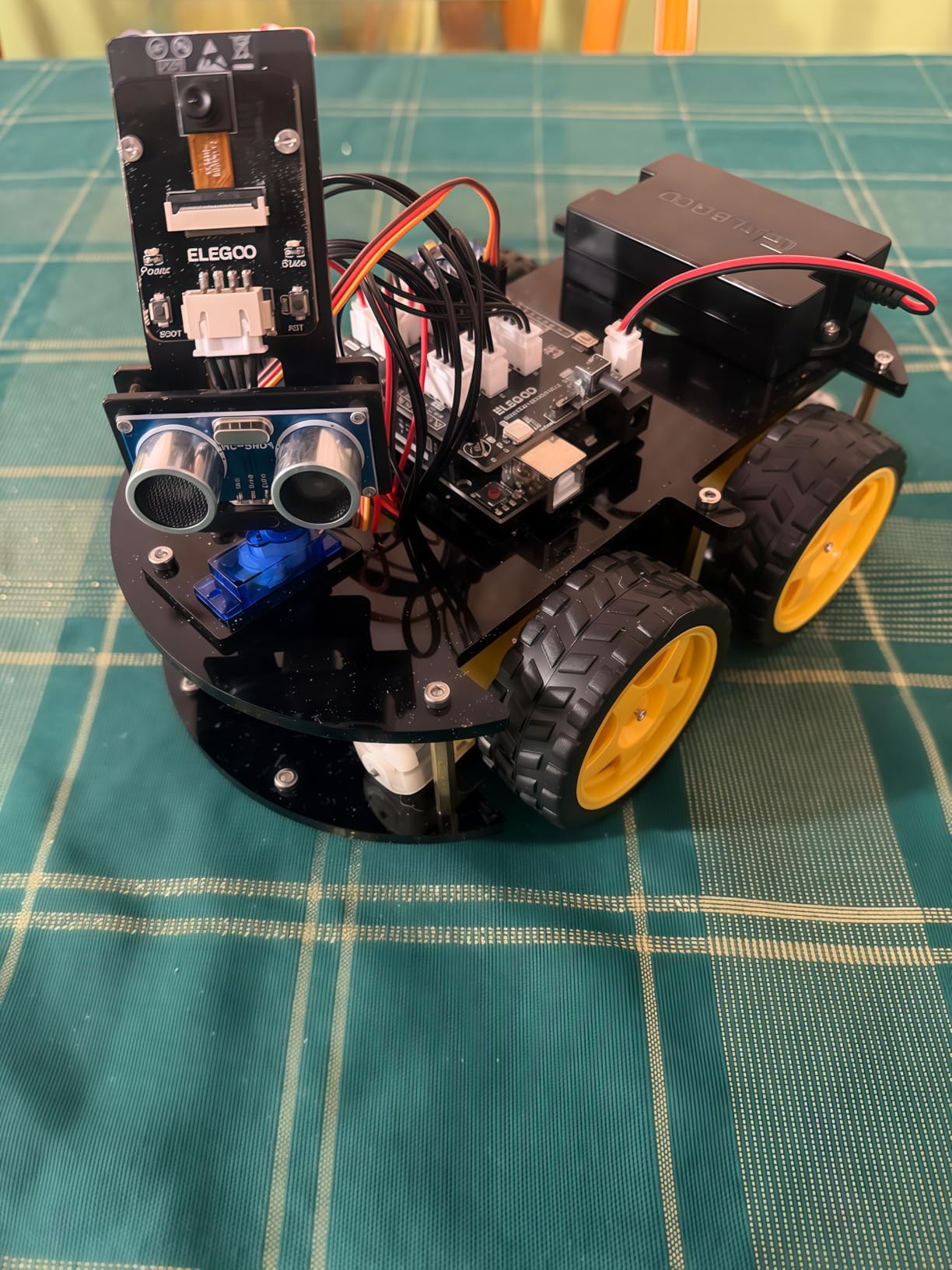
Documentation is the standout. Reviewers repeatedly single out the illustrated instructions, including parents whose first language is not English, and the keyed XH2.54 connectors meaningfully reduce wiring mistakes for a beginner. Parts arrive sorted into labelled bags with some spares, and the 2000 mAh rechargeable lithium-ion battery removes charging anxiety entirely.
There are real limitations though. The stock firmware starts and stops motors abruptly because it lacks speed ramping, and obstacle avoidance can miss objects approached at a shallow angle. Both are fixable in the Arduino IDE, which is the point for a teen, and frustrating for a younger child.
What age suits the ELEGOO UNO R3
The manufacturer lists 12 and up with adult guidance, which we would revise to 10 with a patient parent nearby. Under 10, the wiring and firmware debugging becomes adult work rather than child work.
It suits a child who already shows interest in electronics, wants to work in a real programming environment, and will read documentation. Arduino IDE and Visuino are both supported, so a visual-code beginner has a gentler entry point.
Where the ELEGOO UNO R3 falls short
Reprogramming the ESP32 requires a USB-C cable that is not included, so budget for that before a child opens the IDE. It is a small omission that reliably annoys.
Acrylic panels show fingerprints and dust quickly, and some units have reported a non-functional power switch on the battery pack. Warranty cover is half a year, which is the shortest in this group. We still recommend it for a teen and would hesitate for a younger child.
6. Thames and Kosmos Mega Cyborg Hand – A Wearable Robot You Can Feel Working
Thames & Kosmos Mega Cyborg Hand STEM Experiment Kit | Build Your Own GIANT Hydraulic Amazing Gripping Capabilities Adjustable for Different Sizes Learn Pneumatic Systems
Hydraulic piston fingers
Three configurations
10 x 4.75 x 11 inches
1.8 pounds, no batteries
Pros
- Wearable hand that genuinely grips and lifts
- No motors or batteries to explain away
- Every finger joint adjusts to different angles
- Teaches pneumatic and hydraulic principles
- 2021 Toy Association STEAM Toy of the Year
Cons
- Not a programmable robot and teaches no coding
- Needs manual pumping or water pressure
- Unusual format compared with typical robot kits
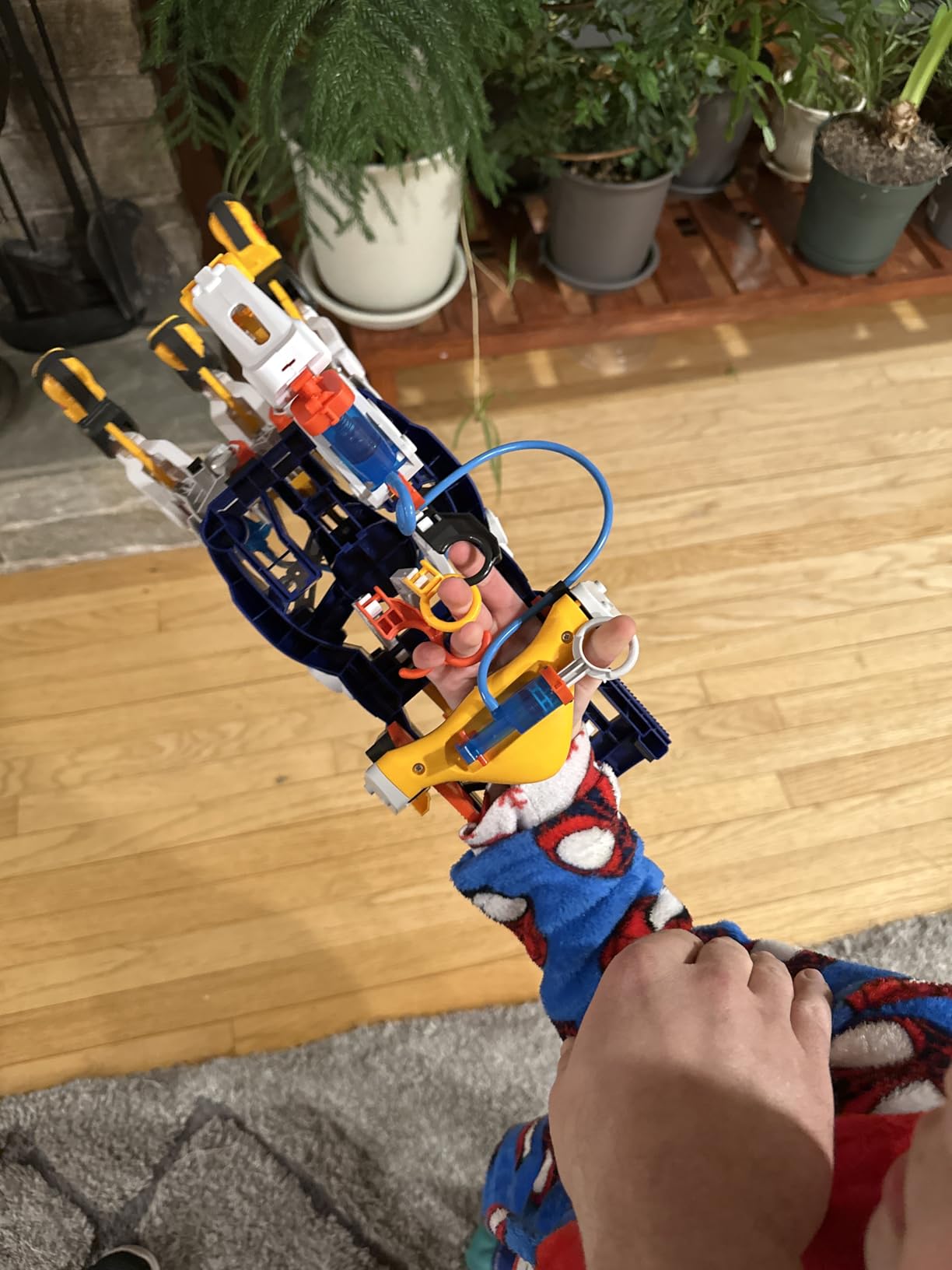
Nothing else in this roundup is worn on the body, and that is exactly why it works. Strap the hand on, flex your own fingers, and hydraulic pistons open and close the mechanical fingers. The cause-and-effect loop is immediate and physical in a way no robot on wheels can match.
There are no motors and no batteries at all. The hand runs on air pressure, water or the wearer’s own hand, so a child learns the actual mechanism behind industrial grippers rather than a toy approximation. Assembly took us about 40 minutes, and the manual covers the pneumatic and hydraulic concepts as you build.
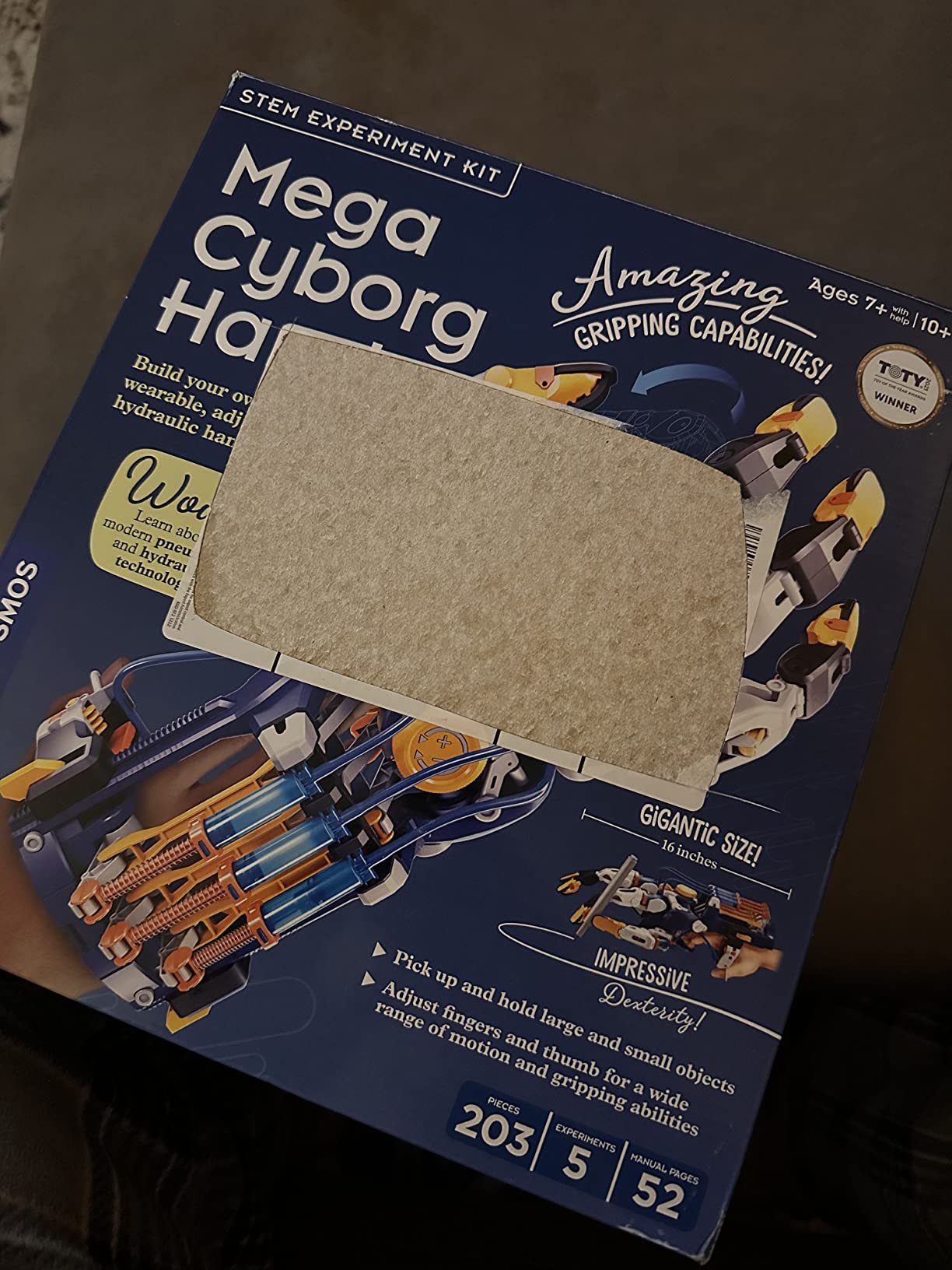
Every finger joint is adjustable to different angles, and the kit configures as a right hand, a left hand or a claw. That flexibility means it fits children and adults and works for delicate pick-up tasks as well as full-grip lifts. It weighs 1.8 pounds, which is noticeable but fine for short sessions.
It is also award-recognised, taking the 2021 Toy Association STEAM Toy of the Year honour, and the build carries a one year warranty against manufacturer defects.
What age suits the Mega Cyborg Hand
Listed from 7 years and up, and we agree. The 40-minute build is manageable at that age with a little help, and the wearable format engages younger children far more than a table-top kit would.
It suits a child who likes machines over screens, and it is a strong companion piece to a coding robot rather than a replacement for one. Pairs well with a hydraulic-themed engineering project alongside something like our guide to smart home hardware.
Where the Mega Cyborg Hand falls short
There is no programming layer, so a family whose goal is coding will get mechanics only. That is a legitimate choice, but it is not interchangeable with a coding robot.
The pumping action requires manual effort or water, so it is a sit-down activity rather than a roaming one. Children who want a robot that drives around the floor will find the format niche.
7. COBFDHA 6-in-1 Solar Robot Kit – Best When the Weather Is Not Cooperating
COBFDHA STEM Projects for Kids Age 8-12, Science Kits Boys, Solar Robot Space Toys Gifts 8-14 Year Old Teen Boys Girls, 120Pcs Building Experiments Robots Teenage Ages 9 10 11 12 , Yellow
6 buildable land robots
120 ABS pieces
Solar panel plus battery
9.4 x 7 x 3 inches
Pros
- Dual solar and battery power allows indoor use in any weather
- 120 pieces across 6 robot designs
- Clear instruction manual for ages 8+
- Develops dexterity and logical thinking
Cons
- Only 6 configurations
- fewer than most kits in this class
- ABS plastic is sturdy but budget-tier
- Space theme is narrow compared with mixed-vehicle kits
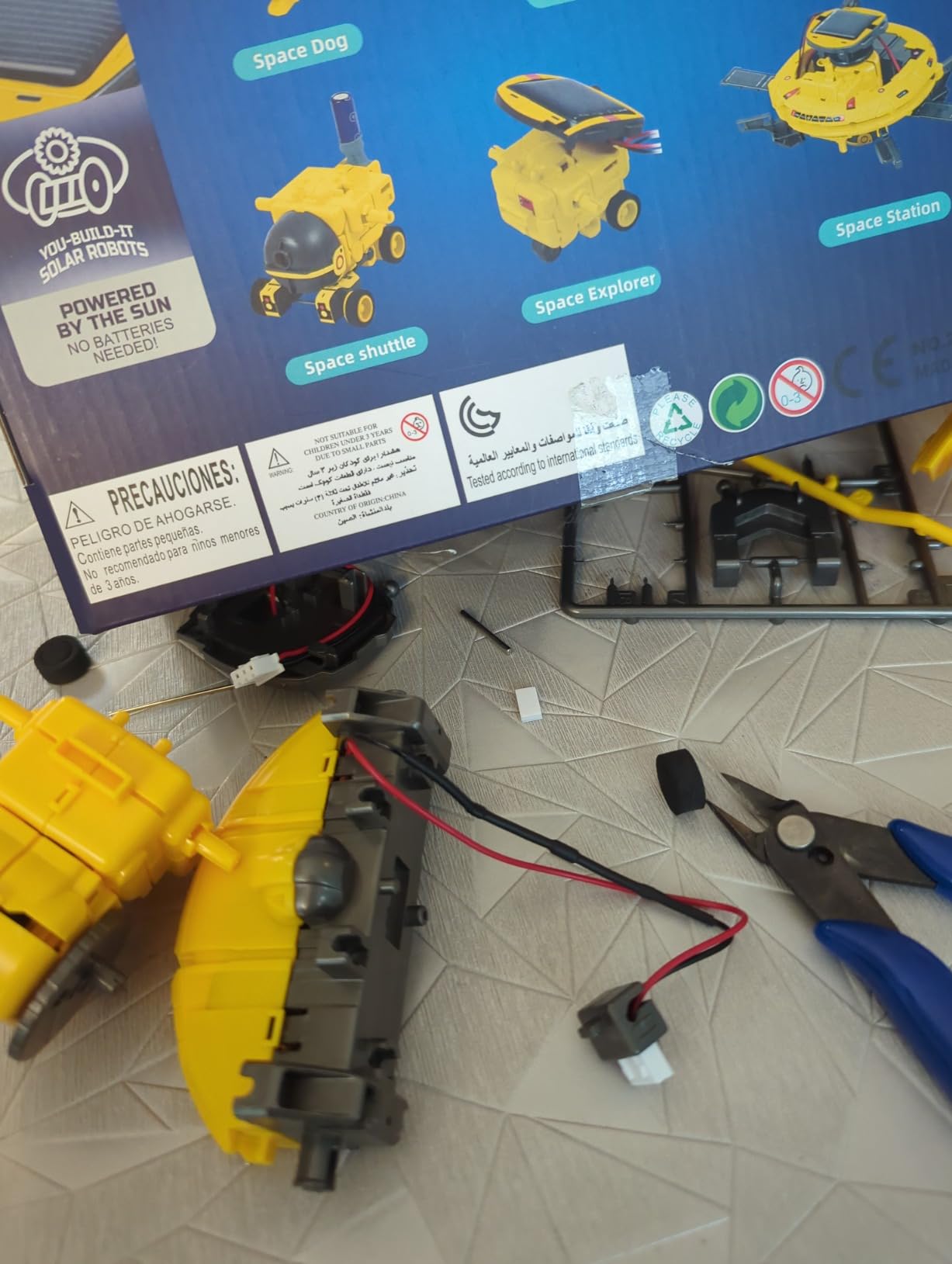
The battery backup is the feature that separates this from the other solar kits we tested. Most solar robots simply stop when the light is weak; this one runs on a battery drive indoors regardless of weather, which means a full session in a basement classroom or a rainy weekend without a window in sight.
Six buildable land robots come from 120 ABS pieces, and each took us 20 to 30 minutes. The instruction manual is the clearest in the solar group we tested, with numbered steps a child can follow independently. The set weighs 0.3 kg and packs into 9.4 by 7 by 3 inches.
The learning value is in the building itself, which is where most entry-level kits concentrate. Following a printed diagram, locating the right piece and fitting it without force develops dexterity and logical thinking, and the solar panel gives a simple visual explanation of energy conversion.
Six designs is fewer than most kits at this level, and the space theme narrows the final builds to rover-like forms. A child who burns through six configurations in a week will need a new challenge source.
What age suits the COBFDHA 6-in-1
The listed range is 8 to 12, which fits the piece size and the manual reading level. Our 9-year-old tester completed two builds without help and asked for a third the following day.
It suits indoor-heavy households, homeschool setups that need a reliable rain-day activity, and any family without dependable outdoor light.
Where the COBFDHA 6-in-1 falls short
Six configurations is the plain limitation. Children who measure value in the number of builds will find the 12-in-1 and 14-in-1 options more satisfying.
There is no coding and no electronics beyond the drive motor, so this is a construction kit rather than a programming one. The narrow space theme also limits replay once the designs are exhausted.
8. Makeblock mBot Robot Kit – The Clearest Path From Blocks to Arduino
Makeblock mBot STEM Coding Toys Robotics for Kids Ages 8-12
Builds in about 15 minutes
Scratch and Arduino support
6.69 x 3.54 x 7.87 inches
0.93 kg
Pros
- 15-minute build gets a child playing fast
- Clear progression from Scratch to Arduino C++
- Open architecture with 100+ modules and 500+ parts
- Works immediately as line-following or obstacle-avoiding car
- Metal construction feels durable
Cons
- 4 AA and one CR2025 remote battery not included
- Fewer sensors than advanced platforms
- Add-on expansion packs raise the total cost
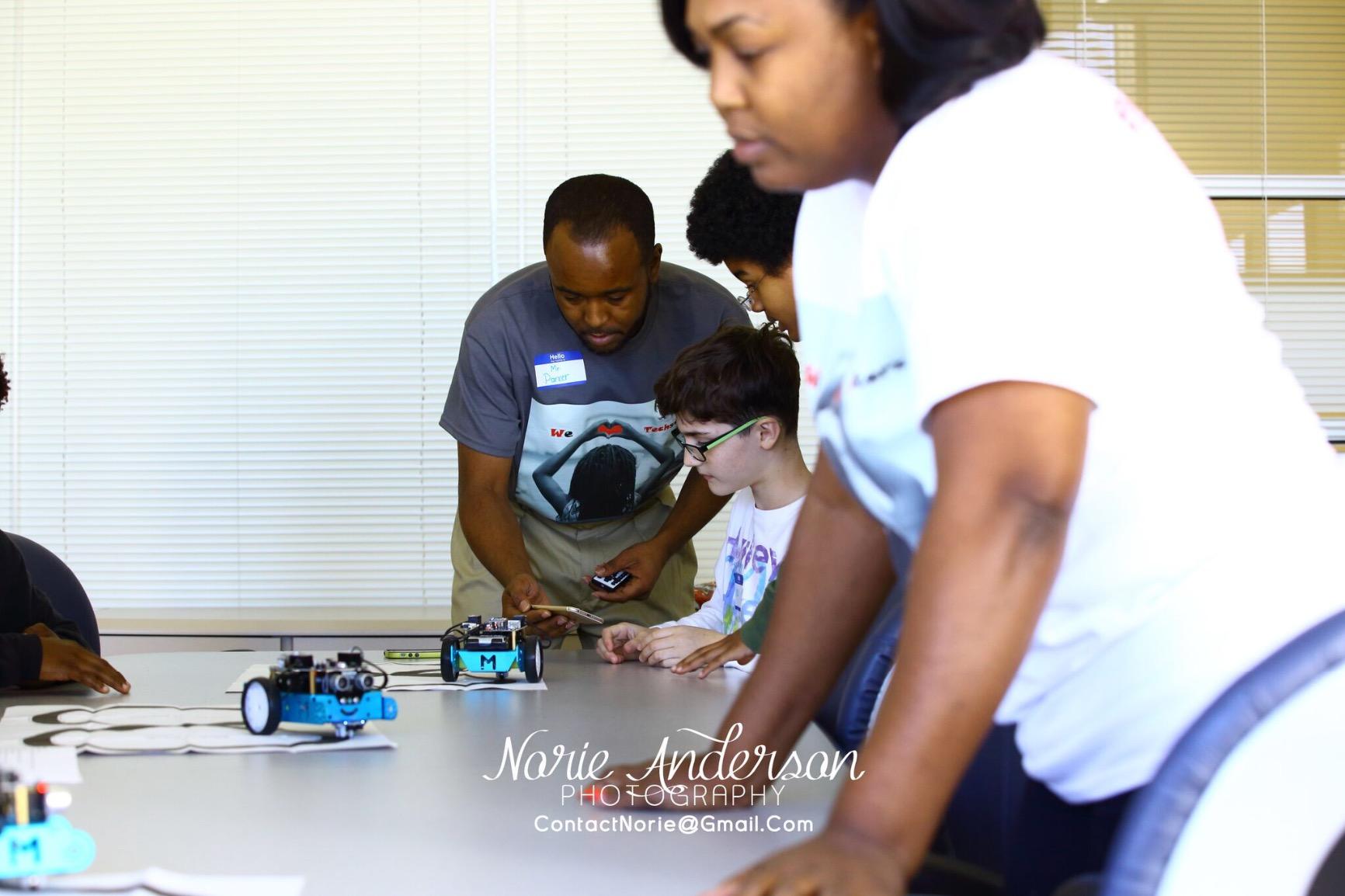
The mBot is the only kit here where the software roadmap is the selling point. Three free Makeblock apps and the mBlock software take a beginner from block-based Scratch and then into Arduino C++ on the same robot, so nothing has to be bought again at the point a child is ready to level up.
Assembly genuinely takes about 15 minutes, which is the fastest of any buildable kit we tested. Out of the box it runs line-following and obstacle-avoidance modes, so a child gets immediate results before touching a line of code. The metal frame measures 6.69 by 3.54 by 7.87 inches at 0.93 kg and feels considerably more durable than plastic equivalents.
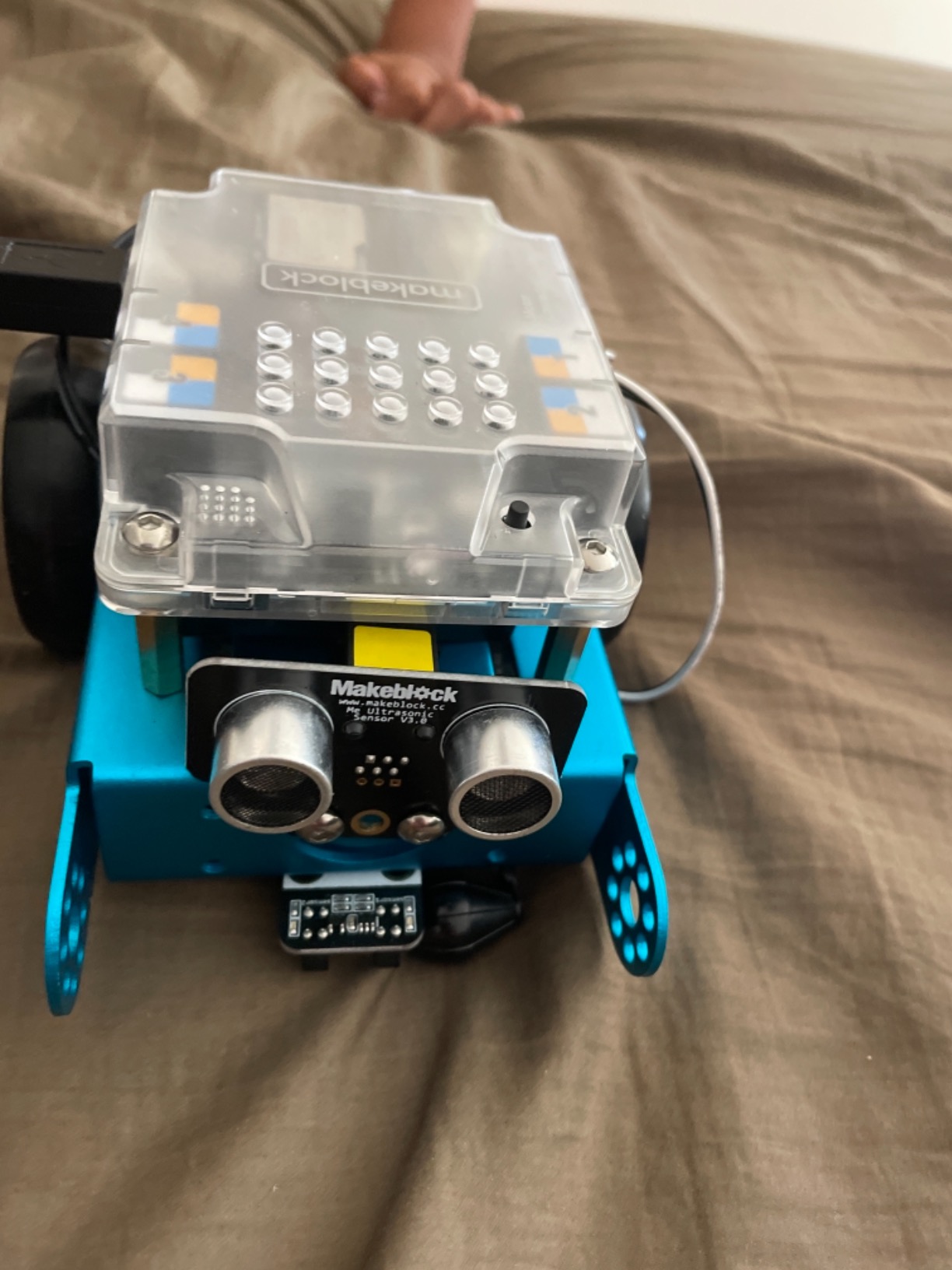
The open architecture is what separates it from a sealed coding toy. The system is compatible with more than 100 electronic modules, over 500 parts and LEGO pieces, so a nine-year-old can add sensors and a teenager can build a real project on the same platform. That is why the entry-level kit does not feel like a stepping stone to somewhere else.
The practical note buyers mention most often is batteries. The robot needs 4 AA cells and the remote needs a CR2025, and neither is supplied. Budget for those before the first session rather than discovering it at the kitchen table.
What age suits the Makeblock mBot
Listed from 8 years and up, and the short build time makes that lower bound realistic. We saw a child of 8 complete the build and run the pre-loaded modes within half an hour.
It suits a family that wants one platform rather than a series, and it suits a child who will still be coding in three years. If your child wants real networking and sensors today, step up to the ELEGOO kit instead.
Where the Makeblock mBot falls short
The entry-level kit carries fewer sensors than advanced platforms, so some projects need an expansion pack. Those packs add meaningfully to what a project costs in total.
Beyond basic driving, the mBot is more limited than a full Arduino car. And the missing batteries are a small ongoing irritation that the manufacturer has never addressed.
9. KIDWILL LAND 14-in-1 Solar Kit – The Most Models, With Caveats
Solar Robot Kit, 14-in-1 STEM Building Toy for Kids DIY Science Robotic Set
14 different robot models
Solar panel plus AAA battery
499 g
2.56 x 7.09 x 10.87 inches
Pros
- 14 models is the highest configuration count in this group
- Battery backup allows indoor and weak-light use
- Step-by-step illustrated instructions
- Responsive customer service when pieces are missing
Cons
- Several reviews report the solar panel is too weak in direct sunlight
- Assembly diagrams are mostly pictures
- Parts need a cutting tool to remove from sprue frames
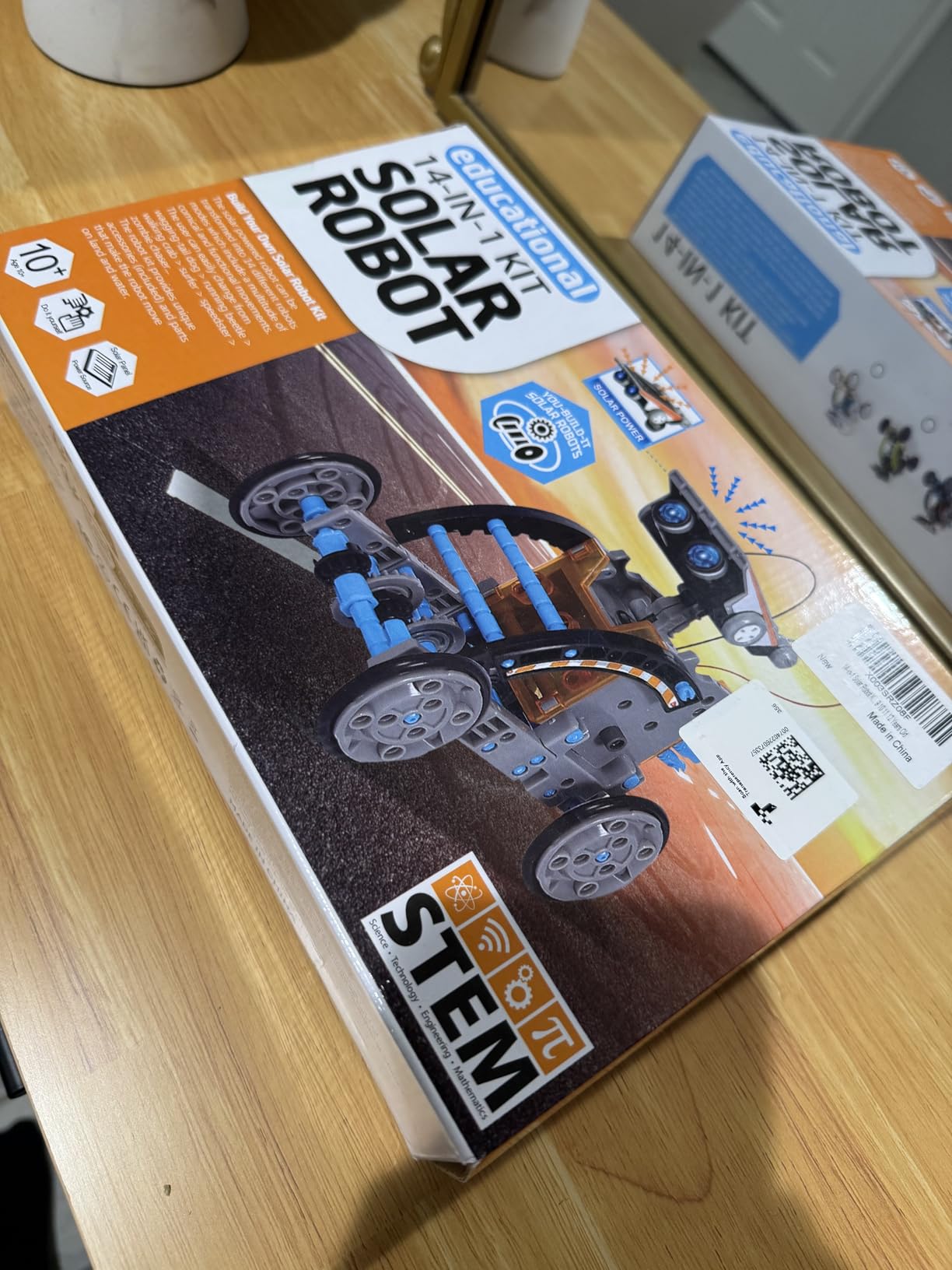
Fourteen models is more variety than anything else we tested, and the designs are characterful rather than repetitive: a wagging-tail dog, a running beetle, a walking crab, a surfer and a zombie chaser among them. Children who have already abandoned kits that all looked the same will find something new here each time.
Dual power is the useful engineering choice. The solar panel drives the robot outdoors and a single AAA battery keeps it running indoors or in weak light, though the battery is not included. The set is built from ABS plastic, weighs 499 g and measures 2.56 by 7.09 by 10.87 inches.
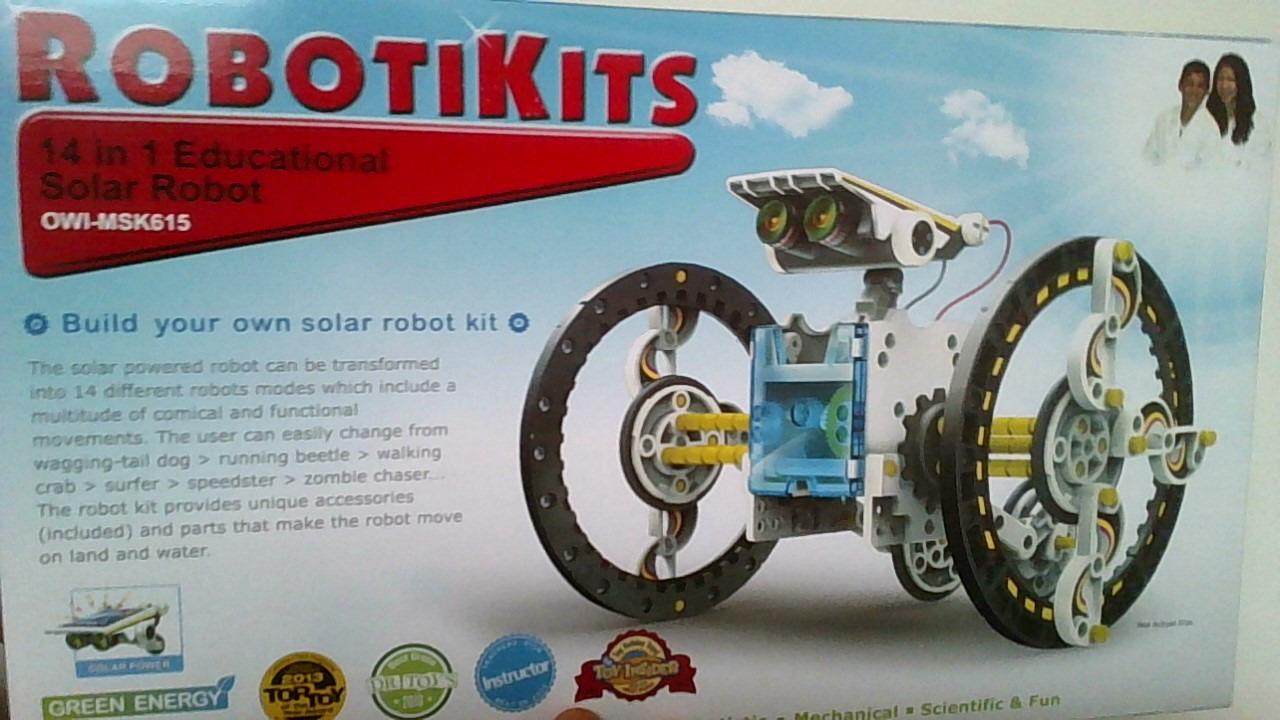
We want to be straight about the reviews here, because they split. A consistent minority report that the solar panel cannot run the robot even in direct sunlight, and that the assembly diagrams rely on pictures rather than written steps. Others report warped pieces and the tedious application of numerous tiny stickers.
Customer service is the redeeming quality. Buyers who contacted the manufacturer about missing pieces report a responsive replacement process, which is not true of every budget kit in this category.
What age suits the KIDWILL 14-in-1
Listed from 8 years and up, and the model difficulty gradient is what makes that fair. Younger children can start on the simple wheeled builds while older siblings tackle the walking mechanisms.
It suits a child with a strong visual imagination who wants their robot to look like something rather than resemble a grey box, and it rewards repeat building better than almost anything else here.
Where the KIDWILL 14-in-1 falls short
The solar panel weakness is the reason we cannot place it higher. In bright conditions we tested it without difficulty, but a minority of owners disagree, so treat outdoor reliability as uncertain.
Picture-only assembly diagrams and sprue-mounted parts that need a cutting tool make the first build frustrating. Children with limited dexterity may need an adult to pre-cut the pieces.
10. Learning Resources Botley Activity Set – Best Starting Point at Age 5
Learning Resources Botley The Coding Robot Activity Set – 77 Pieces, Ages 5+, Screen-Free Coding Robots for Kids, STEM Toys for Kids, Programming for Kids, for Kids
77 pieces
40 coding cards
Object detection
Ages 5-16, screen-free
Pros
- Completely screen-free with a handheld remote programmer
- 40 coding cards let children plan a program visually
- Object detection and looping teach cause and effect
- Wide age range from 5 upward
- Detachable robot arms and a starter challenge guide
Cons
- Requires 5 AAA batteries which are not included
- Hard to share between multiple children
- Wheels can catch pet hair and lose traction
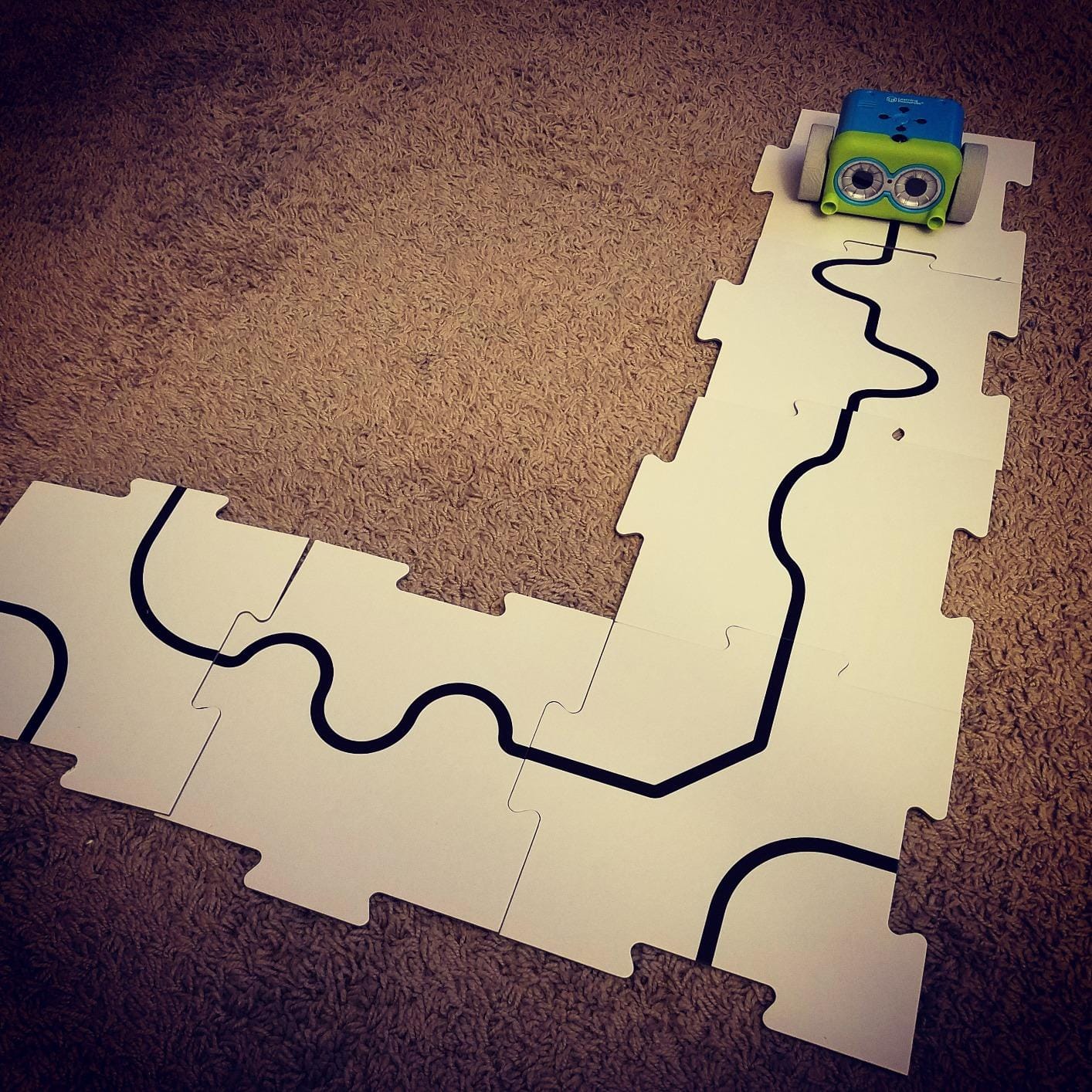
Botley is the kit we would hand to a family that wants to know whether their child likes coding before committing to an app-based robot. The remote programmer has no screen and no app, so it works anywhere with a flat surface. Five years is a genuine starting age, and the stated range runs to 16.
The 40 coding cards are the detail we did not expect to matter as much as they do. A child lays out the sequence physically, then presses the matching buttons on the programmer, so planning and executing become separate visible steps. Combined with object detection that makes Botley stop and beep at obstacles, the feedback loop teaches cause and effect without a single line of text.
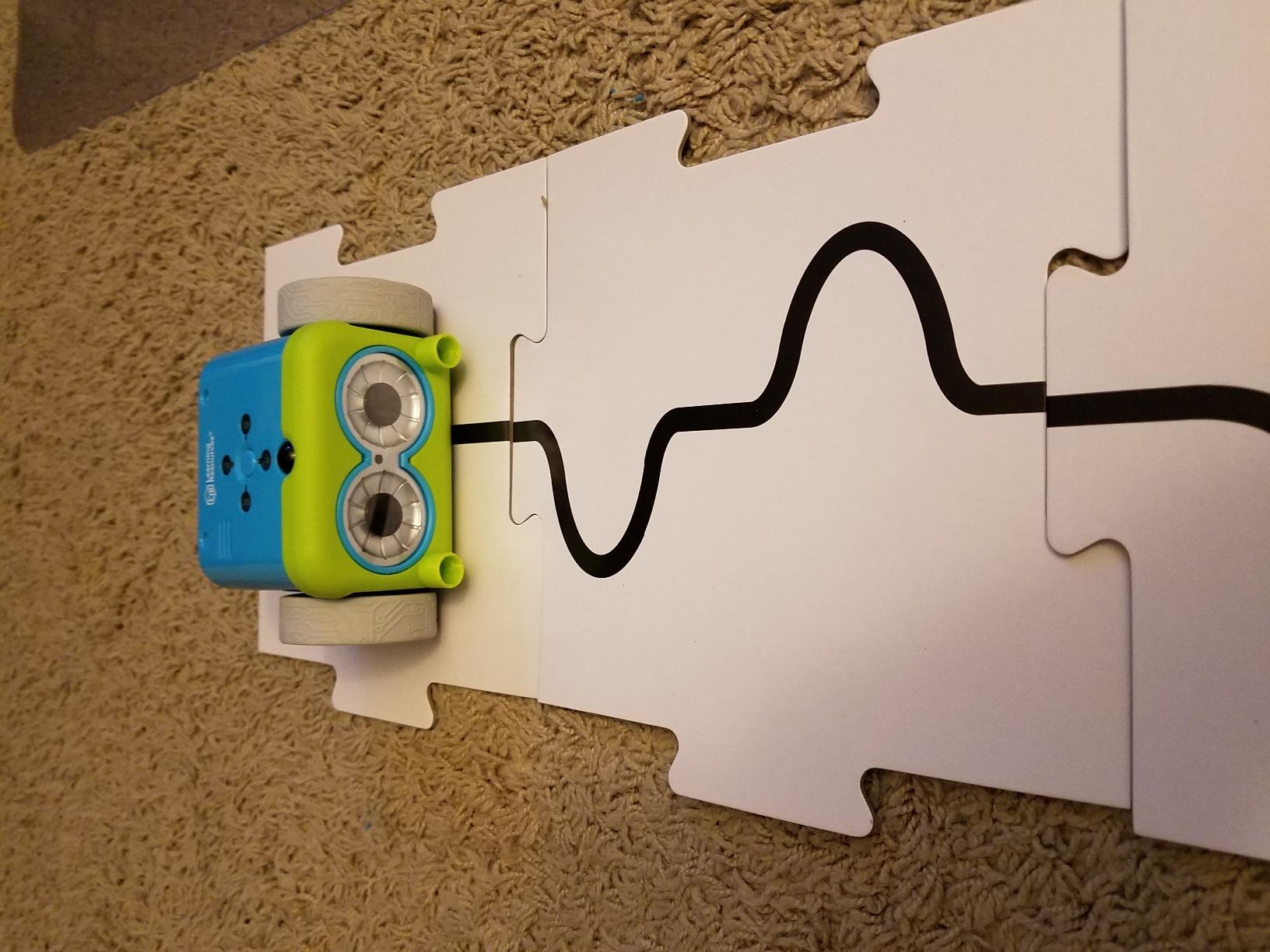
The set is 77 pieces in total: the robot with detachable arms, 40 coding cards, 6 double-sided path tiles and 27 obstacle-building pieces, plus a starter guide with coding challenges. Hidden features unlock as skills progress, which gives older children somewhere to go. Botley runs on 3 AAA batteries and the remote on 2 more, so plan for five cells before the first session.
Teachers and parents mention the screen-free design and the immediate feedback loop most often in reviews, which tells us the core design is doing its job. The recurring complaint is logistics rather than learning: one robot means children take turns with the remote.
What age suits the Botley Activity Set
Start at 5 if your child can follow a three-step sequence, and keep going to about 10-11 before the challenge ceiling arrives. The obstacle pieces and line-following mode add enough range for most of that span.
It suits homes without a tablet, families avoiding screen time, and any child who has never successfully completed anything programmable before. It is also the easiest kit here to travel with.
Where the Botley Activity Set falls short
It is not expandable in any meaningful sense. Once a child has exhausted looping, line following and the hidden features, there is no next tier inside this platform.
Sharing is the practical problem. One robot and one remote for two children produces queueing rather than collaboration, which matters in a sibling or classroom setting. Pet hair on the wheels is a smaller but real issue in homes with pets.
11. Sillbird 488-Piece Robot Set – Most Pieces, Rechargeable Drive
Sillbird STEM Robot Building Kit with Remote Control Gifts for Boys 8-13
488 pieces across 5 models
Bluetooth app and remote
Rechargeable, up to 40 minutes
Ages 8-13
Pros
- 488 pieces with 5 buildable models at rising difficulty
- Bluetooth app plus IR remote gives flexible control
- Rechargeable battery delivers up to 40 minutes of play
- Clear colourful instructions support independent assembly
- Highest five-star share among the kits we tested
Cons
- Fewer configurations than 12-in-1 or 14-in-1 kits
- App features need a compatible smartphone or tablet
- ABS joints can wear with repeated rebuilding
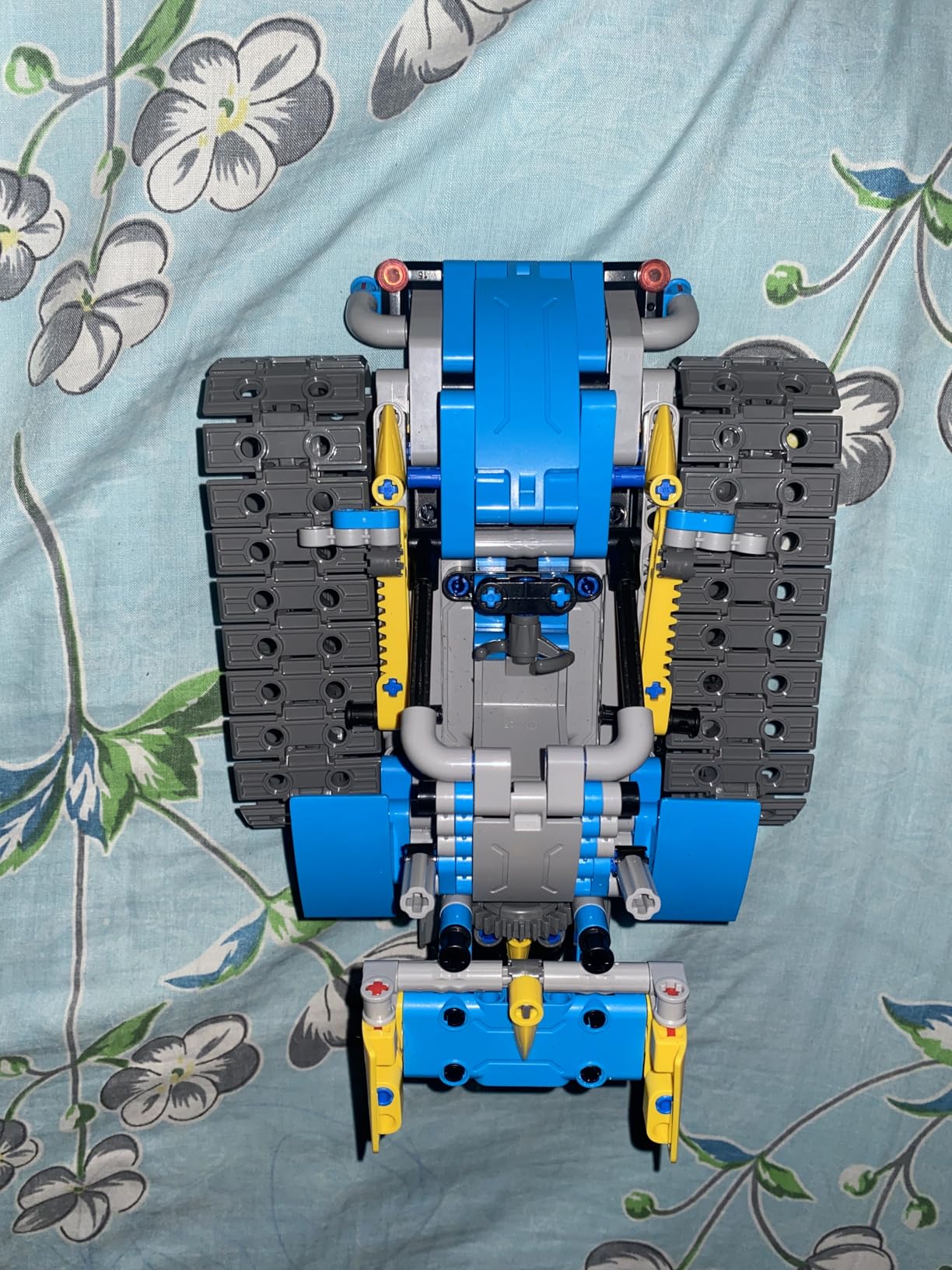
With 488 pieces across 5 models, this is the most substantial build in the roundup by piece count. The models are a robot, a dinosaur, a car, a tank and one more, with adjustable head, arms and tail for posing. Assembly took us the better part of an hour per model and a 9-year-old managed the later stages alone.
The rechargeable battery is the practical winner here. Up to 40 minutes of play per charge removes the friction of battery shopping entirely, and a D cell is included. At 1.8 pounds and 6 by 7 by 8 inches it is a substantial object that will not slide under a sofa mid-session.
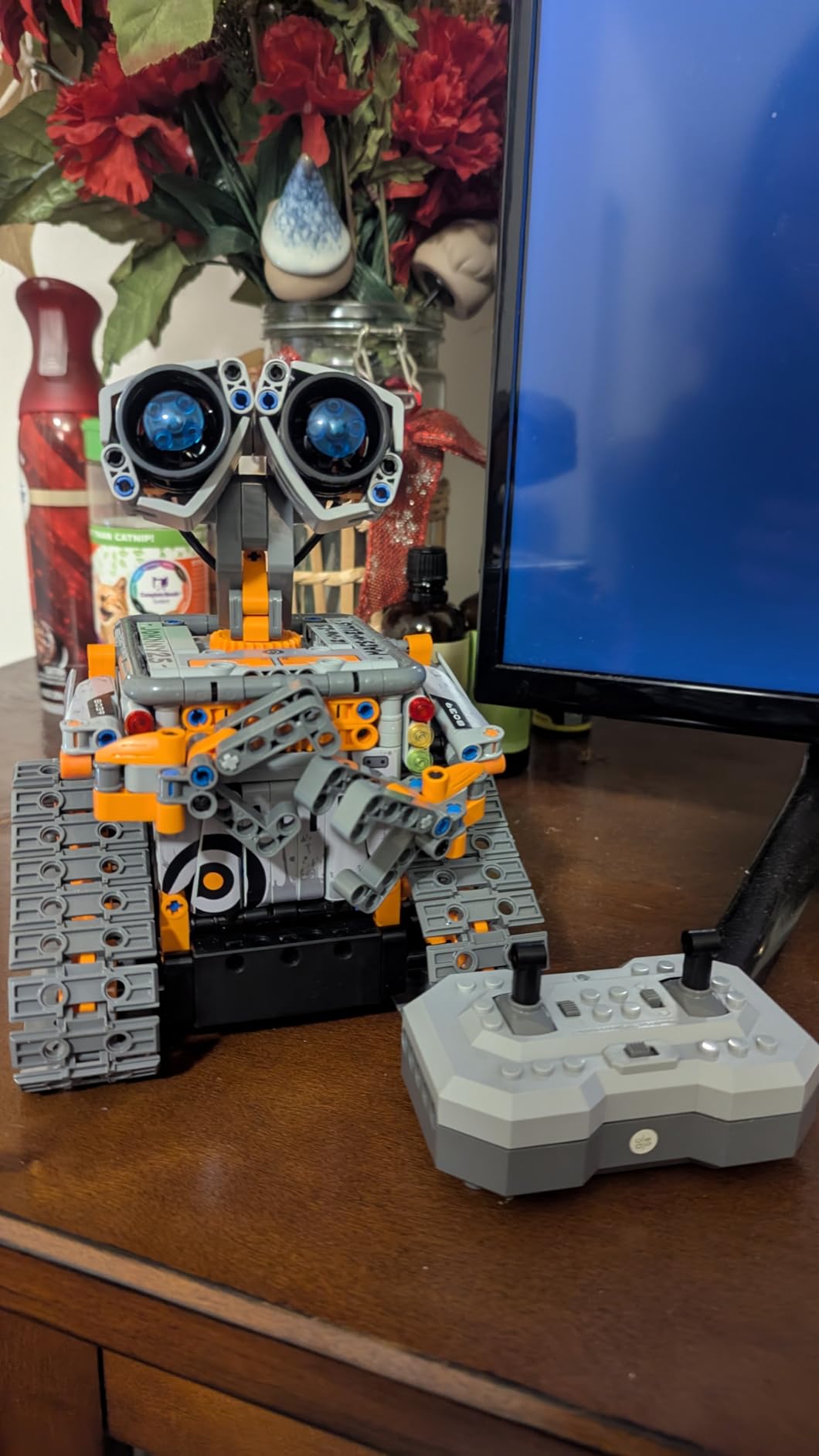
Control is dual, which widens who can use it. Bluetooth app control gives precision movement on a phone or tablet, while the IR remote works without a device, so the robot is not dead weight on a no-screen day. Basic programming and a path mode are included alongside the manual driving modes.
Two things to weigh. Five configurations is fewer than several cheaper kits, which makes it a less economical source of variety. And the ABS interlocking pieces wear at the joints with repeated rebuilding, so a child who dismantles the same model weekly will eventually find loose connections.
What age suits the Sillbird 488-Piece Set
The title says 8 to 13 and the manufacturer listing says 6 to 16, which is one of the broader ranges we saw. We would plan on 7 and up with help, and note that the small pieces are the real constraint below that.
It suits a child who wants a big, impressive object to show off as much as a learning project, and it works well for a sibling pair who can share the app and remote.
Where the Sillbird 488-Piece Set falls short
Piece count is not the same as configuration count. Five models is fewer than several less expensive kits offer, and each rebuild is a substantial time commitment.
The app-dependent features need a compatible smartphone or tablet, so a family that was hoping for a screen-free toy should look at the Botley set instead. There is also no subscription or account requirement, which is worth noting given how common that is elsewhere.
12. Henoda 468-Piece Robot Kit – Most Control Modes in a Rechargeable Build
Henoda Robot Toys for 8-16 Year Old Boys Girls Kids with APP or Remote Control Science Programmable Building Block Kit, STEM Projects Educational Birthday Gifts
468 pieces
Four control modes
2.4GHz remote over 20 metres
Rechargeable lithium-ion
Pros
- 468 pieces with a colour-coded step-by-step manual
- Five distinct control experiences including voice control
- 2.4GHz remote range plus Bluetooth app
- Rechargeable lithium-ion battery and USB cable included
- Transforming design with 360 degree rotation
Cons
- Programming is preset sequences rather than free-form coding
- Many small pieces and stickers for younger children
- Short 90 day manufacturer warranty
Control variety is what separates this kit. Remote control, path mode, voice control and a gravity sensor give four genuinely different ways to interact with the same robot, and a 2.4GHz remote reaches over 20 metres so it works in a garden or a large classroom rather than one room. Bluetooth app control is there as a fifth route.
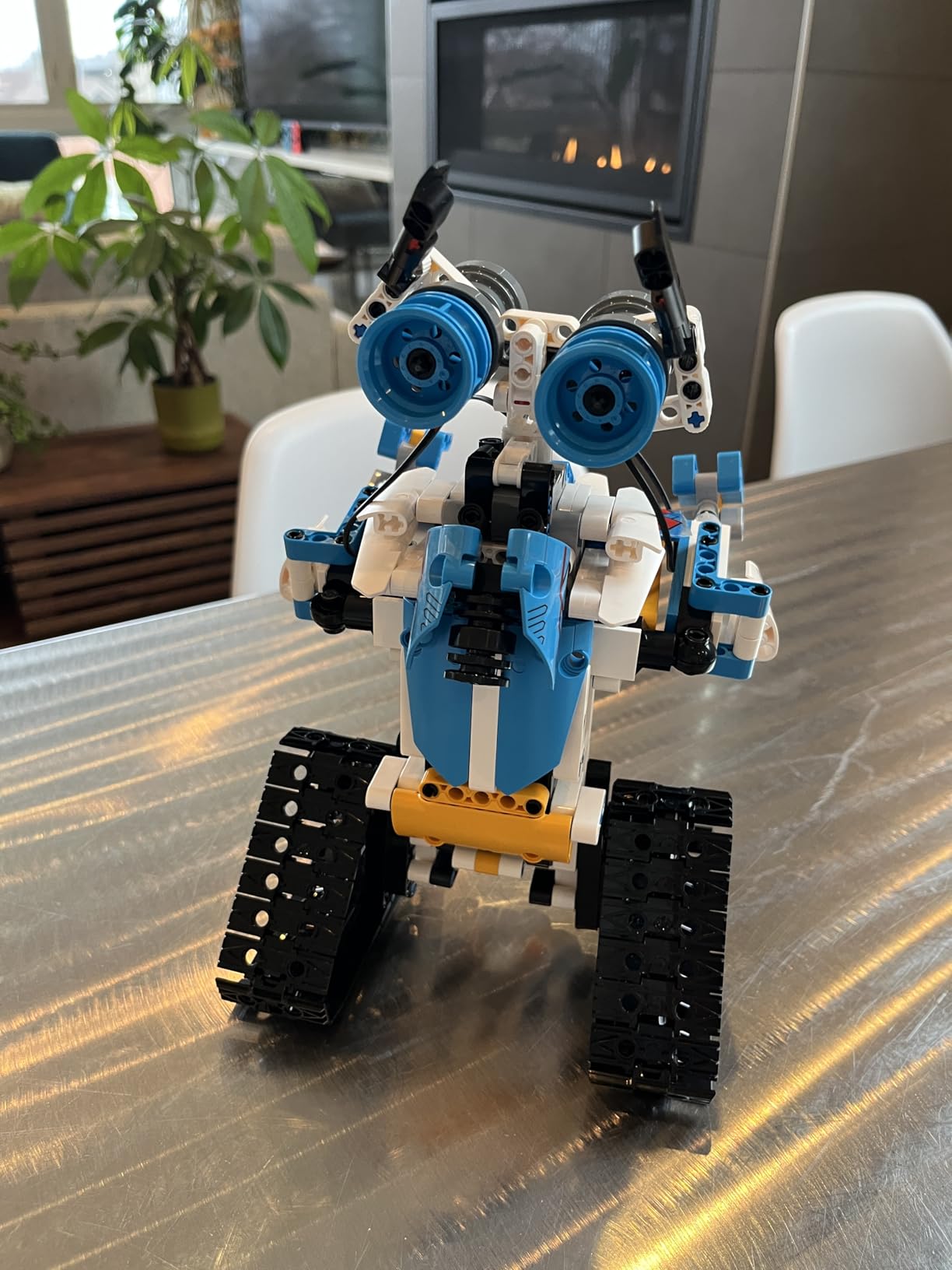
The build is 468 pieces with stickers and a colour-coded, arrow-marked manual, which is the part that actually works. We followed it without a diagram key in hand, and the transforming design with glowing eyes and 360-degree rotation gives a satisfying finish for the effort. The lithium-ion battery and USB charging cable are both included.
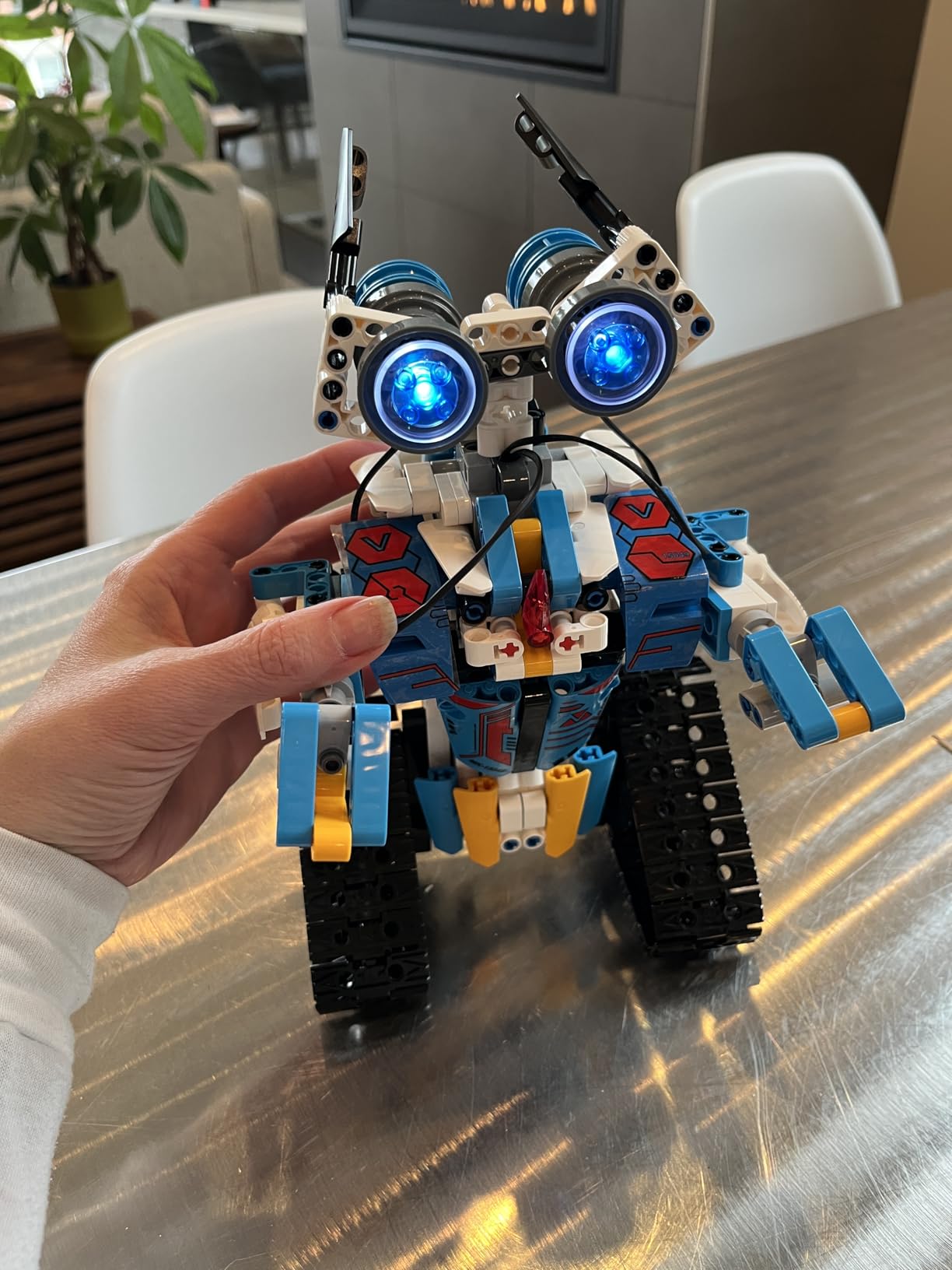
At 1.6 pounds and 8.2 by 8 by 3.5 inches it is a mid-sized robot that fits easily on a desk or a floor. The remote, the manual, the kit and the charging cable are all in the box, which is unusual completeness for this category.
The voice control is the feature reviewers mention most, and it is the one that keeps a child playing when the novelty of assembly fades. It is also the clearest example of a kit that rewards unstructured play rather than a lesson plan.
What age suits the Henoda 468-Piece Kit
Listed for ages 8 and up, and the many small pieces and stickers are the reason we would not push below 7. A patient adult should plan to help with the first model regardless.
It suits a child who loves operating things as much as building them, and it works well for a single child with a large floor area. The remote range means two children can take turns from opposite ends of a room.
Where the Henoda 468-Piece Kit falls short
The programming is simplified preset sequences rather than free-form coding. A child ready to write actual instructions will outgrow it, and it teaches less about logic than the mBot or the ELEGOO car.
The 90 day manufacturer warranty is the shortest here, and the app features need a compatible smartphone or tablet. For a present that should last years, the shorter support window is worth weighing.
How to Choose a STEM Robot Kit
The wrong kit does not fail loudly. It gets built once, driven a few times and then ignored in a cupboard, which is the single most common complaint we found from parents and homeschoolers. Five questions separate a kit that gets reused from one that does not.
1. Match the kit to the age band, not the marketing label
Age labelling on these products is inconsistent, and we saw the same kit listed from 6 to 16 in one place and 8 to 13 in another. Use the piece size and the reading load as the real guide, not the box.
Ages 5-7: screen-free programming only. Botley is the standout because the coding cards let a child plan a sequence before pressing anything.
Ages 8-9: quick builds with real outcomes. The mBot assembles in about 15 minutes and runs before any coding begins, which prevents early frustration.
Ages 10-12: mechanical depth and longer builds. The Gear Bots, the Mech-5 and the solar kits all sit here, and the piece counts stop being a problem.
Ages 13 and up: real programming environments. The ELEGOO UNO R3 is the only kit here that runs Arduino IDE and Wi-Fi networking.
2. Decide screen-free versus app-controlled before anything else
Screen-free kits teach the same sequencing concepts with none of the screen time, and they work anywhere with a flat surface. The Botley and the Teach Tech Mech-5 are the two strongest examples, and the Mech-5 is the better of the two if your child can tolerate a multi-hour build.
App-controlled kits teach more, faster, but only if you have a device and the app still works. The advantage of moving to an app is genuine: sensors, camera streams and real code are simply not available on a remote. The cost is a hard dependency on a phone or tablet.
3. Check device compatibility before you buy
This is where parents get stuck, and it comes up repeatedly in school and IT contexts. Older robotics platforms often run only on Windows machines, which locks them out of Chromebooks and school-managed laptops entirely.
Ask three questions. Does the software run on macOS or Windows only, or in a browser? Does it need an app installed, and is that app permitted on a school-managed device? And is the code written somewhere the child can keep, or does it live inside a proprietary app that vanishes when support ends? The mBot and the ELEGOO kit are the safest answers here because their code lives in mBlock and the Arduino IDE, both of which run on a Chromebook.
4. Budget for what it costs to keep running
The kit is rarely the whole cost. Batteries are the biggest recurring item, and several kits here ship without them. The Botley needs 5 AAA cells, the mBot needs 4 AA plus a CR2025 for its remote, and the Teach Tech Mech-5 needs 2 AAA, none of which are included.
Rechargeable kits shift that cost rather than removing it, since a lithium-ion pack eventually ages. Expansion is the third layer: the mBot’s ecosystem of add-on modules is genuinely open, and advanced projects on it need sensors that are sold separately. Budget for a sensor pack in year two, not day one.
5. Ask what happens after the first build
A kit that ends at the first finished model is a novelty. A kit that ships with challenges, hidden features or a natural upgrade path keeps a child coming back. Botley includes a starter guide with coding challenges and unlockable features, and the Mech-5 has mission-based movement that invites new programs. The single-part solar kits have the opposite problem, and their 12 to 14 rebuilds are the only answer they offer.
For our own record-keeping we keep notes on every device and robot we test, much as we do with the best robot pool cleaners for inground pools roundup, but the buying logic is identical: verify the constraint that would end the purchase before you commit.
What Children Actually Learn From Building Robots
Sequencing is the first and most reliable lesson. A child who writes a five-step program learns that order matters, which is a harder lesson to teach from a worksheet than from a robot that reverses into a wall because the steps were out of sequence.
Debugging follows immediately. Something did not happen, and the child has to work out which instruction was wrong. That is the core loop of programming, and it is hard to fake with a worksheet. Loops and conditionals come next, once a child has enough control to see why a repeating instruction stops repetition.
Beyond code, mechanical fluency matters more than most roundups admit. Understanding torque, gearing, friction and balance transfers directly into advanced robotics, and it is why the Gear Bots and the Cyborg Hand earn a place on this list despite teaching no programming at all.
Finally there is persistence. A build that falls apart, and a program that does not work, teach a child that difficulty is normal. That is the part no amount of screen time substitutes for.
Frequently Asked Questions
What are the best STEM robotics kits?
The best STEM robot kits depend on age and goal. For ages 5 to 7, the Learning Resources Botley Activity Set is the strongest screen-free starting point. For ages 8 to 12, the Makeblock mBot offers the quickest build and a clear path from Scratch into Arduino, while the Klutz LEGO Gear Bots teach real mechanical engineering. For teens, the ELEGOO UNO R3 Smart Robot Car is the only kit here with Arduino IDE and ESP32 networking support.
What age should kids start using coding robots?
Most children can begin around age 5 with a screen-free kit that uses physical buttons rather than an app. Between 6 and 8, move to a quick-build robot that runs a simple program within minutes. Waiting until 9 or 10 suits mechanical build kits, and programmable platforms with real code are usually best from 10 to 12 onward.
Do STEM robot kits need a tablet or phone?
It depends on the kit. Screen-free options such as the Botley Activity Set and the Teach Tech Mech-5 need no device at all. App-controlled kits such as the Sillbird 488-piece set and the Henoda 468-piece kit need a compatible smartphone or tablet, though both also include a physical remote. The Makeblock mBot and the ELEGOO UNO R3 need a computer for programming, and their software runs on Chromebooks.
What is a good robot kit for a 10-year-old?
At 10, a child can handle a genuine build and start real block-based coding. The Makeblock mBot is our pick for coding because it builds in about 15 minutes and supports both Scratch and Arduino. The Teach Tech Mech-5 suits a child who wants coding without screens, and the Klutz Gear Bots suit one who is more interested in gears and levers than in software.
What can kids learn from building robots?
The core skills are sequencing, debugging, loops and conditionals, because a robot only does what the program tells it to do. Beyond coding, building teaches mechanical reasoning about gears, torque and balance, and persistence when a model collapses or a program fails. These transfer into general problem-solving well beyond the robotics kit itself.
Final Verdict on the Best STEM Robot Kits
The Sillbird 12-in-1 Solar Robot Building Kit takes our top spot among these best STEM robot kits because twelve rebuildable models from 190 pieces is the clearest answer to the problem that ends most kits, which is a child losing interest after the first build. It needs bright light and teaches no coding, and we would not buy it for a child who wants to write programs.
For real code progression, the Makeblock mBot is the pick. For a first robot before any app enters the house, the Botley Activity Set is the one. For a teenager who wants Arduino and a camera, the ELEGOO UNO R3 goes further than anything else we tested in 2026. Check the price buttons on each page for current availability, then start with the age band that matches your child rather than the kit with the most pieces.