
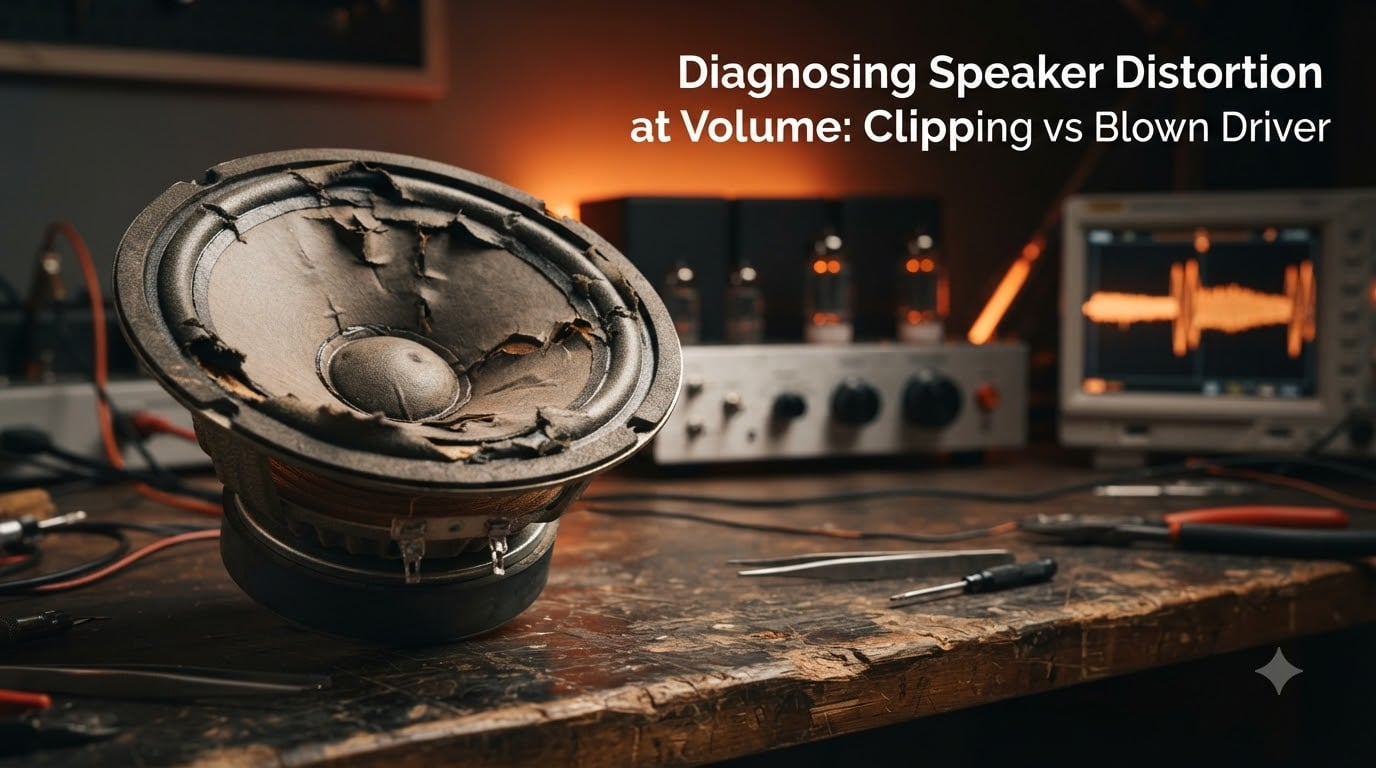
You turn the volume up, and suddenly your speakers sound awful. Maybe it is a harsh, gritty edge to the highs. Maybe it is a crackling rattle from the bass. Either way, your system is telling you something is wrong, and you need to figure out whether you are dealing with amplifier clipping or a blown driver before things get worse.
Speaker distortion at volume is one of the most common and most misunderstood issues in car audio, home stereo, and PA systems. The confusion makes sense because clipping and a blown driver can produce similar-sounding symptoms. But they have completely different causes, and they need completely different fixes.
Get this wrong and you risk compounding the damage. If your speaker is already blown and you keep pushing power to it, nothing good happens. If your amplifier is clipping and you assume the speaker is the problem, you might replace a perfectly good driver only to blow the new one the same way.
In this guide, I will walk you through exactly how to tell the difference between clipping and a blown driver. You will learn what each one sounds like, what causes it, how to test for it, and how to prevent it from happening again. I have spent years around audio systems and have made most of these mistakes myself so you do not have to.
Table of Contents
Quick Diagnostic Guide: Clipping vs Blown Driver
If you need a fast answer right now, here is the short version. Clipping is an amplifier problem where the waveform gets chopped off because the amp ran out of headroom. A blown driver is a physical speaker problem where internal components are damaged from heat or mechanical overexcursion.
Here is the side-by-side breakdown that no other guide seems to offer. Use this as your first reference point, then dig into the detailed sections below.
| Symptom | Clipping (Amplifier) | Blown Driver (Speaker) |
|---|---|---|
| Sound Character | Harsh, gritty, brittle highs | Muffled, crackling, scraping |
| Volume Dependency | Appears at high volume, clears at low volume | Present at all volumes, even low |
| Bass Response | Tight but distorted peaks | Loose, flabby, or absent |
| Physical Signs | None visible on speaker | Torn cone, burnt smell, voice coil rub |
| Reversibility | Fixable by lowering volume or adjusting gain | Usually requires repair or replacement |
| Which Component | Amplifier signal issue | Speaker hardware damage |
The single most important clue is volume dependency. If the distortion disappears when you turn the volume down, you are almost certainly hearing clipping. If the distortion persists even at low volume, you are likely dealing with a damaged driver.
What Is Amplifier Clipping?
Clipping happens when an amplifier is asked to produce more output than its power supply can deliver. The peaks of the audio waveform get chopped off, turning smooth rounded waves into flattened plateaus that resemble square waves. This is waveform clipping, and it is the root cause of harsh-sounding distortion at high volumes.
Think of it like this: your amplifier has a ceiling. When the music demands more voltage than that ceiling allows, the tops and bottoms of the waveform get sliced flat. The result is a signal rich in harsh high-frequency harmonics that your tweeters especially hate.
What does clipping sound like? Forum users on r/BudgetAudiophile describe it consistently as high-frequency harshness. It is a brittle, grainy quality that makes cymbals sound like static and vocals sound like they are being shredded. The bass might still hit hard but with an unpleasant edge on the transients.
Clipping has three main causes. First, the amplifier is underpowered for the speaker and gets pushed past its limits. Second, the gain is set too high, making the amp clip even though it technically has enough power. Third, bass boost or EQ settings are demanding more low-frequency energy than the system can deliver.
Here is something that surprises a lot of people: clipping can happen even at moderate volumes. If your gain is set wrong, the amplifier can be clipping internally while the overall output level sounds reasonable. This is why proper gain staging matters so much.
What Is a Blown Driver?
A blown driver is a speaker that has suffered physical damage to one or more of its internal components. Unlike clipping, which is a signal problem you can fix with settings, a blown driver means actual hardware inside the speaker has failed.
There are two main ways a driver blows: thermal failure and mechanical failure. Thermal failure happens when the voice coil gets too hot. The adhesive holding the coil together melts or burns, the insulation degrades, and eventually the coil warps or separates. Users on r/audioengineering describe the aftermath as a scraping sound when the damaged coil drags against the magnet gap.
Mechanical failure happens when the speaker cone is pushed beyond its excursion limits. The surround tears, the spider cracks, or the voice coil former deforms from overexcursion. This is what happens when too much bass energy hits a driver that cannot physically move far enough to handle it.
What does a blown driver sound like? Unlike clipping, which sounds harsh and brittle, a blown driver sounds wrong in a more physical way. You might hear crackling, buzzing, rattling, or a scratching-scraping noise as the cone moves. The output may sound muffled or hollow, like the speaker has lost its ability to reproduce certain frequencies cleanly.
A blown driver does not recover when you turn the volume down. The damage is physical and permanent. If your speaker sounds bad at low volume too, the driver is likely already damaged.
Key Differences Between Clipping and Blown Driver
Understanding the distinction between these two problems is the core of diagnosing speaker distortion at volume. Let me break down the differences that matter most.
Sound Character
Clipping produces a consistent, repeatable harshness tied to signal peaks. It sounds like the music is being shredded, especially in the high frequencies. A blown driver produces inconsistent, physical noises like crackling, buzzing, and scraping that follow the cone’s movement rather than the signal peaks.
Volume Dependency
This is your strongest diagnostic tool. Clipping comes and goes with volume because it is tied to how hard the amplifier is working. Turn it down and the clipping disappears. A blown driver sounds damaged regardless of volume because the physical defect is always there.
Reversibility
Clipping is completely reversible. Lower the volume, fix the gain, or upgrade the amplifier and the problem disappears instantly. No damage has been done to the speaker yet, though sustained clipping will eventually cause damage. A blown driver is not reversible without physical repair or replacement of the damaged components.
Frequency Response
Clipping tends to add unwanted high-frequency content because the flattened waveform generates odd-order harmonics. This makes everything sound brighter and harsher than it should. A blown driver often reduces output in certain frequency ranges because the damaged cone can no longer move correctly, creating dead spots or muddy regions in the response.
Which Tweeter Suffers First
One important detail from the Audio Science Review community: clipping blows the tweeter first. Because clipping generates high-frequency harmonic content, the tweeter receives far more power than it was designed for. The woofer might handle the clipped signal fine, but the tweeter burns out. So if your tweeter is dead but the woofer still works, clipping is the likely culprit.
How to Diagnose Speaker Distortion: Step-by-Step
Diagnosing speaker distortion is the process of systematically narrowing down whether you have an amplifier problem, a speaker problem, or both. Follow these steps in order.
Step 1: Lower the Volume
Turn the volume down to a moderate listening level, roughly 30 to 40 percent of maximum. Listen carefully. If the distortion clears up, you are dealing with clipping. If the distortion persists, proceed to the next steps because you likely have physical damage.
Step 2: Test Each Speaker Individually
Use your receiver or amp’s balance and fade controls to isolate each speaker one at a time. If only one speaker sounds bad, the problem is likely that specific driver. If all speakers sound bad at the same volume threshold, the amplifier is probably clipping.
Step 3: Listen for the Distortion Type
Play a familiar, well-recorded track and listen for the character of the distortion. Harsh, gritty, brittle highs that only appear during loud passages indicate clipping. Crackling, scraping, buzzing, or rattling sounds that follow bass notes indicate a damaged driver.
Step 4: Check the Voice Coil
Gently press the speaker cone inward with evenly distributed fingers. A healthy cone moves smoothly and silently. If you feel or hear a scratching, scraping, or grinding sensation, the voice coil is rubbing against the magnet gap. That means the coil is warped or burnt and the driver is blown.
Step 5: Disable All Processing
Turn off all bass boost, loudness, EQ, and DSP processing. Set everything flat. If the distortion disappears, your processing settings were causing the amplifier to clip. This is extremely common in car audio where bass boost gets cranked up.
Step 6: Swap Left and Right Channels
If possible, swap the speaker wires between left and right channels. If the problem follows the speaker to the other side, the speaker is blown. If the problem stays on the same channel, the amplifier or source is the issue.
Step 7: Use a Multimeter for Resistance
If you have a multimeter, disconnect the speaker and measure its impedance across the terminals. A healthy 4-ohm speaker typically reads around 3.2 to 4.0 ohms. If the reading is significantly higher or shows an open circuit (infinite resistance), the voice coil is damaged or broken.
Visual Inspection Guide for Speaker Damage
Physical inspection can confirm what your ears suspect. Remove the speaker grille and examine the driver carefully under good lighting.
Cone Condition
Look for tears, punctures, or creases in the cone material. Even small cracks can cause audible distortion, especially in paper cones. Press gently on the cone surface. Any soft spots or deformations indicate structural failure.
Surround and Spider
The surround is the flexible ring between the cone edge and the metal frame. Check for tears, separation, or deterioration. Foam surrounds degrade over time and become sticky or crumbly. The spider is the corrated fabric disc behind the cone. If it is detached or torn, the cone loses its centering and the voice coil rubs.
Voice Coil Area
Look through the grille or spider openings at the voice coil gap. Signs of burning include dark or charred residue, a burning smell, or visible smoke marks. If the coil former is warped, you may see uneven gaps between the coil and the magnet.
Blown vs Loose
One common question from forums is whether a speaker is blown or just loose. A loose speaker produces rattling from mounting hardware vibrating, not from the driver itself. Tighten all mounting screws and check for loose grilles or door panel trim. If tightening everything does not fix the rattle, inspect the driver itself for physical damage.
Prevention: The 83% Rule and Gain Setting
Preventing speaker distortion means understanding power management. The 83% rule is a guideline from the car audio community that no competitor currently explains, so let me break it down clearly.
What Is the 83% Rule?
The 83% rule states that you should never turn your volume above roughly 83 percent of maximum on your head unit or source device. Beyond that point, most source units begin to clip the output signal internally before it even reaches your amplifier. The exact percentage varies by device, but the principle holds: the top portion of your volume control is not clean signal.
Think of the volume knob as having a usable range and a danger zone. The usable range gives you clean, undistorted signal. The danger zone introduces distortion at the source level that no amount of good equipment downstream can fix. Staying below 83 percent keeps you in the safe zone.
This matters because source-level clipping feeds directly into your amplifier. The amplifier faithfully amplifies the distorted signal, making it louder and more destructive. By the time it reaches your speakers, you are sending clipped waveforms at full power. That is a recipe for blown tweeters and overheated voice coils.
How to Set Your Gain Properly
Gain setting is the single most important prevention step. The gain control on your amplifier is not a volume knob. It matches the amplifier’s input sensitivity to your source unit’s output level.
Start with the gain at minimum. Turn your source volume to roughly 80 percent of maximum, which is near the top of the clean signal range. Slowly increase the amplifier gain until you hear distortion, then back it off slightly until the sound is clean. This ensures that at maximum clean source volume, your amplifier is producing maximum clean power without clipping.
Match Your Equipment
Make sure your amplifier’s RMS power output is appropriate for your speaker’s RMS power handling. An underpowered amplifier pushed to clipping is more dangerous than an appropriately powered amplifier at the same volume. Clipping from an underpowered amp delivers distorted DC-like signal that heats voice coils faster than clean, higher-power signal.
Also check impedance matching. Running a 2-ohm speaker on an amplifier rated only for 4-ohm loads forces the amp to deliver more current than it can handle, leading to thermal shutdown and clipping.
Common Myths About Clipping and Speaker Damage
There is a lot of misinformation floating around forums and even some manufacturer blogs. Let me address the most dangerous myths.
Myth 1: Underpowered Amps Are Safe
This is the most dangerous myth in audio. People think a small amplifier cannot hurt a big speaker. The truth is the opposite. An underpowered amplifier pushed to clipping delivers a distorted signal that is actually worse for your speakers than clean power from a larger amp. The clipped waveform contains high-frequency harmonic energy that overheats tweeters and the DC-like component heats voice coils. Underpowered amps blowing speakers is one of the most common failure modes in car audio.
Myth 2: Clipping Damages Speakers Instantly
Clipping causes incremental damage over time. Forum users report that continuous clipping causes damage so gradually that they do not notice until the speaker finally fails. One loud session with mild clipping probably will not kill your speakers. But repeated exposure to clipped signals shortens driver life significantly. The damage accumulates with each session.
Myth 3: Distorted Music Files Cause Speaker Damage
Some users worry that playing heavily compressed or distorted source material will blow their speakers. In reality, source-level distortion in music files is at a much lower level than amplifier clipping and is unlikely to cause physical damage. The real threat is amplifier clipping, not the recording quality. That said, extremely loud playback of any material can push equipment past its limits.
Myth 4: If the Bass Still Works, the Speaker Is Fine
Because clipping attacks tweeters first, your woofer might continue functioning while the tweeter is already damaged. Do not assume everything is fine just because the bass hits. Check the high-frequency output separately to catch early-stage damage before it spreads.
Frequently Asked Questions
How to tell if a speaker driver is blown?
A blown driver produces crackling, scraping, or muffled sound at all volumes, not just high volume. Press the cone gently and if you feel scratching or grinding, the voice coil is damaged. Visually inspect for tears in the cone or surround and check for a burning smell near the voice coil gap.
How do I tell if my speakers are clipping?
Clipping produces harsh, gritty, brittle high-frequency distortion that only appears when the volume is high. If the distortion disappears when you lower the volume, your amplifier is clipping. Check whether bass boost or gain settings are too high and try disabling all EQ processing to see if the sound clears up.
What is the 83% rule for speakers?
The 83% rule recommends never turning your source volume above roughly 83 percent of maximum because most head units and source devices begin clipping the output signal beyond that point. Staying below this threshold ensures clean signal reaches your amplifier, preventing distortion from being amplified into your speakers.
Is my speaker blown or loose?
A loose speaker rattles from mounting hardware or trim vibrating, while a blown driver crackles and scrapes from internal damage. Tighten all mounting screws and check for loose grilles first. If the noise persists after tightening everything, inspect the cone, surround, and voice coil for physical damage.
How to check speaker distortion?
Start by lowering the volume to see if the distortion clears, which indicates clipping. Test each speaker individually using balance and fade controls. Listen for the distortion type: harsh highs suggest clipping while crackling and scraping suggest a blown driver. Gently press the cone to check for voice coil rubbing, and use a multimeter to measure impedance if available.
Why do my speakers sound distorted at high volume?
Speakers sound distorted at high volume because the amplifier is clipping when asked to deliver more power than it can produce. The waveform gets chopped off, creating harsh harmonics. Other causes include incorrect gain settings, excessive bass boost, or the speaker reaching its mechanical limits. An underpowered amplifier pushed hard is the most common culprit.
Conclusion
Diagnosing speaker distortion at volume comes down to one key distinction: clipping is an amplifier signal problem that disappears at lower volumes, while a blown driver is physical speaker damage that persists regardless of volume. Once you know this difference, the diagnostic steps in this guide will point you to the right fix every time.
If you caught the problem early and it is clipping, the fix is simple: lower your volume ceiling, set your gain properly, and follow the 83% rule. If your driver is already blown, replacement or reconing is your path forward. Either way, apply the prevention strategies here so you do not end up back at square one with the same distortion problem next month.