
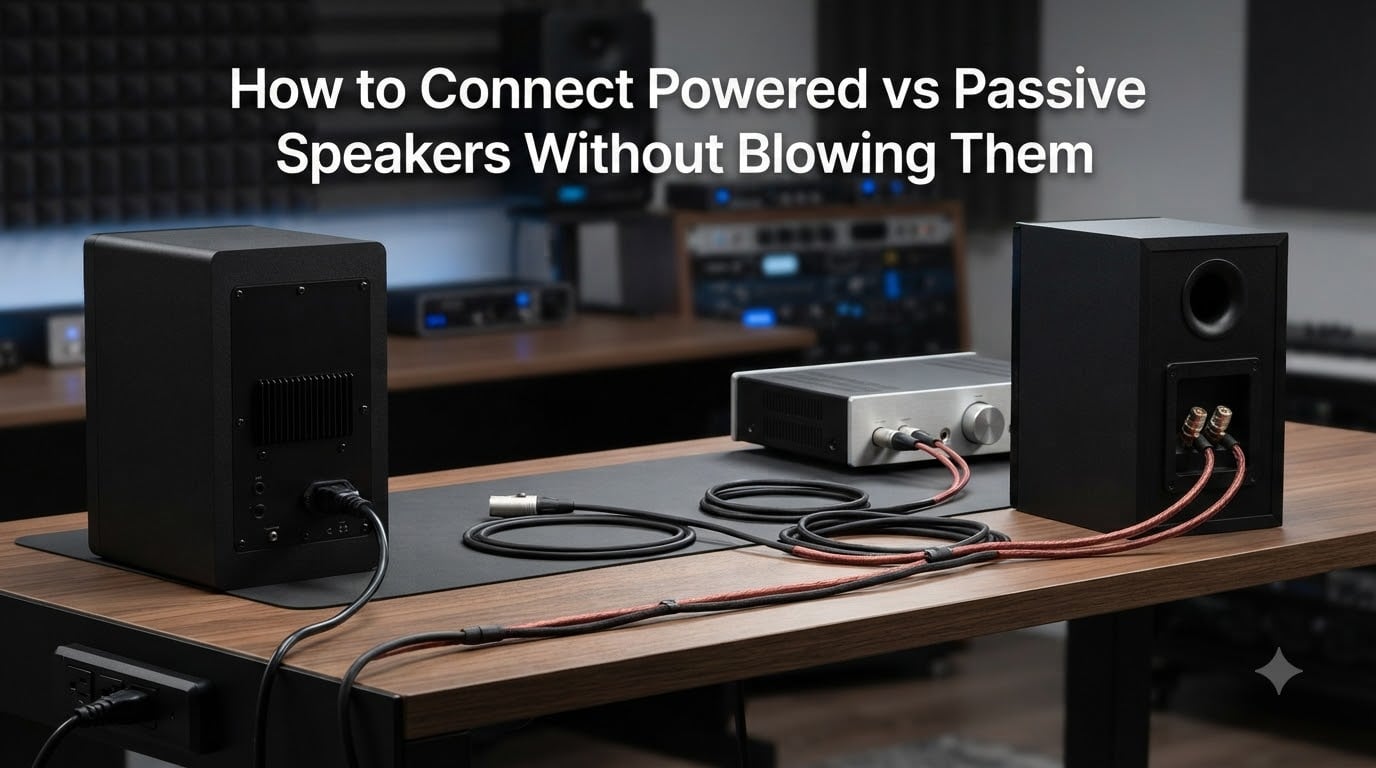
Hooking up the wrong speaker type to the wrong output is one of the fastest ways to ruin expensive audio gear. I have seen it happen at house parties, in home studios, and even at small live gigs where someone assumed all speakers work the same way. They do not.
The good news is that learning how to connect powered vs passive speakers without blowing them comes down to understanding a few straightforward rules about signal types, wattage, and impedance. Once you know the difference, safe connections become second nature.
This guide breaks down everything from basic definitions to the 83% rule for wattage matching, warning signs of a blown speaker, and whether you can mix powered and passive speakers in a single system.
Table of Contents
Powered vs Passive Speakers: The Core Difference
The single most important distinction is where the amplification happens. Powered speakers (also called active speakers) have a built-in amplifier inside the cabinet. You plug them into a wall outlet, send them an audio signal, and they handle the rest. Passive speakers have no internal amplifier at all. They rely entirely on an external amplifier or AV receiver to boost the signal before it reaches the drivers.
This difference changes everything about how you wire them. A powered speaker needs a line-level signal from a mixer, preamp, or audio interface. That signal is relatively weak and carries no dangerous current. A passive speaker needs a speaker-level signal from an amplifier, which is much stronger and carries enough voltage to damage components if connected improperly.
Here is a quick breakdown of how the two compare:
Powered (Active) Speakers: Built-in amplifier, requires AC power, accepts line-level inputs like XLR, RCA, or TRS. Examples include studio monitors, portable PA speakers, and most Bluetooth speakers.
Passive Speakers: No internal amplifier, no power cable needed, accepts speaker-level signals through speaker wire connected to binding posts. Common in home theaters, hi-fi systems, and installed PA systems.
The confusion usually starts when someone tries to wire one type as if it were the other. Plugging a passive speaker into a line-level output gives you near-silence. Sending amplified power into a powered speaker can fry its internal circuitry. Neither situation is fun.
How to Connect Powered vs Passive Speakers Without Blowing Them
Follow these steps in order and you will avoid nearly every common mistake that leads to blown speakers. I have used this exact checklist for years across home setups and live sound gigs.
Step 1: Power Everything Off Before Touching Cables
This is the most important step and the one people skip most often. Turn off your amplifier, mixer, audio interface, and any powered speakers. Make sure the volume knobs are turned all the way down. Connecting cables while gear is powered on creates pops and spikes that can damage tweeters and amplifier circuits instantly.
Step 2: Identify Your Speaker Type
Check the back of each speaker. If it has a power cable and inputs like XLR, RCA, or TRS jacks, it is a powered speaker. If it only has binding posts or spring clips for bare speaker wire, it is passive. Some speakers have both, but that is rare outside of hybrid designs.
Step 3: Connect Powered Speakers to a Line-Level Source
Use a balanced XLR or TRS cable from your mixer, preamp, or audio interface output to the powered speaker’s input. Balanced cables reject noise and carry the signal cleanly over longer runs. If your source only has RCA outputs, RCA cables will work for short distances. Plug the powered speaker into a wall outlet and leave the volume at its midpoint setting until you are ready to test.
Step 4: Connect Passive Speakers to an Amplifier
Run speaker wire from your amplifier’s speaker outputs to the passive speaker’s binding posts. Observe polarity: connect the positive terminal (usually red) on the amp to positive on the speaker, and negative (usually black) to negative. Reversed polarity will not blow the speaker, but it will cause phase issues that thin out your bass response.
Step 5: Verify Impedance and Wattage Compatibility
Before powering on, confirm that your amplifier’s impedance rating matches or is compatible with your speaker’s ohm rating. A typical pairing is an amp rated for 8 ohm speakers driving 8 ohm speakers. Also check that the amp’s wattage output per channel is appropriate for the speaker’s power handling. More on this in the wattage section below.
Step 6: Power On in the Right Order
Turn on sources first (mixer, interface, preamp), then the amplifier or powered speakers. This order prevents turn-on thumps from reaching the speakers. When shutting down, reverse the order: turn off amps first, then sources. Many blown tweeters happen because someone powers off the mixer while the amp is still on.
Step 7: Bring Volume Up Slowly
Start with all volume controls at zero. Gradually raise the source volume, then the speaker or amplifier volume. Listen for distortion, crackling, or unusual buzzing. If anything sounds wrong, drop the volume immediately and recheck your connections. Clean audio at moderate levels means your setup is correct.
Understanding Wattage and Impedance Matching
Wattage and impedance are the two numbers that determine whether your amplifier and speakers will play nicely together or fight until something breaks. Getting these right is the difference between a setup that lasts years and one that fails on day one.
What Impedance Means in Plain Terms
Impedance, measured in ohms, is the electrical resistance a speaker presents to an amplifier. The most common ratings are 4 ohm, 6 ohm, and 8 ohm. Lower impedance means the speaker draws more current from the amplifier. An amp designed for 8 ohm speakers can usually drive a 4 ohm speaker, but it will work harder and may overheat or trigger protection circuits.
The safest approach is to match the speaker’s impedance to the amplifier’s rated impedance. If the amp says it is stable down to 4 ohms, you can run either 4 ohm or 8 ohm speakers. Never run a speaker with lower impedance than the amplifier can handle. That is a fast path to a blown amp channel.
Wattage Ratings Explained
Speakers carry two key wattage numbers. RMS (root mean square) wattage is the continuous power the speaker can handle over time. Peak wattage is the maximum burst it can survive for brief moments. Always use the RMS rating for matching purposes. Peak numbers are mostly marketing.
Amplifiers also have RMS ratings per channel. A well-matched system has an amplifier whose per-channel RMS output is close to but not drastically higher than the speaker’s RMS rating. Contrary to what many people assume, an underpowered amplifier is actually more dangerous than an overpowered one. When a weak amp is pushed to its limits, it sends distorted signals called clipping that destroy speakers faster than clean high-wattage power.
The 83% Rule for Safe Power Matching
Here is a guideline that no major competitor covers but experienced audio engineers swear by. The 83% rule states that your speaker’s RMS wattage rating should be at least 83% of your amplifier’s maximum RMS output per channel. Put another way, match your amplifier to deliver between 70% and 100% of the speaker’s rated RMS power handling.
For example, if your speakers are rated at 100 watts RMS, you want an amplifier that delivers between 70 and 100 watts per channel. This range gives you clean headroom so the amplifier never has to strain into clipping territory. If you pair those same 100-watt speakers with a 20-watt amplifier and crank the volume, the amp will clip hard and likely fry the tweeters long before the speakers reach their limit.
This is counterintuitive for beginners. More amplifier power feels riskier, but clean power from a properly sized amp is what keeps speakers alive. Underpowering and then pushing the volume up is what actually destroys them.
Can You Connect Passive Speakers to Powered Speakers?
The short answer is no, not directly. You cannot wire passive speakers to the audio outputs of a powered speaker and expect them to work or survive. Powered speaker outputs are line-level signals meant to travel to other powered speakers, mixers, or recording devices. They do not carry enough power to drive a passive speaker’s voice coil.
Some powered PA speakers do include a feature called thru or link outputs. These pass the line-level signal along to additional powered speakers. They do not amplify the signal for passive speakers. Connecting a passive speaker to a thru output using an adapter cable will result in either silence or a dangerously mismatched signal that can damage the passive speaker’s crossover network.
Reddit users in the live sound and audio communities confirm this repeatedly. One common scenario involves someone buying a powered PA speaker, then trying to add a pair of passive speakers they already own. The correct solution is to add a separate power amplifier between the mixer and the passive speakers. The mixer sends a line-level signal to both the powered speaker and the external amp simultaneously using split outputs.
The Right Way to Combine Both Types
If you want powered and passive speakers in the same system, here is the safe chain: Run your source (mixer, interface, preamp) outputs to the powered speakers using XLR or TRS cables. From that same source, run additional outputs to a dedicated power amplifier. Connect the power amplifier’s speaker outputs to the passive speakers using speaker wire. Each speaker type receives the correct signal level from its own appropriate source.
This setup keeps powered speakers on line-level signals and passive speakers on speaker-level signals. Nothing gets cross-wired, and no component receives a signal it was not designed to handle.
Warning Signs Your Speakers Are About to Blow
Speakers rarely die without warning. Learning to recognize the early signs can save your gear before permanent damage sets in. Here are the signals to watch for, ordered from least to most urgent.
Distortion at Moderate Volumes
If your speakers start sounding harsh, raspy, or fuzzy at volumes they used to handle cleanly, something is wrong. This could mean the amplifier is clipping, the impedance is mismatched, or a driver is partially damaged. Drop the volume immediately and investigate before pushing further.
Popping or Crackling Sounds
Random pops, clicks, and crackles usually indicate a loose connection, a damaged voice coil, or amplifier instability. Check all cable connections first. If the sound persists after reseating cables, the speaker may already have internal damage.
Buzzing or Rattling from the Woofer
A buzzing woofer often means the voice coil has overheated and is rubbing against the magnet gap. This is a late-stage warning. Continued use will destroy the driver permanently. If you hear mechanical buzzing rather than electronic distortion, stop playing through that speaker right away.
Burning Smell or Excessive Heat
This is the most urgent warning sign. A hot cabinet or a burning plastic smell means the voice coil is melting its adhesive or the crossover components are overheating. Power off immediately. A speaker that reaches this stage may already be beyond repair, and continuing to play it risks starting an electrical fire.
Muddy or Missing High Frequencies
Tweeters are the most fragile component in any speaker. If the high frequencies suddenly become muffled or disappear entirely, the tweeter may already be blown. This often happens from amplifier clipping or a sudden feedback spike. Test with a different source and cable before concluding the tweeter is dead.
Daisy Chaining Powered and Passive Speakers Together
Daisy chaining means linking multiple speakers in sequence rather than running separate cables from the source to each one. The rules for daisy chaining depend entirely on speaker type.
Daisy chaining powered speakers is safe and common. Connect your mixer output to the first powered speaker’s input. Use the thru or link output on that speaker to send the same line-level signal to the next powered speaker’s input. Each speaker has its own power cable and built-in amp, so the signal stays clean throughout the chain. Most professional PA setups use this method.
Daisy chaining passive speakers requires careful impedance math. When you wire passive speakers in parallel (the standard daisy chain method), the total impedance drops. Two 8 ohm speakers wired in parallel create a 4 ohm load. Four 8 ohm speakers create a 2 ohm load. If your amplifier is only rated for 4 ohm minimum loads, adding that third or fourth speaker will overload it.
To daisy chain passive speakers safely, calculate the total impedance before connecting anything. Use this formula for parallel wiring: total impedance equals the impedance of one speaker divided by the number of speakers. Two 8 ohm speakers gives you 4 ohms. Three 8 ohm speakers gives you roughly 2.67 ohms. Make sure your amplifier can handle that load before powering on.
Never daisy chain a passive speaker off a powered speaker’s output. The powered speaker cannot supply amplified power to a passive driver. Use a separate amplifier for passive speakers, connected from the same source that feeds your powered speakers.
Frequently Asked Questions
Can you connect passive speakers to powered speakers?
No, you cannot connect passive speakers directly to powered speakers. Powered speaker outputs carry line-level signals, not the amplified power that passive speakers need. To use both types in one system, send the source signal to your powered speakers and also to a separate power amplifier that drives the passive speakers.
What is the 83% rule for speakers?
The 83% rule states that your speaker’s RMS wattage rating should be at least 83% of your amplifier’s maximum RMS output per channel. In practical terms, match your amplifier to deliver between 70% and 100% of the speaker’s rated power handling. This gives clean headroom and prevents the amplifier from clipping, which is what actually destroys speakers.
How to avoid blowing out a speaker?
To avoid blowing speakers, always power off all gear before connecting cables, match amplifier impedance to speaker impedance, size your amplifier to deliver 70 to 100% of the speaker’s RMS rating, turn on sources before amps and off amps before sources, and bring volume up slowly. Never push an underpowered amplifier to maximum volume because clipping kills tweeters fast.
Do passive speakers sound better than powered speakers?
Neither type is inherently better. Passive speakers offer flexibility because you can upgrade the amplifier separately, and high-end passive systems with matched amps often deliver excellent sound. Powered speakers provide perfectly matched internal amplification, optimized crossovers, and simpler setup. Sound quality depends more on component quality and proper matching than on whether the amp is internal or external.
Conclusion
Knowing how to connect powered vs passive speakers without blowing them comes down to respecting signal levels, matching impedance and wattage correctly, and following the right power-on sequence every single time. The 83% rule, the warning signs of damage, and the correct method for combining both speaker types in one system are the details that separate a safe setup from a costly mistake.
If you take one thing from this guide, let it be this: underpowering and pushing the volume is far more dangerous than using a properly sized amplifier. Clean power keeps speakers alive. Clipping kills them. Now go set up your system the right way, and enjoy the music without the anxiety.