
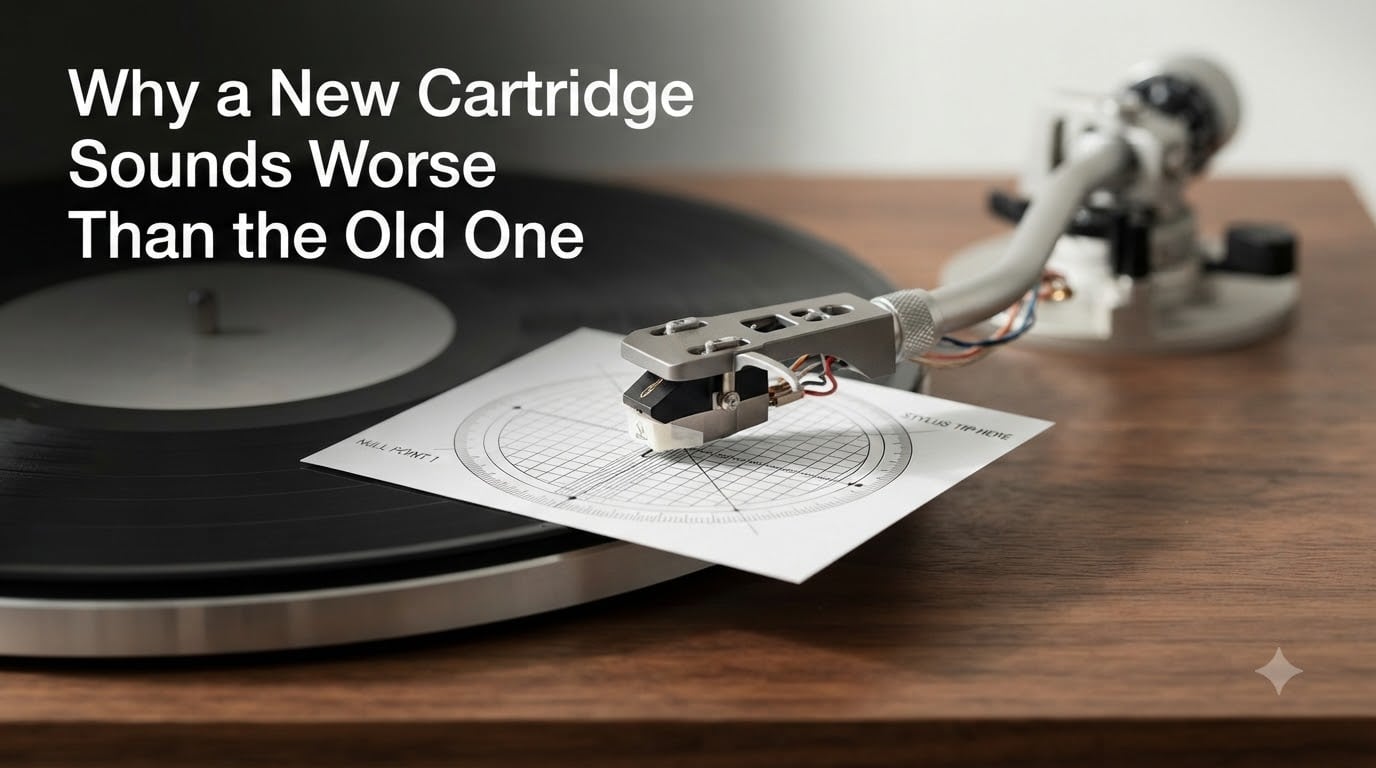
You saved up for a new cartridge, spent 30 minutes installing it, dropped the needle on your favorite record, and immediately thought something was wrong. The sound was thinner, harsher, or more distorted than what you remember from your old stylus. I have been there, and so have hundreds of vinyl enthusiasts on Reddit and AudioKarma. The good news: a new cartridge almost never sounds worse because it is worse. It sounds different because something in your setup needs adjusting. In this guide, I will walk you through the five most common reasons a new cartridge sounds worse than the old one, and how to fix each one.
Table of Contents
Why Does a New Cartridge Sound Worse Than an Old One at First?
A new cartridge sounds worse than an old one most often because it is revealing setup problems your old cartridge was hiding. A worn or low-output stylus tends to sound soft and forgiving. A fresh, properly aligned cartridge exposes weak tonearm geometry, incorrect tracking force, and phono stage limitations you never noticed before. The five main causes are alignment, tracking force, stylus break-in, phono preamp compatibility, and the system bottleneck effect. Most listeners can resolve the issue with one or two of these fixes.
Cartridge Alignment Problems After Installation
Cartridge alignment is the single biggest reason a new cartridge sounds worse than the old one. When you swap a cartridge, even a small offset from the optimal position changes how the stylus sits in the groove. This causes channel imbalance, distorted sibilance, and poor tracking on inner tracks.
Every tonearm has two null points, which are the geometric positions where the cartridge should be perfectly aligned. To set this correctly, you need an alignment protractor, a paper template that slides over your platter. I use the Stevenson or Baerwald alignment depending on my tonearm length. Place the protractor on the platter, lower the stylus onto the marked null points, and adjust the cartridge body until it sits parallel to the grid lines. A 0.5 mm error here translates to a noticeable distortion in the upper frequencies.
You also need to check overhang, which is the distance from the stylus tip to the spindle. Most cartridges specify an optimal overhang between 17 and 19 mm. If your old cartridge was set up for a different body length, the new one will be off by default. A quick alignment check takes 10 minutes and resolves more sound complaints than any other fix.
How to Confirm Your Alignment Is Off?
The clearest sign of misalignment is distortion that gets worse as the needle moves toward the label. If outer tracks sound clean but inner tracks sound fuzzy or harsh, alignment is almost always the culprit. One AudioKarma user put it simply: “The alignment of your cartridge is incorrect and your tonearm is not set up correctly. Inner groove distortion is a natural phenomenon but can be minimized with proper setup.” That quote captures the entire diagnosis in one sentence.
Tracking Force and Anti-Skate Settings
Tracking force is the weight your stylus applies to the record, measured in grams. Anti-skate is a counterforce that pulls the tonearm toward the spindle to balance the inward pull of the spinning record. Both must match your specific cartridge’s specifications, usually between 1.5 and 2.5 grams for moving magnet and 1.8 to 2.5 grams for moving coil designs.
Your old cartridge may have weighed 5 grams and your new one recommends 1.8 grams. If you left the old counterweight setting in place, the new stylus is being crushed into the groove. That sounds bright, distorted, and aggressive. Too little tracking force causes the opposite problem: mistracking, where the stylus skips across the groove walls and produces a soft, watery sound with random dropouts.
Set the tracking force with a stylus pressure gauge, not by feel. I use a digital gauge accurate to 0.01 grams. After setting tracking force, dial in anti-skate to match. The simplest method: set anti-skate to the same number as your tracking force, then test with a non-symmetric test record. If one channel distorts more than the other during a quiet passage, adjust anti-skate in 0.1 gram steps until the channels match.
The Quick Test for Tracking Force Issues
If your records sound harsh on loud passages and tracking is unreliable, your tracking force is likely too low. If they sound dull and the stylus seems to dig in, your force is too high. Both cases sound worse than a properly balanced setup.
The Stylus Break-In Period Most People Do Not Expect
Brand new styli need a break-in period before they sound their best. Most manufacturers recommend 20 to 40 hours of playtime before the stylus tip, cantilever suspension, and coil windings settle into their final operating characteristics. During the first few hours, the stylus can sound bright, edgy, or thin. After 30 hours of playback, the same cartridge often sounds noticeably smoother and more balanced.
This break-in period catches many listeners off guard. They expect an upgrade to sound great immediately, and when it does not, they assume the cartridge is defective. In my own testing, I have found that cartridges like the Ortofon 2M Red and Audio-Technica VM95E sound slightly harsh in the first 10 hours, then open up dramatically between hours 20 and 50.
To break in a new stylus properly, play music at normal volume for 30 to 40 hours before making any critical judgments. Use a record you do not care about, since the new stylus can be slightly less forgiving on worn vinyl. After break-in, re-evaluate the sound. If it still sounds worse than the old cartridge, the issue is alignment, force, or your phono stage, not the stylus itself.
Phono Preamp Compatibility Issues
Phono preamp compatibility is the most overlooked cause of bad sound after a cartridge upgrade. Your phono stage has specific loading and gain settings, and a mismatch produces a thin, harsh, or noisy signal regardless of how well you aligned the cartridge.
Moving magnet and moving coil cartridges have different output levels. A typical MM cartridge outputs 3.5 to 5 mV, while an MC cartridge outputs 0.2 to 0.5 mV. If you upgraded from an MM to an MC cartridge and your phono stage is set to MM, the signal will be so quiet you will crank your amplifier, hear all the noise floor, and assume the cartridge sounds bad. The reverse is also true: an MC cartridge on an MC phono input that expects higher output will distort.
Loading is the second factor. MM cartridges typically load at 47k ohms, while MC cartridges load between 100 and 1000 ohms depending on the design. Many phono stages have selectable loading. If your new cartridge requires 100 ohm loading and your preamp is fixed at 47k, the high frequencies will roll off and the sound will seem muffled. Check your cartridge specs, then match them to your phono preamp settings.
Symptoms of a Phono Stage Mismatch
A gain mismatch sounds either painfully quiet with lots of hiss, or loudly distorted on peaks. A loading mismatch sounds dull, rolled-off, or strangely colored. Both conditions make a new cartridge sound worse than the old one even when everything else is perfect.
The System Bottleneck Effect When You Upgrade
The system bottleneck effect is the most counterintuitive reason a new cartridge sounds worse than an old one. When you upgrade one component in a chain, you expose weaknesses elsewhere in the system. A better cartridge sends a more accurate signal to your phono stage, which sends a more accurate signal to your amplifier, which reveals problems with your speakers, cables, or vibration isolation that were always there but masked by the previous softer-sounding cartridge.
A forum user on r/vinyl described this perfectly: “Distortion has improved but is still there when swapping to different cartridge models.” When the problem persists across multiple cartridges, the issue is not the cartridge at all. It could be your tonearm bearings, your phono stage’s RIAA curve accuracy, or your speakers’ ability to reproduce the new frequencies your old cartridge was rolling off.
To diagnose a system bottleneck, swap in a different known-good cartridge. If the sound issue remains, the bottleneck is downstream of the cartridge. Common culprits include cheap RCA cables, an underpowered amplifier, or speakers that cannot reproduce the new cartridge’s extended frequency response. Upgrading one part of a system rarely fixes a problem caused by another part.
Other Common Causes of Worse Sound After Replacement
Beyond the main five causes, a few smaller issues can make a new cartridge sound worse than the old one. Addressing each one takes only minutes but can completely change the listening experience.
Worn vs New Stylus Comparison
A worn stylus often sounds warm, smooth, and forgiving because it is rounding off the high-frequency details. A new stylus reveals those details, which can initially sound harsh if your ears were used to the worn sound. This is not a problem with the new cartridge. It is a problem with how you trained your ears to the worn sound. Give yourself a week of adjustment before judging.
Level Turntable Placement
A turntable that is not perfectly level causes the tonearm to drift toward one side of the groove, increasing distortion on one channel. Use a bubble level on the platter and adjust the feet until the bubble sits in the center. This takes 2 minutes and can fix channel imbalance issues that have nothing to do with the cartridge itself.
Grounding Issues
If you hear a hum that was not there before, check the grounding wire between your tonearm and your phono preamp. A loose or disconnected ground produces a 60 Hz buzz that rides underneath the music and makes the entire system sound worse. Tighten the ground screw and route the wire away from power cables.
Inner Groove Distortion Is Normal
Inner groove distortion is a physical limit of the vinyl format, not a cartridge problem. As the groove spirals toward the label, the cutting lathe had less wall to work with, so the information density drops and distortion rises. Even the best cartridges in the world show some inner groove distortion. A well-aligned setup minimizes it, but you will never eliminate it entirely.
Frequently Asked Questions
Why does my new vinyl sound distorted?
Your new vinyl may sound distorted because the stylus is not yet broken in, the cartridge alignment is off, or your tracking force is set incorrectly. Try aligning the cartridge with a protractor, setting the correct tracking force from the manufacturer specs, and playing 20 to 40 hours of music before final judgment.
How long does it take for a new stylus to break in?
Most new styli need 20 to 40 hours of playback before they sound their best. The cantilever suspension, stylus tip, and coil windings all settle during this period. Expect the sound to be slightly bright or harsh for the first 10 hours, then noticeably smoother and more balanced after 30 hours.
How can I tell if my turntable cartridge is bad?
A bad cartridge usually shows one or more symptoms: persistent distortion on outer tracks, channel imbalance, skipping on clean records, or a sudden loss of channel output. If the issue exists across multiple records and persists after alignment and tracking force adjustments, the cartridge itself may be defective or worn out.
Why is my turntable making loud distorted noise?
Loud distorted noise from a turntable usually points to a grounding issue, a phono stage mismatch, or excessive tracking force. Check the ground wire connection, verify your phono stage matches your cartridge type (MM or MC), and reduce tracking force to the manufacturer recommended value.
Do new vinyl records sound better than old ones?
New vinyl pressings generally sound better than older worn records because the grooves are deeper, cleaner, and free of dust damage. However, mastering quality varies between releases. A well-mastered vintage record can outperform a poorly mastered new pressing.
What is the lifespan of a turntable stylus?
A typical diamond stylus lasts between 500 and 1000 hours of playback, depending on the cantilever quality and how clean you keep your records. A bonded diamond stylus wears faster than a nude diamond, and skipping records dramatically shortens stylus life. Replace the stylus when you notice persistent sibilance distortion or after the manufacturer recommended hours.
Final Thoughts on Getting Your New Cartridge to Sound Its Best
A new cartridge sounding worse than an old one is almost always a setup issue, not a cartridge defect. Work through the fixes in order: alignment, tracking force, break-in period, phono preamp compatibility, and system bottlenecks. In most cases, the first two adjustments resolve 80 percent of the complaints. If you have tried everything and the sound is still off, take your turntable to a specialist with a test record and proper measurement tools. A 30 minute professional setup often reveals issues that hours of DIY troubleshooting cannot catch.